phone KIA OPTIMA PHEV 2020 User Guide
[x] Cancel search | Manufacturer: KIA, Model Year: 2020, Model line: OPTIMA PHEV, Model: KIA OPTIMA PHEV 2020Pages: 597, PDF Size: 14.2 MB
Page 284 of 597
Features of your vehicle
146
4
Wireless smart phone charg-
ing system (if equipped)
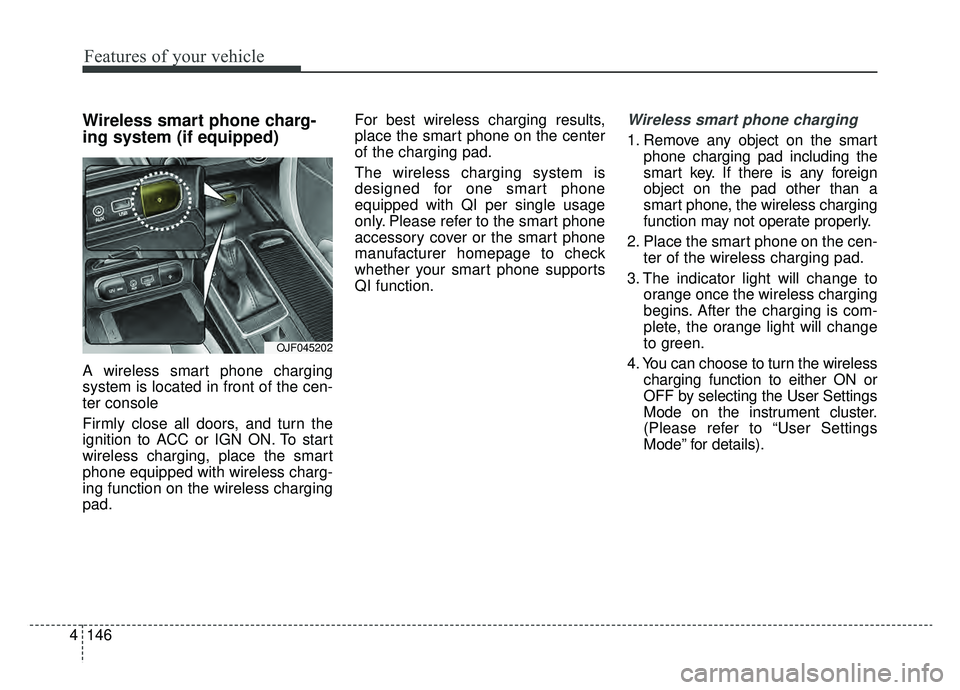
A wireless smart phone charging
system is located in front of the cen-
ter console
Firmly close all doors, and turn the
ignition to ACC or IGN ON. To start
wireless charging, place the smart
phone equipped with wireless charg-
ing function on the wireless charging
pad. For best wireless charging results,
place the smart phone on the center
of the charging pad.
The wireless charging system is
designed for one smart phone
equipped with QI per single usage
only. Please refer to the smart phone
accessory cover or the smart phone
manufacturer homepage to check
whether your smart phone supports
QI function.
Wireless smart phone charging
1. Remove any object on the smart
phone charging pad including the
smart key. If there is any foreign
object on the pad other than a
smart phone, the wireless charging
function may not operate properly.
2. Place the smart phone on the cen- ter of the wireless charging pad.
3. The indicator light will change to orange once the wireless charging
begins. After the charging is com-
plete, the orange light will change
to green.
4. You can choose to turn the wireless charging function to either ON or
OFF by selecting the User Settings
Mode on the instrument cluster.
(Please refer to “User Settings
Mode” for details).
OJF045202
Page 285 of 597
4147
Features of your vehicle
If the wireless charging does not
work, gently move your smart phone
around the pad until the charging
indicator light turns orange.
Depending on the smart phone, the
charging indicator light may not turn
green even after the charging is com-
plete.
If the wireless charging is not func-
tioning properly, the orange light will
blink and flash for ten seconds then
turn off. In such cases, remove the
smart phone from the pad and
replace it on the pad again, or double
check the charging status.
If you leave the smart phone on the
charging pad when the vehicle igni-
tion is in OFF, the vehicle will alert
you through warning messages and
sound (applicable for vehicles with
voice guidance function) after the
‘Good bye’ function on the instru-
ment cluster ends.CAUTION - Liquid in
Wireless Smart Phone
Charger
To prevent liquid from damag- ing the wireless smart phonecharging system in your vehi-cle, be sure not to spill liquidover the charging system whencharging your phone.
CAUTION - Metal in
Wireless Charging System
If any metallic object such as a coin is located between thewireless charging system andthe smart phone, the chargingmay be disrupted. Also, themetallic object may heat up andpotentially damage the chargingsystem. If there is any metallicobject between the smart phoneand the charging pad, immedi-ately remove the smart phone.Remove the metallic object afterit has cooled down.
WARNING - Distracted
driving
Driving while distracted can
result in a loss of vehicle con-
trol that may lead to an acci-
dent, severe personal injury,
and death. The driver’s primary
responsibility is in the safe and
legal operation of a vehicle, and
use of any handheld devices,
other equipment, or vehicle sys-
tems which take the driver’s
eyes, attention and focus away
from the safe operation of a
vehicle or which are not permis-
sible by law should never be
used during operation of the
vehicle.
Page 286 of 597

Features of your vehicle
148
4
✽ ✽
NOTICE
• When the interior temperature of
the wireless charging system rises
above a set temperature, the wire-
less charging will cease to func-
tion. After the interior tempera-
ture drops below the threshold,
the wireless charging function will
resume.
• The wireless charging may not function properly when there is a
heavy accessory cover on the
smart phone.
• The wireless charging will stop when using the wireless smart key
search function to prevent radio
wave disruption.
• The wireless charging will stop when the smart key is moved out
of the vehicle with the ignition in
ON.
• The wireless charging will stop when any of the doors is opened
(applicable for vehicles equipped
with smart keys).
(Continued)(Continued)
• The wireless charging will stop
when the vehicle is turned OFF.
• The wireless charging will stop when the smart phone is not in
complete contact with the wireless
charging pad.
• Items equipped with magnetic components such as a credit card,
telephone card, bankbook or any-
transportation ticket may become
damaged during wireless charg-
ing.
• Place the smart phone on the cen- ter of the charge pad for best
results. The smart phone may not
charge when placed near the rim
of the charging pad. When the
smart phone does get charged, it
may heat up excessively.
• For smart phones without built-in wireless charging system, an
appropriate accessory has to be
equipped in order to use the vehi-
cle's wireless charging system. (Continued)(Continued)
• Smart phones of some manufac-
turers may display messages on
weak current. This is due to the
particular characteristic of the
smart phone and does not imply a
malfunction on wireless charging
function.
• The indicator light of some manu- facturers’ smart phones may still
be orange after the smart phone is
fully charged. This is due to the
particular characteristic of the
smart phone and not a malfunc-
tion of the wireless charging.
• When any smart phone without a wireless charging function or a
metallic object is placed on the
charging pad, a small noise may
sound. This small sound is due to
the vehicle discerning compatibili-
ty of the object placed on the
charging pad. It does not affect
your vehicle or the smart phone in
any way.
Page 293 of 597
4155
Features of your vehicle
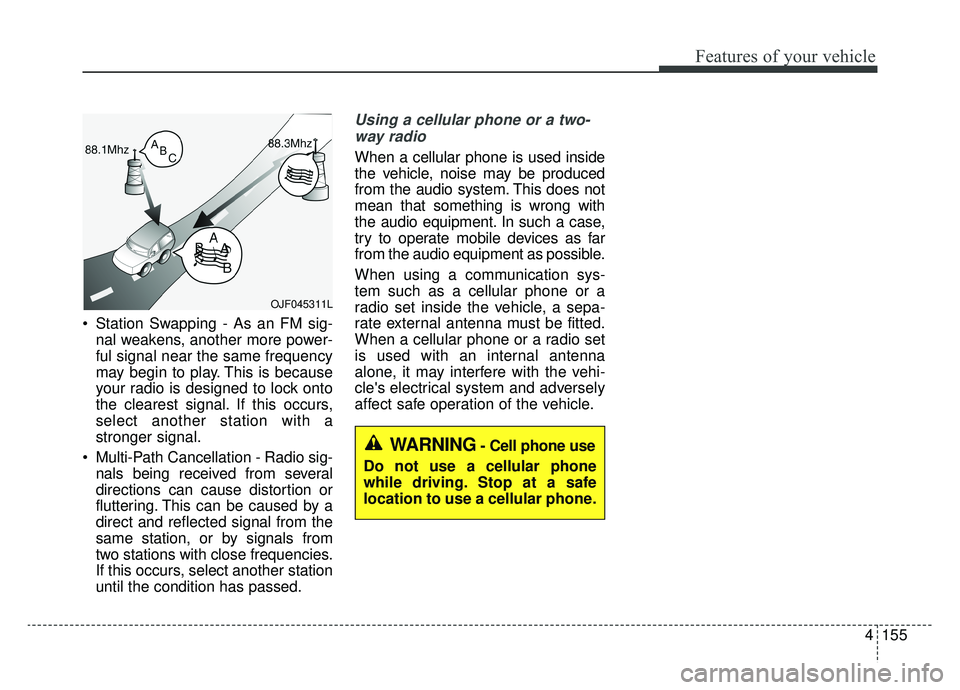
Station Swapping - As an FM sig-nal weakens, another more power-
ful signal near the same frequency
may begin to play. This is because
your radio is designed to lock onto
the clearest signal. If this occurs,
select another station with a
stronger signal.
Multi-Path Cancellation - Radio sig- nals being received from several
directions can cause distortion or
fluttering. This can be caused by a
direct and reflected signal from the
same station, or by signals from
two stations with close frequencies.
If this occurs, select another station
until the condition has passed.
Using a cellular phone or a two-
way radio
When a cellular phone is used inside
the vehicle, noise may be produced
from the audio system. This does not
mean that something is wrong with
the audio equipment. In such a case,
try to operate mobile devices as far
from the audio equipment as possible.
When using a communication sys-
tem such as a cellular phone or a
radio set inside the vehicle, a sepa-
rate external antenna must be fitted.
When a cellular phone or a radio set
is used with an internal antenna
alone, it may interfere with the vehi-
cle's electrical system and adversely
affect safe operation of the vehicle.
OJF045311L
WARNING- Cell phone use
Do not use a cellular phone
while driving. Stop at a safe
location to use a cellular phone.
Page 523 of 597
755
Maintenance
Inner panel fuse replacement
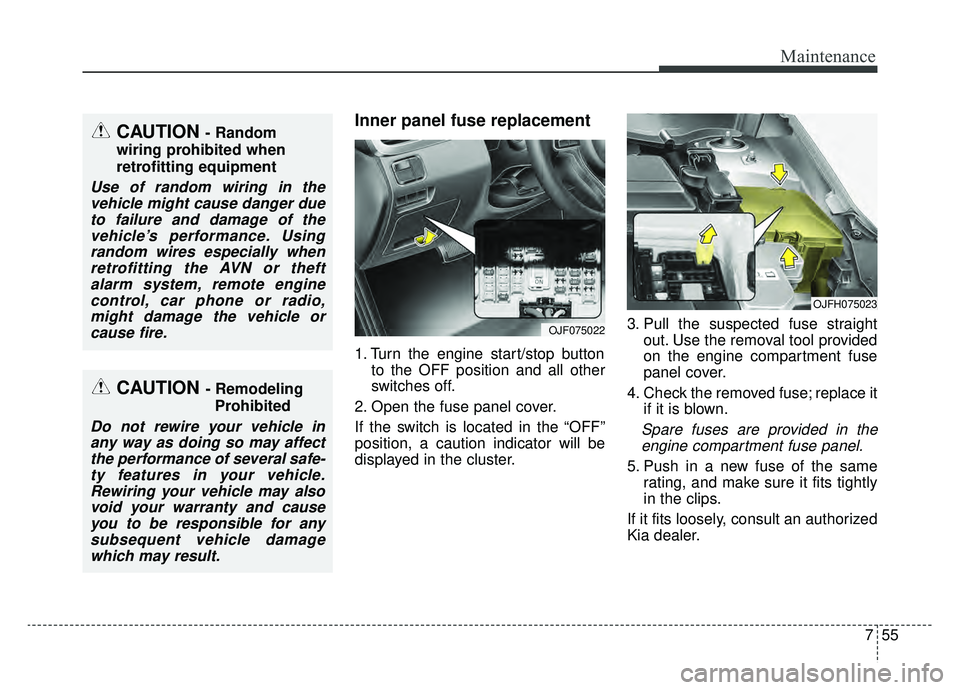
1. Turn the engine start/stop buttonto the OFF position and all other
switches off.
2. Open the fuse panel cover.
If the switch is located in the “OFF”
position, a caution indicator will be
displayed in the cluster. 3. Pull the suspected fuse straight
out. Use the removal tool provided
on the engine compartment fuse
panel cover.
4. Check the removed fuse; replace it if it is blown.
Spare fuses are provided in theengine compartment fuse panel.
5. Push in a new fuse of the same rating, and make sure it fits tightly
in the clips.
If it fits loosely, consult an authorized
Kia dealer.
OJFH075023
OJF075022
CAUTION - Random
wiring prohibited when
retrofitting equipment
Use of random wiring in the vehicle might cause danger dueto failure and damage of thevehicle’s performance. Usingrandom wires especially whenretrofitting the AVN or theftalarm system, remote enginecontrol, car phone or radio,might damage the vehicle orcause fire.
CAUTION - Remodeling
Prohibited
Do not rewire your vehicle inany way as doing so may affectthe performance of several safe-ty features in your vehicle.Rewiring your vehicle may alsovoid your warranty and causeyou to be responsible for anysubsequent vehicle damagewhich may result.
Page 591 of 597
Index
6I
Important safety precautions ..........................................3-2Air bag hazards ............................................................3-2
Always wear your seat belt ..........................................3-2
Control your speed ........................................................3-3
Driver distraction ..........................................................3-2
Keep your vehicle in safe condition ............................3-3
Restrain all children ......................................................3-2
In case of an emergency while driving ............................6-3 If the engine stalls at a crossroad or crossing ..............6-3
If the engine stalls while driving ..................................6-3
If you have a flat tire while driving ..............................6-3
Instrument cluster ..........................................................4-53 Gauges ........................................................................\
4-55
Instrument cluster control ..........................................4-54
LCD display control ..................................................4-54
Transaxle shift indicator ............................................4-60
Instrument panel overview ..............................................2-5
Interior features............................................................4-141 Air ventilation seat ....................................................4-143
Bottle holder ............................................................4-141
Coat hook ..................................................................4-149
Cup holder ................................................................4-141
Floor mat anchor(s) ..................................................4-150
Power outlet ..............................................................4-144
Seat warmer ..............................................................4-142
Side curtain ..............................................................4-151
Sunvisor ....................................................................4-14\
3 USB charger ..............................................................4-145
Wireless smart phone charging system ....................4-146
Interior lights ..............................................................4-114 Automatic turn off function ......................................4-114
Glove box lamp ........................................................4-116
Map lamp ..................................................................4-115
Room lamp ................................................................4-114
Trunk room lamp ......................................................4-116
Vanity mirror lamp ....................................................4-116
Interior overview..............................................................2-4
Lane Keeping Assist (LKA) system ............................5-116 LKA function change ..............................................5-124
LKA operation ..........................................................5-117
LKA system malfunction ..........................................5-123
LCD display ..................................................................4-61 LCD modes ................................................................4-61
Trip modes ..................................................................4-69
Trip modes (Trip computer)........................................4-69
User settings mode ......................................................4-64
Warning messages ......................................................4-73
Light bulbs ....................................................................7-73\
Back-up lamp (Bulb type) bulb replacement..............7-84
Bulb replacement precaution ....................................7-73
Front fog lamp (Bulb and LED type) bulb replacement ..............................................................7-81
L