lock KIA OPTIMA PHEV 2020 Repair Manual
[x] Cancel search | Manufacturer: KIA, Model Year: 2020, Model line: OPTIMA PHEV, Model: KIA OPTIMA PHEV 2020Pages: 597, PDF Size: 14.2 MB
Page 300 of 597
55
Driving your vehicle
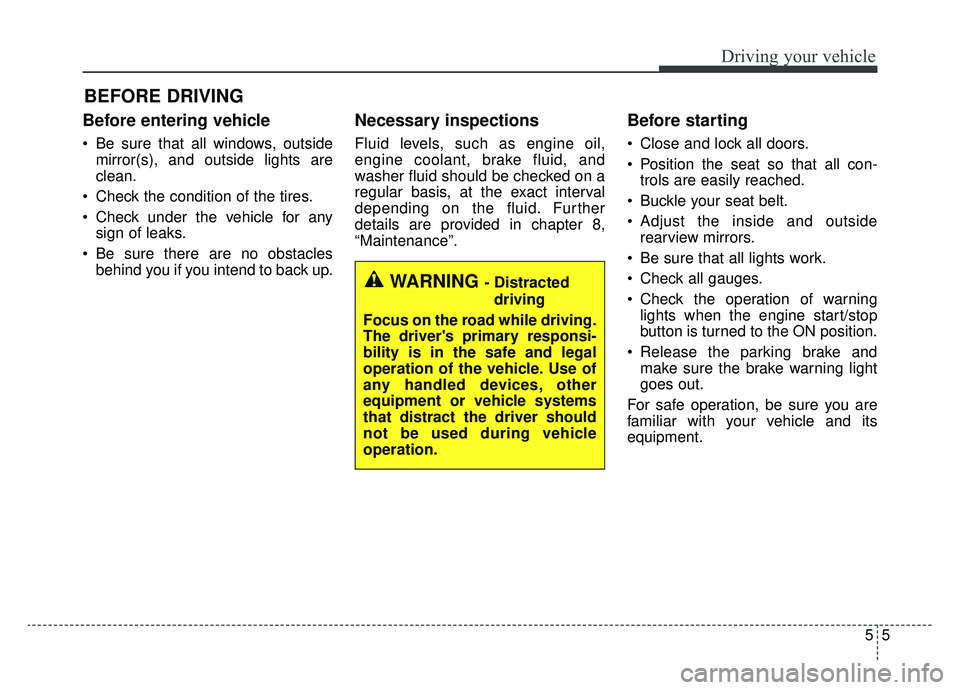
Before entering vehicle
• Be sure that all windows, outsidemirror(s), and outside lights are
clean.
Check the condition of the tires.
Check under the vehicle for any sign of leaks.
Be sure there are no obstacles behind you if you intend to back up.
Necessary inspections
Fluid levels, such as engine oil,
engine coolant, brake fluid, and
washer fluid should be checked on a
regular basis, at the exact interval
depending on the fluid. Further
details are provided in chapter 8,
“Maintenance”.
Before starting
Close and lock all doors.
Position the seat so that all con-trols are easily reached.
Buckle your seat belt.
Adjust the inside and outside rearview mirrors.
Be sure that all lights work.
Check all gauges.
Check the operation of warning lights when the engine start/stop
button is turned to the ON position.
Release the parking brake and make sure the brake warning light
goes out.
For safe operation, be sure you are
familiar with your vehicle and its
equipment.
BEFORE DRIVING
WARNING - Distracted driving
Focus on the road while driving.
The driver's primary responsi-
bility is in the safe and legal
operation of the vehicle. Use of
any handled devices, other
equipment or vehicle systems
that distract the driver should
not be used during vehicle
operation.
Page 302 of 597
57
Driving your vehicle
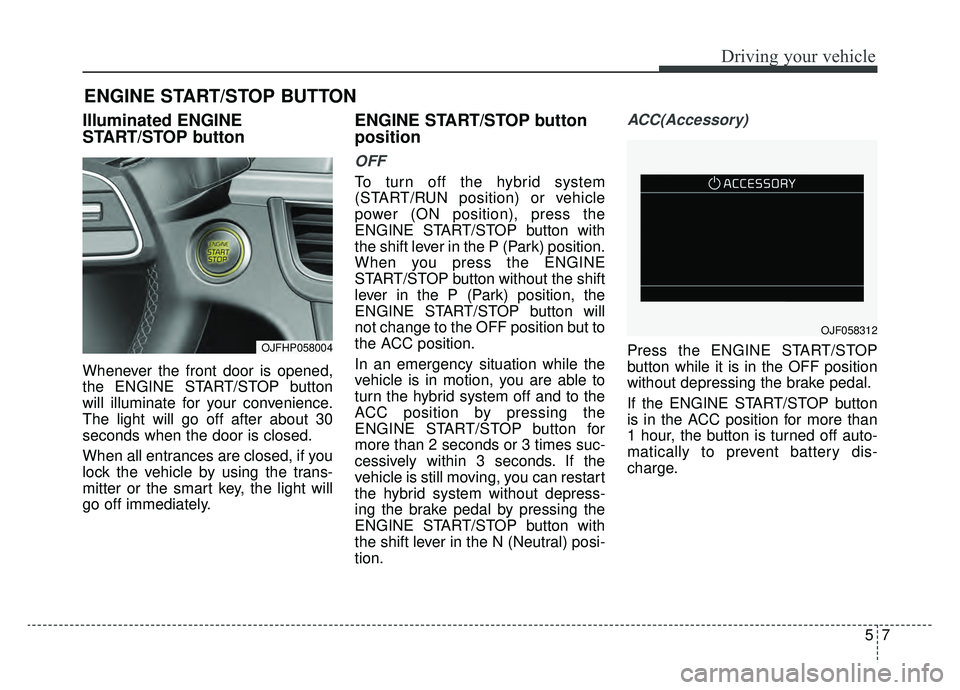
Illuminated ENGINE
START/STOP button
Whenever the front door is opened,
the ENGINE START/STOP button
will illuminate for your convenience.
The light will go off after about 30
seconds when the door is closed.
When all entrances are closed, if you
lock the vehicle by using the trans-
mitter or the smart key, the light will
go off immediately.
ENGINE START/STOP button
position
OFF
To turn off the hybrid system
(START/RUN position) or vehicle
power (ON position), press the
ENGINE START/STOP button with
the shift lever in the P (Park) position.
When you press the ENGINE
START/STOP button without the shift
lever in the P (Park) position, the
ENGINE START/STOP button will
not change to the OFF position but to
the ACC position.
In an emergency situation while the
vehicle is in motion, you are able to
turn the hybrid system off and to the
ACC position by pressing the
ENGINE START/STOP button for
more than 2 seconds or 3 times suc-
cessively within 3 seconds. If the
vehicle is still moving, you can restart
the hybrid system without depress-
ing the brake pedal by pressing the
ENGINE START/STOP button with
the shift lever in the N (Neutral) posi-
tion.
ACC(Accessory)
Press the ENGINE START/STOP
button while it is in the OFF position
without depressing the brake pedal.
If the ENGINE START/STOP button
is in the ACC position for more than
1 hour, the button is turned off auto-
matically to prevent battery dis-
charge.
ENGINE START/STOP BUTTON
OJFHP058004
OJF058312
Page 305 of 597
Driving your vehicle
10
5
✽ ✽
NOTICE
To prevent damage to the vehicle:
• If the " " indicator turns off
while you are in motion, do not
attempt to move the shift lever to
the P (Park) position.
If traffic and road conditions per-
mit, you may put the shift lever in
the N (Neutral) position while the
vehicle is still moving and press
the Engine Start/Stop button in an
attempt to restart the hybrid sys-
tem.
• Do not push or tow your vehicle to start the hybrid system.
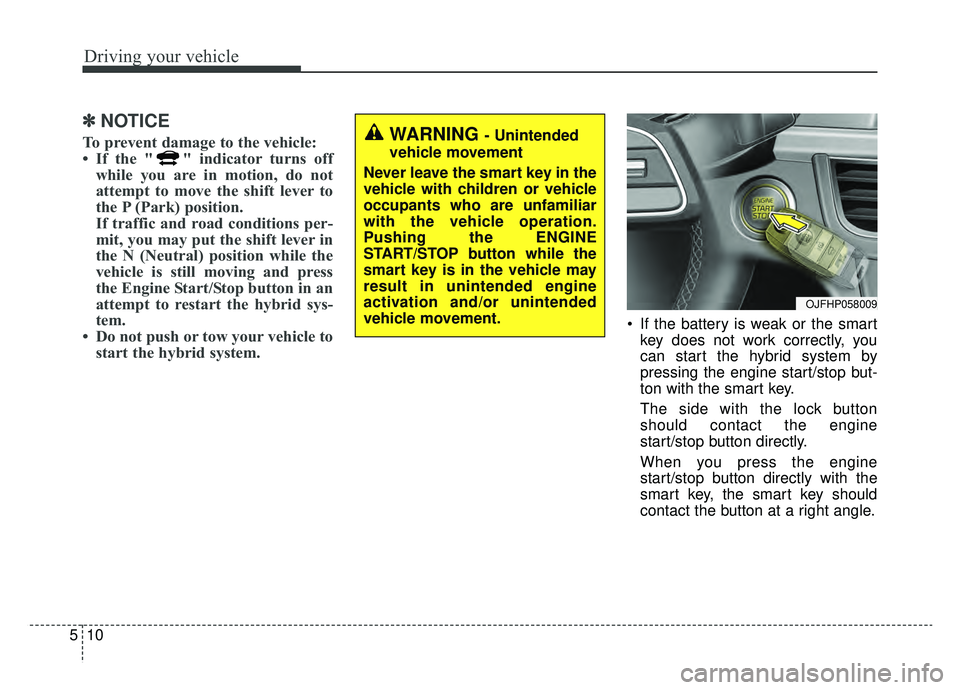
If the battery is weak or the smart
key does not work correctly, you
can start the hybrid system by
pressing the engine start/stop but-
ton with the smart key.
The side with the lock button
should contact the engine
start/stop button directly.
When you press the engine
start/stop button directly with the
smart key, the smart key should
contact the button at a right angle.
WARNING - Unintended
vehicle movement
Never leave the smart key in the
vehicle with children or vehicle
occupants who are unfamiliar
with the vehicle operation.
Pushing the ENGINE
START/STOP button while the
smart key is in the vehicle may
result in unintended engine
activation and/or unintended
vehicle movement.
OJFHP058009
Page 307 of 597
Driving your vehicle
12
5
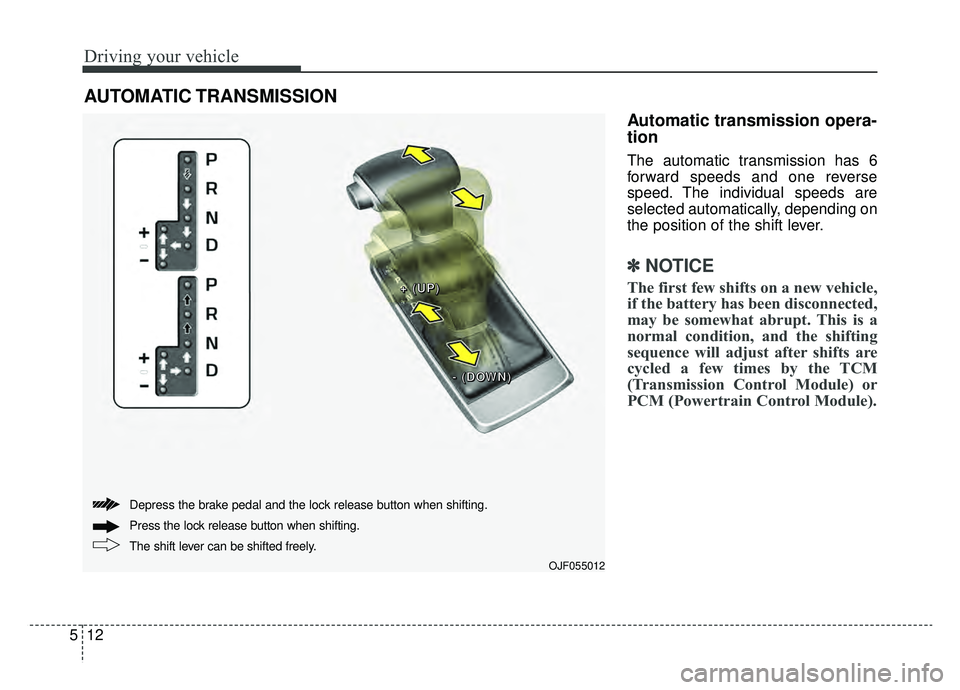
Automatic transmission opera-
tion
The automatic transmission has 6
forward speeds and one reverse
speed. The individual speeds are
selected automatically, depending on
the position of the shift lever.
✽ ✽
NOTICE
The first few shifts on a new vehicle,
if the battery has been disconnected,
may be somewhat abrupt. This is a
normal condition, and the shifting
sequence will adjust after shifts are
cycled a few times by the TCM
(Transmission Control Module) or
PCM (Powertrain Control Module).
AUTOMATIC TRANSMISSION
OJF055012
+ +
+ +
( (
( (
U U
U U
P P
P P
) )
) )
- -
- -
( (
( (
D D
D D
O O
O O
W W
W W
N N
N N
) )
) )
The shift lever can be shifted freely. Press the lock release button when shifting. Depress the brake pedal and the lock release button when shifting.
Page 308 of 597

513
Driving your vehicle
For smooth operation, depress thebrake pedal and the lock release but-ton when shifting from N (Neutral) toa forward or reverse gear.
When stopped on an incline, do not
hold the vehicle with the engine
power. Use the service brake or the
parking brake.
Transmission ranges
The indicator in the instrument clus-
ter displays the shift lever position
when the engine start/stop button is
in the ON position.
P (Park)
Always come to a complete stop
before shifting into P (Park). This
position locks the transmission and
prevents the drive wheels from rotat-
ing.
Shifting into P (Park) while the vehi-
cle is in motion will cause the drive
wheels to lock which will cause you
to lose control of the vehicle.
To shift from P (Park), you must
depress firmly on the brake pedal
and make sure your foot is off the
accelerator pedal.
If you have done all of the above
and still cannot shift the lever out of
P (Park), see "Shift-lock override" in
this chapter.
The shift lever must be in P (Park)
before turning the hybrid system off.
WARNING- Leaving
Vehicle
Before leaving the driver’s seat,
always make sure the shift lever
is in the P (Park) position; then
set the parking brake fully and
shut the engine off. Do not use
the P position in place of the
parking brake. Always make
sure the shift lever is locked in
the P position and set the park-
ing brake fully. Unexpected and
sudden vehicle movement can
occur if these precautions are
not followed.
CAUTION- Transmission
To avoid damage to your trans- mission, do not accelerate theengine in R (Reverse) or any for-ward gear position with thebrakes on. The transmissionmay be damaged if you shiftinto P (Park) while the vehicle isin motion.
Page 309 of 597

Driving your vehicle
14
5
R (Reverse)
Use this position to drive the vehicle
backward. N (Neutral)
The wheels and transmission are not
engaged. The vehicle will roll freely
even on the slightest incline unless
the parking brake or service brakes
are applied.
- Parking in N (Neutral) gear
Follow the steps below when parking
and you want the vehicle to move
when pushed.
1. After parking your vehicle, step on
the brake pedal and move the
transmission shift lever to P (Park)
with the ignition button in ON or
while the engine is running.
2. If the parking brake is applied, unlock the parking brake.
- For EPB (Electronic Parking Brake) equipped vehicles, push
the brake pedal with the ignition
button in [ON] or while the
engine is running to disengage
the parking brake. If AUTO
HOLD function is used while
driving (If AUTO HOLD indicator
is on in the cluster), press AUTO
HOLD switch and AUTO HOLD
function will turn off. 3. While depressing the brake pedal,
turn the ignition button OFF.
- For smart key equipped vehicles, the ignition switch can be moved
to OFF only when the shift lever
is in P (Park).
4. Change the gear shift lever to N (Neutral) while pressing the brake
pedal and pushing [SHIFT LOCK
RELEASE] button or inserting a
tool (e.g. flathead screw-driver)
into the [SHIFT LOCK RELEASE]
access hole at the same time.
Then, the vehicle will move when
external force is applied.
CAUTION- Shifting
Always come to a complete stopbefore shifting into or out of R(Reverse); you may damage thetransmission if you shift into R(Reverse) while the vehicle is inmotion, except when “Rockingthe vehicle” explained in thischapter.
Page 312 of 597

517
Driving your vehicle
Shift lock system
For your safety, the automatic trans-
mission has a shift lock system
which prevents shifting the transmis-
sion from P (Park) into R (Reverse)
unless the brake pedal is depressed.
To shift the transmission from P
(Park) into R (Reverse):
1. Depress and hold the brake pedal.
2. Start the hybrid system or turn theignition switch to the ON position.
3. Move the shift lever.
If the brake pedal is repeatedly
depressed and released with the
shift lever in the P (Park) position, a
chattering noise & vibration near the
shift lever may be heard. It is a nor-
mal condition. Shift-lock override
If the shift lever cannot be moved
from the P (Park) position into R
(Reverse) position with the brake
pedal depressed, continue depress-
ing the brake, then do the following:
1. Place the engine start/stop button
in the OFF position.
2. Apply the parking brake.
3. Carefully remove the cap (1) cov- ering the shift-lock release access
hole.
4. Insert a tool (e.g. flathead screw- driver) into the access hole and
press down on the tool.WARNING- Shifting from
park
Always fully depress the brake
pedal before and while shifting
out of the P (Park) position into
another position to avoid inad-
vertent motion of the vehicle
which could injure persons in
or around the vehicle.
OJFA055013
Page 313 of 597

Driving your vehicle
18
5
5. Move the shift lever.
6. Remove the tool from the shiftlock
override access hole then install
the cap.
7. Have your vehicle inspected by an authorized Kia dealer.
If your vehicle is equipped with
ENGINE START/STOP button, the
button will not change to the OFF
position unless the shift lever is in the
P (Park) position.Good driving practices
Never move the gear shift lever from P (Park) to any other position with
the accelerator pedal depressed.
Never move the gear shift lever into P (Park) when the vehicle is in
motion.
Slow down before shifting to a lower gear. Otherwise, the lower
gear may not be engaged.
Always use the parking brake. Do not depend on placing the trans-
mission in P (Park) to keep the
vehicle from moving.
Optimum vehicle performance and economy is obtained by smoothly
depressing and releasing the
accelerator pedal.
Moving up a steep grade from a
standing start
To move up a steep grade from a
standing start, depress the brake
pedal, shift the shift lever to D
(Drive). Select the appropriate gear
depending on load weight and steep-
ness of the grade, and release the
parking brake. Depress the accelera-
tor gradually while releasing the
service brakes.
When accelerating from a stop on
a steep hill, the vehicle may have a
tendency to roll backwards.
Shifting the shift lever into 2
(Second Gear) will help prevent
the vehicle from rolling back-
wards.
Page 328 of 597
533
Driving your vehicle
Anti-lock brake system (ABS)
ABS (or ESC) will not prevent acci-
dents due to improper or dangerous
driving maneuvers. Even though
vehicle control is improved during
emergency braking, always maintain
a safe distance between you and
objects ahead. Vehicle speeds
should always be reduced during
extreme road conditions. The vehicle
should be driven at reduced speeds
in the following circumstances:
When driving on rough, gravel orsnow-covered roads
When driving with tire chains installed
When driving on roads where the road surface is pitted or has differ-
ent surface heights.
Driving in these conditions increases
the stopping distance for your vehicle. The ABS continuously senses the
speed of the wheels. If the wheels
are going to lock, the ABS system
repeatedly modulates the hydraulic
brake pressure to the wheels.
When you apply your brakes under
conditions which may lock the
wheels, you may hear a “tik-tik’’
sound from the brakes, or feel a cor-
responding sensation in the brake
pedal. This is normal and it means
your ABS is active.
In order to obtain the maximum benefit
from your ABS in an emergency situa-
tion, do not attempt to modulate your
brake pressure and do not try to pump
your brakes. Press your brake pedal as
hard as possible to allow the ABS to
control the force being delivered to the
brakes.
✽ ✽
NOTICE
A click sound may be heard in the
engine compartment when the vehi-
cle begins to move after the engine is
started. These conditions are normal
and indicate that the anti-lock brake
system is functioning properly.
Even with the anti-lock brake sys-
tem, your vehicle still requires suf-
ficient stopping distance. Always
maintain a safe distance from the
vehicle in front of you.
Always slow down when cornering. The anti-lock brake system cannot
prevent accidents resulting from
excessive speeds.
On loose or uneven road surfaces, operation of the anti-lock brake
system may result in a longer stop-
ping distance than for vehicles
equipped with a conventional
brake system.
Page 330 of 597
535
Driving your vehicle
Electronic stability control (ESC) will
not prevent accidents. Excessive
speed in turns, abrupt maneuvers
and hydroplaning on wet surfaces
can still result in serious accidents.
Only a safe and attentive driver can
prevent accidents by avoiding
maneuvers that cause the vehicle to
lose traction. Even with ESC
installed, always follow all the normal
precautions for driving - including
driving at safe speeds for the condi-
tions.The Electronic Stability Control (ESC)
system is an electronic system
designed to help the driver maintain
vehicle control under adverse condi-
tions. It is not a substitute for safe driv-
ing practices. Factors including speed,
road conditions and driver steering
input can all affect whether ESC will be
effective in preventing a loss of control.
It is still your responsibility to drive and
corner at reasonable speeds and to
leave a sufficient margin of safety.
When you apply your brakes under
conditions which may lock the wheels,
you may hear a “tik-tik’’ sound from the
brakes, or feel a corresponding sensa-
tion in the brake pedal. This is normal
and it means your ESC is active.✽ ✽
NOTICE
A click sound may be heard in the
engine compartment when the vehi-
cle begins to move after the engine is
started. These conditions are normal
and indicate that the Electronic
Stability Control System is function-
ing properly.
WARNING
For maximum protection, always
wear your seat belt. No system,
no matter how advanced, can
compensate for all driver error
and/or driving conditions.
Always drive responsibly.