AUX KIA PICANTO 2008 User Guide
[x] Cancel search | Manufacturer: KIA, Model Year: 2008, Model line: PICANTO, Model: KIA PICANTO 2008Pages: 335, PDF Size: 12.98 MB
Page 169 of 335
Features of your vehicle
98
4
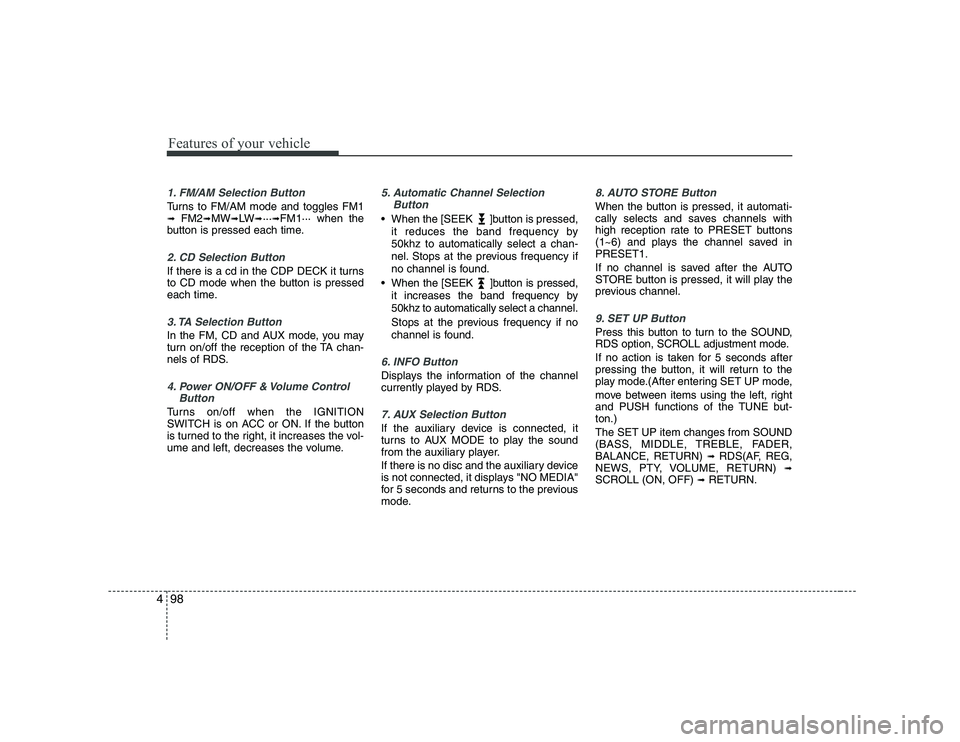
1. FM/AM Selection Button
Turns to FM/AM mode and toggles FM1 ➟ FM2 ➟MW ➟LW ➟··· ➟FM1··· when the
button is pressed each time.
2. CD Selection Button
If there is a cd in the CDP DECK it turns
to CD mode when the button is pressed
each time.
3. TA Selection Button
In the FM, CD and AUX mode, you may
turn on/off the reception of the TA chan-
nels of RDS.
4. Power ON/OFF & Volume Control
Button
Turns on/off when the IGNITION
SWITCH is on ACC or ON. If the button
is turned to the right, it increases the vol-
ume and left, decreases the volume.
5. Automatic Channel SelectionButton
When the [SEEK ]button is pressed,
it reduces the band frequency by 50khz to automatically select a chan-
nel. Stops at the previous frequency if
no channel is found.
When the [SEEK ]button is pressed, it increases the band frequency by50khz to automatically select a channel.
Stops at the previous frequency if no
channel is found.
6. INFO Button
Displays the information of the channel
currently played by RDS.
7. AUX Selection Button
If the auxiliary device is connected, it
turns to AUX MODE to play the sound
from the auxiliary player.
If there is no disc and the auxiliary device
is not connected, it displays "NO MEDIA"
for 5 seconds and returns to the previous
mode.
8. AUTO STORE Button
When the button is pressed, it automati-
cally selects and saves channels with
high reception rate to PRESET buttons
(1~6) and plays the channel saved inPRESET1.
If no channel is saved after the AUTO
STORE button is pressed, it will play the
previous channel.
9. SET UP Button
Press this button to turn to the SOUND,
RDS option, SCROLL adjustment mode.
If no action is taken for 5 seconds after
pressing the button, it will return to the
play mode.(After entering SET UP mode,
move between items using the left, right
and PUSH functions of the TUNE but-ton.) The SET UP item changes from SOUND
(BASS, MIDDLE, TREBLE, FADER,BALANCE, RETURN) ➟
RDS(AF, REG,
NEWS, PTY, VOLUME, RETURN) ➟
SCROLL (ON, OFF) ➟ RETURN.
Page 175 of 335
Features of your vehicle
104
4
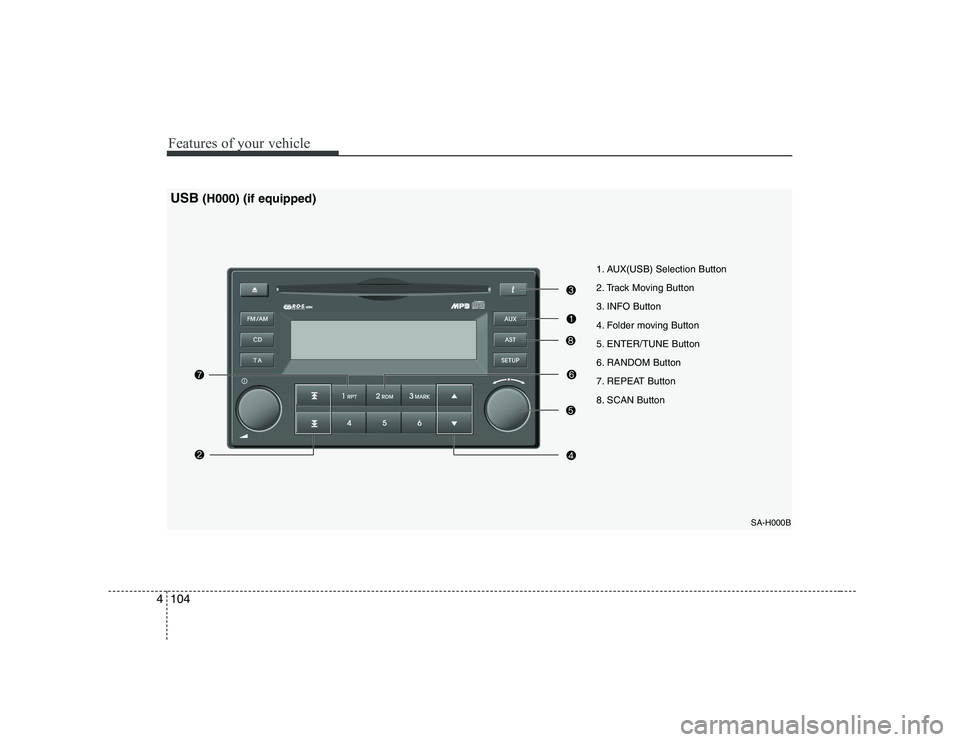
1. AUX(USB) Selection Button
2. Track Moving Button
3. INFO Button
4. Folder moving Button
5. ENTER/TUNE Button
6. RANDOM Button
7. REPEAT Button
8. SCAN Button
SA-H000B
USB(H000) (if equipped)
Page 176 of 335
4105
Features of your vehicle
The USB is connected to the multiple ter-
minal inside the consol. When the USB is
connected, the ‘USB’ icon will be dis-
played on the top right corner of the dis-
play screen.
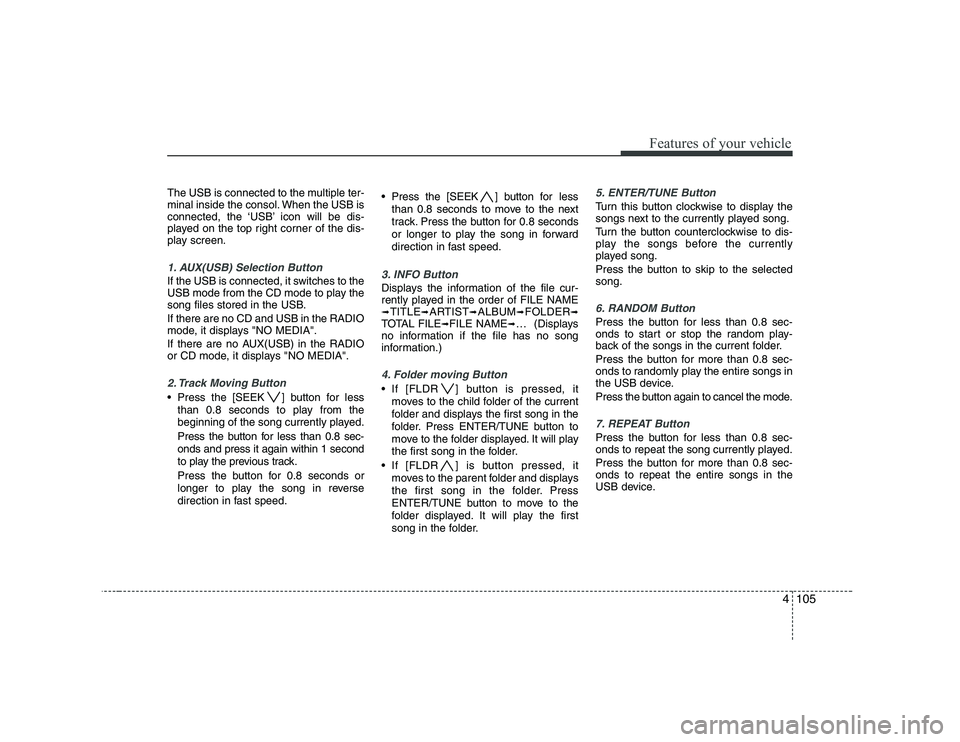
1. AUX(USB) Selection Button
If the USB is connected, it switches to the
USB mode from the CD mode to play the
song files stored in the USB. If there are no CD and USB in the RADIO
mode, it displays "NO MEDIA".
If there are no AUX(USB) in the RADIO
or CD mode, it displays "NO MEDIA".
2. Track Moving Button
Press the [SEEK ] button for lessthan 0.8 seconds to play from the
beginning of the song currently played.
Press the button for less than 0.8 sec- onds and press it again within 1 second
to play the previous track.
Press the button for 0.8 seconds or
longer to play the song in reverse
direction in fast speed. Press the [SEEK ] button for
less
than 0.8 seconds to move to the next
track. Press the button for 0.8 seconds
or longer to play the song in forward
direction in fast speed.
3. INFO Button
Displays the information of the file cur-
rently played in the order of FILE NAME➟ TITLE ➟ARTIST ➟ALBUM ➟FOLDER ➟
TOTAL FILE ➟FILE NAME ➟… (Displays
no information if the file has no song
information.)
4. Folder moving Button
If [FLDR ] button is pressed, it
moves to the child folder of the current
folder and displays the first song in the
folder. Press ENTER/TUNE button to
move to the folder displayed. It will play
the first song in the folder.
If [FLDR ] is button pressed, it moves to the parent folder and displays
the first song in the folder. Press
ENTER/TUNE button to move to the
folder displayed. It will play the first
song in the folder.
5. ENTER/TUNE Button
Turn this button clockwise to display the
songs next to the currently played song.
Turn the button counterclockwise to dis-
play the songs before the currently
played song.
Press the button to skip to the selected song.
6. RANDOM Button
Press the button for less than 0.8 sec-
onds to start or stop the random play-
back of the songs in the current folder.
Press the button for more than 0.8 sec-
onds to randomly play the entire songs in
the USB device.
Press the button again to cancel the mode.
7. REPEAT Button
Press the button for less than 0.8 sec-
onds to repeat the song currently played.
Press the button for more than 0.8 sec- onds to repeat the entire songs in the
USB device.
Page 178 of 335
4107
Features of your vehicle
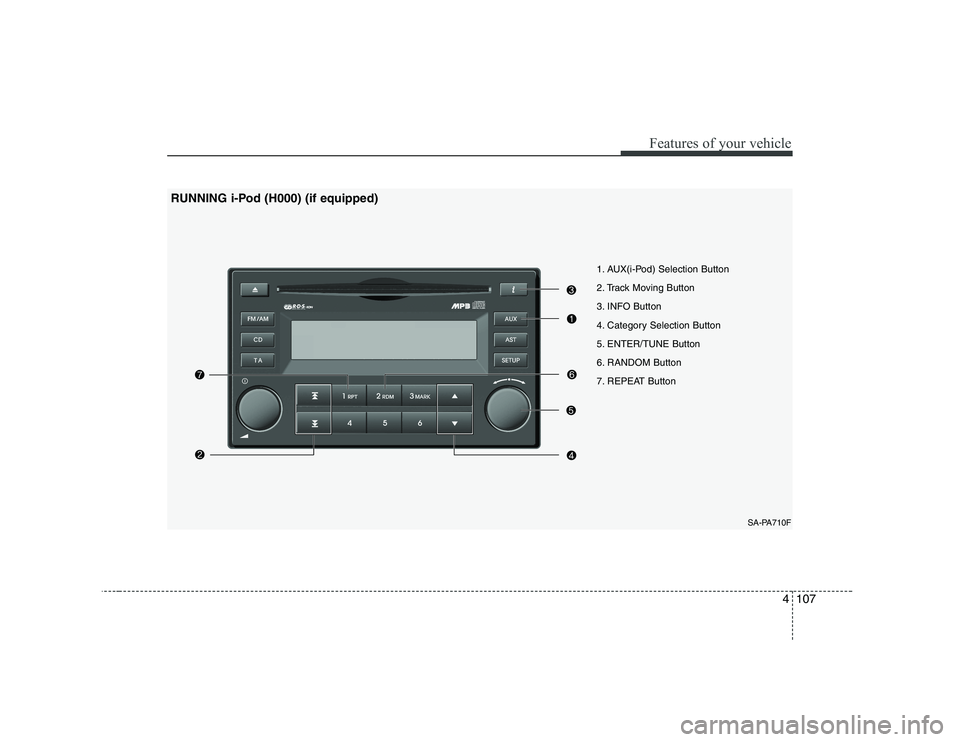
1. AUX(i-Pod) Selection Button
2. Track Moving Button
3. INFO Button
4. Category Selection Button
5. ENTER/TUNE Button
6. RANDOM Button
7. REPEAT ButtonSA-PA710F
RUNNING i-Pod (H000) (if equipped)
Page 179 of 335
Features of your vehicle
108
4
The i-Pod exclusive cable is connected to
the multiple terminal inside the consol.
When the i-Pod is connected, the ‘i-Pod’
icon will be displayed on the top right cor-
ner of the display screen.
1. AUX(USB) Selection Button
If the USB is connected, it switches to the
USB mode from the CD mode to play the
song files stored in the USB. If there are no CD and USB in the RADIO
mode, it displays "NO MEDIA".
If there are no AUX(USB) in the RADIO
or CD mode, it displays "NO MEDIA".
2. Track Moving Button
Press the [SEEK ] button for less
than 0.8 seconds to play from the
beginning of the song currently played.
Press the button for less than 0.8 sec- onds and press it again within 1 second
to play the previous track.
Press the button for 0.8 seconds or
longer to play the song in reverse
direction in fast speed. Press the [SEEK ] button for
less
than 0.8 seconds to move to the next
track. Press the button for 0.8 seconds
or longer to play the song in forward
direction in fast speed.
3. INFO Button
Displays the information of the file cur-
rently played in the order of FILE NAME➟ TITLE ➟ARTIST ➟ALBUM ➟FOLDER ➟
TOTAL FILE ➟FILE NAME ➟… (Displays
no information if the file has no song
information.)
4. Category Selection Button
Moves to the upper category from cur-
rently played category of the i-Pod.
To move to (play) the category (song)
displayed, press ENTER/TUNE button.
You will be able to search through the
lower category of the selected category.
The order of the i-Pod’s category is
SONG, ALBUMS, ARTISTS, GENRES,
and i-Pod.
5. ENTER/TUNE Button
Turn this button clockwise to display the
songs next to the currently played song.
Turn the button counterclockwise to dis-
play the songs before the currently
played song.
Press the button to skip to the selected song.
6. RANDOM Button
Press the button for less than 0.8 sec-
onds to start or stop the random play-
back of the songs in the current folder.
Press the button for more than 0.8 sec-
onds to randomly play the entire songs in
the USB device.
Press the button again to cancel the mode.
7. REPEAT Button
Repeats the song currently played.