audio KIA PICANTO 2008 User Guide
[x] Cancel search | Manufacturer: KIA, Model Year: 2008, Model line: PICANTO, Model: KIA PICANTO 2008Pages: 335, PDF Size: 12.98 MB
Page 170 of 335
499
Features of your vehicle
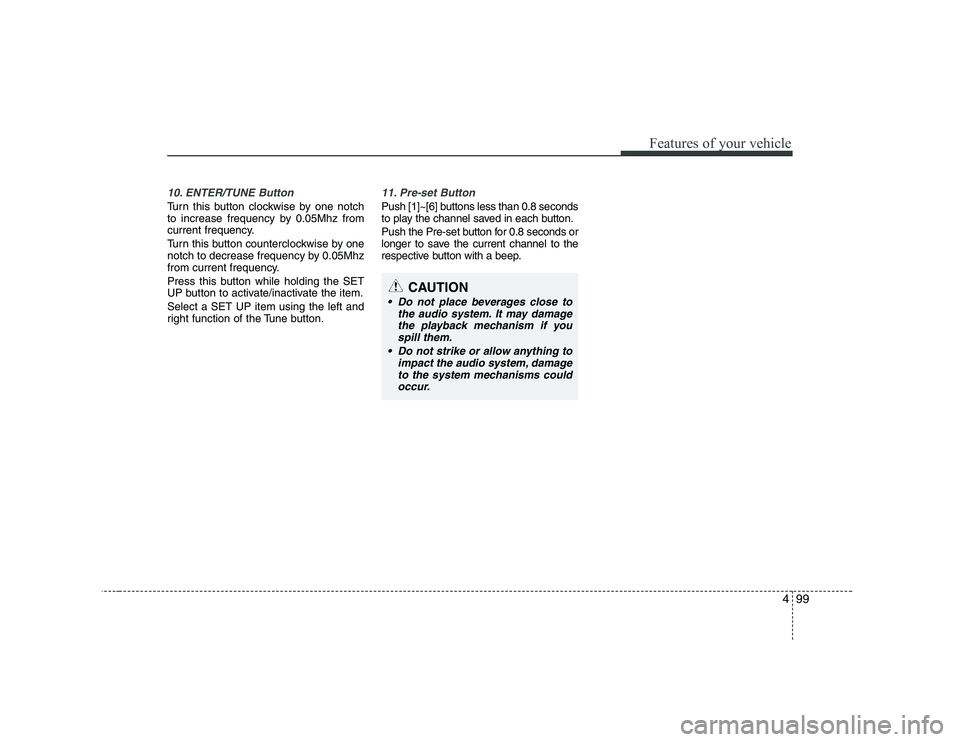
10. ENTER/TUNE Button
Turn this button clockwise by one notch
to increase frequency by 0.05Mhz from
current frequency.
Turn this button counterclockwise by one
notch to decrease frequency by 0.05Mhz
from current frequency.
Press this button while holding the SET
UP button to activate/inactivate the item. Select a SET UP item using the left and
right function of the Tune button.
11. Pre-set Button
Push [1]~[6] buttons less than 0.8 seconds
to play the channel saved in each button.
Push the Pre-set button for 0.8 seconds or
longer to save the current channel to the
respective button with a beep.
CAUTION
Do not place beverages close tothe audio system. It may damage
the playback mechanism if youspill them.
Do not strike or allow anything to impact the audio system, damageto the system mechanisms could
occur.
Page 174 of 335
4103
Features of your vehicle
CAUTION IN USING
USB DEVICE
To use the external USB device, make sure the device is notmounted when starting the vehi-
cle. Mount the device after start-ing.
If you start the vehicle when the USB device is mounted, it maydamage the USB device. (USB is
not ESA)
If the vehicle is started or turned off while the external USB deviceis connected, the external USB
device may not work.
It may not play inauthentic MP3 or WMA files.
1) It can only play MP3 files with the compression rate between8Kbps~320Kbps.
2) It can only play WMA music files with the compression ratebetween 8Kbps~320Kbps.
Take cautions for static electricity when mounting or dismountingthe external USB device.
Encoded MP3 PLAYER is not rec- ognizable.
(Continued)
(Continued) Depending on the condition of the external USB device, the con-nected external USB device can
be unrecognizable.
When the VHAPTTL byte/sector setting of External USB devices isnot either 512byte or 2048byte,
then the device will not be recog-nized.
The USB device should only be formatted to FAT 12/16/32.
USB device without USB I/F (IMPLEMENTERS FORUM) authen-tication may not be recognizable.
Make sure the USB connection terminal does not come in contactwith human body or any object.
If you repeat mounting or dis- mounting USB device in a shortperiod of time, it may break thedevice.
You might hear a strange noise when mounting or dismounting aUSB device.
(Continued)(Continued) If you dismount the external USB device during playback in USBmode, the external USB device can
be damaged or malfunction.Therefore, mount the external USBdevice when the engine is turned
off or in another mode.
Depending on the type and capac- ity of the external USB device orthe type of files stored in the
device, there is a difference in thetime taken for recognition of the device, so you may have to wait.
Do not use the USB device for other purposes than playing music files.
Use of USB accessories such as recharger or heater using USB I/F(IMPLEMENTERS FORUM) maylower the performance or cause trouble.
If you use devices such as a USB hub you purchased separately,the vehicle’s audio system maynot recognize the USB device.
Connect the USB device directly to the multimedia terminal of thevehicle.
Page 291 of 335
Maintenance
40
7
G190200AUN
Battery recharging
Your vehicle has a maintenance-free,
calcium-based battery.
If the battery becomes discharged in a
short time (because, for example, the
headlights or interior lights were left on
while the vehicle was not in use),
recharge it by slow charging (trickle)
for 10 hours.
If the battery gradually discharges because of high electric load while the
vehicle is being used, recharge it at 20-
30A for two hours. G190300ASA Reset items
Items should be reset after the battery
has been discharged or the battery hasbeen disconnected.
Auto down window (See section 4)
Climate control system (See section 4)
Clock (See section 4)
Audio (See section 4)
(Continued)
The electrical ignition system
works with high voltage. Never
touch these components with theengine running or the ignition
switched on.
Failure to follow the above warn-
ings can result in serious bodily
injury or death.WARNING - Recharging
battery
When recharging the battery,
observe the following precautions:
The battery must be removed from the vehicle and placed in an area with good ventilation.
Do not allow cigarettes, sparks, or flame near the battery.
Watch the battery during charg- ing, and stop or reduce the charg-
ing rate if the battery cells begin
gassing (boiling) violently or if
the temperature of the electrolyte
of any cell exceeds 49°C (120°F).
Wear eye protection when check- ing the battery during charging.
Disconnect the battery charger in the following order.
1. Turn off the battery charger main switch.
2. Unhook the negative clamp from the negative battery terminal.
3. Unhook the positive clamp from the positive battery terminal.
(Continued)(Continued)
Before performing maintenanceor recharging the battery, turn off all accessories and stop the
engine.
The negative battery cable must be removed first and installed
last when the battery is discon-nected.
Page 304 of 335
753
Maintenance
G210101ASA
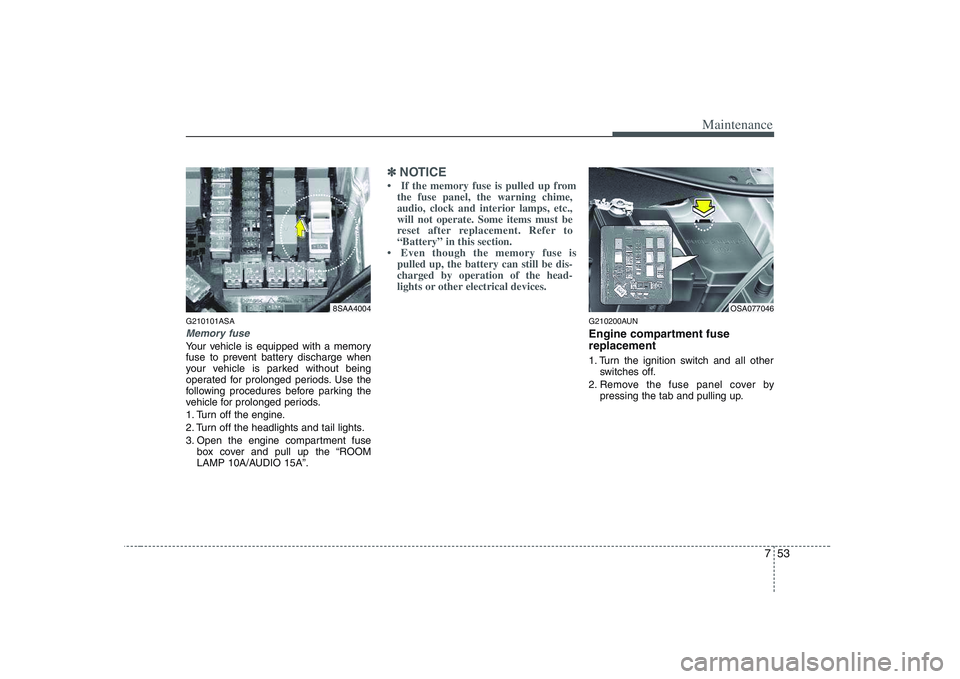
Memory fuse
Your vehicle is equipped with a memory
fuse to prevent battery discharge when
your vehicle is parked without being
operated for prolonged periods. Use the
following procedures before parking the
vehicle for prolonged periods.
1. Turn off the engine.
2. Turn off the headlights and tail lights.
3. Open the engine compartment fusebox cover and pull up the “ROOM
LAMP 10A/AUDIO 15A”.
✽✽ NOTICE
Page 308 of 335
757
Maintenance
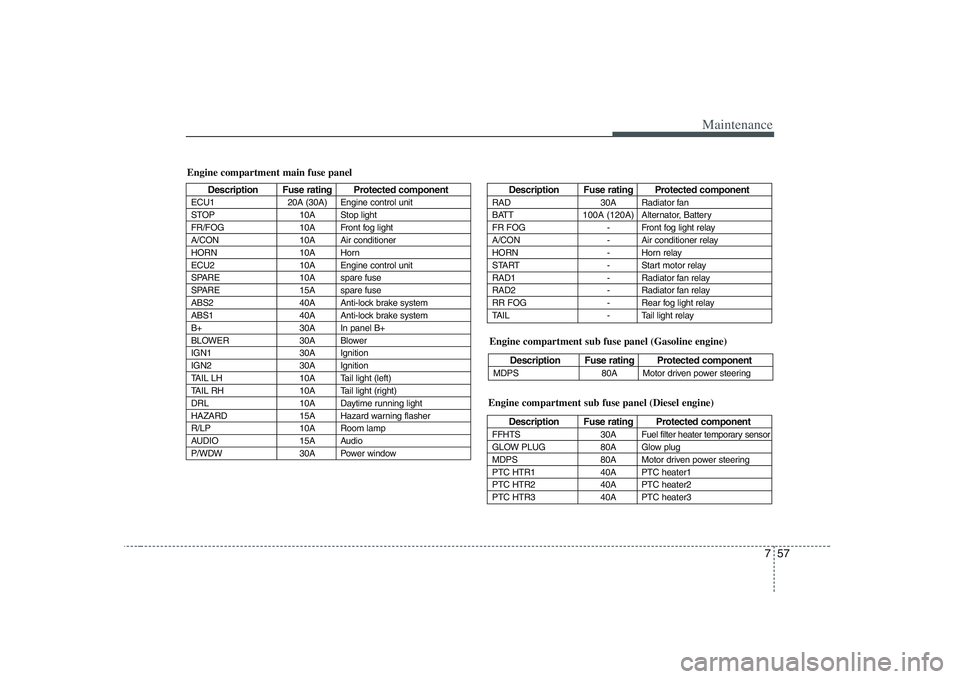
Engine compartment main fuse panel
Description Fuse rating Protected component
ECU1 20A (30A) Engine control unit
STOP 10A Stop light
FR/FOG 10A Front fog light
A/CON 10A Air conditioner
HORN 10A Horn
ECU2 10A Engine control unit
SPARE 10A spare fuse
SPARE 15A spare fuse
ABS2 40A Anti-lock brake system
ABS1 40A Anti-lock brake system
B+ 30A In panel B+
BLOWER 30A Blower
IGN1 30A Ignition
IGN2 30A Ignition
TAIL LH 10A Tail light (left)
TAIL RH 10A Tail light (right)
DRL 10A Daytime running light
HAZARD 15A Hazard warning flasher
R/LP 10A Room lamp
AUDIO 15A Audio
P/WDW 30A Power windowDescription Fuse rating Protected component
RAD 30A Radiator fan
BATT 100A (120A) Alternator, Battery
FR FOG - Front fog light relay
A/CON - Air conditioner relay
HORN - Horn relay
START - Start motor relay
RAD1 - Radiator fan relay
RAD2 - Radiator fan relay
RR FOG - Rear fog light relay
TAIL - Tail light relay
Engine compartment sub fuse panel (Diesel engine)
Description Fuse rating Protected component
FFHTS 30A
Fuel filter heater temporary sensor
GLOW PLUG 80A Glow plug
MDPS 80A Motor driven power steering
PTC HTR1 40A PTC heater1
PTC HTR2 40A PTC heater2
PTC HTR3 40A PTC heater3
Engine compartment sub fuse panel (Gasoline engine)
Description Fuse rating Protected component
MDPS 80A Motor driven power steering
Page 333 of 335
Index
2
I
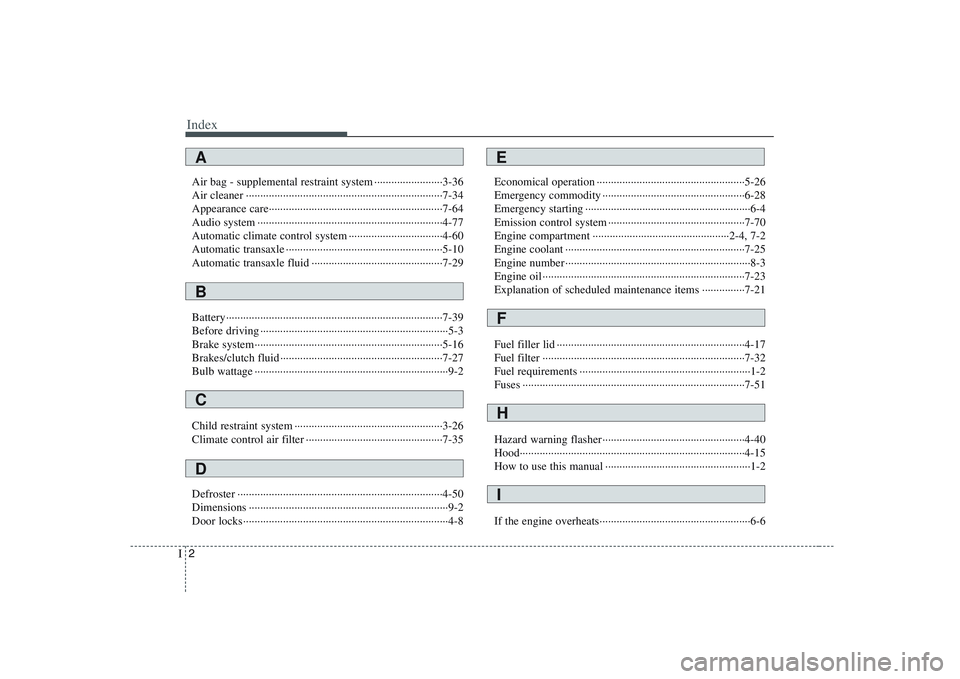
Air bag - supplemental restraint system ························3-36
Air cleaner ·····································································7-34
Appearance care·····························································7-64
Audio system ·································································4-77
Automatic climate control system ·································4-60
Automatic transaxle ·······················································5-10
Automatic transaxle fluid ··············································7-29
Battery············································································7-39
Before driving ··································································5-3
Brake system··································································5-16
Brakes/clutch fluid ·························································7-27
Bulb wattage ····································································9-2
Child restraint system ····················································3-26
Climate control air filter ················································7-35
Defroster ········································································4-50
Dimensions ······································································9-2
Door locks········································································4-8 Economical operation ····················································5-26
Emergency commodity ··················································6-28
Emergency starting ··························································6-4
Emission control system ················································7-70
Engine compartment ················································2-4, 7-2
Engine coolant ·······························································7-25
Engine number ·································································8-3
Engine oil ·······································································7-23
Explanation of scheduled maintenance items ···············7-21
Fuel filler lid ··································································4-17
Fuel filter ·······································································7-32
Fuel requirements ····························································1-2
Fuses ··············································································7-51
Hazard warning flasher··················································4-40
Hood···············································································4-15
How to use this manual ···················································1-2
If the engine overheats·····················································6-6
A
B
C
D
E
F
H
I