key KIA PICANTO 2008 User Guide
[x] Cancel search | Manufacturer: KIA, Model Year: 2008, Model line: PICANTO, Model: KIA PICANTO 2008Pages: 335, PDF Size: 12.98 MB
Page 79 of 335
Features of your vehicle
8
4
D050100ASA
Operating door locks from out-
side the vehicle
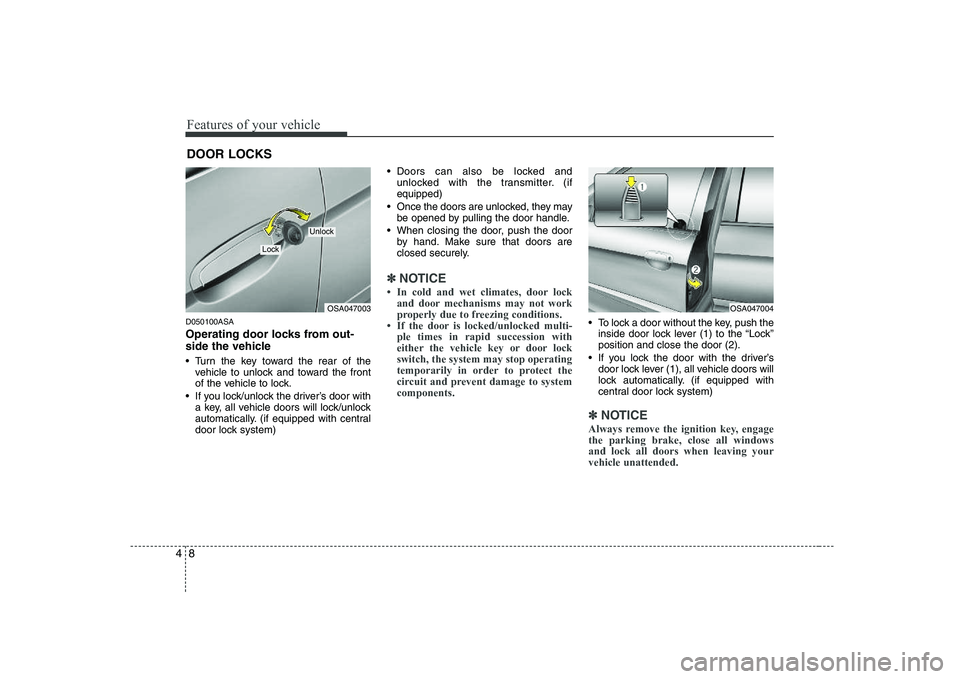
Turn the key toward the rear of the
vehicle to unlock and toward the front
of the vehicle to lock.
If you lock/unlock the driver’s door with a key, all vehicle doors will lock/unlock
automatically. (if equipped with central
door lock system) Doors can also be locked and
unlocked with the transmitter. (ifequipped)
Once the doors are unlocked, they may be opened by pulling the door handle.
When closing the door, push the door by hand. Make sure that doors are
closed securely.
✽✽ NOTICE
Page 80 of 335
49
Features of your vehicle
Operating door locks from inside
the vehicle D050201ASA
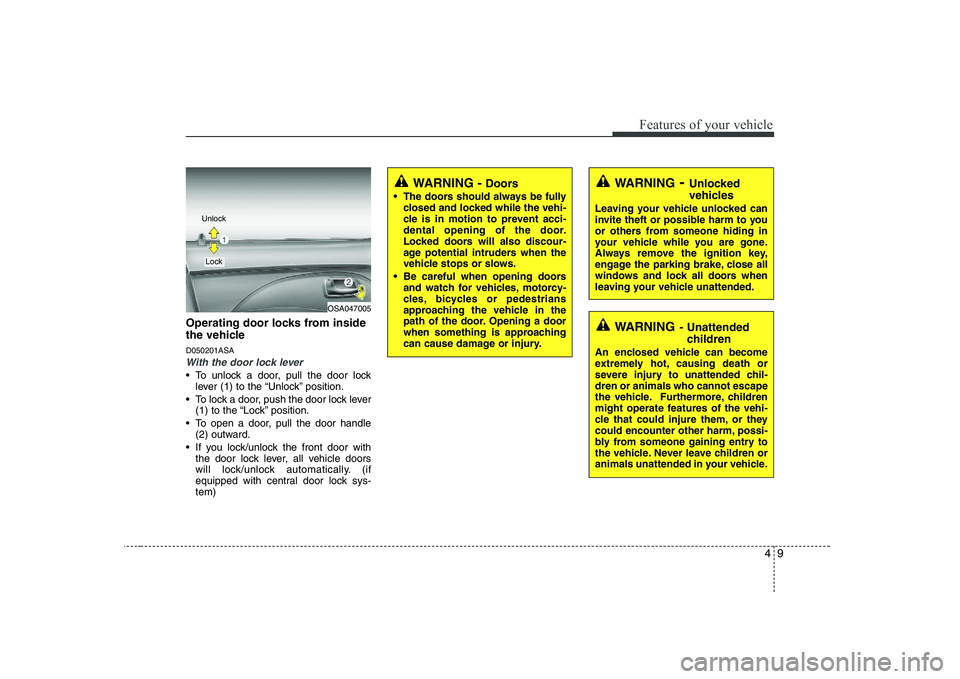
With the door lock lever
To unlock a door, pull the door locklever (1) to the “Unlock” position.
To lock a door, push the door lock lever (1) to the “Lock” position.
To open a door, pull the door handle (2) outward.
If you lock/unlock the front door with the door lock lever, all vehicle doors
will lock/unlock automatically. (if
equipped with central door lock sys-tem)
WARNING - Doors
The doors should always be fully closed and locked while the vehi-
cle is in motion to prevent acci-
dental opening of the door.
Locked doors will also discour-
age potential intruders when the
vehicle stops or slows.
Be careful when opening doors and watch for vehicles, motorcy-
cles, bicycles or pedestrians
approaching the vehicle in the
path of the door. Opening a door
when something is approaching
can cause damage or injury.WARNING - Unlocked
vehicles
Leaving your vehicle unlocked can
invite theft or possible harm to you
or others from someone hiding in
your vehicle while you are gone.
Always remove the ignition key,
engage the parking brake, close all
windows and lock all doors when
leaving your vehicle unattended.
WARNING - Unattended
children
An enclosed vehicle can become
extremely hot, causing death or
severe injury to unattended chil-dren or animals who cannot escape
the vehicle. Furthermore, children
might operate features of the vehi-
cle that could injure them, or they
could encounter other harm, possi-
bly from someone gaining entry to
the vehicle. Never leave children or
animals unattended in your vehicle.
OSA047005
Lock
Unlock
Page 82 of 335
411
Features of your vehicle
D070100ASA Opening the tailgate
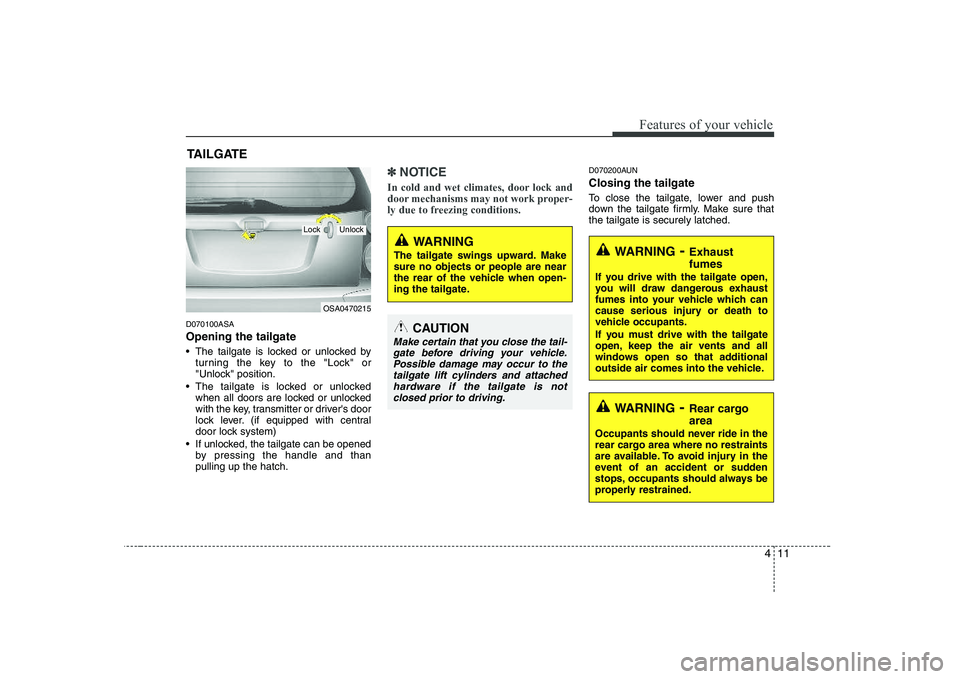
The tailgate is locked or unlocked byturning the key to the "Lock" or
"Unlock" position.
The tailgate is locked or unlocked when all doors are locked or unlocked
with the key, transmitter or driver's door
lock lever. (if equipped with central
door lock system)
If unlocked, the tailgate can be opened by pressing the handle and thanpulling up the hatch.
✽✽ NOTICE
In cold and wet climates, door lock and
door mechanisms may not work proper-
ly due to freezing conditions.D070200AUN Closing the tailgate
To close the tailgate, lower and push
down the tailgate firmly. Make sure thatthe tailgate is securely latched.
TAILGATE
WARNING
The tailgate swings upward. Make sure no objects or people are near
the rear of the vehicle when open-
ing the tailgate.
CAUTION
Make certain that you close the tail- gate before driving your vehicle. Possible damage may occur to thetailgate lift cylinders and attached
hardware if the tailgate is not closed prior to driving.
WARNING - Exhaust fumes
If you drive with the tailgate open,
you will draw dangerous exhaust
fumes into your vehicle which can
cause serious injury or death to
vehicle occupants.
If you must drive with the tailgate
open, keep the air vents and all
windows open so that additional
outside air comes into the vehicle.
WARNING - Rear cargo area
Occupants should never ride in the
rear cargo area where no restraints
are available. To avoid injury in the
event of an accident or sudden
stops, occupants should always be
properly restrained.
OSA0470215
LockUnlock
Page 84 of 335
413
Features of your vehicle
D080100AUN
Power windows (if equipped)
The ignition switch must be in the ON
position for power windows to operate.
Each door has a power window switch
that controls the door's window. The driv-
er has a power window lock switch which
can block the operation of passenger
windows.
The power windows can be operated for
approximately 30 seconds after the igni-
tion key is removed or turned to the ACC
or LOCK position. However, if the front
doors are opened, the power windows
cannot be operated within the 30 second
period after the ignition key is removed (ifequipped).
✽✽NOTICE
While driving, if you notice buffeting and pulsation (wind shock) with eitherside window open, you should open the
opposite window slightly to reduce thecondition.
D080101AUN
Window opening and closing
The driver’s door has a master power
window switch that controls all the win-
dows in the vehicle.
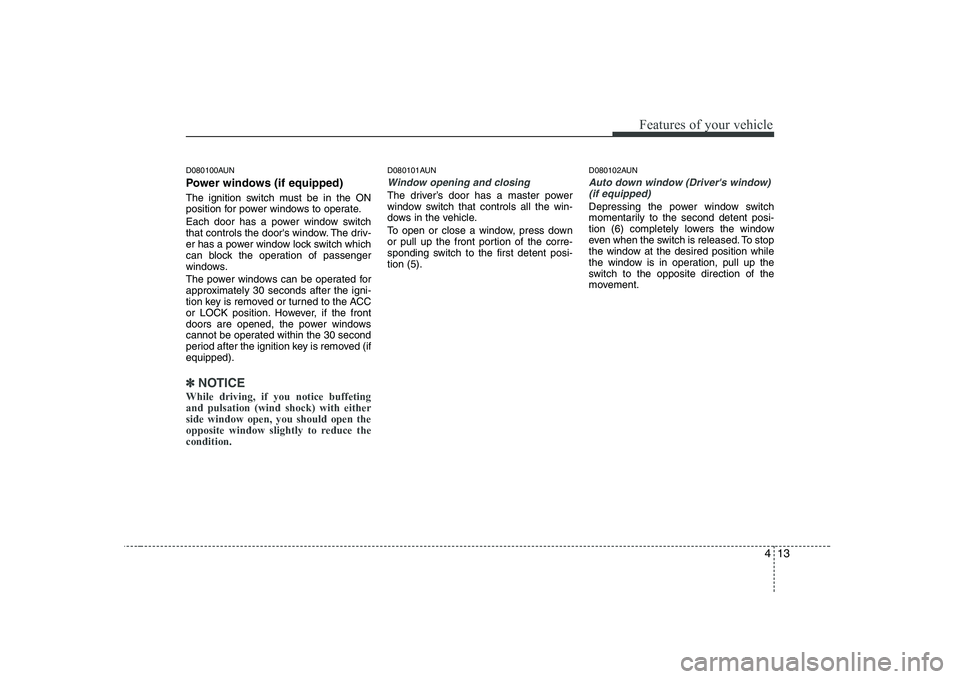
To open or close a window, press down
or pull up the front portion of the corre-
sponding switch to the first detent posi-tion (5). D080102AUN
Auto down window (Driver's window)
(if equipped)
Depressing the power window switch
momentarily to the second detent posi-
tion (6) completely lowers the window
even when the switch is released. To stop
the window at the desired position while
the window is in operation, pull up the
switch to the opposite direction of the
movement.
Page 85 of 335
Features of your vehicle
14
4
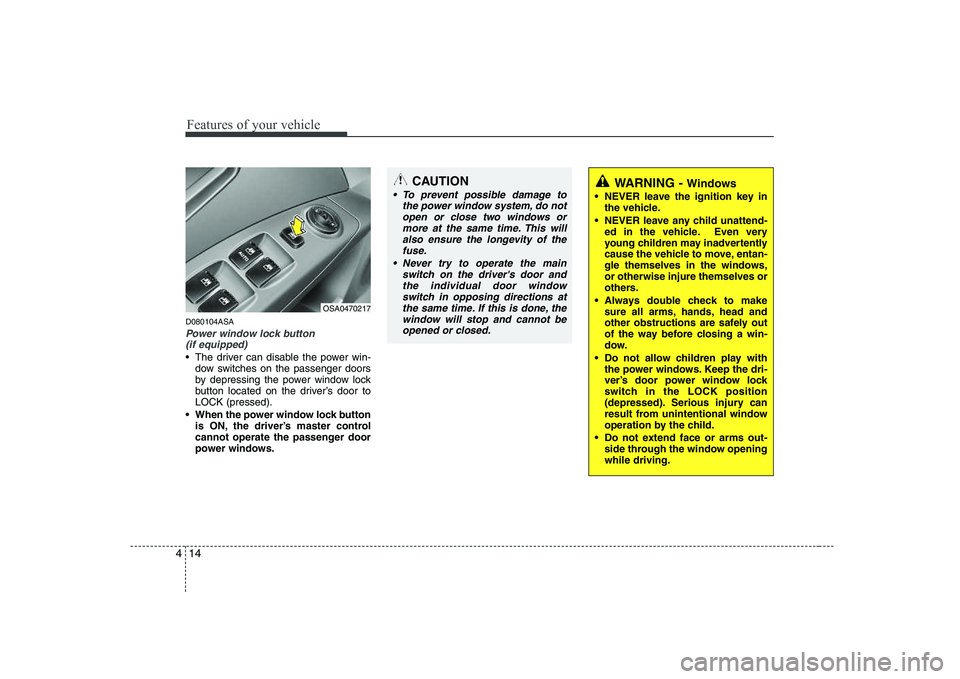
D080104ASA
Power window lock button
(if equipped)
The driver can disable the power win- dow switches on the passenger doors
by depressing the power window lock
button located on the driver’s door toLOCK (pressed).
When the power window lock button is ON, the driver’s master control
cannot operate the passenger door
power windows.
OSA0470217
CAUTION
To prevent possible damage to
the power window system, do notopen or close two windows ormore at the same time. This will
also ensure the longevity of the fuse.
Never try to operate the main switch on the driver's door andthe individual door window
switch in opposing directions at the same time. If this is done, the window will stop and cannot be
opened or closed.WARNING - Windows
NEVER leave the ignition key in the vehicle.
NEVER leave any child unattend- ed in the vehicle. Even very
young children may inadvertently
cause the vehicle to move, entan-
gle themselves in the windows,or otherwise injure themselves or
others.
Always double check to make sure all arms, hands, head and
other obstructions are safely out
of the way before closing a win-
dow.
Do not allow children play with the power windows. Keep the dri-
ver’s door power window lock
switch in the LOCK position
(depressed). Serious injury can
result from unintentional window
operation by the child.
Do not extend face or arms out- side through the window openingwhile driving.
Page 105 of 335
Features of your vehicle
34
4
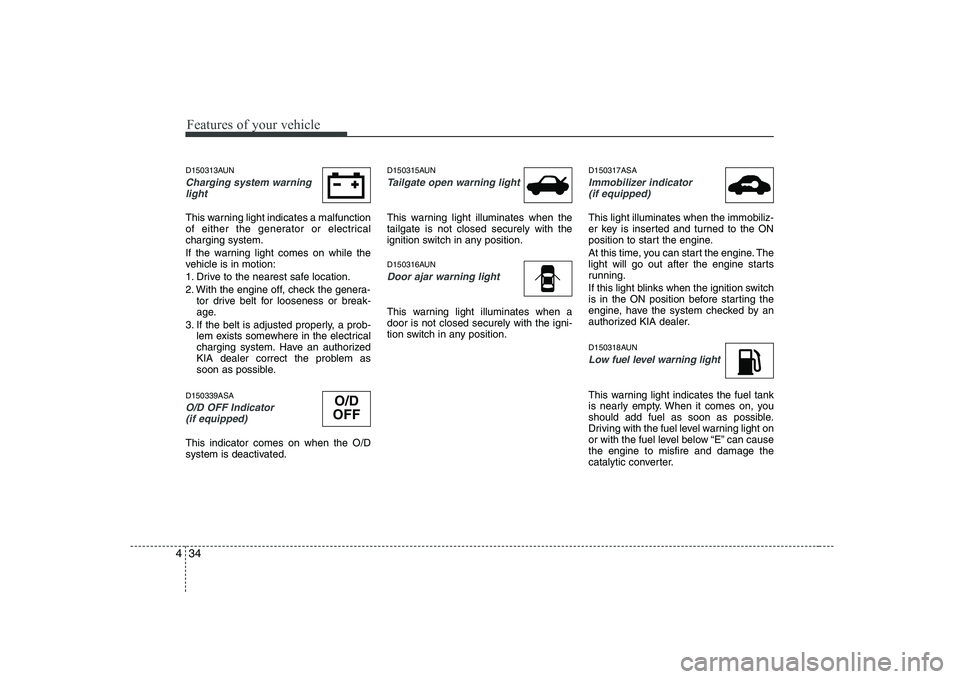
D150313AUN
Charging system warning
light
This warning light indicates a malfunction
of either the generator or electricalcharging system.
If the warning light comes on while the
vehicle is in motion:
1. Drive to the nearest safe location.
2. With the engine off, check the genera- tor drive belt for looseness or break-
age.
3. If the belt is adjusted properly, a prob- lem exists somewhere in the electrical
charging system. Have an authorized
KIA dealer correct the problem as
soon as possible.
D150339ASA
O/D OFF Indicator (if equipped)
This indicator comes on when the O/D
system is deactivated. D150315AUN
Tailgate open warning light
This warning light illuminates when the tailgate is not closed securely with the
ignition switch in any position.
D150316AUN
Door ajar warning light
This warning light illuminates when a door is not closed securely with the igni-
tion switch in any position.
D150317ASA
Immobilizer indicator
(if equipped)
This light illuminates when the immobiliz-
er key is inserted and turned to the ON
position to start the engine.
At this time, you can start the engine. The
light will go out after the engine starts
running.
If this light blinks when the ignition switch
is in the ON position before starting the
engine, have the system checked by an
authorized KIA dealer.
D150318AUN
Low fuel level warning light
This warning light indicates the fuel tank
is nearly empty. When it comes on, you
should add fuel as soon as possible.
Driving with the fuel level warning light on
or with the fuel level below “E” can causethe engine to misfire and damage the
catalytic converter.O/D
OFF
Page 107 of 335
Features of your vehicle
36
4
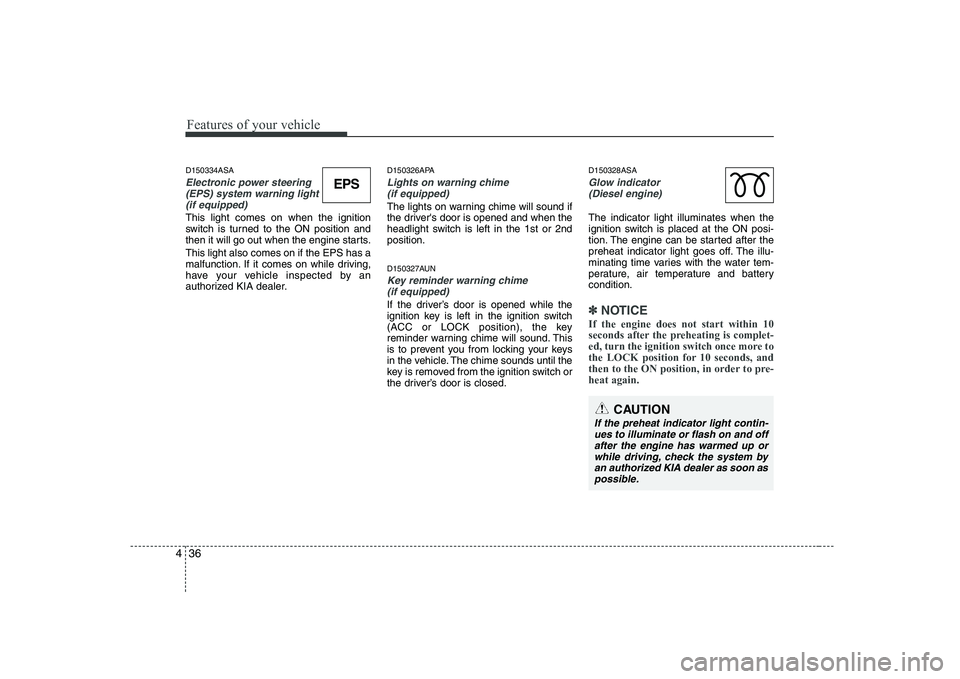
D150334ASA
Electronic power steering
(EPS) system warning light(if equipped)
This light comes on when the ignition
switch is turned to the ON position and
then it will go out when the engine starts. This light also comes on if the EPS has a
malfunction. If it comes on while driving,
have your vehicle inspected by an
authorized KIA dealer. D150326APA
Lights on warning chime
(if equipped)
The lights on warning chime will sound if
the driver's door is opened and when the
headlight switch is left in the 1st or 2ndposition.
D150327AUN
Key reminder warning chime (if equipped)
If the driver’s door is opened while the
ignition key is left in the ignition switch
(ACC or LOCK position), the key
reminder warning chime will sound. This
is to prevent you from locking your keys
in the vehicle. The chime sounds until the
key is removed from the ignition switch or
the driver’s door is closed. D150328ASA
Glow indicator
(Diesel engine)
The indicator light illuminates when the
ignition switch is placed at the ON posi-
tion. The engine can be started after the
preheat indicator light goes off. The illu-
minating time varies with the water tem-
perature, air temperature and batterycondition.
✽✽ NOTICE
If the engine does not start within 10
seconds after the preheating is complet-
ed, turn the ignition switch once more to
the LOCK position for 10 seconds, and
then to the ON position, in order to pre-heat again.
EPS
CAUTION
If the preheat indicator light contin- ues to illuminate or flash on and off after the engine has warmed up orwhile driving, check the system by
an authorized KIA dealer as soon aspossible.
Page 111 of 335
Features of your vehicle
40
4
✽✽
NOTICE
This system can only sense objects with- in the range and location of the sensors;
It can not detect objects in other areas
where sensors are not installed. Also,
small or slim objects, such as poles orobjects located between sensors may notbe detected by the sensors.Always visually check behind the vehi-cle when backing up.
Be sure to inform any drivers of the
vehicle that may be unfamiliar with the
system regarding the systems capabili-ties and limitations.D170400BUN
Self-diagnosis
If you don’t hear an audible warning
sound or if the buzzer sounds intermit-tently when shifting the gear to the R
(Reverse) position, this may indicate a
malfunction in the rear parking assist
system. If this occurs, have your vehicle
checked by an authorized KIA dealer as
soon as possible.
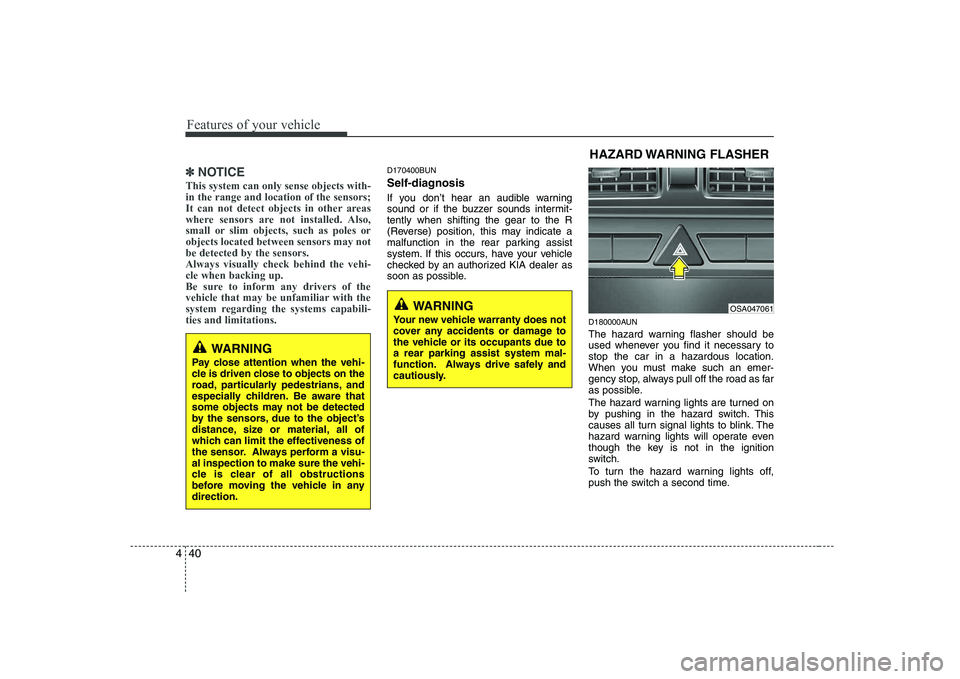
D180000AUN
The hazard warning flasher should be
used whenever you find it necessary tostop the car in a hazardous location.
When you must make such an emer-
gency stop, always pull off the road as far
as possible.
The hazard warning lights are turned on
by pushing in the hazard switch. This
causes all turn signal lights to blink. The
hazard warning lights will operate even
though the key is not in the ignition
switch.
To turn the hazard warning lights off,
push the switch a second time.HAZARD WARNING FLASHER
OSA047061
WARNING
Pay close attention when the vehi-
cle is driven close to objects on the
road, particularly pedestrians, and
especially children. Be aware that
some objects may not be detected
by the sensors, due to the object’s
distance, size or material, all of
which can limit the effectiveness of
the sensor. Always perform a visu-al inspection to make sure the vehi-
cle is clear of all obstructions
before moving the vehicle in anydirection.
WARNING
Your new vehicle warranty does not
cover any accidents or damage to
the vehicle or its occupants due toa rear parking assist system mal-
function. Always drive safely and
cautiously.
Page 112 of 335
441
Features of your vehicle
D190100AUN
Battery saver function (if equipped)
The purpose of this feature is to pre-vent the battery from being dis-
charged. The system automatically
turns off the exterior lights when the
driver removes the ignition key and
opens the driver-side door.
With this feature, the parking lights will be turned off automatically if the driver
parks on the side of road at night.
If necessary, to keep the lights on
when the ignition key is removed, per-
form the following:
1) Open the driver-side door.
2) Turn the parking lights OFF and ON again using the light switch on the
steering column. D190400ASA
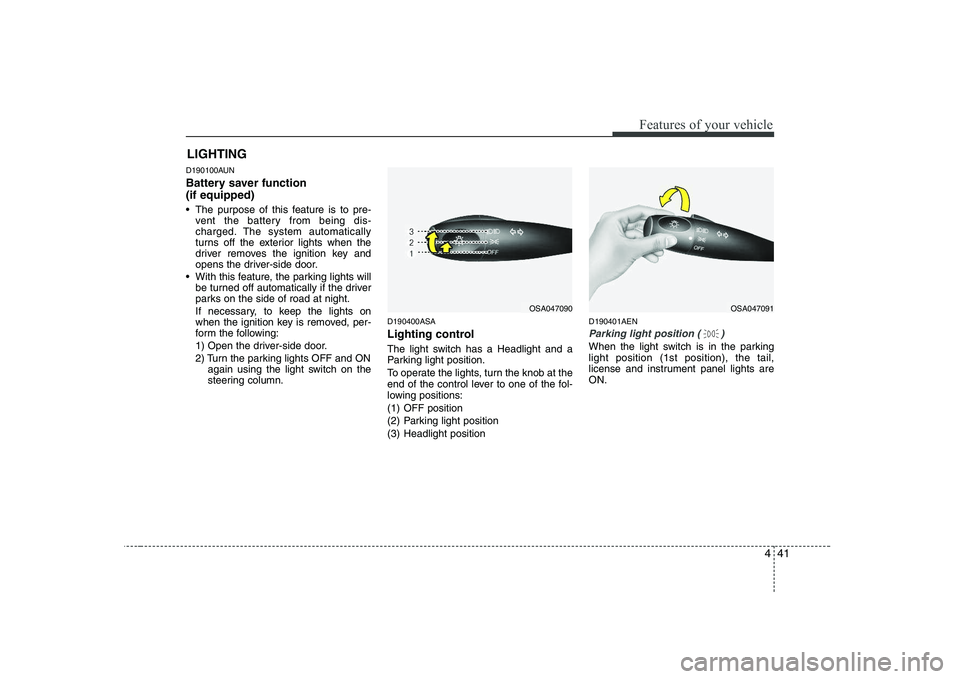
Lighting control
The light switch has a Headlight and a
Parking light position.
To operate the lights, turn the knob at the
end of the control lever to one of the fol-
lowing positions:
(1) OFF position
(2) Parking light position
(3) Headlight position D190401AEN
Parking light position ( )
When the light switch is in the parking light position (1st position), the tail,
license and instrument panel lights areON.
LIGHTING
OSA047090OSA047091
Page 160 of 335
489
Features of your vehicle
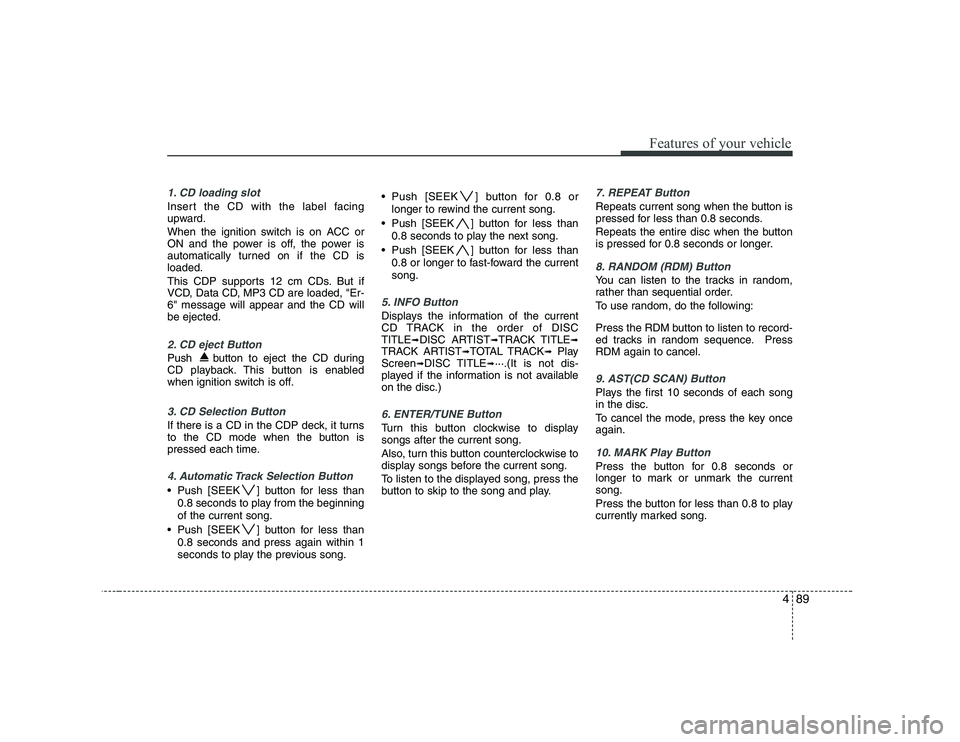
1. CD loading slot
Insert the CD with the label facing
upward.
When the ignition switch is on ACC or
ON and the power is off, the power is
automatically turned on if the CD isloaded.
This CDP supports 12 cm CDs. But if
VCD, Data CD, MP3 CD are loaded, "Er-6" message will appear and the CD willbe ejected.
2. CD eject Button
Push button to eject the CD during
CD playback. This button is enabled
when ignition switch is off.
3. CD Selection Button
If there is a CD in the CDP deck, it turns
to the CD mode when the button is
pressed each time.
4. Automatic Track Selection Button
Push [SEEK ] button for less than0.8 seconds to play from the beginning of the current song.
Push [SEEK ] button for less than 0.8 seconds and press again within 1
seconds to play the previous song. Push [SEEK ] button for 0.8 or
longer to rewind the current song.
Push [SEEK ] button for less than 0.8 seconds to play the next song.
Push [SEEK ] button for less than 0.8 or longer to fast-foward the currentsong.
5. INFO Button
Displays the information of the current
CD TRACK in the order of DISCTITLE ➟DISC ARTIST ➟TRACK TITLE ➟
TRACK ARTIST ➟TOTAL TRACK ➟Play
Screen ➟DISC TITLE ➟···.(It is not dis-
played if the information is not availableon the disc.)
6. ENTER/TUNE Button
Turn this button clockwise to display songs after the current song.
Also, turn this button counterclockwise to
display songs before the current song.
To listen to the displayed song, press the
button to skip to the song and play.
7. REPEAT Button
Repeats current song when the button is
pressed for less than 0.8 seconds.
Repeats the entire disc when the button
is pressed for 0.8 seconds or longer.
8. RANDOM (RDM) Button
You can listen to the tracks in random,
rather than sequential order.
To use random, do the following:
Press the RDM button to listen to record-
ed tracks in random sequence. PressRDM again to cancel.
9. AST(CD SCAN) Button
Plays the first 10 seconds of each song in the disc.
To cancel the mode, press the key once again.
10. MARK Play Button
Press the button for 0.8 seconds or
longer to mark or unmark the currentsong.
Press the button for less than 0.8 to play
currently marked song.