CD player KIA PICANTO 2011 User Guide
[x] Cancel search | Manufacturer: KIA, Model Year: 2011, Model line: PICANTO, Model: KIA PICANTO 2011Pages: 336, PDF Size: 24.51 MB
Page 174 of 336
4103
Features of your vehicle
✽✽NOTICE
To assure proper operation of the unit, keep the vehicle interior temperature
within a normal range by using the
vehicle's air conditioning or heating
system.
When replacing the fuse, replace it with a fuse having the correct capaci-
ty.
All stored bookmarks are erased
when the car battery is disconnected
or power to the vehicle is lost. If this
occurs, the bookmarks will have to be
reset.
This equipment is designed to be used only in a 12 volt DC battery system
with negative ground.
This unit is made of precision parts.
Do not attempt to disassemble or
adjust any parts.
Do not expose this equipment (includ- ing the speakers and CD) to water or
excessive moisture.(Continued)
Avoid using recorded compact discs in your audio unit. Originalcompact discs are recommendedfor best results.CAUTION
Do not insert warped or poor quality discs into the CD player
as damage to the unit may occur.
Do not insert anything like coins into the player slot as damage tothe unit may occur.
Do not place beverages close to the audio system. It may damagethe playback mechanism if youspill them.
Do not strike or allow anything to impact the audio system, damage
to the system mechanisms couldoccur.
Off-road or rough surface driving may cause the compact disc toskip. Do not use the compact
disc when driving in such condi- tions as damage to the compactdisc face could occur.
Do not attempt to grab or pull the compact disc out while the disc isbeing pulled into the audio unitby the self-loading mechanism.Damage to the audio unit and
compact disc could occur.
(Continued)
WARNING
When driving your vehicle, be sure
to keep the volume of the unit set
low enough to allow you to hear
sounds coming from the outside.
Page 177 of 336
Features of your vehicle
106
4
CAUTION IN USING
USB DEVICE
To use the external USB device, make sure the device is notmounted when starting up thevehicle and mount the deviceafter starting up.
If you start the vehicle when the USB device is mounted, it maydamage the USB device. (USB isnot ESA)
If the vehicle is started up or turned off while the external USBdevice is connected, the external USB device may not work.
It may not play inauthentic MP3 or WMA files.
1) It can only play MP3 files with the compression rate between8Kbps~320Kbps.
2) It can only play WMA music files with the compression rate
between 8Kbps~320Kbps.
Take cautions for static electricity when mounting or dismountingthe external USB device.
An encoded MP3 PLAYER is not recognizable.
(Continued)
(Continued) Depending on the condition of the external USB device, the con-nected external USB device canbe unrecognizable.
When the formatted byte/sector setting of External USB devices isnot either 512BYTE or 2048BYTE,then the device will not be recog-
nized.
Use only a USB device formatted to FAT 12/16/32.
USB device without USB I/F authentication may not be recog-nizable.
Make sure the USB connection terminal does not come in con-tact with human body or anyobject.
If you repeat mounting or dis- mounting USB device in a shortperiod of time, it may break the device.
You might hear a strange noise when mounting or dismounting a
USB device.
(Continued)(Continued) If you dismount the external USB device during playback in USBmode, the external USB devicecan be damaged or malfunction.
Therefore, mount the externalUSB device when the engine is turned off or in another mode.
Depending on the type and capacity of the external USBdevice or the type of the filesstored in the device, there is a dif-ference in the time taken for
recognition of the device, but thisis not an indicator of trouble and you only have to wait.
Do not use the USB device for other purposes than playing
music files.
Use of USB accessories such as recharger or heater using USB I/Fmay lower the performance or
cause trouble.
If you use devices such as a USB hub you purchased separately,the vehicle’s audio system maynot recognize the USB device.
Connect the USB device directly to the multimedia terminal of thevehicle.
(Continued)
Page 178 of 336
4107
Features of your vehicle
(Continued) If USB device is divided by logical drives, only the music files on thehighest-priority drive are recog-nized by car audio.
Devices such as MP3 Player/ Cellular phone/Digital camerathose are not recognizable bystandard USB I/F can be unrecog-
nizable.
USB devices other than standard- ized goods (METAL COVER TYPEUSB) can be unrecognizable.
USB flash memory reader (such as CF, SD, microSD, etc.) or exter-
nal-HDD type devices can be unrecognizable.
Music files protected by DRM (DIGITAL RIGHTS MANAGEMENT)
are not recognizalbe.
The data in the USB memory may lost while using this AUDIO, It isrecommeded to back up impor-tant data on a personal.
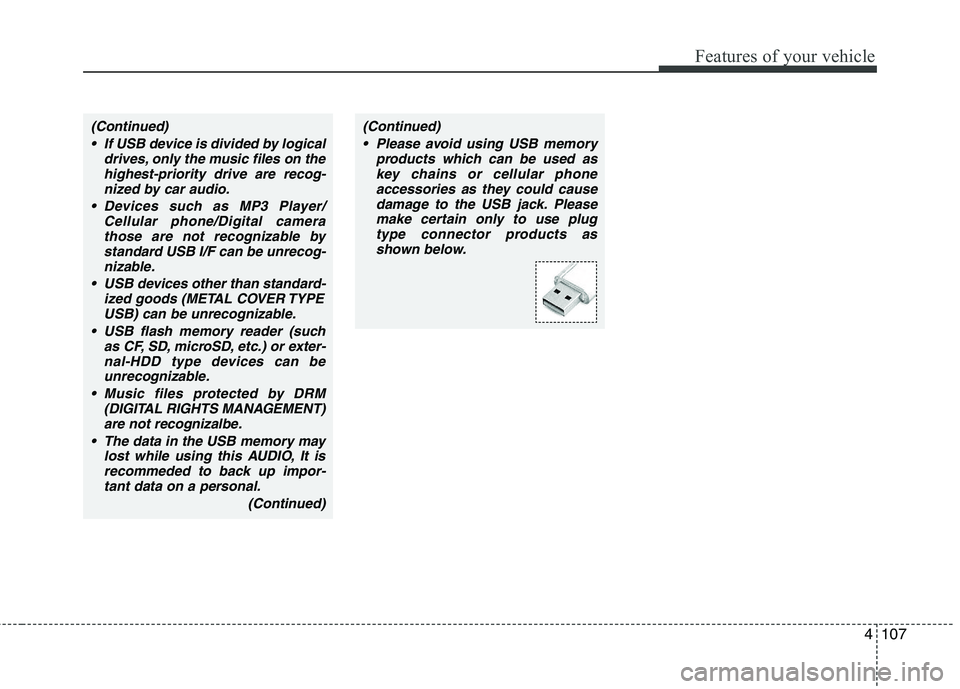
(Continued)(Continued) Please avoid using USB memory products which can be used askey chains or cellular phoneaccessories as they could cause
damage to the USB jack. Pleasemake certain only to use plug type connector products as
shown below.