Trip A KIA PICANTO 2012 Owners Manual
[x] Cancel search | Manufacturer: KIA, Model Year: 2012, Model line: PICANTO, Model: KIA PICANTO 2012Pages: 840, PDF Size: 41.16 MB
Page 59 of 840
347
Safety features of your vehicle
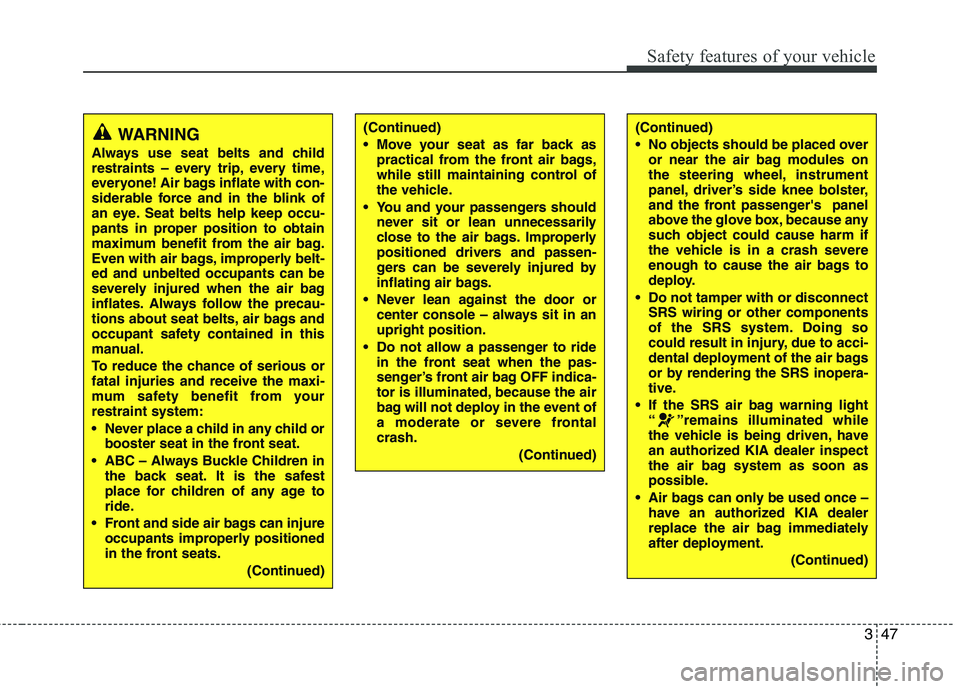
WARNING
Always use seat belts and child
restraints – every trip, every time,
everyone! Air bags inflate with con-
siderable force and in the blink of
an eye. Seat belts help keep occu-
pants in proper position to obtain
maximum benefit from the air bag.
Even with air bags, improperly belt-ed and unbelted occupants can be
severely injured when the air bag
inflates. Always follow the precau-
tions about seat belts, air bags and
occupant safety contained in this
manual.
To reduce the chance of serious or fatal injuries and receive the maxi-
mum safety benefit from yourrestraint system:
Never place a child in any child or booster seat in the front seat.
ABC – Always Buckle Children in the back seat. It is the safest
place for children of any age to
ride.
Front and side air bags can injure occupants improperly positioned
in the front seats.
(Continued)(Continued)
Move your seat as far back aspractical from the front air bags,
while still maintaining control of
the vehicle.
You and your passengers should never sit or lean unnecessarily
close to the air bags. Improperly
positioned drivers and passen-
gers can be severely injured by
inflating air bags.
Never lean against the door or center console – always sit in anupright position.
Do not allow a passenger to ride in the front seat when the pas-
senger’s front air bag OFF indica-
tor is illuminated, because the air
bag will not deploy in the event of
a moderate or severe frontalcrash.
(Continued)(Continued)
No objects should be placed overor near the air bag modules on
the steering wheel, instrument
panel, driver’s side knee bolster,
and the front passenger's panel
above the glove box, because any
such object could cause harm if
the vehicle is in a crash severe
enough to cause the air bags to
deploy.
Do not tamper with or disconnect SRS wiring or other components
of the SRS system. Doing so
could result in injury, due to acci-
dental deployment of the air bags
or by rendering the SRS inopera-
tive.
If the SRS air bag warning light “ ”remains illuminated while
the vehicle is being driven, have
an authorized KIA dealer inspect
the air bag system as soon as
possible.
Air bags can only be used once – have an authorized KIA dealer
replace the air bag immediately
after deployment.
(Continued)
Page 115 of 840
Features of your vehicle
42
4
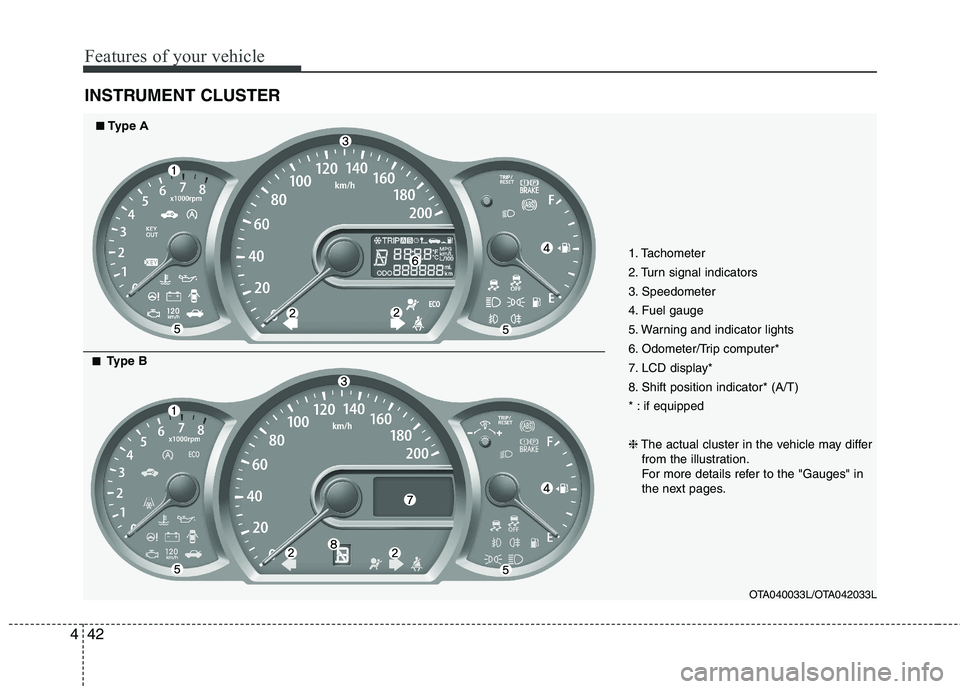
INSTRUMENT CLUSTER
1. Tachometer
2. Turn signal indicators
3. Speedometer
4. Fuel gauge
5. Warning and indicator lights
6. Odometer/Trip computer*
7. LCD display*
8. Shift position indicator* (A/T)
* : if equipped ❈ The actual cluster in the vehicle may differ
from the illustration.
For more details refer to the "Gauges" in
the next pages.
OTA040033L/OTA042033L
■■Type A
■■
Type B
Page 116 of 840
443
Features of your vehicle
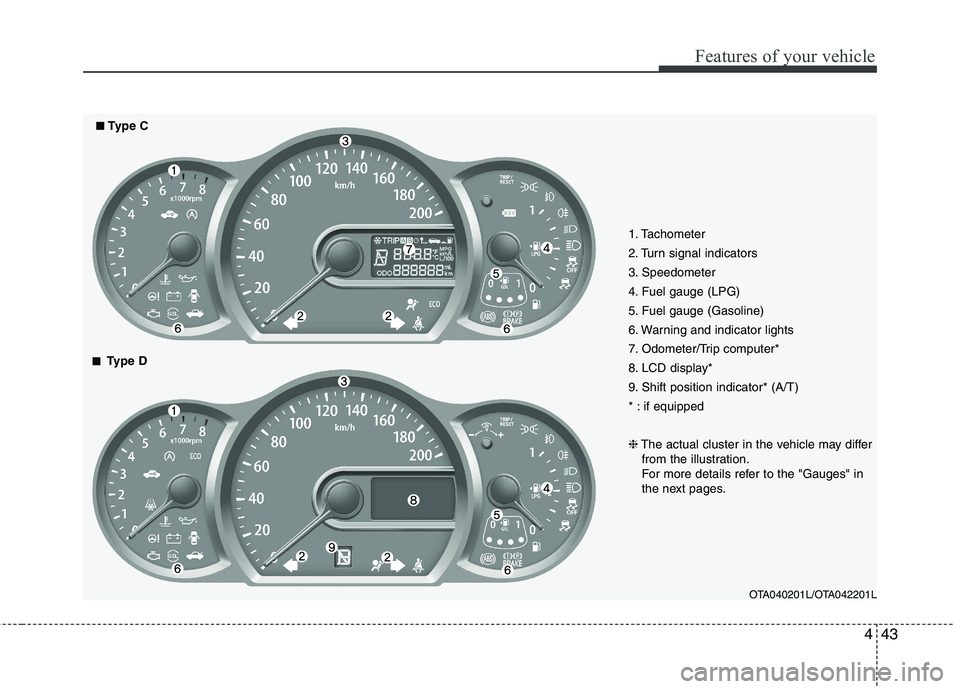
1. Tachometer
2. Turn signal indicators
3. Speedometer
4. Fuel gauge (LPG)
5. Fuel gauge (Gasoline)
6. Warning and indicator lights
7. Odometer/Trip computer*
8. LCD display*
9. Shift position indicator* (A/T)
* : if equipped ❈The actual cluster in the vehicle may differ
from the illustration.
For more details refer to the "Gauges" in
the next pages.
OTA040201L/OTA042201L
■■Type C
■■
Type D
Page 118 of 840
445
Features of your vehicle
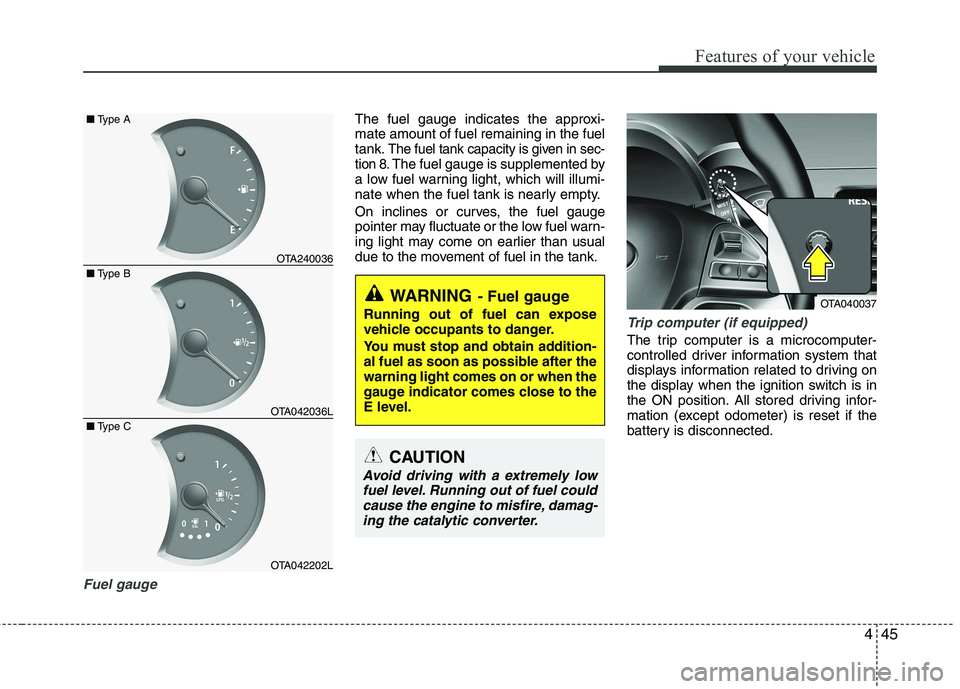
Fuel gauge
The fuel gauge indicates the approxi- mate amount of fuel remaining in the fueltank.
The fuel tank capacity is given in sec-
tion 8.The fuel gauge is supplemented by
a low fuel warning light, which will illumi-
nate when the fuel tank is nearly empty.
On inclines or curves, the fuel gauge
pointer may fluctuate or the low fuel warn-
ing light may come on earlier than usual
due to the movement of fuel in the tank.
Trip computer (if equipped)
The trip computer is a microcomputer-
controlled driver information system that
displays information related to driving on
the display when the ignition switch is in
the ON position. All stored driving infor-
mation (except odometer) is reset if the
battery is disconnected.
OTA240036
OTA042036L
OTA042202L
■
Type B
■
Type A
■ Type C
WARNING - Fuel gauge
Running out of fuel can expose
vehicle occupants to danger.
You must stop and obtain addition-
al fuel as soon as possible after thewarning light comes on or when the
gauge indicator comes close to the
E level.
CAUTION
Avoid driving with a extremely low fuel level. Running out of fuel couldcause the engine to misfire, damag-
ing the catalytic converter.
OTA040037
Page 119 of 840
Features of your vehicle
46
4
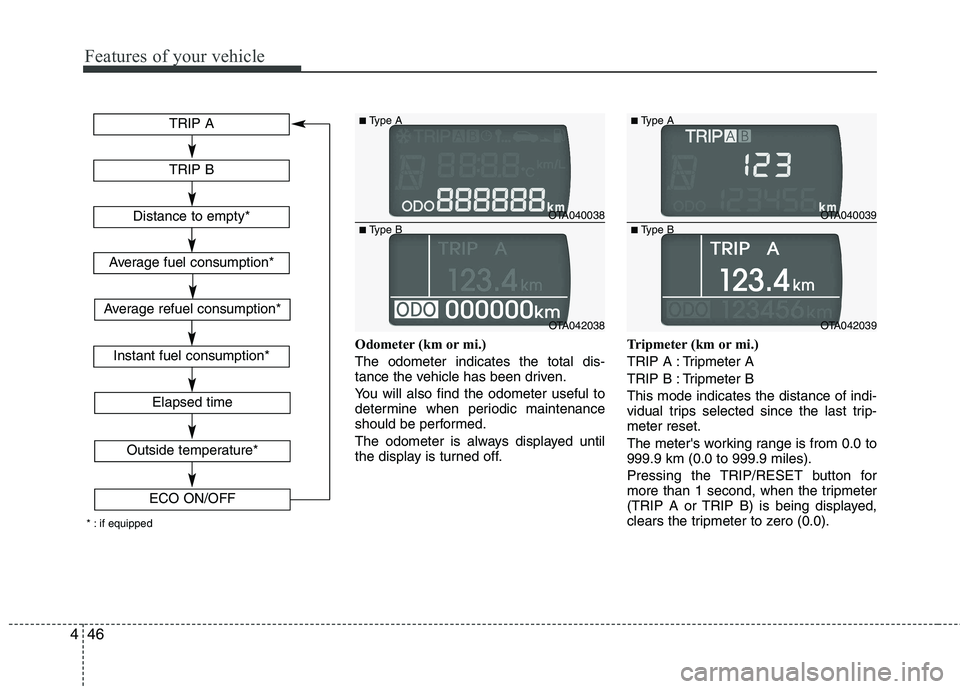
Odometer (km or mi.) The odometer indicates the total dis-
tance the vehicle has been driven.
You will also find the odometer useful to
determine when periodic maintenance
should be performed.
The odometer is always displayed until
the display is turned off. Tripmeter (km or mi.)
TRIP A : Tripmeter A
TRIP B : Tripmeter BThis mode indicates the distance of indi-
vidual trips selected since the last trip-meter reset.
The meter's working range is from 0.0 to 999.9 km (0.0 to 999.9 miles).
Pressing the TRIP/RESET button for
more than 1 second, when the tripmeter
(TRIP A or TRIP B) is being displayed,
clears the tripmeter to zero (0.0).
TRIP A
TRIP B
Elapsed time
Distance to empty*
Average fuel consumption*
Instant fuel consumption*
Outside temperature*
ECO ON/OFF
* : if equipped
Average refuel consumption*
OTA040038
OTA042038
■
Type A
■ Type B
OTA040039
OTA042039
■
Type A
■ Type B
Page 120 of 840
447
Features of your vehicle
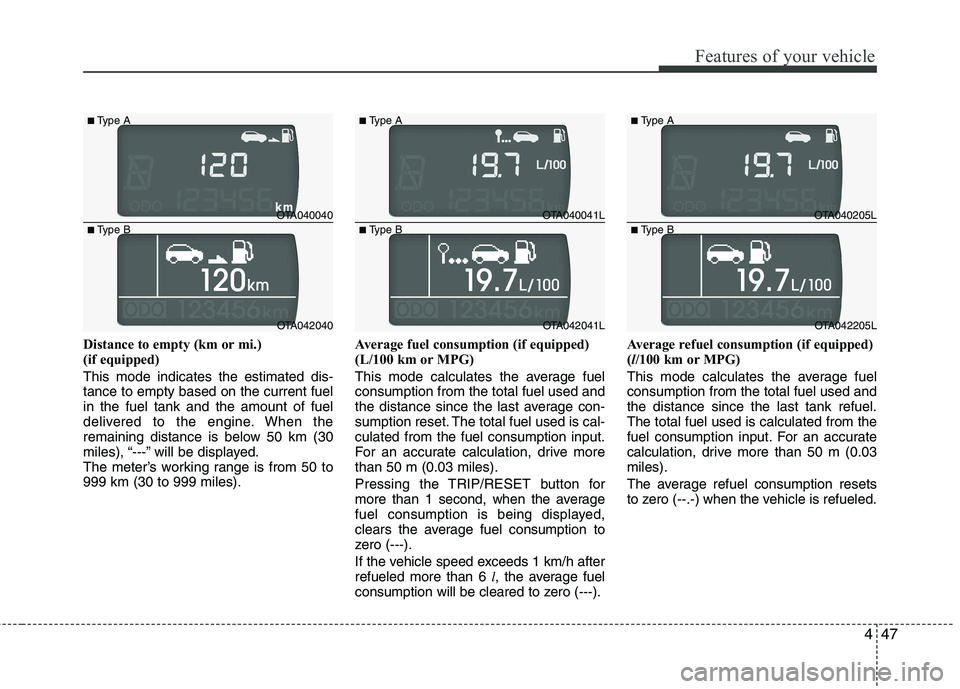
Distance to empty (km or mi.)
(if equipped) This mode indicates the estimated dis- tance to empty based on the current fuelin the fuel tank and the amount of fuel
delivered to the engine. When the
remaining distance is below 50 km (30
miles), “---” will be displayed.
The meter’s working range is from 50 to999 km (30 to 999 miles).Average fuel consumption (if equipped)
(L/100 km or MPG)
This mode calculates the average fuel consumption from the total fuel used and
the distance since the last average con-
sumption reset. The total fuel used is cal-culated from the fuel consumption input.
For an accurate calculation, drive morethan 50 m (0.03 miles).
Pressing the TRIP/RESET button for
more than 1 second, when the average
fuel consumption is being displayed,
clears the average fuel consumption to
zero (---).
If the vehicle speed exceeds 1 km/h after refueled more than 6
l, the average fuel
consumption will be cleared to zero (---). Average refuel consumption (if equipped) (
l/100 km or MPG)
This mode calculates the average fuelconsumption from the total fuel used andthe distance since the last tank refuel.The total fuel used is calculated from the
fuel consumption input. For an accurate
calculation, drive more than 50 m (0.03miles).
The average refuel consumption resets
to zero (--.-) when the vehicle is refueled.
OTA040040
OTA042040
■
Type A
■ Type B
OTA040041L
OTA042041L
■
Type A
■ Type B
OTA040205L
OTA042205L
■
Type A
■ Type B
Page 121 of 840
Features of your vehicle
48
4
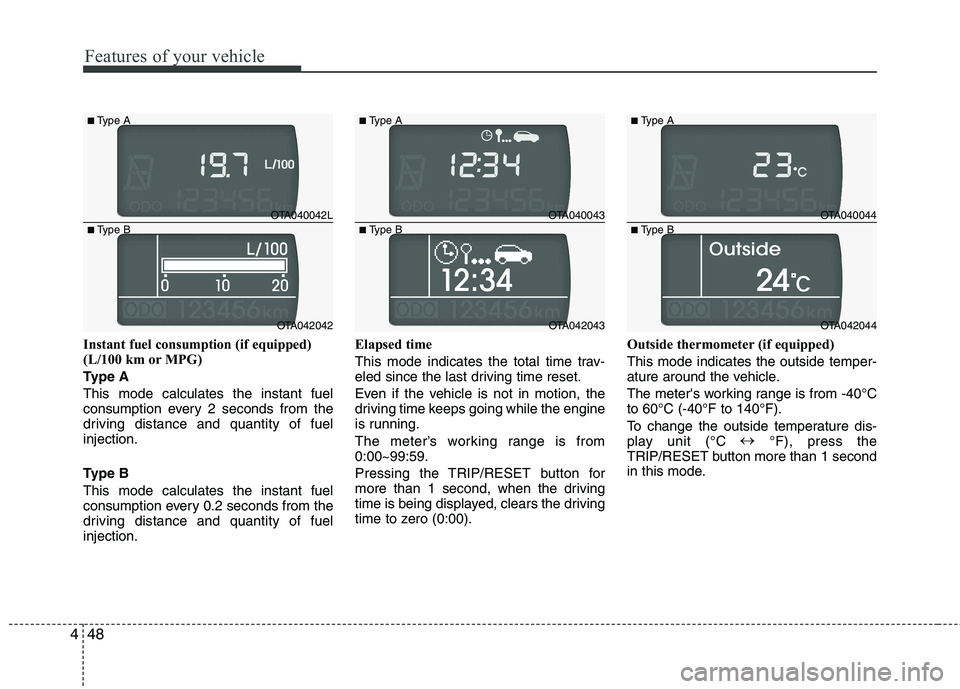
Instant fuel consumption (if equipped)
(L/100 km or MPG)
Type AThis mode calculates the instant fuel
consumption every 2 seconds from the
driving distance and quantity of fuelinjection.
Type B This mode calculates the instant fuel
consumption every 0.2 seconds from the
driving distance and quantity of fuelinjection. Elapsed time
This mode indicates the total time trav-
eled since the last driving time reset.
Even if the vehicle is not in motion, the
driving time keeps going while the engine
is running.
The meter’s working range is from 0:00~99:59.
Pressing the TRIP/RESET button for
more than 1 second, when the driving
time is being displayed, clears the driving
time to zero (0:00).
Outside thermometer (if equipped) This mode indicates the outside temper-
ature around the vehicle.
The meter's working range is from -40°C to 60°C (-40°F to 140°F).
To change the outside temperature dis-
play unit (°C
°F), press the
TRIP/RESET button more than 1 second
in this mode.
OTA040042L
OTA042042
■
Type A
■ Type B
OTA040043
OTA042043
■
Type A
■ Type B
OTA040044
OTA042044
■
Type A
■ Type B
Page 122 of 840
449
Features of your vehicle
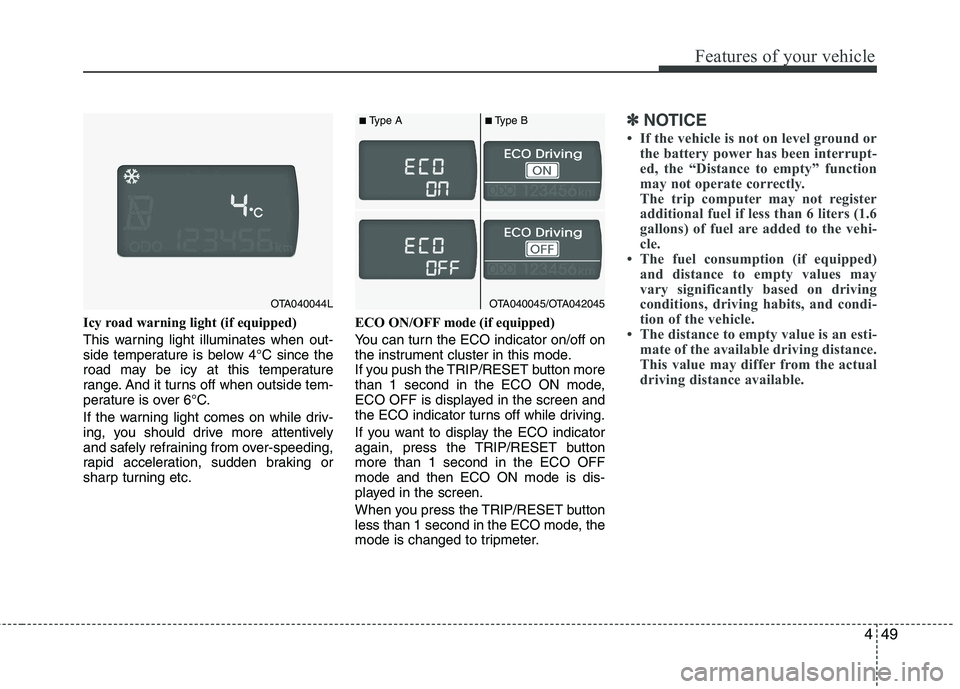
Icy road warning light (if equipped)
This warning light illuminates when out-
side temperature is below 4°C since the
road may be icy at this temperature
range. And it turns off when outside tem-
perature is over 6°C.
If the warning light comes on while driv-
ing, you should drive more attentively
and safely refraining from over-speeding,
rapid acceleration, sudden braking or
sharp turning etc.ECO ON/OFF mode (if equipped)
You can turn the ECO indicator on/off on
the instrument cluster in this mode.
If you push the TRIP/RESET button more
than 1 second in the ECO ON mode,
ECO OFF is displayed in the screen and
the ECO indicator turns off while driving.
If you want to display the ECO indicator
again, press the TRIP/RESET buttonmore than 1 second in the ECO OFFmode and then ECO ON mode is dis-
played in the screen.
When you press the TRIP/RESET button
less than 1 second in the ECO mode, the
mode is changed to tripmeter.
✽✽
NOTICE
If the vehicle is not on level ground or the battery power has been interrupt-
ed, the “Distance to empty” function
may not operate correctly.
The trip computer may not register
additional fuel if less than 6 liters (1.6
gallons) of fuel are added to the vehi-
cle.
The fuel consumption (if equipped)
and distance to empty values may
vary significantly based on driving
conditions, driving habits, and condi-
tion of the vehicle.
The distance to empty value is an esti- mate of the available driving distance.
This value may differ from the actual
driving distance available.
OTA040044LOTA040045/OTA042045
■Type A ■Type B
Page 129 of 840
Features of your vehicle
56
4
ECO
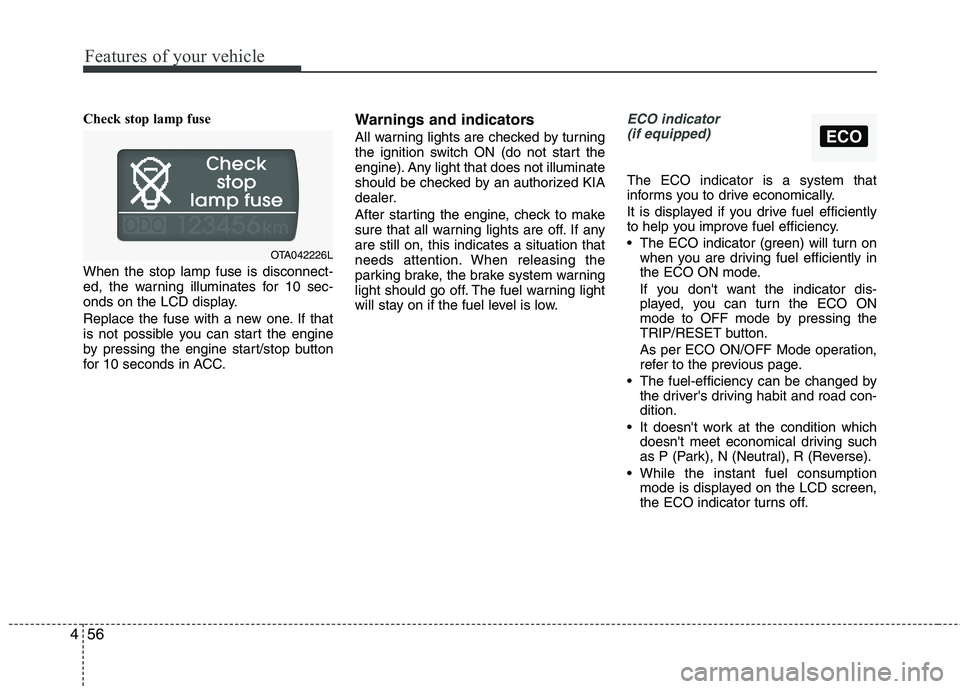
Check stop lamp fuse When the stop lamp fuse is disconnect-
ed, the warning illuminates for 10 sec-
onds on the LCD display.
Replace the fuse with a new one. If that
is not possible you can start the engine
by pressing the engine start/stop button
for 10 seconds in ACC. Warnings and indicators
All warning lights are checked by turning
the ignition switch ON (do not start the
engine). Any light that does not illuminate
should be checked by an authorized KIA
dealer.
After starting the engine, check to make
sure that all warning lights are off. If anyare still on, this indicates a situation that
needs attention. When releasing the
parking brake, the brake system warning
light should go off. The fuel warning light
will stay on if the fuel level is low.ECO indicator
(if equipped)
The ECO indicator is a system that
informs you to drive economically.
It is displayed if you drive fuel efficiently
to help you improve fuel efficiency.
The ECO indicator (green) will turn on when you are driving fuel efficiently in
the ECO ON mode.
If you don't want the indicator dis-
played, you can turn the ECO ON
mode to OFF mode by pressing the
TRIP/RESET button.
As per ECO ON/OFF Mode operation,
refer to the previous page.
The fuel-efficiency can be changed by the driver's driving habit and road con-dition.
It doesn't work at the condition which doesn't meet economical driving such
as P (Park), N (Neutral), R (Reverse).
While the instant fuel consumption mode is displayed on the LCD screen,
the ECO indicator turns off.
OTA042226L
Page 133 of 840
Features of your vehicle
60
4
Engine oil pressure
warning light
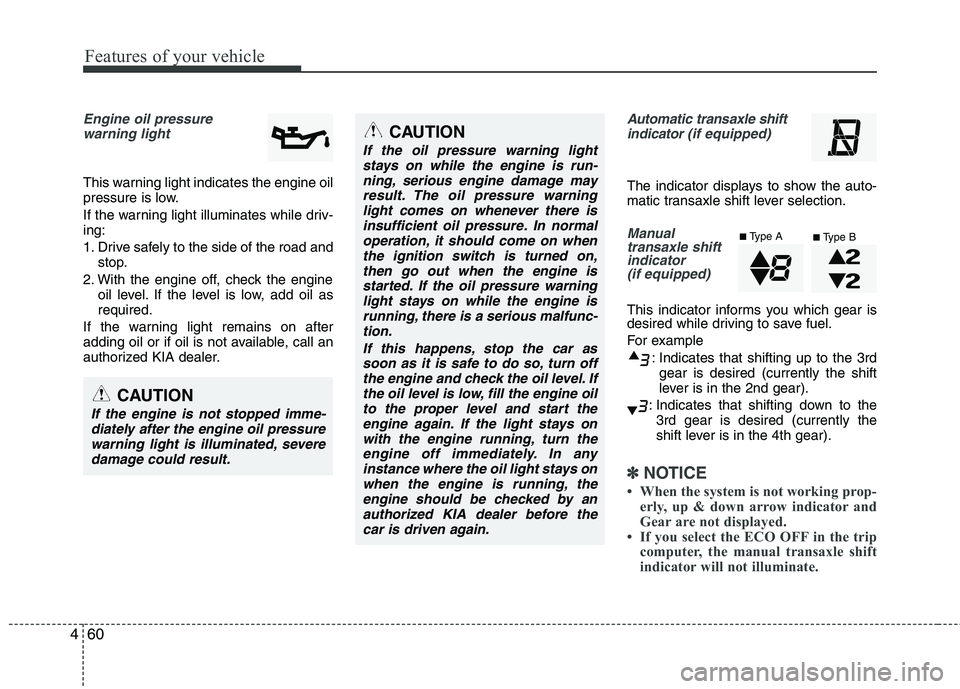
This warning light indicates the engine oil
pressure is low.
If the warning light illuminates while driv- ing:
1. Drive safely to the side of the road and stop.
2. With the engine off, check the engine oil level. If the level is low, add oil as required.
If the warning light remains on after
adding oil or if oil is not available, call an
authorized KIA dealer.
Automatic transaxle shift indicator (if equipped)
The indicator displays to show the auto-
matic transaxle shift lever selection.
Manual
transaxle shiftindicator
(if equipped)
This indicator informs you which gear is
desired while driving to save fuel.
For example
: Indicates that shifting up to the 3rdgear is desired (currently the shift
lever is in the 2nd gear).
: Indicates that shifting down to the 3rd gear is desired (currently the
shift lever is in the 4th gear).
✽✽ NOTICE
When the system is not working prop- erly, up & down arrow indicator and
Gear are not displayed.
If you select the ECO OFF in the trip
computer, the manual transaxle shift
indicator will not illuminate.
CAUTION
If the oil pressure warning light
stays on while the engine is run-
ning, serious engine damage mayresult. The oil pressure warninglight comes on whenever there is insufficient oil pressure. In normal
operation, it should come on whenthe ignition switch is turned on,then go out when the engine is
started. If the oil pressure warninglight stays on while the engine isrunning, there is a serious malfunc-tion.
If this happens, stop the car assoon as it is safe to do so, turn off the engine and check the oil level. Ifthe oil level is low, fill the engine oil to the proper level and start the
engine again. If the light stays onwith the engine running, turn theengine off immediately. In anyinstance where the oil light stays on
when the engine is running, theengine should be checked by anauthorized KIA dealer before the car is driven again.
CAUTION
If the engine is not stopped imme-diately after the engine oil pressure
warning light is illuminated, severe damage could result.
■ Type A
■Type B