reset KIA PICANTO 2014 Workshop Manual
[x] Cancel search | Manufacturer: KIA, Model Year: 2014, Model line: PICANTO, Model: KIA PICANTO 2014Pages: 1003, PDF Size: 44.67 MB
Page 877 of 1003
Features of your vehicle
44
4
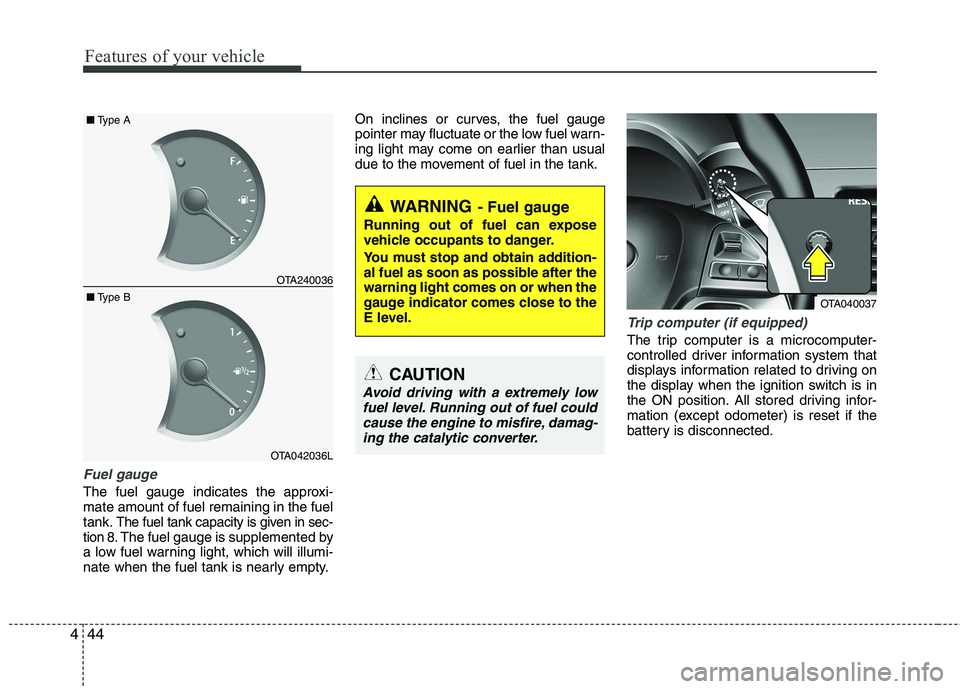
Fuel gauge
The fuel gauge indicates the approxi- mate amount of fuel remaining in the fueltank.
The fuel tank capacity is given in sec-
tion 8.The fuel gauge is supplemented by
a low fuel warning light, which will illumi-
nate when the fuel tank is nearly empty. On inclines or curves, the fuel gauge
pointer may fluctuate or the low fuel warn-
ing light may come on earlier than usual
due to the movement of fuel in the tank.
Trip computer (if equipped)
The trip computer is a microcomputer-
controlled driver information system that
displays information related to driving on
the display when the ignition switch is in
the ON position. All stored driving infor-
mation (except odometer) is reset if the
battery is disconnected.
OTA240036
OTA042036L
■
Type B
■
Type A
WARNING - Fuel gauge
Running out of fuel can expose
vehicle occupants to danger.
You must stop and obtain addition-
al fuel as soon as possible after thewarning light comes on or when the
gauge indicator comes close to the
E level.
CAUTION
Avoid driving with a extremely low fuel level. Running out of fuel couldcause the engine to misfire, damag-
ing the catalytic converter.
OTA040037
Page 878 of 1003
445
Features of your vehicle
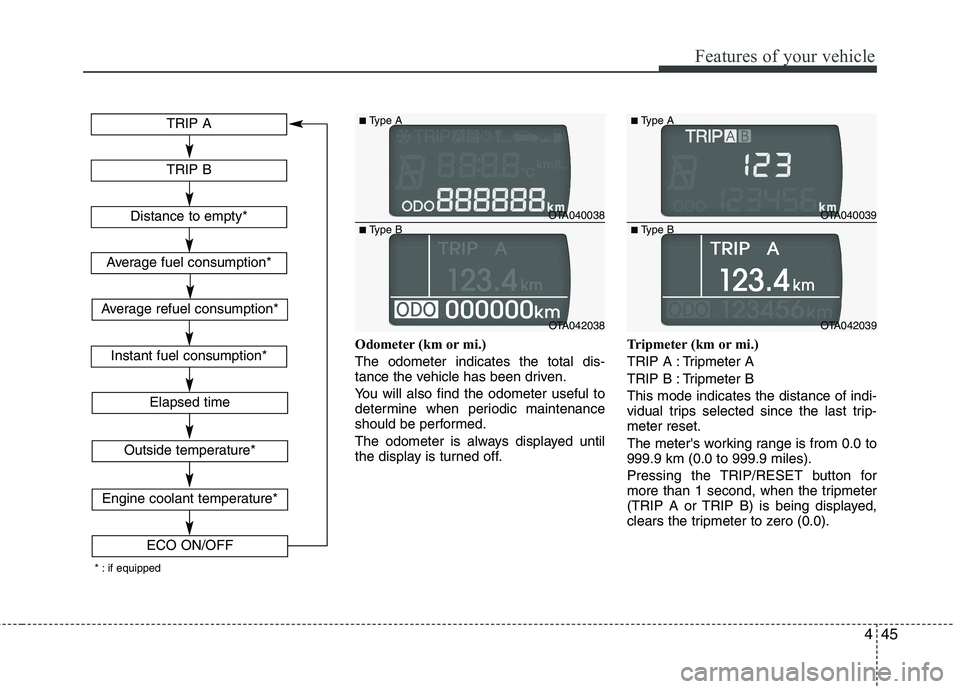
Odometer (km or mi.) The odometer indicates the total dis-
tance the vehicle has been driven.
You will also find the odometer useful to
determine when periodic maintenance
should be performed.
The odometer is always displayed until
the display is turned off.Tripmeter (km or mi.)
TRIP A : Tripmeter A
TRIP B : Tripmeter BThis mode indicates the distance of indi-
vidual trips selected since the last trip-meter reset.
The meter's working range is from 0.0 to 999.9 km (0.0 to 999.9 miles).
Pressing the TRIP/RESET button for
more than 1 second, when the tripmeter
(TRIP A or TRIP B) is being displayed,
clears the tripmeter to zero (0.0).
TRIP A
TRIP B
Elapsed time
Distance to empty*
Average fuel consumption*
Instant fuel consumption*
Outside temperature*
Engine coolant temperature*
ECO ON/OFF
* : if equipped
Average refuel consumption*
OTA040038
OTA042038
■
Type A
■ Type B
OTA040039
OTA042039
■
Type A
■ Type B
Page 879 of 1003
Features of your vehicle
46
4
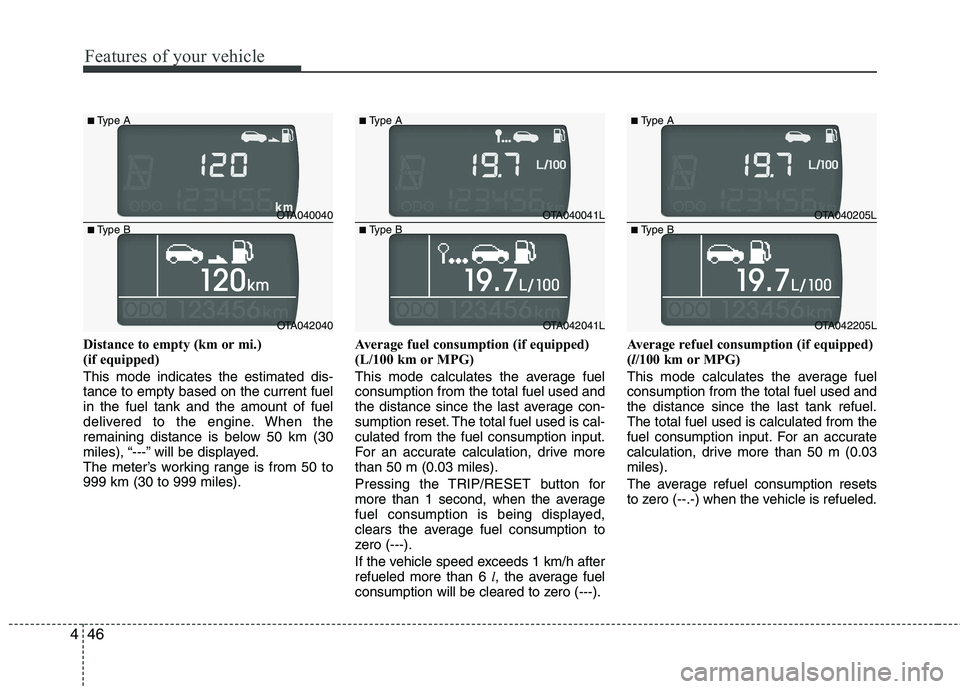
Distance to empty (km or mi.)
(if equipped) This mode indicates the estimated dis- tance to empty based on the current fuelin the fuel tank and the amount of fuel
delivered to the engine. When the
remaining distance is below 50 km (30
miles), “---” will be displayed.
The meter’s working range is from 50 to999 km (30 to 999 miles). Average fuel consumption (if equipped)
(L/100 km or MPG)
This mode calculates the average fuel consumption from the total fuel used and
the distance since the last average con-
sumption reset. The total fuel used is cal-culated from the fuel consumption input.
For an accurate calculation, drive morethan 50 m (0.03 miles).
Pressing the TRIP/RESET button for
more than 1 second, when the average
fuel consumption is being displayed,
clears the average fuel consumption to
zero (---).
If the vehicle speed exceeds 1 km/h after refueled more than 6
l, the average fuel
consumption will be cleared to zero (---). Average refuel consumption (if equipped) (
l/100 km or MPG)
This mode calculates the average fuelconsumption from the total fuel used andthe distance since the last tank refuel.The total fuel used is calculated from the
fuel consumption input. For an accurate
calculation, drive more than 50 m (0.03miles).
The average refuel consumption resets
to zero (--.-) when the vehicle is refueled.
OTA040040
OTA042040
■
Type A
■ Type B
OTA040041L
OTA042041L
■
Type A
■ Type B
OTA040205L
OTA042205L
■
Type A
■ Type B
Page 880 of 1003
447
Features of your vehicle
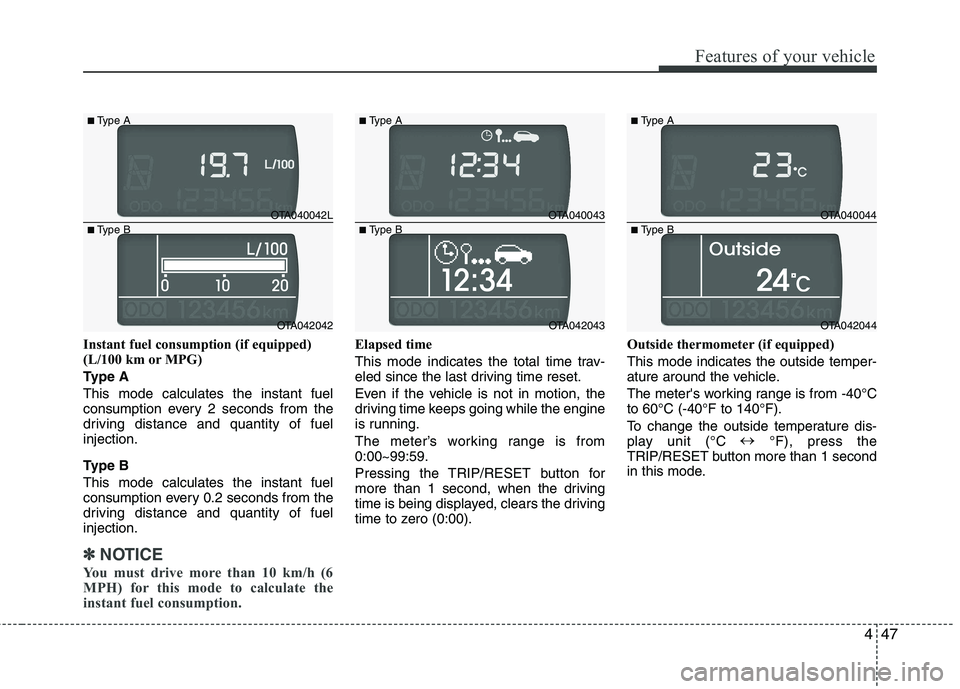
Instant fuel consumption (if equipped)
(L/100 km or MPG)
Type AThis mode calculates the instant fuel
consumption every 2 seconds from the
driving distance and quantity of fuelinjection.
Type B This mode calculates the instant fuel
consumption every 0.2 seconds from the
driving distance and quantity of fuelinjection.
✽✽NOTICE
You must drive more than 10 km/h (6
MPH) for this mode to calculate the
instant fuel consumption.
Elapsed time
This mode indicates the total time trav-
eled since the last driving time reset.
Even if the vehicle is not in motion, the
driving time keeps going while the engine
is running.
The meter’s working range is from 0:00~99:59.
Pressing the TRIP/RESET button for
more than 1 second, when the driving
time is being displayed, clears the driving
time to zero (0:00). Outside thermometer (if equipped) This mode indicates the outside temper-
ature around the vehicle.
The meter's working range is from -40°C to 60°C (-40°F to 140°F).
To change the outside temperature dis-
play unit (°C
°F), press the
TRIP/RESET button more than 1 second
in this mode.
OTA040042L
OTA042042
■
Type A
■ Type B
OTA040043
OTA042043
■
Type A
■ Type B
OTA040044
OTA042044
■
Type A
■ Type B
Page 881 of 1003
Features of your vehicle
48
4
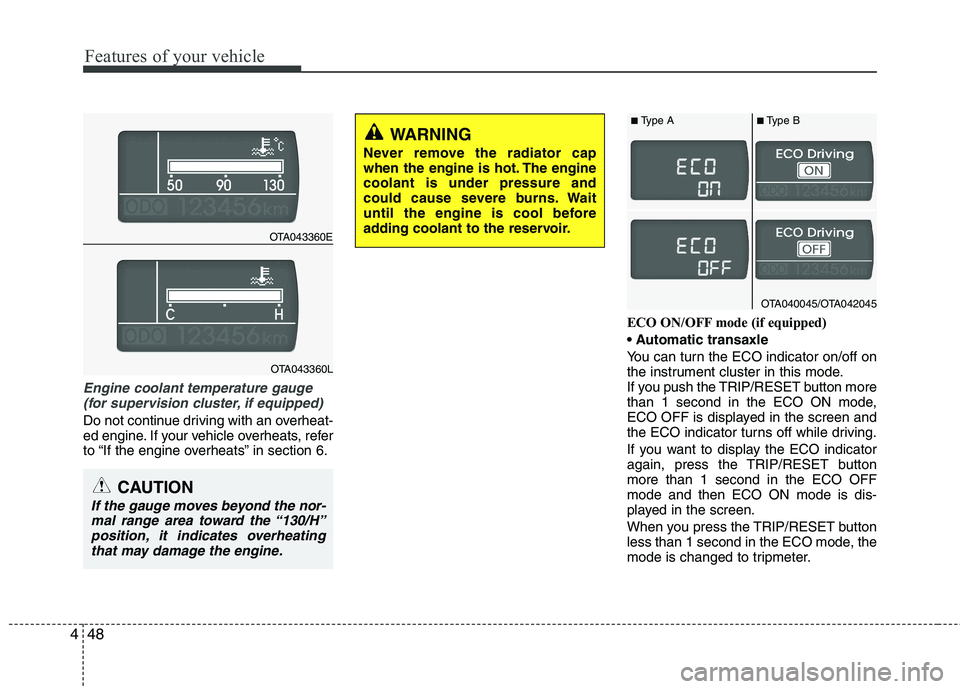
Engine coolant temperature gauge
(for supervision cluster, if equipped)
Do not continue driving with an overheat-
ed engine. If your vehicle overheats, refer
to “If the engine overheats” in section 6. ECO ON/OFF mode (if equipped)
You can turn the ECO indicator on/off on
the instrument cluster in this mode.
If you push the TRIP/RESET button more
than 1 second in the ECO ON mode,
ECO OFF is displayed in the screen and
the ECO indicator turns off while driving.
If you want to display the ECO indicator
again, press the TRIP/RESET buttonmore than 1 second in the ECO OFFmode and then ECO ON mode is dis-
played in the screen.
When you press the TRIP/RESET button
less than 1 second in the ECO mode, the
mode is changed to tripmeter.
CAUTION
If the gauge moves beyond the nor-
mal range area toward the “130/H”
position, it indicates overheatingthat may damage the engine.
WARNING
Never remove the radiator cap
when the engine is hot. The enginecoolant is under pressure and
could cause severe burns. Wait
until the engine is cool before
adding coolant to the reservoir.
OTA043360E
OTA043360L
OTA040045/OTA042045
■ Type A ■Type B
Page 888 of 1003
455
Features of your vehicle
ECO
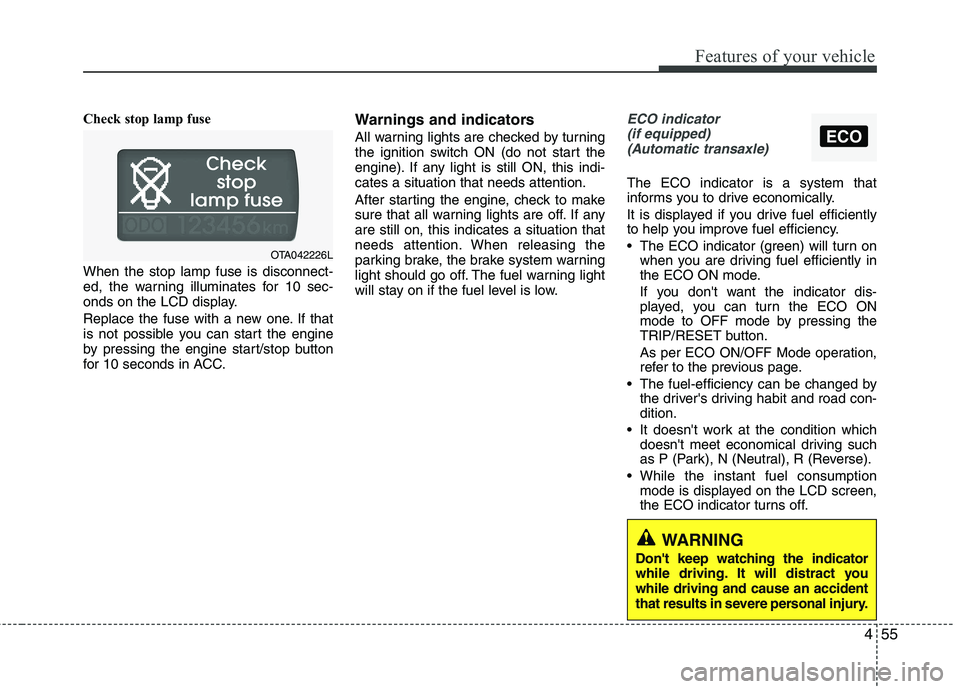
Check stop lamp fuse When the stop lamp fuse is disconnect-
ed, the warning illuminates for 10 sec-
onds on the LCD display.
Replace the fuse with a new one. If that
is not possible you can start the engine
by pressing the engine start/stop button
for 10 seconds in ACC.Warnings and indicators
All warning lights are checked by turning
the ignition switch ON (do not start the
engine). If any light is still ON, this indi-cates a situation that needs attention.
After starting the engine, check to make
sure that all warning lights are off. If anyare still on, this indicates a situation that
needs attention. When releasing the
parking brake, the brake system warning
light should go off. The fuel warning light
will stay on if the fuel level is low.ECO indicator
(if equipped) (Automatic transaxle)
The ECO indicator is a system that
informs you to drive economically.
It is displayed if you drive fuel efficiently
to help you improve fuel efficiency.
The ECO indicator (green) will turn on when you are driving fuel efficiently in
the ECO ON mode.
If you don't want the indicator dis-
played, you can turn the ECO ON
mode to OFF mode by pressing the
TRIP/RESET button.
As per ECO ON/OFF Mode operation,
refer to the previous page.
The fuel-efficiency can be changed by the driver's driving habit and road con-dition.
It doesn't work at the condition which doesn't meet economical driving such
as P (Park), N (Neutral), R (Reverse).
While the instant fuel consumption mode is displayed on the LCD screen,
the ECO indicator turns off.
OTA042226L
WARNING
Don't keep watching the indicator
while driving. It will distract youwhile driving and cause an accident
that results in severe personal injury.
Page 929 of 1003
Features of your vehicle
96
4
Temperature conversion
You can switch the temperature mode
between Centigrade to Fahrenheit as fol-
lows:
While pressing the OFF button, press the
AUTO button for 4 seconds or more.
The display will change from Centigrade
to Fahrenheit, or from Fahrenheit to
Centigrade.
If the battery has been discharged or dis-
connected, the temperature mode dis-
play will reset to Centigrade.
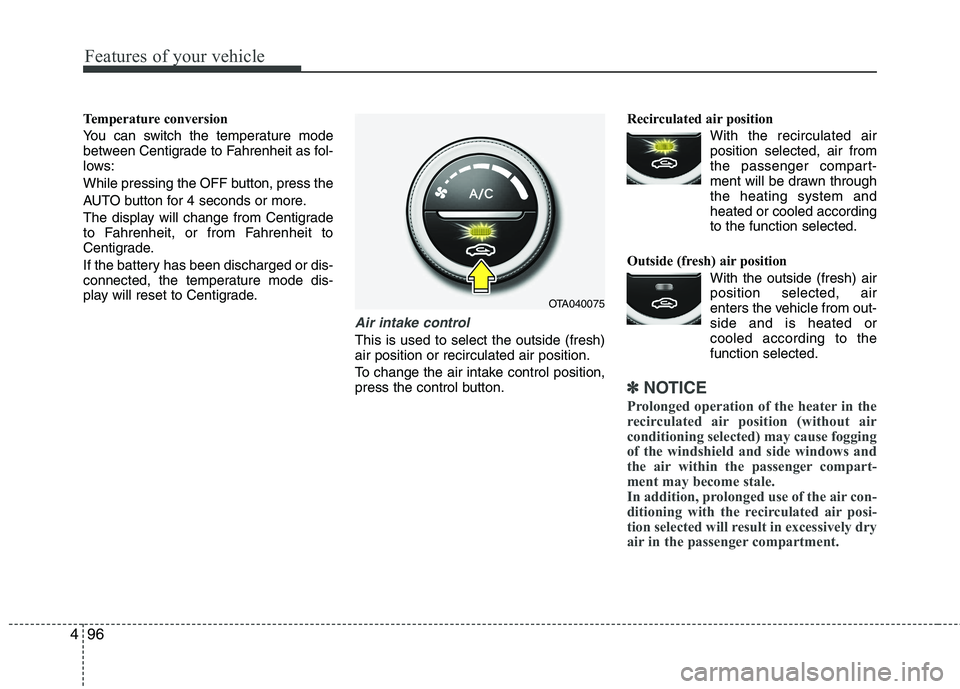
Air intake control
This is used to select the outside (fresh) air position or recirculated air position.
To change the air intake control position,
press the control button. Recirculated air position
With the recirculated airposition selected, air from
the passenger compart-
ment will be drawn throughthe heating system andheated or cooled according
to the function selected.
Outside (fresh) air position With the outside (fresh) airposition selected, air
enters the vehicle from out-side and is heated or
cooled according to thefunction selected.
✽✽ NOTICE
Prolonged operation of the heater in the
recirculated air position (without air
conditioning selected) may cause fogging
of the windshield and side windows and
the air within the passenger compart-
ment may become stale.
In addition, prolonged use of the air con-
ditioning with the recirculated air posi-
tion selected will result in excessively dry
air in the passenger compartment.
OTA040075
Page 934 of 1003
4101
Features of your vehicle
Defogging logic
To reduce the probability of fogging up
the inside of the windshield, the air intakeor air conditioning are controlled auto-
matically according to certain conditions
such as or position. To cancel or
return the defogging logic, do the follow-ing.
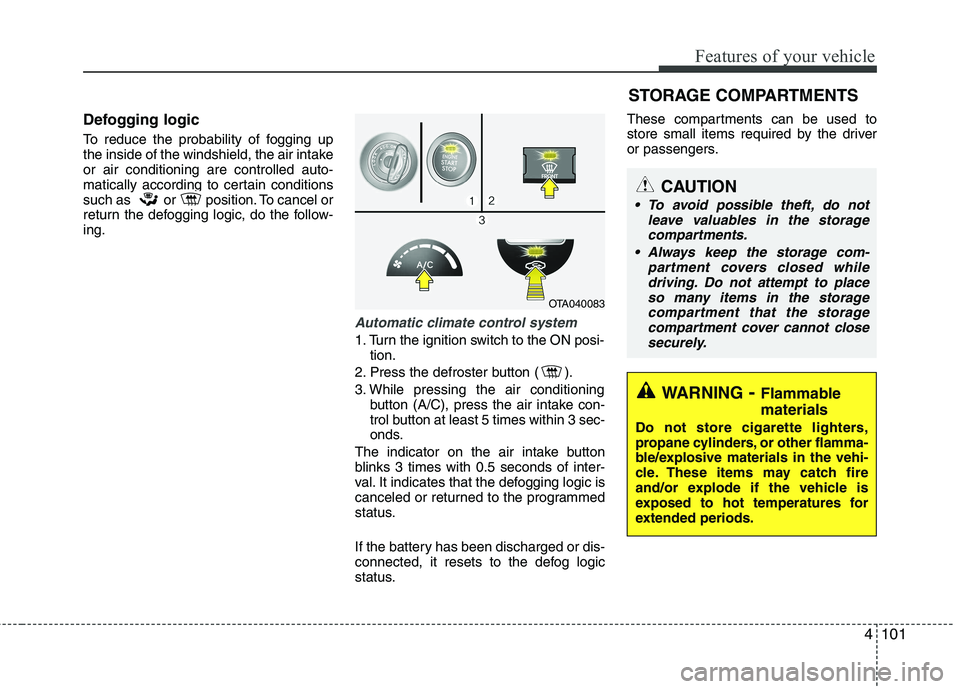
Automatic climate control system
1. Turn the ignition switch to the ON posi-tion.
2. Press the defroster button ( ).
3. While pressing the air conditioning button (A/C), press the air intake con-
trol button at least 5 times within 3 sec-
onds.
The indicator on the air intake button
blinks 3 times with 0.5 seconds of inter-
val. It indicates that the defogging logic is
canceled or returned to the programmed
status.
If the battery has been discharged or dis-
connected, it resets to the defog logic
status. These compartments can be used to
store small items required by the driver
or passengers.
OTA040083
STORAGE COMPARTMENTS
WARNING
- Flammable
materials
Do not store cigarette lighters,
propane cylinders, or other flamma-
ble/explosive materials in the vehi-
cle. These items may catch fire
and/or explode if the vehicle is
exposed to hot temperatures for
extended periods.
CAUTION
To avoid possible theft, do not leave valuables in the storagecompartments.
Always keep the storage com- partment covers closed whiledriving. Do not attempt to place
so many items in the storagecompartment that the storage compartment cover cannot closesecurely.
Page 939 of 1003
Features of your vehicle
106
4
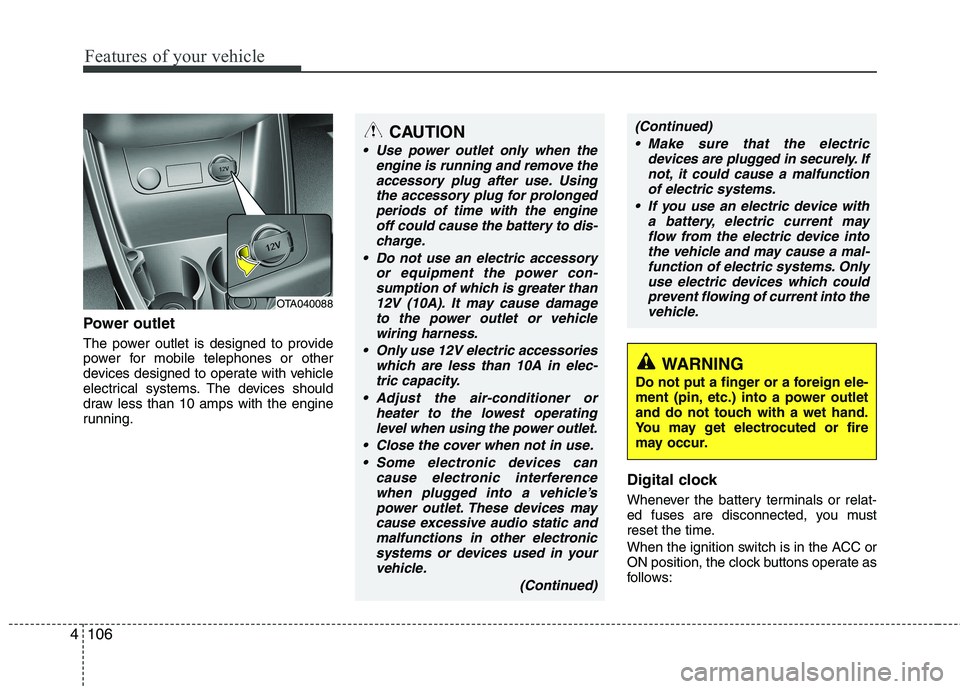
Power outlet
The power outlet is designed to provide
power for mobile telephones or other
devices designed to operate with vehicle
electrical systems. The devices should
draw less than 10 amps with the engine
running.
Digital clock
Whenever the battery terminals or relat-
ed fuses are disconnected, you must
reset the time.
When the ignition switch is in the ACC or
ON position, the clock buttons operate as
follows:
OTA040088
WARNING
Do not put a finger or a foreign ele-
ment (pin, etc.) into a power outlet
and do not touch with a wet hand.
You may get electrocuted or fire
may occur.
CAUTION
Use power outlet only when the engine is running and remove the
accessory plug after use. Usingthe accessory plug for prolongedperiods of time with the engine off could cause the battery to dis-
charge.
Do not use an electric accessory or equipment the power con-sumption of which is greater than
12V (10A). It may cause damageto the power outlet or vehiclewiring harness.
Only use 12V electric accessories which are less than 10A in elec-
tric capacity.
Adjust the air-conditioner or heater to the lowest operatinglevel when using the power outlet.
Close the cover when not in use. Some electronic devices can cause electronic interferencewhen plugged into a vehicle’spower outlet. These devices maycause excessive audio static and
malfunctions in other electronicsystems or devices used in yourvehicle.
(Continued)
(Continued) Make sure that the electric devices are plugged in securely. Ifnot, it could cause a malfunctionof electric systems.
If you use an electric device with a battery, electric current mayflow from the electric device intothe vehicle and may cause a mal-
function of electric systems. Onlyuse electric devices which couldprevent flowing of current into thevehicle.
Page 943 of 1003
Features of your vehicle
110
4
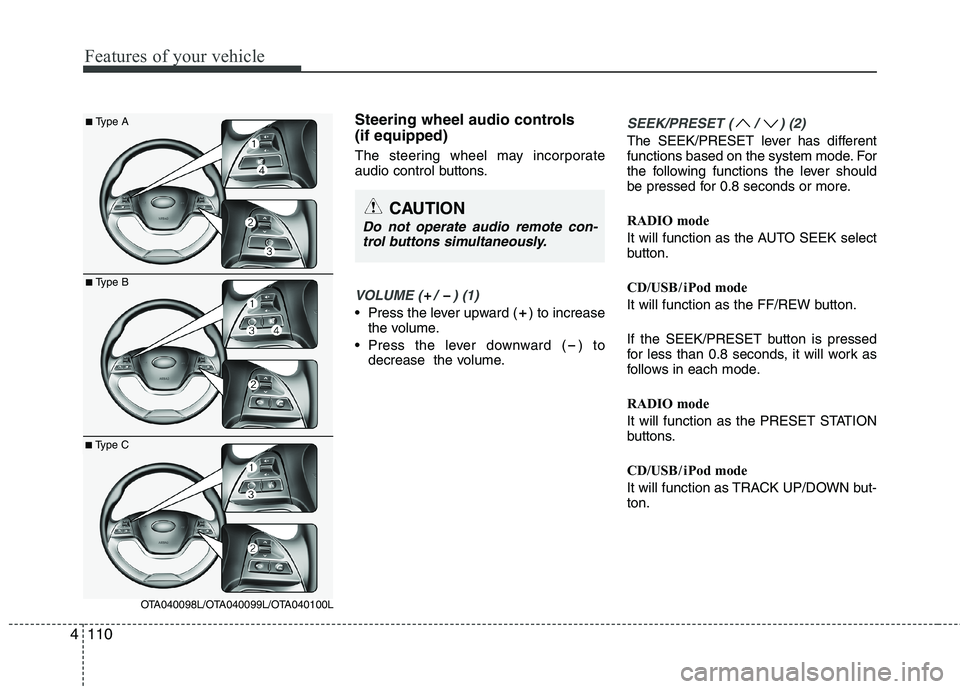
Steering wheel audio controls (if equipped)
The steering wheel may incorporate
audio control buttons.
VOLUME ( / ) (1)
• Press the lever upward ( ) to increase
the volume.
Press the lever downward ( ) to decrease the volume.
SEEK/PRESET ( / ) (2)
The SEEK/PRESET lever has different
functions based on the system mode. For
the following functions the lever should
be pressed for 0.8 seconds or more.
RADIO mode
It will function as the AUTO SEEK select
button.
CD/USB / i Pod mode
It will function as the FF/REW button.
If the SEEK/PRESET button is pressed
for less than 0.8 seconds, it will work as
follows in each mode.
RADIO mode
It will function as the PRESET STATION
buttons.
CD/USB / i Pod mode
It will function as TRACK UP/DOWN but- ton.
CAUTION
Do not operate audio remote con-
trol buttons simultaneously.
■ Type A
■Type B
■Type C
OTA040098L/OTA040099L/OTA040100L