start stop button KIA PICANTO 2015 Owner's Guide
[x] Cancel search | Manufacturer: KIA, Model Year: 2015, Model line: PICANTO, Model: KIA PICANTO 2015Pages: 846, PDF Size: 49.67 MB
Page 557 of 846
Features of your vehicle
58
4
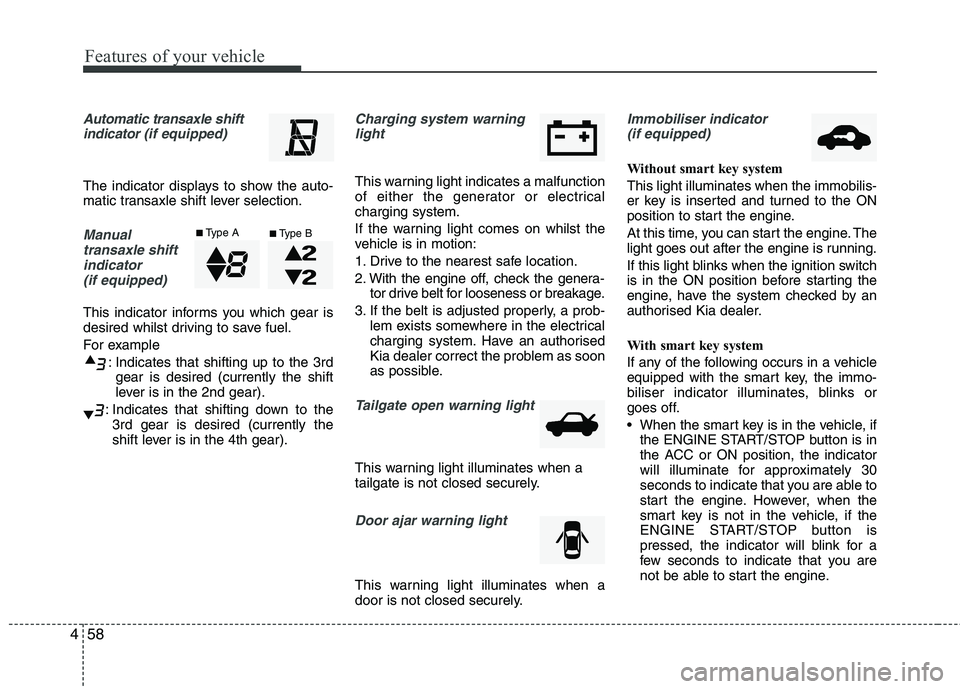
Automatic transaxle shift
indicator (if equipped)
The indicator displays to show the auto-
matic transaxle shift lever selection.
Manual
transaxle shiftindicator (if equipped)
This indicator informs you which gear is
desired whilst driving to save fuel.
For example
: Indicates that shifting up to the 3rdgear is desired (currently the shift
lever is in the 2nd gear).
: Indicates that shifting down to the 3rd gear is desired (currently the
shift lever is in the 4th gear).
Charging system warning
light
This warning light indicates a malfunction
of either the generator or electricalcharging system.
If the warning light comes on whilst the
vehicle is in motion:
1. Drive to the nearest safe location.
2. With the engine off, check the genera- tor drive belt for looseness or breakage.
3. If the belt is adjusted properly, a prob- lem exists somewhere in the electrical
charging system. Have an authorised
Kia dealer correct the problem as soon
as possible.
Tailgate open warning light
This warning light illuminates when a
tailgate is not closed securely.
Door ajar warning light
This warning light illuminates when a
door is not closed securely.
Immobiliser indicator
(if equipped)
Without smart key system This light illuminates when the immobilis-
er key is inserted and turned to the ON
position to start the engine.
At this time, you can start the engine. The
light goes out after the engine is running.
If this light blinks when the ignition switch
is in the ON position before starting the
engine, have the system checked by an
authorised Kia dealer.
With smart key system
If any of the following occurs in a vehicle
equipped with the smart key, the immo-
biliser indicator illuminates, blinks or
goes off.
When the smart key is in the vehicle, if the ENGINE START/STOP button is in
the ACC or ON position, the indicator
will illuminate for approximately 30
seconds to indicate that you are able to
start the engine. However, when the
smart key is not in the vehicle, if the
ENGINE START/STOP button is
pressed, the indicator will blink for a
few seconds to indicate that you are
not be able to start the engine.
■Type A
■Type B
Page 558 of 846
459
Features of your vehicle
If the indicator illuminates only for 2seconds and goes out when the
ENGINE START/STOP button is
turned to ON position with the smart
key in the vehicle, have the system
checked by an authorised Kia dealer.
When the battery is weak, if the ENGINE START/STOP button is
pressed, the indicator will blink and you
are not able to start the engine.
However, you are able to start the
engine by inserting the smart key in
the smart key holder. Also, if the smart
key system related parts have a prob-
lem, the indicator will blink.
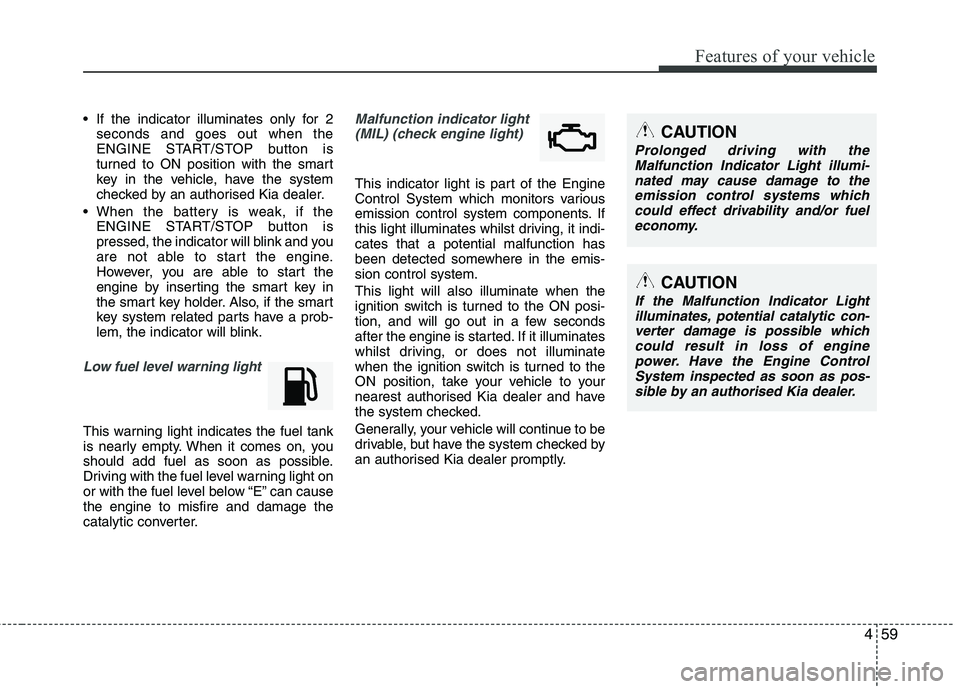
Low fuel level warning light
This warning light indicates the fuel tank
is nearly empty. When it comes on, you
should add fuel as soon as possible.
Driving with the fuel level warning light on
or with the fuel level below “E” can causethe engine to misfire and damage the
catalytic converter.
Malfunction indicator light
(MIL) (check engine light)
This indicator light is part of the Engine
Control System which monitors various
emission control system components. If
this light illuminates whilst driving, it indi-cates that a potential malfunction has
been detected somewhere in the emis-sion control system. This light will also illuminate when the
ignition switch is turned to the ON posi-
tion, and will go out in a few seconds
after the engine is started. If it illuminates
whilst driving, or does not illuminate
when the ignition switch is turned to the
ON position, take your vehicle to your
nearest authorised Kia dealer and have
the system checked.
Generally, your vehicle will continue to be
drivable, but have the system checked by
an authorised Kia dealer promptly.
CAUTION
Prolonged driving with theMalfunction Indicator Light illumi-
nated may cause damage to the emission control systems whichcould effect drivability and/or fueleconomy.
CAUTION
If the Malfunction Indicator Light illuminates, potential catalytic con-
verter damage is possible whichcould result in loss of engine power. Have the Engine ControlSystem inspected as soon as pos-
sible by an authorised Kia dealer.
Page 559 of 846
Features of your vehicle
60
4
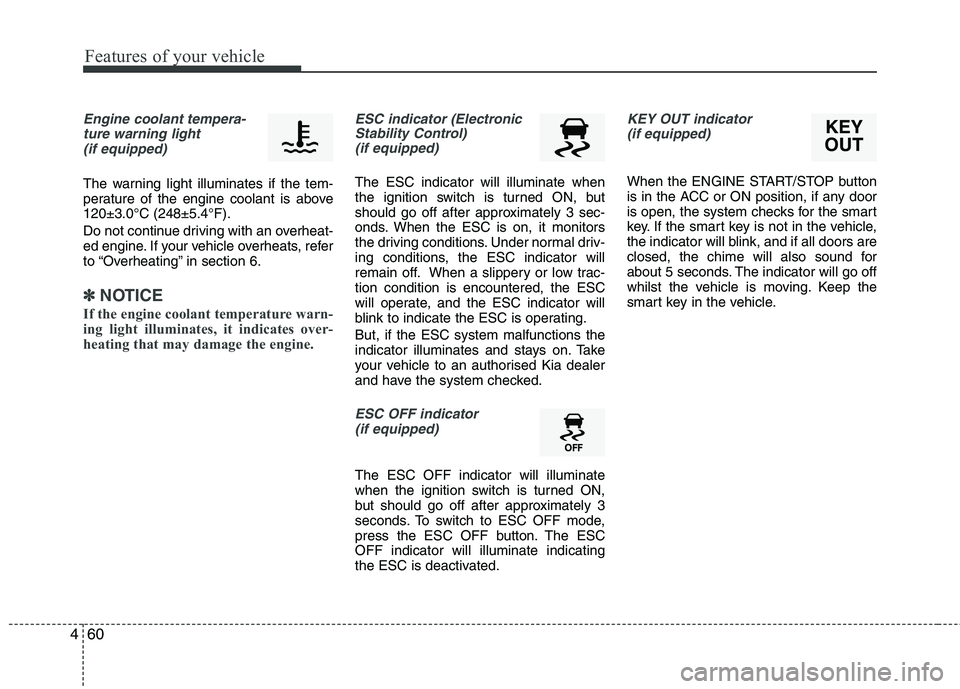
Engine coolant tempera-
ture warning light (if equipped)
The warning light illuminates if the tem-
perature of the engine coolant is above120±3.0°C (248±5.4°F).
Do not continue driving with an overheat-
ed engine. If your vehicle overheats, refer
to “Overheating” in section 6.
✽✽ NOTICE
If the engine coolant temperature warn-
ing light illuminates, it indicates over-
heating that may damage the engine.
ESC indicator (Electronic Stability Control) (if equipped)
The ESC indicator will illuminate when
the ignition switch is turned ON, but
should go off after approximately 3 sec-
onds. When the ESC is on, it monitors
the driving conditions. Under normal driv-
ing conditions, the ESC indicator will
remain off. When a slippery or low trac-tion condition is encountered, the ESC
will operate, and the ESC indicator will
blink to indicate the ESC is operating. But, if the ESC system malfunctions the
indicator illuminates and stays on. Take
your vehicle to an authorised Kia dealer
and have the system checked.
ESC OFF indicator
(if equipped)
The ESC OFF indicator will illuminate
when the ignition switch is turned ON,
but should go off after approximately 3
seconds. To switch to ESC OFF mode,
press the ESC OFF button. The ESCOFF indicator will illuminate indicating
the ESC is deactivated.
KEY OUT indicator (if equipped)
When the ENGINE START/STOP button
is in the ACC or ON position, if any door
is open, the system checks for the smart
key. If the smart key is not in the vehicle,
the indicator will blink, and if all doors are
closed, the chime will also sound for
about 5 seconds. The indicator will go off
whilst the vehicle is moving. Keep the
smart key in the vehicle.
KEY
OUT
Page 560 of 846
461
Features of your vehicle
Key reminder warning chime (if equipped)
Without smart key system
If the driver’s door is opened whilst the
ignition key is left in the ignition switch
(ACC or LOCK position), the key
reminder warning chime will sound. This
is to prevent you from locking your keys
in the vehicle. The chime sounds until the
key is removed from the ignition switch or
the driver’s door is closed.
With smart key system
If the driver’s door is opened whilst the
smart key is in the vehicle with the
engine start/stop button in ACC, the key
reminder warning chime will sound.
The chime sounds until the driver’s door is closed.
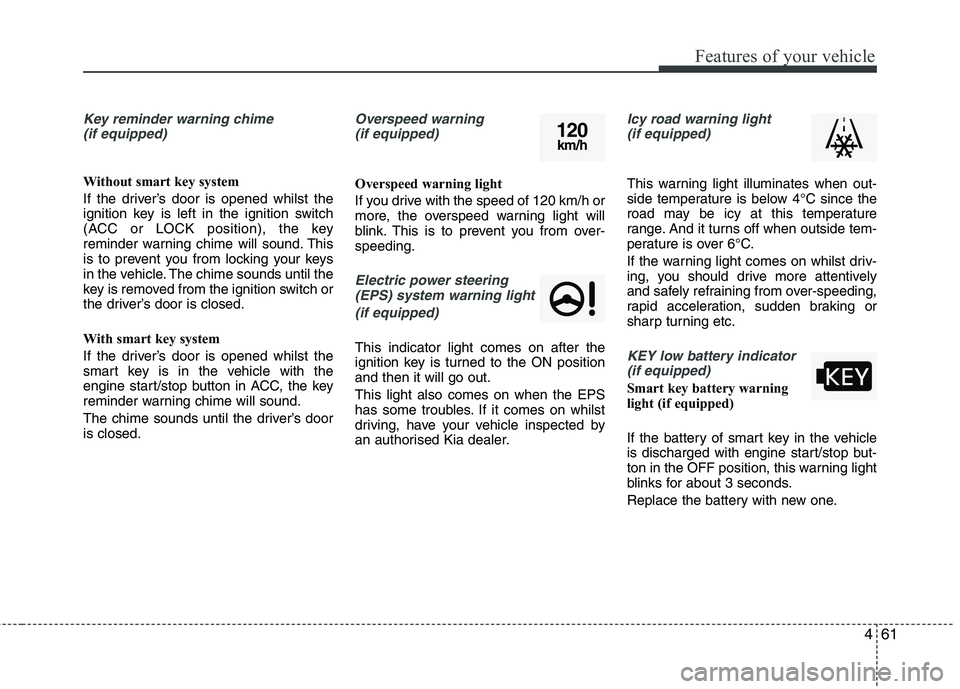
Overspeed warning (if equipped)
Overspeed warning light
If you drive with the speed of 120 km/h or
more, the overspeed warning light will
blink. This is to prevent you from over-speeding.
Electric power steering(EPS) system warning light
(if equipped)
This indicator light comes on after the
ignition key is turned to the ON positionand then it will go out. This light also comes on when the EPS
has some troubles. If it comes on whilst
driving, have your vehicle inspected by
an authorised Kia dealer.
Icy road warning light(if equipped)
This warning light illuminates when out-
side temperature is below 4°C since the
road may be icy at this temperature
range. And it turns off when outside tem-
perature is over 6°C.
If the warning light comes on whilst driv-
ing, you should drive more attentively
and safely refraining from over-speeding,
rapid acceleration, sudden braking or
sharp turning etc.
KEY low battery indicator(if equipped)
Smart key battery warning
light (if equipped)
If the battery of smart key in the vehicle
is discharged with engine start/stop but-
ton in the OFF position, this warning light
blinks for about 3 seconds.
Replace the battery with new one.
120km/h
Page 623 of 846
Features of your vehicle
124
4
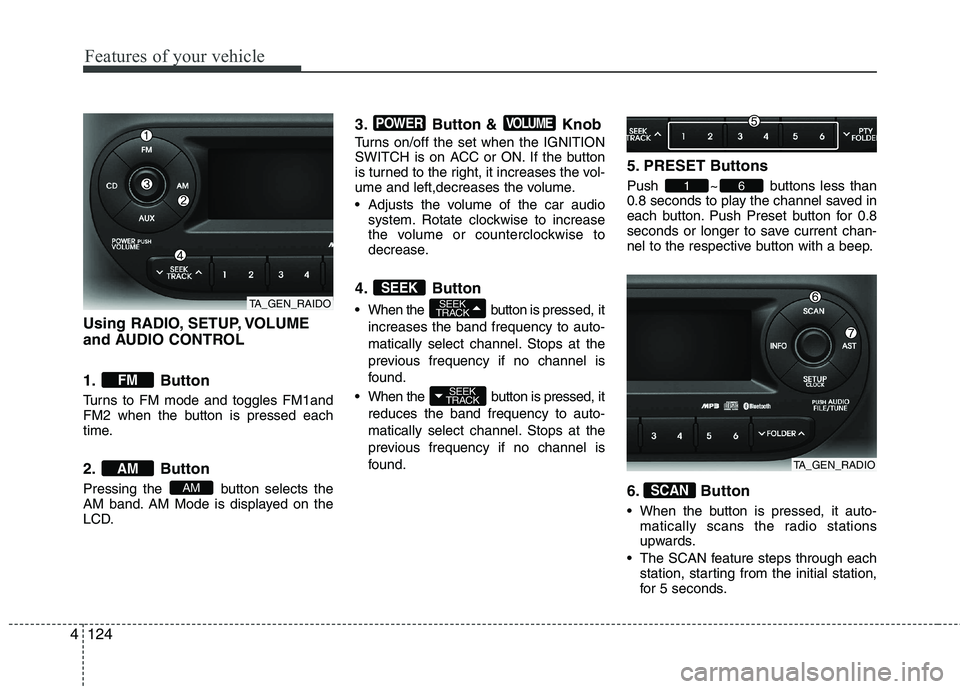
Using RADIO, SETUP, VOLUME
and AUDIO CONTROL
1. Button
Turns to FM mode and toggles FM1and
FM2 when the button is pressed each
time.
2. Button
Pressing the button selects the
AM band. AM Mode is displayed on the
LCD. 3. Button & Knob
Turns on/off the set when the IGNITION
SWITCH is on ACC or ON. If the button
is turned to the right, it increases the vol-
ume and left,decreases the volume.
Adjusts the volume of the car audio
system. Rotate clockwise to increase
the volume or counterclockwise to
decrease.
4. Button
When the button is pre ssed, it
increases the band frequency to auto-
matically select channel. Stops at the
previous frequency if no channel is
found.
When the button is pressed, it reduces the band frequency to auto-
matically select channel. Stops at the
previous frequency if no channel is
found. 5. PRESET Buttons
Push ~ buttons less than
0.8 seconds to play the channel saved in
each button. Push Preset button for 0.8
seconds or longer to save current chan-
nel to the respective button with a beep.
6. Button
When the button is pressed, it auto-
matically scans the radio stations
upwards.
The SCAN feature steps through each station, starting from the initial station,
for 5 seconds.
SCAN
61
SEEK
TRACK
SEEK
TRACKSEEK
VOLUMEPOWER
AM
AM
FM
TA_GEN_RAIDO
TA_GEN_RADIO
Page 643 of 846
Features of your vehicle
144
4
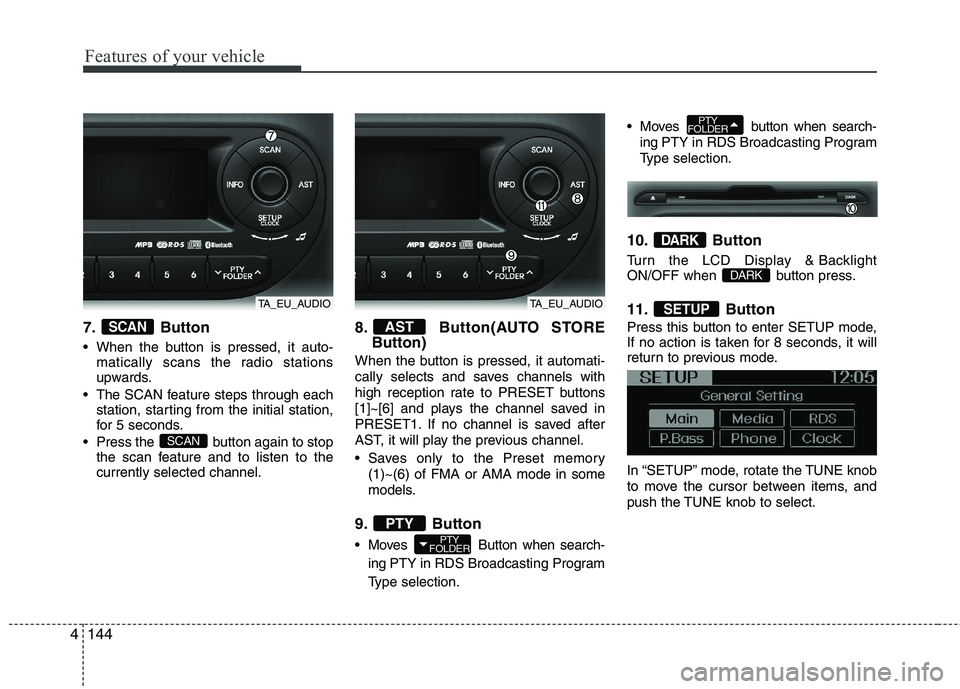
7. Button
When the button is pressed, it auto-
matically scans the radio stations
upwards.
The SCAN feature steps through each station, starting from the initial station,
for 5 seconds.
Press the button again to stop the scan feature and to listen to thecurrently selected channel. 8. Button(AUTO STORE
Button)
When the button is pressed, it automati-
cally selects and saves channels with
high reception rate to PRESET buttons
[1]~[6] and plays the channel saved in
PRESET1. If no channel is saved after
AST, it will play the previous channel.
Saves only to the Preset memory (1)~(6) of FMA or AMA mode in some
models.
9. Button
Moves Button when search- ing PTY in RDS Broadcasting Program
Type selection. Moves button when search-
ing PTY in RDS Broadcasting Program
Type selection.
10. Button
Turn the LCD Display & Backlight
ON/OFF when button press.
11. Button
Press this button to enter SETUP mode,
If no action is taken for 8 seconds, it will
return to previous mode.
In “SETUP” mode, rotate the TUNE knob
to move the cursor between items, and
push the TUNE knob to select.
SETUP
DARK
DARK
PTY
FOLDER
PTY
FOLDERPTY
AST
SCAN
SCAN
TA_EU_AUDIOTA_EU_AUDIO
Page 668 of 846
5
Before driving / 5-3
Key positions / 5-4
ENGINE START/STOP button / 5-6
Starting the engine / 5-9
ISG(idle stop and go) system / 5-12
Manual transaxle / 5-16
Automatic transaxle / 5-19
Brake system / 5-25
Economical operation / 5-37
Special driving conditions / 5-39
Winter driving / 5-43
Trailer towing / 5-47
Vehicle weight / 5-55
Driving your vehicle
Page 673 of 846
Driving your vehicle
6
5
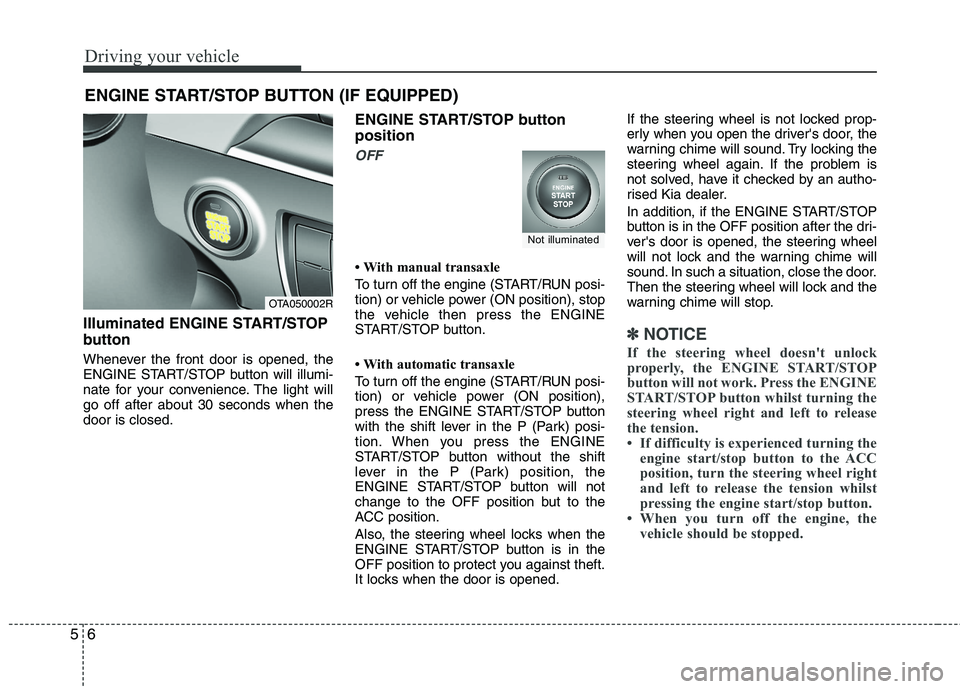
Illuminated ENGINE START/STOP
button
Whenever the front door is opened, the
ENGINE START/STOP button will illumi-
nate for your convenience. The light willgo off after about 30 seconds when thedoor is closed. ENGINE START/STOP button position
OFF
With manual transaxle
To turn off the engine (START/RUN posi-
tion) or vehicle power (ON position), stop
the vehicle then press the ENGINE
START/STOP button.
With automatic transaxle
To turn off the engine (START/RUN posi-
tion) or vehicle power (ON position),
press the ENGINE START/STOP button
with the shift lever in the P (Park) posi-
tion. When you press the ENGINE
START/STOP button without the shift
lever in the P (Park) position, the
ENGINE START/STOP button will not
change to the OFF position but to the
ACC position.
Also, the steering wheel locks when the
ENGINE START/STOP button is in the
OFF position to protect you against theft.
It locks when the door is opened.If the steering wheel is not locked prop-
erly when you open the driver's door, the
warning chime will sound. Try locking the
steering wheel again. If the problem is
not solved, have it checked by an autho-
rised Kia dealer.
In addition, if the ENGINE START/STOP
button is in the OFF position after the dri-
ver's door is opened, the steering wheel
will not lock and the warning chime will
sound. In such a situation, close the door.
Then the steering wheel will lock and the
warning chime will stop.
✽✽
NOTICE
If the steering wheel doesn't unlock
properly, the ENGINE START/STOP
button will not work. Press the ENGINE
START/STOP button whilst turning the
steering wheel right and left to release
the tension.
If difficulty is experienced turning the engine start/stop button to the ACC
position, turn the steering wheel right
and left to release the tension whilst
pressing the engine start/stop button.
When you turn off the engine, the vehicle should be stopped.
ENGINE START/STOP BUTTON (IF EQUIPPED)
OTA050002R
Not illuminated
Page 674 of 846
57
Driving your vehicle
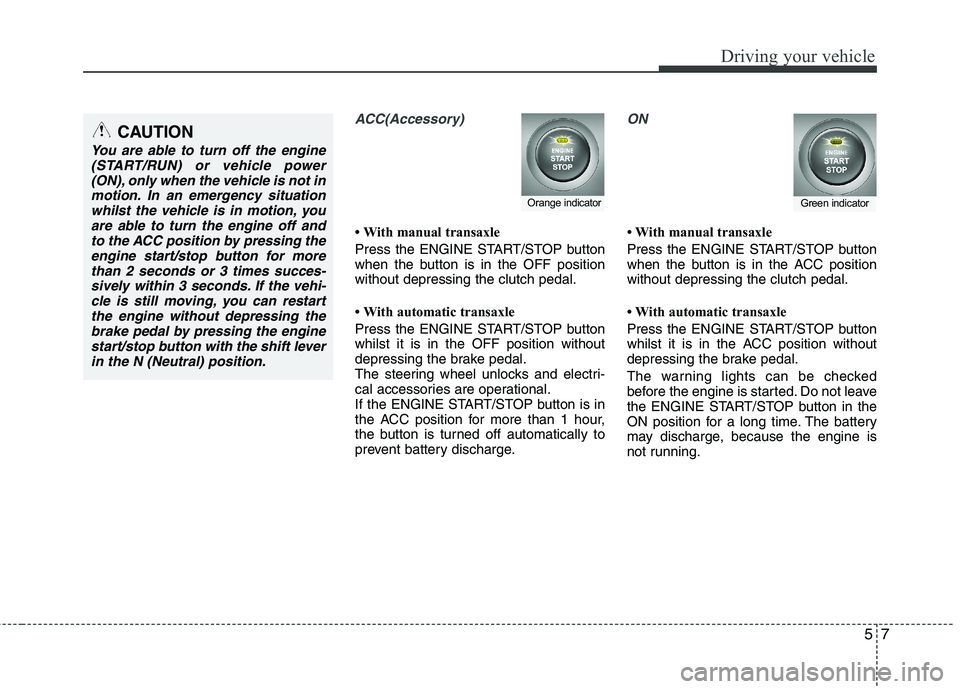
ACC(Accessory)
With manual transaxle
Press the ENGINE START/STOP button
when the button is in the OFF positionwithout depressing the clutch pedal.
With automatic transaxle
Press the ENGINE START/STOP button whilst it is in the OFF position without
depressing the brake pedal.
The steering wheel unlocks and electri-
cal accessories are operational.
If the ENGINE START/STOP button is in
the ACC position for more than 1 hour,
the button is turned off automatically to
prevent battery discharge.
ON
With manual transaxle
Press the ENGINE START/STOP button
when the button is in the ACC positionwithout depressing the clutch pedal.
With automatic transaxle
Press the ENGINE START/STOP button
whilst it is in the ACC position without
depressing the brake pedal.
The warning lights can be checked
before the engine is started. Do not leave
the ENGINE START/STOP button in the
ON position for a long time. The battery
may discharge, because the engine is
not running.
Orange indicatorGreen indicator
CAUTION
You are able to turn off the engine(START/RUN) or vehicle power
(ON), only when the vehicle is not inmotion. In an emergency situationwhilst the vehicle is in motion, you are able to turn the engine off and
to the ACC position by pressing theengine start/stop button for morethan 2 seconds or 3 times succes-
sively within 3 seconds. If the vehi- cle is still moving, you can restartthe engine without depressing thebrake pedal by pressing the engine
start/stop button with the shift leverin the N (Neutral) position.
Page 675 of 846
Driving your vehicle
8
5
START/RUN
With manual transaxle
To start the engine, depress the clutch
pedal and brake pedal, then press the
ENGINE START/STOP button with the
shift lever in the N (Neutral) position.
With automatic transaxle
To start the engine, depress the brake pedal and press the ENGINE
START/STOP button with the shift lever
in the P (Park) or the N (Neutral) position.
For your safety, start the engine with the
shift lever in the P (Park) position.
✽✽
NOTICE
If you press the ENGINE START/STOP
button without depressing the clutch
pedal for manual transaxle vehicles or
without depressing the brake pedal for
automatic transaxle vehicles, the engine
will not start and the engine start/stop
button changes as follow:
OFF ➔
➔
ACC ➔➔
ON ➔➔
OFF or ACC ✽
✽
NOTICE
If you leave the ENGINE START/ STOP
button in the ACC or ON position for a
long time, the battery will discharge.
WARNING
Never press the ENGINE START/STOP button whilst the
vehicle is in motion. This wouldresult in loss of directional con-
trol and braking function, whichcould cause an accident.
The anti-theft steering column lock is not a substitute for the
parking brake. Before leaving the
driver's seat, always make sure
the shift lever is engaged in P
(Park), set the parking brake fully
and shut the engine off.
Unexpected and sudden vehicle
movement may occur if theseprecautions are not taken.
(Continued)
(Continued)
Never reach for the ENGINESTART/STOP button or any other
controls through the steering
wheel whilst the vehicle is in
motion. The presence of yourhand or arm in the area could
cause loss of vehicle control, an
accident and serious bodily
injury or death.
Do not place any movable objects around the driver's seat as they
may move whilst driving, inter-
fere with the driver and lead to anaccident.
Not illuminated