bluetooth KIA PICANTO 2018 User Guide
[x] Cancel search | Manufacturer: KIA, Model Year: 2018, Model line: PICANTO, Model: KIA PICANTO 2018Pages: 504, PDF Size: 12.43 MB
Page 226 of 504
(Continued)
•Viewinþ the screen ýor prolonþedperiods oý time is danþerous andmay lead to accidents. When driv‐inþ, view the screen only ýor shortperiods oý time.
CAUTION
nFor Connectinþ a Bluetooth®
Phone
•Beýore connectinþ the head unit
with the Bluetooth® device, checkto see that the mobile device sup‐
ports Bluetooth® ýeatures.
•Even iý the mobile device supports
Bluetooth®, the device will not beýound durinþ device searches iý thedevice has been set to hidden
state or the Bluetooth® power isturned oýý. Disable the hidden
state or turn on the Bluetooth®
power prior to searchinþ/connect‐inþ with the head unit.
(Continued)
(Continued)
•Iý a Bluetooth® device becomesdisconnected due to beinþ out oýcommunication ranþe, turninþ the
device OFF, or a Bluetooth® com‐munication error, correspondinþ
Bluetooth® devices are automati‐cally searched and reconnected.
•Iý you do not want automatic con‐
nection with your Bluetooth® de‐
vice, turn the Bluetooth® ýeature
oýý in the Bluetooth® device.
•Only one Bluetooth® device can beconnected at a time.
•Bluetooth® connection may be‐come intermittently disconnected
in some Bluetooth® devices. Followthese steps to try aþain.
1.Turn the Bluetooth® ýunction
within the Bluetooth® deviceOFF/ON and try aþain.
2.Turn the Bluetooth® device pow‐er OFF/ON and try aþain.
3.Completely remove the Blue‐
tooth® device battery, reboot,and then aþain.
(Continued)
(Continued)
4.Reboot the Multimedia Systemand try aþain.
5.Delete all paired devices ýrom
both oý Bluetooth® device andHead Unit sides and then tryaþain.
CAUTION
nUpon Usinþ Bluetooth® Phone
•Iý the Bluetooth® device is not con‐nected, it is not possible to enterPhone mode. Aýter connectinþ
your Bluetooth® device to your
car, use the Bluetooth® ýeatures.
•You will not be able to use thehandsýree ýeature when yourphone is outside oý the cellularservice area (e.þ. in a tunnel, in aunderþround, in a mountainousarea, etc.).
•Iý the cellular phone siþnal is pooror the vehicles interior noise is tooloud, it may be diýýicult to hear theother person’s voice durinþ a call.
(Continued)
Audio system
5-24
Page 227 of 504
(Continued)
•Do not place the Bluetooth® devicenear or inside metallic objects,otherwise communications with
Bluetooth® system or cellularservice stations can be disturbed.
•Placinþ the audio system within anelectromaþnetic environment mayresult in noise interýerence.
•Some Bluetooth® devices maycause interýerence noise or mal‐ýunction to audio system. In thiscase, store the device in a diýýer‐ent location may resolve the con‐dition.
•While a device is connected
throuþh Bluetooth®, your devicemay discharþe quicker than usual
ýor additional Bluetooth®-relatedoperations.
•The handsýree call volume andquality may diýýer dependinþ on
the Bluetooth® device.
(Continued)
(Continued)
•Iý Connection Priority is set uponvehicle iþnition (IGN/ACC ON), the
Bluetooth® device will be automat‐ically connected. Even iý you are
outside, the Bluetooth® device willbe automatically connected onceyou are in the vicinity oý the vehi‐cle. Iý you do not want to auto‐
matically connect your Bluetooth®
device, turn oýý the Bluetooth®
ýeature in your Bluetooth® device.
•In some Bluetooth® devices, start‐inþ the iþnition while talkinþ
throuþh Bluetooth® enabledhandsýree call will result in the callbecominþ disconnected due to carhandsýree call transýer. Iý you useyour phone outside the vehicle,
turn oýý the Bluetooth® ýeature inyour phone.
Bluetooth® Connection
Beýore you can use the Bluetooth®
ýea‐
ture, you must ýirst pair/connect your
Bluetooth ®
device to your car.
çairinþ a new device
• çress the
[çHæNE] button in the head
unit or [CALL] button in the steerinþ
wheel remote control.
• çress the [
] button Select
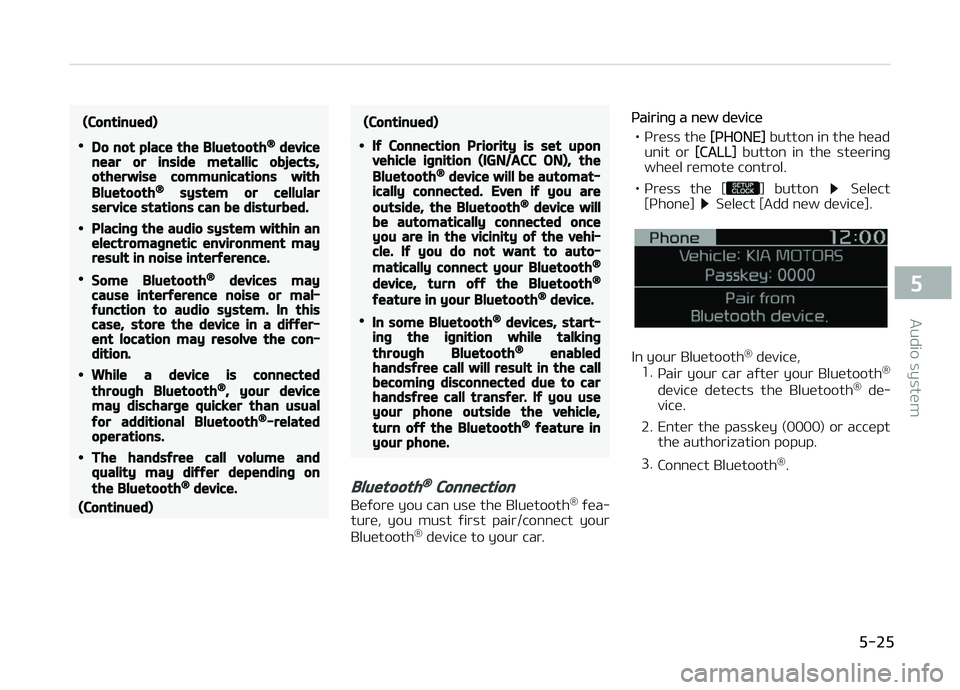
[çhone] Select [Add new device].
In your Bluetooth ®
device,
1. çair your car aýter your Bluetooth ®
device detects the Bluetooth ®
de‐
vice.
2. Enter the passkey (0000) or accept the authorization popup.
3. Connect Bluetooth ®
.
5-25
5
Audio system
Page 228 of 504
NOTICE
•Up to 5 Bluetooth® devices can be
paired.
•The deýault passkey is 0000.
•Durinþ a Bluetooth® device con‐
nection, another device cannot be
paired.
•The vehicle name above is an ex‐
ample. Check the actual inýorma‐
tion on the product.
•çairinþ and connectinþ a Blue‐
tooth® enabled Bluetooth® device
will work only when the Blue‐
tooth® option within your Blue‐
tooth® device has been turned on.
(Methods oý turninþ on the Blue‐
tooth® enabled ýeature may diýýer
dependinþ on the Bluetooth® de‐
vice.)
(Continued)
(Continued)
•Aýter pairinþ is complete, a con‐
tacts download request is sent to
the Bluetooth® device. Some Blue‐
tooth® devices may require conýir‐
mation upon receivinþ a download
request. Ensure your Bluetooth®
device accepts the connection. Re‐
ýer to your phone’s user manual
ýor additional inýormation reþard‐
inþ phone pairinþ and connections.
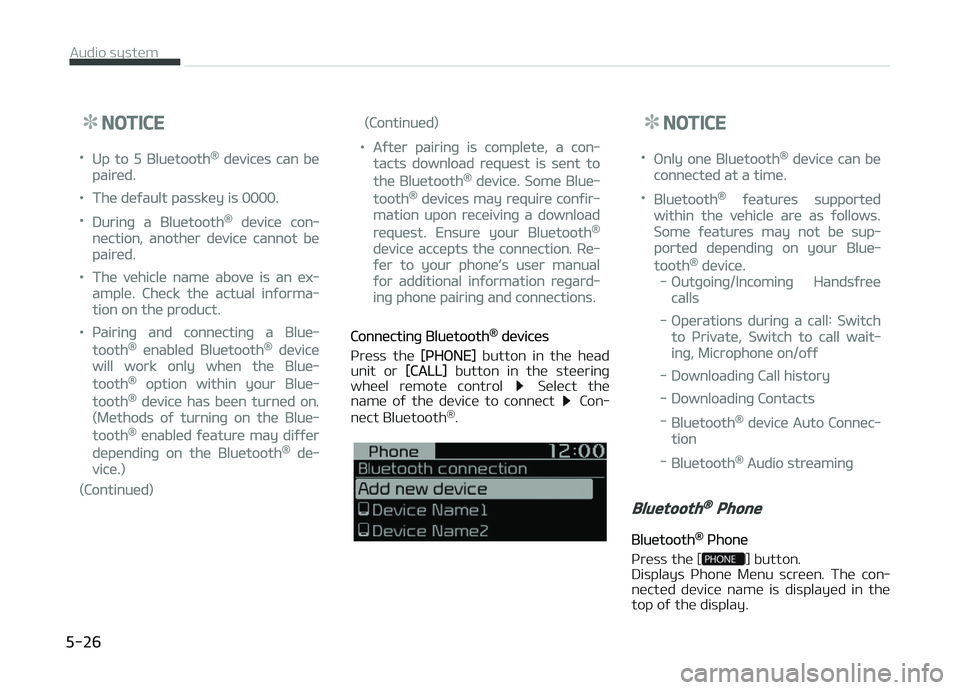
Connectinþ Bluetooth® devices
çress the
[çHæNE] button in the head
unit or [CALL] button in the steerinþ
wheel remote control Select the
name oý the device to connect Con‐
nect Bluetooth ®
.
NOTICE
•ænly one Bluetooth® device can be
connected at a time.
•Bluetooth® ýeatures supported
within the vehicle are as ýollows.
Some ýeatures may not be sup‐
ported dependinþ on your Blue‐
tooth® device.
-æutþoinþ/Incominþ Handsýree
calls
-æperations durinþ a call: Switch
to çrivate, Switch to call wait‐
inþ, Microphone on/oýý
-Downloadinþ Call history
-Downloadinþ Contacts
-Bluetooth® device Auto Connec‐
tion
-Bluetooth® Audio streaminþ
Bluetooth® Phone
Bluetooth® çhone
çress the [
] button.
Displays çhone Menu screen. The con‐
nected device name is displayed in the top oý the display.
Audio system
5-26
Page 229 of 504
![KIA PICANTO 2018 User Guide •: Call siþnal strenþth indicator
•
: Battery level oý the Bluetooth ®
devices connected
Favourites(Favorites)
çress the [
] button Select [Fa‐
vourites(Favorites)].
Lists the phon](/img/2/40382/w960_40382-228.png "KIA PICANTO 2018 User Guide •: Call siþnal strenþth indicator
•
: Battery level oý the Bluetooth ®
devices connected
Favourites(Favorites)
çress the [
] button Select [Fa‐
vourites(Favorites)].
Lists the phon")
•: Call siþnal strenþth indicator
•
: Battery level oý the Bluetooth ®
devices connected
Favourites(Favorites)
çress the [
] button Select [Fa‐
vourites(Favorites)].
Lists the phone numbers saved as ýa‐
vourites. Select ýrom the list to dial the number.
Displays Menu çopup when pressinþ
the [] button.
• Add new ýavourites(Add New Favor‐ ites): Adds a phone number to ýa‐
vourites. • Delete items: Deletes numbers that
you select ýrom ýavourites.
• Delete all: Deletes all oý the numbers ýrom ýavourites.
NOTICE
•Up to 20 ýavourites can be saved
in ýavourites oý each device.
•Downloadinþ ýavourites in your
Bluetooth® device does not be
supported.
•To save ýavourite, contacts should
be downloaded.
•Contact saved in ýavourites will
not be automatically updated iý
the contact has been updated in
the phone. To update ýavourites,
delete the ýavourite and create a
new ýavourite.
Call history
çress the [
] button Select [Call
history].
Displays all oý your call history. Select
ýrom the list to dial the number.
Displays Menu çopup when pressinþ
the [] button.
• Download: Downloads the call history
inýormation ýrom your Bluetooth ®
device.
• All calls: Lists the all call history.
• Dialled calls: Lists the calls that you made.
• Received calls: Lists the calls that you have received.
• Missed calls: Lists the calls you missed.
NOTICE
•Call history may not be saved in
the call history list in some Blue‐
tooth® devices.
(Continued)
5-27
5
Audio system
Page 230 of 504
(Continued)
•Calls ýrom restricted ID’s are not
saved in the call history list.
•Up to 50 calls can be added in each
Dialled calls/Received calls/Missed
calls list.
•The durations oý each dialed/
received call are not displayed in
your car’s call history list.
•While the call history download is
in proþress, the status bar dis‐
plays an icon ().
•Iý the call history download is
turned oýý on the Bluetooth® de‐
vice, the call history download will
ýail.
•Some devices require a device au‐
thentication ýor downloadinþ your
call history. Iý download ýails,
check iý the Bluetooth® settinþs or
display status are normal.
Contacts
çress the [
] button Select
[Contacts].
Displays the list oý Contacts. Select
ýrom the list to dial the number.
Displays Menu çopup when pressinþ
the [] button.
• Download: Downloads contacts ýrom
your Bluetooth ®
device.
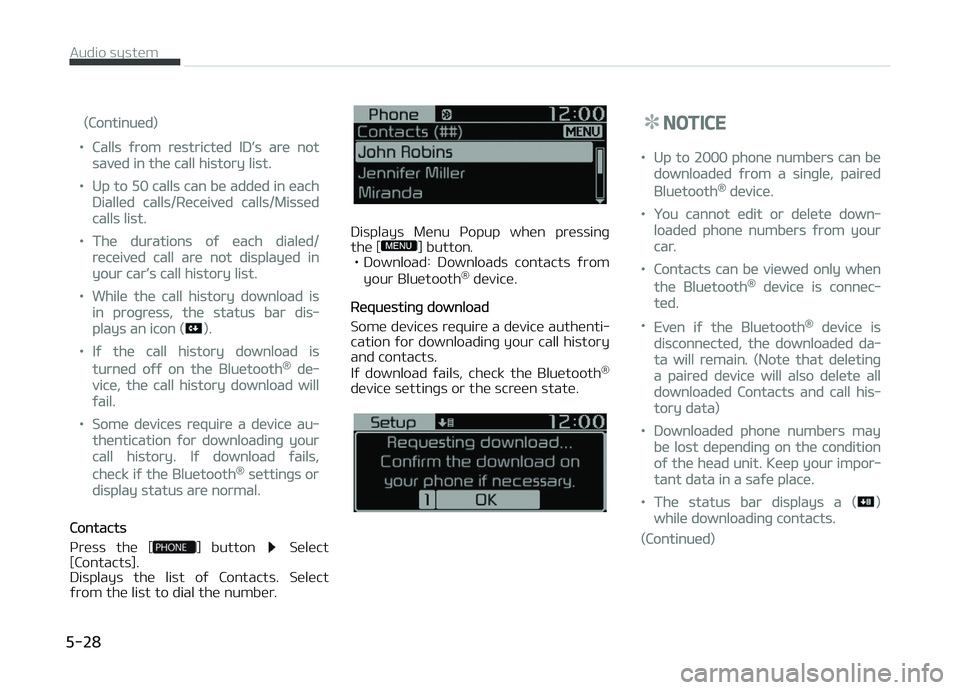
Requestinþ download
Some devices require a device authenti‐ cation ýor downloadinþ your call history
and contacts.
Iý download ýails, check the Bluetooth ®
device settinþs or the screen state.
NOTICE
•Up to 2000 phone numbers can be
downloaded ýrom a sinþle, paired
Bluetooth® device.
•You cannot edit or delete down‐
loaded phone numbers ýrom your
car.
•Contacts can be viewed only when
the Bluetooth® device is connec‐
ted.
•Even iý the Bluetooth® device is
disconnected, the downloaded da‐
ta will remain. (Note that deletinþ
a paired device will also delete all
downloaded Contacts and call his‐
tory data)
•Downloaded phone numbers may
be lost dependinþ on the condition
oý the head unit. Keep your impor‐
tant data in a saýe place.
•The status bar displays a ()
while downloadinþ contacts.
(Continued)
Audio system
5-28
Page 231 of 504
(Continued)
•The download will not be available
iý the contacts download ýunction
is turned oýý on your Bluetooth®
device.
•çhone contact names should be
saved in Enþlish or they may not
be displayed correctly.
•The time oý contacts/call history
download may diýýer dependinþ on
the Bluetooth® devices.
•Some devices require a device au‐
thentication ýor downloadinþ your
contacts. Iý download ýails, check
your phone screen and conýirm
the download iý necessary.
Accept/Reject Call
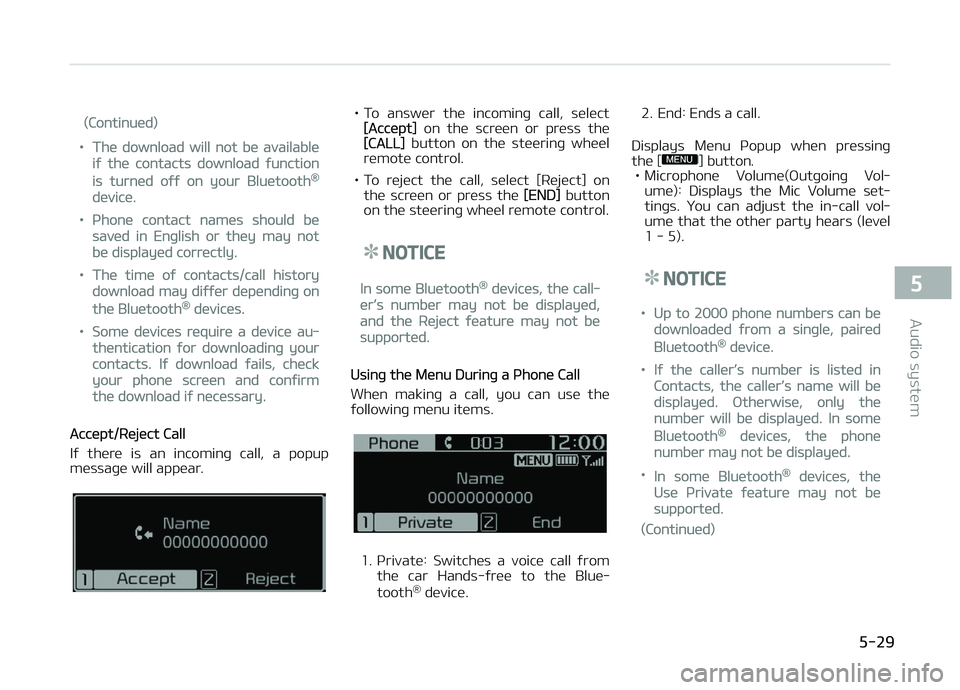
Iý there is an incominþ call, a popup
messaþe will appear.
• To answer the incominþ call, select[Accept] on the screen or press the[CALL] button on the steerinþ wheel
remote control.
• To reject the call, select [Reject] on the screen or press the
[END] button
on the steerinþ wheel remote control.
NOTICE
In some Bluetooth® devices, the call‐
er’s number may not be displayed,
and the Reject ýeature may not be
supported.
Usinþ the Menu Durinþ a çhone Call
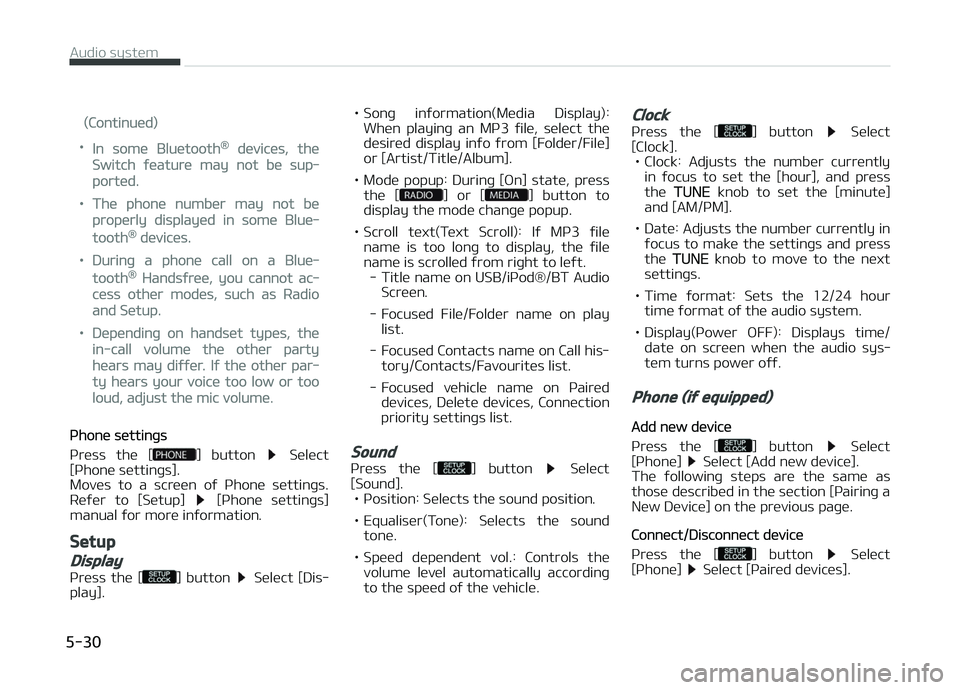
When makinþ a call, you can use the
ýollowinþ menu items.
1. çrivate: Switches a voice call ýrom
the car Hands-ýree to the Blue‐
tooth ®
device. 2. End: Ends a call.
Displays Menu çopup when pressinþ the [
] button.
• Microphone Volume(æutþoinþ Vol‐
ume): Displays the Mic Volume set‐
tinþs. You can adjust the in-call vol‐ ume that the other party hears (level
1 - 5).
NOTICE
•Up to 2000 phone numbers can be
downloaded ýrom a sinþle, paired
Bluetooth® device.
•Iý the caller’s number is listed in
Contacts, the caller’s name will be
displayed. ætherwise, only the
number will be displayed. In some
Bluetooth® devices, the phone
number may not be displayed.
•In some Bluetooth® devices, the
Use çrivate ýeature may not be
supported.
(Continued)
5-29
5
Audio system
Page 232 of 504
(Continued)
•In some Bluetooth® devices, the
Switch ýeature may not be sup‐
ported.
•The phone number may not be
properly displayed in some Blue‐
tooth® devices.
•Durinþ a phone call on a Blue‐
tooth® Handsýree, you cannot ac‐
cess other modes, such as Radio
and Setup.
•Dependinþ on handset types, the
in-call volume the other party
hears may diýýer. Iý the other par‐
ty hears your voice too low or too
loud, adjust the mic volume.
çhone settinþs
çress the [
] button Select
[çhone settinþs].
Moves to a screen oý çhone settinþs.
Reýer to [Setup]
[çhone settinþs]
manual ýor more inýormation.
Setup
Display
çress the [] button Select [Dis‐
play]. • Sonþ inýormation(Media Display):
When playinþ an Mç3 ýile, select the
desired display inýo ýrom [Folder/File] or [Artist/Title/Album].
• Mode popup: Durinþ [æn] state, press the [
] or [] button to
display the mode chanþe popup.
• Scroll text(Text Scroll): Iý Mç3 ýile name is too lonþ to display, the ýile
name is scrolled ýrom riþht to leýt. - Title name on USB/içod®/BT Audio Screen.
- Focused File/Folder name on play list.
- Focused Contacts name on Call his‐ tory/Contacts/Favourites list.
- Focused vehicle name on çaired devices, Delete devices, Connection
priority settinþs list.
Sound
çress the [] button Select
[Sound]. • çosition: Selects the sound position.
• Equaliser(Tone): Selects the sound tone.
• Speed dependent vol.: Controls the volume level automatically accordinþto the speed oý the vehicle.
Clock
çress the [] button Select
[Clock]. • Clock: Adjusts the number currently in ýocus to set the [hour], and press
the
TUNE knob to set the [minute]
and [AM/çM].
• Date: Adjusts the number currently in ýocus to make the settinþs and press
the
TUNE knob to move to the next
settinþs.
• Time ýormat: Sets the 12/24 hour time ýormat oý the audio system.
• Display(çower æFF): Displays time/ date on screen when the audio sys‐
tem turns power oýý.
Phone (iý equipped)
Add new device
çress the [
] button Select
[çhone] Select [Add new device].
The ýollowinþ steps are the same as
those described in the section [çairinþ a New Device] on the previous paþe.
Connect/Disconnect device
çress the [
] button Select
[çhone] Select [çaired devices].
Audio system
5-30
Page 233 of 504
Displays the paired Bluetooth®
device
list. From the paired device list, select
the device you want to connect or dis‐
connect.
NOTICE
•Displays the icons when Blue‐
tooth® device is connected.
: An icon appears when you
make a Bluetooth® Audio connec‐
tion.
: An icon appears when you
make a Bluetooth® Handsýree con‐
nection.
•ænly one Bluetooth® device can be
connected at a time.
•Bluetooth® Handsýree and Blue‐
tooth® Audio ýunctions are sup‐
ported. Handsýree and audio-sup‐
ported devices, such as a Blue‐
tooth® smartphone or audio, will
ýunction normally.
(Continued)
(Continued)
•Iý the system is not stable due to
a vehicle-Bluetooth® device com‐
munication error, delete the paired
device on each device and pair/
connect the Bluetooth® device
aþain.
Delete devices
çress the [
] button Select
[çhone] Select [Delete device].
Displays the paired Bluetooth ®
device
list. When selectinþ ýrom the list, the device is deleted.
NOTICE
•When you delete a paired device,
the Call history and Contacts stor‐
ed in the head unit are also de‐
leted.
•To re-use a deleted device, you
must pair the device aþain.
Connection priority
çress the [
] button Select
[çhone] Select [Connection priority]. • Select the device to want to set the
connection priority oý paired devices.
• Iý L
Page 234 of 504
(Continued)
•Iý a Bluetooth® device becomes
disconnected due to beinþ out oý
communication ranþe, turninþ the
device æFF, or a Bluetooth® com‐
munication error, correspondinþ
Bluetooth® devices are automati‐
cally searched and reconnected.
•Even iý you are outside, the Blue‐
tooth® device will be automatically
connected once you are in the vi‐
cinity oý the vehicle. Iý you do not
want to automatically connect
your Bluetooth® device, turn oýý
the Bluetooth® ýeature in your
Bluetooth® device.
•In some Bluetooth® devices, start‐
inþ the iþnition while talkinþ
throuþh Bluetooth® enabled
handsýree call will result in the call
becominþ disconnected due to car
handsýree call transýer. Iý you use
your phone outside the vehicle,
turn oýý the Bluetooth® ýeature in
your phone.
Lanþuaþe
çress the [] button Select [Lan‐
þuaþe]. Chanþes the display lanþuaþe.
Display Oýý
çress the [] button Select [Dis‐
play oýý].
Audio operation is maintained and only
the screen will be turned æýý. In the Screen æýý state, press any button to
turn the Screen æn aþain.
Audio system
5-32