light KIA QUORIS 2013 Owners Manual
[x] Cancel search | Manufacturer: KIA, Model Year: 2013, Model line: QUORIS, Model: KIA QUORIS 2013Pages: 485, PDF Size: 31.55 MB
Page 305 of 485
Driving your vehicle
62
5
✽✽
NOTICE
When you drive over 70km/h, you may not select the HIGH mode.
Do not operate ECS when the air filter of the compressor in the
lower part of the vehicle sinks
under the water.
Indraft of water into the compres-
sor may happen, and ECS may not
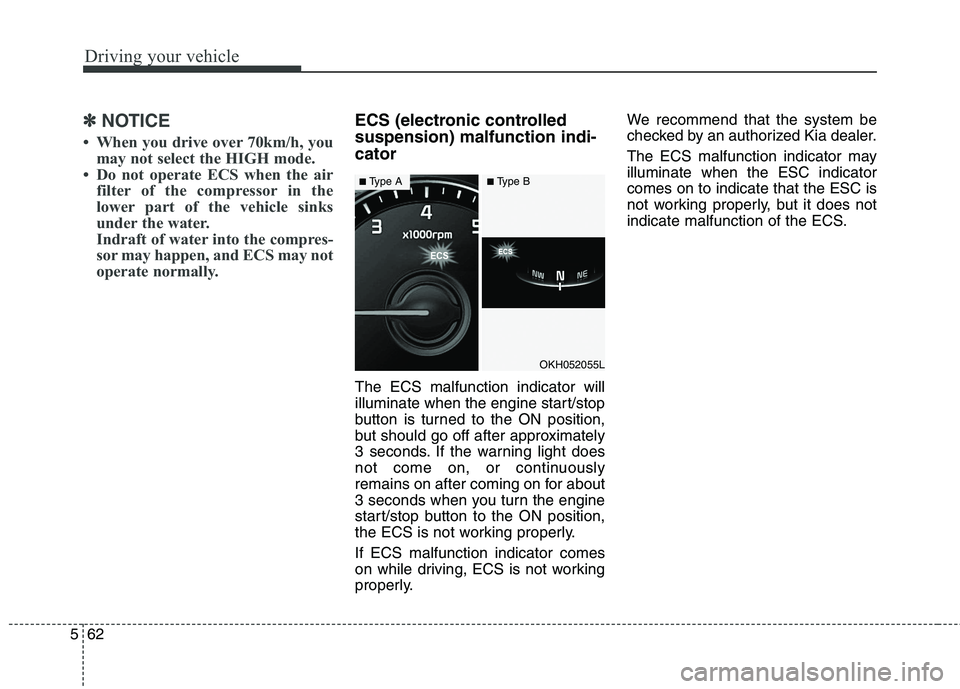
operate normally.ECS (electronic controlled suspension) malfunction indi-cator The ECS malfunction indicator will
illuminate when the engine start/stop
button is turned to the ON position,
but should go off after approximately
3 seconds. If the warning light does
not come on, or continuously
remains on after coming on for about
3 seconds when you turn the engine
start/stop button to the ON position,
the ECS is not working properly. If ECS malfunction indicator comes
on while driving, ECS is not working
properly. We recommend that the system be
checked by an authorized Kia dealer.
The ECS malfunction indicator may illuminate when the ESC indicatorcomes on to indicate that the ESC is
not working properly, but it does not
indicate malfunction of the ECS.
OKH052055L
■
Type A■Type B
Page 308 of 485
565
Driving your vehicle
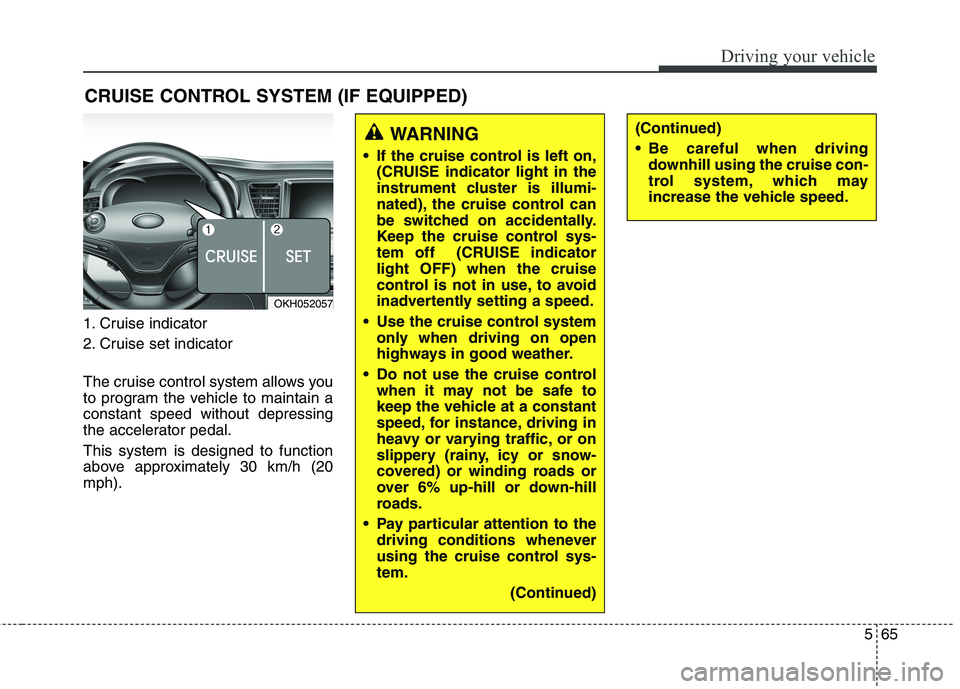
1. Cruise indicator
2. Cruise set indicator
The cruise control system allows you
to program the vehicle to maintain aconstant speed without depressing
the accelerator pedal. This system is designed to function
above approximately 30 km/h (20mph).CRUISE CONTROL SYSTEM (IF EQUIPPED)
WARNING
If the cruise control is left on, (CRUISE indicator light in the
instrument cluster is illumi-
nated), the cruise control can
be switched on accidentally.
Keep the cruise control sys-
tem off (CRUISE indicatorlight OFF) when the cruise
control is not in use, to avoid
inadvertently setting a speed.
Use the cruise control system only when driving on open
highways in good weather.
Do not use the cruise control when it may not be safe to
keep the vehicle at a constant
speed, for instance, driving in
heavy or varying traffic, or on
slippery (rainy, icy or snow-
covered) or winding roads or
over 6% up-hill or down-hill
roads.
Pay particular attention to the driving conditions whenever
using the cruise control sys-tem.
(Continued)(Continued)
Be careful when drivingdownhill using the cruise con-
trol system, which may
increase the vehicle speed.
OKH052057
Page 309 of 485
Driving your vehicle
66
5
✽✽
NOTICE
During normal cruise control operation, when the SET switch is
activated or reactivated after
applying the brakes, the cruise
control will energize after approx-
imately 3 seconds. This delay is
normal.
To activate cruise control, depress the brake pedal at least once after
turning the ignition switch to the
ON position or starting the engine.
This is to check if the brake switch
which is important part to cancel
cruise control is in normal condi-
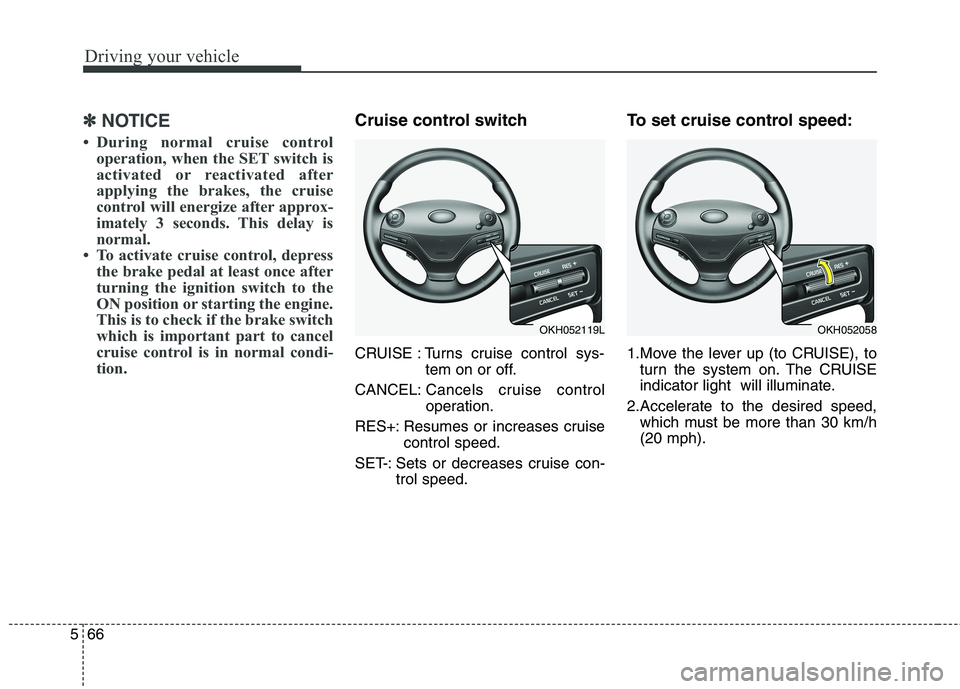
tion.Cruise control switch
CRUISE : Turns cruise control sys- tem on or off.
CANCEL: Cancels cruise control
operation.
RES+: Resumes or increases cruise control speed.
SET-: Sets or decreases cruise con- trol speed. To set cruise control speed:
1.Move the lever up (to CRUISE), to
turn the system on. The CRUISE
indicator light will illuminate.
2.Accelerate to the desired speed, which must be more than 30 km/h(20 mph).
OKH052119LOKH052058
Page 310 of 485
567
Driving your vehicle
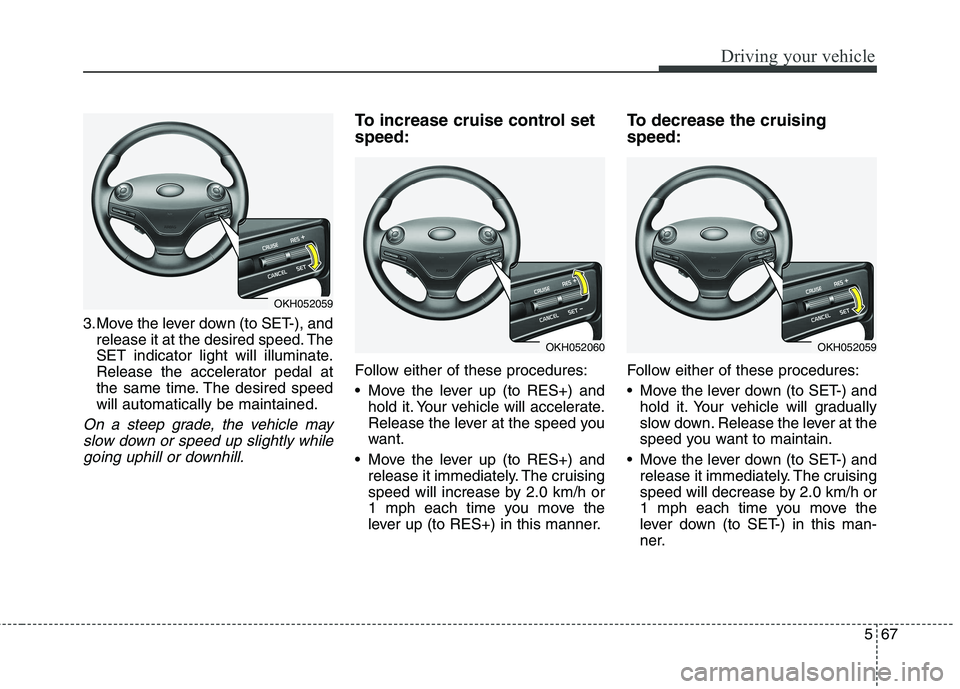
3.Move the lever down (to SET-), andrelease it at the desired speed. The
SET indicator light will illuminate.
Release the accelerator pedal at
the same time. The desired speedwill automatically be maintained.
On a steep grade, the vehicle may
slow down or speed up slightly whilegoing uphill or downhill.
To increase cruise control set speed:
Follow either of these procedures:
Move the lever up (to RES+) and hold it. Your vehicle will accelerate.
Release the lever at the speed you
want.
Move the lever up (to RES+) and release it immediately. The cruising
speed will increase by 2.0 km/h or
1 mph each time you move the
lever up (to RES+) in this manner. To decrease the cruising speed:
Follow either of these procedures:
Move the lever down (to SET-) and
hold it. Your vehicle will gradually
slow down. Release the lever at the
speed you want to maintain.
Move the lever down (to SET-) and release it immediately. The cruising
speed will decrease by 2.0 km/h or
1 mph each time you move the
lever down (to SET-) in this man-
ner.
OKH052059
OKH052060OKH052059
Page 311 of 485
Driving your vehicle
68
5
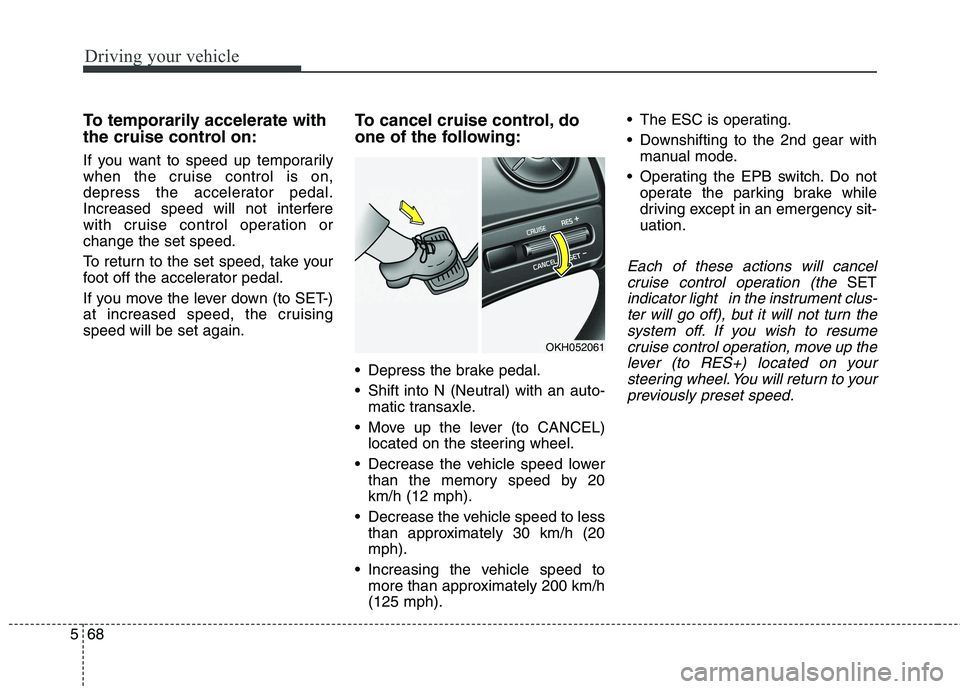
To temporarily accelerate with
the cruise control on:
If you want to speed up temporarily
when the cruise control is on,
depress the accelerator pedal.
Increased speed will not interfere
with cruise control operation orchange the set speed.
To return to the set speed, take your
foot off the accelerator pedal.
If you move the lever down (to SET-)
at increased speed, the cruisingspeed will be set again. To cancel cruise control, do
one of the following:
Depress the brake pedal.
Shift into N (Neutral) with an auto-
matic transaxle.
Move up the lever (to CANCEL) located on the steering wheel.
Decrease the vehicle speed lower than the memory speed by 20 km/h (12 mph).
Decrease the vehicle speed to less than approximately 30 km/h (20mph).
Increasing the vehicle speed to more than approximately 200 km/h(125 mph). The ESC is operating.
Downshifting to the 2nd gear with
manual mode.
Operating the EPB switch. Do not operate the parking brake while
driving except in an emergency sit-uation.
Each of these actions will cancel
cruise control operation (the
SET
indicator light in the instrument clus-ter will go off), but it will not turn thesystem off. If you wish to resumecruise control operation, move up the lever (to RES+) located on yoursteering wheel. You will return to yourpreviously preset speed.
OKH052061
Page 312 of 485
569
Driving your vehicle
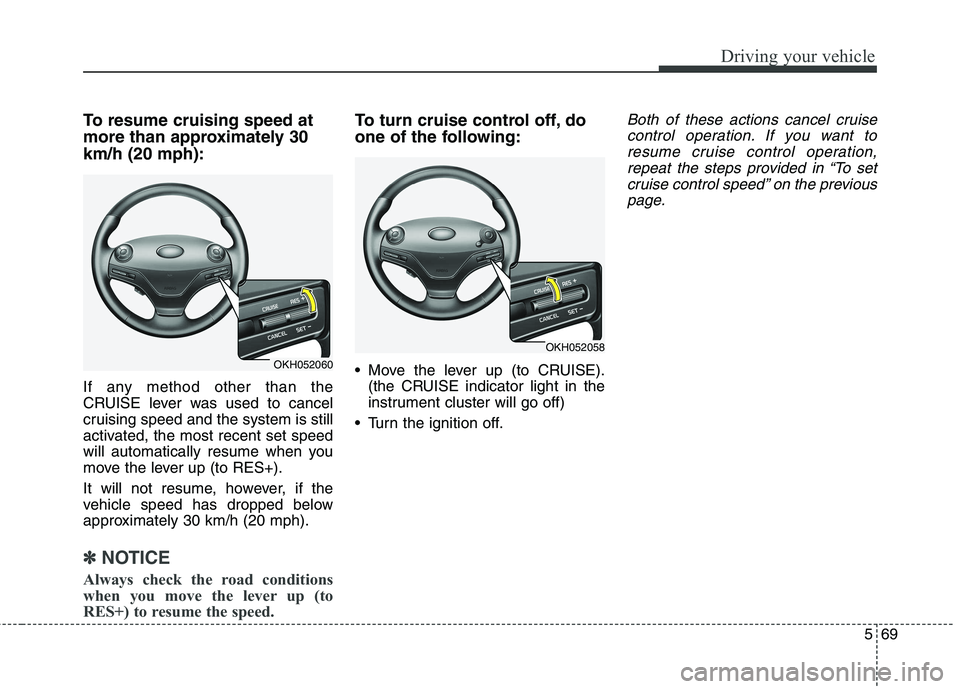
To resume cruising speed at
more than approximately 30km/h (20 mph):
If any method other than the
CRUISE lever was used to cancel
cruising speed and the system is still
activated, the most recent set speed
will automatically resume when you
move the lever up (to RES+).
It will not resume, however, if the
vehicle speed has dropped below
approximately 30 km/h (20 mph).
✽✽NOTICE
Always check the road conditions
when you move the lever up (to
RES+) to resume the speed.
To turn cruise control off, do
one of the following:
Move the lever up (to CRUISE). (the CRUISE indicator light in the
instrument cluster will go off)
Turn the ignition off.Both of these actions cancel cruise control operation. If you want toresume cruise control operation,repeat the steps provided in “To set cruise control speed” on the previouspage.
OKH052060
OKH052058
Page 313 of 485
Driving your vehicle
70
5
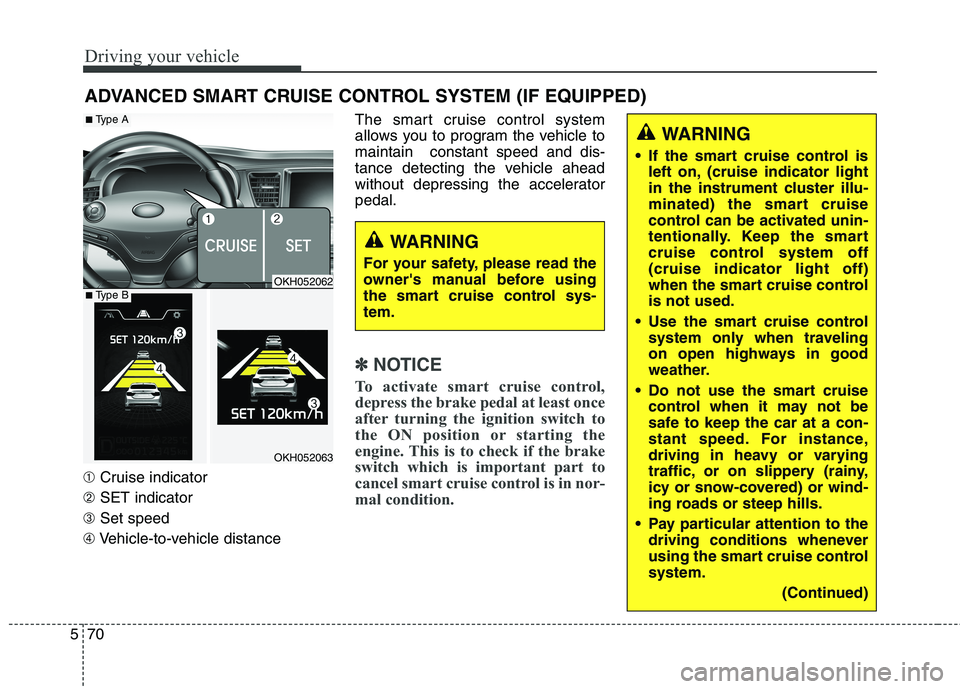
➀ Cruise indicator
➁ SET indicator
➂ Set speed
➃ Vehicle-to-vehicle distance The smart cruise control system
allows you to program the vehicle tomaintain constant speed and dis-
tance detecting the vehicle ahead
without depressing the acceleratorpedal.
✽✽
NOTICE
To activate smart cruise control,
depress the brake pedal at least once
after turning the ignition switch to
the ON position or starting the
engine. This is to check if the brake
switch which is important part to
cancel smart cruise control is in nor-
mal condition.
ADVANCED SMART CRUISE CONTROL SYSTEM (IF EQUIPPED)
WARNING
If the smart cruise control is left on, (cruise indicator light
in the instrument cluster illu-
minated) the smart cruise
control can be activated unin-
tentionally. Keep the smart
cruise control system off(cruise indicator light off)
when the smart cruise controlis not used.
Use the smart cruise control system only when traveling
on open highways in good
weather.
Do not use the smart cruise control when it may not be
safe to keep the car at a con-
stant speed. For instance,
driving in heavy or varying
traffic, or on slippery (rainy,
icy or snow-covered) or wind-
ing roads or steep hills.
Pay particular attention to the driving conditions whenever
using the smart cruise controlsystem.
(Continued)
WARNING
For your safety, please read the
owner's manual before using
the smart cruise control sys-tem.
OKH052062
OKH052063
■ Type A
■Type B
Page 314 of 485
571
Driving your vehicle
Smart cruise control speed
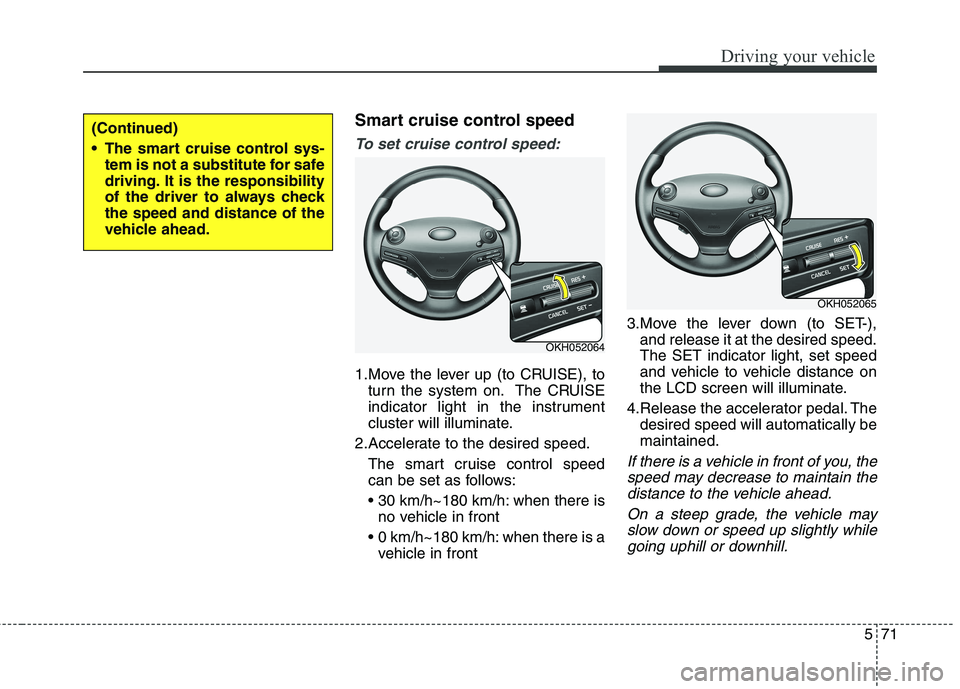
To set cruise control speed:
1.Move the lever up (to CRUISE), toturn the system on. The CRUISE
indicator light in the instrument
cluster will illuminate.
2.Accelerate to the desired speed. The smart cruise control speed
can be set as follows:
when there isno vehicle in front
0 km/h~180 km/h: when there is a vehicle in front 3.Move the lever down (to SET-),
and release it at the desired speed. The SET indicator light, set speed
and vehicle to vehicle distance on
the LCD screen will illuminate.
4.Release the accelerator pedal. The desired speed will automatically bemaintained.
If there is a vehicle in front of you, the
speed may decrease to maintain thedistance to the vehicle ahead.
On a steep grade, the vehicle mayslow down or speed up slightly while going uphill or downhill.
OKH052064
OKH052065
(Continued)
The smart cruise control sys- tem is not a substitute for safe
driving. It is the responsibility
of the driver to always checkthe speed and distance of the
vehicle ahead.
Page 318 of 485
575
Driving your vehicle
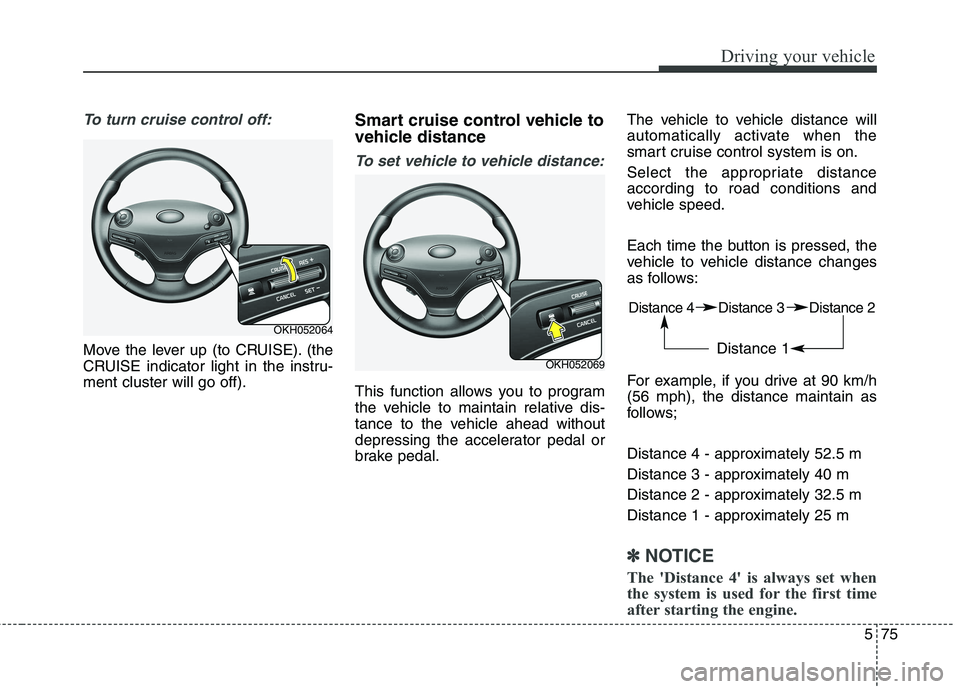
To turn cruise control off:
Move the lever up (to CRUISE). (the
CRUISE indicator light in the instru-ment cluster will go off).Smart cruise control vehicle to
vehicle distance
To set vehicle to vehicle distance:
This function allows you to program
the vehicle to maintain relative dis-
tance to the vehicle ahead without
depressing the accelerator pedal or
brake pedal.The vehicle to vehicle distance will
automatically activate when the
smart cruise control system is on.
Select the appropriate distance according to road conditions and
vehicle speed.
Each time the button is pressed, the
vehicle to vehicle distance changes
as follows:
For example, if you drive at 90 km/h (56 mph), the distance maintain as
follows;
Distance 4 - approximately 52.5 m
Distance 3 - approximately 40 m
Distance 2 - approximately 32.5 m
Distance 1 - approximately 25 m
✽✽
NOTICE
The 'Distance 4' is always set when
the system is used for the first time
after starting the engine.
OKH052064
OKH052069 Distance 4 Distance 3 Distance 2
Distance 1
Page 321 of 485
Driving your vehicle
78
5
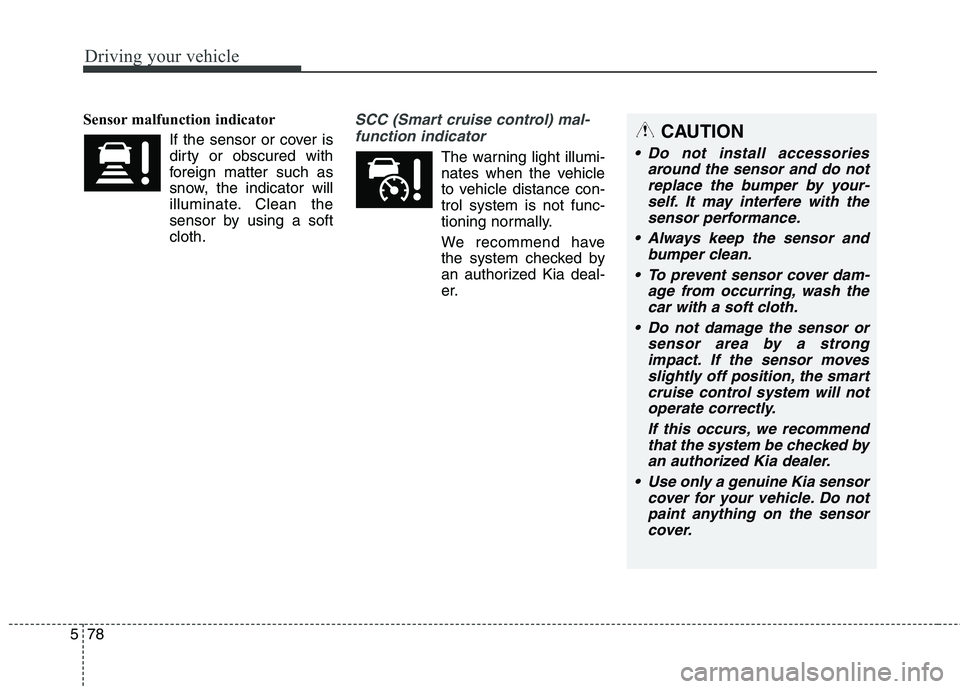
Sensor malfunction indicator
If the sensor or cover is
dirty or obscured with
foreign matter such as
snow, the indicator will
illuminate. Clean the
sensor by using a softcloth.SCC (Smart cruise control) mal-function indicator
The warning light illumi-
nates when the vehicle
to vehicle distance con-trol system is not func-
tioning normally.
We recommend have
the system checked by
an authorized Kia deal-
er.
CAUTION
Do not install accessories around the sensor and do notreplace the bumper by your- self. It may interfere with thesensor performance.
Always keep the sensor and bumper clean.
To prevent sensor cover dam- age from occurring, wash thecar with a soft cloth.
Do not damage the sensor or sensor area by a strongimpact. If the sensor movesslightly off position, the smart cruise control system will notoperate correctly.
If this occurs, we recommendthat the system be checked byan authorized Kia dealer.
Use only a genuine Kia sensor cover for your vehicle. Do notpaint anything on the sensorcover.