warning KIA QUORIS 2013 Owners Manual
[x] Cancel search | Manufacturer: KIA, Model Year: 2013, Model line: QUORIS, Model: KIA QUORIS 2013Pages: 485, PDF Size: 31.55 MB
Page 326 of 485
583
Driving your vehicle
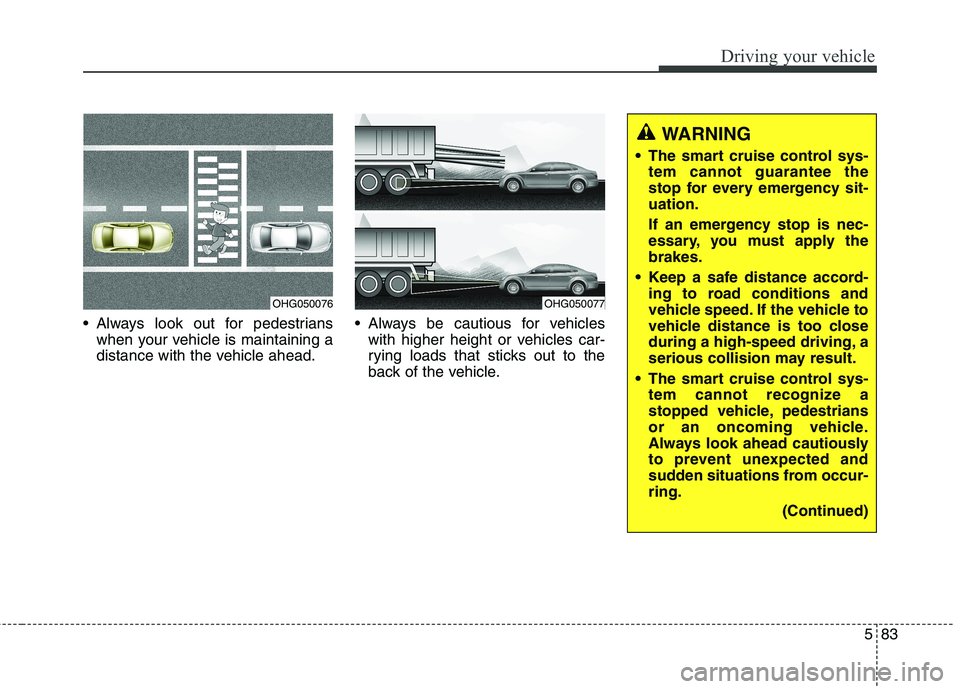
Always look out for pedestrianswhen your vehicle is maintaining a
distance with the vehicle ahead. Always be cautious for vehicles
with higher height or vehicles car-
rying loads that sticks out to the
back of the vehicle.
OHG050076OHG050077
WARNING
The smart cruise control sys- tem cannot guarantee the
stop for every emergency sit-uation.
If an emergency stop is nec-
essary, you must apply thebrakes.
Keep a safe distance accord- ing to road conditions and
vehicle speed. If the vehicle to
vehicle distance is too close
during a high-speed driving, a
serious collision may result.
The smart cruise control sys- tem cannot recognize a
stopped vehicle, pedestrians
or an oncoming vehicle.
Always look ahead cautiously
to prevent unexpected and
sudden situations from occur-ring.
(Continued)
Page 328 of 485
585
Driving your vehicle
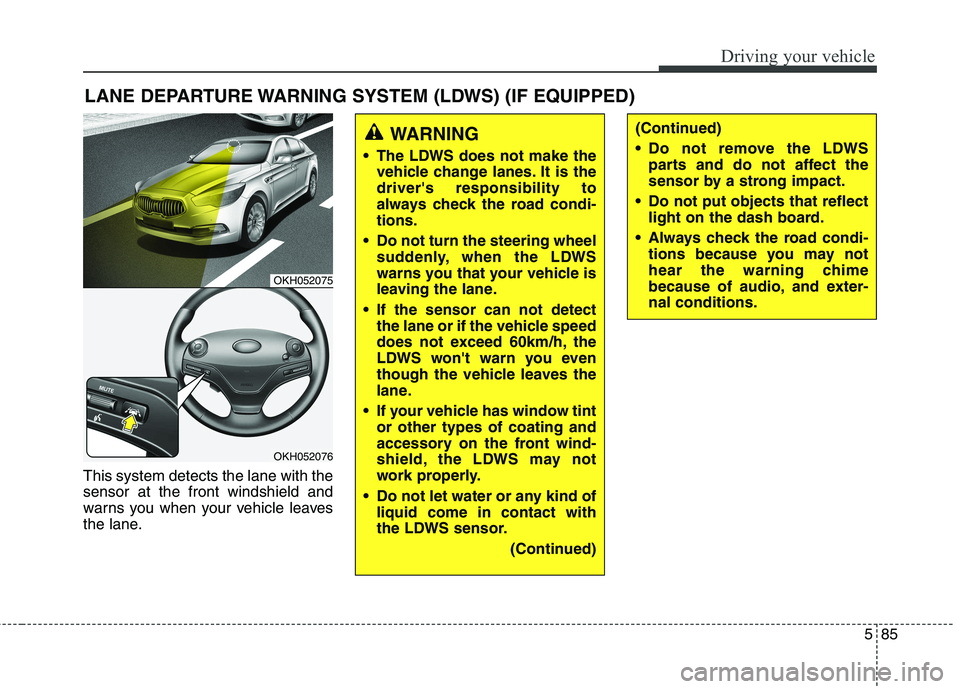
This system detects the lane with the sensor at the front windshield and
warns you when your vehicle leaves
the lane.LANE DEPARTURE WARNING SYSTEM (LDWS) (IF EQUIPPED)
OKH052075
OKH052076
WARNING
The LDWS does not make the vehicle change lanes. It is the driver's responsibility to
always check the road condi-tions.
Do not turn the steering wheel suddenly, when the LDWS
warns you that your vehicle is
leaving the lane.
If the sensor can not detect the lane or if the vehicle speed
does not exceed 60km/h, the
LDWS won't warn you even
though the vehicle leaves the
lane.
If your vehicle has window tint or other types of coating and
accessory on the front wind-
shield, the LDWS may not
work properly.
Do not let water or any kind of liquid come in contact with
the LDWS sensor.
(Continued)(Continued)
Do not remove the LDWSparts and do not affect the
sensor by a strong impact.
Do not put objects that reflect light on the dash board.
Always check the road condi- tions because you may not
hear the warning chime
because of audio, and exter-nal conditions.
Page 329 of 485
Driving your vehicle
86
5
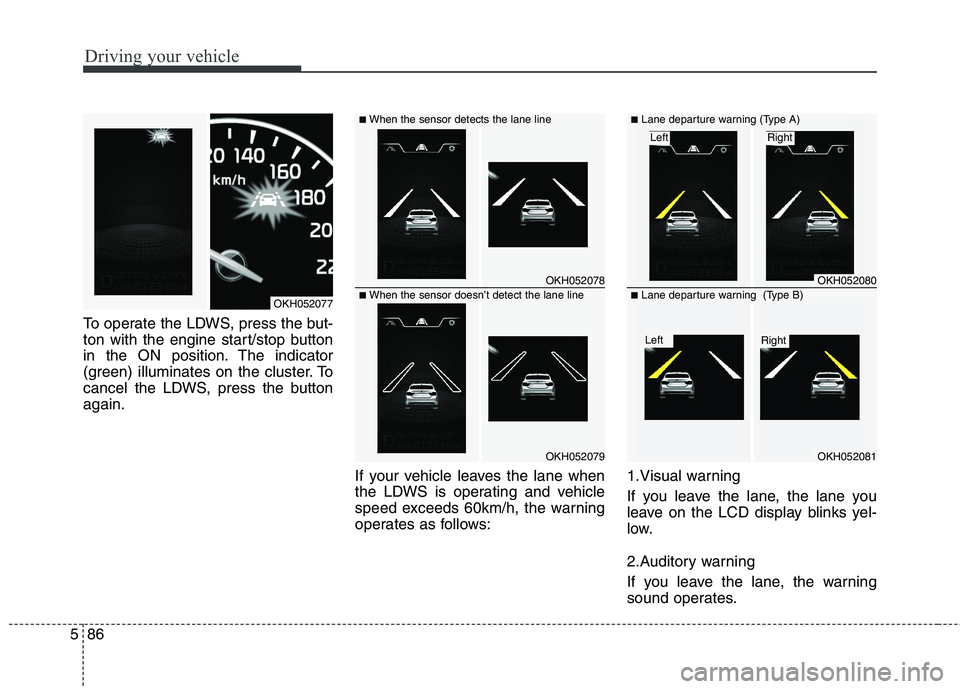
To operate the LDWS, press the but-
ton with the engine start/stop button
in the ON position. The indicator
(green) illuminates on the cluster. To
cancel the LDWS, press the buttonagain.
If your vehicle leaves the lane when
the LDWS is operating and vehicle
speed exceeds 60km/h, the warning
operates as follows:1.Visual warning
If you leave the lane, the lane you
leave on the LCD display blinks yel-
low.
2.Auditory warning
If you leave the lane, the warning
sound operates.
OKH052078
OKH052079
■
When the sensor detects the lane line
■When the sensor doesn’t detect the lane lineOKH052077
OKH052080
OKH052081
■ Lane departure warning (Type A)
Right Left
■Lane departure warning (Type B)
Right Left
Page 330 of 485
587
Driving your vehicle
Warning indicator
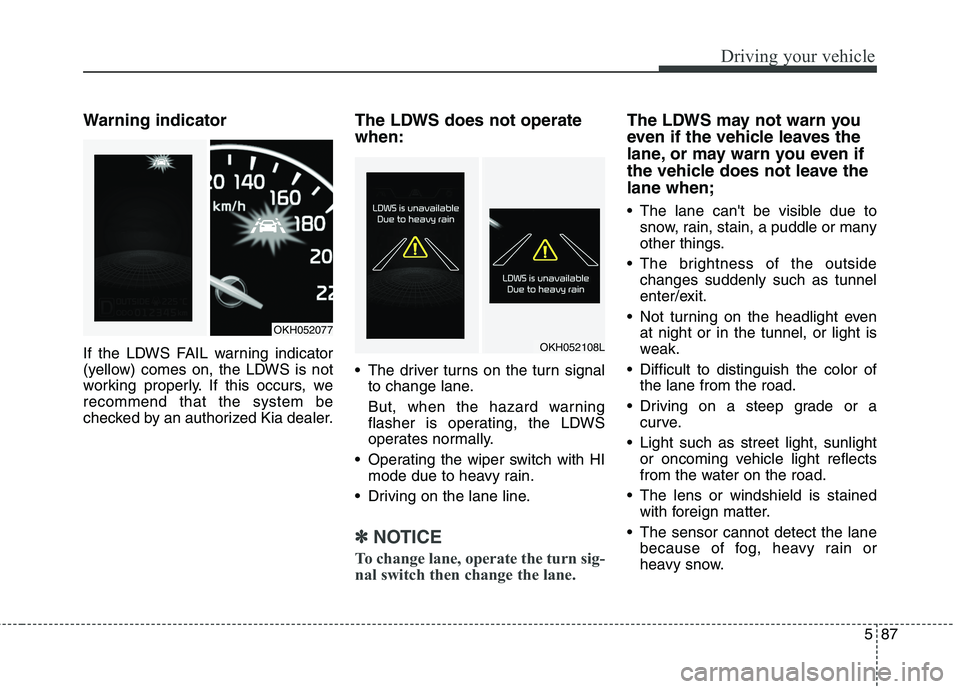
If the LDWS FAIL warning indicator
(yellow) comes on, the LDWS is not
working properly. If this occurs, werecommend that the system be
checked by an authorized Kia dealer.The LDWS does not operate when:
The driver turns on the turn signal
to change lane.
But, when the hazard warning
flasher is operating, the LDWS
operates normally.
Operating the wiper switch with HI mode due to heavy rain.
Driving on the lane line.
✽✽ NOTICE
To change lane, operate the turn sig-
nal switch then change the lane.
The LDWS may not warn you
even if the vehicle leaves the
lane, or may warn you even if
the vehicle does not leave thelane when;
The lane can't be visible due to snow, rain, stain, a puddle or many
other things.
The brightness of the outside changes suddenly such as tunnel
enter/exit.
Not turning on the headlight even at night or in the tunnel, or light is
weak.
Difficult to distinguish the color of the lane from the road.
Driving on a steep grade or a curve.
Light such as street light, sunlight or oncoming vehicle light reflects
from the water on the road.
The lens or windshield is stained with foreign matter.
The sensor cannot detect the lane because of fog, heavy rain or
heavy snow.
OKH052077
OKH052108L
Page 332 of 485
589
Driving your vehicle
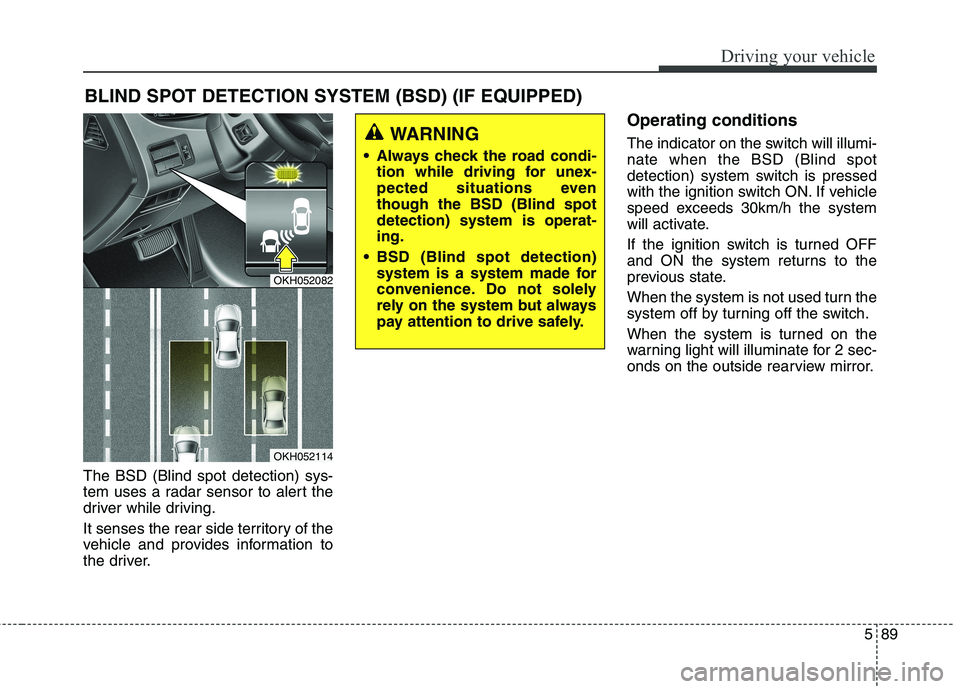
The BSD (Blind spot detection) sys-
tem uses a radar sensor to alert the
driver while driving.
It senses the rear side territory of the
vehicle and provides information to
the driver.Operating conditions
The indicator on the switch will illumi- nate when the BSD (Blind spot
detection) system switch is pressed
with the ignition switch ON. If vehicle
speed exceeds 30km/h the system
will activate.
If the ignition switch is turned OFF
and ON the system returns to the
previous state.
When the system is not used turn the
system off by turning off the switch.
When the system is turned on the
warning light will illuminate for 2 sec-
onds on the outside rearview mirror.
BLIND SPOT DETECTION SYSTEM (BSD) (IF EQUIPPED)
OKH052082
OKH052114
WARNING
Always check the road condi- tion while driving for unex-
pected situations eventhough the BSD (Blind spotdetection) system is operat-ing.
BSD (Blind spot detection) system is a system made for
convenience. Do not solely
rely on the system but always
pay attention to drive safely.
Page 333 of 485
Driving your vehicle
90
5
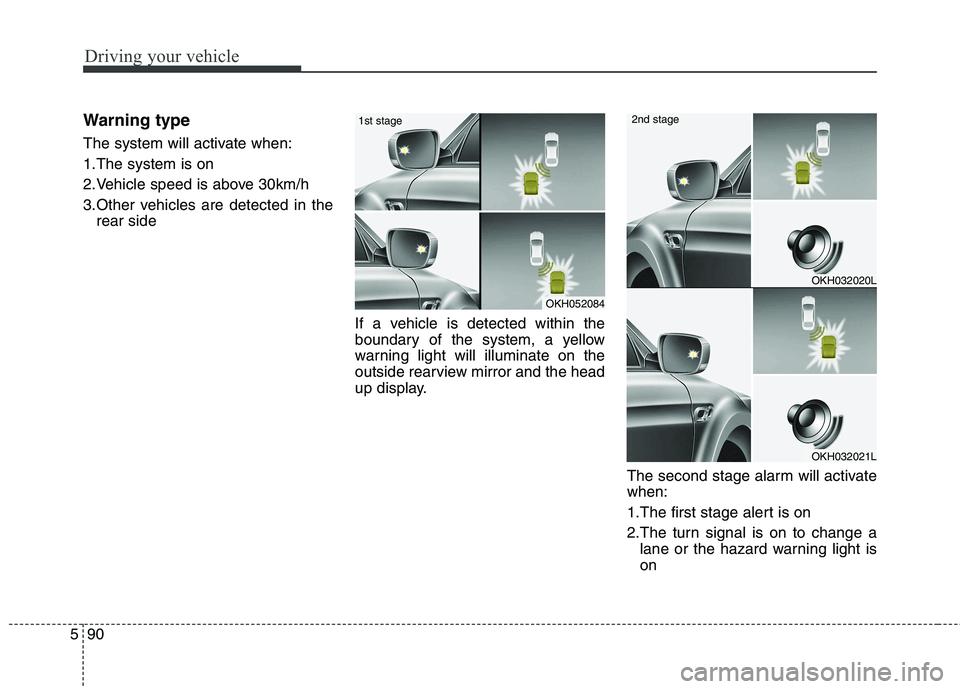
Warning type
The system will activate when:
1.The system is on
2.Vehicle speed is above 30km/h
3.Other vehicles are detected in the
rear side
If a vehicle is detected within the
boundary of the system, a yellow
warning light will illuminate on the
outside rearview mirror and the head
up display. The second stage alarm will activatewhen:
1.The first stage alert is on
2.The turn signal is on to change alane or the hazard warning light is on
OKH052084
1st stage
OKH032020L
OKH032021L
2nd stage
Page 334 of 485
591
Driving your vehicle
When the second stage alert is acti-
vated, a warning light will illuminate
on the outside rearview mirror, the
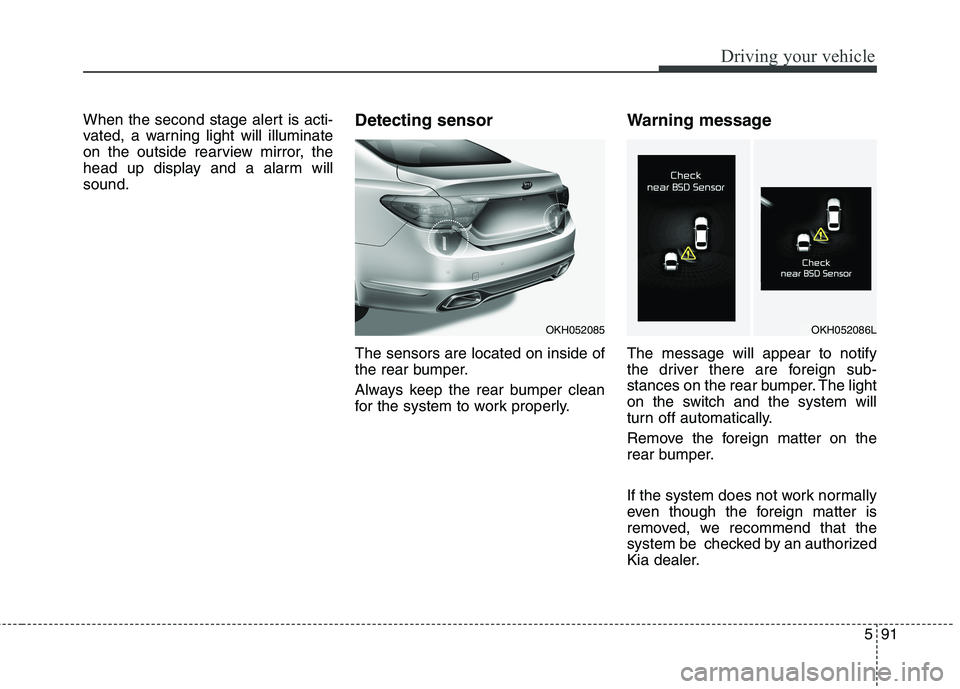
head up display and a alarm willsound.Detecting sensor The sensors are located on inside of
the rear bumper.
Always keep the rear bumper clean
for the system to work properly.Warning message The message will appear to notify
the driver there are foreign sub-
stances on the rear bumper. The light
on the switch and the system will
turn off automatically.
Remove the foreign matter on the
rear bumper.
If the system does not work normally
even though the foreign matter is
removed, we recommend that the
system be checked by an authorized
Kia dealer.
OKH052085OKH052086L
Page 335 of 485
Driving your vehicle
92
5
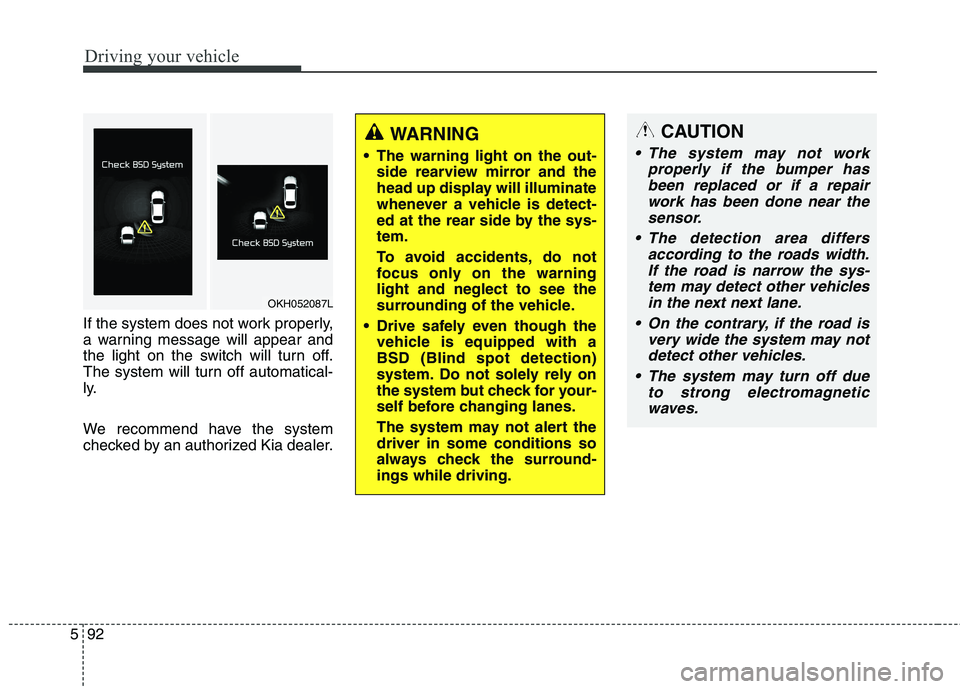
If the system does not work properly,
a warning message will appear and
the light on the switch will turn off.
The system will turn off automatical-
ly.
We recommend have the system
checked by an authorized Kia dealer.
WARNING
The warning light on the out- side rearview mirror and the
head up display will illuminate
whenever a vehicle is detect-
ed at the rear side by the sys-tem.
To avoid accidents, do not
focus only on the warninglight and neglect to see the
surrounding of the vehicle.
Drive safely even though the vehicle is equipped with aBSD (Blind spot detection)
system. Do not solely rely on
the system but check for your-
self before changing lanes.
The system may not alert the driver in some conditions so
always check the surround-ings while driving.CAUTION
The system may not work
properly if the bumper hasbeen replaced or if a repair work has been done near thesensor.
The detection area differs according to the roads width.If the road is narrow the sys- tem may detect other vehiclesin the next next lane.
On the contrary, if the road is very wide the system may notdetect other vehicles.
The system may turn off due to strong electromagneticwaves.
OKH052087L
Page 338 of 485
595
Driving your vehicle
Remember, your vehicle does notrequire extended warm-up. After
the engine has started, allow the
engine to run for 10 to 20 seconds
prior to placing the vehicle in gear.
In very cold weather, however, give
your engine a slightly longer warm-
up period.
Do not "lug" or "over-rev" the engine. Lugging is driving too
slowly in too high a gear resulting
engine bucking. If this happens,
shift to a lower gear. Over-revving
is racing the engine beyond its safe
limit. This can be avoided by shift-
ing at the recommended speeds.
Use your air conditioning sparingly. The air conditioning system is
operated by engine power so your
fuel economy is reduced when youuse it.
Open windows at high speeds can reduce fuel economy.
Fuel economy is less in crosswinds and headwinds. To help offset
some of this loss, slow down when
driving in these conditions. Keeping a vehicle in good operating
condition is important both for econ-
omy and safety. Therefore, we rec-
ommend that the system be serviced
by an authorized Kia dealer.
WARNING
- Engine off
during motion
Never turn the engine off to
coast down hills or anytime the
vehicle is in motion. The power
steering and power brakes will
not function properly without
the engine running. Instead,
keep the engine on and down-
shift to an appropriate gear for
engine braking effect. In addi-
tion, turning off the ignition
while driving could engage the
steering wheel lock (ifequipped) resulting in loss of
vehicle steering which could
cause serious injury or death.
Page 339 of 485
Driving your vehicle
96
5
Hazardous driving conditions
When hazardous driving conditions
are encountered such as water,
snow, ice, mud, sand, or similar haz-
ards, follow these suggestions:
Drive cautiously and allow extra
distance for braking.
Avoid sudden braking or steering.
If stalled in snow, mud, or sand, use second gear. Accelerate slow-
ly to avoid spinning the drive
wheels.
Use sand, rock salt, tire chains, or other non-slip material under the
drive wheels to provide traction
when stalled in ice, snow, or mud. Rocking the vehicle
If it is necessary to rock the vehicle
to free it from snow, sand, or mud,
first turn the steering wheel right and
left to clear the area around your
front wheels. Then, shift back and
forth between R (Reverse) and any
forward gear in vehicles equipped
with an automatic transaxle. Do not
race the engine, and spin the wheels
as little as possible. If you are still
stuck after a few tries, have the vehi-
cle pulled out by a tow vehicle to
avoid engine overheating and possi-
ble damage to the transaxle.
SPECIAL DRIVING CONDITIONS WARNING
- Downshifting
Downshifting with an automatic
transaxle, while driving on slip-
pery surfaces can cause an
accident. The sudden change intire speed could cause the tires
to skid. Be careful when down-
shifting on slippery surfaces.
WARNING - ABS
Do not pump the brake pedal on
a vehicle equipped with ABS.
CAUTION
Prolonged rocking may cause engine over-heating, transaxledamage or failure, and tire dam- age.