sensor KIA QUORIS 2015 Owner's Manual
[x] Cancel search | Manufacturer: KIA, Model Year: 2015, Model line: QUORIS, Model: KIA QUORIS 2015Pages: 486, PDF Size: 35.55 MB
Page 198 of 486
4117
Features of your vehicle
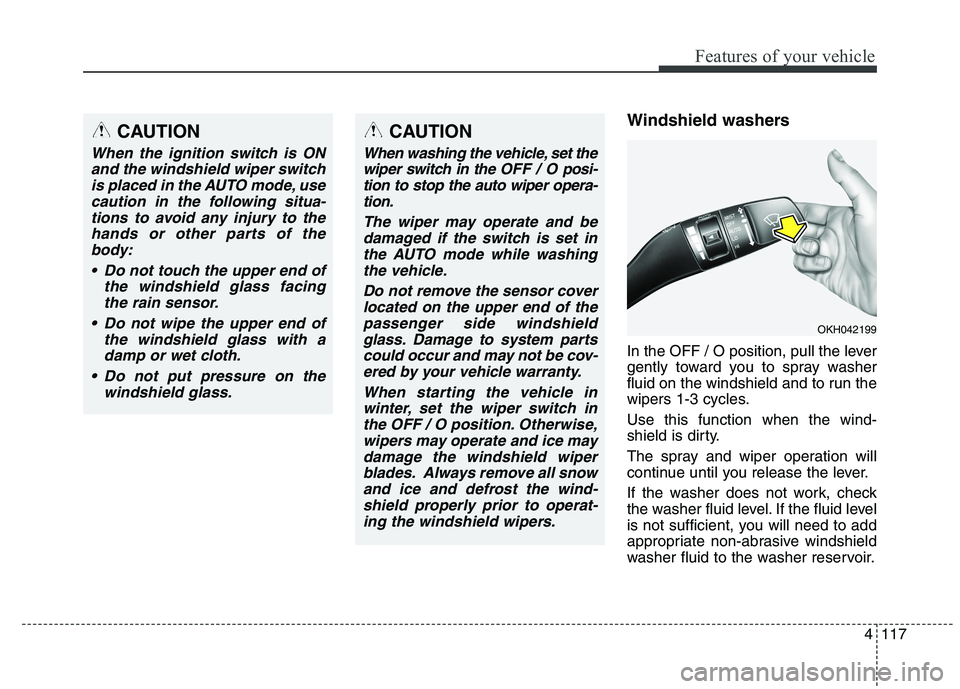
Windshield washers
In the OFF / O position, pull the lever
gently toward you to spray washer
fluid on the windshield and to run the
wipers 1-3 cycles. Use this function when the wind-
shield is dirty.
The spray and wiper operation will
continue until you release the lever.
If the washer does not work, check
the washer fluid level. If the fluid level
is not sufficient, you will need to add
appropriate non-abrasive windshield
washer fluid to the washer reservoir.CAUTION
When the ignition switch is ONand the windshield wiper switchis placed in the AUTO mode, use caution in the following situa-tions to avoid any injury to thehands or other parts of the body:
Do not touch the upper end of the windshield glass facingthe rain sensor.
Do not wipe the upper end of the windshield glass with adamp or wet cloth.
Do not put pressure on the windshield glass.
OKH042199
CAUTION
When washing the vehicle, set thewiper switch in the OFF / Oposi-
tion to stop the auto wiper opera- tion.
The wiper may operate and bedamaged if the switch is set inthe AUTO mode while washingthe vehicle.
Do not remove the sensor coverlocated on the upper end of the passenger side windshieldglass. Damage to system partscould occur and may not be cov- ered by your vehicle warranty.
When starting the vehicle inwinter, set the wiper switch inthe OFF / O position. Otherwise,wipers may operate and ice may damage the windshield wiperblades. Always remove all snowand ice and defrost the wind-shield properly prior to operat- ing the windshield wipers.
Page 224 of 486
4143
Features of your vehicle
If your vehicle is equipped with the
auto defogging system, it is automat-
ically activated when the conditions
are met. However, if you would like to
cancel the auto defogging system,
press the front defroster button 4times within 2 seconds while press-
ing the AUTO button. The front
defroster indicator will blink 3 times
to notify you that the system is can-
celled. To use the auto defogging
system again, follow the procedures
mentioned above.
If the battery has been disconnected or discharged, it resets to the auto
defogging status.✽✽NOTICE
If the A/C off is manually selected while the auto defogging system is
on, the auto defogging indicator
will blink 3 times to give notice
that manual operation is canceled.
If the air quality system (AQS) is selected while the auto defogging
system is operating at the step 1
outside air position, the recirculat-
ed air position may operate when
the outside air is polluted.
CAUTION
Do not remove the sensor cover
located on the upper end of thepassenger side windshield glass. Damage to system partscould occur and may not be cov-ered by your vehicle warranty.
Page 294 of 486
Driving your vehicle
50
5
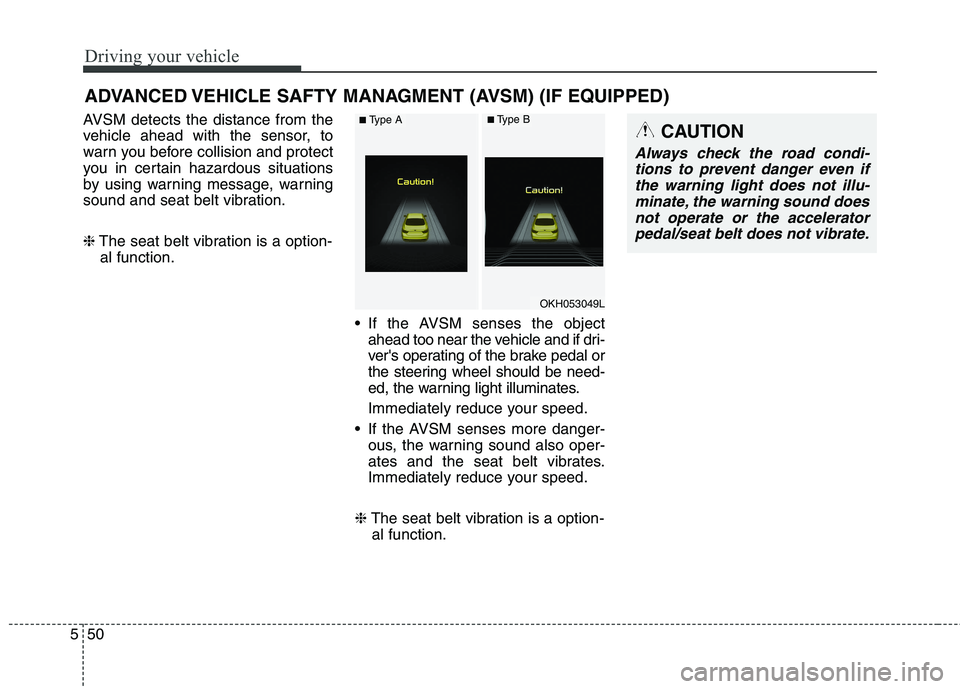
AVSM detects the distance from the
vehicle ahead with the sensor, to
warn you before collision and protect
you in certain hazardous situations
by using warning message, warning
sound and seat belt vibration. ❈ The seat belt vibration is a option-
al function.
If the AVSM senses the objectahead too near the vehicle and if dri-
ver's operating of the brake pedal or
the steering wheel should be need-
ed, the warning light illuminates.
Immediately reduce your speed.
If the AVSM senses more danger- ous, the warning sound also oper-
ates and the seat belt vibrates.
Immediately reduce your speed.
❈ The seat belt vibration is a option-
al function.
ADVANCED VEHICLE SAFTY MANAGMENT (AVSM) (IF EQUIPPED)CAUTION
Always check the road condi-
tions to prevent danger even ifthe warning light does not illu-minate, the warning sound does not operate or the acceleratorpedal/seat belt does not vibrate.
OKH053049L
■ Type A■Type B
Page 296 of 486
Driving your vehicle
52
5
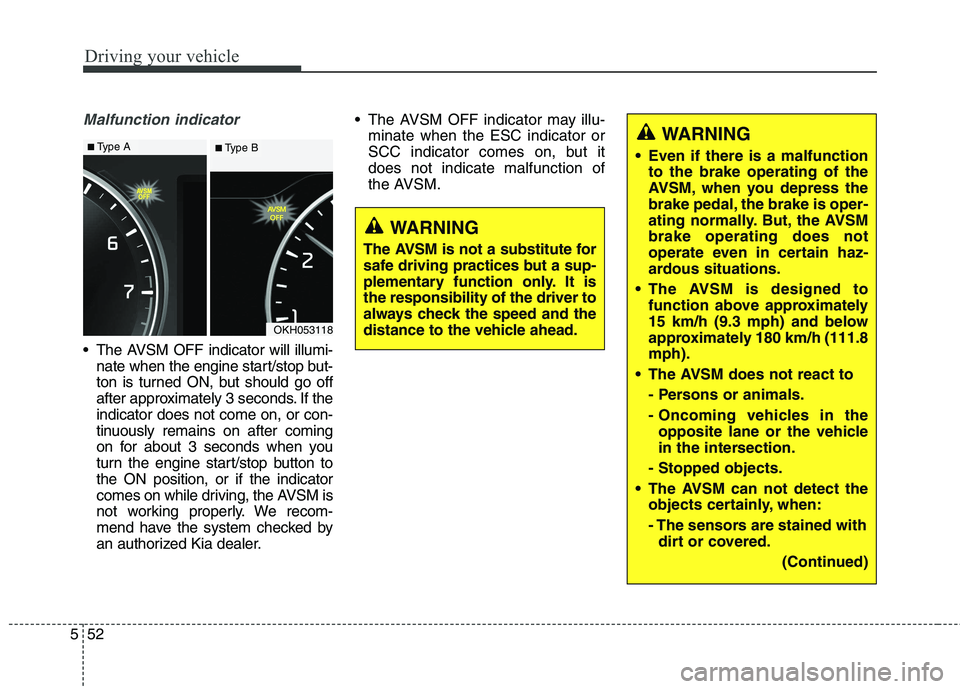
Malfunction indicator
The AVSM OFF indicator will illumi-
nate when the engine start/stop but-
ton is turned ON, but should go off
after approximately 3 seconds. If theindicator does not come on, or con-
tinuously remains on after coming
on for about 3 seconds when you
turn the engine start/stop button tothe ON position, or if the indicator
comes on while driving, the AVSM is
not working properly. We recom-
mend have the system checked by
an authorized Kia dealer. The AVSM OFF indicator may illu-
minate when the ESC indicator or
SCC indicator comes on, but itdoes not indicate malfunction of
the AVSM.
OKH053118
WARNING
The AVSM is not a substitute for
safe driving practices but a sup-
plementary function only. It isthe responsibility of the driver to
always check the speed and the
distance to the vehicle ahead.
WARNING
Even if there is a malfunction to the brake operating of the
AVSM, when you depress the
brake pedal, the brake is oper-
ating normally. But, the AVSMbrake operating does not
operate even in certain haz-
ardous situations.
The AVSM is designed to function above approximately
15 km/h (9.3 mph) and below
approximately 180 km/h (111.8mph).
The AVSM does not react to
- Persons or animals.
- Oncoming vehicles in theopposite lane or the vehicle
in the intersection.
- Stopped objects.
The AVSM can not detect the objects certainly, when:
- The sensors are stained withdirt or covered.
(Continued)■Type A■ Type B
Page 312 of 486
Driving your vehicle
68
5
Smart Cruise control will be tem-
porarily canceled when:
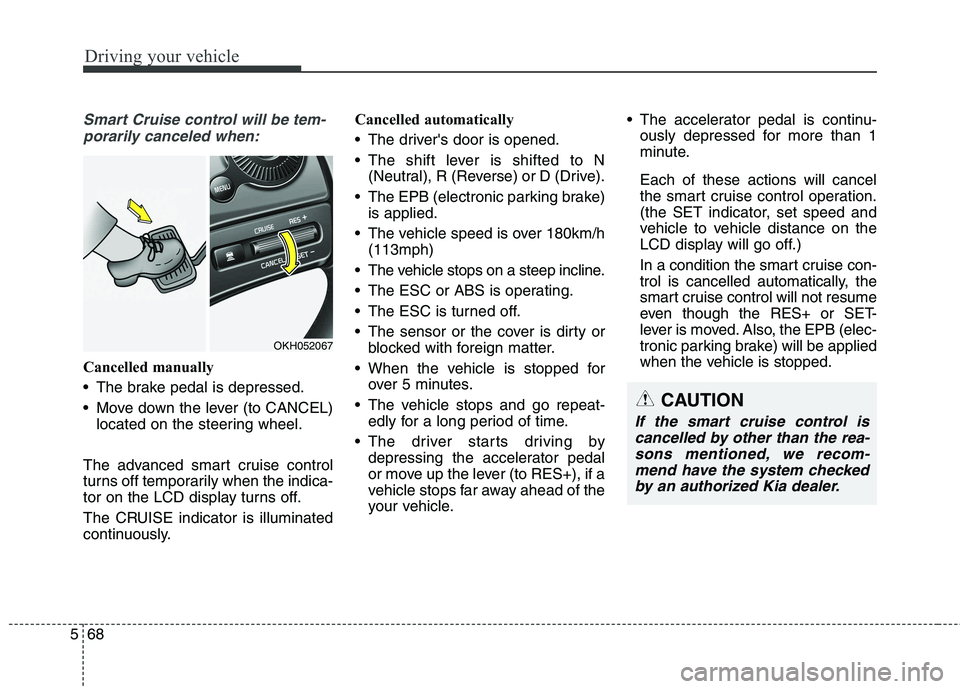
Cancelled manually
The brake pedal is depressed.
Move down the lever (to CANCEL) located on the steering wheel.
The advanced smart cruise control
turns off temporarily when the indica-
tor on the LCD display turns off.
The CRUISE indicator is illuminated
continuously. Cancelled automatically
The driver's door is opened.
The shift lever is shifted to N
(Neutral), R (Reverse) or D (Drive).
The EPB (electronic parking brake) is applied.
The vehicle speed is over 180km/h (113mph)
The vehicle stops on a steep incline.
The ESC or ABS is operating.
The ESC is turned off.
The sensor or the cover is dirty or blocked with foreign matter.
When the vehicle is stopped for over 5 minutes.
The vehicle stops and go repeat- edly for a long period of time.
The driver starts driving by depressing the accelerator pedal
or move up the lever (to RES+), if a
vehicle stops far away ahead of the
your vehicle. The accelerator pedal is continu-
ously depressed for more than 1
minute. Each of these actions will cancel
the smart cruise control operation.
(the SET indicator, set speed and
vehicle to vehicle distance on the
LCD display will go off.)
In a condition the smart cruise con- trol is cancelled automatically, the
smart cruise control will not resume
even though the RES+ or SET-
lever is moved. Also, the EPB (elec-
tronic parking brake) will be applied
when the vehicle is stopped.
CAUTION
If the smart cruise control is
cancelled by other than the rea-sons mentioned, we recom-mend have the system checked by an authorized Kia dealer.
OKH052067
Page 316 of 486
Driving your vehicle
72
5
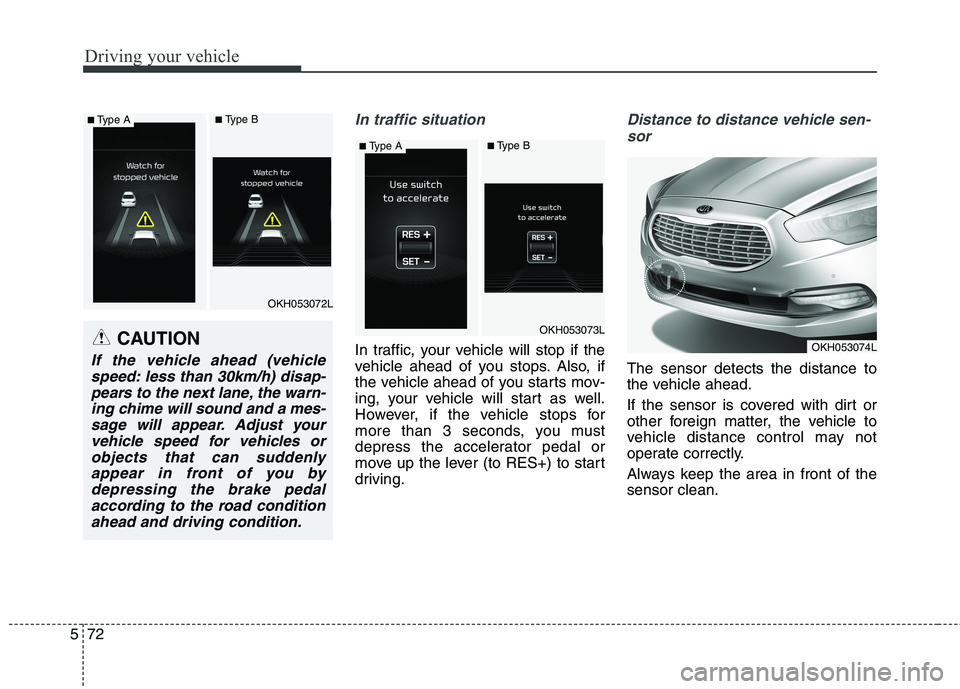
In traffic situation
In traffic, your vehicle will stop if the
vehicle ahead of you stops. Also, if
the vehicle ahead of you starts mov-
ing, your vehicle will start as well.
However, if the vehicle stops for
more than 3 seconds, you must
depress the accelerator pedal or
move up the lever (to RES+) to start
driving.
Distance to distance vehicle sen-
sor
The sensor detects the distance to
the vehicle ahead.
If the sensor is covered with dirt or
other foreign matter, the vehicle to
vehicle distance control may not
operate correctly.
Always keep the area in front of the sensor clean.
CAUTION
If the vehicle ahead (vehiclespeed: less than 30km/h) disap-pears to the next lane, the warn- ing chime will sound and a mes-sage will appear. Adjust yourvehicle speed for vehicles or objects that can suddenlyappear in front of you bydepressing the brake pedal according to the road conditionahead and driving condition.
OKH053072L
OKH053073L
OKH053074L
■ Type A■Type B
■Type A■Type B
Page 317 of 486
573
Driving your vehicle
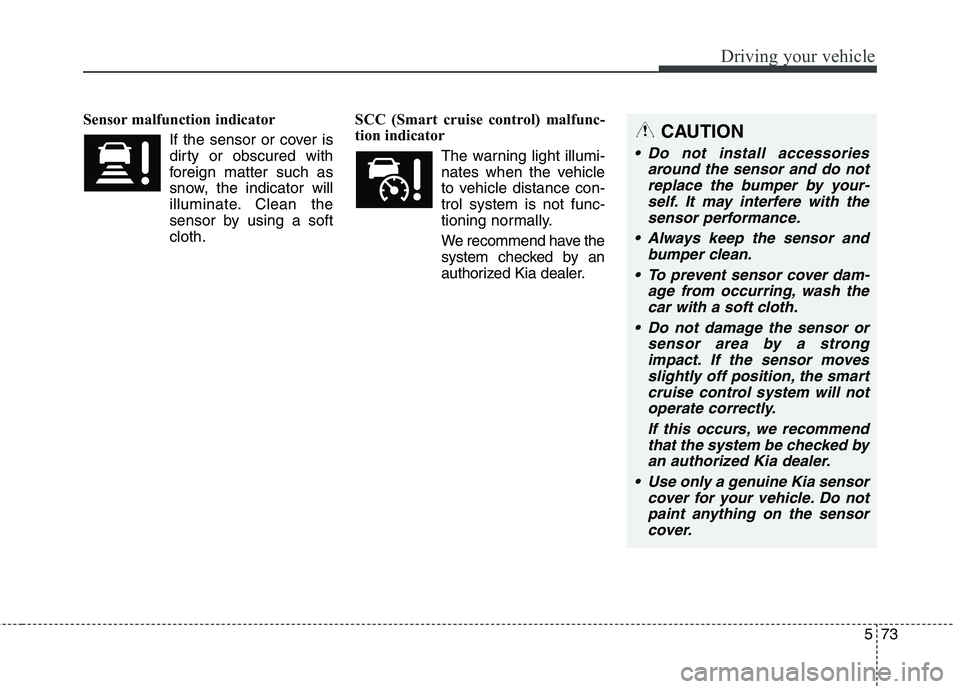
Sensor malfunction indicatorIf the sensor or cover is
dirty or obscured with
foreign matter such as
snow, the indicator will
illuminate. Clean the
sensor by using a softcloth. SCC (Smart cruise control) malfunc-
tion indicator
The warning light illumi-
nates when the vehicle
to vehicle distance con-trol system is not func-
tioning normally.
We recommend have the
system checked by an
authorized Kia dealer.CAUTION
Do not install accessories around the sensor and do notreplace the bumper by your- self. It may interfere with thesensor performance.
Always keep the sensor and bumper clean.
To prevent sensor cover dam- age from occurring, wash thecar with a soft cloth.
Do not damage the sensor or sensor area by a strongimpact. If the sensor movesslightly off position, the smart cruise control system will notoperate correctly.
If this occurs, we recommendthat the system be checked byan authorized Kia dealer.
Use only a genuine Kia sensor cover for your vehicle. Do notpaint anything on the sensorcover.
Page 320 of 486
Driving your vehicle
76
5
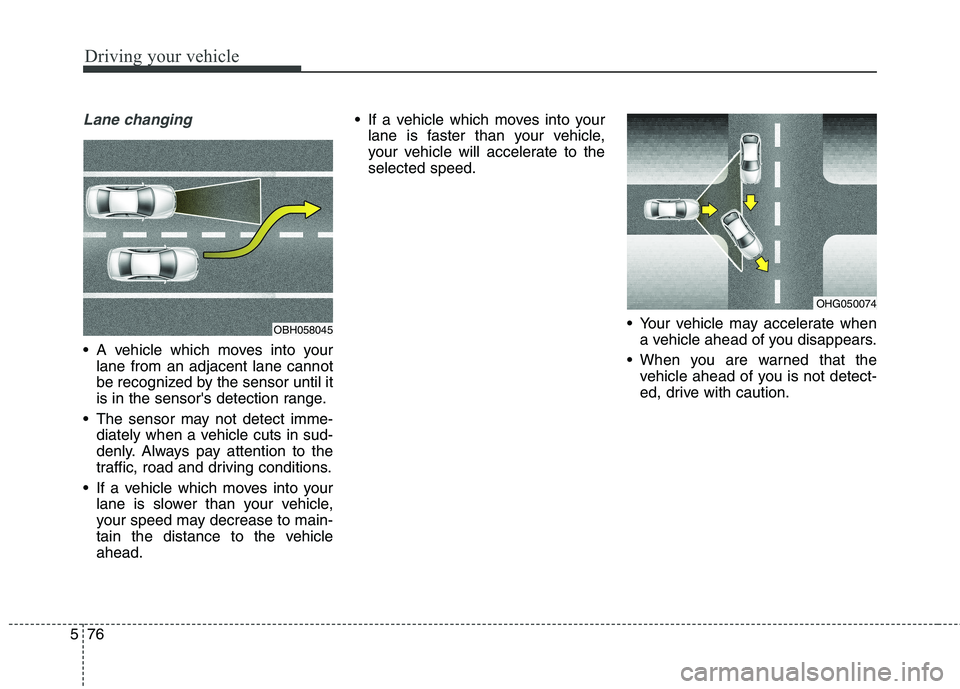
Lane changing
A vehicle which moves into your
lane from an adjacent lane cannot
be recognized by the sensor until it
is in the sensor's detection range.
The sensor may not detect imme- diately when a vehicle cuts in sud-
denly. Always pay attention to the
traffic, road and driving conditions.
If a vehicle which moves into your lane is slower than your vehicle,
your speed may decrease to main-
tain the distance to the vehicleahead. If a vehicle which moves into your
lane is faster than your vehicle,
your vehicle will accelerate to theselected speed.
Your vehicle may accelerate whena vehicle ahead of you disappears.
When you are warned that the vehicle ahead of you is not detect-
ed, drive with caution.
OBH058045
OHG050074
Page 321 of 486
577
Driving your vehicle
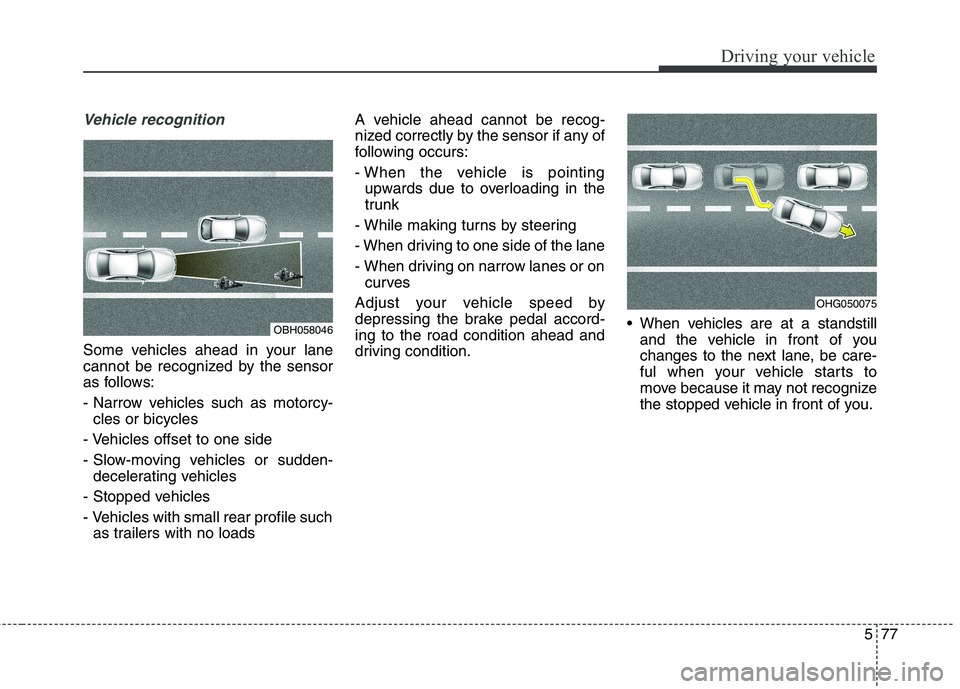
Vehicle recognition
Some vehicles ahead in your lane
cannot be recognized by the sensor
as follows:
- Narrow vehicles such as motorcy-cles or bicycles
- Vehicles offset to one side
- Slow-moving vehicles or sudden- decelerating vehicles
- Stopped vehicles
- Vehicles with small rear profile such as trailers with no loads A vehicle ahead cannot be recog-
nized correctly by the sensor if any of
following occurs:
- When the vehicle is pointing
upwards due to overloading in the
trunk
- While making turns by steering
- When driving to one side of the lane
- When driving on narrow lanes or on curves
Adjust your vehicle speed by
depressing the brake pedal accord-ing to the road condition ahead and
driving condition. When vehicles are at a standstill
and the vehicle in front of you
changes to the next lane, be care-
ful when your vehicle starts to
move because it may not recognize
the stopped vehicle in front of you.
OBH058046
OHG050075
Page 324 of 486
Driving your vehicle
80
5
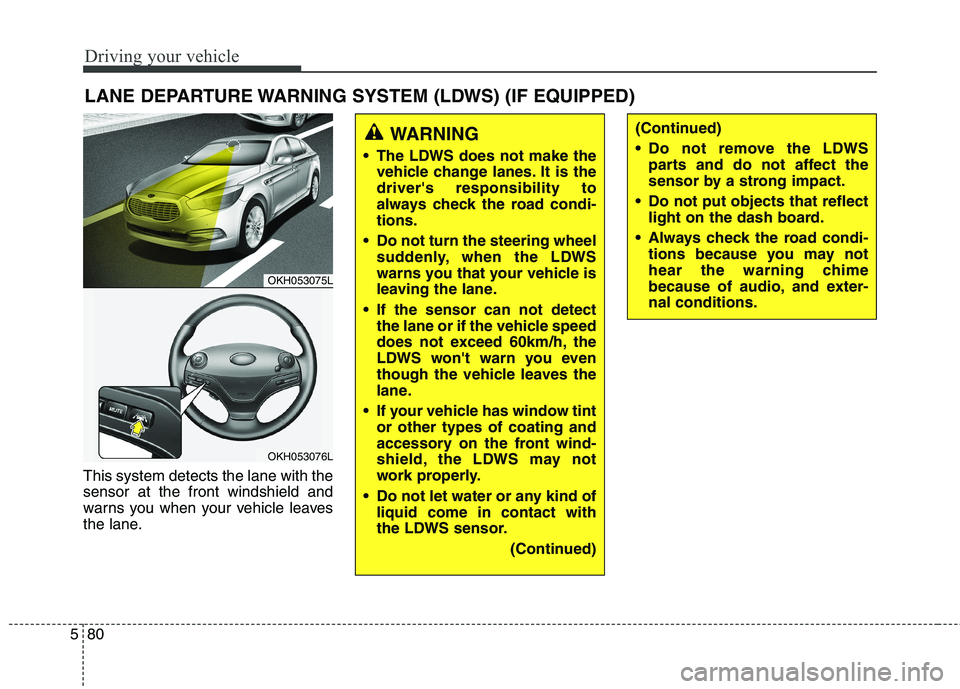
This system detects the lane with the sensor at the front windshield and
warns you when your vehicle leaves
the lane. LANE DEPARTURE WARNING SYSTEM (LDWS) (IF EQUIPPED)
OKH053075L
OKH053076L
WARNING
The LDWS does not make the vehicle change lanes. It is the driver's responsibility to
always check the road condi-tions.
Do not turn the steering wheel suddenly, when the LDWS
warns you that your vehicle is
leaving the lane.
If the sensor can not detect the lane or if the vehicle speed
does not exceed 60km/h, the
LDWS won't warn you even
though the vehicle leaves the
lane.
If your vehicle has window tint or other types of coating and
accessory on the front wind-
shield, the LDWS may not
work properly.
Do not let water or any kind of liquid come in contact with
the LDWS sensor.
(Continued)(Continued)
Do not remove the LDWSparts and do not affect the
sensor by a strong impact.
Do not put objects that reflect light on the dash board.
Always check the road condi- tions because you may not
hear the warning chime
because of audio, and exter-nal conditions.