light KIA QUORIS 2015 Workshop Manual
[x] Cancel search | Manufacturer: KIA, Model Year: 2015, Model line: QUORIS, Model: KIA QUORIS 2015Pages: 486, PDF Size: 35.55 MB
Page 173 of 486
Features of your vehicle
92
4
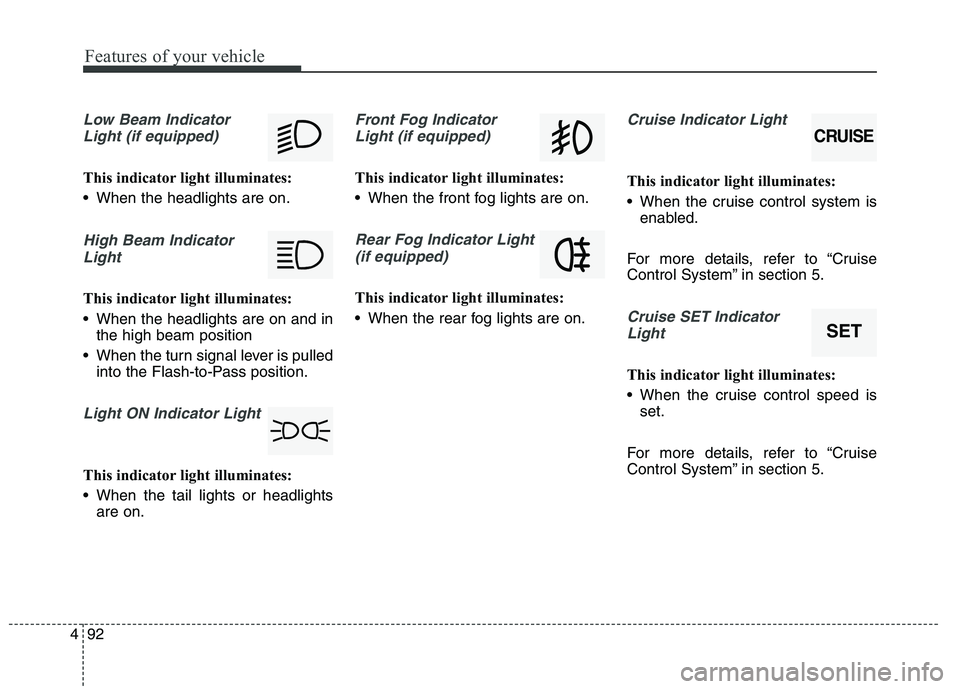
Low Beam Indicator
Light (if equipped)
This indicator light illuminates:
When the headlights are on.
High Beam IndicatorLight
This indicator light illuminates:
When the headlights are on and in the high beam position
When the turn signal lever is pulled into the Flash-to-Pass position.
Light ON Indicator Light
This indicator light illuminates:
When the tail lights or headlightsare on.
Front Fog Indicator
Light (if equipped)
This indicator light illuminates:
When the front fog lights are on.
Rear Fog Indicator Light (if equipped)
This indicator light illuminates:
When the rear fog lights are on.
Cruise Indicator Light
This indicator light illuminates:
When the cruise control system is enabled.
For more details, refer to “Cruise
Control System” in section 5.
Cruise SET Indicator Light
This indicator light illuminates:
When the cruise control speed is set.
For more details, refer to “Cruise
Control System” in section 5.
CRUISE
SET
Page 174 of 486
493
Features of your vehicle
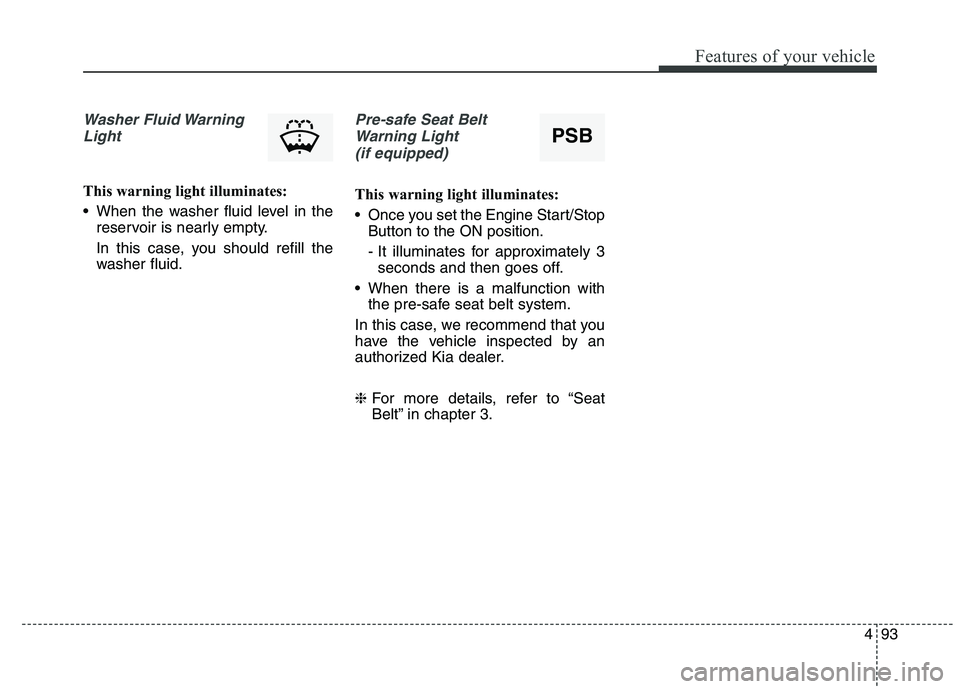
Washer Fluid WarningLight
This warning light illuminates:
When the washer fluid level in the reservoir is nearly empty.
In this case, you should refill the
washer fluid.
Pre-safe Seat Belt
Warning Light (if equipped)
This warning light illuminates:
Once you set the Engine Start/Stop Button to the ON position.
- It illuminates for approximately 3seconds and then goes off.
When there is a malfunction with the pre-safe seat belt system.
In this case, we recommend that you
have the vehicle inspected by an
authorized Kia dealer. ❈ For more details, refer to “Seat
Belt” in chapter 3.
PSB
Page 175 of 486
Features of your vehicle
94
4
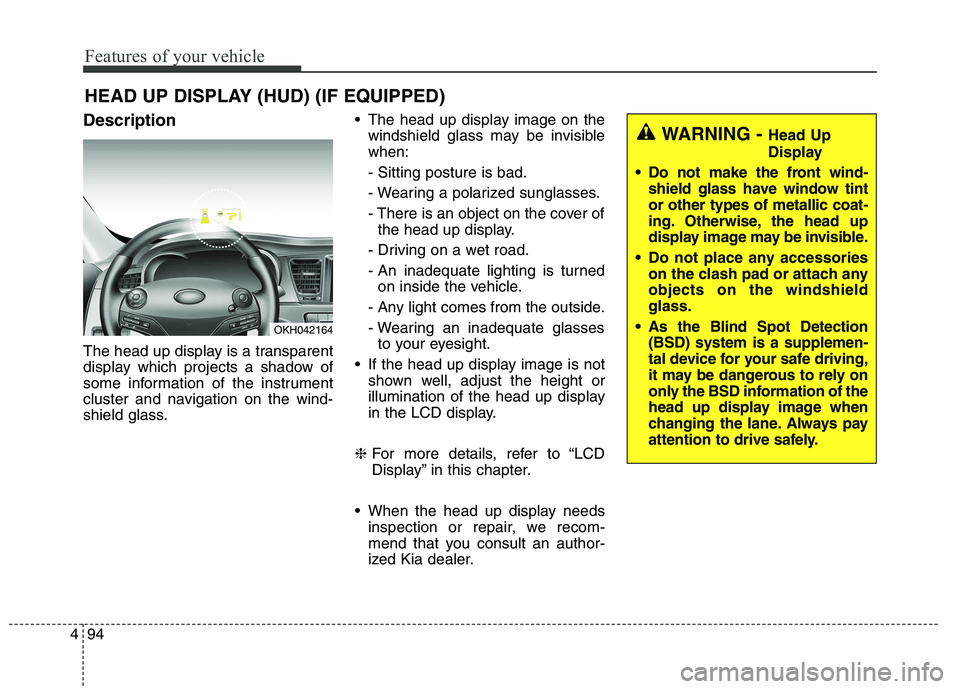
Description
The head up display is a transparent
display which projects a shadow of
some information of the instrument
cluster and navigation on the wind-
shield glass. The head up display image on the
windshield glass may be invisible when: - Sitting posture is bad.
- Wearing a polarized sunglasses.
- There is an object on the cover ofthe head up display.
- Driving on a wet road.
- An inadequate lighting is turned on inside the vehicle.
- Any light comes from the outside.
- Wearing an inadequate glasses to your eyesight.
If the head up display image is not shown well, adjust the height or
illumination of the head up display
in the LCD display.
❈ For more details, refer to “LCD
Display” in this chapter.
When the head up display needs inspection or repair, we recom-
mend that you consult an author-
ized Kia dealer.
HEAD UP DISPLAY (HUD) (IF EQUIPPED)
OKH042164
WARNING -
Head Up
Display
Do not make the front wind- shield glass have window tint or other types of metallic coat-
ing. Otherwise, the head up
display image may be invisible.
Do not place any accessories on the clash pad or attach anyobjects on the windshieldglass.
As the Blind Spot Detection (BSD) system is a supplemen-
tal device for your safe driving,
it may be dangerous to rely on
only the BSD information of the
head up display image when
changing the lane. Always pay
attention to drive safely.
Page 176 of 486
495
Features of your vehicle
Head Up Display ON/OFF
The head up display is always acti-vated whenever you set the Engine
Start/Stop Button to the ON posi-tion.
To deactivate the head up display, press the HUD button. If you press
the HUD button again, the head up
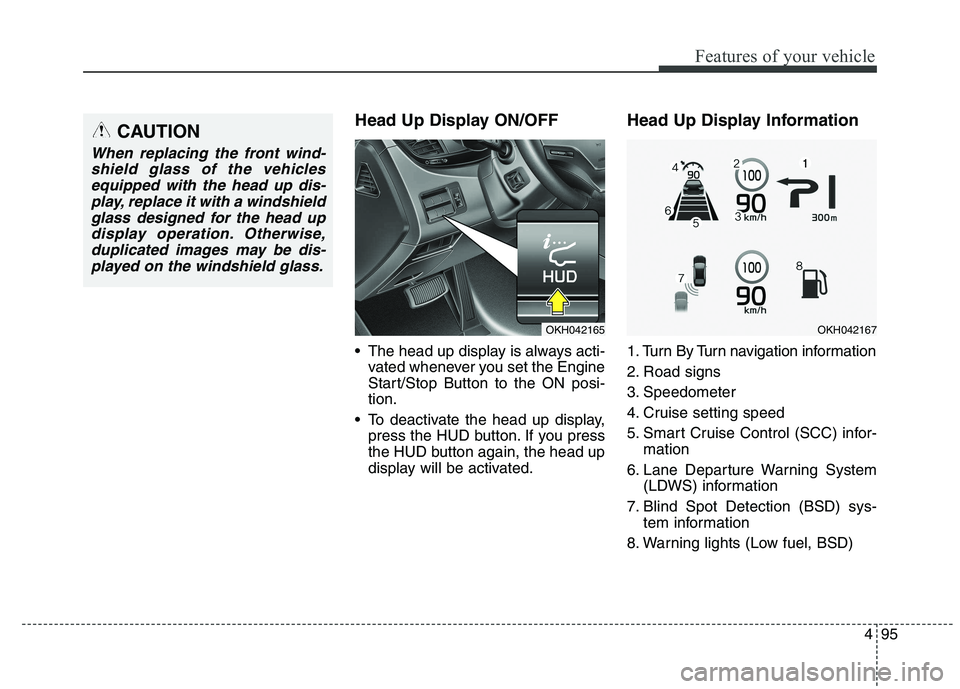
display will be activated. Head Up Display Information
1. Turn By Turn navigation information
2. Road signs
3. Speedometer
4. Cruise setting speed
5. Smart Cruise Control (SCC) infor-
mation
6. Lane Departure Warning System (LDWS) information
7. Blind Spot Detection (BSD) sys- tem information
8. Warning lights (Low fuel, BSD)CAUTION
When replacing the front wind- shield glass of the vehiclesequipped with the head up dis- play, replace it with a windshieldglass designed for the head updisplay operation. Otherwise, duplicated images may be dis-played on the windshield glass.
OKH042165OKH042167
Page 183 of 486
Features of your vehicle
102
4
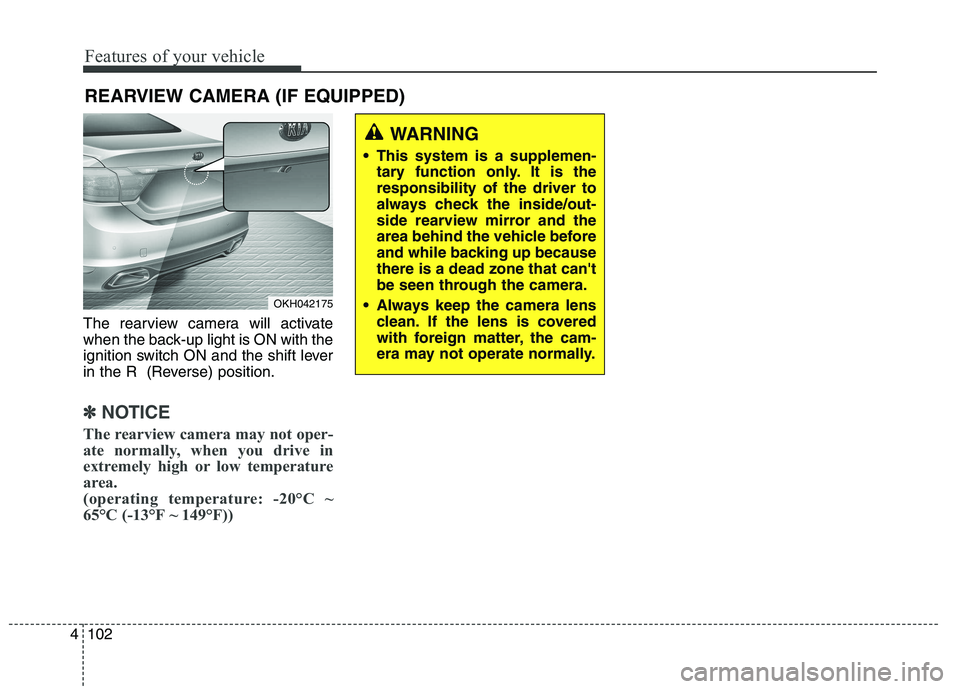
The rearview camera will activate
when the back-up light is ON with the
ignition switch ON and the shift lever
in the R (Reverse) position.
✽✽
NOTICE
The rearview camera may not oper-
ate normally, when you drive in
extremely high or low temperature
area.
(operating temperature: -20°C ~
65°C (-13°F ~ 149°F))
REARVIEW CAMERA (IF EQUIPPED)
OKH042175
WARNING
This system is a supplemen- tary function only. It is the responsibility of the driver to
always check the inside/out-
side rearview mirror and the
area behind the vehicle before
and while backing up becausethere is a dead zone that can't
be seen through the camera.
Always keep the camera lens clean. If the lens is covered
with foreign matter, the cam-
era may not operate normally.
Page 189 of 486
Features of your vehicle
108
4
Battery saver function
The purpose of this feature is to
prevent the battery from being dis-
charged. The system automatically
turns off the parking lights when
the driver turns off the engine and
opens the driver-side door.
With this feature, the parking lights will be turned off automatically if
the driver parks on the side of roadat night.
If necessary, to keep the lights on
when the engine is turned off per-
form the following:
1) Open the driver-side door.
2) Turn the parking lights OFF and ON again. Headlight escort function
The headlights (and/or parking
lights) will remain on for approxi-
mately 5 minutes after the engine
start/stop button is turned to the ACC
or OFF position. However, if the dri-
ver’s door is opened and closed, the
headlights are turned off after 15
seconds.
The headlights can be turned off by
pressing the lock button on the smart
key twice or turning off the light
switch from the headlight or Autolight position.
Daytime running light (if equipped)
The Daytime Running Lights (DRL)
can make it easier for others to see
the front of your vehicle during the
day. DRL can be helpful in many dif-
ferent driving conditions, and it is
especially helpful after dawn and
before sunset.
The DRL system will turn the dedi- cated lamp OFF when:
1. The headlight or fog lamp switch is
ON.
2. The engine is OFF.
LIGHTING
CAUTION
If the driver gets out of the vehi-
cle through other doors (exceptdriver's door), the battery saver function does not operate andthe headlight escort functiondoes not turn off automatically.Therefore, It causes the battery to be discharged. In this case,make sure to turn off the lampbefore getting out of the vehicle.
Page 190 of 486
4109
Features of your vehicle
Traffic change (for Europe)
Use this function when you visit a
country with opposite traffic direction.
If the traffic change is activated when
you visit a country with opposite traf-fic direction, it will decrease the daz-
zle on oncoming vehicle drivers.
Follow the below procedure.
1. Select “User Settings” by pressingthe mode button ( ) on the steer- ing wheel.
2. Select “Lamp” by pressing the move button ( ) and select but-
ton ( ) on the steering wheel.
3. Select “Travel Mode” by pressing the move button ( ) and select
button ( ) on the
steering wheel.
4. change function.
Select "Off" to deacticate the traf- fic change function.✽✽ NOTICE
If the engine is turned off with the
traffic change function activated,
and the engine turned on again, a
message "Headlamp beam pattern
set to opposite side range has been
reduced" will appear. It is to notify
the driver the function is activated.Lighting control
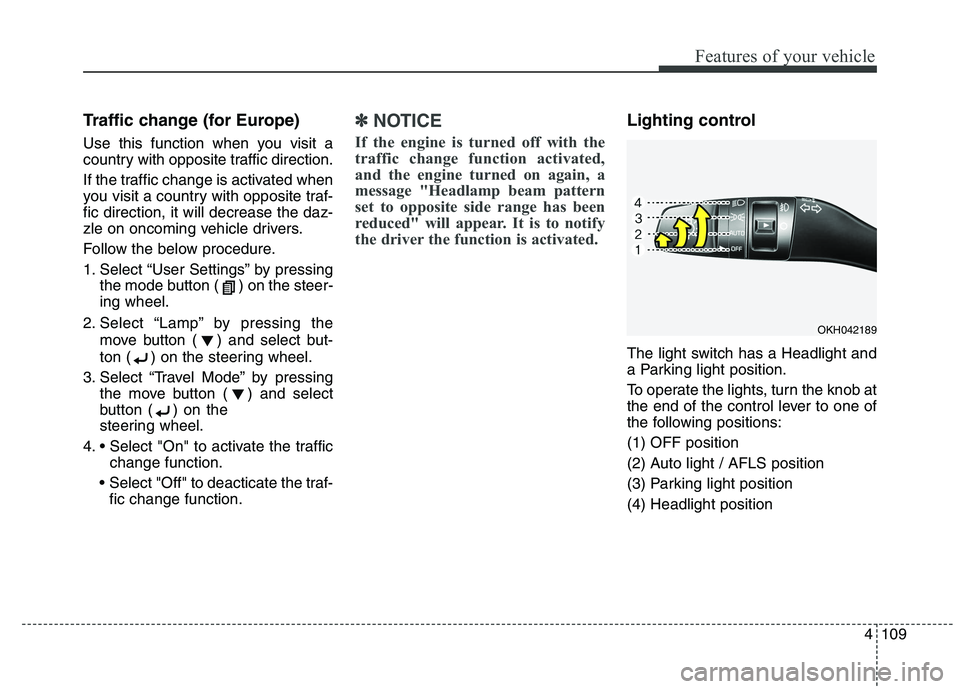
The light switch has a Headlight and
a Parking light position.
To operate the lights, turn the knob at
the end of the control lever to one of
the following positions: (1) OFF position
(2) Auto light / AFLS position
(3) Parking light position(4) Headlight position
OKH042189
Page 191 of 486
Features of your vehicle
110
4
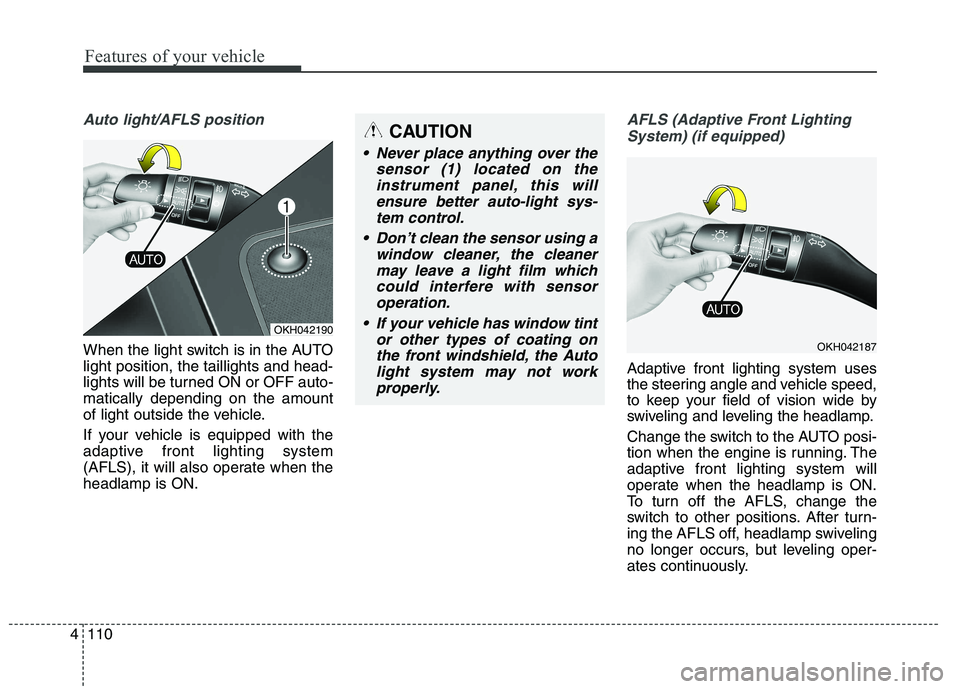
Auto light/AFLS position
When the light switch is in the AUTO light position, the taillights and head-
lights will be turned ON or OFF auto-matically depending on the amount
of light outside the vehicle.
If your vehicle is equipped with the
adaptive front lighting system
(AFLS), it will also operate when theheadlamp is ON.
AFLS (Adaptive Front Lighting
System) (if equipped)
Adaptive front lighting system uses
the steering angle and vehicle speed,
to keep your field of vision wide by
swiveling and leveling the headlamp.
Change the switch to the AUTO posi-
tion when the engine is running. The
adaptive front lighting system will
operate when the headlamp is ON.
To turn off the AFLS, change the
switch to other positions. After turn-
ing the AFLS off, headlamp swiveling
no longer occurs, but leveling oper-
ates continuously.
OKH042190
CAUTION
Never place anything over the sensor (1) located on theinstrument panel, this willensure better auto-light sys-tem control.
Don’t clean the sensor using a window cleaner, the cleanermay leave a light film whichcould interfere with sensoroperation.
If your vehicle has window tint or other types of coating onthe front windshield, the Autolight system may not workproperly.
OKH042187
Page 192 of 486
4111
Features of your vehicle
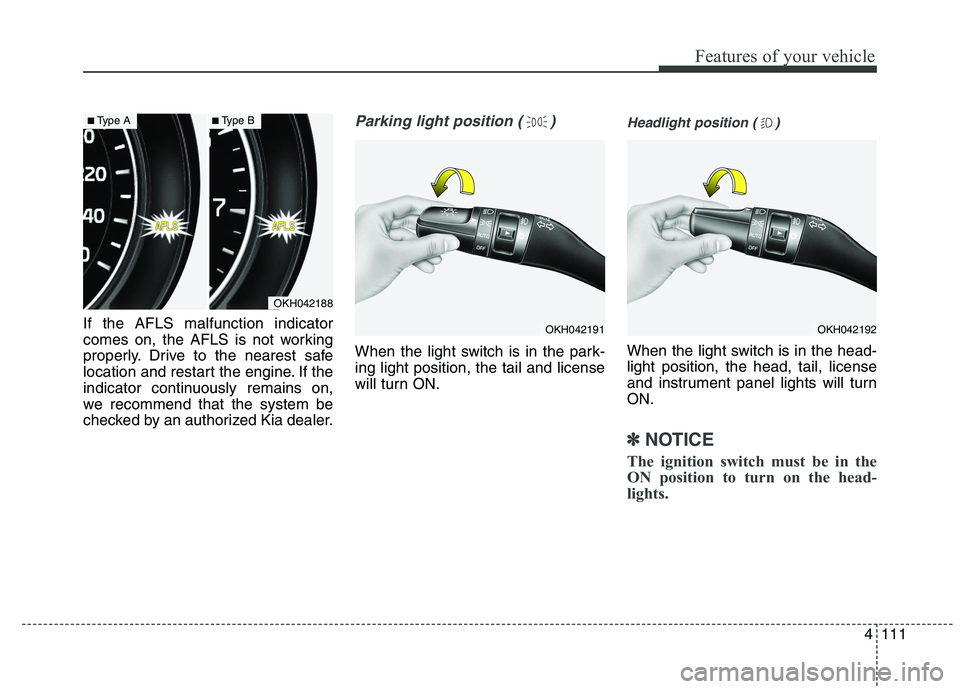
If the AFLS malfunction indicator
comes on, the AFLS is not working
properly. Drive to the nearest safe
location and restart the engine. If the
indicator continuously remains on,
we recommend that the system be
checked by an authorized Kia dealer.
Parking light position ( )
When the light switch is in the park- ing light position, the tail and license
will turn ON.
Headlight position ( )
When the light switch is in the head- light position, the head, tail, license
and instrument panel lights will turnON.
✽✽NOTICE
The ignition switch must be in the
ON position to turn on the head-
lights.
OKH042188
■ Type A■Type B
OKH042191OKH042192
Page 193 of 486
Features of your vehicle
112
4
High beam operation
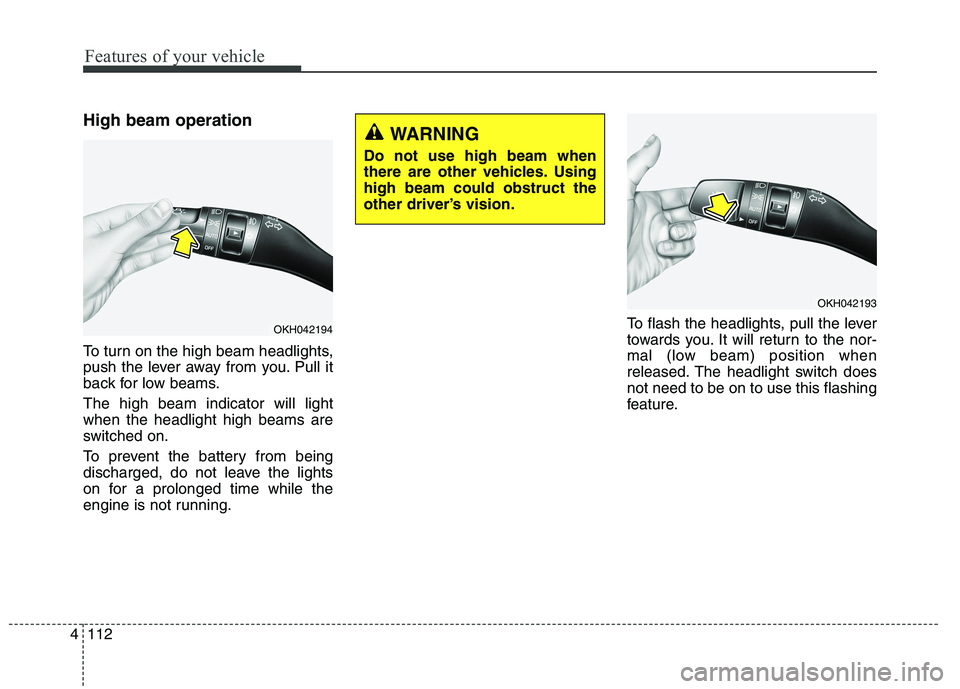
To turn on the high beam headlights,
push the lever away from you. Pull it
back for low beams. The high beam indicator will light when the headlight high beams are
switched on.
To prevent the battery from being
discharged, do not leave the lights
on for a prolonged time while the
engine is not running. To flash the headlights, pull the lever
towards you. It will return to the nor-
mal (low beam) position when
released. The headlight switch doesnot need to be on to use this flashing
feature.
OKH042194
WARNING
Do not use high beam when
there are other vehicles. Usinghigh beam could obstruct the
other driver’s vision.
OKH042193