stop start KIA QUORIS 2015 Workshop Manual
[x] Cancel search | Manufacturer: KIA, Model Year: 2015, Model line: QUORIS, Model: KIA QUORIS 2015Pages: 486, PDF Size: 35.55 MB
Page 198 of 486
4117
Features of your vehicle
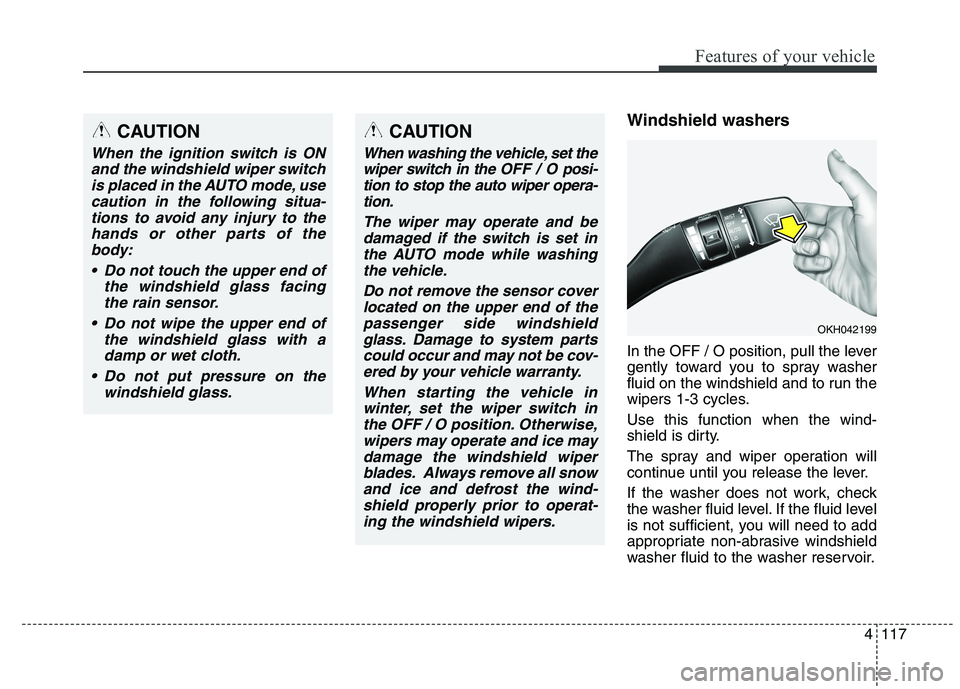
Windshield washers
In the OFF / O position, pull the lever
gently toward you to spray washer
fluid on the windshield and to run the
wipers 1-3 cycles. Use this function when the wind-
shield is dirty.
The spray and wiper operation will
continue until you release the lever.
If the washer does not work, check
the washer fluid level. If the fluid level
is not sufficient, you will need to add
appropriate non-abrasive windshield
washer fluid to the washer reservoir.CAUTION
When the ignition switch is ONand the windshield wiper switchis placed in the AUTO mode, use caution in the following situa-tions to avoid any injury to thehands or other parts of the body:
Do not touch the upper end of the windshield glass facingthe rain sensor.
Do not wipe the upper end of the windshield glass with adamp or wet cloth.
Do not put pressure on the windshield glass.
OKH042199
CAUTION
When washing the vehicle, set thewiper switch in the OFF / Oposi-
tion to stop the auto wiper opera- tion.
The wiper may operate and bedamaged if the switch is set inthe AUTO mode while washingthe vehicle.
Do not remove the sensor coverlocated on the upper end of the passenger side windshieldglass. Damage to system partscould occur and may not be cov- ered by your vehicle warranty.
When starting the vehicle inwinter, set the wiper switch inthe OFF / O position. Otherwise,wipers may operate and ice may damage the windshield wiperblades. Always remove all snowand ice and defrost the wind-shield properly prior to operat- ing the windshield wipers.
Page 201 of 486
Features of your vehicle
120
4
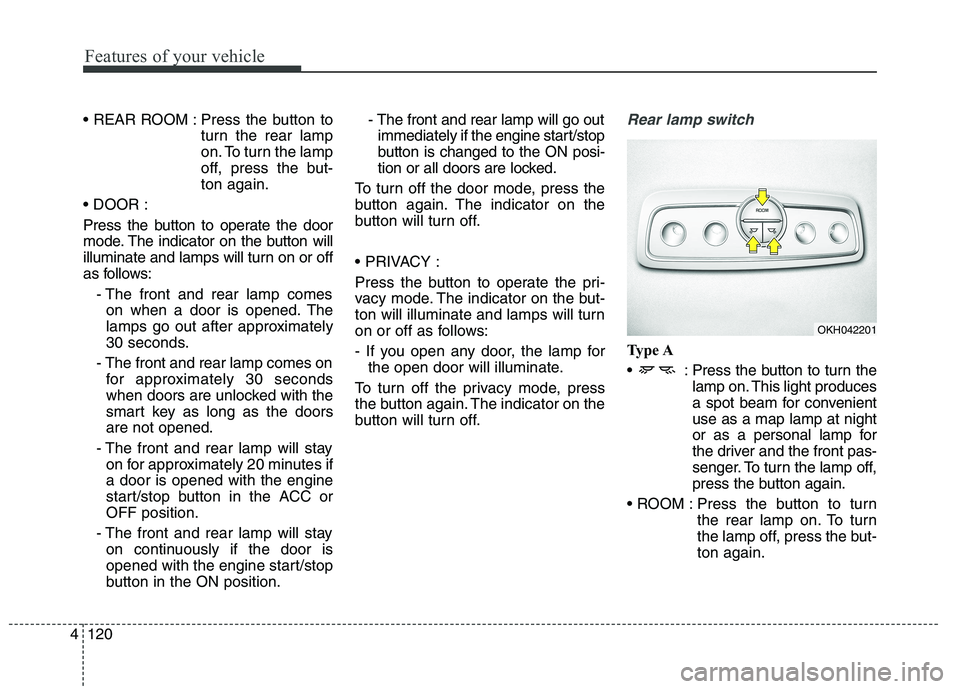
Press the button to
turn the rear lamp
on. To turn the lamp
off, press the but-ton again.
Press the button to operate the door
mode. The indicator on the button will
illuminate and lamps will turn on or off
as follows: - The front and rear lamp comeson when a door is opened. The
lamps go out after approximately
30 seconds.
- The front and rear lamp comes on for approximately 30 seconds
when doors are unlocked with the
smart key as long as the doorsare not opened.
- The front and rear lamp will stay on for approximately 20 minutes ifa door is opened with the engine
start/stop button in the ACC orOFF position.
- The front and rear lamp will stay on continuously if the door is
opened with the engine start/stop
button in the ON position. - The front and rear lamp will go out
immediately if the engine start/stop
button is changed to the ON posi-
tion or all doors are locked.
To turn off the door mode, press the
button again. The indicator on the
button will turn off.
Press the button to operate the pri-
vacy mode. The indicator on the but-
ton will illuminate and lamps will turn
on or off as follows:
- If you open any door, the lamp for the open door will illuminate.
To turn off the privacy mode, press
the button again. The indicator on the
button will turn off.Rear lamp switch
Type A
: Press the button to turn the lamp on. This light produces
a spot beam for convenientuse as a map lamp at night
or as a personal lamp for
the driver and the front pas-
senger. To turn the lamp off,
press the button again.
Press the button to turn the rear lamp on. To turn
the lamp off, press the but-ton again.
OKH042201
Page 202 of 486
4121
Features of your vehicle
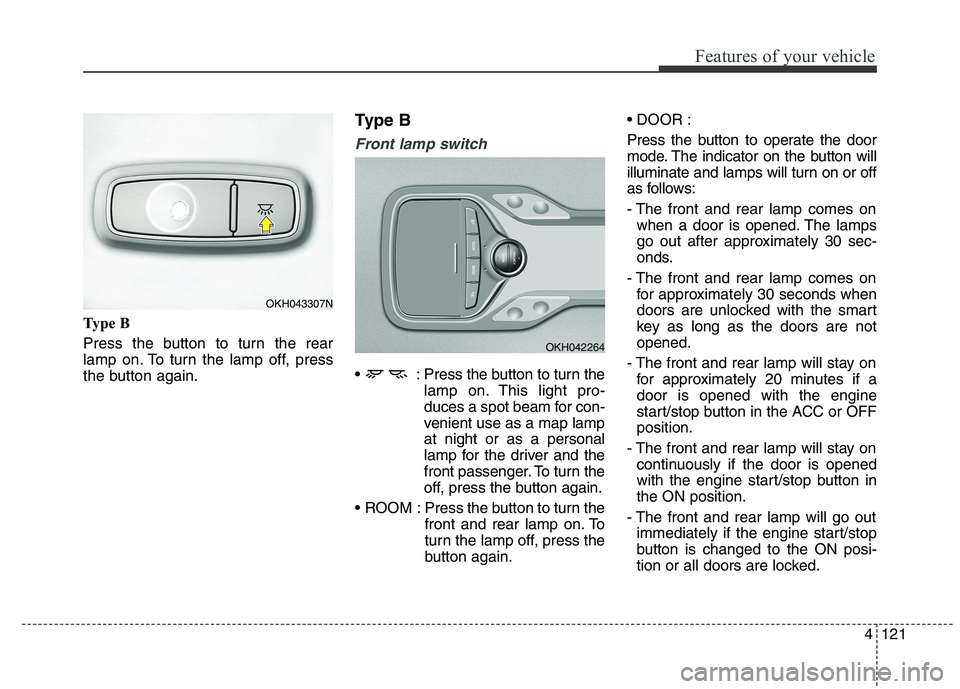
Type B
Press the button to turn the rear
lamp on. To turn the lamp off, press
the button again.Type B
Front lamp switch
: Press the button to turn the
lamp on. This light pro-
duces a spot beam for con-
venient use as a map lampat night or as a personal
lamp for the driver and the
front passenger. To turn the
off, press the button again.
ROOM : Press the button to turn the front and rear lamp on. To
turn the lamp off, press the
button again.
Press the button to operate the door
mode. The indicator on the button will
illuminate and lamps will turn on or off
as follows:
- The front and rear lamp comes on
when a door is opened. The lamps
go out after approximately 30 sec-
onds.
- The front and rear lamp comes on for approximately 30 seconds when
doors are unlocked with the smart
key as long as the doors are notopened.
- The front and rear lamp will stay on for approximately 20 minutes if adoor is opened with the engine
start/stop button in the ACC or OFFposition.
- The front and rear lamp will stay on continuously if the door is opened
with the engine start/stop button inthe ON position.
- The front and rear lamp will go out immediately if the engine start/stop
button is changed to the ON posi-
tion or all doors are locked.
OKH042264
OKH043307N
Page 216 of 486
4135
Features of your vehicle
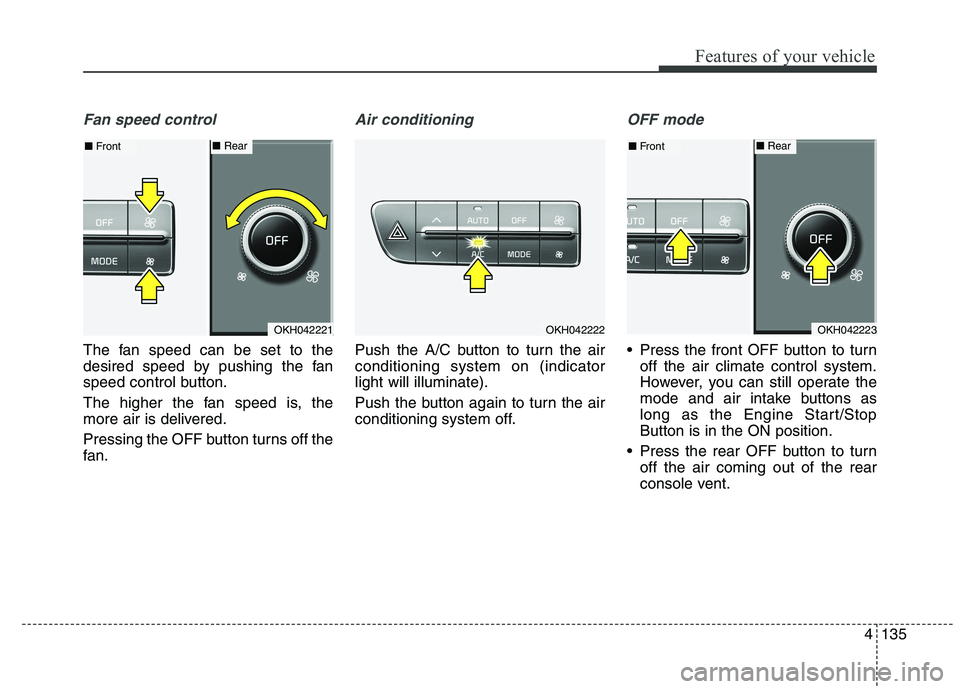
Fan speed control
The fan speed can be set to the
desired speed by pushing the fan
speed control button.
The higher the fan speed is, the
more air is delivered.
Pressing the OFF button turns off the
fan.
Air conditioning
Push the A/C button to turn the air conditioning system on (indicatorlight will illuminate).
Push the button again to turn the air
conditioning system off.
OFF mode
Press the front OFF button to turnoff the air climate control system.
However, you can still operate the
mode and air intake buttons as
long as the Engine Start/StopButton is in the ON position.
Press the rear OFF button to turn off the air coming out of the rear
console vent.
OKH042221
■Front■ Rear
OKH042222OKH042223
■Front■ Rear
Page 232 of 486
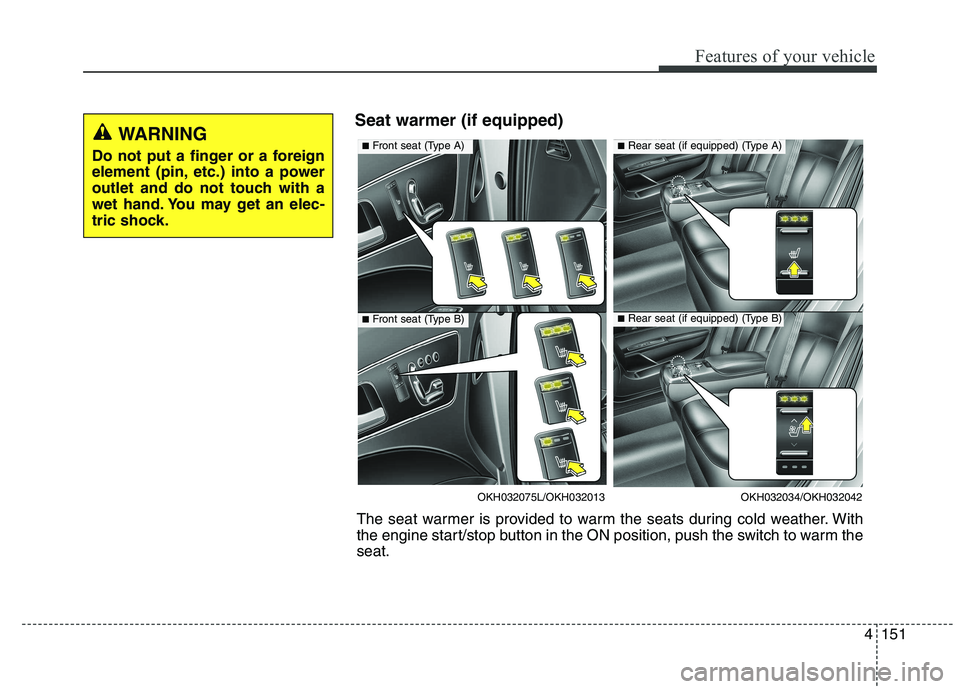
4151
Features of your vehicle
Seat warmer (if equipped)WARNING
Do not put a finger or a foreign
element (pin, etc.) into a power
outlet and do not touch with a
wet hand. You may get an elec-
tric shock.
OKH032034/OKH032042
■ Rear seat (if equipped) (Type A)
■Rear seat (if equipped) (Type B)
OKH032075L/OKH032013
■Front seat (Type A)
■Front seat (Type B)
The seat warmer is provided to warm the seats during cold weather. With
the engine start/stop button in the ON position, push the switch to warm theseat.
Page 233 of 486
Features of your vehicle
152
4
During mild weather or under condi-
tions where the operation of the seat
warmer is not needed, keep the
switches in the "OFF" position.
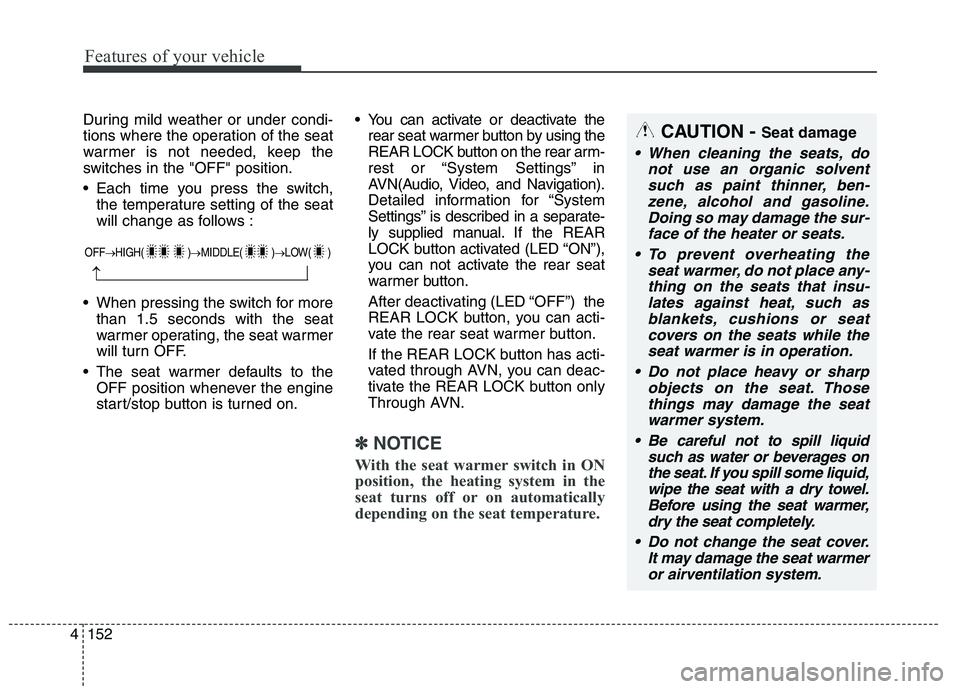
Each time you press the switch,
the temperature setting of the seat
will change as follows :
When pressing the switch for more than 1.5 seconds with the seat
warmer operating, the seat warmer
will turn OFF.
The seat warmer defaults to the OFF position whenever the engine
start/stop button is turned on. You can activate or deactivate the
rear seat warmer button by using the
REAR LOCK button on the rear arm-
rest or “System Settings” in
AVN(Audio, Video, and Navigation).
Detailed information for “System
Settings” is described in a separate-
ly supplied manual. If the REAR
LOCK button activated (LED “ON”),
you can not activate the rear seat
warmer button.
After deactivating (LED “OFF”) the
REAR LOCK button, you can acti-
vate the rear seat warmer button.
If the REAR LOCK button has acti-
vated through AVN, you can deac-
tivate the REAR LOCK button only
Through AVN.
✽✽ NOTICE
With the seat warmer switch in ON
position, the heating system in the
seat turns off or on automatically
depending on the seat temperature.
CAUTION - Seat damage
When cleaning the seats, do
not use an organic solventsuch as paint thinner, ben- zene, alcohol and gasoline.Doing so may damage the sur-face of the heater or seats.
To prevent overheating the seat warmer, do not place any-thing on the seats that insu-lates against heat, such asblankets, cushions or seat covers on the seats while theseat warmer is in operation.
Do not place heavy or sharp objects on the seat. Thosethings may damage the seat warmer system.
Be careful not to spill liquid such as water or beverages onthe seat. If you spill some liquid,wipe the seat with a dry towel. Before using the seat warmer,dry the seat completely.
Do not change the seat cover. It may damage the seat warmeror airventilation system.
OFF HIGH( ) MIDDLE( ) LOW( )
Page 240 of 486
4159
Features of your vehicle
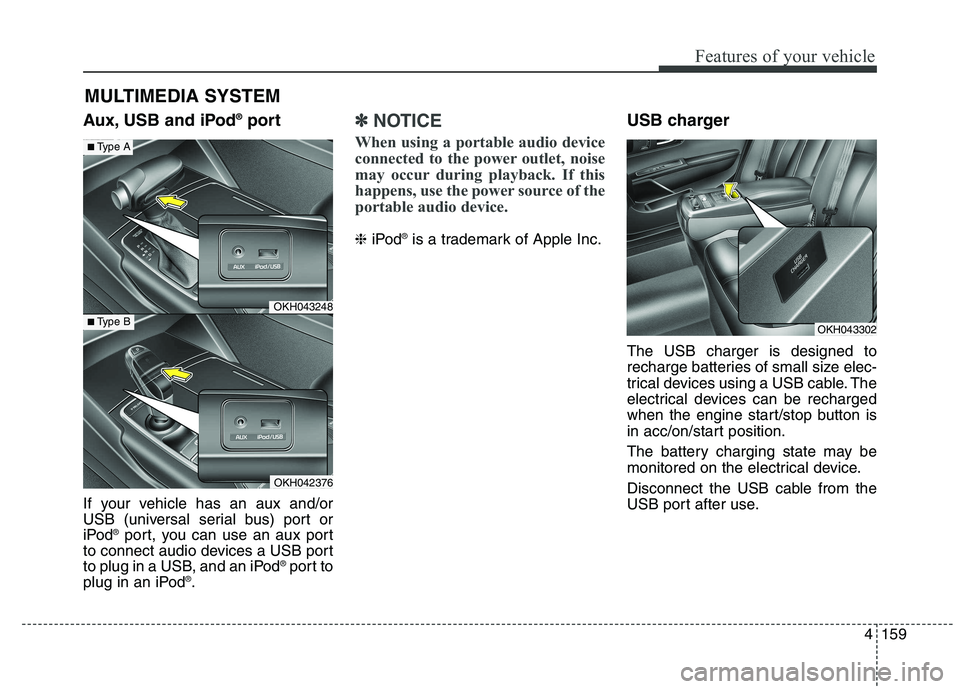
Aux, USB and iPod®
port
If your vehicle has an aux and/or
USB (universal serial bus) port or
iPod ®
port, you can use an aux port
to connect audio devices a USB port
to plug in a USB, and an iPod ®
port to
plug in an iPod ®
.✽✽ NOTICE
When using a portable audio device
connected to the power outlet, noise
may occur during playback. If this
happens, use the power source of the
portable audio device.
❈ iPod ®
is a trademark of Apple Inc. USB charger The USB charger is designed to
recharge batteries of small size elec-
trical devices using a USB cable. The
electrical devices can be recharged
when the engine start/stop button is
in acc/on/start position.
The battery charging state may be
monitored on the electrical device.
Disconnect the USB cable from the
USB port after use.
MULTIMEDIA SYSTEM
OKH043248
OKH042376
■
Type A
■Type BOKH043302
Page 245 of 486
Driving your vehicle
Before driving . . . . . . . . . . . . . . . . . . . . . . . . . . . . . . 5-3
Engine start/stop button . . . . . . . . . . . . . . . . . . . . . 5-5
Automatic transmission (shift by cable). . . . . . . . 5-10• Automatic transmission operation . . . . . . . . . . . . . . . 5-10
Automatic transmission (shift by wire) . . . . . . . . 5-17 . . . . . . . . . . . . . . . 5-17
Brake system . . . . . . . . . . . . . . . . . . . . . . . . . . . . . 5-29 . . . . . . . . . . . . . . . . . . . . . . . . . . . . . . . 5-29
. . . . . . . . . . . . . . . . . . 5-32
. . . . . . . . . . . . . . . . . . 5-34
. . . . . . . . . . . . . . . . . . . . . . . . . . . 5-39
. . . . . . . . . . . . . . . . . . . . . . . . . . . . . . . . . . . 5-40
. . . . . . . . . . . . . . . 5-44
. . . . . . . . . . . . . . . . . . 5-48
AVSM. . . . . . . . . . . . . . . . . . . . . . . . . . . . . . . . . . . . 5-50
Drive mode integrated control system . . . . . . . . . 5-54
Electronic controlled suspension (ECS) . . . . . . . . 5-57
Advanced smart cruise control system. . . . . . . . . 5-65
Lane departure warning system (LDWS) . . . . . . 5-80
Blind spot detection system (BSD) . . . . . . . . . . . . 5-84
Economical operation . . . . . . . . . . . . . . . . . . . . . . 5-92
Special driving conditions . . . . . . . . . . . . . . . . . . 5-94 . . . . . . . . . . . . . . . . . 5-94
. . . . . . . . . . . . . . . . . . . . . . . . . . 5-94 . . . . . . . . . . . . . . . . . . . . . . . . . . . . 5-95
. . . . . . . . . . . . . . . . . . . . . . . . . . . . . 5-96
. . . . . . . . . . . . . . . . . . . . . . . . . . . . 5-96
. . . . . . . . . . . . . . . . . . . . . . 5-97
. . . . . . . . . . . . . . . . . . . . . . . . . . . . . . 5-97
. . . . . . . . . . . . . . . . . . . . . . . . . . . . . 5-97
. . . . . . . . . . . . . . . . . . . . . . . 5-99
Winter driving . . . . . . . . . . . . . . . . . . . . . . . . . . . . 5-99
Vehicle weight . . . . . . . . . . . . . . . . . . . . . . . . . . . . 5-103 . . . . . . . . . . . . . . . . . . . . . . . . . . . 5-103
. . . . . . . . . . . . . . . . . . . . . . . . . . 5-103
. . . . . . . . . . . . . . . . . . . . . . . . . . . . . . . 5-103
. . . . . . . . . . . . . . . . . . . . . . 5-103
. . . . . . . . . . . . . . . . . . . . 5-103
. . . . . . . . . . . . . 5-103
. . . . . . . . . . . . . . . . . . . . . . . . . . . . . . . . 5-103
5
Page 249 of 486
55
Driving your vehicle
ENGINE START/STOP BUTTON
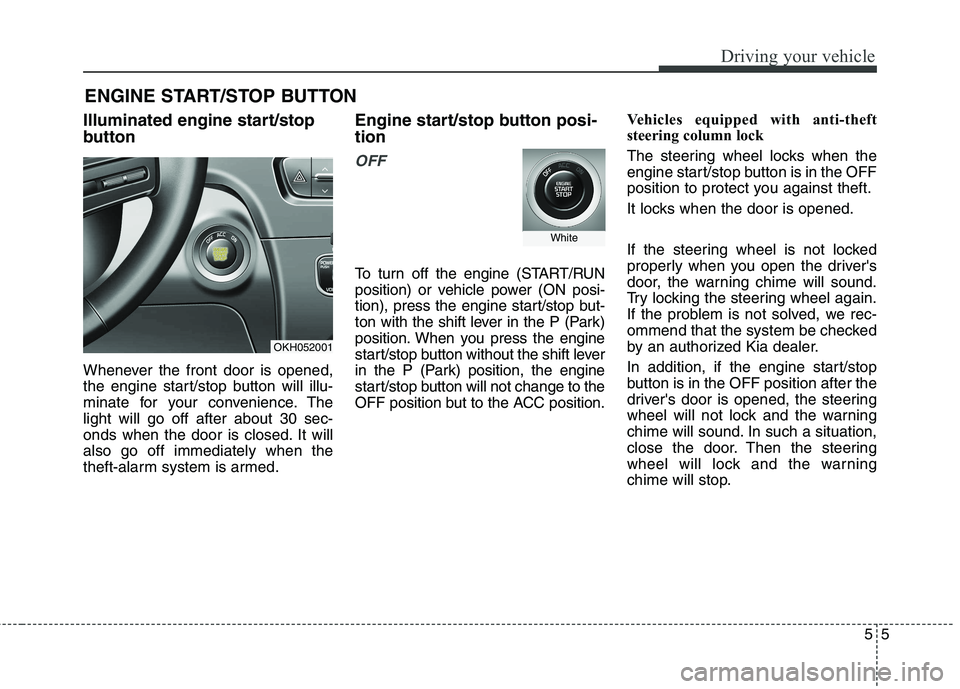
Illuminated engine start/stop
button
Whenever the front door is opened,
the engine start/stop button will illu-
minate for your convenience. Thelight will go off after about 30 sec-
onds when the door is closed. It willalso go off immediately when the
theft-alarm system is armed. Engine start/stop button posi- tion
OFF
To turn off the engine (START/RUN
position) or vehicle power (ON posi-
tion), press the engine start/stop but-
ton with the shift lever in the P (Park)
position. When you press the engine
start/stop button without the shift lever
in the P (Park) position, the engine
start/stop button will not change to the
OFF position but to the ACC position.
Vehicles equipped with anti-theft
steering column lock
The steering wheel locks when the
engine start/stop button is in the OFF
position to protect you against theft.
It locks when the door is opened.
If the steering wheel is not locked
properly when you open the driver's
door, the warning chime will sound.
Try locking the steering wheel again.
If the problem is not solved, we rec-
ommend that the system be checked
by an authorized Kia dealer.
In addition, if the engine start/stop
button is in the OFF position after the
driver's door is opened, the steering
wheel will not lock and the warning
chime will sound. In such a situation,
close the door. Then the steering
wheel will lock and the warning
chime will stop.
OKH052001
White
Page 250 of 486
Driving your vehicle
6
5
✽✽
NOTICE
If the steering wheel doesn't unlock
properly, the engine start/stop but-
ton will not work. Press the engine
start/stop button while turning the
steering wheel right and left to
release the tension.
✽
✽
NOTICE
You are able to turn off the engine
(START/RUN) or vehicle power (ON),
only when the vehicle is not in motion.
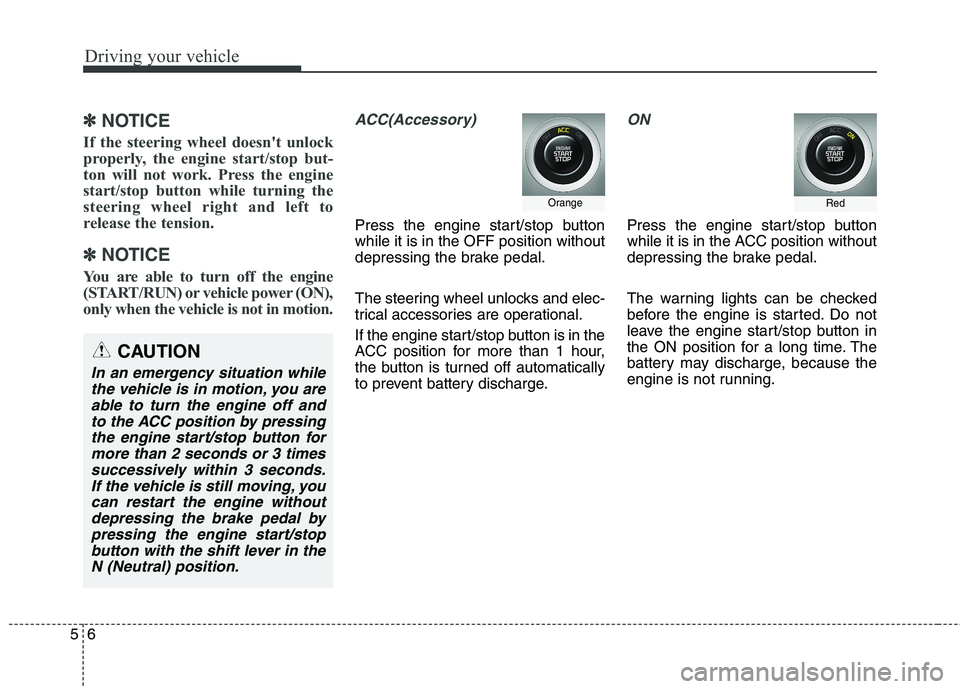
ACC(Accessory)
Press the engine start/stop button while it is in the OFF position without
depressing the brake pedal.
The steering wheel unlocks and elec-
trical accessories are operational.
If the engine start/stop button is in the
ACC position for more than 1 hour,
the button is turned off automatically
to prevent battery discharge.
ON
Press the engine start/stop button
while it is in the ACC position without
depressing the brake pedal.
The warning lights can be checked
before the engine is started. Do not
leave the engine start/stop button in
the ON position for a long time. The
battery may discharge, because the
engine is not running.
Orange
CAUTION
In an emergency situation while the vehicle is in motion, you areable to turn the engine off and to the ACC position by pressingthe engine start/stop button formore than 2 seconds or 3 times successively within 3 seconds.If the vehicle is still moving, youcan restart the engine withoutdepressing the brake pedal by pressing the engine start/stopbutton with the shift lever in theN (Neutral) position.
Red