brake KIA QUORIS 2015 Repair Manual
[x] Cancel search | Manufacturer: KIA, Model Year: 2015, Model line: QUORIS, Model: KIA QUORIS 2015Pages: 486, PDF Size: 35.55 MB
Page 295 of 486
551
Driving your vehicle
Brake operating
If the AVSM senses the collision,the brake system comes to stan- dard mode to react promptly when
the driver operates the brake pedal.
If the driver releases the accelera- tor after warning in hazardous situ-
ations, the AVSM automatically
brakes the vehicle gently.
If the driver hits the brake to reduce vehicle speed, the brake assistant
system operates to raise efficiency
of braking.
If danger disappears, if the driver depresses the accelerator or if the
driver releases the brake pedal,
the brake operating stop.
Seat belt operating (if equipped)
The seat belt tightens when the vehi- cle senses a collision.
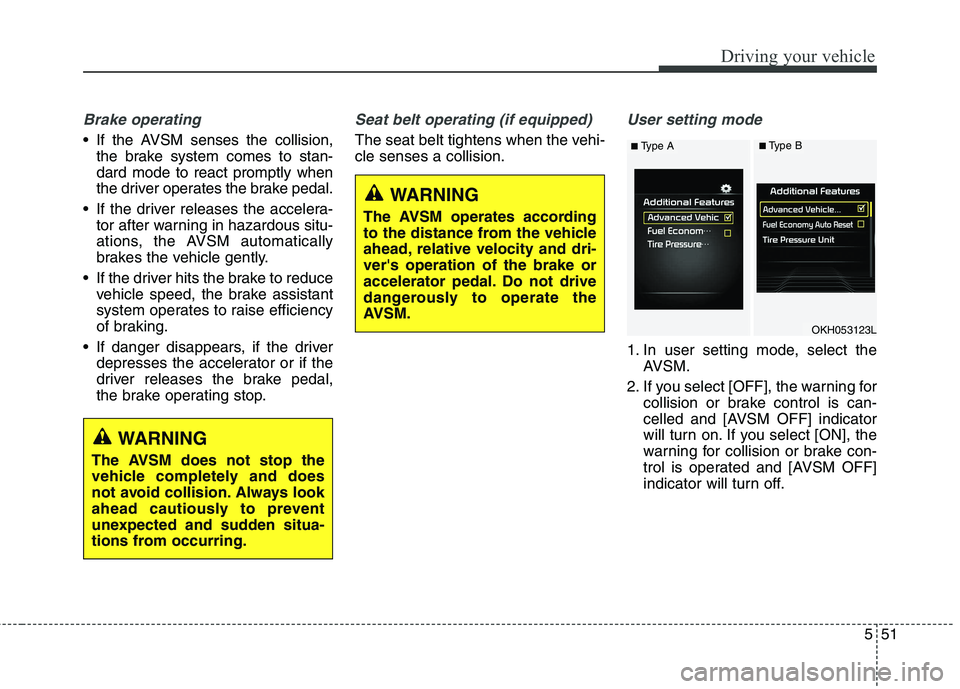
User setting mode
1. In user setting mode, select the AVSM.
2. If you select [OFF], the warning for collision or brake control is can-
celled and [AVSM OFF] indicator
will turn on. If you select [ON], the
warning for collision or brake con-
trol is operated and [AVSM OFF]
indicator will turn off.
WARNING
The AVSM does not stop the
vehicle completely and does
not avoid collision. Always look
ahead cautiously to prevent
unexpected and sudden situa-
tions from occurring.
WARNING
The AVSM operates according
to the distance from the vehicle
ahead, relative velocity and dri-ver's operation of the brake or
accelerator pedal. Do not drive
dangerously to operate the
AVSM.
OKH053123L
■ Type A■Type B
Page 296 of 486
Driving your vehicle
52
5
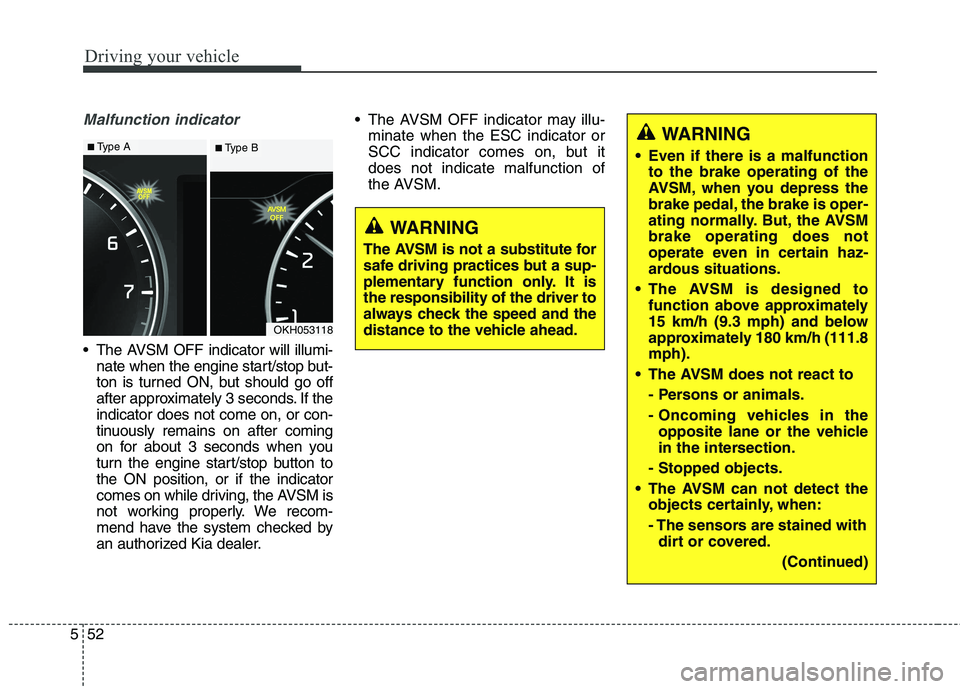
Malfunction indicator
The AVSM OFF indicator will illumi-
nate when the engine start/stop but-
ton is turned ON, but should go off
after approximately 3 seconds. If theindicator does not come on, or con-
tinuously remains on after coming
on for about 3 seconds when you
turn the engine start/stop button tothe ON position, or if the indicator
comes on while driving, the AVSM is
not working properly. We recom-
mend have the system checked by
an authorized Kia dealer. The AVSM OFF indicator may illu-
minate when the ESC indicator or
SCC indicator comes on, but itdoes not indicate malfunction of
the AVSM.
OKH053118
WARNING
The AVSM is not a substitute for
safe driving practices but a sup-
plementary function only. It isthe responsibility of the driver to
always check the speed and the
distance to the vehicle ahead.
WARNING
Even if there is a malfunction to the brake operating of the
AVSM, when you depress the
brake pedal, the brake is oper-
ating normally. But, the AVSMbrake operating does not
operate even in certain haz-
ardous situations.
The AVSM is designed to function above approximately
15 km/h (9.3 mph) and below
approximately 180 km/h (111.8mph).
The AVSM does not react to
- Persons or animals.
- Oncoming vehicles in theopposite lane or the vehicle
in the intersection.
- Stopped objects.
The AVSM can not detect the objects certainly, when:
- The sensors are stained withdirt or covered.
(Continued)■Type A■ Type B
Page 297 of 486
553
Driving your vehicle
(Continued)- There is heavy rain or heavysnow.
- There is interference by elec- tromagnetic waves.
- There are strong radar reflections.
- Driving in curve.
- Driving uphill or downhill.
- Driving in areas under con- struction.
- The object ahead is very nar- row such as motorcycles or
bicycles.
- The vehicle cuts in suddenly.
The AVSM brake operating does not operates, if the driv-er does not release the accel-erator pedal or does not oper-ate the brake pedal.
Page 305 of 486
561
Driving your vehicle
✽✽NOTICE
During normal cruise control oper- ation, when the SET switch is acti-
vated or reactivated after applying
the brakes, the cruise control will
energize after approximately 3 sec-
onds. This delay is normal.
To activate cruise control, depress the brake pedal at least once after
turning the ignition switch to the
ON position or starting the engine.
This is to check if the brake switch
which is important part to cancel
cruise control is in normal condi-
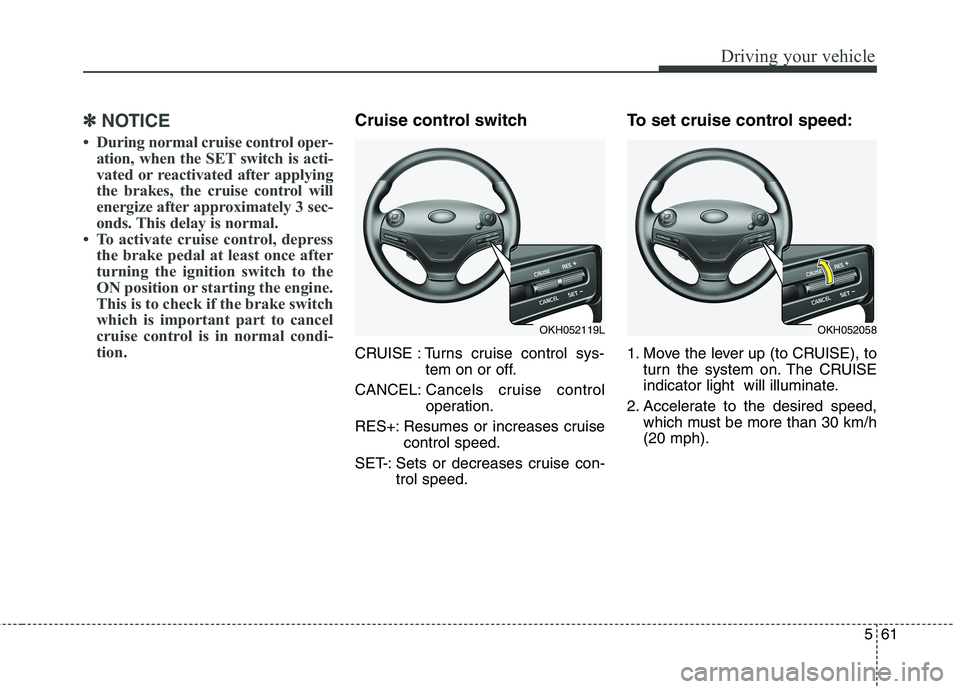
tion.Cruise control switch
CRUISE : Turns cruise control sys- tem on or off.
CANCEL: Cancels cruise control
operation.
RES+: Resumes or increases cruise control speed.
SET-: Sets or decreases cruise con- trol speed. To set cruise control speed:
1. Move the lever up (to CRUISE), to
turn the system on. The CRUISE
indicator light will illuminate.
2. Accelerate to the desired speed, which must be more than 30 km/h(20 mph).
OKH052119LOKH052058
Page 307 of 486
563
Driving your vehicle
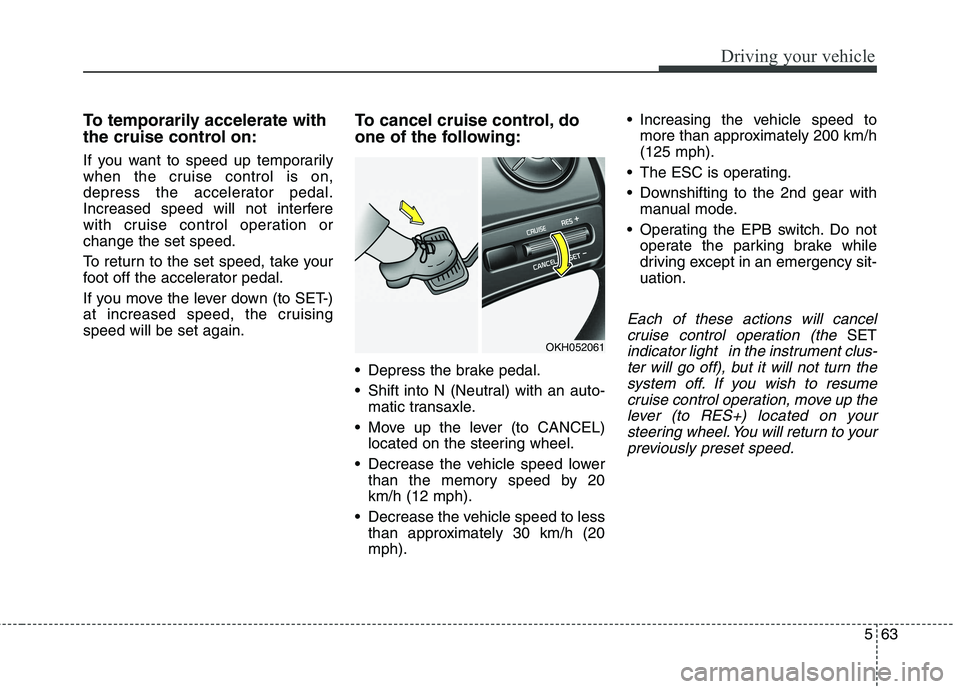
To temporarily accelerate with
the cruise control on:
If you want to speed up temporarily
when the cruise control is on,
depress the accelerator pedal.
Increased speed will not interfere
with cruise control operation orchange the set speed.
To return to the set speed, take your
foot off the accelerator pedal.
If you move the lever down (to SET-)
at increased speed, the cruisingspeed will be set again.To cancel cruise control, do
one of the following:
Depress the brake pedal.
Shift into N (Neutral) with an auto-
matic transaxle.
Move up the lever (to CANCEL) located on the steering wheel.
Decrease the vehicle speed lower than the memory speed by 20 km/h (12 mph).
Decrease the vehicle speed to less than approximately 30 km/h (20mph). Increasing the vehicle speed to
more than approximately 200 km/h(125 mph).
The ESC is operating.
Downshifting to the 2nd gear with manual mode.
Operating the EPB switch. Do not operate the parking brake while
driving except in an emergency sit-uation.
Each of these actions will cancel
cruise control operation (the
SET
indicator light in the instrument clus-ter will go off), but it will not turn thesystem off. If you wish to resumecruise control operation, move up the lever (to RES+) located on yoursteering wheel. You will return to yourpreviously preset speed.OKH052061
Page 309 of 486
565
Driving your vehicle
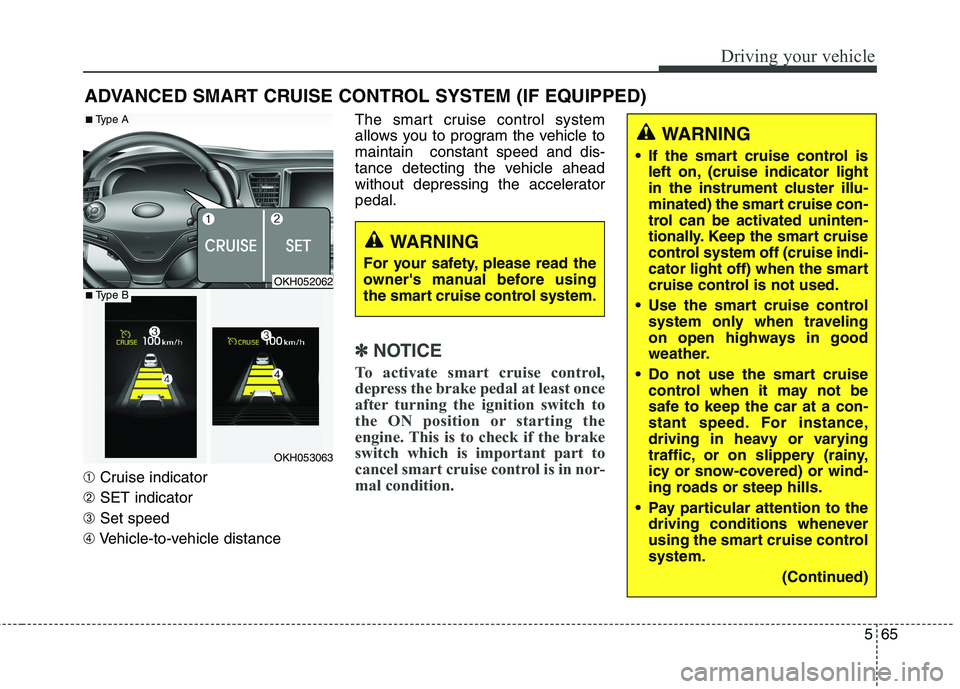
➀Cruise indicator
➁ SET indicator
➂ Set speed
➃ Vehicle-to-vehicle distance The smart cruise control system
allows you to program the vehicle tomaintain constant speed and dis-
tance detecting the vehicle ahead
without depressing the acceleratorpedal.
✽✽
NOTICE
To activate smart cruise control,
depress the brake pedal at least once
after turning the ignition switch to
the ON position or starting the
engine. This is to check if the brake
switch which is important part to
cancel smart cruise control is in nor-
mal condition.
ADVANCED SMART CRUISE CONTROL SYSTEM (IF EQUIPPED)
WARNING
If the smart cruise control is left on, (cruise indicator light
in the instrument cluster illu-
minated) the smart cruise con-
trol can be activated uninten-
tionally. Keep the smart cruise
control system off (cruise indi-
cator light off) when the smart
cruise control is not used.
Use the smart cruise control system only when traveling
on open highways in good
weather.
Do not use the smart cruise control when it may not be
safe to keep the car at a con-
stant speed. For instance,
driving in heavy or varying
traffic, or on slippery (rainy,
icy or snow-covered) or wind-
ing roads or steep hills.
Pay particular attention to the driving conditions whenever
using the smart cruise controlsystem.
(Continued)
WARNING
For your safety, please read the
owner's manual before using
the smart cruise control system.
OKH052062
OKH053063
■ Type A
■Type B
Page 312 of 486
Driving your vehicle
68
5
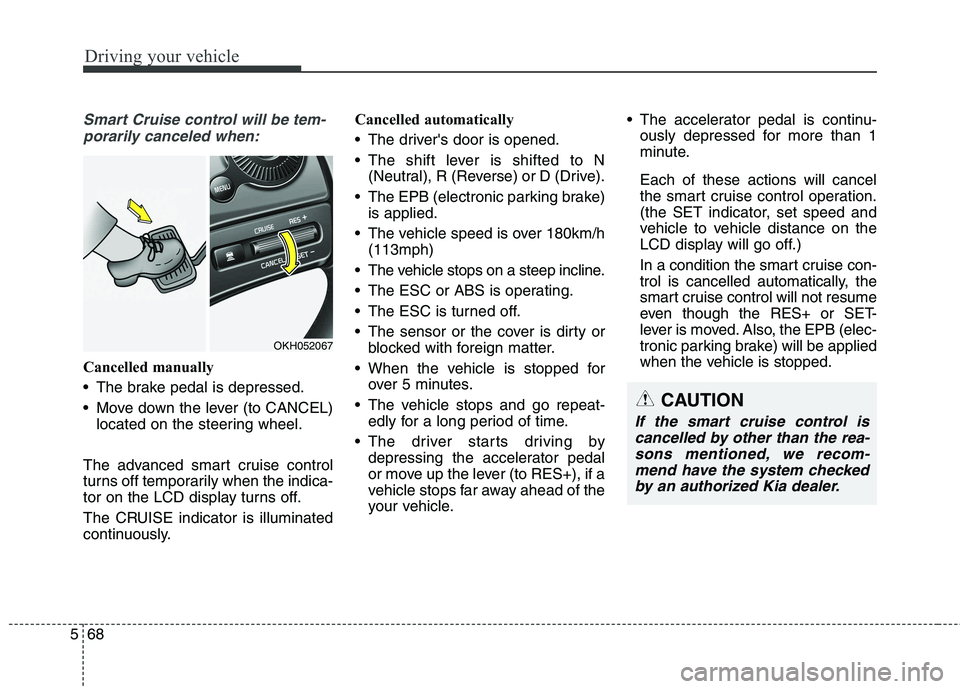
Smart Cruise control will be tem-
porarily canceled when:
Cancelled manually
The brake pedal is depressed.
Move down the lever (to CANCEL) located on the steering wheel.
The advanced smart cruise control
turns off temporarily when the indica-
tor on the LCD display turns off.
The CRUISE indicator is illuminated
continuously. Cancelled automatically
The driver's door is opened.
The shift lever is shifted to N
(Neutral), R (Reverse) or D (Drive).
The EPB (electronic parking brake) is applied.
The vehicle speed is over 180km/h (113mph)
The vehicle stops on a steep incline.
The ESC or ABS is operating.
The ESC is turned off.
The sensor or the cover is dirty or blocked with foreign matter.
When the vehicle is stopped for over 5 minutes.
The vehicle stops and go repeat- edly for a long period of time.
The driver starts driving by depressing the accelerator pedal
or move up the lever (to RES+), if a
vehicle stops far away ahead of the
your vehicle. The accelerator pedal is continu-
ously depressed for more than 1
minute. Each of these actions will cancel
the smart cruise control operation.
(the SET indicator, set speed and
vehicle to vehicle distance on the
LCD display will go off.)
In a condition the smart cruise con- trol is cancelled automatically, the
smart cruise control will not resume
even though the RES+ or SET-
lever is moved. Also, the EPB (elec-
tronic parking brake) will be applied
when the vehicle is stopped.
CAUTION
If the smart cruise control is
cancelled by other than the rea-sons mentioned, we recom-mend have the system checked by an authorized Kia dealer.
OKH052067
Page 313 of 486
569
Driving your vehicle
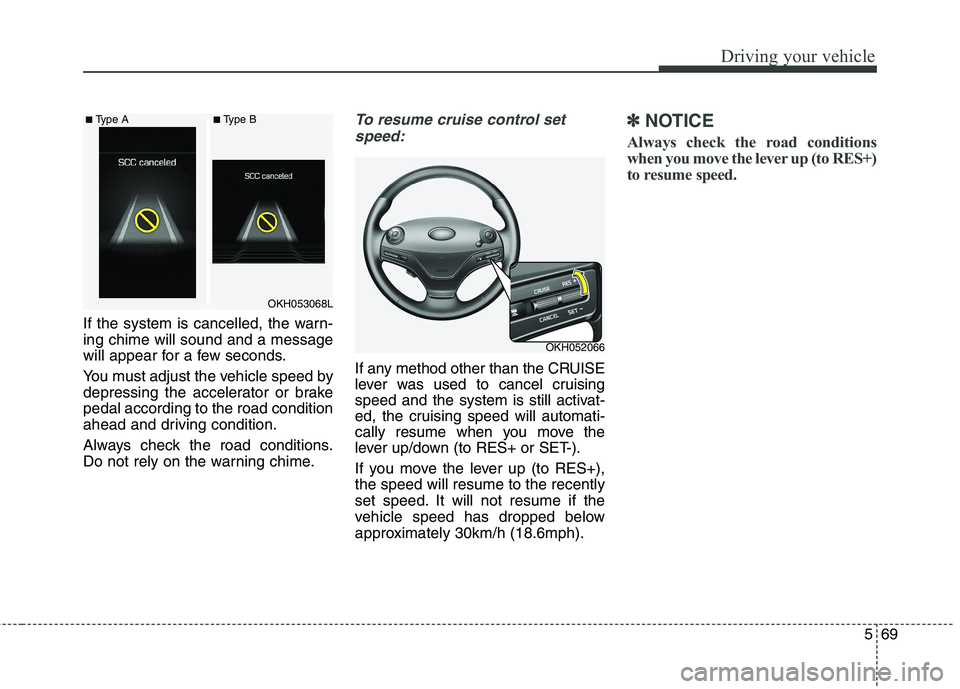
If the system is cancelled, the warn- ing chime will sound and a message
will appear for a few seconds.
You must adjust the vehicle speed by
depressing the accelerator or brakepedal according to the road condition
ahead and driving condition.
Always check the road conditions.
Do not rely on the warning chime.
To resume cruise control setspeed:
If any method other than the CRUISE
lever was used to cancel cruising
speed and the system is still activat-
ed, the cruising speed will automati-
cally resume when you move the
lever up/down (to RES+ or SET-).
If you move the lever up (to RES+), the speed will resume to the recently
set speed. It will not resume if the
vehicle speed has dropped below
approximately 30km/h (18.6mph).
✽✽ NOTICE
Always check the road conditions
when you move the lever up (to RES+)
to resume speed.
OKH052066
OKH053068L
■
Type A ■Type B
Page 314 of 486
Driving your vehicle
70
5
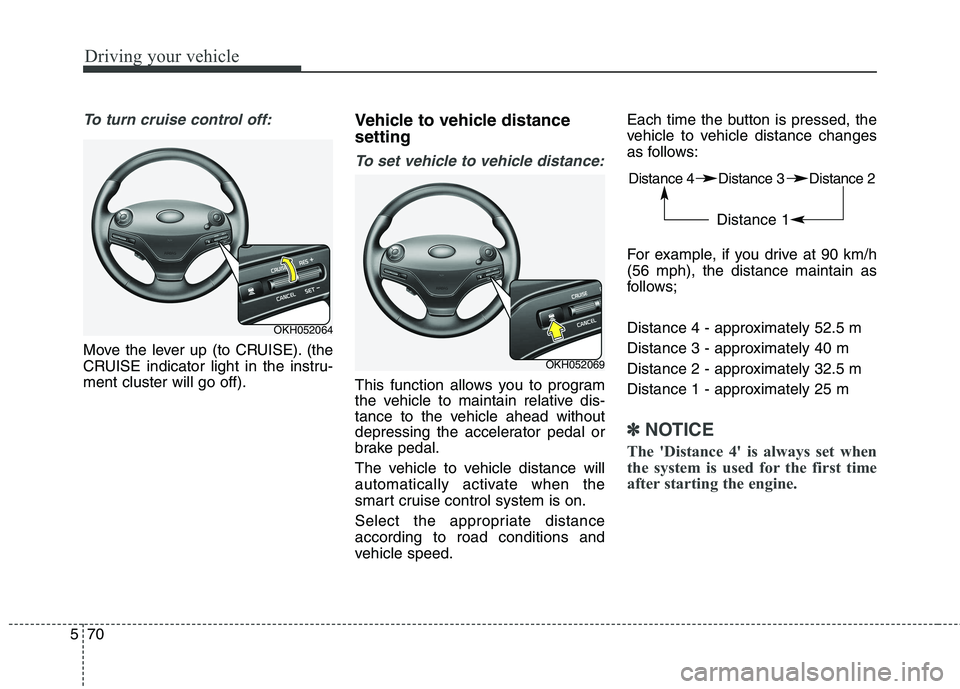
To turn cruise control off:
Move the lever up (to CRUISE). (the
CRUISE indicator light in the instru-ment cluster will go off). Vehicle to vehicle distance setting
To set vehicle to vehicle distance:
This function allows you to program
the vehicle to maintain relative dis-
tance to the vehicle ahead without
depressing the accelerator pedal or
brake pedal.
The vehicle to vehicle distance will
automatically activate when the
smart cruise control system is on.
Select the appropriate distance according to road conditions and
vehicle speed.Each time the button is pressed, the
vehicle to vehicle distance changes
as follows:
For example, if you drive at 90 km/h (56 mph), the distance maintain as
follows;
Distance 4 - approximately 52.5 m
Distance 3 - approximately 40 m
Distance 2 - approximately 32.5 m
Distance 1 - approximately 25 m
✽✽
NOTICE
The 'Distance 4' is always set when
the system is used for the first time
after starting the engine.
OKH052064
OKH052069 Distance 4 Distance 3 Distance 2
Distance 1
Page 315 of 486
571
Driving your vehicle
■Type A■Type B
Distance 4 Distance 3
Distance 2 Distance 1
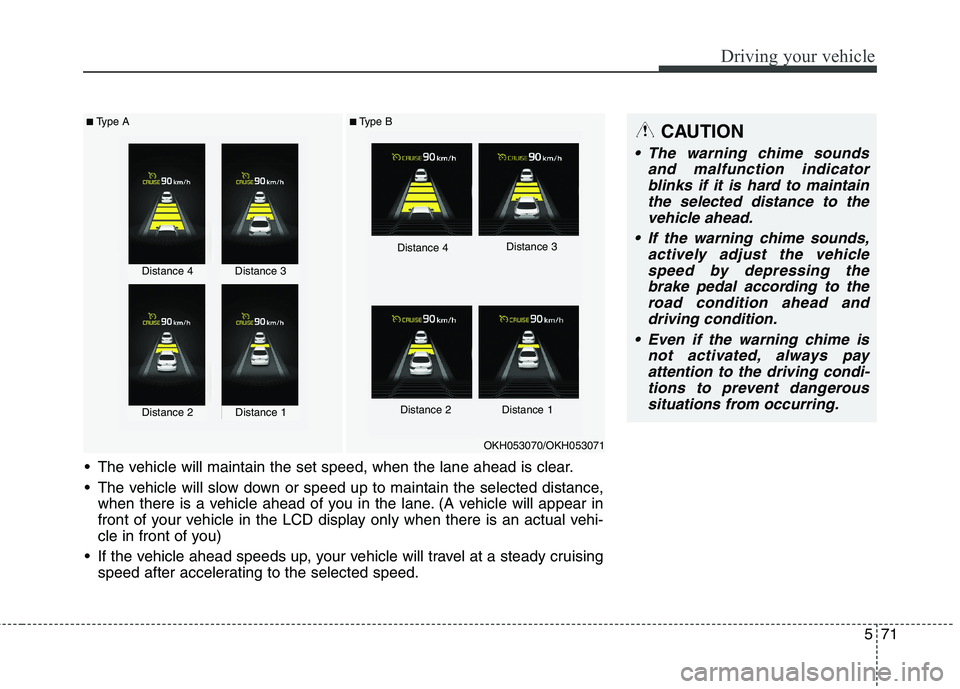
The vehicle will maintain the set speed, when the lane ahead is clear.
The vehicle will slow down or speed up to maintain the selected distance, when there is a vehicle ahead of you in the lane. (A vehicle will appear in
front of your vehicle in the LCD display only when there is an actual vehi-
cle in front of you)
If the vehicle ahead speeds up, your vehicle will travel at a steady cruising speed after accelerating to the selected speed.
OKH053070/OKH053071
CAUTION
The warning chime sounds
and malfunction indicatorblinks if it is hard to maintain the selected distance to thevehicle ahead.
If the warning chime sounds, actively adjust the vehiclespeed by depressing the brake pedal according to theroad condition ahead anddriving condition.
Even if the warning chime is not activated, always payattention to the driving condi-tions to prevent dangeroussituations from occurring.
Distance 4Distance 3
Distance 2Distance 1