cruise control KIA QUORIS 2015 Owners Manual
[x] Cancel search | Manufacturer: KIA, Model Year: 2015, Model line: QUORIS, Model: KIA QUORIS 2015Pages: 486, PDF Size: 35.55 MB
Page 14 of 486
Your vehicle at a glance
6
2
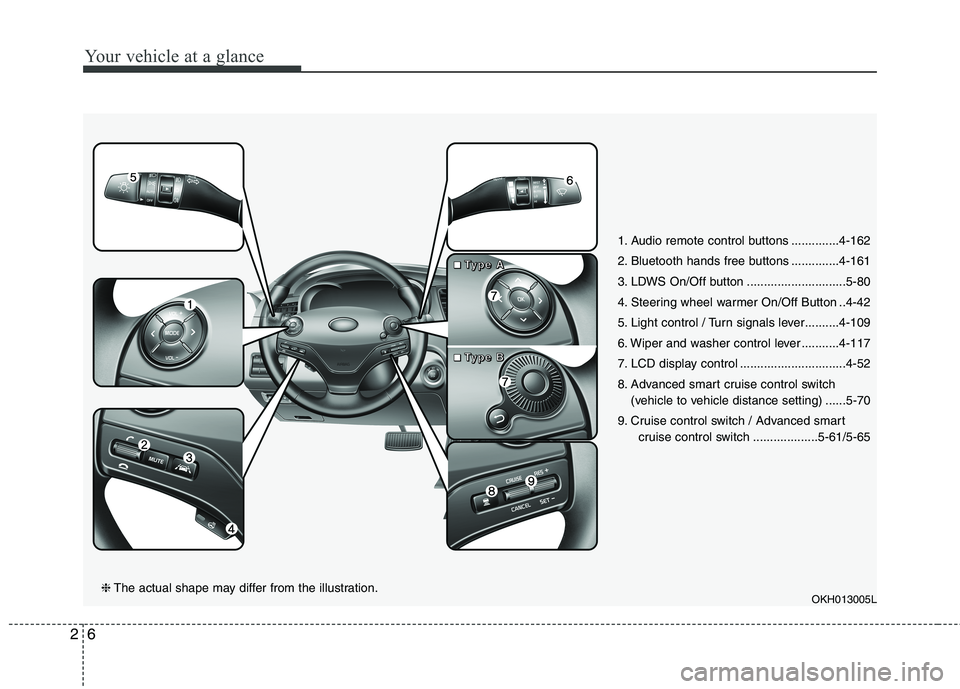
1. Audio remote control buttons ..............4-162
2. Bluetooth hands free buttons ..............4-161
3. LDWS On/Off button .............................5-80
4. Steering wheel warmer On/Off Button ..4-42
5. Light control / Turn signals lever..........4-109
6. Wiper and washer control lever ...........4-117
7. LCD display control ...............................4-52
8. Advanced smart cruise control switch
(vehicle to vehicle distance setting) ......5-70
9. Cruise control switch / Advanced smart cruise control switch ...................5-61/5-65
OKH013005L
❈The actual shape may differ from the illustration.
■■■■TTTTyyyyppppeeee AAAA
■■■■TTTTyyyyppppeeee BBBB
Page 138 of 486
457
Features of your vehicle
LCD ModesLCD DISPLAY
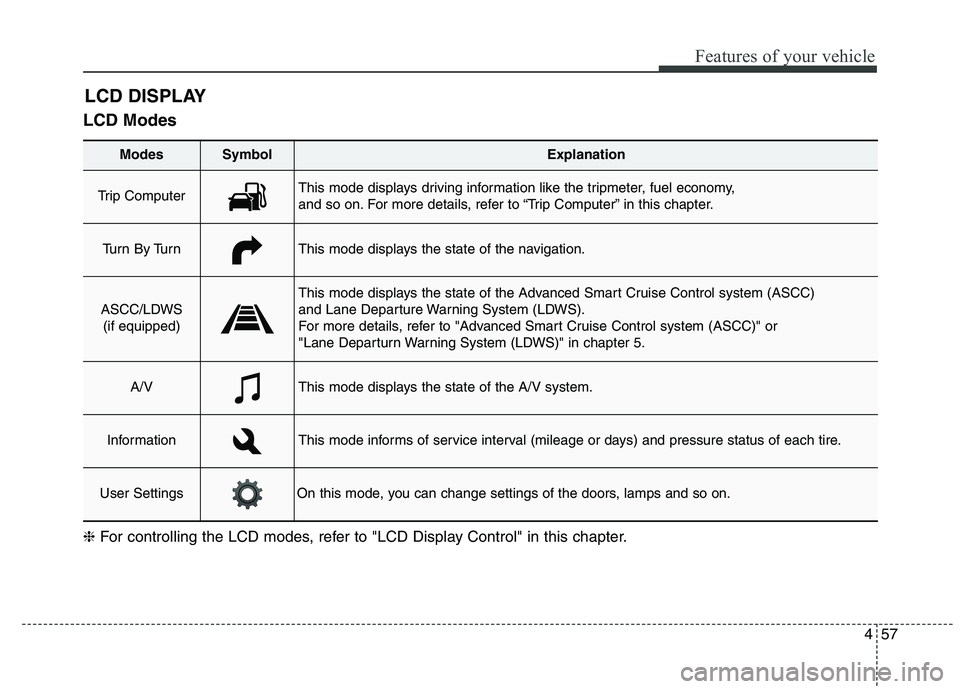
Modes SymbolExplanation
Trip Computer This mode displays driving information like the tripmeter, fuel economy,
and so on. For more details, refer to “Trip Computer” in this chapter.
Tu r n B y Tu r nThis mode displays the state of the navigation.
ASCC/LDWS
(if equipped)
This mode displays the state of the Advanced Smart Cruise Control system (ASCC)
and Lane Departure Warning System (LDWS).
For more details, refer to "Advanced Smart Cruise Control system (ASCC)" or
"Lane Departurn Warning System (LDWS)" in chapter 5.
A/VThis mode displays the state of the A/V system.
InformationThis mode informs of service interval (mileage or days) and pressure status of each tire.
User SettingsOn this mode, you can change settings of the doors, lamps and so on.
❈ For controlling the LCD modes, refer to "LCD Display Control" in this chapter.
Page 139 of 486
Features of your vehicle
58
4
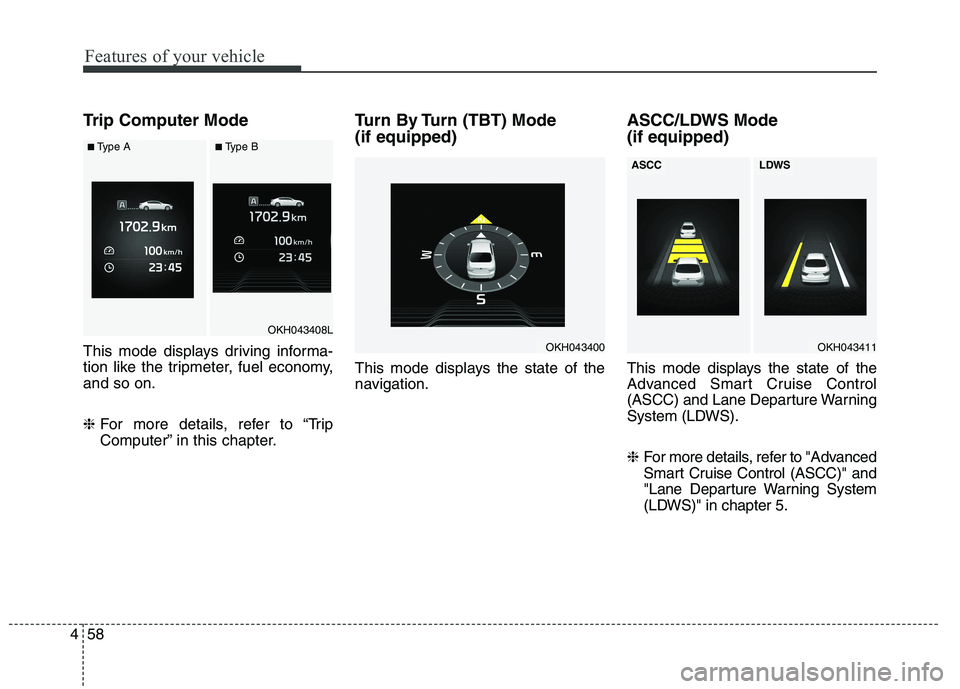
Trip Computer Mode
This mode displays driving informa-
tion like the tripmeter, fuel economy,and so on. ❈ For more details, refer to “Trip
Computer” in this chapter. Turn By Turn (TBT) Mode (if equipped)
This mode displays the state of the
navigation.
ASCC/LDWS Mode (if equipped)
This mode displays the state of the
Advanced Smart Cruise Control
(ASCC) and Lane Departure Warning
System (LDWS). ❈
For more details, refer to "Advanced
Smart Cruise Control (ASCC)" and
"Lane Departure Warning System
(LDWS)" in chapter 5.
OKH043400
OKH043408L
■Type A■Type B
OKH043411
ASCCLDWS
Page 142 of 486
461
Features of your vehicle
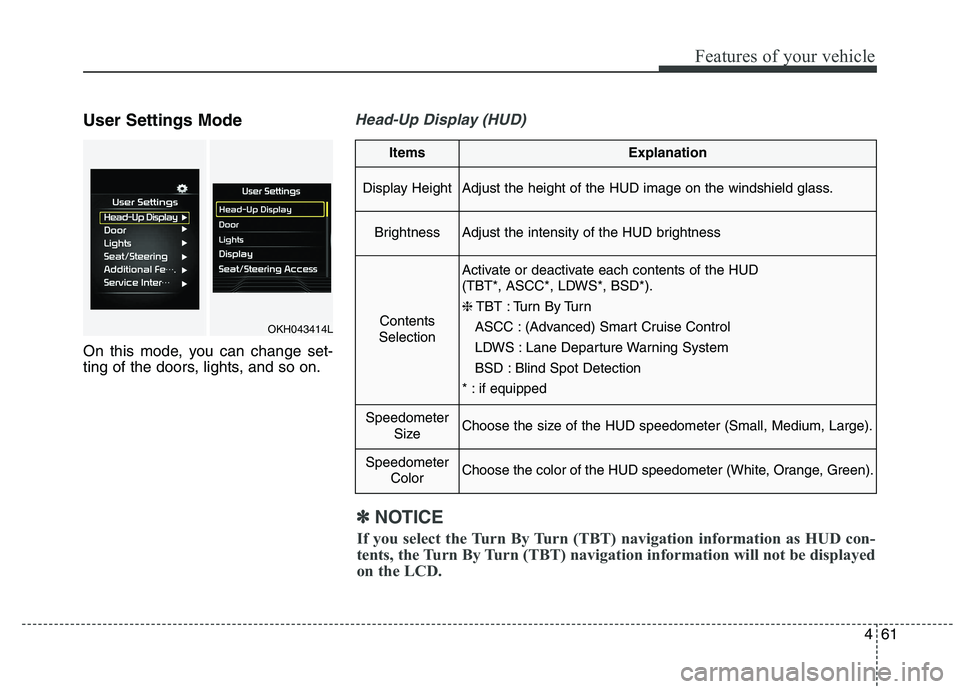
User Settings Mode
On this mode, you can change set-
ting of the doors, lights, and so on.Head-Up Display (HUD)
ItemsExplanation
Display HeightAdjust the height of the HUD image on the windshield glass.
BrightnessAdjust the intensity of the HUD brightness
Contents
Selection
Activate or deactivate each contents of the HUD
(TBT*, ASCC*, LDWS*, BSD*). ❈ TBT : Turn By Turn
ASCC : (Advanced) Smart Cruise Control
LDWS : Lane Departure Warning System
BSD : Blind Spot Detection
* : if equipped
Speedometer SizeChoose the size of the HUD speedometer (Small, Medium, Large).
SpeedometerColorChoose the color of the HUD speedometer (White, Orange, Green).
✽✽NOTICE
If you select the Turn By Turn (TBT) navigation information as HUD con-
tents, the Turn By Turn (TBT) navigation information will not be displayed
on the LCD.
OKH043414L
Page 169 of 486
Features of your vehicle
88
4
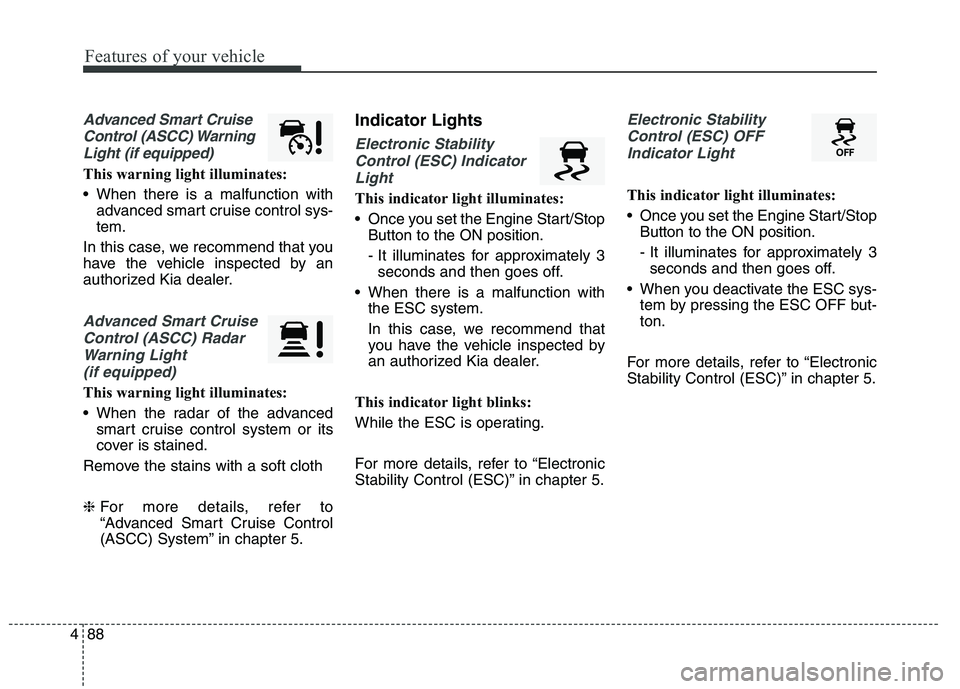
Advanced Smart Cruise
Control (ASCC) Warning Light (if equipped)
This warning light illuminates:
When there is a malfunction with advanced smart cruise control sys- tem.
In this case, we recommend that you
have the vehicle inspected by an
authorized Kia dealer.
Advanced Smart Cruise Control (ASCC) Radar Warning Light (if equipped)
This warning light illuminates:
When the radar of the advanced smart cruise control system or its
cover is stained.
Remove the stains with a soft cloth ❈ For more details, refer to
“Advanced Smart Cruise Control
(ASCC) System” in chapter 5. Indicator Lights
Electronic Stability
Control (ESC) Indicator Light
This indicator light illuminates:
Once you set the Engine Start/Stop Button to the ON position.
- It illuminates for approximately 3seconds and then goes off.
When there is a malfunction with the ESC system.
In this case, we recommend that
you have the vehicle inspected by
an authorized Kia dealer.
This indicator light blinks:
While the ESC is operating.
For more details, refer to “Electronic
Stability Control (ESC)” in chapter 5.
Electronic Stability Control (ESC) OFF Indicator Light
This indicator light illuminates:
Once you set the Engine Start/Stop Button to the ON position.
- It illuminates for approximately 3seconds and then goes off.
When you deactivate the ESC sys- tem by pressing the ESC OFF but- ton.
For more details, refer to “Electronic
Stability Control (ESC)” in chapter 5.
Page 173 of 486
Features of your vehicle
92
4
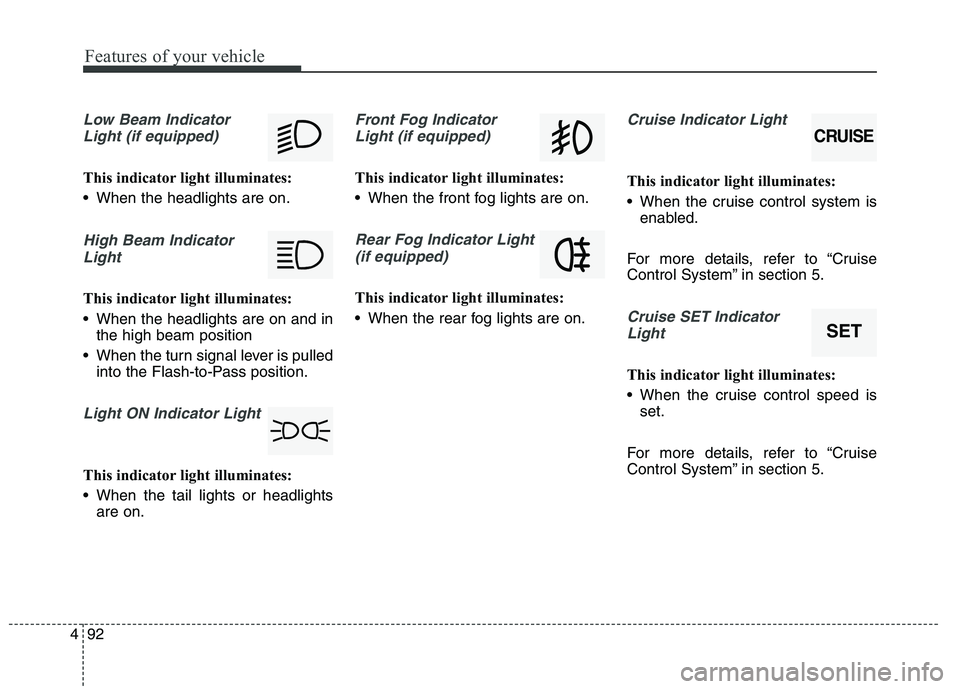
Low Beam Indicator
Light (if equipped)
This indicator light illuminates:
When the headlights are on.
High Beam IndicatorLight
This indicator light illuminates:
When the headlights are on and in the high beam position
When the turn signal lever is pulled into the Flash-to-Pass position.
Light ON Indicator Light
This indicator light illuminates:
When the tail lights or headlightsare on.
Front Fog Indicator
Light (if equipped)
This indicator light illuminates:
When the front fog lights are on.
Rear Fog Indicator Light (if equipped)
This indicator light illuminates:
When the rear fog lights are on.
Cruise Indicator Light
This indicator light illuminates:
When the cruise control system is enabled.
For more details, refer to “Cruise
Control System” in section 5.
Cruise SET Indicator Light
This indicator light illuminates:
When the cruise control speed is set.
For more details, refer to “Cruise
Control System” in section 5.
CRUISE
SET
Page 176 of 486
495
Features of your vehicle
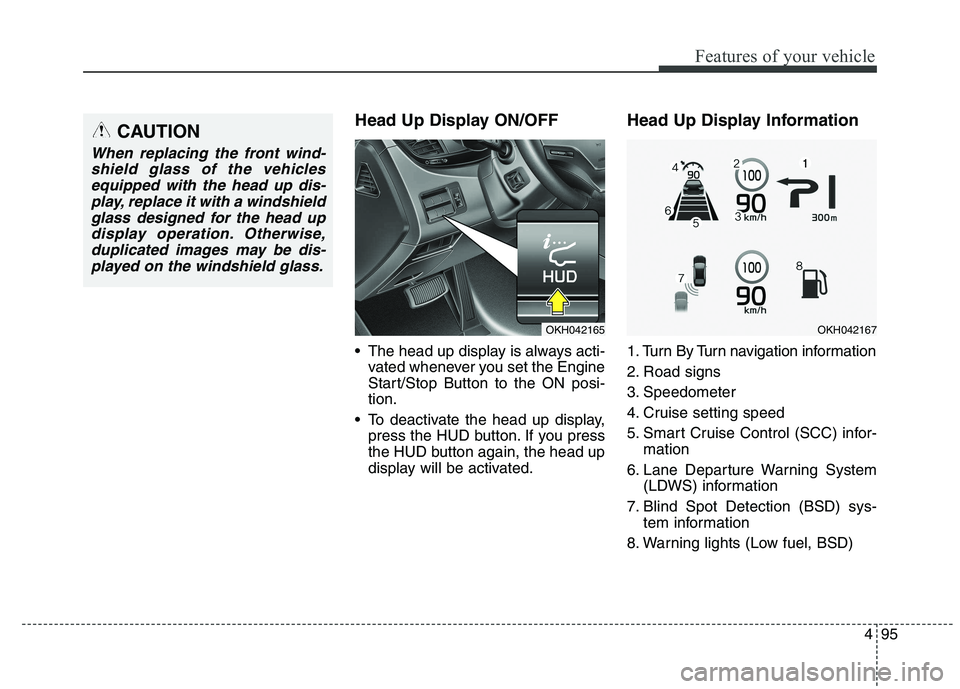
Head Up Display ON/OFF
The head up display is always acti-vated whenever you set the Engine
Start/Stop Button to the ON posi-tion.
To deactivate the head up display, press the HUD button. If you press
the HUD button again, the head up
display will be activated. Head Up Display Information
1. Turn By Turn navigation information
2. Road signs
3. Speedometer
4. Cruise setting speed
5. Smart Cruise Control (SCC) infor-
mation
6. Lane Departure Warning System (LDWS) information
7. Blind Spot Detection (BSD) sys- tem information
8. Warning lights (Low fuel, BSD)CAUTION
When replacing the front wind- shield glass of the vehiclesequipped with the head up dis- play, replace it with a windshieldglass designed for the head updisplay operation. Otherwise, duplicated images may be dis-played on the windshield glass.
OKH042165OKH042167
Page 245 of 486
Driving your vehicle
Before driving . . . . . . . . . . . . . . . . . . . . . . . . . . . . . . 5-3
Engine start/stop button . . . . . . . . . . . . . . . . . . . . . 5-5
Automatic transmission (shift by cable). . . . . . . . 5-10• Automatic transmission operation . . . . . . . . . . . . . . . 5-10
Automatic transmission (shift by wire) . . . . . . . . 5-17 . . . . . . . . . . . . . . . 5-17
Brake system . . . . . . . . . . . . . . . . . . . . . . . . . . . . . 5-29 . . . . . . . . . . . . . . . . . . . . . . . . . . . . . . . 5-29
. . . . . . . . . . . . . . . . . . 5-32
. . . . . . . . . . . . . . . . . . 5-34
. . . . . . . . . . . . . . . . . . . . . . . . . . . 5-39
. . . . . . . . . . . . . . . . . . . . . . . . . . . . . . . . . . . 5-40
. . . . . . . . . . . . . . . 5-44
. . . . . . . . . . . . . . . . . . 5-48
AVSM. . . . . . . . . . . . . . . . . . . . . . . . . . . . . . . . . . . . 5-50
Drive mode integrated control system . . . . . . . . . 5-54
Electronic controlled suspension (ECS) . . . . . . . . 5-57
Advanced smart cruise control system. . . . . . . . . 5-65
Lane departure warning system (LDWS) . . . . . . 5-80
Blind spot detection system (BSD) . . . . . . . . . . . . 5-84
Economical operation . . . . . . . . . . . . . . . . . . . . . . 5-92
Special driving conditions . . . . . . . . . . . . . . . . . . 5-94 . . . . . . . . . . . . . . . . . 5-94
. . . . . . . . . . . . . . . . . . . . . . . . . . 5-94 . . . . . . . . . . . . . . . . . . . . . . . . . . . . 5-95
. . . . . . . . . . . . . . . . . . . . . . . . . . . . . 5-96
. . . . . . . . . . . . . . . . . . . . . . . . . . . . 5-96
. . . . . . . . . . . . . . . . . . . . . . 5-97
. . . . . . . . . . . . . . . . . . . . . . . . . . . . . . 5-97
. . . . . . . . . . . . . . . . . . . . . . . . . . . . . 5-97
. . . . . . . . . . . . . . . . . . . . . . . 5-99
Winter driving . . . . . . . . . . . . . . . . . . . . . . . . . . . . 5-99
Vehicle weight . . . . . . . . . . . . . . . . . . . . . . . . . . . . 5-103 . . . . . . . . . . . . . . . . . . . . . . . . . . . 5-103
. . . . . . . . . . . . . . . . . . . . . . . . . . 5-103
. . . . . . . . . . . . . . . . . . . . . . . . . . . . . . . 5-103
. . . . . . . . . . . . . . . . . . . . . . 5-103
. . . . . . . . . . . . . . . . . . . . 5-103
. . . . . . . . . . . . . 5-103
. . . . . . . . . . . . . . . . . . . . . . . . . . . . . . . . 5-103
5
Page 304 of 486
Driving your vehicle
60
5
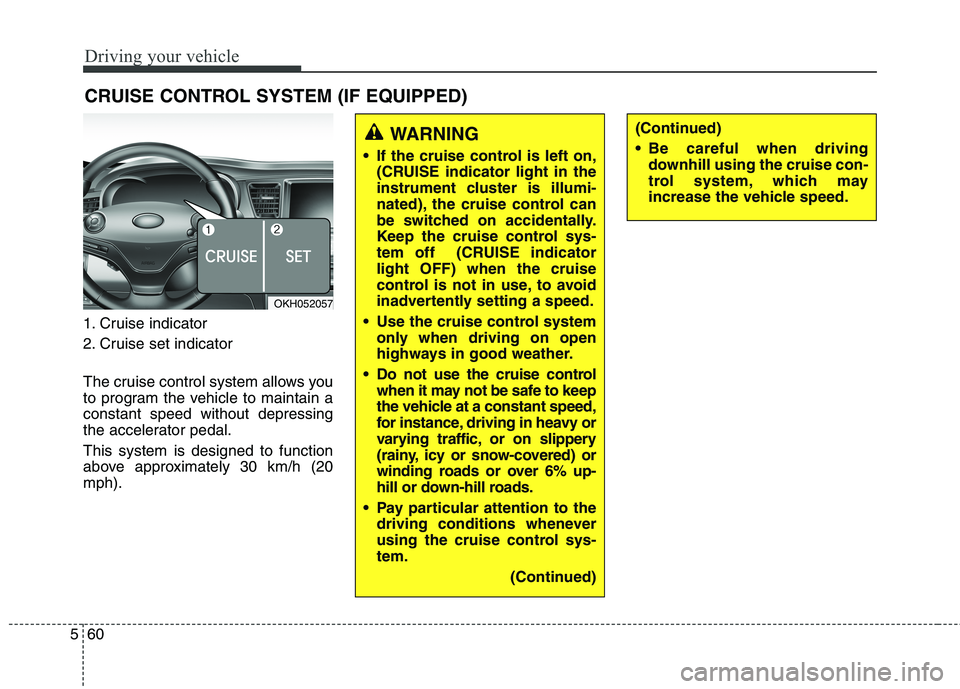
1. Cruise indicator
2. Cruise set indicator
The cruise control system allows you
to program the vehicle to maintain aconstant speed without depressing
the accelerator pedal. This system is designed to function
above approximately 30 km/h (20mph). CRUISE CONTROL SYSTEM (IF EQUIPPED)
WARNING
If the cruise control is left on, (CRUISE indicator light in the
instrument cluster is illumi-
nated), the cruise control can
be switched on accidentally.
Keep the cruise control sys-
tem off (CRUISE indicatorlight OFF) when the cruise
control is not in use, to avoid
inadvertently setting a speed.
Use the cruise control system only when driving on open
highways in good weather.
Do not use the cruise control when it may not be safe to keep
the vehicle at a constant speed,
for instance, driving in heavy or
varying traffic, or on slippery
(rainy, icy or snow-covered) or
winding roads or over 6% up-
hill or down-hill roads.
Pay particular attention to the driving conditions whenever
using the cruise control sys-tem.
(Continued)(Continued)
Be careful when drivingdownhill using the cruise con-
trol system, which may
increase the vehicle speed.
OKH052057
Page 305 of 486
561
Driving your vehicle
✽✽NOTICE
During normal cruise control oper- ation, when the SET switch is acti-
vated or reactivated after applying
the brakes, the cruise control will
energize after approximately 3 sec-
onds. This delay is normal.
To activate cruise control, depress the brake pedal at least once after
turning the ignition switch to the
ON position or starting the engine.
This is to check if the brake switch
which is important part to cancel
cruise control is in normal condi-
tion.Cruise control switch
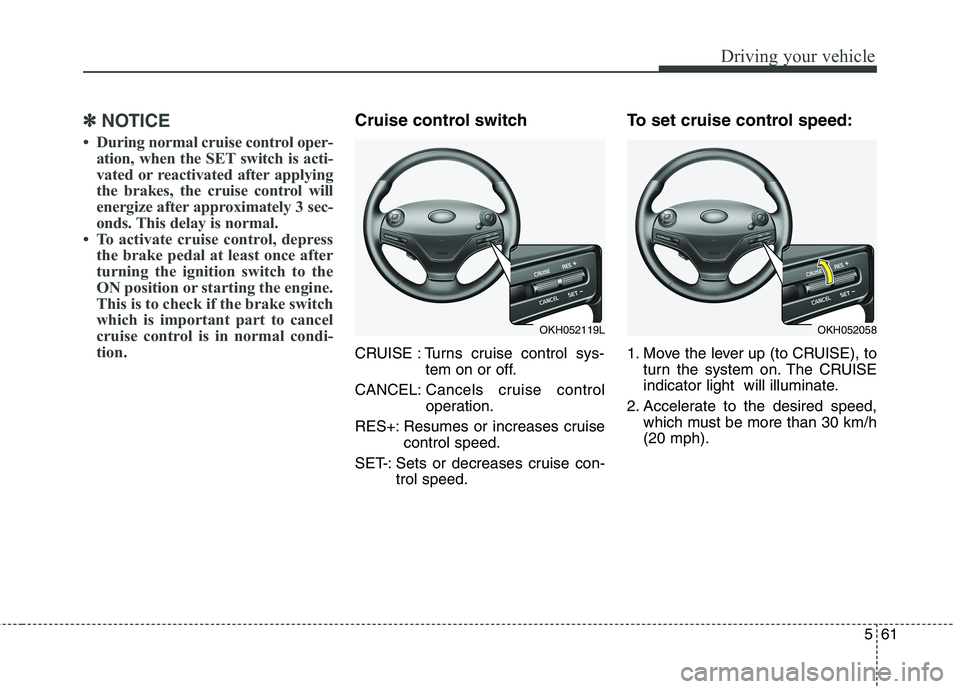
CRUISE : Turns cruise control sys- tem on or off.
CANCEL: Cancels cruise control
operation.
RES+: Resumes or increases cruise control speed.
SET-: Sets or decreases cruise con- trol speed. To set cruise control speed:
1. Move the lever up (to CRUISE), to
turn the system on. The CRUISE
indicator light will illuminate.
2. Accelerate to the desired speed, which must be more than 30 km/h(20 mph).
OKH052119LOKH052058