tire KIA Rio 2012 3.G User Guide
[x] Cancel search | Manufacturer: KIA, Model Year: 2012, Model line: Rio, Model: KIA Rio 2012 3.GPages: 385, PDF Size: 9.68 MB
Page 34 of 385
Safety features of your vehicle
12
3
Seat belt restraint system
Seat belts are designed to bear upon the
bony structure of the body, and should
be worn low across the front of the pelvis
or the pelvis, chest and shoulders, as
applicable; wearing the lap section of the
belt across the abdominal area must be
avoided.
Seat belts should be adjusted as firmly
as possible, consistent with comfort, to
provide the protection for which they
have been designed.
A slack belt will greatly reduce the pro-
tection afforded to the wearer.
Care should be taken to avoid contami-
nation of the webbing with polishes, oils
and chemicals, and particularly battery
acid. Cleaning may safely be carried out
using mild soap and water. The belt
should be replaced if webbing becomes
frayed, contaminated or damaged.
For maximum restraint system protec-
tion, the seat belts must always be
used whenever the vehicle is moving.
A properly positioned shoulder belt
should be positioned midway over your
shoulder across your collarbone.
Never allow children to ride in the front passenger seat. See child restraint
system section for further discussion.
SEAT BELTS
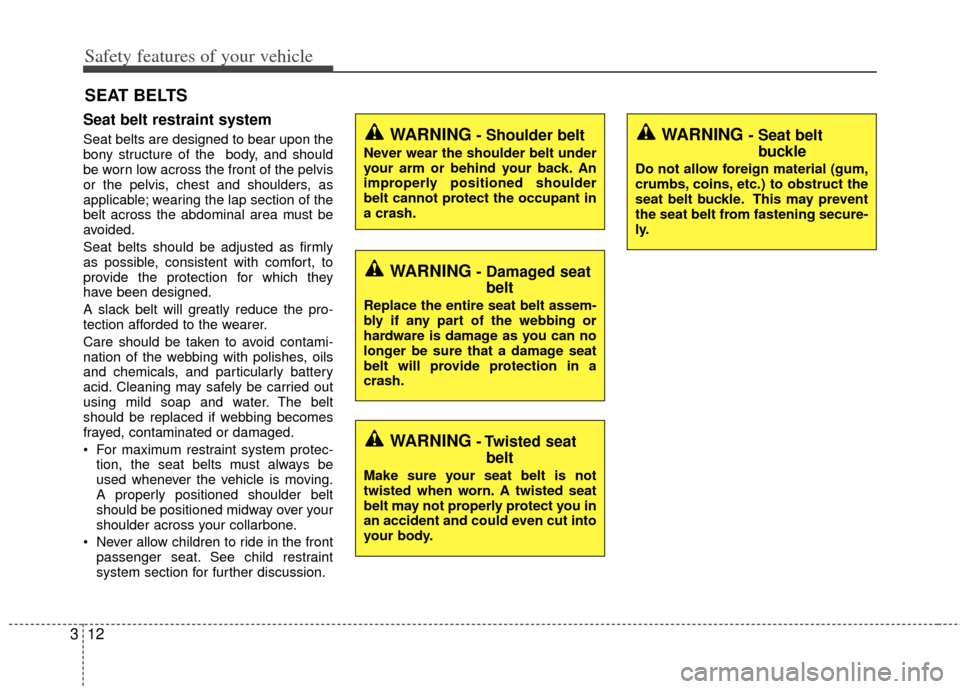
WARNING- Shoulder belt
Never wear the shoulder belt under
your arm or behind your back. An
improperly positioned shoulder
belt cannot protect the occupant in
a crash.
WARNING- Damaged seatbelt
Replace the entire seat belt assem-
bly if any part of the webbing or
hardware is damage as you can no
longer be sure that a damage seat
belt will provide protection in a
crash.
WARNING- Twisted seatbelt
Make sure your seat belt is not
twisted when worn. A twisted seat
belt may not properly protect you in
an accident and could even cut into
your body.
WARNING - Seat belt buckle
Do not allow foreign material (gum,
crumbs, coins, etc.) to obstruct the
seat belt buckle. This may prevent
the seat belt from fastening secure-
ly.
Page 43 of 385
321
Safety features of your vehicle
Injured person
A seat belt should be used when an
injured person is being transported.
When this is necessary, you should con-
sult a physician for recommendations.
One person per belt
Two people (including children) should
never attempt to use a single seat belt.
This could increase the severity of
injuries in case of an accident.
Do not lie down
To reduce the chance of injuries in the
event of an accident and to achieve maxi-
mum effectiveness of the restraint system,
all passengers should be sitting up and
the front seats should be in an upright
position when the vehicle is moving. A
seat belt cannot provide proper protection
if the person is lying down in the rear seat
or if the front seat is in a reclined position.
Care of seat belts
Seat belt systems should never be disas-
sembled or modified. In addition, care
should be taken to assure that seat belts
and belt hardware are not damaged by
seat hinges, doors or other abuse.
Periodic inspection
All seat belts should be inspected peri-
odically for wear or damage of any kind.
Any damaged parts should be replaced
as soon as possible.
Keep belts clean and dry
Seat belts should be kept clean and dry.
If belts become dirty, they can be
cleaned by using a mild soap solution
and warm water. Bleach, dye, strong
detergents or abrasives should not be
used because they may damage and
weaken the fabric.
When to replace seat belts
The entire in-use seat belt assembly or
assemblies should be replaced if the
vehicle has been involved in an accident.
This should be done even if no damage
is visible. Additional questions concern-
ing seat belt operation should be directed
to an authorized Kia dealer.
WARNING - Pinched seat
belt
Make sure that the webbing and/or
buckle does not get caught or
pinched in the rear seat when
returning the rear seatback to its
upright position. A caught or
pinched webbing/buckle may
become damaged and could fail
during a collision or sudden stop.
Page 126 of 385
451
Features of your vehicle
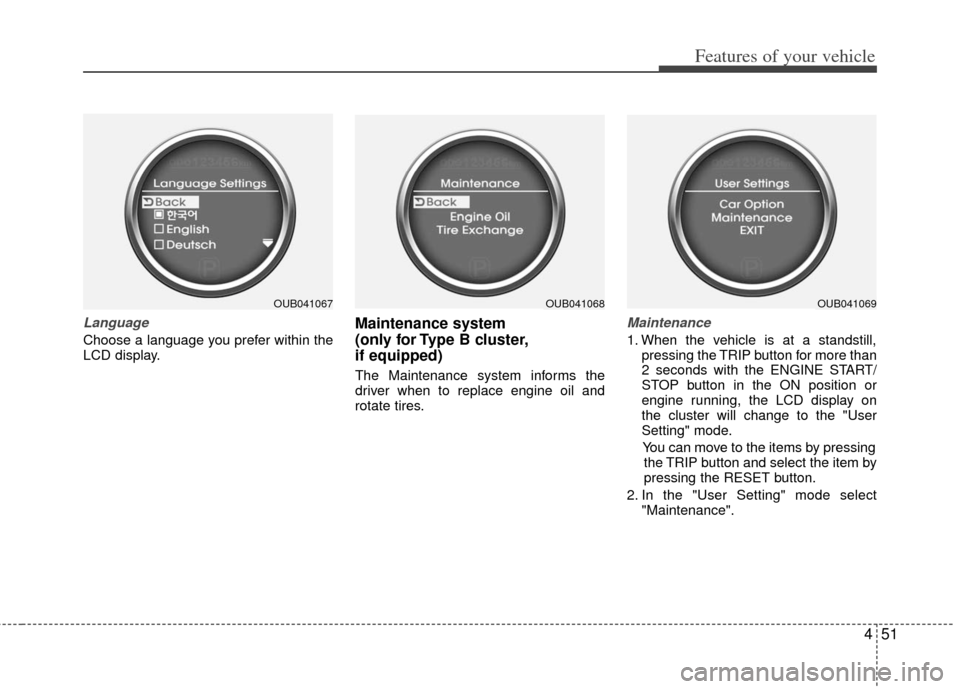
Language
Choose a language you prefer within the
LCD display.
Maintenance system
(only for Type B cluster,
if equipped)
The Maintenance system informs the
driver when to replace engine oil and
rotate tires.
Maintenance
1. When the vehicle is at a standstill,pressing the TRIP button for more than
2 seconds with the ENGINE START/
STOP button in the ON position or
engine running, the LCD display on
the cluster will change to the "User
Setting" mode.
You can move to the items by pressing the TRIP button and select the item by
pressing the RESET button.
2. In the "User Setting" mode select "Maintenance".
OUB041067OUB041068OUB041069
Page 127 of 385
Features of your vehicle
52
4
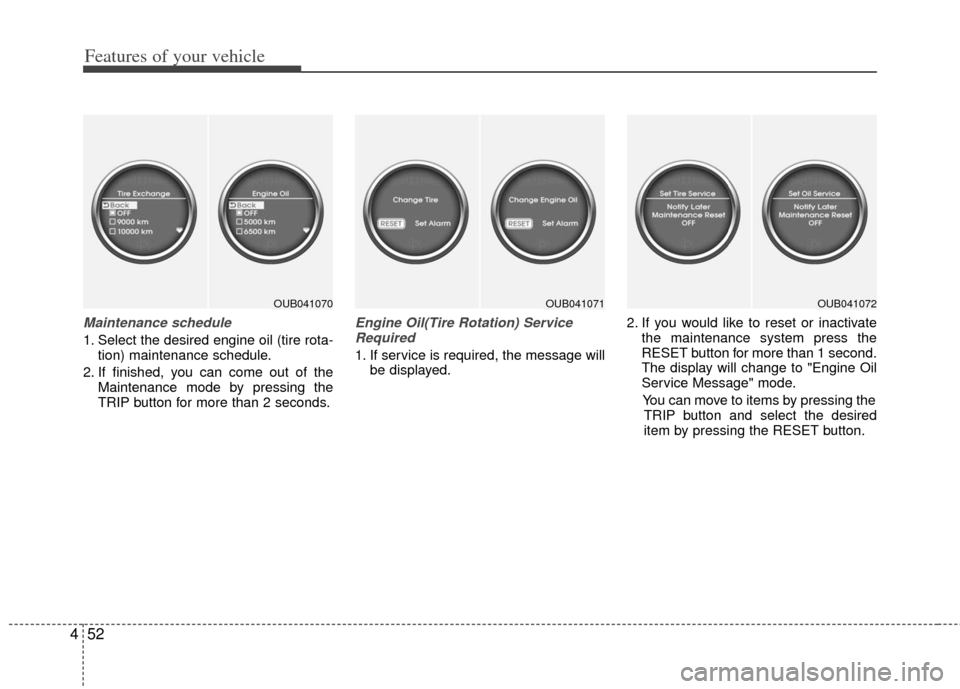
Maintenance schedule
1. Select the desired engine oil (tire rota-
tion) maintenance schedule.
2. If finished, you can come out of the Maintenance mode by pressing the
TRIP button for more than 2 seconds.
Engine Oil(Tire Rotation) ServiceRequired
1. If service is required, the message will be displayed. 2. If you would like to reset or inactivate
the maintenance system press the
RESET button for more than 1 second.
The display will change to "Engine Oil
Service Message" mode.
You can move to items by pressing the TRIP button and select the desired
item by pressing the RESET button.
OUB041070OUB041071OUB041072
Page 135 of 385
Features of your vehicle
60
4
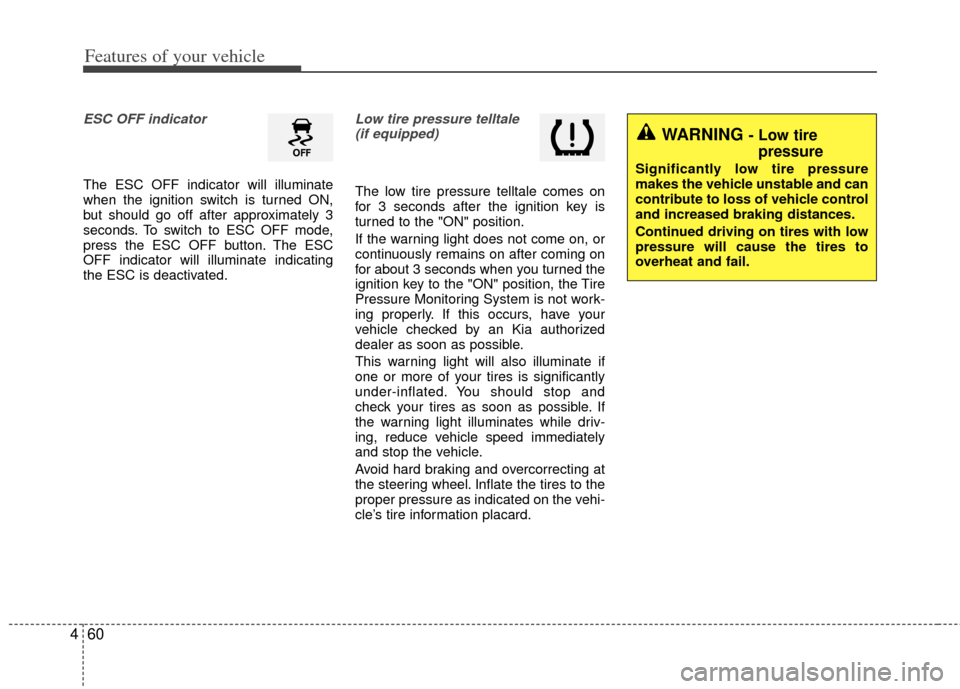
ESC OFF indicator
The ESC OFF indicator will illuminate
when the ignition switch is turned ON,
but should go off after approximately 3
seconds. To switch to ESC OFF mode,
press the ESC OFF button. The ESC
OFF indicator will illuminate indicating
the ESC is deactivated.
Low tire pressure telltale
(if equipped)
The low tire pressure telltale comes on
for 3 seconds after the ignition key is
turned to the "ON" position.
If the warning light does not come on, or
continuously remains on after coming on
for about 3 seconds when you turned the
ignition key to the "ON" position, the Tire
Pressure Monitoring System is not work-
ing properly. If this occurs, have your
vehicle checked by an Kia authorized
dealer as soon as possible.
This warning light will also illuminate if
one or more of your tires is significantly
under-inflated. You should stop and
check your tires as soon as possible. If
the warning light illuminates while driv-
ing, reduce vehicle speed immediately
and stop the vehicle.
Avoid hard braking and overcorrecting at
the steering wheel. Inflate the tires to the
proper pressure as indicated on the vehi-
cle’s tire information placard.
WARNING - Low tire pressure
Significantly low tire pressure
makes the vehicle unstable and can
contribute to loss of vehicle control
and increased braking distances.
Continued driving on tires with low
pressure will cause the tires to
overheat and fail.
Page 226 of 385
53
Driving your vehicle
Before entering vehicle
• Be sure that all windows, outside mir-ror(s), and outside lights are clean.
Check the condition of the tires.
Check under the vehicle for any sign of leaks.
Be sure there are no obstacles behind you if you intend to back up.
Necessary inspections
Fluid levels, such as engine oil, engine
coolant, brake fluid, and washer fluid
should be checked on a regular basis,
with the exact interval depending on the
fluid. Further details are provided in
Section 7, “Maintenance”.
Before starting
Close and lock all doors.
Position the seat so that all controls are
easily reached.
Buckle your seat belt.
Adjust the inside and outside rearview mirrors.
Be sure that all lights work.
Check all gauges.
Check the operation of warning lights when the ignition switch is turned to
the ON position.
Release the parking brake and make sure the brake warning light goes out.
For safe operation, be sure you are famil-
iar with your vehicle and its equipment.
BEFORE DRIVING
WARNING - Distracted driving
Focus on the road while driving.
The driver's primary responsibility
is in the safe and legal operation of
the vehicle. Use of any handled
devices, other equipment or vehicle
systems that distract the drive
should not be used during vehicle
operation.
WARNING
- Check surrounding
Always check the surrounding areas
near your vehicle for people, espe-
cially children, before putting a vehi-
cle into D (Drive) or R (Reverse).
Page 245 of 385
Driving your vehicle
22
5
Disc brakes wear indicator
When your brake pads are worn and new
pads are required, you will hear a high-
pitched warning sound from your front
brakes or rear brakes (if equipped). You
may hear this sound come and go or it
may occur whenever you depress the
brake pedal.
Please remember that some driving con-
ditions or climates may cause a brake
squeal when you first apply (or lightly
apply) the brakes. This is normal and
does not indicate a problem with your
brakes.
Always replace the front or rear brake
pads as pairs.
Rear drum brakes (if equipped)
Your rear drum brakes do not have wear
indicators. Therefore, have the rear brake
linings inspected if you hear a rubbing
noise. Also have your rear brakes
inspected each time you change or
rotate your tires and when you have the
front brakes replaced.
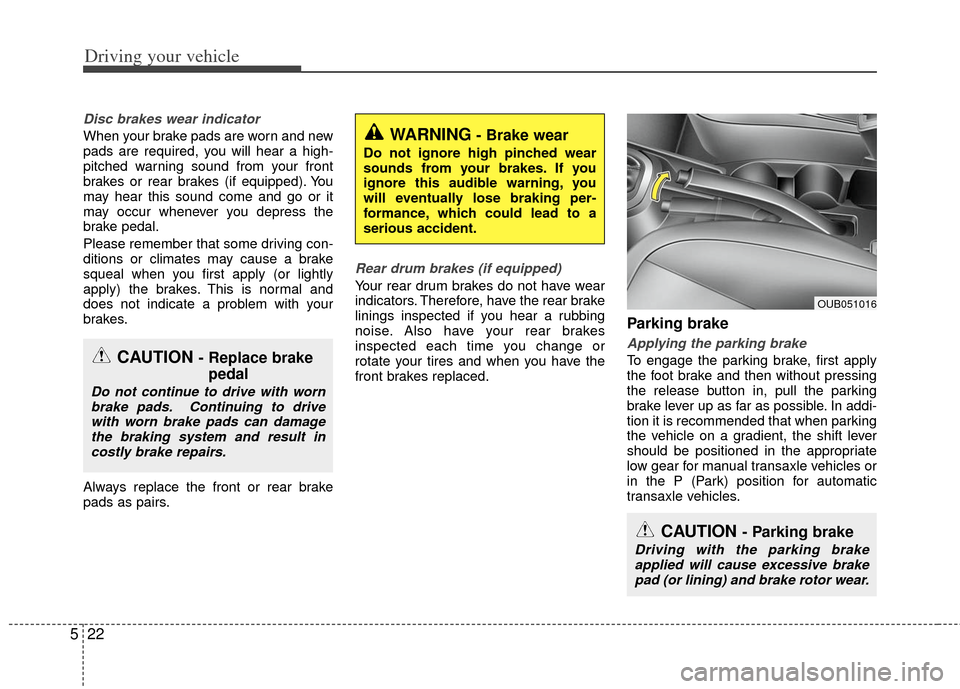
Parking brake
Applying the parking brake
To engage the parking brake, first apply
the foot brake and then without pressing
the release button in, pull the parking
brake lever up as far as possible. In addi-
tion it is recommended that when parking
the vehicle on a gradient, the shift lever
should be positioned in the appropriate
low gear for manual transaxle vehicles or
in the P (Park) position for automatic
transaxle vehicles.
WARNING- Brake wear
Do not ignore high pinched wear
sounds from your brakes. If you
ignore this audible warning, you
will eventually lose braking per-
formance, which could lead to a
serious accident.
CAUTION - Parking brake
Driving with the parking brake
applied will cause excessive brake pad (or lining) and brake rotor wear.
CAUTION - Replace brake pedal
Do not continue to drive with worn
brake pads. Continuing to drivewith worn brake pads can damagethe braking system and result incostly brake repairs.
OUB051016
Page 250 of 385
527
Driving your vehicle
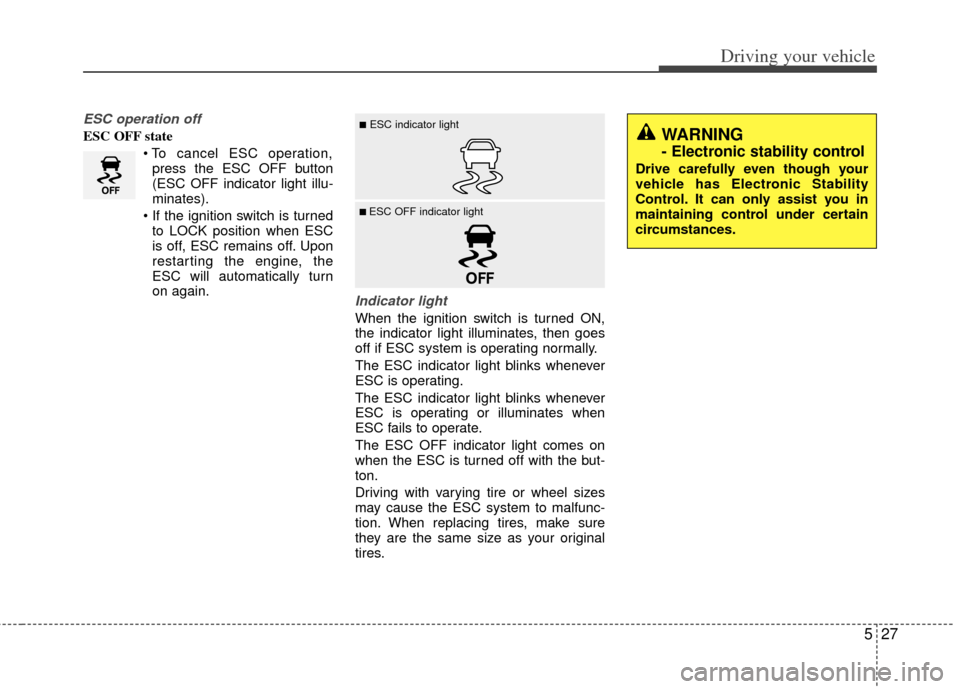
ESC operation off
ESC OFF statepress the ESC OFF button
(ESC OFF indicator light illu-
minates).
to LOCK position when ESC
is off, ESC remains off. Upon
restarting the engine, the
ESC will automatically turn
on again.
Indicator light
When the ignition switch is turned ON,
the indicator light illuminates, then goes
off if ESC system is operating normally.
The ESC indicator light blinks whenever
ESC is operating.
The ESC indicator light blinks whenever
ESC is operating or illuminates when
ESC fails to operate.
The ESC OFF indicator light comes on
when the ESC is turned off with the but-
ton.
Driving with varying tire or wheel sizes
may cause the ESC system to malfunc-
tion. When replacing tires, make sure
they are the same size as your original
tires.
■ESC indicator light
■ ESC OFF indicator light
WARNING
- Electronic stability control
Drive carefully even though your
vehicle has Electronic Stability
Control. It can only assist you in
maintaining control under certain
circumstances.
Page 253 of 385
Driving your vehicle
30
5
The Vehicle Stability Management sys-
tem is not a substitute for safe driving
practices but a supplementary function
only. It is the responsibility of the driver
to always check the speed and the dis-
tance to the vehicle ahead. Always
hold the steering wheel firmly while
driving.
Your vehicle is designed to activate according to the driver’s intention, even
with installed VSM. Always follow all
the normal precautions for driving at
safe speeds for the conditions – includ-
ing driving inclement weather and on a
slippery road.Good braking practices
Check to be sure the parking brake isnot engaged and that the parking
brake indicator light is out before driv-
ing away.
Driving through water may get the brakes wet. They can also get wet
when the vehicle is washed. Wet
brakes can be dangerous! Your vehicle
will not stop as quickly if the brakes are
wet. Wet brakes may cause the vehicle
to pull to one side.
To dry the brakes, apply the brakes
lightly until the braking action returns to
normal, taking care to keep the vehicle
under control at all times. If the braking
action does not return to normal, stop
as soon as it is safe to do so and call
an authorized Kia dealer for assis-
tance.
Don't coast down hills with the vehicle out of gear. This is extremely haz-
ardous. Keep the vehicle in gear at all
times, use the brakes to slow down,
then shift to a lower gear so that
engine braking will help you maintain a
safe speed. Don't "ride" the brake pedal. Resting
your foot on the brake pedal while driv-
ing can be dangerous because the
brakes might overheat and lose their
effectiveness. It also increases the
wear of the brake components.
If a tire goes flat while you are driving, apply the brakes gently and keep the
vehicle pointed straight ahead while
you slow down. When you are moving
slowly enough for it to be safe to do so,
pull off the road and stop in a safe
place.
If your vehicle is equipped with an automatic transaxle, don't let your vehi-
cle creep forward. To avoid creeping
forward, keep your foot firmly on the
brake pedal when the vehicle is
stopped.
WARNING- Tire/Wheelsize
When replacing tires and wheels,
make sure they are the same size
as the original tires and wheels
installed. Driving with varying tire
or wheel sizes may diminish any
supplemental safety benefits of the
VSM system.
Page 265 of 385
Driving your vehicle
42
5
Your vehicle's fuel economy depends
mainly on your style of driving, where you
drive and when you drive.
Each of these factors affects how many
miles (kilometers) you can get from a gal-
lon (liter) of fuel. To operate your vehicle
as economically as possible, use the fol-
lowing driving suggestions to help save
money in both fuel and repairs:
Drive smoothly. Accelerate at a moder-
ate rate. Don't make "jack-rabbit" starts
or full-throttle shifts and maintain a
steady cruising speed. Don't race
between stoplights. Try to adjust your
speed to the traffic so you don't have to
change speeds unnecessarily. Avoid
heavy traffic whenever possible.
Always maintain a safe distance from
other vehicles so you can avoid unnec-
essary braking. This also reduces
brake wear.
Drive at a moderate speed. The faster you drive, the more fuel your vehicle
uses. Driving at a moderate speed,
especially on the highway, is one of the
most effective ways to reduce fuel con-
sumption. Don't "ride" the brake pedal. This can
increase fuel consumption and also
increase wear on these components.
In addition, driving with your foot rest-
ing on the brake pedal may cause the
brakes to overheat, which reduces
their effectiveness and may lead to
more serious consequences.
Take care of your tires. Keep them inflated to the recommended pressure.
Incorrect inflation, either too much or
too little, results in unnecessary tire
wear. Check the tire pressures at least
once a month.
Be sure that the wheels are aligned correctly. Improper alignment can
result from hitting curbs or driving too
fast over irregular surfaces. Poor align-
ment causes faster tire wear and may
also result in other problems as well as
greater fuel consumption. Keep your vehicle in good condition.
For better fuel economy and reduced
maintenance costs, maintain your vehi-
cle in accordance with the mainte-
nance schedule in section 7. If you
drive your vehicle in severe conditions,
more frequent maintenance is required
(see section 7 for details).
Keep your vehicle clean. For maximum service, your vehicle should be kept
clean and free of corrosive materials. It
is especially important that mud, dirt,
ice, etc. not be allowed to accumulate
on the underside of the vehicle. This
extra weight can result in increased
fuel consumption and also contribute
to corrosion.
Travel lightly. Don't carry unnecessary weight in your vehicle. Weight reduces
fuel economy.
Don't let the engine idle longer than necessary. If you are waiting (and not
in traffic), turn off your engine and
restart only when you're ready to go.
ECONOMICAL OPERATION