light KIA Rio 2014 3.G Workshop Manual
[x] Cancel search | Manufacturer: KIA, Model Year: 2014, Model line: Rio, Model: KIA Rio 2014 3.GPages: 397, PDF Size: 7.56 MB
Page 136 of 397
471
Features of your vehicle
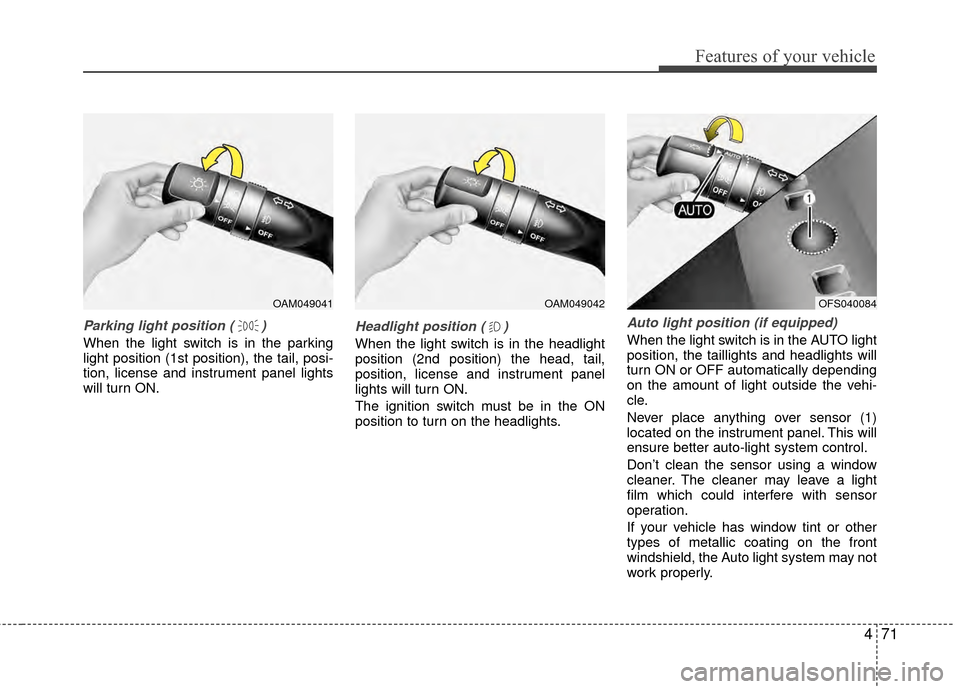
Parking light position ( )
When the light switch is in the parking
light position (1st position), the tail, posi-
tion, license and instrument panel lights
will turn ON.
Headlight position ( )
When the light switch is in the headlight
position (2nd position) the head, tail,
position, license and instrument panel
lights will turn ON.
The ignition switch must be in the ON
position to turn on the headlights.
Auto light position (if equipped)
When the light switch is in the AUTO light
position, the taillights and headlights will
turn ON or OFF automatically depending
on the amount of light outside the vehi-
cle.
Never place anything over sensor (1)
located on the instrument panel. This will
ensure better auto-light system control.
Don’t clean the sensor using a window
cleaner. The cleaner may leave a light
film which could interfere with sensor
operation.
If your vehicle has window tint or other
types of metallic coating on the front
windshield, the Auto light system may not
work properly.
OAM049041OAM049042OFS040084
Page 137 of 397
Features of your vehicle
72
4
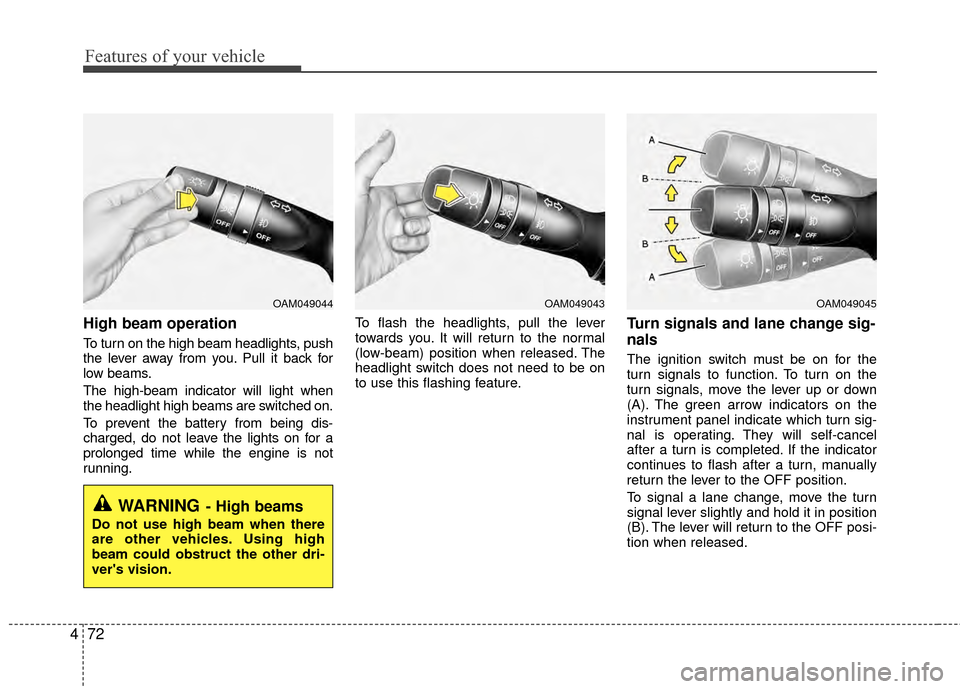
High beam operation
To turn on the high beam headlights, push
the lever away from you. Pull it back for
low beams.
The high-beam indicator will light when
the headlight high beams are switched on.
To prevent the battery from being dis-
charged, do not leave the lights on for a
prolonged time while the engine is not
running. To flash the headlights, pull the lever
towards you. It will return to the normal
(low-beam) position when released. The
headlight switch does not need to be on
to use this flashing feature.
Turn signals and lane change sig-
nals
The ignition switch must be on for the
turn signals to function. To turn on the
turn signals, move the lever up or down
(A). The green arrow indicators on the
instrument panel indicate which turn sig-
nal is operating. They will self-cancel
after a turn is completed. If the indicator
continues to flash after a turn, manually
return the lever to the OFF position.
To signal a lane change, move the turn
signal lever slightly and hold it in position
(B). The lever will return to the OFF posi-
tion when released.
OAM049044
WARNING- High beams
Do not use high beam when there
are other vehicles. Using high
beam could obstruct the other dri-
ver's vision.
OAM049045OAM049043
Page 138 of 397
473
Features of your vehicle
If an indicator stays on and does not
flash or if it flashes abnormally, one of the
turn signal bulbs may be burned out and
will require replacement.
If an indicator flash is abnormally quick or
slow, a bulb may be burned out or have a
poor electrical connection in the circuit.
One-touch lane change function (if equipped)
To activate an one-touch lane change
function, move the turn signal lever
slightly for less than 0.5 second and then
release it. The lane change signals will
blink 3 times.
✽ ✽ NOTICE
If an indicator flash is abnormally quick
or slow, a bulb may be burned out or
have a poor electrical connection in the
circuit.
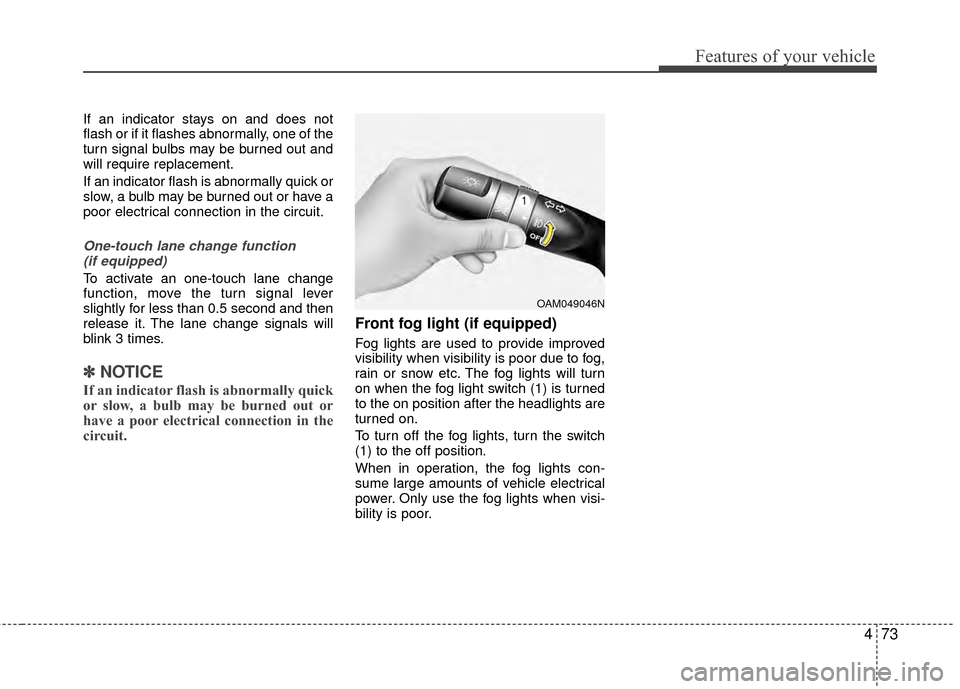
Front fog light (if equipped)
Fog lights are used to provide improved
visibility when visibility is poor due to fog,
rain or snow etc. The fog lights will turn
on when the fog light switch (1) is turned
to the on position after the headlights are
turned on.
To turn off the fog lights, turn the switch
(1) to the off position.
When in operation, the fog lights con-
sume large amounts of vehicle electrical
power. Only use the fog lights when visi-
bility is poor.
OAM049046N
Page 140 of 397
475
Features of your vehicle
Windshield wipers
Operates as follows when the ignition
switch is turned ON.
MIST : For a single wiping cycle, move thelever upward and release it. The
wipers will operate continuously if
the lever is held in this position.
OFF : Wiper is not in operation
INT : Wiper operates intermittently at the same wiping intervals. Use this
mode in a light rain or mist. To vary
the speed setting, turn the speed
control knob.
LO : Normal wiper speed
HI : Fast wiper speed
If there is heavy accumulation of snow or
ice on the windshield, defrost the wind-
shield for about 10 minutes, or until the
snow and/or ice is removed before using
the windshield wipers to ensure proper
operation.
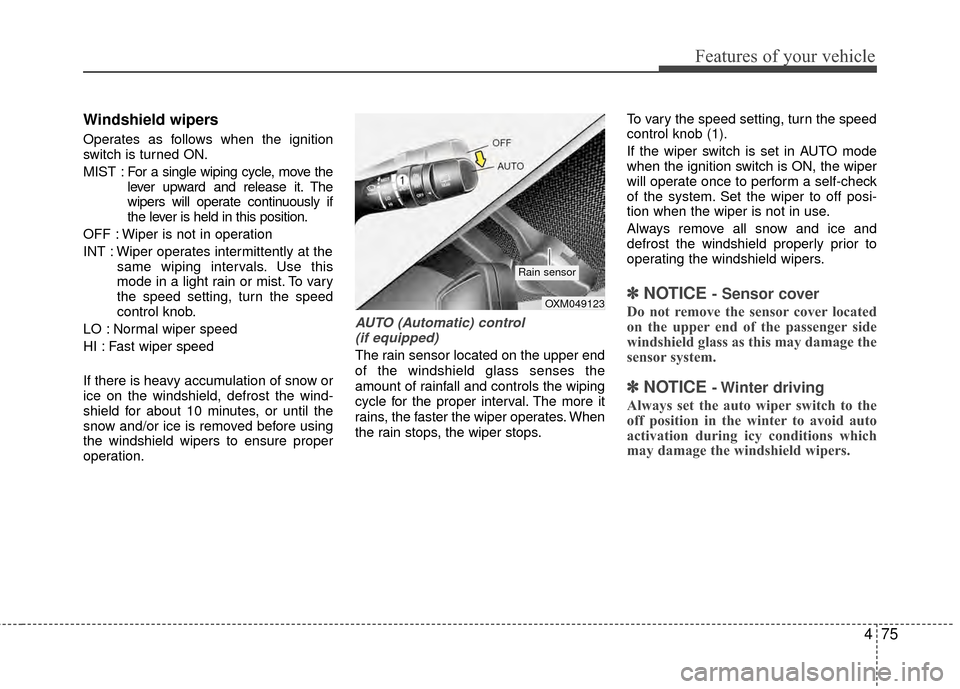
AUTO (Automatic) control (if equipped)
The rain sensor located on the upper end
of the windshield glass senses the
amount of rainfall and controls the wiping
cycle for the proper interval. The more it
rains, the faster the wiper operates. When
the rain stops, the wiper stops. To vary the speed setting, turn the speed
control knob (1).
If the wiper switch is set in AUTO mode
when the ignition switch is ON, the wiper
will operate once to perform a self-check
of the system. Set the wiper to off posi-
tion when the wiper is not in use.
Always remove all snow and ice and
defrost the windshield properly prior to
operating the windshield wipers.
✽ ✽
NOTICE - Sensor cover
Do not remove the sensor cover located
on the upper end of the passenger side
windshield glass as this may damage the
sensor system.
✽ ✽NOTICE - Winter driving
Always set the auto wiper switch to the
off position in the winter to avoid auto
activation during icy conditions which
may damage the windshield wipers.
OXM049123
Rain sensor
Page 143 of 397
Features of your vehicle
78
4
Do not use the interior lights for extended
periods when the engine is not running.
It may cause battery discharge.
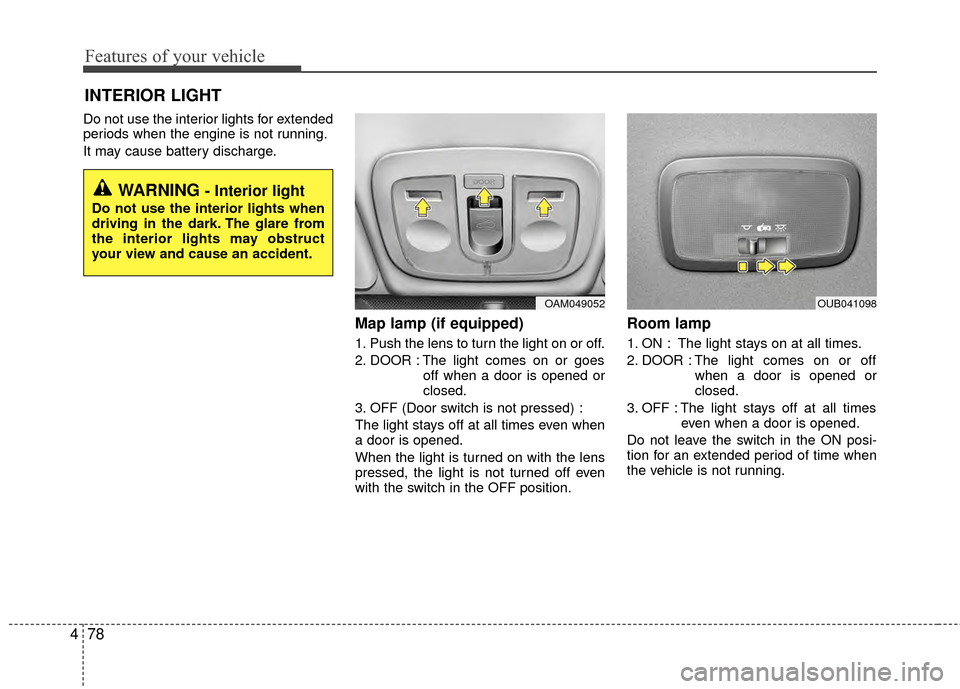
Map lamp (if equipped)
1. Push the lens to turn the light on or off.
2. DOOR : The light comes on or goes
off when a door is opened or
closed.
3. OFF (Door switch is not pressed) :
The light stays off at all times even when
a door is opened.
When the light is turned on with the lens
pressed, the light is not turned off even
with the switch in the OFF position.
Room lamp
1. ON : The light stays on at all times.
2. DOOR : The light comes on or off when a door is opened or
closed.
3. OFF : The light stays off at all times even when a door is opened.
Do not leave the switch in the ON posi-
tion for an extended period of time when
the vehicle is not running.
INTERIOR LIGHT
WARNING - Interior light
Do not use the interior lights when
driving in the dark. The glare from
the interior lights may obstruct
your view and cause an accident.
OAM049052OUB041098
Page 144 of 397
479
Features of your vehicle
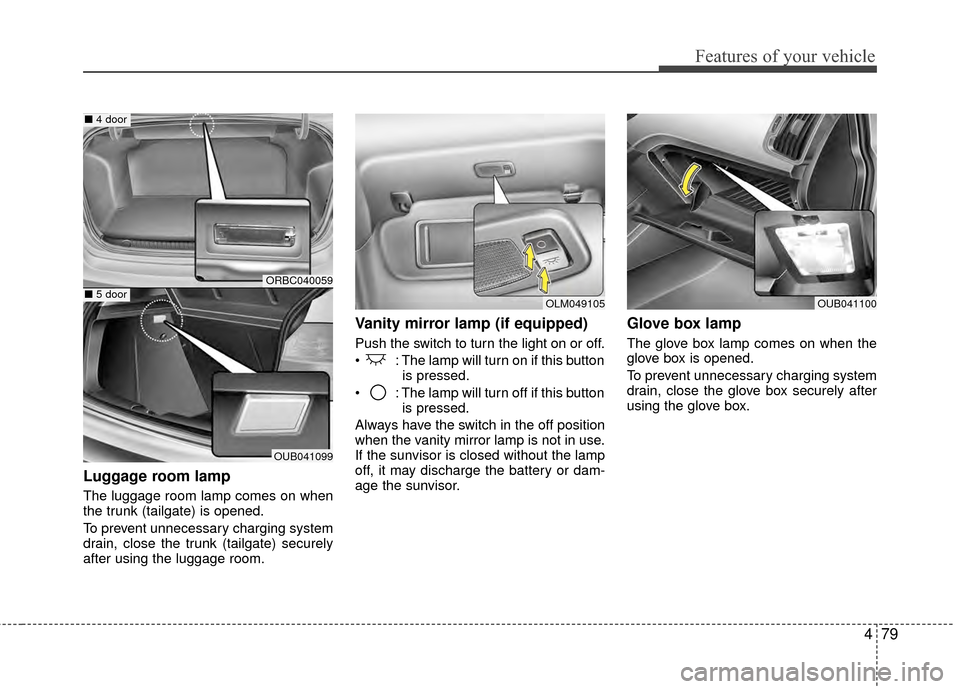
Luggage room lamp
The luggage room lamp comes on when
the trunk (tailgate) is opened.
To prevent unnecessary charging system
drain, close the trunk (tailgate) securely
after using the luggage room.
Vanity mirror lamp (if equipped)
Push the switch to turn the light on or off.
: The lamp will turn on if this buttonis pressed.
: The lamp will turn off if this button is pressed.
Always have the switch in the off position
when the vanity mirror lamp is not in use.
If the sunvisor is closed without the lamp
off, it may discharge the battery or dam-
age the sunvisor.
Glove box lamp
The glove box lamp comes on when the
glove box is opened.
To prevent unnecessary charging system
drain, close the glove box securely after
using the glove box.
OLM049105OUB041100
ORBC040059
OUB041099
■ 4 door
■5 door
Page 150 of 397
485
Features of your vehicle
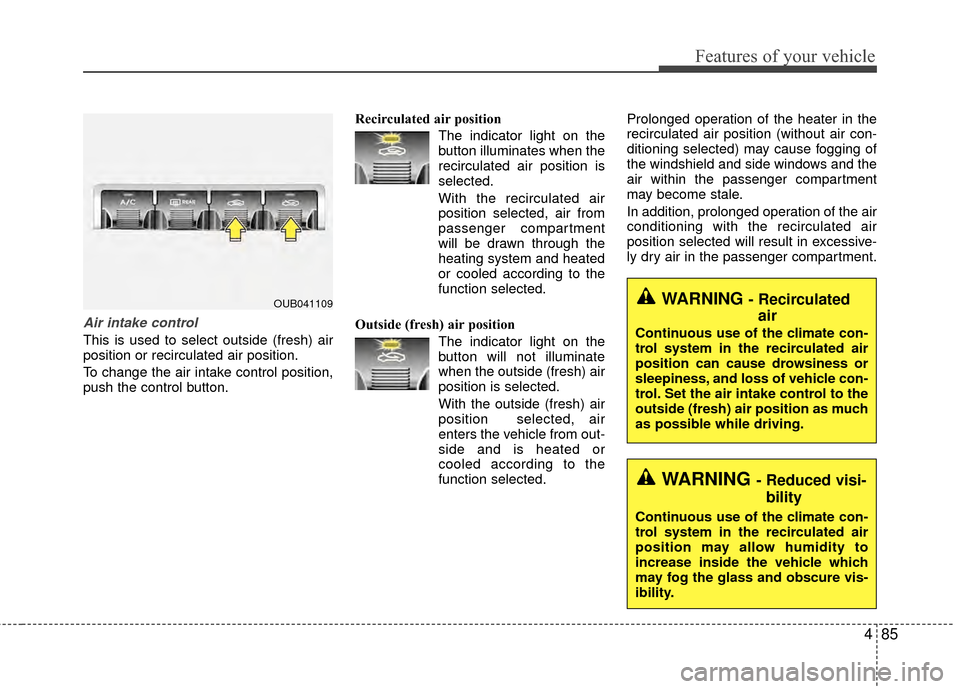
Air intake control
This is used to select outside (fresh) air
position or recirculated air position.
To change the air intake control position,
push the control button.Recirculated air position
The indicator light on the
button illuminates when the
recirculated air position is
selected.
With the recirculated air position selected, air from
passenger compartment
will be drawn through the
heating system and heated
or cooled according to the
function selected.
Outside (fresh) air position The indicator light on the
button will not illuminate
when the outside (fresh) air
position is selected.
With the outside (fresh) air
position selected, air
enters the vehicle from out-
side and is heated or
cooled according to the
function selected. Prolonged operation of the heater in the
recirculated air position (without air con-
ditioning selected) may cause fogging of
the windshield and side windows and the
air within the passenger compartment
may become stale.
In addition, prolonged operation of the air
conditioning with the recirculated air
position selected will result in excessive-
ly dry air in the passenger compartment.
OUB041109WARNING - Recirculated
air
Continuous use of the climate con-
trol system in the recirculated air
position can cause drowsiness or
sleepiness, and loss of vehicle con-
trol. Set the air intake control to the
outside (fresh) air position as much
as possible while driving.
WARNING - Reduced visi-
bility
Continuous use of the climate con-
trol system in the recirculated air
position may allow humidity to
increase inside the vehicle which
may fog the glass and obscure vis-
ibility.
Page 151 of 397
Features of your vehicle
86
4
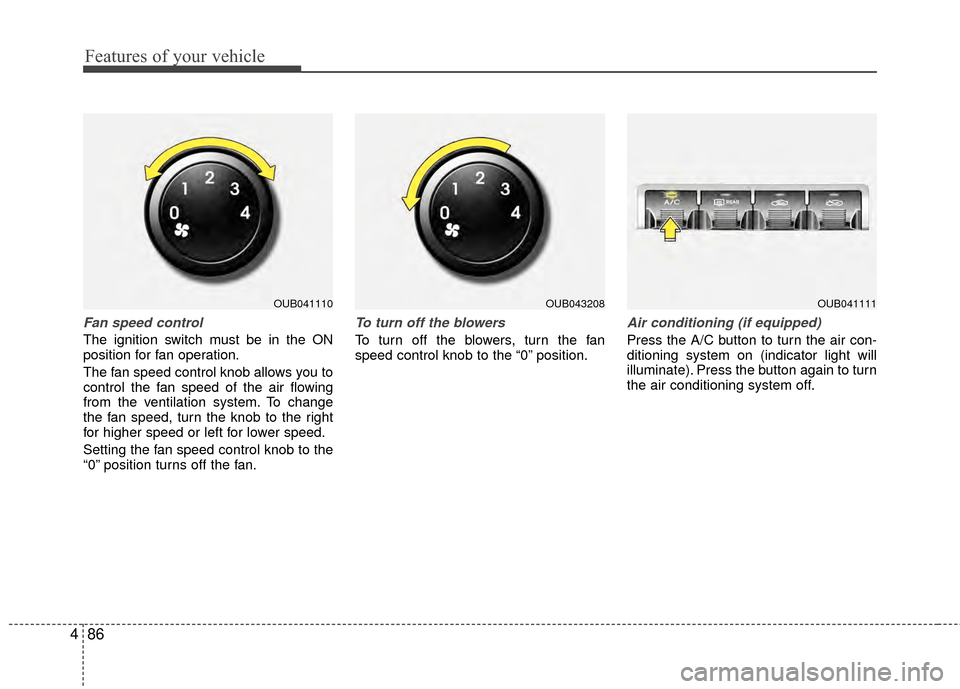
Fan speed control
The ignition switch must be in the ON
position for fan operation.
The fan speed control knob allows you to
control the fan speed of the air flowing
from the ventilation system. To change
the fan speed, turn the knob to the right
for higher speed or left for lower speed.
Setting the fan speed control knob to the
“0” position turns off the fan.
To turn off the blowers
To turn off the blowers, turn the fan
speed control knob to the “0” position.
Air conditioning (if equipped)
Press the A/C button to turn the air con-
ditioning system on (indicator light will
illuminate). Press the button again to turn
the air conditioning system off.
OUB041110OUB041111OUB043208
Page 153 of 397
Features of your vehicle
88
4
Air conditioning system operation tips
If the vehicle has been parked in direct
sunlight during hot weather, open the
windows for a short time to let the hot
air inside the vehicle escape.
To help reduce moisture inside of the windows on rainy or humid days,
decrease the humidity inside the vehi-
cle by operating the air conditioning
system.
During air conditioning system opera- tion, you may occasionally notice a
slight change in engine speed as the
air conditioning compressor cycles.
This is a normal system operation
characteristic.
Use the air conditioning system every month only for a few minutes to ensure
maximum system performance.
When using the air conditioning sys- tem, you may notice clear water drip-
ping (or even puddling) on the ground
under the passenger side of the vehi-
cle. This is a normal system operation
characteristic. Operating the air conditioning system
in the recirculated air position provides
maximum cooling, however, continual
operation in this mode may cause the
air inside the vehicle to become stale.
During cooling operation, you may occasionally notice a misty air flow
because of rapid cooling and humid air
intake. This is a normal system opera-
tion characteristic.CAUTION - Excessive AC
While using the air conditioningsystem, monitor the temperaturegauge closely while driving up hillsor in heavy traffic when outsidetemperatures are high. Air condi- tioning system operation maycause engine overheating andpotential engine damage. Continueto use the blower fan but turn theair conditioning system off if thetemperature gauge indicatesengine overheating.
Page 156 of 397
491
Features of your vehicle
To defrost outside windshield
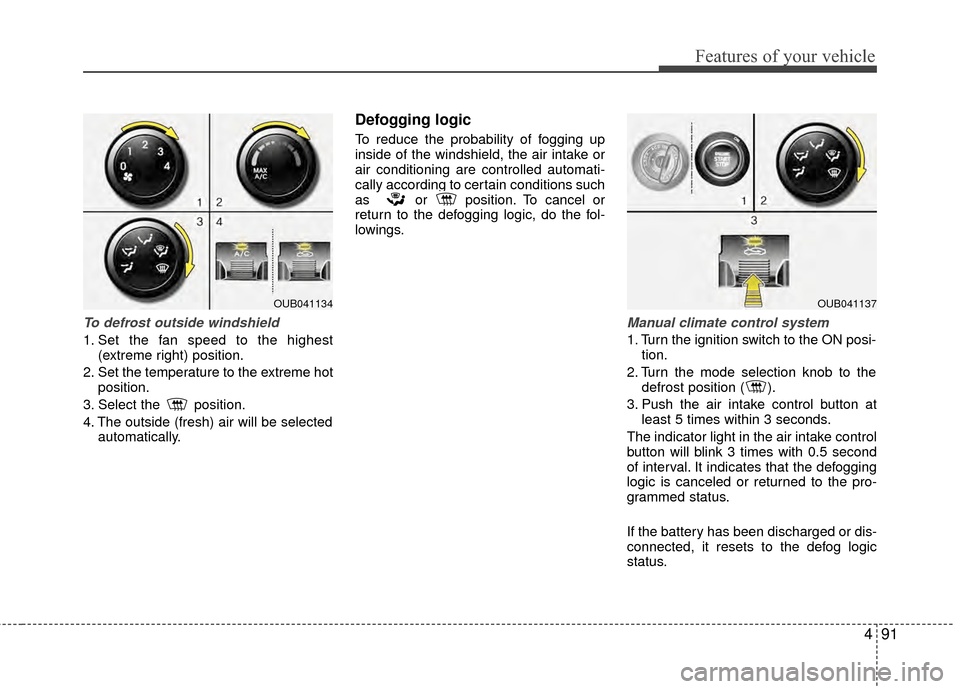
1. Set the fan speed to the highest(extreme right) position.
2. Set the temperature to the extreme hot position.
3. Select the position.
4. The outside (fresh) air will be selected automatically.
Defogging logic
To reduce the probability of fogging up
inside of the windshield, the air intake or
air conditioning are controlled automati-
cally according to certain conditions such
as or position. To cancel or
return to the defogging logic, do the fol-
lowings.
Manual climate control system
1. Turn the ignition switch to the ON posi-tion.
2. Turn the mode selection knob to the defrost position ( ).
3. Push the air intake control button at least 5 times within 3 seconds.
The indicator light in the air intake control
button will blink 3 times with 0.5 second
of interval. It indicates that the defogging
logic is canceled or returned to the pro-
grammed status.
If the battery has been discharged or dis-
connected, it resets to the defog logic
status.
OUB041134OUB041137