warning KIA RIO 2017 Owners Manual
[x] Cancel search | Manufacturer: KIA, Model Year: 2017, Model line: RIO, Model: KIA RIO 2017Pages: 449, PDF Size: 14.88 MB
Page 188 of 449
4117
Features of your vehicle
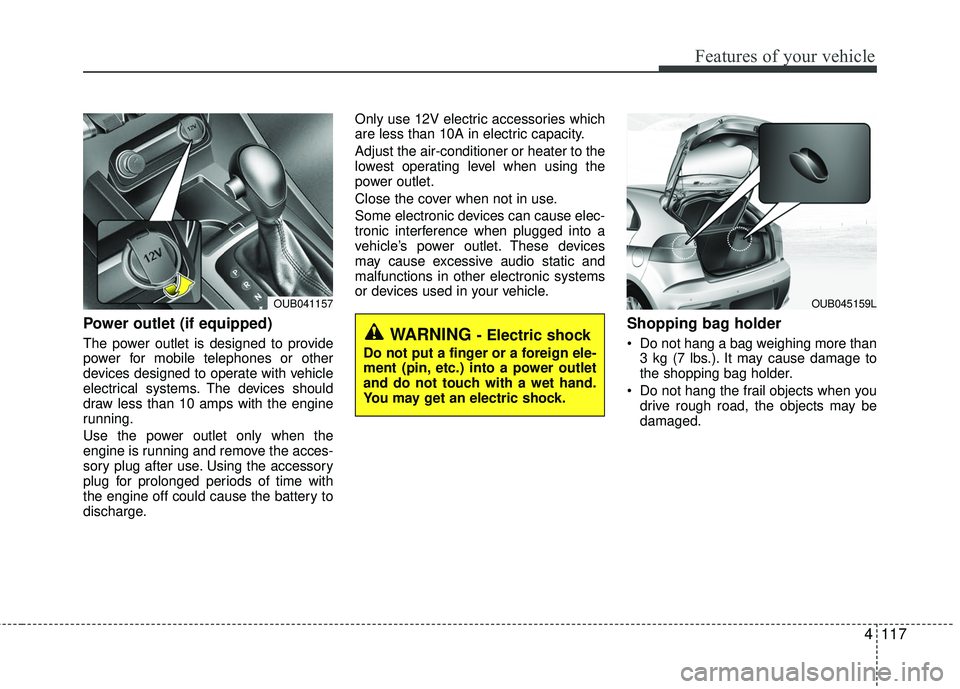
Power outlet (if equipped)
The power outlet is designed to provide
power for mobile telephones or other
devices designed to operate with vehicle
electrical systems. The devices should
draw less than 10 amps with the engine
running.
Use the power outlet only when the
engine is running and remove the acces-
sory plug after use. Using the accessory
plug for prolonged periods of time with
the engine off could cause the battery to
discharge.Only use 12V electric accessories which
are less than 10A in electric capacity.
Adjust the air-conditioner or heater to the
lowest operating level when using the
power outlet.
Close the cover when not in use.
Some electronic devices can cause elec-
tronic interference when plugged into a
vehicle’s power outlet. These devices
may cause excessive audio static and
malfunctions in other electronic systems
or devices used in your vehicle.
Shopping bag holder
Do not hang a bag weighing more than
3 kg (7 lbs.). It may cause damage to
the shopping bag holder.
Do not hang the frail objects when you drive rough road, the objects may be
damaged.WARNING - Electric shock
Do not put a finger or a foreign ele-
ment (pin, etc.) into a power outlet
and do not touch with a wet hand.
You may get an electric shock.
OUB045159LOUB041157
Page 189 of 449
Features of your vehicle
118
4
Digital clock and calendar
(if equipped)
Whenever the battery terminals or relat-
ed fuses are disconnected, you must
reset the clock and the calendar.
When the ignition switch is in the ACC or
ON position, the clock buttons operate as
follows:
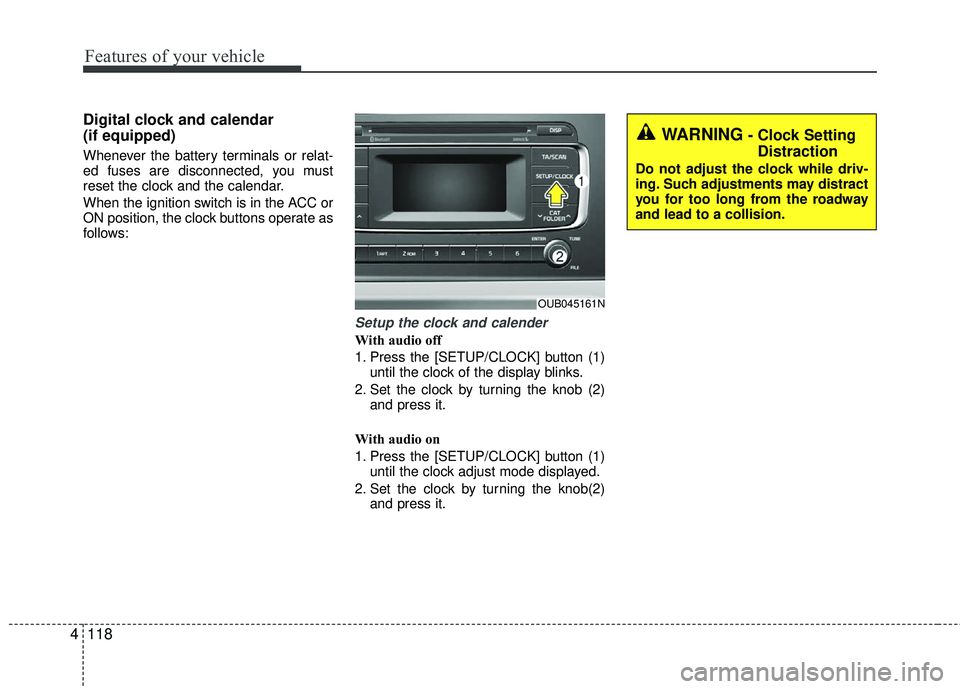
Setup the clock and calender
With audio off
1. Press the [SETUP/CLOCK] button (1)
until the clock of the display blinks.
2. Set the clock by turning the knob (2) and press it.
With audio on
1. Press the [SETUP/CLOCK] button (1) until the clock adjust mode displayed.
2. Set the clock by turning the knob(2) and press it.
OUB045161N
WARNING- Clock SettingDistraction
Do not adjust the clock while driv-
ing. Such adjustments may distract
you for too long from the roadway
and lead to a collision.
Page 190 of 449
4119
Features of your vehicle
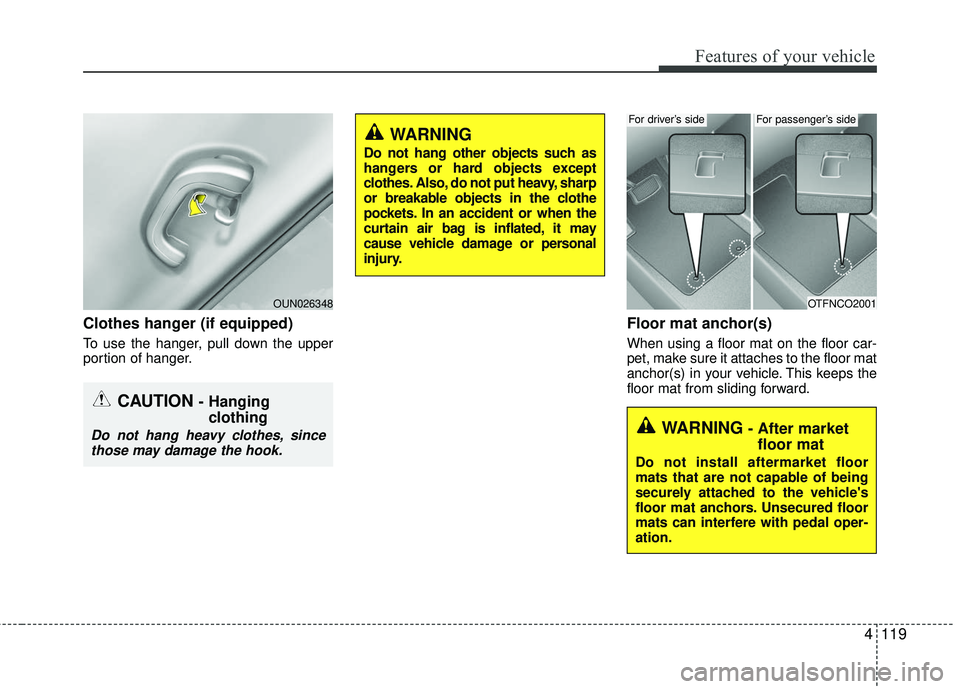
Clothes hanger (if equipped)
To use the hanger, pull down the upper
portion of hanger.
Floor mat anchor(s)
When using a floor mat on the floor car-
pet, make sure it attaches to the floor mat
anchor(s) in your vehicle. This keeps the
floor mat from sliding forward.
CAUTION - Hanging clothing
Do not hang heavy clothes, since
those may damage the hook.
OUN026348OTFNCO2001
For driver’s sideFor passenger’s side
WARNING- After market floor mat
Do not install aftermarket floor
mats that are not capable of being
securely attached to the vehicle's
floor mat anchors. Unsecured floor
mats can interfere with pedal oper-
ation.
WARNING
Do not hang other objects such as
hangers or hard objects except
clothes. Also, do not put heavy, sharp
or breakable objects in the clothe
pockets. In an accident or when the
curtain air bag is inflated, it may
cause vehicle damage or personal
injury.
Page 197 of 449
Features of your vehicle
126
4
Using a cellular phone or a two-way
radio
When a cellular phone is used inside the
vehicle, noise may be produced from the
audio system. This does not mean that
something is wrong with the audio equip-
ment. In such a case, try to operate
mobile devices as far from the audio
equipment as possible.
When using a communication system
such as a cellular phone or a radio set
inside the vehicle, a separate external
antenna must be fitted. When a cellular
phone or a radio set is used with an inter-
nal antenna alone, it may interfere with
the vehicle's electrical system and
adversely affect safe operation of the
vehicle.
WARNING- Cell phone use
Do not use a cellular phone while
driving. Stop at a safe location to
use a cellular phone.
WARNING- Driver Distraction
Do not stare at the screen while
driving. Staring at the screen for
prolonged periods of time could
lead to traffic accidents.
Using the phone while driving may lead to a lack of attention of
traffic conditions and increase
the likelihood of accidents. Use
the phone feature after parking
the vehicle.
WARNING- Audio System
Do not disassemble, assemble, or
modify the audio system. Such acts
could result in fire or electric
shock.
WARNING- Antenna
Do not touch the antenna during
thunder or lightening as such acts
may lead to lightning induced elec-
tric shock.
CAUTION
Refrain from use if the screen isblank or no sound can be heard as these signs may indicate productmalfunction.
Page 202 of 449
Features of your vehicle
4131
Bluetooth®Wireless Technology
(if equipped)
Bluetooth®Wireless Technology
The Bluetooth®word mark and logos are
registered trademarks owned by
Bluetooth SIG, lnc. and any use of such
marks by Kia is under license.
A Bluetooth
®enabled call phone is
required to use Bluetooth®Wireless
Technology.
Before Using the Bluetooth®
Wireless Technology Handsfree
What is Bluetooth®?
Bluetooth®refers to a short-distance
wireless networking technology which
uses a 2.4GHz ~ 2.48GHz frequency to
connect various devices within a certain
distance.
Supported within PCs, external devices, Bluetooth
®phones, PDAs, various elec-
tronic devices, and automotive environ-
ments, Bluetooth
®allows data to be
transmitted at high speeds without hav-
ing to use a connector cable.
Bluetooth
®Handsfree refers to a device
which allows the user to conveniently
make phone calls with Bluetooth
®
mobile phones through the audio sys-
tem.
Bluetooth
®Handsfree may not be sup-
ported in some mobile phones. To
learn more about mobile device com-
patibility, visit
http://www.kia.com/us/en/content/owners/bluetooth.
WARNING
Driving while distracted can result
in a loss of vehicle control that may
lead to an accident, severe personal
injury, and death. The driver’s pri-
mary responsibility is in the safe
and legal operation of a vehicle, and
use of any handheld devices, other
equipment, or vehicle systems
which take the driver’s eyes, atten-
tion and focus away from the safe
operation of a vehicle or which are
not permissible by law should never
be used during operation of the
vehicle.
Page 212 of 449
![KIA RIO 2017 Owners Manual Features of your vehicle
4141
CLOCK SETTINGS
Press the key Select
[Clock] through TUNE knob or
key Select menu through TUNE knob
Clock Settings
This menu is used to set the time.
Select [Clock Sett](/img/2/40419/w960_40419-211.png "KIA RIO 2017 Owners Manual Features of your vehicle
4141
CLOCK SETTINGS
Press the key Select
[Clock] through TUNE knob or
key Select menu through TUNE knob
Clock Settings
This menu is used to set the time.
Select [Clock Sett")
Features of your vehicle
4141
CLOCK SETTINGS
Press the key Select
[Clock] through TUNE knob or
key Select menu through TUNE knob
Clock Settings
This menu is used to set the time.
Select [Clock Settings] Set through
TUNE knob Press TUNE knob
❈ Adjust the number currently in focus to
set the [hour] and press the tune knob
to set the [minute] and [AM/PM].
Calendar Settings
This menu is used to set the date.
Select [Calendar Settings] Set through
TUNE knob Press TUNE knob
❈ Adjust the number currently in focus to
make the settings and press the tune
knob to move to the next setting.
Time Format
This function is used to set the 12/24
hour time format of the audio system.
Select [Time Format] Set 12Hr / 24Hr
through TUNE knob.
Clock Display when Power is OFF
Select [Clock Disp.(Pwr Off)] Set /through TUNEknob
: Displays time/date on screen
: Turn off.
Off
On
OffOn
3
SETUP/CLOCK
WARNING- Clock Setting Distraction
Do not adjust the clock while driv-
ing. You may lose your steering
control and cause severe personal
injury or accidents.
Page 224 of 449
Features of your vehicle
4153
The Bluetooth®word mark and logos
are registered trademarks owned by
Bluetooth SIG, Inc. and any use of such
marks by Kia is under license. Other
trademarks and trade names are those
of their respective owners. A Bluetooth
®
enabled cell phone is required to useBluetooth®Wireless Technology.
Bluetooth®Wireless Technology
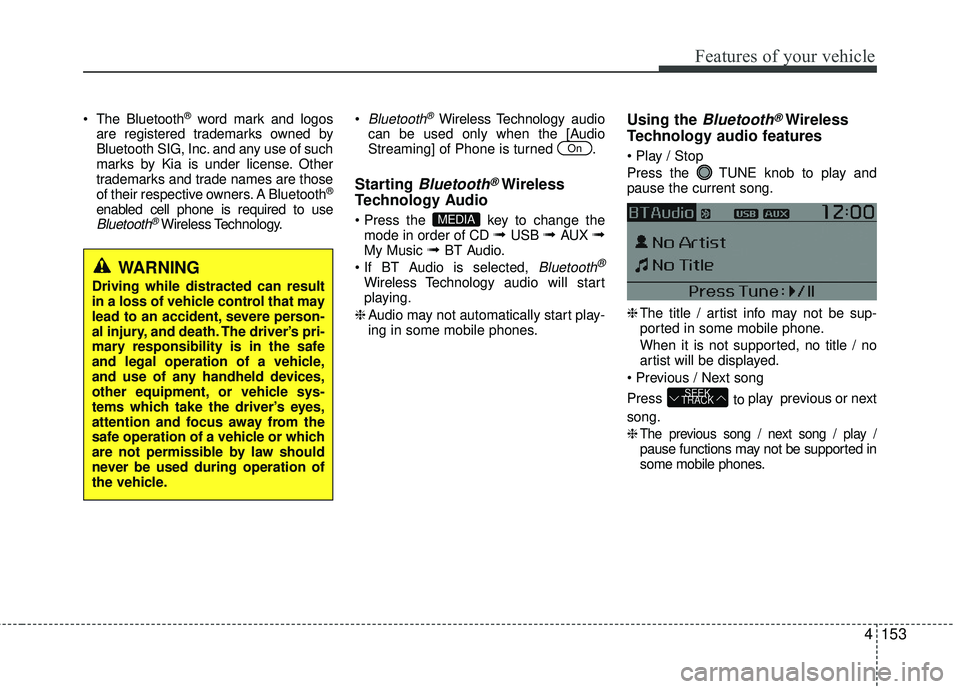
audio
can be used only when the [Audio
Streaming] of Phone is turned .
Starting Bluetooth®Wireless
Technology Audio
key to change the
mode in order of CD ➟ USB ➟ AUX ➟My Music ➟ BT Audio.
Bluetooth®
Wireless Technology audio w ill start
playing.
❈ Audio may not automatically start play-
ing in some mobile phones.
Using the Bluetooth®Wireless
Technology audio features
Press the TUNE knob to play and
pause the current song.
❈
The title / artist info may not be sup-
ported in some mobile phone.
When it is not supported, no title / no
artist will be displayed.
Press to play previous or next
song.
❈
The previous song / next song / play /pause functions may not be supported in
some mobile phones.
SEEK
TRACK
MEDIA
On
WARNING
Driving while distracted can result
in a loss of vehicle control that may
lead to an accident, severe person-
al injury, and death. The driver’s pri-
mary responsibility is in the safe
and legal operation of a vehicle,
and use of any handheld devices,
other equipment, or vehicle sys-
tems which take the driver’s eyes,
attention and focus away from the
safe operation of a vehicle or which
are not permissible by law should
never be used during operation of
the vehicle.
Page 226 of 449
Features of your vehicle
4155
Bluetooth®Wireless Technology
Pairing a
Bluetooth®Wireless
Technology Device
What is Bluetooth®Wireless
Technology Pairing?
Pairing refers to the process of synchro-
nizing your Bluetooth®Wireless
Technology phone or device with the car
audio system for connection. Pairing is
necessary to connect and use the
Bluetooth®Wireless Technology feature.
The Bluetooth®word mark and logos are
registered trademarks owned by
Bluetooth SIG, Inc. and any use of such
marks by Kia is under license. Other
trademarks and trade names are those
of their respective owners. A Bluetooth
®
enabled cell phone is required to useBluetooth®Wireless Technology
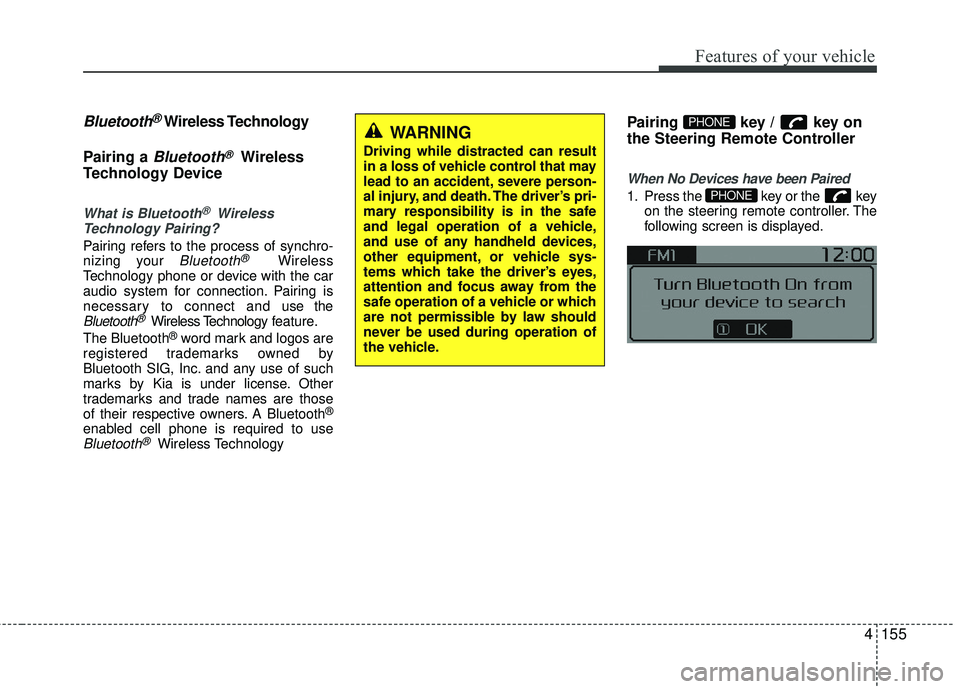
Pairing key / key on
the Steering Remote Controller
When No Devices have been Paired
1. Press the key or the key on the steering remote controller. The
following screen is displayed.PHONE
PHONEWARNING
Driving while distracted can result
in a loss of vehicle control that may
lead to an accident, severe person-
al injury, and death. The driver’s pri-
mary responsibility is in the safe
and legal operation of a vehicle,
and use of any handheld devices,
other equipment, or vehicle sys-
tems which take the driver’s eyes,
attention and focus away from the
safe operation of a vehicle or which
are not permissible by law should
never be used during operation of
the vehicle.
Page 235 of 449
Features of your vehicle
164
4
Bluetooth®Wireless Technology
Setting
The Bluetooth®word mark and logos are
registered trademarks owned by
Bluetooth SIG, Inc. and any use of such
marks by Kia is under license. Other
trademarks and trade names are those
of their respective owners. A Bluetooth
®
enabled cell phone is required to useBluetooth®Wireless Technology.
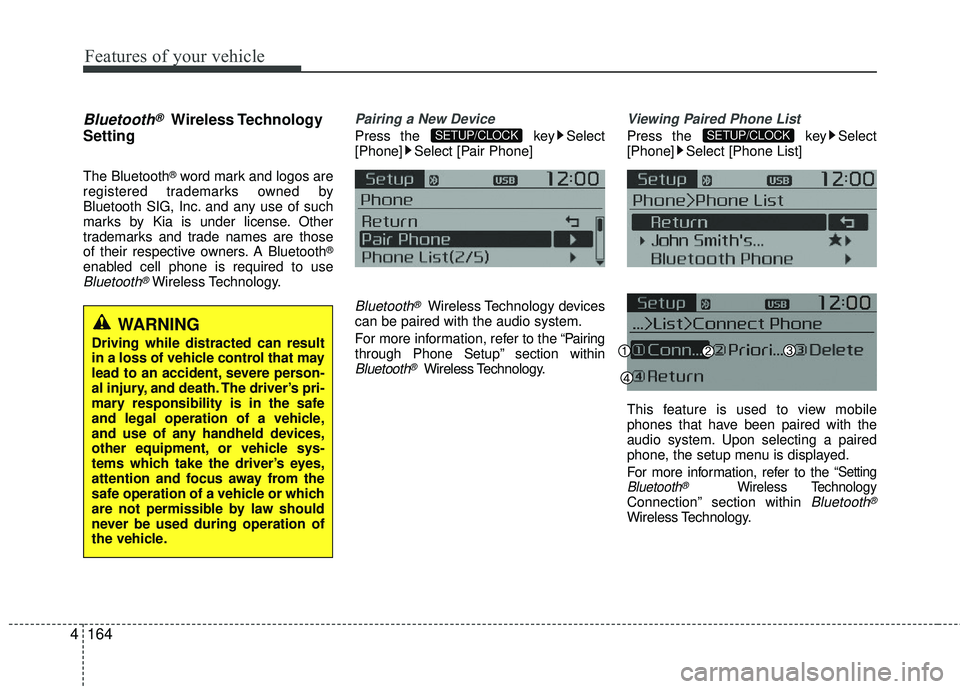
Pairing a New Device
Press the key Select
[Phone] Select [Pair Phone]
Bluetooth®Wireless Technology devices
can be paired with the audio system.
For more information, refer to the “Pairing
through Phone Setup” section within
Bluetooth®Wireless Technology.
Viewing Paired Phone List
Press the key Select
[Phone] Select [Phone List]
This feature is used to view mobile
phones that have been paired with the
audio system. Upon selecting a paired
phone, the setup menu is displayed.
For more information, refer to the
“SettingBluetooth®Wireless TechnologyConnection” section within Bluetooth®
Wireless Technology.
SETUP/CLOCKSETUP/CLOCK
WARNING
Driving while distracted can result
in a loss of vehicle control that may
lead to an accident, severe person-
al injury, and death. The driver’s pri-
mary responsibility is in the safe
and legal operation of a vehicle,
and use of any handheld devices,
other equipment, or vehicle sys-
tems which take the driver’s eyes,
attention and focus away from the
safe operation of a vehicle or which
are not permissible by law should
never be used during operation of
the vehicle.
Page 249 of 449
Driving your vehicle
25
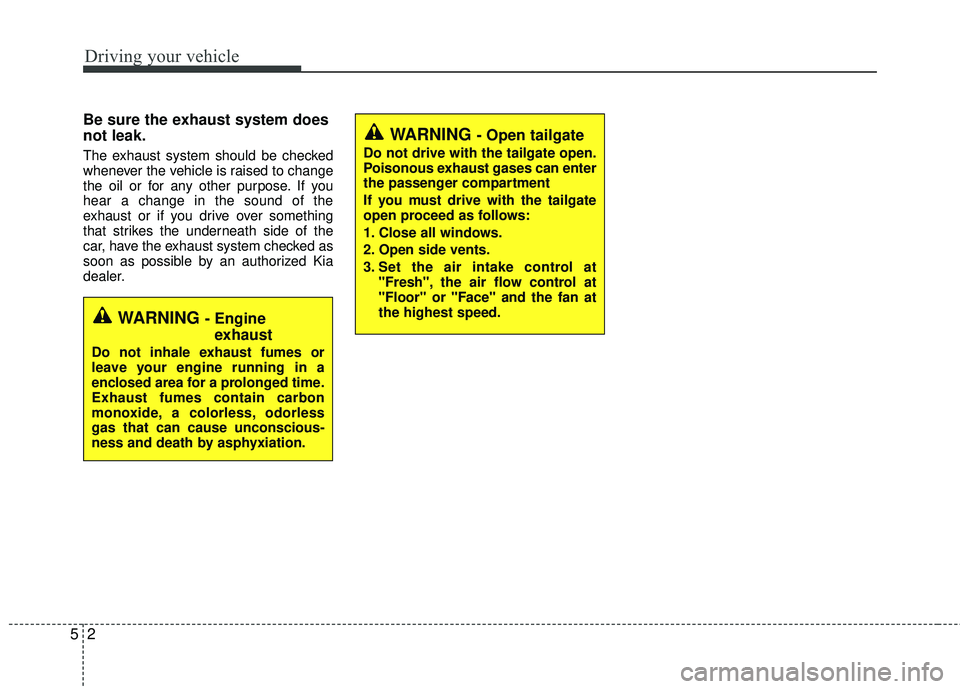
Be sure the exhaust system does
not leak.
The exhaust system should be checked
whenever the vehicle is raised to change
the oil or for any other purpose. If you
hear a change in the sound of the
exhaust or if you drive over something
that strikes the underneath side of the
car, have the exhaust system checked as
soon as possible by an authorized Kia
dealer.
WARNING - Engineexhaust
Do not inhale exhaust fumes or
leave your engine running in a
enclosed area for a prolonged time.
Exhaust fumes contain carbon
monoxide, a colorless, odorless
gas that can cause unconscious-
ness and death by asphyxiation.
WARNING - Open tailgate
Do not drive with the tailgate open.
Poisonous exhaust gases can enter
the passenger compartment
If you must drive with the tailgate
open proceed as follows:
1. Close all windows.
2. Open side vents.
3. Set the air intake control at
"Fresh", the air flow control at
"Floor" or "Face" and the fan at
the highest speed.