change time KIA RIO 2017 User Guide
[x] Cancel search | Manufacturer: KIA, Model Year: 2017, Model line: RIO, Model: KIA RIO 2017Pages: 449, PDF Size: 14.88 MB
Page 206 of 449
Features of your vehicle
4135
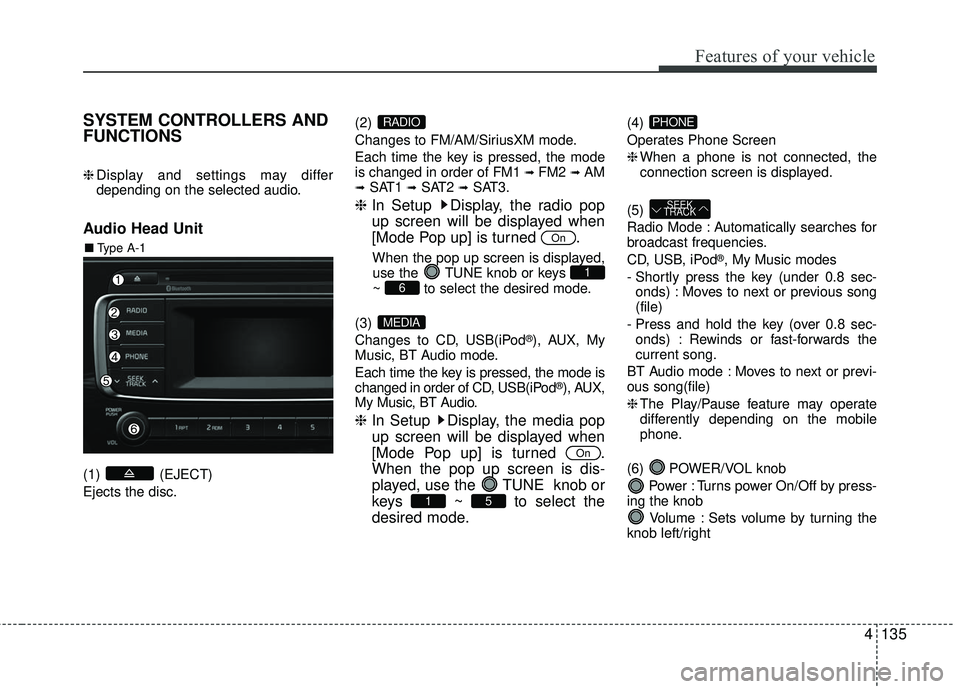
SYSTEM CONTROLLERS AND
FUNCTIONS
❈Display and settings may differ
depending on the selected audio.
Audio Head Unit
(1) (EJECT)
Ejects the disc. (2)
Changes to FM/AM/SiriusXM mode.
Each time the key is pressed, the mode
is changed in order of FM1
➟ FM2 ➟AM➟SAT1 ➟SAT2 ➟SAT3.
❈
In Setup Display, the radio pop
up screen will be displayed when
[Mode Pop up] is turned .
When the pop up screen is displayed,
use the TUNE knob or keys
~ to select the desired mode.
(3)
Changes to CD, USB(iPod
®), AUX, My
Music, BT Audio mode.
Each time the key is pressed, the mode is
changed in order of CD, USB(iPod
®), AUX,
My Music, BT Audio.
❈ In Setup Display, the media pop
up screen will be displayed when
[Mode Pop up] is turned .
When the pop up screen is dis-
played, use the TUNE knob or
keys ~ to select the
desired mode.
(4)
Operates Phone Screen
❈When a phone is not connected, the
connection screen is displayed.
(5)
Radio Mode : Automatically searches for
broadcast frequencies.
CD, USB, iPod
®, My Music modes
- Shortly press the key (under 0.8 sec- onds) : Moves to next or previous song
(file)
- Press and hold the key (over 0.8 sec- onds) : Rewinds or fast-forwards the
current song.
BT Audio mode : Moves to next or previ-
ous song(file)
❈ The Play/Pause feature may operate
differently depending on the mobile
phone.
(6) POWER/VOL knob Power : Turns power On/Off by press-
ing the knob
Volume : Sets volume by turning the
knob left/right
SEEK
TRACK
PHONE
51
On
MEDIA
61
On
RADIO
■ Type A-1
Page 207 of 449
Features of your vehicle
136
4
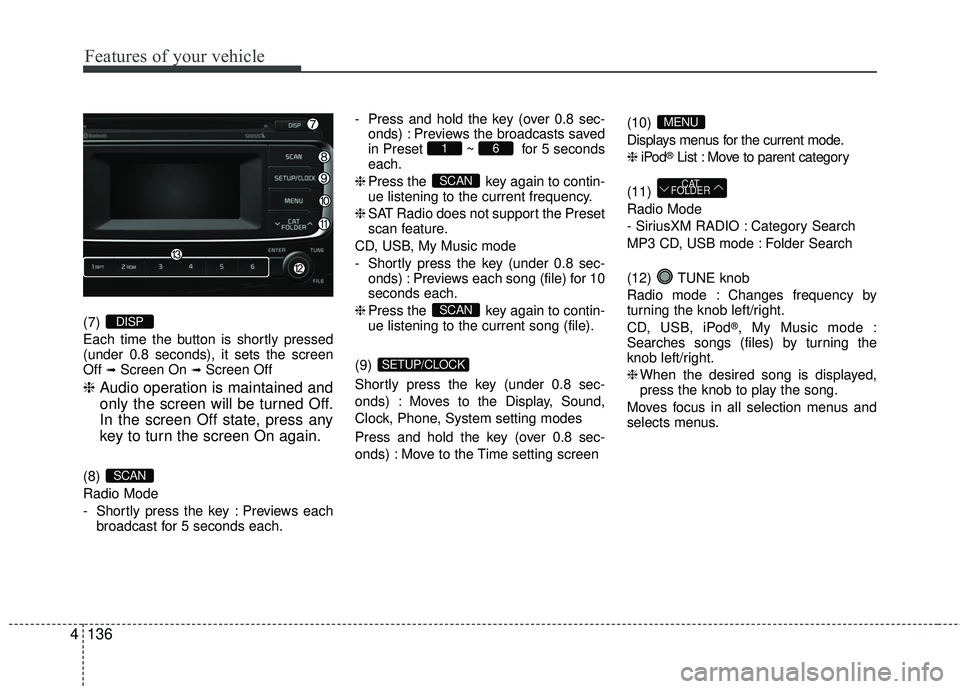
(7)
Each time the button is shortly pressed
(under 0.8 seconds), it sets the screen
Off
➟Screen On ➟Screen Off
❈ Audio operation is maintained and
only the screen will be turned Off.
In the screen Off state, press any
key to turn the screen On again.
(8)
Radio Mode
- Shortly press the key : Previews each
broadcast for 5 seconds each. - Press and hold the key (over 0.8 sec-
onds) : Previews the broadcasts saved
in Preset ~ for 5 seconds
each.
❈ Press the key again to contin-
ue listening to the current frequency.
❈ SAT Radio does not support the Preset
scan feature.
CD, USB, My Music mode
- Shortly press the key (under 0.8 sec- onds) : Previews each song (file) for 10
seconds each.
❈ Press the key again to contin-
ue listening to the current song (file).
(9)
Shortly press the key (under 0.8 sec-
onds) : Moves to the Display, Sound,
Clock, Phone, System setting modes
Press and hold the key (over 0.8 sec-
onds) : Move to the Time setting screen (10)
Displays menus for the current mode.
❈
iPod
®List : Move to parent category
(11)
Radio Mode
- SiriusXM RADIO : Category Search
MP3 CD, USB mode : Folder Search
(12) TUNE knob
Radio mode : Changes frequency by
turning the knob left/right.
CD, USB, iPod
®, My Music mode :
Searches songs (files) by turning the
knob left/right.
❈ When the desired song is displayed,
press the knob to play the song.
Moves focus in all selection menus and
selects menus.
CAT
FOLDER
MENU
SETUP/CLOCK
SCAN
SCAN
61
SCAN
DISP
Page 208 of 449
Features of your vehicle
4137
(13) ~ (Preset)
Radio Mode : Saves frequencies (chan-
nels) or receives saved frequencies
(channels)
CD, USB, iPod
®, My Music mode
- : Repeat
- : Random
In the Radio, Media, Setup, and Menu
pop up screen, the number menu is
selected.
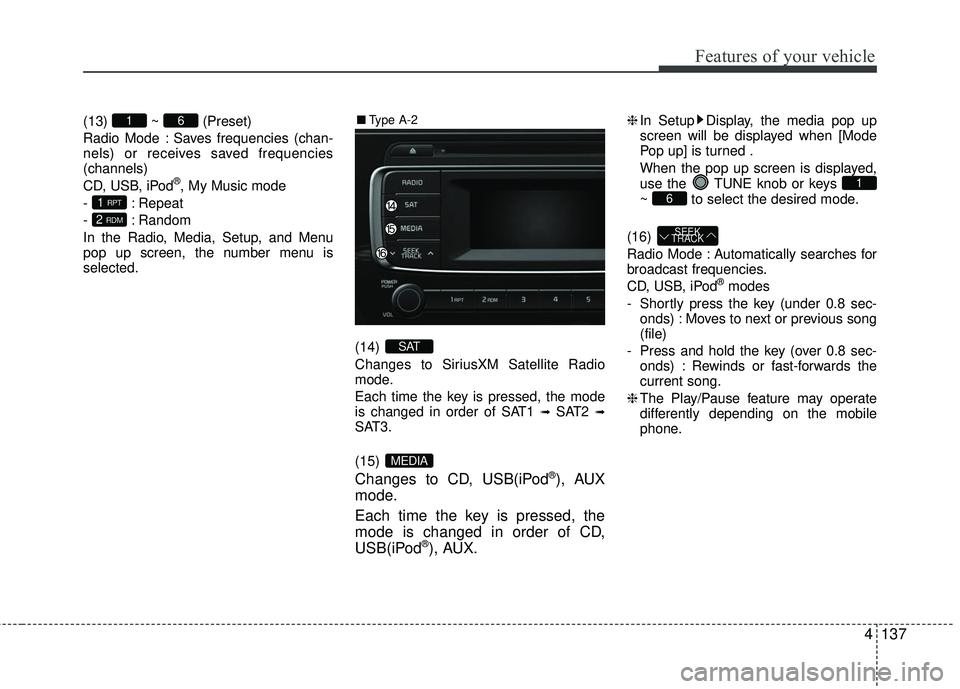
(14)
Changes to SiriusXM Satellite Radio
mode.
Each time the key is pressed, the mode
is changed in order of SAT1
➟SAT2 ➟SAT3.
(15)
Changes to CD, USB(iPod®), AUX
mode.
Each time the key is pressed, the
mode is changed in order of CD,
USB(iPod
®), AUX.
❈ In Setup Display, the media pop up
screen will be displayed when [Mode
Pop up] is turned .
When the pop up screen is displayed,
use the TUNE knob or keys
~ to select the desired mode.
(16)
Radio Mode : Automatically searches for
broadcast frequencies.
CD, USB, iPod
®modes
- Shortly press the key (under 0.8 sec- onds) : Moves to next or previous song
(file)
- Press and hold the key (over 0.8 sec- onds) : Rewinds or fast-forwards the
current song.
❈ The Play/Pause feature may operate
differently depending on the mobile
phone.
SEEK
TRACK
61
MEDIA
SAT
2 RDM
1 RPT
61■ Type A-2
Page 223 of 449
Features of your vehicle
152
4
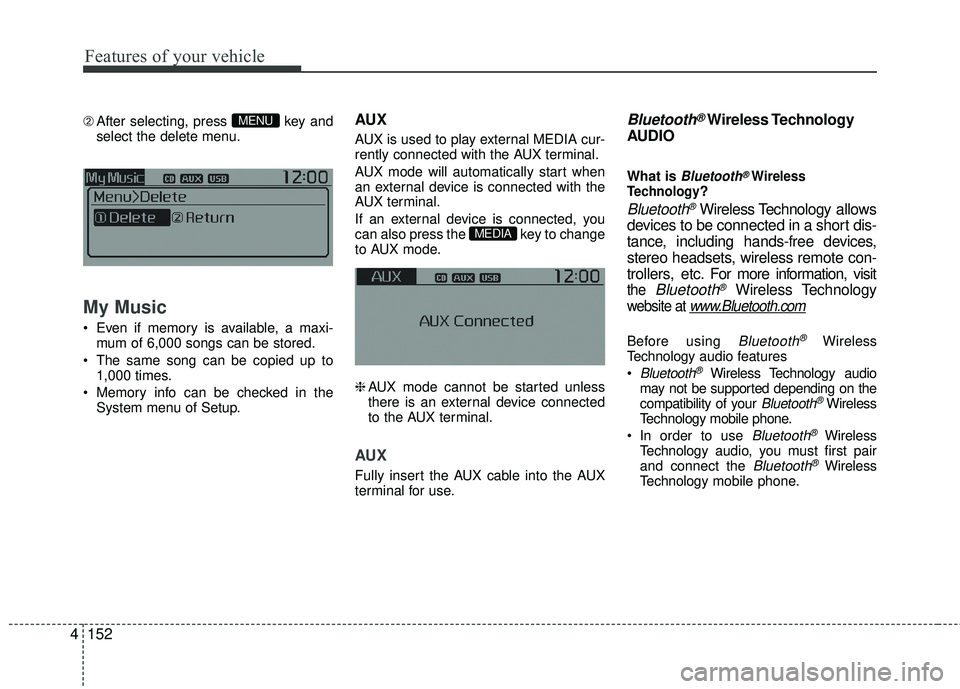
➁ After selecting, press key and
select the delete menu.
My Music
Even if memory is available, a maxi- mum of 6,000 songs can be stored.
The same song can be copied up to 1,000 times.
Memory info can be checked in the System menu of Setup.
AUX
AUX is used to play external MEDIA cur-
rently connected with the AUX terminal.
AUX mode will automatically start when
an external device is connected with the
AUX terminal.
If an external device is connected, you
can also press the key to change
to AUX mode.
❈AUX mode cannot be started unless
there is an external device connected
to the AUX terminal.
AUX
Fully insert the AUX cable into the AUX
terminal for use.
Bluetooth®Wireless Technology
AUDIO
What is Bluetooth®Wireless
Technology?
Bluetooth®Wireless Technology allows
devices to be connected in a short dis-
tance, including hands-free devices,
stereo headsets, wireless remote con-
trollers, etc. For more information, visit
the Bluetooth®Wireless Technology
website at www.Bluetooth.com
Before using Bluetooth®Wireless
Technology audio features
Bluetooth®Wireless Technology audio
may not be supported depending on the
compatibility of your
Bluetooth®Wireless
Technology mobile phone.
In order to use
Bluetooth®Wireless
Technology audio, you must first pair
and connect the
Bluetooth®Wireless
Technology mobile phone.
MEDIA
MENU
Page 249 of 449
Driving your vehicle
25
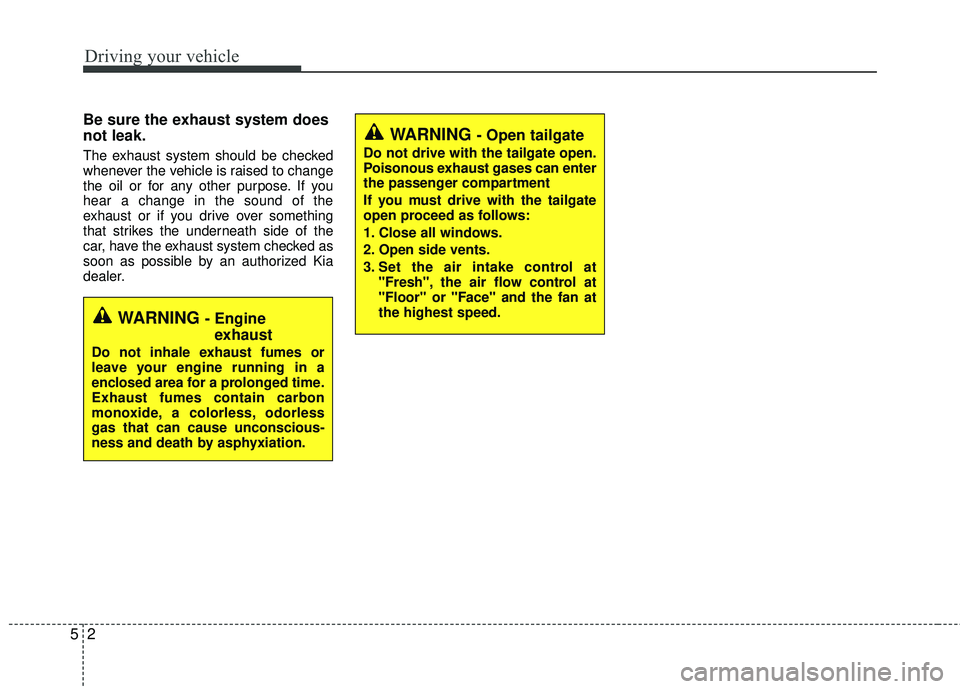
Be sure the exhaust system does
not leak.
The exhaust system should be checked
whenever the vehicle is raised to change
the oil or for any other purpose. If you
hear a change in the sound of the
exhaust or if you drive over something
that strikes the underneath side of the
car, have the exhaust system checked as
soon as possible by an authorized Kia
dealer.
WARNING - Engineexhaust
Do not inhale exhaust fumes or
leave your engine running in a
enclosed area for a prolonged time.
Exhaust fumes contain carbon
monoxide, a colorless, odorless
gas that can cause unconscious-
ness and death by asphyxiation.
WARNING - Open tailgate
Do not drive with the tailgate open.
Poisonous exhaust gases can enter
the passenger compartment
If you must drive with the tailgate
open proceed as follows:
1. Close all windows.
2. Open side vents.
3. Set the air intake control at
"Fresh", the air flow control at
"Floor" or "Face" and the fan at
the highest speed.
Page 254 of 449
57
Driving your vehicle
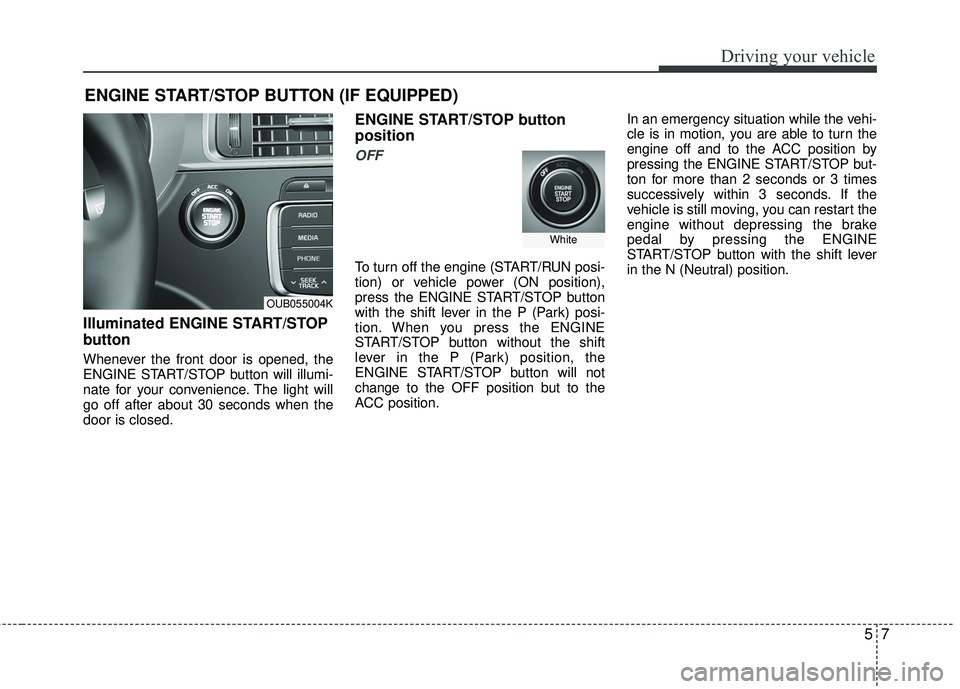
Illuminated ENGINE START/STOP
button
Whenever the front door is opened, the
ENGINE START/STOP button will illumi-
nate for your convenience. The light will
go off after about 30 seconds when the
door is closed.
ENGINE START/STOP button
position
OFF
To turn off the engine (START/RUN posi-
tion) or vehicle power (ON position),
press the ENGINE START/STOP button
with the shift lever in the P (Park) posi-
tion. When you press the ENGINE
START/STOP button without the shift
lever in the P (Park) position, the
ENGINE START/STOP button will not
change to the OFF position but to the
ACC position. In an emergency situation while the vehi-
cle is in motion, you are able to turn the
engine off and to the ACC position by
pressing the ENGINE START/STOP but-
ton for more than 2 seconds or 3 times
successively within 3 seconds. If the
vehicle is still moving, you can restart the
engine without depressing the brake
pedal by pressing the ENGINE
START/STOP button with the shift lever
in the N (Neutral) position.
ENGINE START/STOP BUTTON (IF EQUIPPED)
OUB055004K
White
Page 255 of 449
Driving your vehicle
85
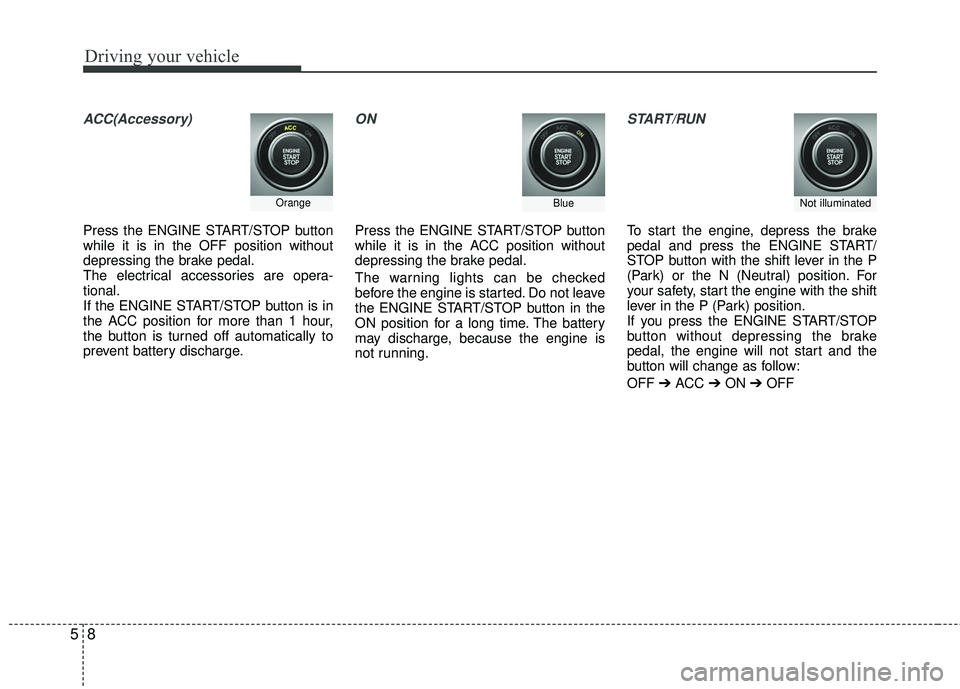
ACC(Accessory)
Press the ENGINE START/STOP button
while it is in the OFF position without
depressing the brake pedal.
The electrical accessories are opera-
tional.
If the ENGINE START/STOP button is in
the ACC position for more than 1 hour,
the button is turned off automatically to
prevent battery discharge.
ON
Press the ENGINE START/STOP button
while it is in the ACC position without
depressing the brake pedal.
The warning lights can be checked
before the engine is started. Do not leave
the ENGINE START/STOP button in the
ON position for a long time. The battery
may discharge, because the engine is
not running.
START/RUN
To start the engine, depress the brake
pedal and press the ENGINE START/
STOP button with the shift lever in the P
(Park) or the N (Neutral) position. For
your safety, start the engine with the shift
lever in the P (Park) position.
If you press the ENGINE START/STOP
button without depressing the brake
pedal, the engine will not start and the
button will change as follow:
OFF ➔ ACC ➔ON ➔OFF
OrangeBlueNot illuminated
Page 270 of 449
523
Driving your vehicle
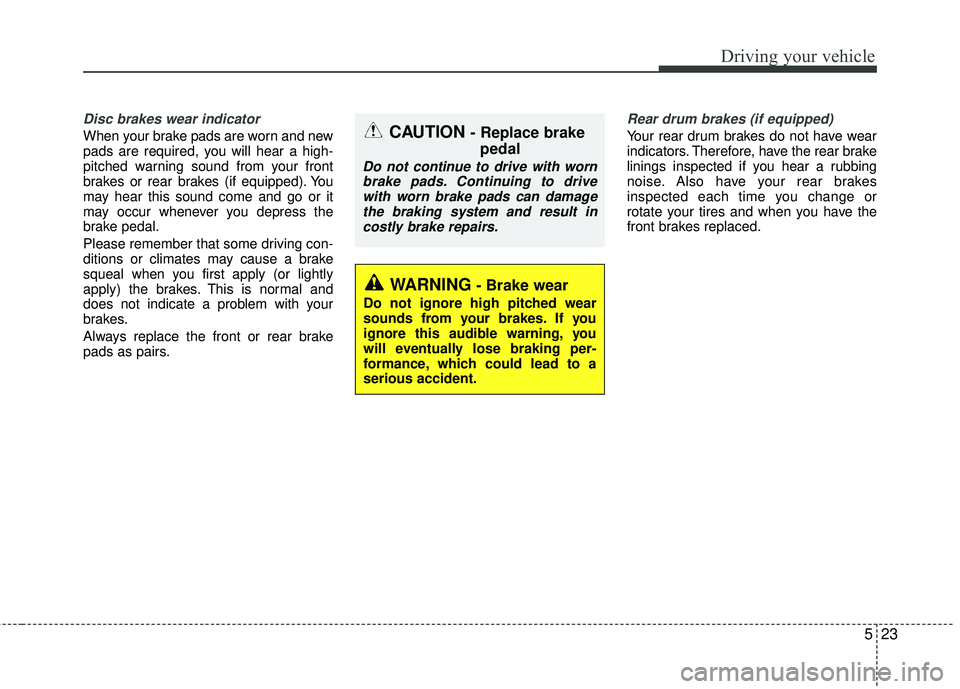
Disc brakes wear indicator
When your brake pads are worn and new
pads are required, you will hear a high-
pitched warning sound from your front
brakes or rear brakes (if equipped). You
may hear this sound come and go or it
may occur whenever you depress the
brake pedal.
Please remember that some driving con-
ditions or climates may cause a brake
squeal when you first apply (or lightly
apply) the brakes. This is normal and
does not indicate a problem with your
brakes.
Always replace the front or rear brake
pads as pairs.
Rear drum brakes (if equipped)
Your rear drum brakes do not have wear
indicators. Therefore, have the rear brake
linings inspected if you hear a rubbing
noise. Also have your rear brakes
inspected each time you change or
rotate your tires and when you have the
front brakes replaced.
WARNING- Brake wear
Do not ignore high pitched wear
sounds from your brakes. If you
ignore this audible warning, you
will eventually lose braking per-
formance, which could lead to a
serious accident.
CAUTION - Replace brakepedal
Do not continue to drive with worn
brake pads. Continuing to drivewith worn brake pads can damagethe braking system and result incostly brake repairs.
Page 277 of 449
Driving your vehicle
30
5
Hill-start assist control (HAC)
Hill start Assist Control is a comfort func-
tion. The main intend is to prevent the
vehicle from rolling backwards while driv-
ing off uphill on an inclined surface. HAC
holds the braking pressure builtup by
driver during stopping procedure for 2
seconds after releasing brake pedal.
During the pressure-hold period, the
driver has enough time to press the
accelerator pedal to drive off.
The braking pressure is reduced as soon
as the system detects the driver’s inten-
tion to drive off.
The HAC does not operate when the
transaxle shift lever is in the P (Park) or
N (Neutral) position.
The HAC activates even though the ESC is off but it does not activate when
the ESC has malfunctioned.
Vehicle stability management
(VSM)
This system provides further enhance-
ments to vehicle stability and steering
responses when a vehicle is driving on a
slippery road or a vehicle detected
changes in coefficient of friction between
right wheels and left wheels when braking.
WARNING- Maintaining
Brake Pressure on Incline
HAC does not replace the need to
apply brakes while stopped on an
incline. While stopped, make sure
you maintain brake pressure suffi-
cient to prevent your vehicle from
rolling backward and causing an
accident. Don’t release the brake
pedal until you are ready to accel-
erate forward.
Page 283 of 449
Driving your vehicle
36
5
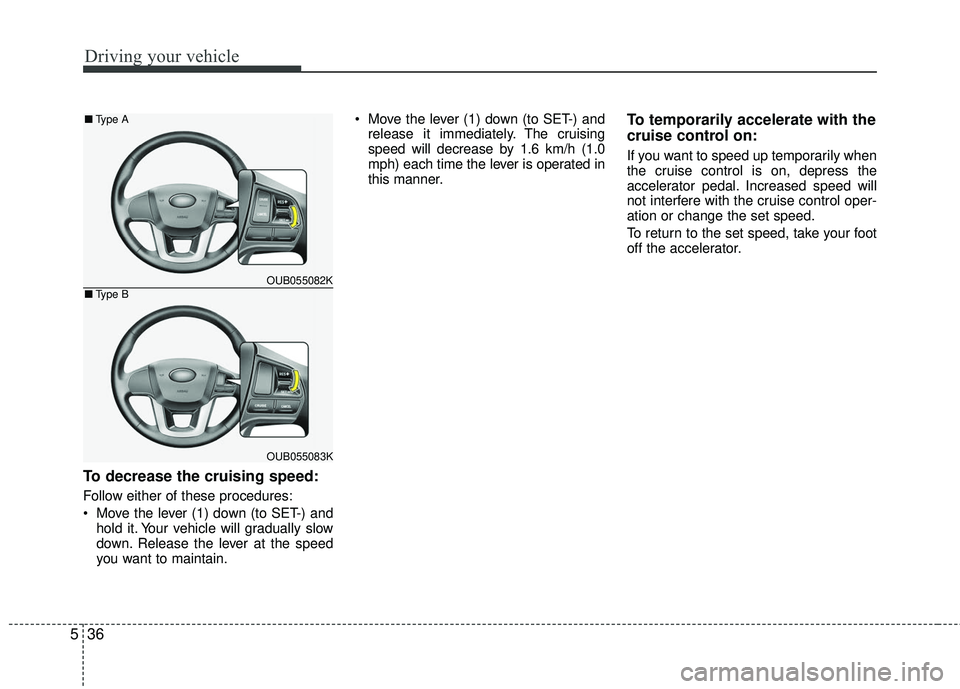
To decrease the cruising speed:
Follow either of these procedures:
Move the lever (1) down (to SET-) and
hold it. Your vehicle will gradually slow
down. Release the lever at the speed
you want to maintain. Move the lever (1) down (to SET-) and
release it immediately. The cruising
speed will decrease by 1.6 km/h (1.0
mph) each time the lever is operated in
this manner.
To temporarily accelerate with the
cruise control on:
If you want to speed up temporarily when
the cruise control is on, depress the
accelerator pedal. Increased speed will
not interfere with the cruise control oper-
ation or change the set speed.
To return to the set speed, take your foot
off the accelerator.
OUB055082K
OUB055083K
■ Type A
■Type B