warning light KIA RIO 2017 Workshop Manual
[x] Cancel search | Manufacturer: KIA, Model Year: 2017, Model line: RIO, Model: KIA RIO 2017Pages: 449, PDF Size: 14.88 MB
Page 264 of 449
517
Driving your vehicle
For smooth operation, depress the brakepedal when shifting from N (Neutral) to aforward or reverse gear.
When stopped on an upgrade, do not
hold the vehicle with engine power. Use
the service brake or the parking brake.
Transaxle ranges
The indicator light in the instrument clus-
ter displays the shift lever position when
the ignition switch is in the ON position.
P (Park)
Always come to a complete stop before
shifting into P (Park). This position locks
the transaxle and prevents the front
wheels from rotating.
Shifting into P (Park) while the vehicle is
in motion will cause the drive wheels to
lock which will cause you to lose control
of the vehicle.
WARNING- Automatic transaxle
Before leaving the driver’s seat,
always make sure the shift lever is
in the P (Park) position; then set the
parking brake fully and shut the
engine off. Do not use the P posi-
tion in place of the parking brake.
Always make sure the shift lever is
latched in the P position and set the
parking brake fully. Unexpected
and sudden vehicle movement can
occur if these precautions are not
followed.
CAUTION - Transaxle
To avoid damage to your transaxle,
do not accelerate the engine in R(Reverse) or any forward gear posi-tion with the brakes on. Thetransaxle may be damaged if you shift into P (Park) while the vehicleis in motion.
Page 269 of 449
Driving your vehicle
22
5
BRAKE SYSTEM
Power brakes
Your vehicle has power-assisted brakes
that adjust automatically through normal
usage.
In the event that the power-assisted
brakes lose power because of a stalled
engine or some other reason, you can
still stop your vehicle by applying greater
force to the brake pedal than you nor-
mally would. The stopping distance, how-
ever, will be longer.
When the engine is not running, the
reserve brake power is partially depleted
each time the brake pedal is applied. Do
not pump the brake pedal when the
power assist has been interrupted.
Pump the brake pedal only when neces-
sary to maintain steering control on slip-
pery surfaces.
Wet brakes may impair the vehicle’s abil-
ity to safely slow down; the vehicle may
also pull to one side when the brakes are
applied. Applying the brakes lightly will
indicate whether they have been affected
in this way. To dry the brakes, apply them
lightly while maintaining a safe forward
speed until brake performance returns to
normal.
In the event of brake failure
If service brakes fail to operate while the
vehicle is in motion, you can make an
emergency stop with the parking brake.
The stopping distance, however, will be
much greater than normal.
WARNING- Parking brake
Avoid applying the parking brake to
stop the vehicle while it is moving
except in an emergency situation.
Applying the parking brake while
the vehicle is moving at normal
speeds can cause a sudden loss of
control of the vehicle. If you must
use the parking brake to stop the
vehicle, use great caution in apply-
ing the brake.
WARNING- Steep hillbraking
Avoid continuous application of the
brakes when descending a long or
steep hill by shifting to a lower
gear. Continuous brake application
will cause the brakes to overheat
and could result in a temporary
loss of braking performance.
CAUTION - Brake pedal
Do not drive with your foot resting
on the brake pedal. This will createabnormally high brake tempera-tures which can cause excessivebrake lining and pad wear.
Page 270 of 449
523
Driving your vehicle
Disc brakes wear indicator
When your brake pads are worn and new
pads are required, you will hear a high-
pitched warning sound from your front
brakes or rear brakes (if equipped). You
may hear this sound come and go or it
may occur whenever you depress the
brake pedal.
Please remember that some driving con-
ditions or climates may cause a brake
squeal when you first apply (or lightly
apply) the brakes. This is normal and
does not indicate a problem with your
brakes.
Always replace the front or rear brake
pads as pairs.
Rear drum brakes (if equipped)
Your rear drum brakes do not have wear
indicators. Therefore, have the rear brake
linings inspected if you hear a rubbing
noise. Also have your rear brakes
inspected each time you change or
rotate your tires and when you have the
front brakes replaced.
WARNING- Brake wear
Do not ignore high pitched wear
sounds from your brakes. If you
ignore this audible warning, you
will eventually lose braking per-
formance, which could lead to a
serious accident.
CAUTION - Replace brakepedal
Do not continue to drive with worn
brake pads. Continuing to drivewith worn brake pads can damagethe braking system and result incostly brake repairs.
Page 272 of 449
525
Driving your vehicle
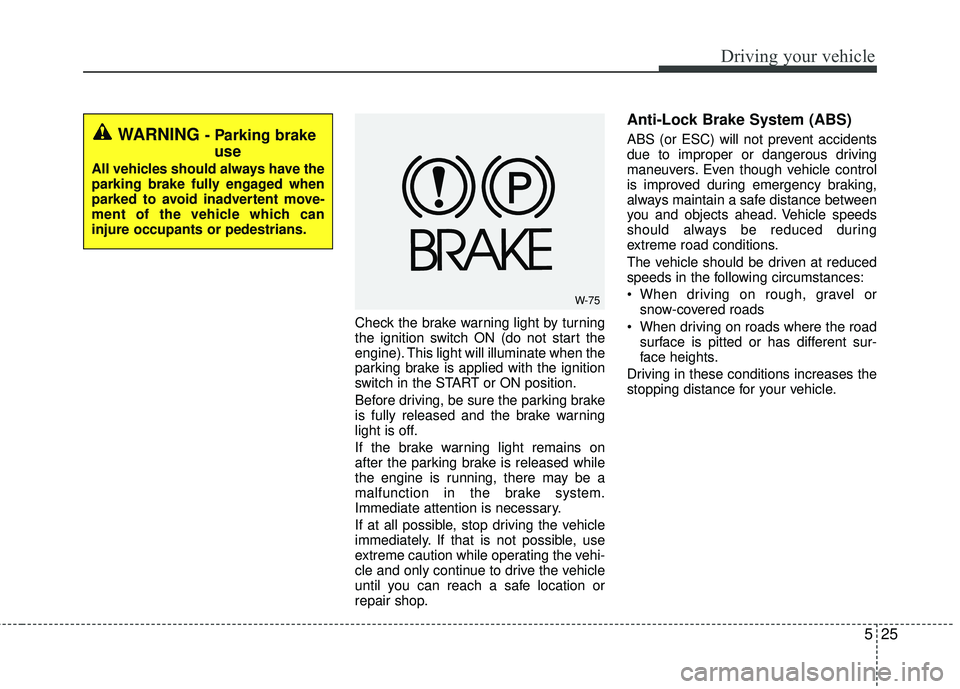
Check the brake warning light by turning
the ignition switch ON (do not start the
engine). This light will illuminate when the
parking brake is applied with the ignition
switch in the START or ON position.
Before driving, be sure the parking brake
is fully released and the brake warning
light is off.
If the brake warning light remains on
after the parking brake is released while
the engine is running, there may be a
malfunction in the brake system.
Immediate attention is necessary.
If at all possible, stop driving the vehicle
immediately. If that is not possible, use
extreme caution while operating the vehi-
cle and only continue to drive the vehicle
until you can reach a safe location or
repair shop.
Anti-Lock Brake System (ABS)
ABS (or ESC) will not prevent accidents
due to improper or dangerous driving
maneuvers. Even though vehicle control
is improved during emergency braking,
always maintain a safe distance between
you and objects ahead. Vehicle speeds
should always be reduced during
extreme road conditions.
The vehicle should be driven at reduced
speeds in the following circumstances:
When driving on rough, gravel orsnow-covered roads
When driving on roads where the road surface is pitted or has different sur-
face heights.
Driving in these conditions increases the
stopping distance for your vehicle.WARNING - Parking brake use
All vehicles should always have the
parking brake fully engaged when
parked to avoid inadvertent move-
ment of the vehicle which can
injure occupants or pedestrians.
W-75
Page 273 of 449
Driving your vehicle
26
5
The ABS continuously senses the speed
of the wheels. If the wheels are going to
lock, the ABS system repeatedly modu-
lates the hydraulic brake pressure to the
wheels.
When you apply your brakes under con-
ditions which may lock the wheels, you
may hear a “tik-tik’’ sound from the
brakes, or feel a corresponding sensation
in the brake pedal. This is normal and it
means your ABS is active.
In order to obtain the maximum benefit
from your ABS in an emergency situa-
tion, do not attempt to modulate your
brake pressure and do not try to pump
your brakes. Press your brake pedal as
hard as possible or as hard as the situa-
tion allows the ABS to control the force
being delivered to the brakes.✽ ✽
NOTICE
A click sound may be heard in the
engine compartment when the vehicle
begins to move after the engine is start-
ed. These conditions are normal and
indicate that the Anti-Lock Brake Sys-
tem is functioning properly.
Even with the anti-lock brake system,
your vehicle still requires sufficient
stopping distance. Always maintain a
safe distance from the vehicle in front
of you.
Always slow down when cornering. The Anti-Lock Brake System cannot
prevent accidents resulting from
excessive speeds.
On loose or uneven road surfaces, operation of the Anti-Lock Brake
System may result in a longer stopping
distance than for vehicles equipped
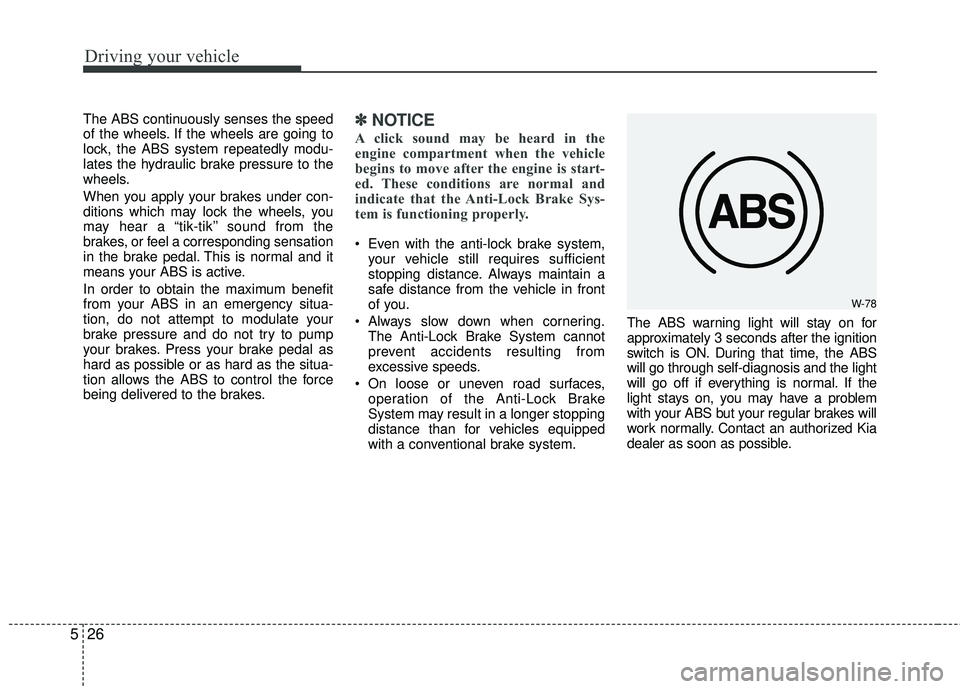
with a conventional brake system. The ABS warning light will stay on for
approximately 3 seconds after the ignition
switch is ON. During that time, the ABS
will go through self-diagnosis and the light
will go off if everything is normal. If the
light stays on, you may have a problem
with your ABS but your regular brakes will
work normally. Contact an authorized Kia
dealer as soon as possible.
W-78
Page 274 of 449
527
Driving your vehicle
When you drive on a road with poortraction, such as an icy road, and oper-
ated your brakes continuously, the
ABS will be active continuously and the
ABS warning light may illuminate. Pull
your vehicle over to a safe place and
stop the engine.
Restart the engine. If the ABS warning light is off, then your ABS is normal.
Otherwise, you may have a problem
with the ABS. Contact an authorized
Kia dealer as soon as possible.
✽ ✽ NOTICE
When you jump start your vehicle
because of a drained battery, the engine
may not run as smoothly and the ABS
warning light may turn on at the same
time. This happens because of the low
battery voltage. It does not mean your
ABS has malfunctioned.
• Do not pump your brakes!
• Have the battery recharged before
driving the vehicle.
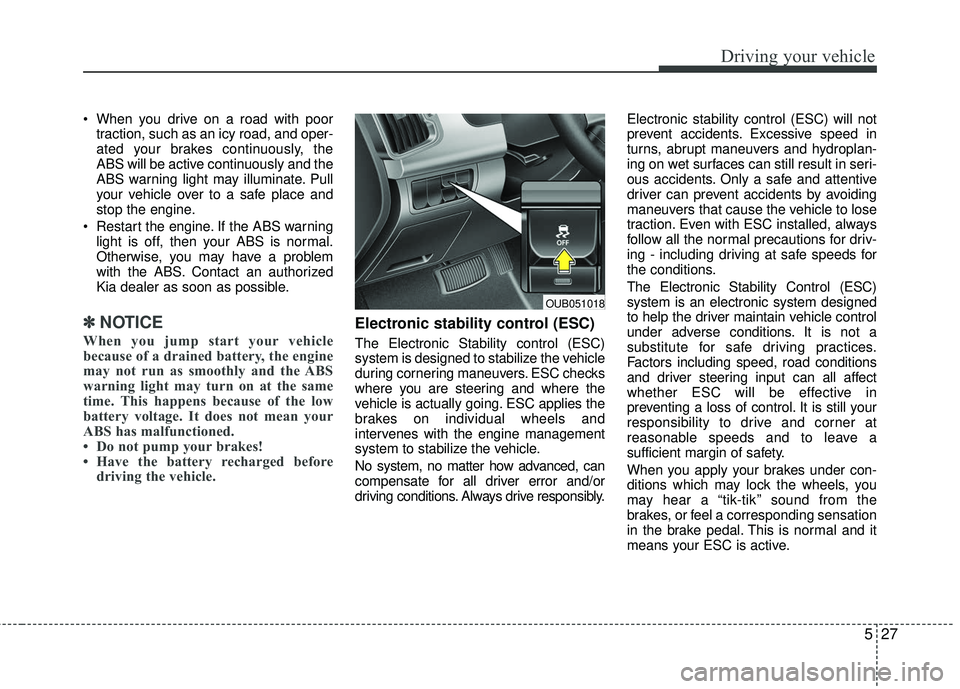
Electronic stability control (ESC)
The Electronic Stability control (ESC)
system is designed to stabilize the vehicle
during cornering maneuvers. ESC checks
where you are steering and where the
vehicle is actually going. ESC applies the
brakes on individual wheels and
intervenes with the engine management
system to stabilize the vehicle.
No system, no matter how advanced, can
compensate for all driver error and/or
driving conditions. Always drive responsibly. Electronic stability control (ESC) will not
prevent accidents. Excessive speed in
turns, abrupt maneuvers and hydroplan-
ing on wet surfaces can still result in seri-
ous accidents. Only a safe and attentive
driver can prevent accidents by avoiding
maneuvers that cause the vehicle to lose
traction. Even with ESC installed, always
follow all the normal precautions for driv-
ing - including driving at safe speeds for
the conditions.
The Electronic Stability Control (ESC)
system is an electronic system designed
to help the driver maintain vehicle control
under adverse conditions. It is not a
substitute for safe driving practices.
Factors including speed, road conditions
and driver steering input can all affect
whether ESC will be effective in
preventing a loss of control. It is still your
responsibility to drive and corner at
reasonable speeds and to leave a
sufficient margin of safety.
When you apply your brakes under con-
ditions which may lock the wheels, you
may hear a “tik-tik’’ sound from the
brakes, or feel a corresponding sensation
in the brake pedal. This is normal and it
means your ESC is active.
OUB051018
Page 276 of 449
529
Driving your vehicle
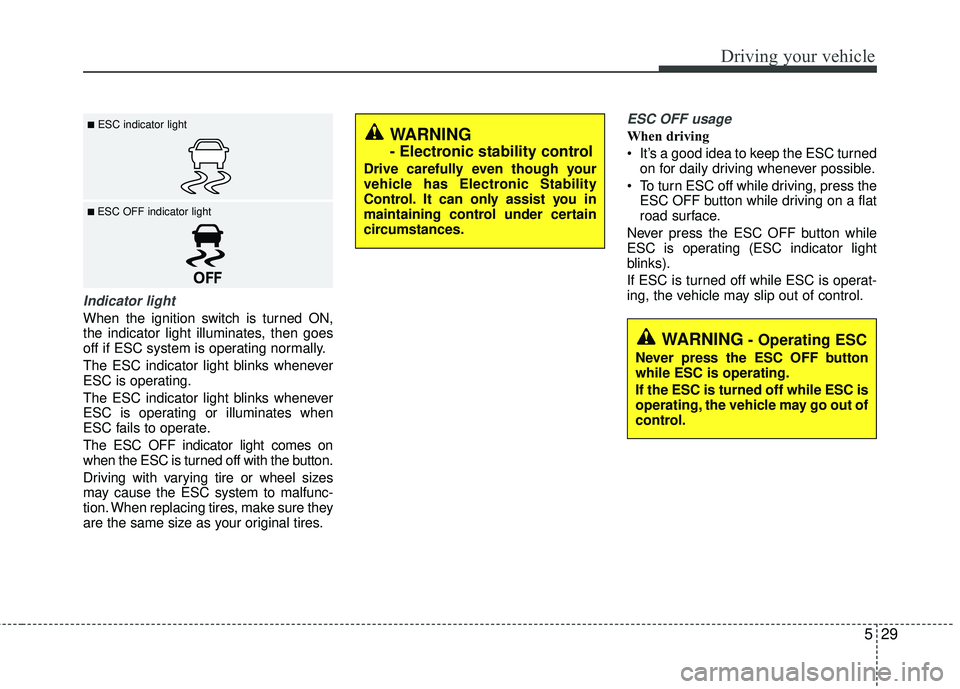
Indicator light
When the ignition switch is turned ON,
the indicator light illuminates, then goes
off if ESC system is operating normally.
The ESC indicator light blinks whenever
ESC is operating.
The ESC indicator light blinks whenever
ESC is operating or illuminates when
ESC fails to operate.
The ESC OFF indicator light comes on
when the ESC is turned off with the button.
Driving with varying tire or wheel sizes
may cause the ESC system to malfunc-
tion. When replacing tires, make sure they
are the same size as your original tires.
ESC OFF usage
When driving
It’s a good idea to keep the ESC turnedon for daily driving whenever possible.
To turn ESC off while driving, press the ESC OFF button while driving on a flat
road surface.
Never press the ESC OFF button while
ESC is operating (ESC indicator light
blinks).
If ESC is turned off while ESC is operat-
ing, the vehicle may slip out of control.■ESC indicator light
■ ESC OFF indicator light
WARNING
- Electronic stability control
Drive carefully even though your
vehicle has Electronic Stability
Control. It can only assist you in
maintaining control under certain
circumstances.
WARNING- Operating ESC
Never press the ESC OFF button
while ESC is operating.
If the ESC is turned off while ESC is
operating, the vehicle may go out of
control.
Page 278 of 449
531
Driving your vehicle
VSM operation
When the VSM is in operation, ESC indi-
cator light ( ) blinks.
When the vehicle stability management
is operating properly, you can feel a slight
pulsation in the vehicle and/or abnormal
steering responses (EPS). This is only
the effect of brake and EPS control and
indicates nothing unusual.
✽ ✽NOTICE
No system, no matter how advanced,
can compensate for all driver error
and/or driving conditions. Always drive
responsibly.
The VSM does not operate when:
Driving on bank road such as gradient
or incline
Driving rearward
ESC OFF indicator light ( ) remains on the instrument cluster
EPS indicator light remains on the instrument cluster
VSM operation off
If you press the ESC OFF button to turn off
the ESC, the VSM will also cancel and the
ESC OFF indicator light ( ) illuminates.
To turn on the VSM, press the button
again. The ESC OFF indicator light goes
out.
Malfunction indicator
The VSM can be deactivated even if you
don’t cancel the VSM operation by press-
ing the ESC OFF button. It indicates that
a malfunction has been detected some-
where in the Electric Power Steering sys-
tem or VSM system. If the ESC indicator
light ( ) or EPS warning light remains
on, take your vehicle to an authorized Kia
dealer and have the system checked.
The VSM is designed to function aboveapproximately 15 km/h (9 mph) on
curves.
The VSM is designed to function above approximately 30 km/h (18 mph) when
a vehicle is braking on a split-mu road.
The split-mu road is made of surfaces
which have different friction forces. The Vehicle Stability Management sys-
tem is not a substitute for safe driving
practices but a supplementary function
only. It is the responsibility of the driver
to always check the speed and the dis-
tance to the vehicle ahead. Always hold
the steering wheel firmly while driving.
Your vehicle is designed to activate according to the driver’s intention, even
with installed VSM. Always follow all
the normal precautions for driving at
safe speeds for the conditions – includ-
ing driving inclement weather and on a
slippery road.
Page 279 of 449
Driving your vehicle
32
5
Good braking practices
Check to be sure the parking brake is
not engaged and that the parking
brake indicator light is out before driv-
ing away.
Driving through water may get the brakes wet. They can also get wet
when the vehicle is washed. Wet
brakes can be dangerous! Your vehicle
will not stop as quickly if the brakes are
wet. Wet brakes may cause the vehicle
to pull to one side.
To dry the brakes, apply the brakes
lightly until the braking action returns to
normal, taking care to keep the vehicle
under control at all times. If the braking
action does not return to normal, stop
as soon as it is safe to do so and call an
authorized Kia dealer for assistance.
Don't coast down hills with the vehicle out of gear. This is extremely haz-
ardous. Keep the vehicle in gear at all
times, use the brakes to slow down,
then shift to a lower gear so that
engine braking will help you maintain a
safe speed. Don't "ride" the brake pedal. Resting
your foot on the brake pedal while driv-
ing can be dangerous because the
brakes might overheat and lose their
effectiveness. It also increases the wear
of the brake components.
If a tire goes flat while you are driving, apply the brakes gently and keep the
vehicle pointed straight ahead while you
slow down. When you are moving slow-
ly enough for it to be safe to do so, pull
off the road and stop in a safe place.
If your vehicle is equipped with an auto- matic transaxle, don't let your vehicle
creep forward. To avoid creeping for-
ward, keep your foot firmly on the brake
pedal when the vehicle is stopped.
Be cautious when parking on a hill. Firmly engage the parking brake and
place the shift lever in P (automatic
transaxle) or in first or reverse gear
(manual transaxle). If your vehicle is fac-
ing downhill, turn the front wheels into
the curb to help keep the vehicle from
rolling. If your vehicle is facing uphill,
turn the front wheels away from the curb
to help keep the vehicle from rolling. If
there is no curb or if it is required by
other conditions to keep the vehicle
from rolling, block the wheels.WARNING- Tire/Wheelsize
When replacing tires and wheels,
make sure they are the same size
as the original tires and wheels
installed. Driving with varying tire
or wheel sizes may diminish any
supplemental safety benefits of the
VSM system.
Page 281 of 449
Driving your vehicle
34
5
CRUISE CONTROL SYSTEM (IF EQUIPPED)
The cruise control system allows you to
program the vehicle to maintain a con-
stant speed without depressing the
accelerator pedal.
This system is designed to function
above approximately 40 km/h (25 mph).
If the cruise control is left on, (CRUISE
indicator light in the instrument cluster illu-
minated) the cruise control can be
switched on accidentally. Keep the cruise
control system off (CRUISE indicator light
OFF) when the cruise control is not in use,
to avoid inadvertently setting a speed.
Use the cruise control system only when
traveling on open highways in good
weather.
Do not use the cruise control when driving
in heavy or varying traffic, or on slippery
(rainy, icy or snow-covered) or winding
roads or over 6% up-hill or down-hill roads.✽ ✽
NOTICE
During normal cruise control operation,
when the SET switch is activated or
reactivated after applying the brakes,
the cruise control will energize after
approximately 3 seconds. This delay is
normal.
✽ ✽NOTICE
To activate cruise control, depress the
brake pedal at least once after turning
the ignition switch to the ON position or
starting the engine. This is to check if
the brake switch which is important
part to cancel cruise control is in normal
condition.
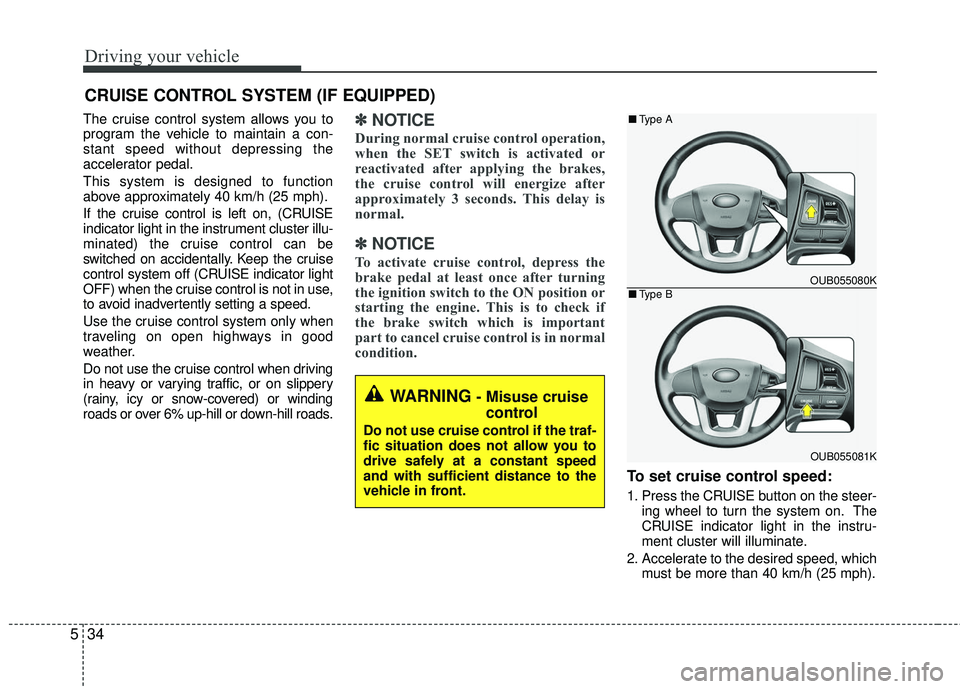
To set cruise control speed:
1. Press the CRUISE button on the steer-
ing wheel to turn the system on. The
CRUISE indicator light in the instru-
ment cluster will illuminate.
2. Accelerate to the desired speed, which must be more than 40 km/h (25 mph).
WARNING- Misuse cruise control
Do not use cruise control if the traf-
fic situation does not allow you to
drive safely at a constant speed
and with sufficient distance to the
vehicle in front.
OUB055080K
OUB055081K
■ Type A
■Type B