change time KIA RIO 2019 Owner's Manual
[x] Cancel search | Manufacturer: KIA, Model Year: 2019, Model line: RIO, Model: KIA RIO 2019Pages: 503, PDF Size: 10.4 MB
Page 260 of 503
![KIA RIO 2019 Owners Manual Audio system
540
Bluetooth
Press the [SETUP]button on the
audio system ➟ Select [Bluetooth].
Connections: Control pairing, dele- tion, connection and disconnection
of
Bluetooth®Wireless Technolog](/img/2/40414/w960_40414-259.png "KIA RIO 2019 Owners Manual Audio system
540
Bluetooth
Press the [SETUP]button on the
audio system ➟ Select [Bluetooth].
Connections: Control pairing, dele- tion, connection and disconnection
of
Bluetooth®Wireless Technolog")
Audio system
540
Bluetooth
Press the [SETUP]button on the
audio system ➟ Select [Bluetooth].
Connections: Control pairing, dele- tion, connection and disconnection
of
Bluetooth®Wireless Technology
devices.
Auto Connection Priority: Set the connection priority of
Bluetooth®
Wireless Technology devices when
the vehicle is started.
Download Contacts: Contacts can be downloaded from connected
Bluetooth®Wireless Technology
devices.
Bluetooth Voice Prompts: Play or mute voice prompts for
Bluetooth®
Wireless Technology device pair-
ing, connection and errors.
✽ ✽ NOTICE
• When paired devices are deleted,
the call history and contacts of the
device saved to the audio system
are deleted.
• For Bluetooth
®Wireless Technology
connections with low connection pri-
ority, some time may be required for
the connection to be established.
• Contacts can be downloaded only from the currently connected
Bluetooth
®Wireless Technology
device.
If no Bluetooth
®Wireless Technology
device is connected, the download
contacts button is disabled.
System
Press the [SETUP] button on the
audio system ➟ Select [System].
Language: Change the user lan- guage.
SC CAN (ENG) 5(audio).qxp 7/18/2018 6:02 PM Page 40
Page 265 of 503
63
Driving your vehicle
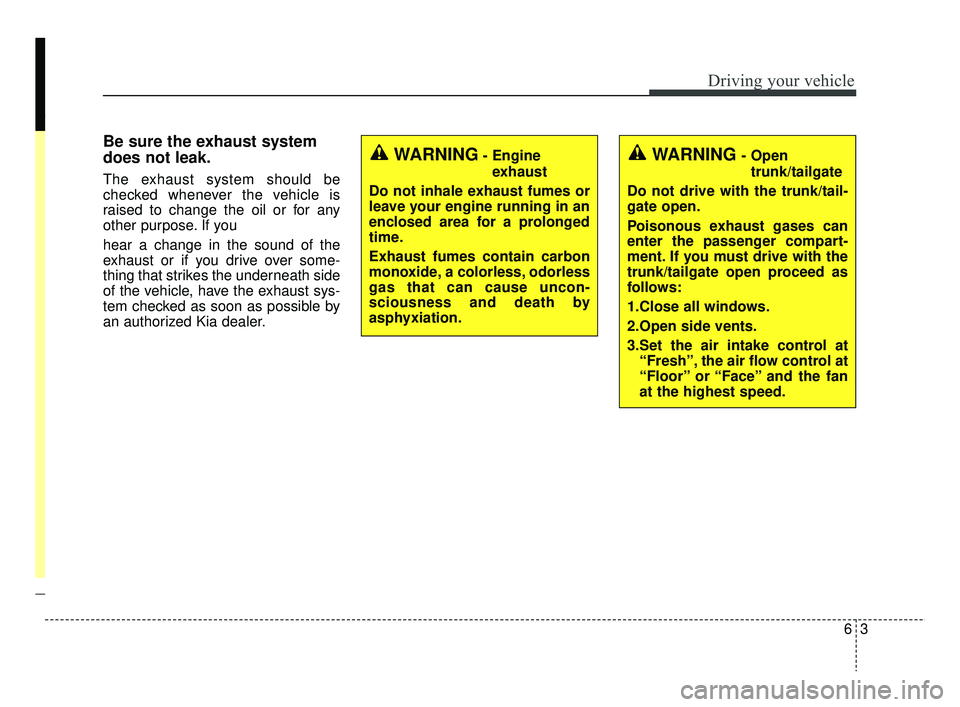
Be sure the exhaust system
does not leak.
The exhaust system should be
checked whenever the vehicle is
raised to change the oil or for any
other purpose. If you
hear a change in the sound of the
exhaust or if you drive over some-
thing that strikes the underneath side
of the vehicle, have the exhaust sys-
tem checked as soon as possible by
an authorized Kia dealer.
WARNING- Engineexhaust
Do not inhale exhaust fumes or
leave your engine running in an
enclosed area for a prolonged
time.
Exhaust fumes contain carbon
monoxide, a colorless, odorless
gas that can cause uncon-
sciousness and death by
asphyxiation.WARNING- Open trunk/tailgate
Do not drive with the trunk/tail-
gate open.
Poisonous exhaust gases can
enter the passenger compart-
ment. If you must drive with the
trunk/tailgate open proceed as
follows:
1.Close all windows.
2.Open side vents.
3.Set the air intake control at “Fresh”, the air flow control at
“Floor” or “Face” and the fan
at the highest speed.
SC CAN (ENG) 6.QXP 7/18/2018 5:41 PM Page 3
Page 269 of 503
67
Driving your vehicle
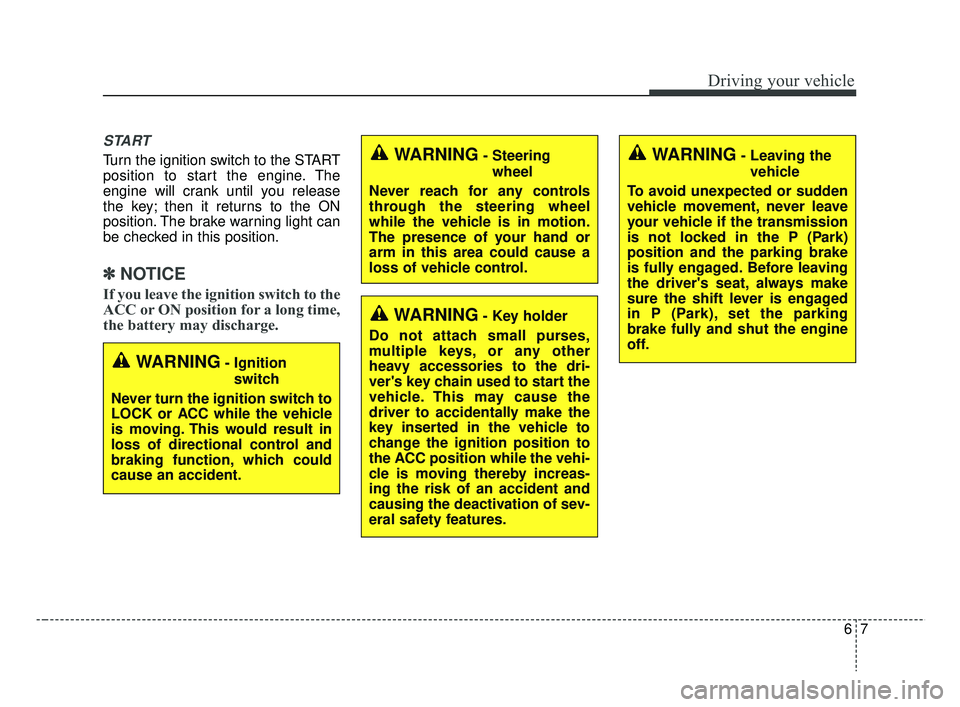
START
Turn the ignition switch to the START
position to start the engine. The
engine will crank until you release
the key; then it returns to the ON
position. The brake warning light can
be checked in this position.
✽ ✽NOTICE
If you leave the ignition switch to the
ACC or ON position for a long time,
the battery may discharge.
WARNING- Ignition
switch
Never turn the ignition switch to
LOCK or ACC while the vehicle
is moving. This would result in
loss of directional control and
braking function, which could
cause an accident.
WARNING- Steering wheel
Never reach for any controls
through the steering wheel
while the vehicle is in motion.
The presence of your hand or
arm in this area could cause a
loss of vehicle control.
WARNING- Key holder
Do not attach small purses,
multiple keys, or any other
heavy accessories to the dri-
ver's key chain used to start the
vehicle. This may cause the
driver to accidentally make the
key inserted in the vehicle to
change the ignition position to
the ACC position while the vehi-
cle is moving thereby increas-
ing the risk of an accident and
causing the deactivation of sev-
eral safety features.
WARNING- Leaving the vehicle
To avoid unexpected or sudden
vehicle movement, never leave
your vehicle if the transmission
is not locked in the P (Park)
position and the parking brake
is fully engaged. Before leaving
the driver's seat, always make
sure the shift lever is engaged
in P (Park), set the parking
brake fully and shut the engine
off.
SC CAN (ENG) 6.QXP 7/18/2018 5:41 PM Page 7
Page 282 of 503
Driving your vehicle
20
6
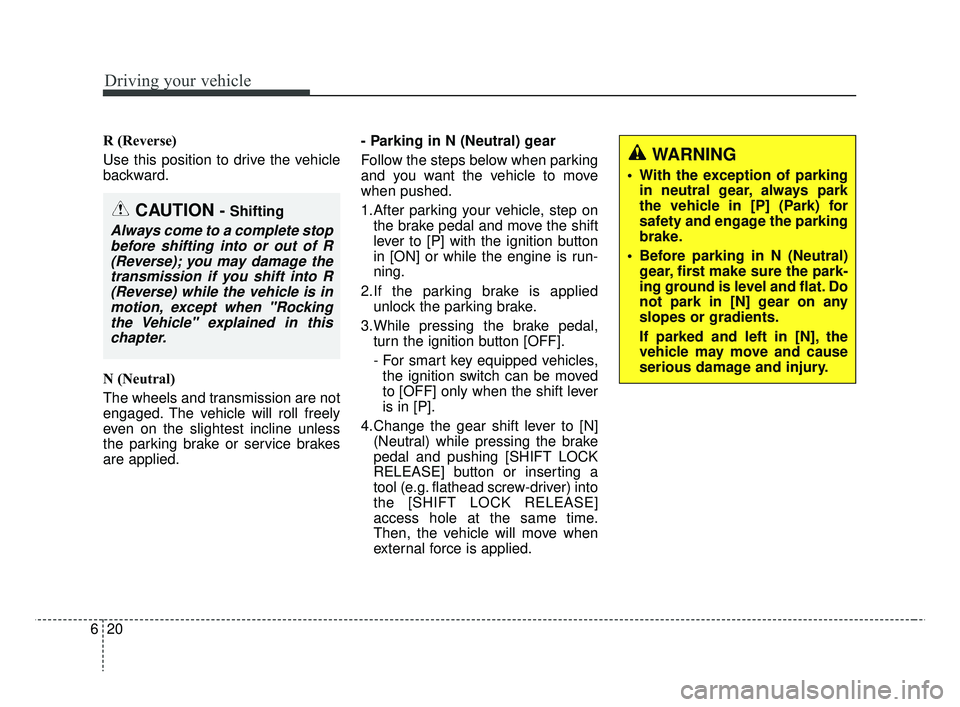
R (Reverse)
Use this position to drive the vehicle
backward.
N (Neutral)
The wheels and transmission are not
engaged. The vehicle will roll freely
even on the slightest incline unless
the parking brake or service brakes
are applied. - Parking in N (Neutral) gear
Follow the steps below when parking
and you want the vehicle to move
when pushed.
1.After parking your vehicle, step on
the brake pedal and move the shift
lever to [P] with the ignition button
in [ON] or while the engine is run-
ning.
2.If the parking brake is applied unlock the parking brake.
3.While pressing the brake pedal, turn the ignition button [OFF].
- For smart key equipped vehicles,the ignition switch can be moved
to [OFF] only when the shift lever
is in [P].
4.Change the gear shift lever to [N] (Neutral) while pressing the brake
pedal and pushing [SHIFT LOCK
RELEASE] button or inserting a
tool (e.g. flathead screw-driver) into
the [SHIFT LOCK RELEASE]
access hole at the same time.
Then, the vehicle will move when
external force is applied.
WARNING
• With the exception of parkingin neutral gear, always park
the vehicle in [P] (Park) for
safety and engage the parking
brake.
Before parking in N (Neutral) gear, first make sure the park-
ing ground is level and flat. Do
not park in [N] gear on any
slopes or gradients.
If parked and left in [N], the
vehicle may move and cause
serious damage and injury.
CAUTION - Shifting
Always come to a complete stopbefore shifting into or out of R(Reverse); you may damage thetransmission if you shift into R(Reverse) while the vehicle is inmotion, except when "Rockingthe Vehicle" explained in thischapter.
SC CAN (ENG) 6.QXP 7/25/2018 12:14 PM Page 20
Page 288 of 503
Driving your vehicle
26
6
Rear drum brakes (if equipped)
Your rear drum brakes do not have
wear indicators. Therefore, have the
rear brake linings inspected if you
hear a rear brake rubbing noise. Also
have your rear brakes inspected
each time you change or rotate your
tires and when you have the front
brakes replaced.
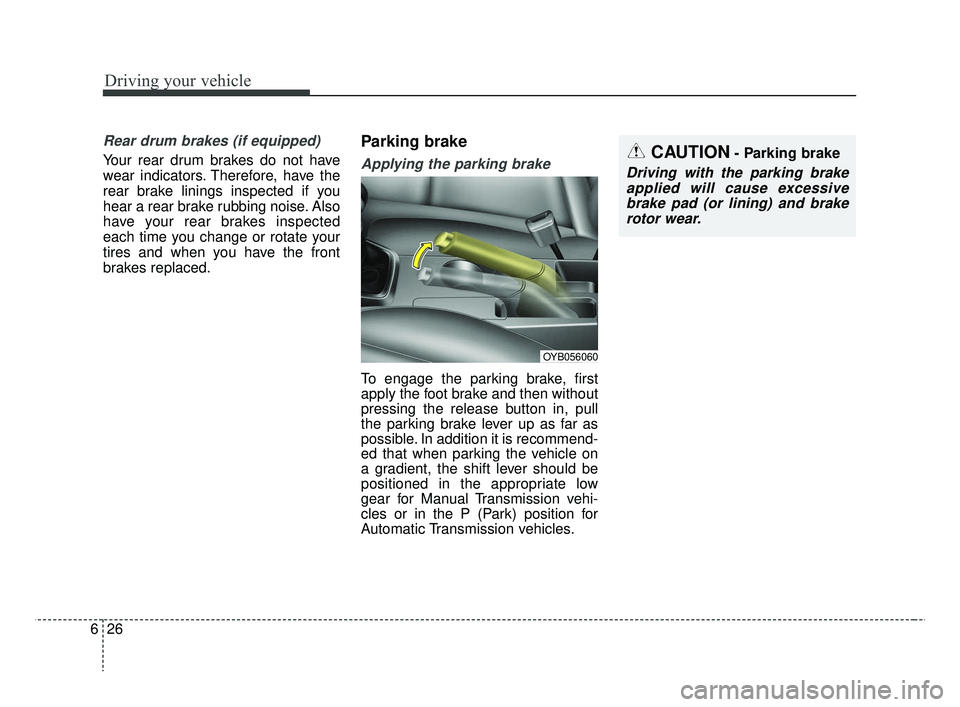
Parking brake
Applying the parking brake
To engage the parking brake, first
apply the foot brake and then without
pressing the release button in, pull
the parking brake lever up as far as
possible. In addition it is recommend-
ed that when parking the vehicle on
a gradient, the shift lever should be
positioned in the appropriate low
gear for Manual Transmission vehi-
cles or in the P (Park) position for
Automatic Transmission vehicles.
CAUTION- Parking brake
Driving with the parking brake
applied will cause excessivebrake pad (or lining) and brakerotor wear.
OYB056060
SC CAN (ENG) 6.QXP 7/18/2018 5:41 PM Page 26
Page 302 of 503
Driving your vehicle
40
6
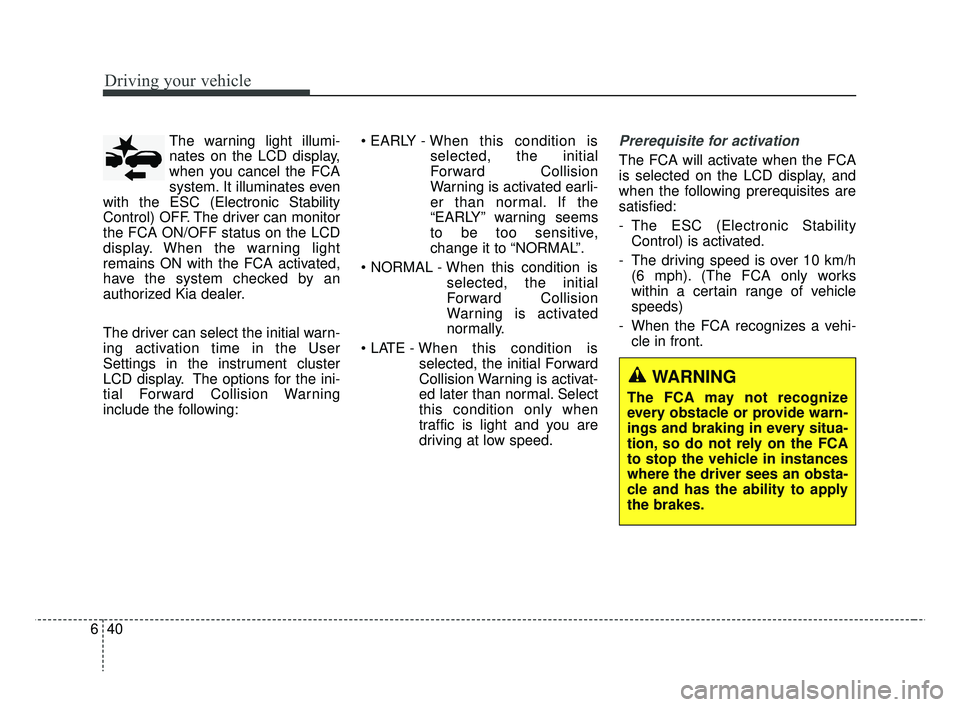
The warning light illumi-
nates on the LCD display,
when you cancel the FCA
system. It illuminates even
with the ESC (Electronic Stability
Control) OFF. The driver can monitor
the FCA ON/OFF status on the LCD
display. When the warning light
remains ON with the FCA activated,
have the system checked by an
authorized Kia dealer.
The driver can select the initial warn-
ing activation time in the User
Settings in the instrument cluster
LCD display. The options for the ini-
tial Forward Collision Warning
include the following: • EARLY -
When this condition is
selected, the initial
Forward Collision
Warning is activated earli-
er than normal. If the
“EARLY” warning seems
to be too sensitive,
change it to “NORMAL”.
selected, the initial
Forward Collision
Warning is activated
normally.
selected, the initial Forward
Collision Warning is activat-
ed later than normal. Select
this condition only when
traffic is light and you are
driving at low speed.Prerequisite for activation
The FCA will activate when the FCA
is selected on the LCD display, and
when the following prerequisites are
satisfied:
- The ESC (Electronic StabilityControl) is activated.
- The driving speed is over 10 km/h (6 mph). (The FCA only works
within a certain range of vehicle
speeds)
- When the FCA recognizes a vehi- cle in front.
WARNING
The FCA may not recognize
every obstacle or provide warn-
ings and braking in every situa-
tion, so do not rely on the FCA
to stop the vehicle in instances
where the driver sees an obsta-
cle and has the ability to apply
the brakes.
SC CAN (ENG) 6.QXP 7/25/2018 12:14 PM Page 40
Page 314 of 503
Driving your vehicle
52
6
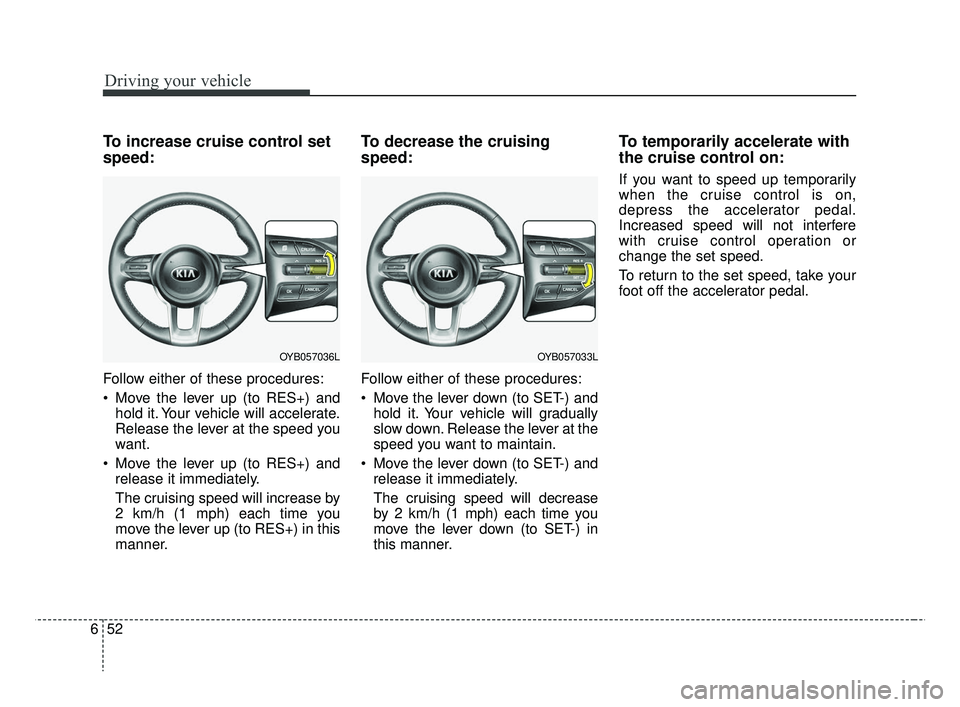
To increase cruise control set
speed:
Follow either of these procedures:
Move the lever up (to RES+) and
hold it. Your vehicle will accelerate.
Release the lever at the speed you
want.
Move the lever up (to RES+) and release it immediately.
The cruising speed will increase by
2 km/h (1 mph) each time you
move the lever up (to RES+) in this
manner.
To decrease the cruising
speed:
Follow either of these procedures:
Move the lever down (to SET-) andhold it. Your vehicle will gradually
slow down. Release the lever at the
speed you want to maintain.
Move the lever down (to SET-) and release it immediately.
The cruising speed will decrease
by 2 km/h (1 mph) each time you
move the lever down (to SET-) in
this manner.
To temporarily accelerate with
the cruise control on:
If you want to speed up temporarily
when the cruise control is on,
depress the accelerator pedal.
Increased speed will not interfere
with cruise control operation or
change the set speed.
To return to the set speed, take your
foot off the accelerator pedal.
OYB057033LOYB057036L
SC CAN (ENG) 6.QXP 7/18/2018 5:43 PM Page 52
Page 317 of 503
655
Driving your vehicle
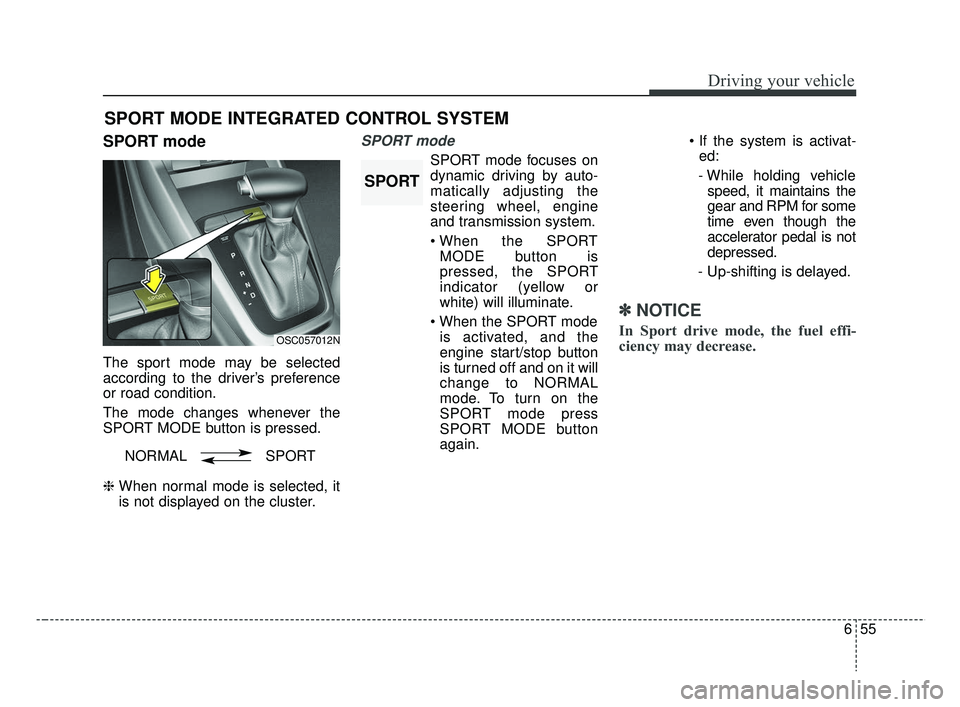
SPORT mode
The sport mode may be selected
according to the driver’s preference
or road condition.
The mode changes whenever the
SPORT MODE button is pressed.
❈ When normal mode is selected, it
is not displayed on the cluster.
SPORT mode
SPORT mode focuses on
dynamic driving by auto-
matically adjusting the
steering wheel, engine
and transmission system.
MODE button is
pressed, the SPORT
indicator (yellow or
white) will illuminate.
is activated, and the
engine start/stop button
is turned off and on it will
change to NORMAL
mode. To turn on the
SPORT mode press
SPORT MODE button
again.
ed:
- While holding vehicle speed, it maintains the
gear and RPM for some
time even though the
accelerator pedal is not
depressed.
- Up-shifting is delayed.
✽ ✽
NOTICE
In Sport drive mode, the fuel effi-
ciency may decrease.
SPORT MODE INTEGRATED CONTROL SYSTEM
OSC057012N
NORMAL SPORT
SPORT
SC CAN (ENG) 6.QXP 7/18/2018 5:43 PM Page 55
Page 383 of 503
811
Maintenance
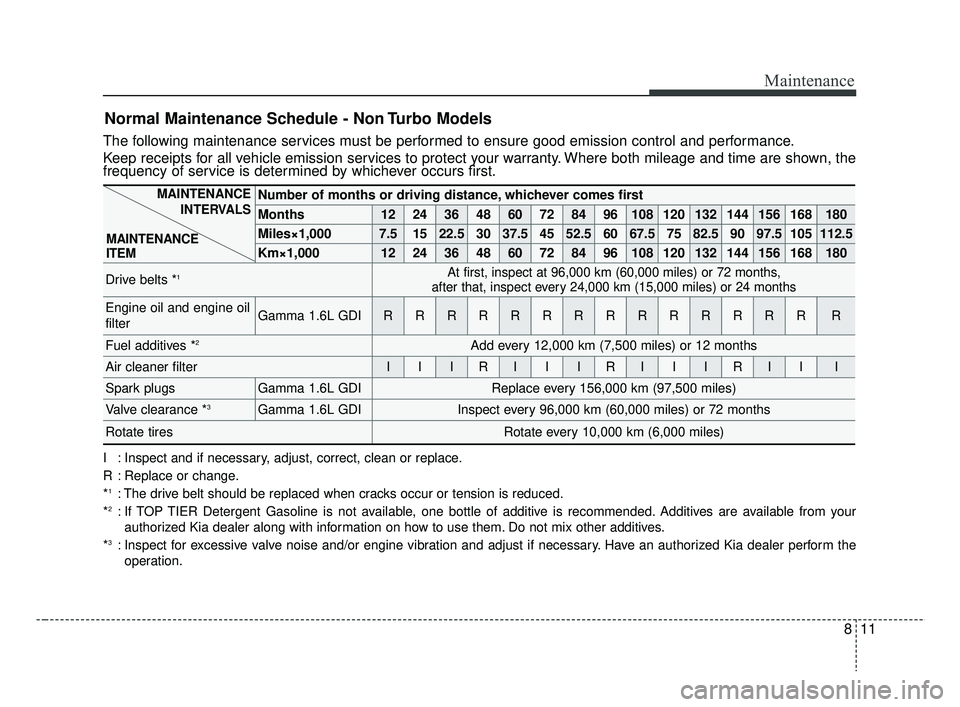
Normal Maintenance Schedule - Non Turbo Models
The following maintenance services must be performed to ensure good emission control and performance.
Keep receipts for all vehicle emission services to protect your warranty. Where both mileage and time are shown, the
frequency of service is determined by whichever occurs first.
Number of months or driving distance, whichever comes first
Months1224364860728496108120132144156168180
Miles×1,0007.51522.530 37.5 45 52.5 60 67.5 75 82.5 90 97.5 105 112.5
Km×1,00012 24 36 48 60 72 84 96 108 120 132 144 156 168 180
Drive belts *1At first, inspect at 96,000 km (60,000 miles) or 72 months,
after that, inspect every 24,000 km (15,000 miles) or 24 months
Engine oil and engine oil
filterGamma 1.6L GDIRRRRRRRRRRRRRRR
Fuel additives *2Add every 12,000 km (7,500 miles) or 12 months
Air cleaner filterIIIRIIIRIIIRIII
Spark plugsGamma 1.6L GDIReplace every 156,000 km (97,500 miles)
Valve clearance *3Gamma 1.6L GDIInspect every 96,000 km (60,000 miles) or 72 months
Rotate tiresRotate every 10,000 km (6,000 miles)
I : Inspect and if necessary, adjust, correct, clean or replace.
R : Replace or change.
*
1: The drive belt should be replaced when cracks occur or tension is reduced.
*2: If TOP TIER Detergent Gasoline is not available, one bottle of additive is recommended. Additives are available from your authorized Kia dealer along with information on how to use them. Do not mix other additives.
*
3: Inspect for excessive valve noise and/or engine vibration and adjust if necessary. Have an authorized Kia dealer perform the operation.
MAINTENANCE INTERVALS
MAINTENANCE
ITEM
SC CAN (ENG) 8.qxp 8/3/2018 5:46 PM Page 11
Page 385 of 503
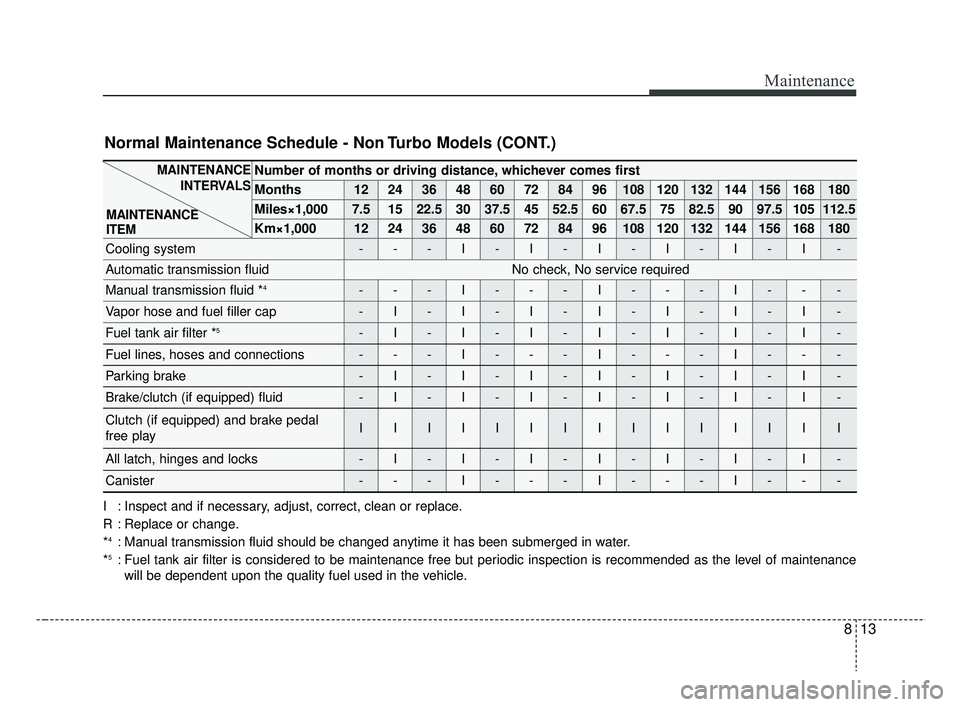
813
Maintenance
Number of months or driving distance, whichever comes first
Months1224364860728496108120132144156168180
Miles×1,0007.51522.530 37.5 45 52.5 60 67.5 75 82.5 90 97.5 105 112.5
Km×1,00012 24 36 48 60 72 84 96 108 120 132 144 156 168 180
Cooling system---I-I-I-I-I-I-
Automatic transmission fluidNo check, No service required
Manual transmission fluid *4---I---I---I---
Vapor hose and fuel filler cap-I-I-I-I-I-I-I-
Fuel tank air filter *5-I-I-I-I-I-I-I-
Fuel lines, hoses and connections---I---I---I---
Parking brake-I-I-I-I-I-I-I-
Brake/clutch (if equipped) fluid-I-I-I-I-I-I-I-
Clutch (if equipped) and brake pedal
free playIIIIIIIIIIIIIII
All latch, hinges and locks-I-I-I-I-I-I-I-
Canister---I---I---I---
Normal Maintenance Schedule - Non Turbo Models (CONT.)
I : Inspect and if necessary, adjust, correct, clean or replace.
R : Replace or change.
*
4: Manual transmission fluid should be changed anytime it has been submerged in water.
*5: Fuel tank air filter is considered to be maintenance free but periodic inspection is recommended as the level of maintenance will be dependent upon the quality fuel used in the vehicle.
MAINTENANCE INTERVALS
MAINTENANCE
ITEM
SC CAN (ENG) 8.qxp 7/18/2018 5:32 PM Page 13