warning light KIA RIO 2019 Owner's Guide
[x] Cancel search | Manufacturer: KIA, Model Year: 2019, Model line: RIO, Model: KIA RIO 2019Pages: 503, PDF Size: 10.4 MB
Page 122 of 503
Features of your vehicle
44
4
Make sure to refuel your vehicle
according to the “Fuel requirements”
suggested in chapter 1.
If the fuel filler cap requires replace-
ment, use only a genuine Kia cap or
the equivalent specified for your vehi-
cle. An incorrect fuel filler cap can
result in a serious malfunction of the
fuel system or emission control sys-
tem.
CAUTION- Exterior paint
Do not spill fuel on the exterior
surfaces of the vehicle. Anytype of fuel spilled on paintedsurfaces may damage the paint.
WARNING - Refueling&
Vehicle fires
When refueling, always shut the
engine off. Sparks produced by
electrical components related
to the engine can ignite fuel
vapors causing a fire. Once
refueling is complete, check to
make sure the filler cap and
filler door are securely closed,
before starting the engine.
WARNING - Smoking
DO NOT use matches or a lighter
and DO NOT SMOKE or leave a
lit cigarette in your vehicle while
at a gas station especially during
refueling. Automotive fuel is
highly flammable and can, when
ignited, result in fire.
SC CAN (ENG) 4.QXP 7/18/2018 5:47 PM Page 44
Page 127 of 503
449
Features of your vehicle
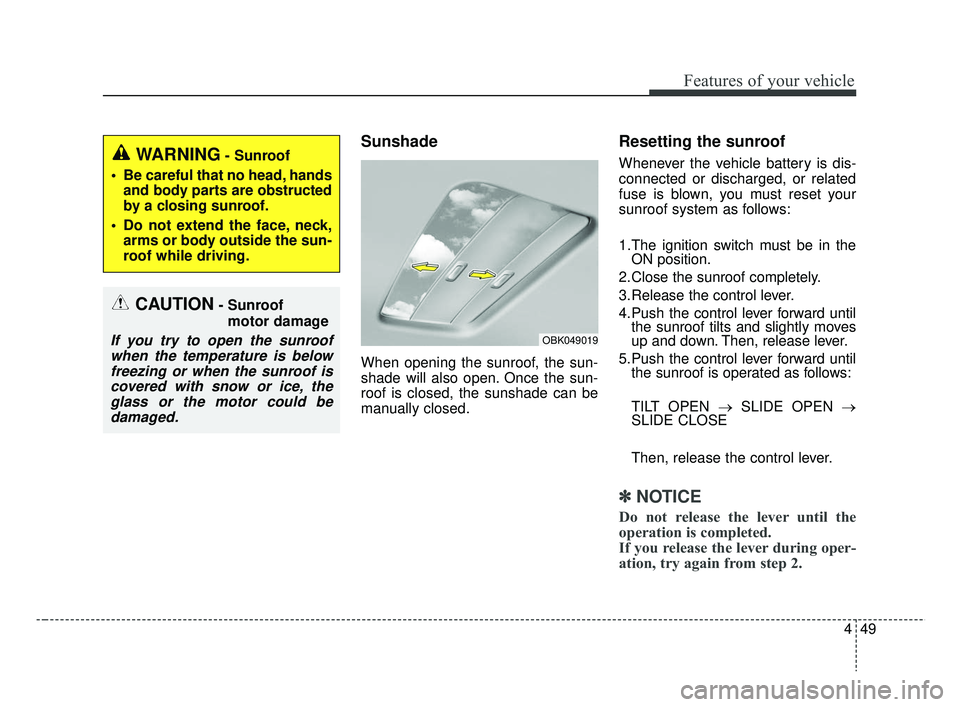
Sunshade
When opening the sunroof, the sun-
shade will also open. Once the sun-
roof is closed, the sunshade can be
manually closed.
Resetting the sunroof
Whenever the vehicle battery is dis-
connected or discharged, or related
fuse is blown, you must reset your
sunroof system as follows:
1.The ignition switch must be in theON position.
2.Close the sunroof completely.
3.Release the control lever.
4.Push the control lever forward until the sunroof tilts and slightly moves
up and down. Then, release lever.
5.Push the control lever forward until the sunroof is operated as follows:
TILT OPEN → SLIDE OPEN →
SLIDE CLOSE
Then, release the control lever.
✽ ✽ NOTICE
Do not release the lever until the
operation is completed.
If you release the lever during oper-
ation, try again from step 2.
CAUTION- Sunroof
motor damage
If you try to open the sunroofwhen the temperature is belowfreezing or when the sunroof iscovered with snow or ice, theglass or the motor could bedamaged.
WARNING- Sunroof
Be careful that no head, hands and body parts are obstructed
by a closing sunroof.
Do not extend the face, neck, arms or body outside the sun-
roof while driving.
OBK049019
SC CAN (ENG) 4.QXP 7/18/2018 5:47 PM Page 49
Page 130 of 503
Features of your vehicle
52
4
Tilt and telescopic steering
(if equipped)
Tilt steering allows you to adjust the
steering wheel before you drive. You
can also raise it to give your legs
more room when you exit and enter
the vehicle.
The steering wheel should be posi-
tioned so that it is comfortable for
you to drive, while permitting you to
see the instrument panel warning
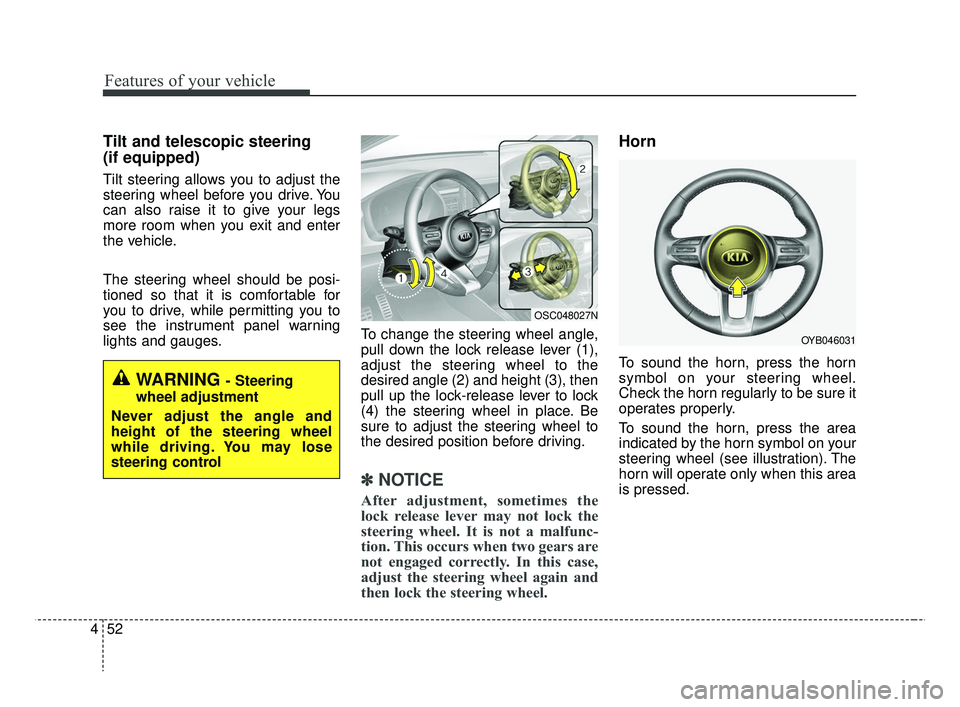
lights and gauges. To change the steering wheel angle,
pull down the lock release lever (1),
adjust the steering wheel to the
desired angle (2) and height (3), then
pull up the lock-release lever to lock
(4) the steering wheel in place. Be
sure to adjust the steering wheel to
the desired position before driving.
✽ ✽
NOTICE
After adjustment, sometimes the
lock release lever may not lock the
steering wheel. It is not a malfunc-
tion. This occurs when two gears are
not engaged correctly. In this case,
adjust the steering wheel again and
then lock the steering wheel.
Horn
To sound the horn, press the horn
symbol on your steering wheel.
Check the horn regularly to be sure it
operates properly.
To sound the horn, press the area
indicated by the horn symbol on your
steering wheel (see illustration). The
horn will operate only when this area
is pressed.
WARNING - Steering
wheel adjustment
Never adjust the angle and
height of the steering wheel
while driving. You may lose
steering control
OYB046031
OSC048027N
SC CAN (ENG) 4.QXP 7/18/2018 5:47 PM Page 52
Page 132 of 503
Features of your vehicle
54
4
Inside rearview mirror
Adjust the rearview mirror so that the
center view through the rear window
is seen. Make this adjustment before
you start driving.
Do not place objects in the rear seat
which would interfere with your vision
through the rear window.
Day/night rearview mirror
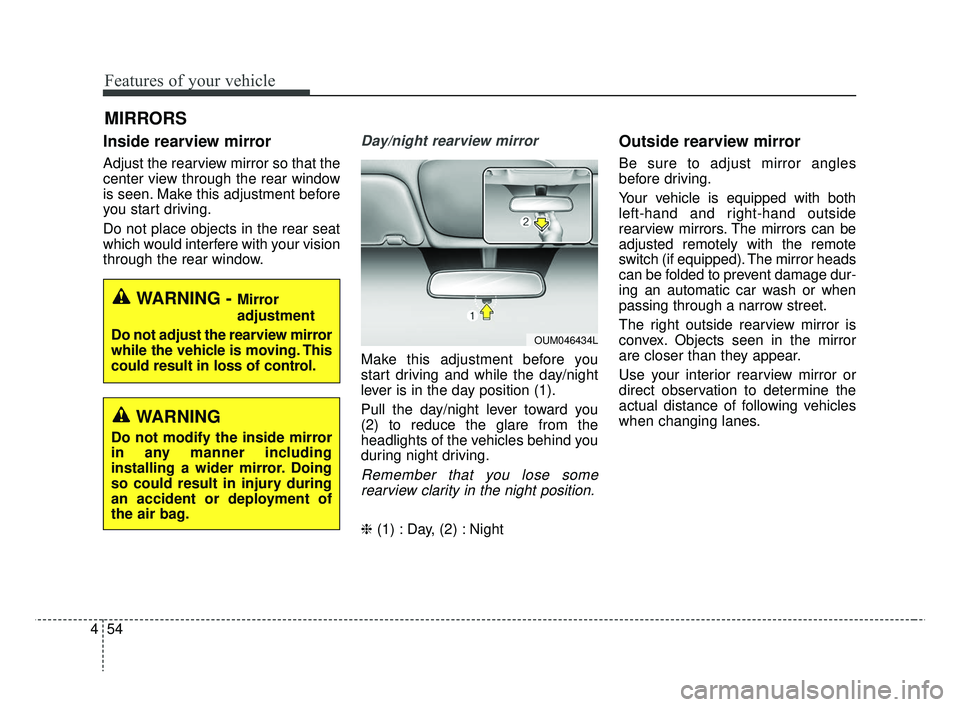
Make this adjustment before you
start driving and while the day/night
lever is in the day position (1).
Pull the day/night lever toward you
(2) to reduce the glare from the
headlights of the vehicles behind you
during night driving.
Remember that you lose some
rearview clarity in the night position.
❈ (1) : Day, (2) : Night
Outside rearview mirror
Be sure to adjust mirror angles
before driving.
Your vehicle is equipped with both
left-hand and right-hand outside
rearview mirrors. The mirrors can be
adjusted remotely with the remote
switch (if equipped). The mirror heads
can be folded to prevent damage dur-
ing an automatic car wash or when
passing through a narrow street.
The right outside rearview mirror is
convex. Objects seen in the mirror
are closer than they appear.
Use your interior rearview mirror or
direct observation to determine the
actual distance of following vehicles
when changing lanes.
MIRRORS
WARNING - Mirror
adjustment
Do not adjust the rearview mirror
while the vehicle is moving. This
could result in loss of control.
OUM046434L
WARNING
Do not modify the inside mirror
in any manner including
installing a wider mirror. Doing
so could result in injury during
an accident or deployment of
the air bag.
SC CAN (ENG) 4.QXP 7/18/2018 5:48 PM Page 54
Page 135 of 503
457
Features of your vehicle
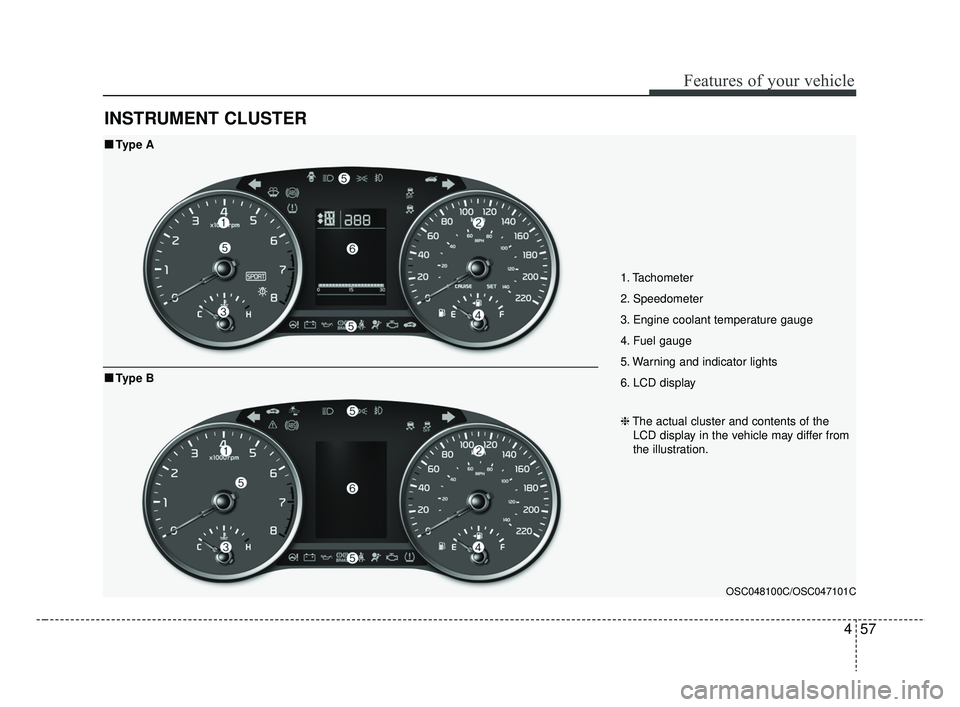
INSTRUMENT CLUSTER
1. Tachometer
2. Speedometer
3. Engine coolant temperature gauge
4. Fuel gauge
5. Warning and indicator lights
6. LCD display
OSC048100C/OSC047101C
■ ■Type A
❈The actual cluster and contents of the
LCD display in the vehicle may differ from
the illustration.
■ ■ Type B
SC CAN (ENG) 4.QXP 7/18/2018 5:48 PM Page 57
Page 138 of 503
Features of your vehicle
60
4
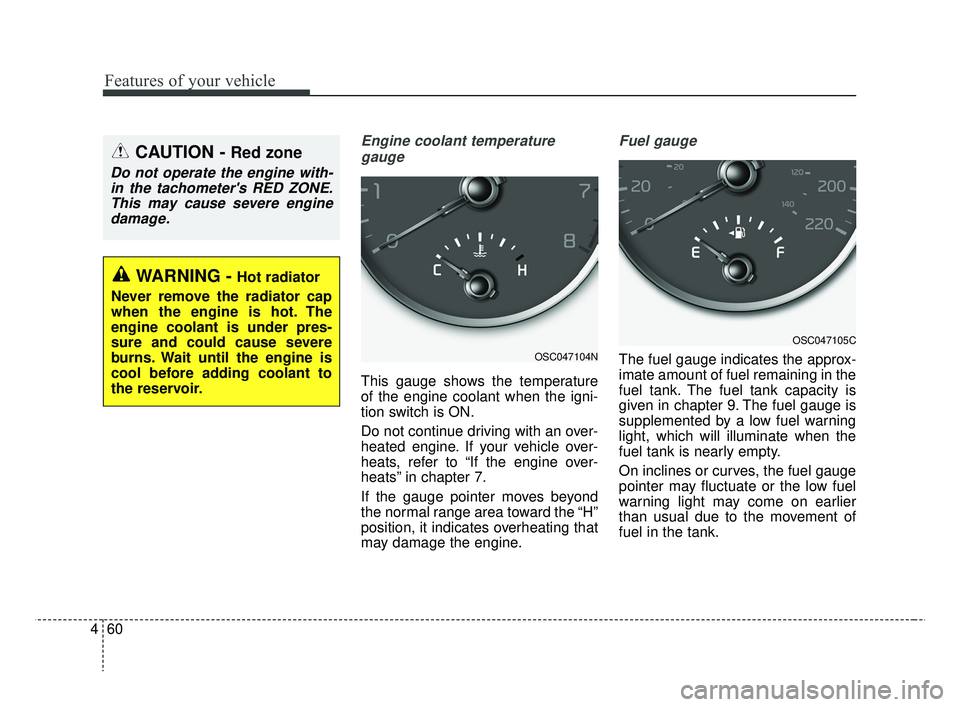
Engine coolant temperature
gauge
This gauge shows the temperature
of the engine coolant when the igni-
tion switch is ON.
Do not continue driving with an over-
heated engine. If your vehicle over-
heats, refer to “If the engine over-
heats” in chapter 7.
If the gauge pointer moves beyond
the normal range area toward the “H”
position, it indicates overheating that
may damage the engine.
Fuel gauge
The fuel gauge indicates the approx-
imate amount of fuel remaining in the
fuel tank. The fuel tank capacity is
given in chapter 9. The fuel gauge is
supplemented by a low fuel warning
light, which will illuminate when the
fuel tank is nearly empty.
On inclines or curves, the fuel gauge
pointer may fluctuate or the low fuel
warning light may come on earlier
than usual due to the movement of
fuel in the tank.
CAUTION - Red zone
Do not operate the engine with-in the tachometer's RED ZONE.This may cause severe enginedamage.
OSC047104N
OSC047105C
WARNING - Hot radiator
Never remove the radiator cap
when the engine is hot. The
engine coolant is under pres-
sure and could cause severe
burns. Wait until the engine is
cool before adding coolant to
the reservoir.
SC CAN (ENG) 4.QXP 7/18/2018 5:48 PM Page 60
Page 139 of 503
461
Features of your vehicle
✽ ✽NOTICE- Fuel gauge
Running out of fuel can expose vehi-
cle occupants to danger. You must
stop and obtain additional fuel as
soon as possible after the warning
light comes on or when the gauge
indicator comes close to the “E”
(Empty) level.
✽ ✽NOTICE
The fuel display may not be accu-
rate if the vehicle is on an incline.
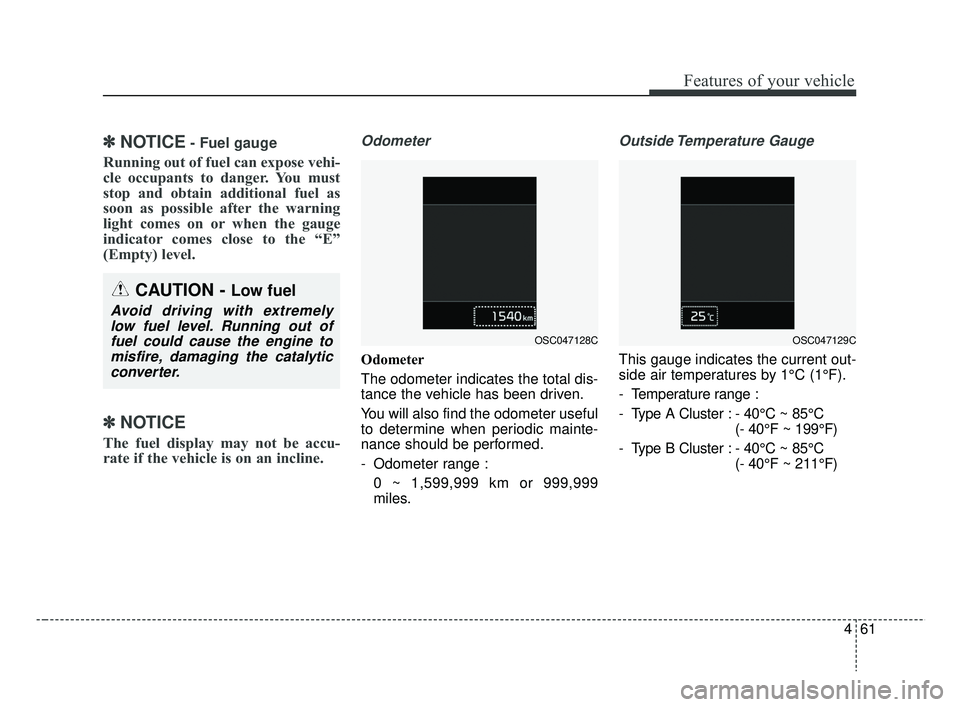
Odometer
Odometer
The odometer indicates the total dis-
tance the vehicle has been driven.
You will also find the odometer useful
to determine when periodic mainte-
nance should be performed.
- Odometer range :
0 ~ 1,599,999 km or 999,999
miles.
Outside Temperature Gauge
This gauge indicates the current out-
side air temperatures by 1°C (1°F).
- Temperature range :
- Type A Cluster : - 40°C ~ 85°C (- 40°F ~ 199°F)
- Type B Cluster : - 40°C ~ 85°C (- 40°F ~ 211°F)
CAUTION - Low fuel
Avoid driving with extremelylow fuel level. Running out offuel could cause the engine tomisfire, damaging the catalyticconverter.
OSC047128COSC047129C
SC CAN (ENG) 4.QXP 7/18/2018 5:48 PM Page 61
Page 151 of 503
473
Features of your vehicle
Convenience
• Wiper/Light Display (if equipped): If this item is checked, the
Wiper/Light Display will be activat-
ed.
Auto rear wiper (reverse) (If equipped) : If this item is checked,
the rear wiper will automatically
activated when the front wiper is in
ON position and shift lever is in R
(reverse) position.
Gear Position Pop-up (if equipped) : If this item is checked,
the gear position pop-up display will
be activated.
• Icy road warning (if equipped) :If
this item is checked, the Icy road
warning will be activated. Service interval
Service Interval
To activate or deactivate the serv-
ice interval function.
Adjust Interval
To adjust the interval to kilometer
(or mileage) and period.
Reset To reset the service interval func-
tion. Other Features
Fuel Economy Auto Reset
- Off : The average fuel economy will
not reset automatically whenever
refueling.
- After Ignition : The average fuel economy will reset automatically
whenever it has passed 4 hours
after turning OFF the engine.
- After Refueling : The average fuel economy will reset automatically
when refueling.
Fuel Economy Unit To select the fuel economy unit.
(UK gallon ↔ US gallon)
Temperature Unit To select the temperature unit.
(°C,°F)
Tire Pressure Unit (if equipped) :
Choose the tire pressure unit. (psi,
kPa, bar)
SC CAN (ENG) 4.QXP 8/3/2018 5:44 PM Page 73
Page 155 of 503
477
Features of your vehicle
Press START button again
(for smart key system)
This warning message illuminatesif you can not operate the Engine
Start/Stop Button when there is a
problem with the Engine Start/Stop
Button system.
It means that you could start the engine by pressing the Engine
Start/ Stop Button once more.
If the warning illuminates each time you press the Engine
Start/Stop Button, have your vehi-
cle inspected by an authorized Kia
dealer. Press START button with smart key
(for smart key system)
This warning message illuminates
if you press the Engine Start/Stop
Button while the warning message
“Key not detected” is illuminating.
At this time, the immobilizer indica- tor light blinks.
Check fuse “BRAKE SWITCH”
(for smart key system and automatic
transmission)
This warning message illuminates if the brake switch fuse is discon-
nected.
It means that you should replace the fuse with a new one. If that is
not possible, you can start the
engine by pressing the Engine
Start/Stop Button for 10 seconds in
the ACC position. Shift to P or N to start engine
(for smart key system and automatic
transmission)
This warning message illuminates
if you try to start the engine with
the shift lever not in the P (Park) or
N (Neutral) position.
✽ ✽ NOTICE
You can start the engine with the
shift lever in the N (Neutral) position.
But, for your safety, we recommend
that you start the engine with the
shift lever in the P (Park) position.
SC CAN (ENG) 4.QXP 7/18/2018 5:49 PM Page 77
Page 156 of 503
Features of your vehicle
78
4
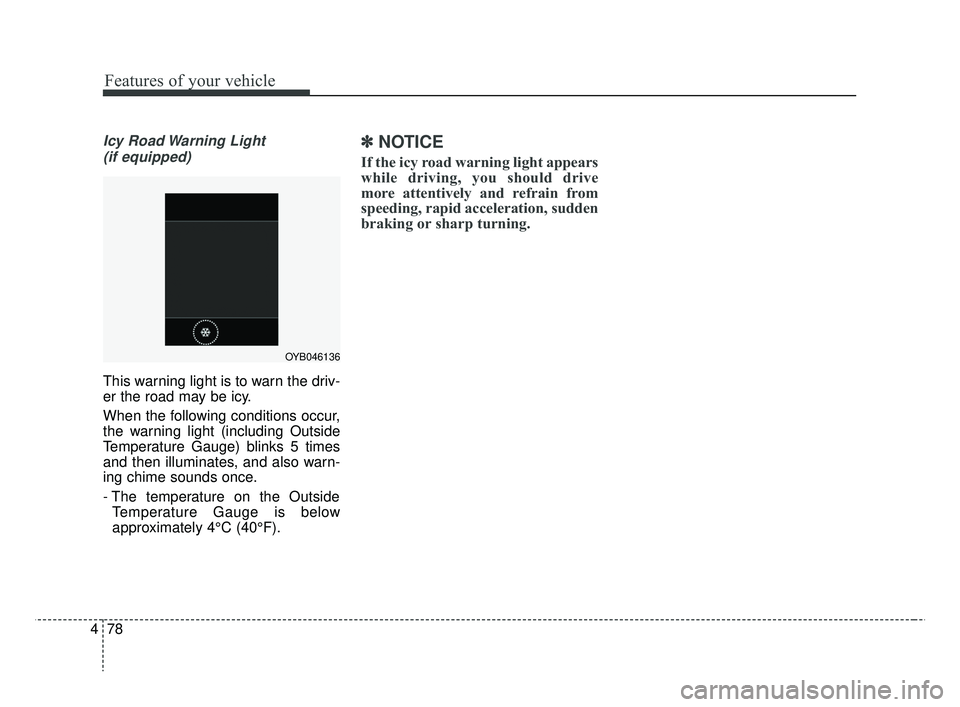
Icy Road Warning Light
(if equipped)
This warning light is to warn the driv-
er the road may be icy.
When the following conditions occur,
the warning light (including Outside
Temperature Gauge) blinks 5 times
and then illuminates, and also warn-
ing chime sounds once.
- The temperature on the Outside Temperature Gauge is below
approximately 4°C (40°F).
✽ ✽ NOTICE
If the icy road warning light appears
while driving, you should drive
more attentively and refrain from
speeding, rapid acceleration, sudden
braking or sharp turning.
OYB046136
SC CAN (ENG) 4.QXP 7/18/2018 5:49 PM Page 78