ignition KIA RIO 2019 Repair Manual
[x] Cancel search | Manufacturer: KIA, Model Year: 2019, Model line: RIO, Model: KIA RIO 2019Pages: 503, PDF Size: 10.4 MB
Page 232 of 503
Audio system
512 Pressing and holding the button
- If not in
Bluetooth®Wireless
Technology Handsfree mode or
receiving a phone call, the most
recently Dialed Call number is
dialed.
- Press in
Bluetooth®Wireless
Technology Handsfree mode to
transfer the call to your cell
phone.
- Press in cell phone mode to switch to
Bluetooth®Wireless
Technology Handsfree mode.
(6) END
Press in
Bluetooth®Wireless
Technology Handsfree mode to
end the phone call.
Press in the incoming call screen to reject the call. Adjust the volume to levels that
allow the driver to hear sounds
from outside of the vehicle. Driving
in a state where external sounds
cannot be heard may lead to acci-
dents.
Pay attention to the volume setting when turning the device on. A sud-
den output of extreme volume
upon turning the device on could
lead to hearing impairment. (Adjust
the volume to a suitable levels
before turning off the device.)
Turn on the car ignition before using this device. Do not operate
the audio system for long periods
of time with the ignition turned off
as such operations may lead to
battery discharge.
In case of product malfunction, please contact your place of pur-
chase or After Service center.
Placing the audio system within an electromagnetic environment may
result in noise interference.
WARNING
Driving while distracted can
result in a loss of vehicle con-
trol that may lead to an acci-
dent, severe personal injury,
and death. The driver’s primary
responsibility is in the safe and
legal operation of a vehicle, and
use of any handheld devices,
other equipment, or vehicle sys-
tems which take the driver’s
eyes, attention and focus away
from the safe operation of a
vehicle or which are not permis-
sible by law should never be
used during operation of the
vehicle.
SC CAN (ENG) 5(audio).qxp 7/18/2018 6:02 PM Page 12
Page 263 of 503
Driving your vehicle
Before driving . . . . . . . . . . . . . . . . . . . . . . . . . . . . . . 6-4
• Before entering vehicle . . . . . . . . . . . . . . . . . . . . . . . . . 6-4
• Necessary inspections . . . . . . . . . . . . . . . . . . . . . . . . . . 6-4
• Before starting . . . . . . . . . . . . . . . . . . . . . . . . . . . . . . . . 6-4
Key positions . . . . . . . . . . . . . . . . . . . . . . . . . . . . . . . 6-6
• Ignition switch position . . . . . . . . . . . . . . . . . . . . . . . . . 6-6
Engine start/stop button . . . . . . . . . . . . . . . . . . . . . 6-8
• Illuminated engine start/stop button . . . . . . . . . . . . . . 6-8
• Engine start/stop button position. . . . . . . . . . . . . . . . . 6-8
Starting the engine . . . . . . . . . . . . . . . . . . . . . . . . . 6-12
• Starting the engine with an ignition key . . . . . . . . . . 6-12
• Starting the engine with a smart key. . . . . . . . . . . . . 6-13
Manual transmission . . . . . . . . . . . . . . . . . . . . . . . 6-15
• Manual transmission operation . . . . . . . . . . . . . . . . . 6-15
• Good driving practices . . . . . . . . . . . . . . . . . . . . . . . . 6-17
Automatic transmission . . . . . . . . . . . . . . . . . . . . . 6-18
• Automatic transmission operation. . . . . . . . . . . . . . . 6-18
• Good driving practices . . . . . . . . . . . . . . . . . . . . . . . . 6-23
Brake system . . . . . . . . . . . . . . . . . . . . . . . . . . . . . . 6-24
• Power brakes . . . . . . . . . . . . . . . . . . . . . . . . . . . . . . . . 6-24
• Parking brake . . . . . . . . . . . . . . . . . . . . . . . . . . . . . . . 6-26
• Anti-lock Brake System (ABS). . . . . . . . . . . . . . . . . . 6-29
• Electronic Stability Control (ESC) . . . . . . . . . . . . . . 6-30
• Hill-start assist control (HAC) . . . . . . . . . . . . . . . . . . 6-34• Vehicle Stability Management (VSM) . . . . . . . . . . . . 6-35
• Good braking practices. . . . . . . . . . . . . . . . . . . . . . . . 6-37
Forward Collision-avoidance Assist (FCA) system
(Radar type) . . . . . . . . . . . . . . . . . . . . . . . . . . . . . 6-39
• FCA warning message and system control . . . . . . . . 6-41
• Brake operation . . . . . . . . . . . . . . . . . . . . . . . . . . . . . . 6-42
• Sensor to detect the distance from the vehicle in front
(front radar). . . . . . . . . . . . . . . . . . . . . . . . . . . . . . . . 6-43
• System malfunction . . . . . . . . . . . . . . . . . . . . . . . . . . . 6-44
• Limitation of the system . . . . . . . . . . . . . . . . . . . . . . . 6-45
Cruise Control System . . . . . . . . . . . . . . . . . . . . . . 6-50
• Cruise Control Switch. . . . . . . . . . . . . . . . . . . . . . . . . 6-50
• To set cruise control speed . . . . . . . . . . . . . . . . . . . . . 6-51
• To increase cruise control set speed. . . . . . . . . . . . . . 6-52
• To decrease the cruising speed . . . . . . . . . . . . . . . . . . 6-52
• To temporarily accelerate with the cruise control on . 6-52
• To cancel cruise control . . . . . . . . . . . . . . . . . . . . . . . 6-53
• To resume cruising speed at more than approximately 30 km/h (20 mph) . . . . . . . . . . . . . . . . . . . . . . . . . . . 6-53
• To turn cruise control off . . . . . . . . . . . . . . . . . . . . . . 6-54
Sport mode integrated control system . . . . . . . . . 6-55
• Sport mode . . . . . . . . . . . . . . . . . . . . . . . . . . . . . . . . . . 6-55\
Economical operation . . . . . . . . . . . . . . . . . . . . . . 6-56
6
SC CAN (ENG) 6.QXP 7/18/2018 5:41 PM Page 1
Page 264 of 503
6
Special driving conditions . . . . . . . . . . . . . . . . . . . 6-58
• Hazardous driving conditions . . . . . . . . . . . . . . . . . . 6-58
• Rocking the vehicle . . . . . . . . . . . . . . . . . . . . . . . . . . . 6-58
• Smooth cornering . . . . . . . . . . . . . . . . . . . . . . . . . . . . 6-59
• Driving at night . . . . . . . . . . . . . . . . . . . . . . . . . . . . . . 6-59
• Driving in the rain . . . . . . . . . . . . . . . . . . . . . . . . . . . . 6-60
• Driving in flooded areas . . . . . . . . . . . . . . . . . . . . . . . 6-61
• Driving off-road . . . . . . . . . . . . . . . . . . . . . . . . . . . . . . 6-61
• Highway driving . . . . . . . . . . . . . . . . . . . . . . . . . . . . . 6-61
Winter driving . . . . . . . . . . . . . . . . . . . . . . . . . . . . 6-63
• Snowy or icy conditions . . . . . . . . . . . . . . . . . . . . . . . 6-63
• Use high quality ethylene glycol coolant . . . . . . . . . . 6-64
• Check battery and cables . . . . . . . . . . . . . . . . . . . . . . 6-64
• Change to "winter weight" oil if necessary . . . . . . . 6-64
• Check spark plugs and ignition system. . . . . . . . . . . 6-64
• To keep locks from freezing . . . . . . . . . . . . . . . . . . . . 6-64
• Use approved window washer anti-freeze in system . 6-64
• Don't let your parking brake freeze . . . . . . . . . . . . . 6-65
• Don't let ice and snow accumulate underneath . . . . 6-65
• Carry emergency equipment . . . . . . . . . . . . . . . . . . . 6-65
Vehicle load limit . . . . . . . . . . . . . . . . . . . . . . . . . . 6-66
• Tire and loading information label . . . . . . . . . . . . . . 6-66
• Certification label . . . . . . . . . . . . . . . . . . . . . . . . . . . . 6-69
Vehicle weight . . . . . . . . . . . . . . . . . . . . . . . . . . . . . 6-71
• Base curb weight . . . . . . . . . . . . . . . . . . . . . . . . . . . . . 6-71
• Vehicle curb weight . . . . . . . . . . . . . . . . . . . . . . . . . . . 6-71
• Cargo weight . . . . . . . . . . . . . . . . . . . . . . . . . . . . . . . . 6-71
• GAW (Gross Axle Weight) . . . . . . . . . . . . . . . . . . . . . 6-71
• GAWR (Gross Axle Weight Rating) . . . . . . . . . . . . . 6-71
• GVW (Gross Vehicle Weight) . . . . . . . . . . . . . . . . . . . 6-71
• GVWR (Gross Vehicle Weight Rating) . . . . . . . . . . . 6-71
SC CAN (ENG) 6.QXP 7/18/2018 5:41 PM Page 2
Page 266 of 503
Driving your vehicle
46
Before entering vehicle
• Be sure that all windows, outsidemirror(s), and outside lights are
clean.
Check the condition of the tires.
Check under the vehicle for any sign of leaks.
Be sure there are no obstacles behind you if you intend to back up.
Necessary inspections
Fluid levels, such as engine oil,
engine coolant, brake fluid, and
washer fluid should be checked on a
regular basis, with the exact interval
depending on the fluid. Further
details are provided in Chapter 8,
“Maintenance”.
Before starting
Close and lock all doors.
Position the seat so that all con-trols are easily reached.
Buckle your seat belt.
Adjust the inside and outside rearview mirrors.
Be sure that all lights work.
Check all gauges.
Check the operation of warning lights when the ignition switch is
turned to the ON position.
Release the parking brake and make sure the brake warning light
goes off.
For safe operation, be sure you are
familiar with your vehicle and its
equipment.
BEFORE DRIVING
WARNING- Distracted driving
Focus on the road while driving.
The driver's primary responsi-
bility is in the safe and legal
operation of the vehicle. Use of
any hand held devices, other
equipment or vehicle systems
that distract the driver should
not be used during vehicle
operation.
SC CAN (ENG) 6.QXP 7/18/2018 5:41 PM Page 4
Page 268 of 503
Driving your vehicle
66
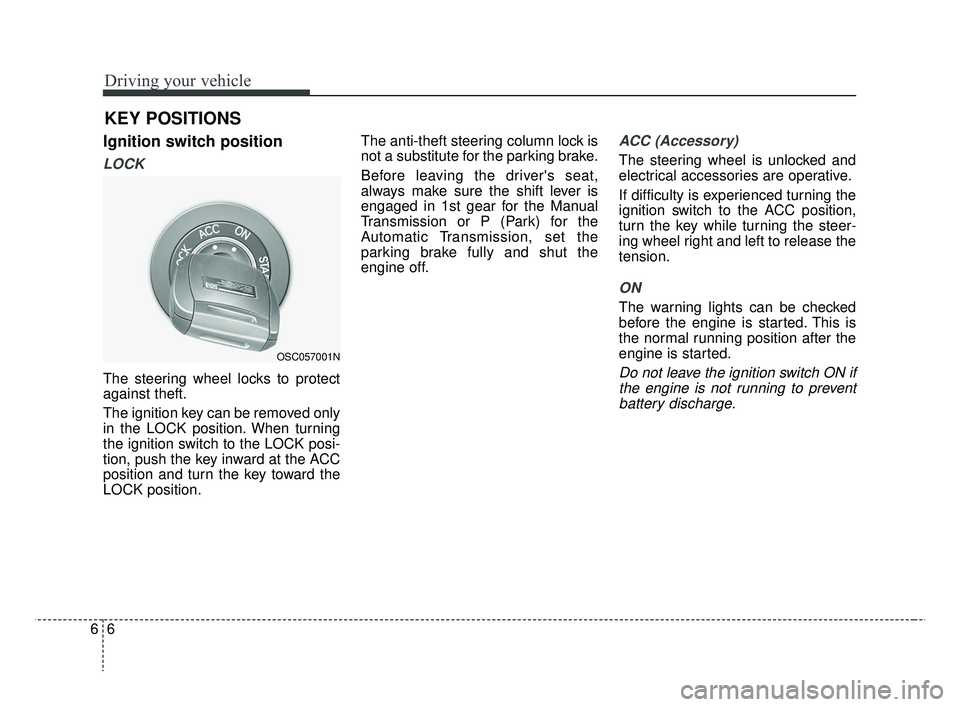
Ignition switch position
LOCK
The steering wheel locks to protect
against theft.
The ignition key can be removed only
in the LOCK position. When turning
the ignition switch to the LOCK posi-
tion, push the key inward at the ACC
position and turn the key toward the
LOCK position.The anti-theft steering column lock is
not a substitute for the parking brake.
Before leaving the driver's seat,
always make sure the shift lever is
engaged in 1st gear for the Manual
Transmission or P (Park) for the
Automatic Transmission, set the
parking brake fully and shut the
engine off.
ACC (Accessory)
The steering wheel is unlocked and
electrical accessories are operative.
If difficulty is experienced turning the
ignition switch to the ACC position,
turn the key while turning the steer-
ing wheel right and left to release the
tension.
ON
The warning lights can be checked
before the engine is started. This is
the normal running position after the
engine is started.
Do not leave the ignition switch ON if
the engine is not running to preventbattery discharge.
KEY POSITIONS
OSC057001N
SC CAN (ENG) 6.QXP 7/18/2018 5:41 PM Page 6
Page 269 of 503
67
Driving your vehicle
START
Turn the ignition switch to the START
position to start the engine. The
engine will crank until you release
the key; then it returns to the ON
position. The brake warning light can
be checked in this position.
✽ ✽NOTICE
If you leave the ignition switch to the
ACC or ON position for a long time,
the battery may discharge.
WARNING- Ignition
switch
Never turn the ignition switch to
LOCK or ACC while the vehicle
is moving. This would result in
loss of directional control and
braking function, which could
cause an accident.
WARNING- Steering wheel
Never reach for any controls
through the steering wheel
while the vehicle is in motion.
The presence of your hand or
arm in this area could cause a
loss of vehicle control.
WARNING- Key holder
Do not attach small purses,
multiple keys, or any other
heavy accessories to the dri-
ver's key chain used to start the
vehicle. This may cause the
driver to accidentally make the
key inserted in the vehicle to
change the ignition position to
the ACC position while the vehi-
cle is moving thereby increas-
ing the risk of an accident and
causing the deactivation of sev-
eral safety features.
WARNING- Leaving the vehicle
To avoid unexpected or sudden
vehicle movement, never leave
your vehicle if the transmission
is not locked in the P (Park)
position and the parking brake
is fully engaged. Before leaving
the driver's seat, always make
sure the shift lever is engaged
in P (Park), set the parking
brake fully and shut the engine
off.
SC CAN (ENG) 6.QXP 7/18/2018 5:41 PM Page 7
Page 274 of 503
Driving your vehicle
12
6
Starting the engine with an
ignition key (if equipped)
1. Make sure the parking brake is
applied.
2. Manual Transmission - Depress
the clutch pedal fully and shift the
transmission into Neutral. Keep
the clutch pedal and brake pedal
depressed while turning the igni-
tion switch to the start position.
Automatic Transmission - Place
the transmission shift lever in P
(Park). Depress the brake pedal
fully.
You can also start the engine when the shift lever is in the N(Neutral) position.
3. Turn the ignition switch to START and hold it there until the engine
starts (a maximum of 10 seconds),
then release the key.
It should be started withoutdepressing the accelerator.
4. Do not wait for the engine to warm up while the vehicle remains sta-
tionary.
Start driving at moderate engine
speeds. (Steep accelerating and
decelerating should be avoided.)
If the engine stalls while the vehicle
is in motion, do not attempt to move
the shift lever to the P (Park) posi-
tion. If traffic and road conditions per-
mit, you may put the shift lever in the
N (Neutral) position while the vehicle
is still moving and turn the ignition
switch to the START position in an
attempt to restart the engine.
STARTING THE ENGINE
WARNING- Proper footwear
Always wear appropriate shoes
when operating your vehicle.
Unsuitable shoes (high heels, ski
boots, sandals, etc.) may inter-
fere with your ability to use the
brake and accelerator pedals.
CAUTION- Starter
Do not engage the starter for more than 10 seconds. If theengine stalls or fails to start,wait 5 to 10 seconds before re-engaging the starter. Improperuse of the starter may damageit.
SC CAN (ENG) 6.QXP 7/18/2018 5:41 PM Page 12
Page 277 of 503
615
Driving your vehicle
Manual Transmission opera-
tion
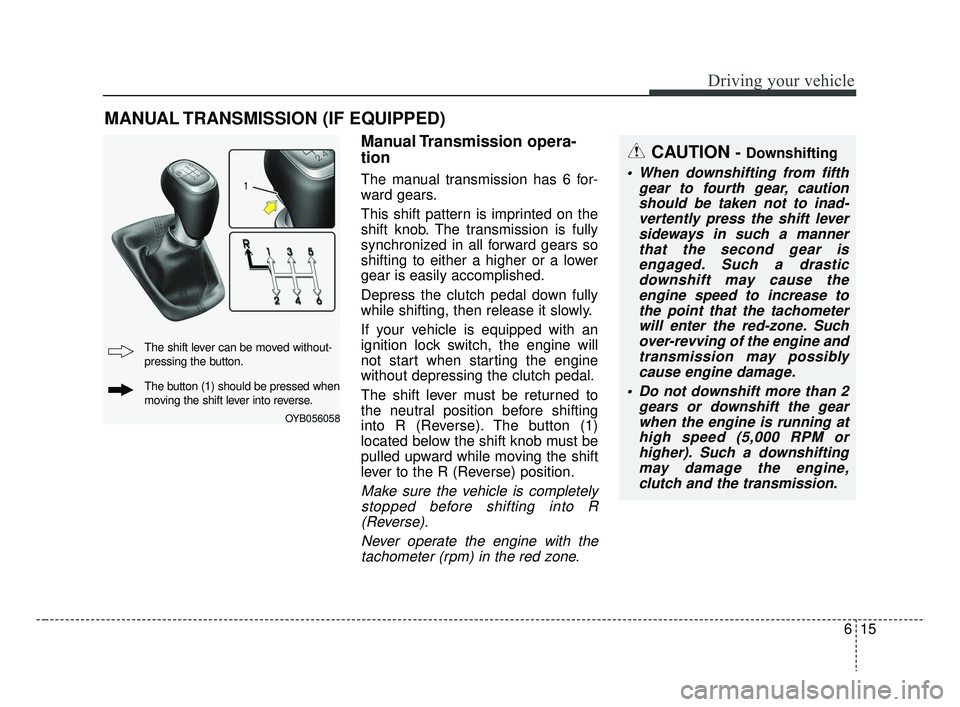
The manual transmission has 6 for-
ward gears.
This shift pattern is imprinted on the
shift knob. The transmission is fully
synchronized in all forward gears so
shifting to either a higher or a lower
gear is easily accomplished.
Depress the clutch pedal down fully
while shifting, then release it slowly.
If your vehicle is equipped with an
ignition lock switch, the engine will
not start when starting the engine
without depressing the clutch pedal.
The shift lever must be returned to
the neutral position before shifting
into R (Reverse). The button (1)
located below the shift knob must be
pulled upward while moving the shift
lever to the R (Reverse) position.
Make sure the vehicle is completelystopped before shifting into R(Reverse).
Never operate the engine with thetachometer (rpm) in the red zone.
MANUAL TRANSMISSION (IF EQUIPPED)
CAUTION - Downshifting
When downshifting from fifth gear to fourth gear, cautionshould be taken not to inad-vertently press the shift leversideways in such a mannerthat the second gear isengaged. Such a drasticdownshift may cause theengine speed to increase tothe point that the tachometerwill enter the red-zone. Suchover-revving of the engine andtransmission may possiblycause engine damage.
Do not downshift more than 2 gears or downshift the gearwhen the engine is running athigh speed (5,000 RPM orhigher). Such a downshiftingmay damage the engine,clutch and the transmission.
OYB056058
The shift lever can be moved without-
pressing the button.
The button (1) should be pressed when
moving the shift lever into reverse.
SC CAN (ENG) 6.QXP 7/18/2018 5:41 PM Page 15
Page 281 of 503
619
Driving your vehicle
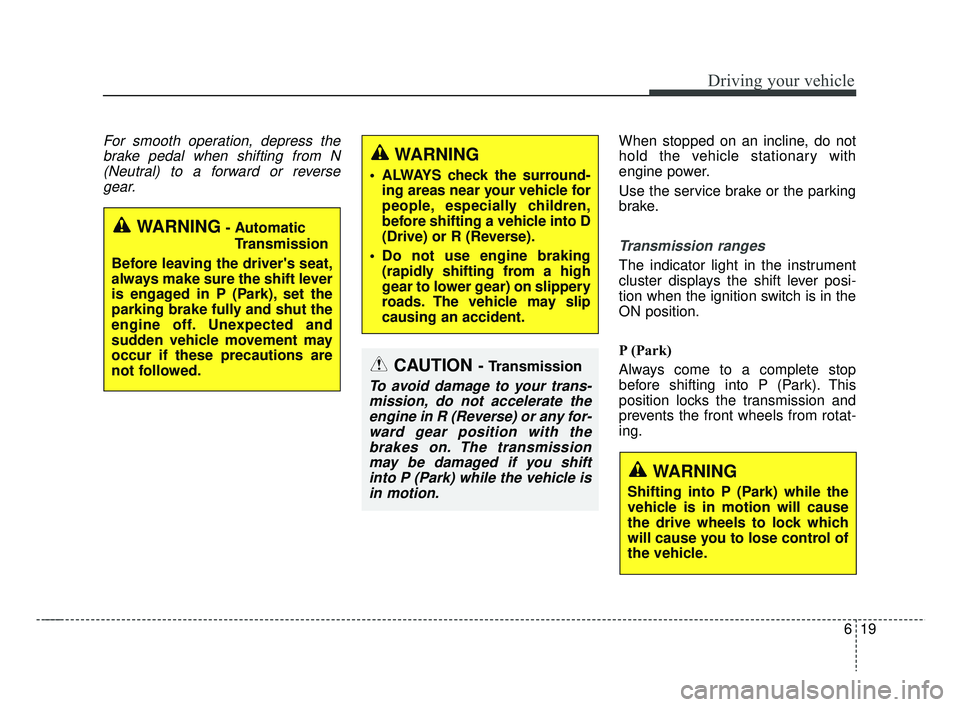
For smooth operation, depress thebrake pedal when shifting from N(Neutral) to a forward or reversegear.When stopped on an incline, do not
hold the vehicle stationary with
engine power.
Use the service brake or the parking
brake.
Transmission ranges
The indicator light in the instrument
cluster displays the shift lever posi-
tion when the ignition switch is in the
ON position.
P (Park)
Always come to a complete stop
before shifting into P (Park). This
position locks the transmission and
prevents the front wheels from rotat-
ing.
CAUTION - Transmission
To avoid damage to your trans-mission, do not accelerate theengine in R (Reverse) or any for-ward gear position with thebrakes on. The transmissionmay be damaged if you shiftinto P (Park) while the vehicle isin motion.
WARNING- Automatic
Transmission
Before leaving the driver's seat,
always make sure the shift lever
is engaged in P (Park), set the
parking brake fully and shut the
engine off. Unexpected and
sudden vehicle movement may
occur if these precautions are
not followed.
WARNING
Shifting into P (Park) while the
vehicle is in motion will cause
the drive wheels to lock which
will cause you to lose control of
the vehicle.
WARNING
ALWAYS check the surround- ing areas near your vehicle for
people, especially children,
before shifting a vehicle into D
(Drive) or R (Reverse).
Do not use engine braking (rapidly shifting from a high
gear to lower gear) on slippery
roads. The vehicle may slip
causing an accident.
SC CAN (ENG) 6.QXP 7/18/2018 5:41 PM Page 19
Page 282 of 503
Driving your vehicle
20
6
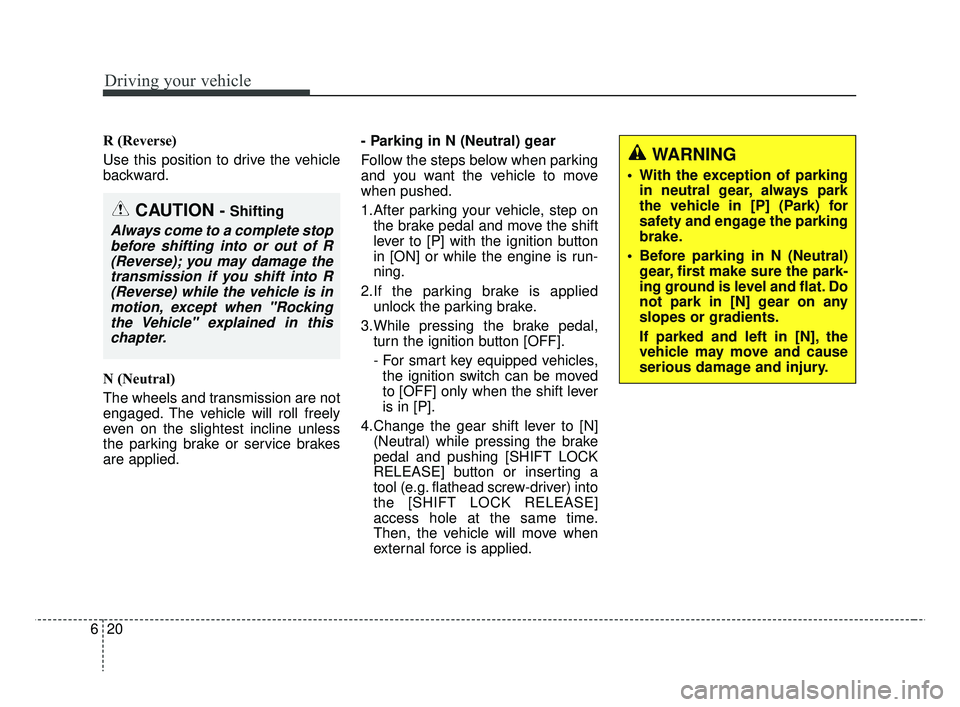
R (Reverse)
Use this position to drive the vehicle
backward.
N (Neutral)
The wheels and transmission are not
engaged. The vehicle will roll freely
even on the slightest incline unless
the parking brake or service brakes
are applied. - Parking in N (Neutral) gear
Follow the steps below when parking
and you want the vehicle to move
when pushed.
1.After parking your vehicle, step on
the brake pedal and move the shift
lever to [P] with the ignition button
in [ON] or while the engine is run-
ning.
2.If the parking brake is applied unlock the parking brake.
3.While pressing the brake pedal, turn the ignition button [OFF].
- For smart key equipped vehicles,the ignition switch can be moved
to [OFF] only when the shift lever
is in [P].
4.Change the gear shift lever to [N] (Neutral) while pressing the brake
pedal and pushing [SHIFT LOCK
RELEASE] button or inserting a
tool (e.g. flathead screw-driver) into
the [SHIFT LOCK RELEASE]
access hole at the same time.
Then, the vehicle will move when
external force is applied.
WARNING
• With the exception of parkingin neutral gear, always park
the vehicle in [P] (Park) for
safety and engage the parking
brake.
Before parking in N (Neutral) gear, first make sure the park-
ing ground is level and flat. Do
not park in [N] gear on any
slopes or gradients.
If parked and left in [N], the
vehicle may move and cause
serious damage and injury.
CAUTION - Shifting
Always come to a complete stopbefore shifting into or out of R(Reverse); you may damage thetransmission if you shift into R(Reverse) while the vehicle is inmotion, except when "Rockingthe Vehicle" explained in thischapter.
SC CAN (ENG) 6.QXP 7/25/2018 12:14 PM Page 20