brake light KIA RIO 2021 Owner's Manual
[x] Cancel search | Manufacturer: KIA, Model Year: 2021, Model line: RIO, Model: KIA RIO 2021Pages: 534, PDF Size: 13.49 MB
Page 274 of 534

537
Driving your vehicle
When operatingWhen the ESC is in opera-
tion, ESC indicator light
blinks.
Stability Control is operat-
ing properly, you can feel a
slight pulsation in the vehi-
cle. This is only the effect
of brake control and indi-
cates nothing unusual.
mud or slippery road,
pressing the accelerator
pedal may not cause the
engine rpm (revolutions
per minute) to increase.ESC operation off
ESC OFF state
This car has 2 kinds of ESC
off states.
If the engine stops when
ESC is off, ESC remains off.
Upon restarting the engine,
the ESC will automatically
turn on again.
ESC off state 1 : “Traction
Control disabled”
To turn off the traction control func-
tion and only operate the brake con-
trol function of the ESC, press the
ESC OFF button ( ) for less than 3
seconds and the ESC OFF indicator
light ( ) will illuminate. At this state,
only the brake function will operate.
ODL3059100L
SC PE USA 5.QXP 10/23/2020 5:50 PM Page 37
Page 275 of 534

Driving your vehicle
38
5
ESC off state 2 : “Traction &
Stability Control disabled”
To turn off the traction control func-
tion and the brake control function of
the ESC, press the ESC OFF button
( ) for more than 3 seconds. ESC
OFF indicator light ( ) will illuminate
and ESC OFF warning chime will
sound. In this state, the car stability
control function will not operate.
Indicator light
When the ignition switch or ENGINE
START/STOP button is turned ON,
the indicator light illuminates, then
goes off if ESC system is operating
normally.
The ESC indicator light blinks when-
ever ESC is operating or illuminates
when ESC fails to operate.
The ESC OFF indicator light comes
on when the ESC is turned off with
the button.
ODL3059101L
■ESC indicator light
■ ESC OFF indicator light
WARNING
Driving with varying tire or
wheel sizes may cause the ESC
system to malfunction. When
replacing tires, make sure they
are the same size as your origi-
nal tires.
WARNING- Electronic sta- bility control
Drive carefully even though
your vehicle has Electronic
Stability Control. It can only
assist you in maintaining con-
trol under certain circum-
stances.
SC PE USA 5.QXP 10/23/2020 5:50 PM Page 38
Page 277 of 534
Driving your vehicle
40
5
Vehicle Stability Management
(VSM)
This system is designed to provide
further enhancements to vehicle sta-
bility and steering responses when a
vehicle is driving on a slippery road
or a vehicle detected changes in
coefficient of friction between the
right wheels and left wheels when
braking.
VSM operation
When the VSM is in operation, the
ESC indicator light ( ) blinks.
When the vehicle stability manage-
ment is operating properly, you can
feel a slight pulsation in the vehicle
and/or abnormal steering responses
(EPS). This is only the effect of brake
and EPS control and indicates noth-
ing unusual. The VSM does not operate when:
Driving on bank roads such as gra-
dient or incline
Driving in reverse
ESC OFF indicator light ( ) remains on the instrument cluster
EPS indicator light remains on the instrument cluster
VSM operation off
If you press the ESC OFF button to
turn off the ESC, the VSM will also
cancel and the ESC OFF indicator
light ( ) illuminates.
To turn on the VSM, press the button
again. The ESC OFF indicator light
will turn off.
WARNING- Vehicle stabili-
ty management
Drive carefully even though your
vehicle has Vehicle stability man-
agement. It can only assist you in
maintaining control under cer-
tain circumstances.
SC PE USA 5.QXP 10/23/2020 5:50 PM Page 40
Page 279 of 534
Driving your vehicle
42
5
Good braking practices
Check to be sure the parking brake
is not engaged and that the park-
ing brake indicator light is out
before driving away.
Driving through water may get the brakes wet. They can also get wet
when the vehicle is washed. Wet
brakes can be dangerous! Your
vehicle will not stop as quickly if the
brakes are wet. Wet brakes may
cause the vehicle to pull to one
side.
To dry the brakes, apply the brakes
lightly until the braking action
returns to normal, taking care to
keep the vehicle under control at
all times. If the braking action does
not return to normal, stop as soon
as it is safe to do so and call an
authorized Kia dealer for assis-
tance.
Don't coast down hills with the vehicle out of gear. This is extreme-
ly hazardous. Keep the vehicle in
gear at all times, use the brakes to
slow down, then shift to a lower
gear so that engine braking will
help you maintain a safe speed. Don't "ride" the brake pedal.
Resting your foot on the brake
pedal while driving can be danger-
ous because the brakes might
overheat and lose their effective-
ness. It also increases the wear of
the brake components.
If a tire goes flat while you are driv- ing, apply the brakes gently and
keep the vehicle pointed straight
ahead while you slow down. When
you are moving slowly enough for it
to be safe to do so, pull off the road
and stop in a safe place.
If your vehicle is equipped with an intelligent variable transmission,
don't let your vehicle creep for-
ward. To avoid creeping forward,
keep your foot firmly on the brake
pedal when the vehicle is stopped. Be cautious when parking on a hill.
Firmly engage the parking brake
and place the shift lever in P
(Intelligent Variable Transmission)
or in first or reverse gear (Manual
Transmission). If your vehicle is
facing downhill, turn the front
wheels into the curb to help keep
the vehicle from rolling. If your vehi-
cle is facing uphill, turn the front
wheels away from the curb to help
keep the vehicle from rolling. If
there is no curb or if it is required
by other conditions to keep the
vehicle from rolling, chock the
wheels.
SC PE USA 5.QXP 10/23/2020 5:50 PM Page 42
Page 285 of 534
Driving your vehicle
48
5
Prerequisite for activation
FCA will activate when FCA is
selected on the LCD display, and
when the following prerequisites are
satisfied:
The ESC (Electronic Stability
Control) is activated.
When FCA recognizes a vehicle or the pedestrian in front.
FCA warning message and
function control
FCA produces warning messages,
warning alarms, and emergency
braking based on the level of risk of
a frontal collision, such as when a
vehicle ahead suddenly brakes, or
when the function detects that a col-
lision with a pedestrian is imminent.
The driver can select the initial warn-
ing activation time in the User
Settings in the LCD display. The
options for the initial Forward
Collision Warning include Early,
Normal or Late initial warning time.
WARNING
FCA may not recognize every
obstacle or provide warnings
and braking in every situation,
so do not rely on FCA to stop
the vehicle in instances where
the driver sees an obstacle and
has the ability to apply the
brakes
FCA automatically activatesupon placing the ignition
switch or ENGINE
START/STOP button to the ON
position. The driver can deac-
tivate FCA by canceling the
function setting on the LCD
display.
FCA automatically deacti- vates upon canceling the
ESC. When the ESC is can-
celed, FCA cannot be activat-
ed on the LCD display. FCA
warning light will illuminate.
SC PE USA 5.QXP 10/23/2020 5:50 PM Page 48
Page 286 of 534
549
Driving your vehicle
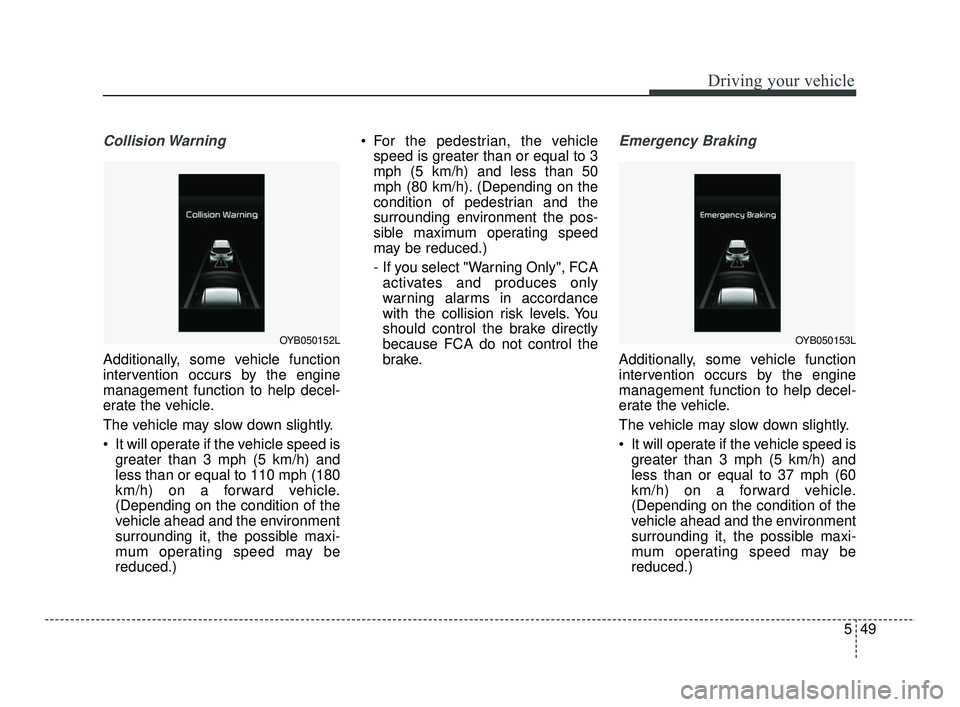
Collision Warning
Additionally, some vehicle function
intervention occurs by the engine
management function to help decel-
erate the vehicle.
The vehicle may slow down slightly.
It will operate if the vehicle speed isgreater than 3 mph (5 km/h) and
less than or equal to 110 mph (180
km/h) on a forward vehicle.
(Depending on the condition of the
vehicle ahead and the environment
surrounding it, the possible maxi-
mum operating speed may be
reduced.) For the pedestrian, the vehicle
speed is greater than or equal to 3
mph (5 km/h) and less than 50
mph (80 km/h). (Depending on the
condition of pedestrian and the
surrounding environment the pos-
sible maximum operating speed
may be reduced.)
- If you select "Warning Only", FCAactivates and produces only
warning alarms in accordance
with the collision risk levels. You
should control the brake directly
because FCA do not control the
brake.
Emergency Braking
Additionally, some vehicle function
intervention occurs by the engine
management function to help decel-
erate the vehicle.
The vehicle may slow down slightly.
It will operate if the vehicle speed is greater than 3 mph (5 km/h) and
less than or equal to 37 mph (60
km/h) on a forward vehicle.
(Depending on the condition of the
vehicle ahead and the environment
surrounding it, the possible maxi-
mum operating speed may be
reduced.)
OYB050152LOYB050153L
SC PE USA 5.QXP 10/23/2020 5:50 PM Page 49
Page 289 of 534
Driving your vehicle
52
5
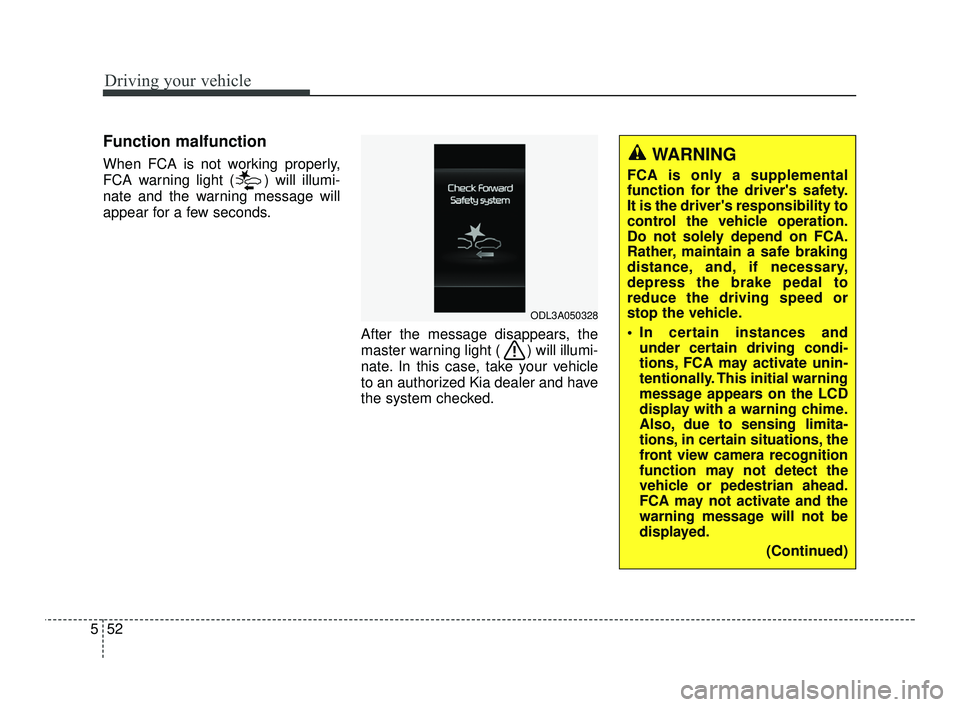
Function malfunction
When FCA is not working properly,
FCA warning light ( ) will illumi-
nate and the warning message will
appear for a few seconds.
After the message disappears, the
master warning light ( ) will illumi-
nate. In this case, take your vehicle
to an authorized Kia dealer and have
the system checked.
ODL3A050328
WARNING
FCA is only a supplemental
function for the driver's safety.
It is the driver's responsibility to
control the vehicle operation.
Do not solely depend on FCA.
Rather, maintain a safe braking
distance, and, if necessary,
depress the brake pedal to
reduce the driving speed or
stop the vehicle.
In certain instances andunder certain driving condi-
tions, FCA may activate unin-
tentionally. This initial warning
message appears on the LCD
display with a warning chime.
Also, due to sensing limita-
tions, in certain situations, the
front view camera recognition
function may not detect the
vehicle or pedestrian ahead.
FCA may not activate and the
warning message will not be
displayed.
(Continued)
SC PE USA 5.QXP 10/23/2020 5:51 PM Page 52
Page 295 of 534
![KIA RIO 2021 Owners Manual Driving your vehicle
58
5
[A]: Your vehicle, [B]: Lane changing
vehicle, [C]: Same lane vehicle
When driving in stop-and-go traffic,
and a stopped vehicle in front of you
merges out of the lane, FCA m](/img/2/54889/w960_54889-294.png "KIA RIO 2021 Owners Manual Driving your vehicle
58
5
[A]: Your vehicle, [B]: Lane changing
vehicle, [C]: Same lane vehicle
When driving in stop-and-go traffic,
and a stopped vehicle in front of you
merges out of the lane, FCA m")
Driving your vehicle
58
5
[A]: Your vehicle, [B]: Lane changing
vehicle, [C]: Same lane vehicle
When driving in stop-and-go traffic,
and a stopped vehicle in front of you
merges out of the lane, FCA may not
immediately detect the new vehicle
that is now in front of you. In this
case, you must maintain a safe brak-
ing distance, and if necessary,
depress the brake pedal to reduce
your driving speed in order to main-
tain a safe distance.
Recognizing the vehicle
When the vehicle in front has heavy
loading extended rearward, or when
the vehicle in front has higher ground
clearance, it may induce a haz-
ardous situation. Always pay atten-
tion to road and driving conditions,
while driving and, if necessary,
depress the brake pedal to reduce
your driving speed in order to main-
tain distance.
Situation in which the function
may not detect pedestrian
properly.
The sensor may be limited when:
The pedestrian is not fully detected
by the camera recognition function,
for example, if the pedestrian is
leaning over or is not fully walking
upright.
The pedestrian is moving very quickly or appears abruptly in the
camera detection area.
The pedestrian is wearing clothing that easily blends into the back-
ground, making it difficult to be
detected by the camera recogni-
tion function.
The outside lighting is too bright (e.g. when driving in bright sun-
light or in sun glare) or too dark.
(e.g. when driving on a dark rural
road at night)
It is difficult to detect and distin- guish the pedestrian from other
objects in the surroundings, for
example, when there is a group of
pedestrians, or a large crowd.
OSC050281N
OSC050154N
SC PE USA 5.QXP 10/23/2020 5:51 PM Page 58
Page 296 of 534
559
Driving your vehicle
There is an item similar to a per-son's body structure
The pedestrian is small.
The pedestrian has impaired mobility.
The sensor recognition is limited.
The camera is blocked with a for- eign object or debris.
Inclement weather such as heavy rain or snow obscures the field of
view of the camera.
When light coming from a street light or an oncoming vehicle is
reflected on a wet road surface
such as a puddle in the road.
The field of view in front is obstructed by sun glare.
The windshield glass is fogged up; a clear view of the road is obstruct-
ed.
The adverse road conditions cause excessive vehicle vibrations while
driving.
The sensor recognition changes suddenly when passing over a
speed bump. You are on a roundabout.
The pedestrian suddenly interrupts
in front of the vehicle.
There is any other electromagnetic interference.
WARNING
Cancel FCA in the UserSettings on the LCD display,
before towing another vehicle.
While towing, the brake appli-
cation may adversely affect
your vehicle safety.
Exercise extreme caution to the vehicle in front, when it
has heavy loading extended
rearward, or when it has high-
er ground clearance.
Never try to test the operation of FCA. Doing so may cause
severe injury or death.
FCA is designed to detect and monitor the vehicle ahead or
detect a pedestrian in the
roadway through front view
camera recognition. It is not
designed to detect bicycles,
motorcycles, or smaller
wheeled objects such as lug-
gage bags, shopping carts, or
strollers.
(Continued)
SC PE USA 5.QXP 10/23/2020 5:51 PM Page 59
Page 310 of 534
573
Driving your vehicle
Function malfunction and limi-
tations
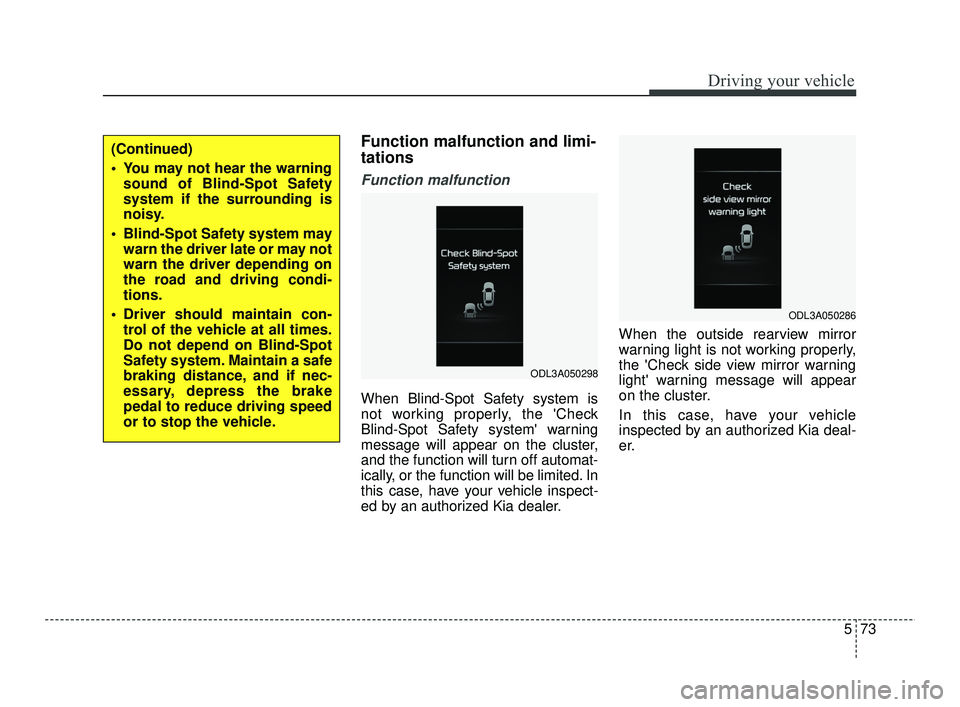
Function malfunction
When Blind-Spot Safety system is
not working properly, the 'Check
Blind-Spot Safety system' warning
message will appear on the cluster,
and the function will turn off automat-
ically, or the function will be limited. In
this case, have your vehicle inspect-
ed by an authorized Kia dealer.When the outside rearview mirror
warning light is not working properly,
the 'Check side view mirror warning
light' warning message will appear
on the cluster.
In this case, have your vehicle
inspected by an authorized Kia deal-
er.
ODL3A050298
ODL3A050286
(Continued)
You may not hear the warning
sound of Blind-Spot Safety
system if the surrounding is
noisy.
Blind-Spot Safety system may warn the driver late or may not
warn the driver depending on
the road and driving condi-
tions.
Driver should maintain con- trol of the vehicle at all times.
Do not depend on Blind-Spot
Safety system. Maintain a safe
braking distance, and if nec-
essary, depress the brake
pedal to reduce driving speed
or to stop the vehicle.
SC PE USA 5.QXP 10/23/2020 5:52 PM Page 73