change time KIA RIO 2021 Owner's Manual
[x] Cancel search | Manufacturer: KIA, Model Year: 2021, Model line: RIO, Model: KIA RIO 2021Pages: 534, PDF Size: 13.49 MB
Page 260 of 534
523
Driving your vehicle
R (Reverse)
Use this position to drive the vehicle
backward.
N (Neutral)
The wheels and transmission are not
engaged. The vehicle will roll freely
even on the slightest incline unless
the parking brake or service brakes
are applied.-Parking in N (Neutral) gear
Follow the steps below when parking
if you want the vehicle to move when
pushed.
1.After parking your vehicle, step on
the brake pedal and move the shift
lever to “P” with the ignition switch or
ENGINE START/STOP button in
“ON” or while the engine is running.
2.If the parking brake is applied unlock the parking brake.
3.While pressing the brake pedal, turn the ignition switch or ENGINE
START/STOP button “OFF”.
- For smart key equipped vehicles,the ignition switch or ENGINE
START/STOP button can be
moved to “OFF” only when the
shift lever is in “P”.
4.Change the gear shift lever to “N” (Neutral) while pressing the brake
pedal and pushing “SHIFT LOCK
RELEASE” button or inserting, a
tool (e.g. flathead screw-driver) into
the “SHIFT LOCK RELEASE”
access hole at the same time. Then,
the vehicle will move when external
force is applied.
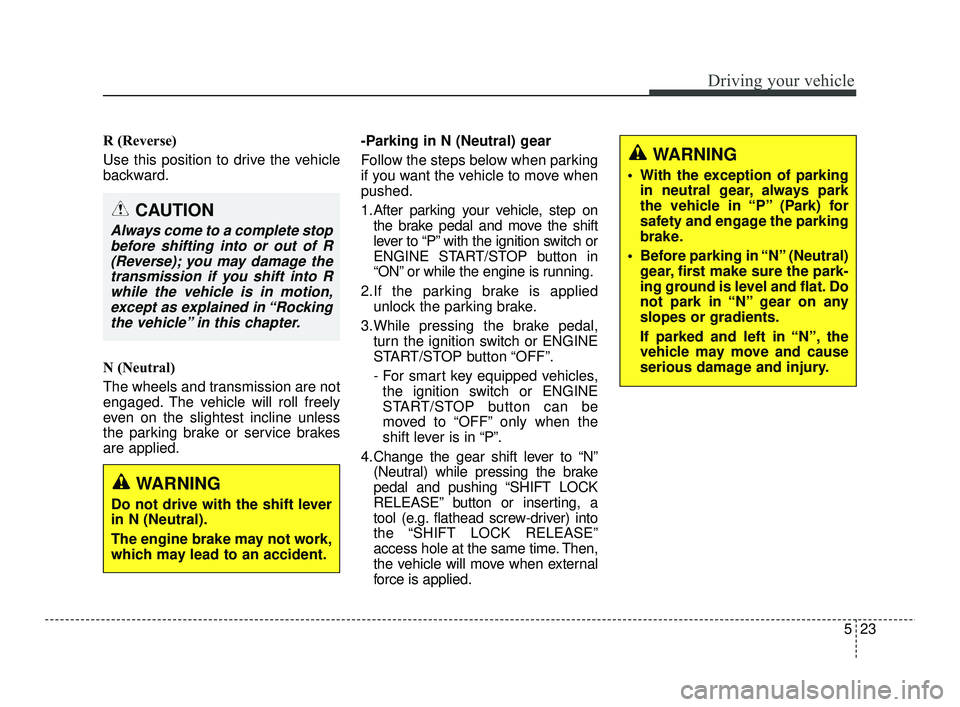
CAUTION
Always come to a complete stopbefore shifting into or out of R(Reverse); you may damage thetransmission if you shift into Rwhile the vehicle is in motion,except as explained in “Rockingthe vehicle” in this chapter.
WARNING
Do not drive with the shift lever
in N (Neutral).
The engine brake may not work,
which may lead to an accident.
WARNING
With the exception of parking in neutral gear, always park
the vehicle in “P” (Park) for
safety and engage the parking
brake.
Before parking in “N” (Neutral) gear, first make sure the park-
ing ground is level and flat. Do
not park in “N” gear on any
slopes or gradients.
If parked and left in “N”, the
vehicle may move and cause
serious damage and injury.
SC PE USA 5.QXP 10/23/2020 5:50 PM Page 23
Page 268 of 534
531
Driving your vehicle
Rear drum brakes (if equipped)
Your rear drum brakes do not have
wear indicators. Therefore, have the
rear brake linings inspected if you
hear a rear brake rubbing noise. Also
have your rear brakes inspected
each time you change or rotate your
tires and when you have the front
brakes replaced.
Parking brake
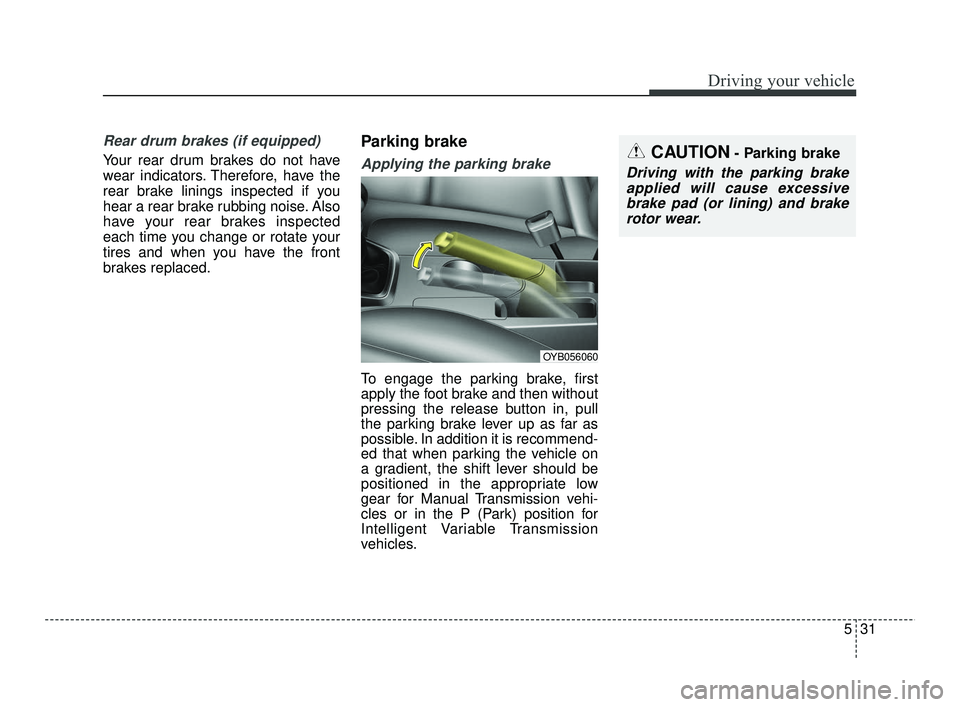
Applying the parking brake
To engage the parking brake, first
apply the foot brake and then without
pressing the release button in, pull
the parking brake lever up as far as
possible. In addition it is recommend-
ed that when parking the vehicle on
a gradient, the shift lever should be
positioned in the appropriate low
gear for Manual Transmission vehi-
cles or in the P (Park) position for
Intelligent Variable Transmission
vehicles.
CAUTION- Parking brake
Driving with the parking brakeapplied will cause excessivebrake pad (or lining) and brakerotor wear.
OYB056060
SC PE USA 5.QXP 10/23/2020 5:50 PM Page 31
Page 281 of 534

Driving your vehicle
44
5
SPORT mode
The sport mode may be selected
according to the driver’s preference
or road condition.
The mode changes whenever the
SPORT MODE button is pressed.
❈ When normal mode is selected, it
is not displayed on the cluster.
SPORT mode
SPORT mode focuses on
dynamic driving by auto-
matically adjusting the
steering effort, engine
and transmission system.
button is pressed, the
SPORT indicator (yellow
or white) will illuminate.
ed:
- While holding vehicle speed, it maintains the
gear and RPM for some
time even though the
accelerator pedal is not
depressed.
- Up-shifting is delayed.
is activated, and the
ignition switch or
ENGINE START/STOP
button is turned off and
on, it will change to
NORMAL mode. To turn
on the SPORT mode,
press the SPORT
MODE button again.
✽ ✽
NOTICE
In Sport drive mode, the fuel effi-
ciency may decrease.
SPORT MODE INTEGRATED CONTROL SYSTEM
OSC057012N
NORMAL SPORT
SPORT
SC PE USA 5.QXP 10/23/2020 5:50 PM Page 44
Page 302 of 534
565
Driving your vehicle
✽ ✽NOTICE
• For more details on setting the
functions, refer to "LCD Display
Mode" in chapter 4.
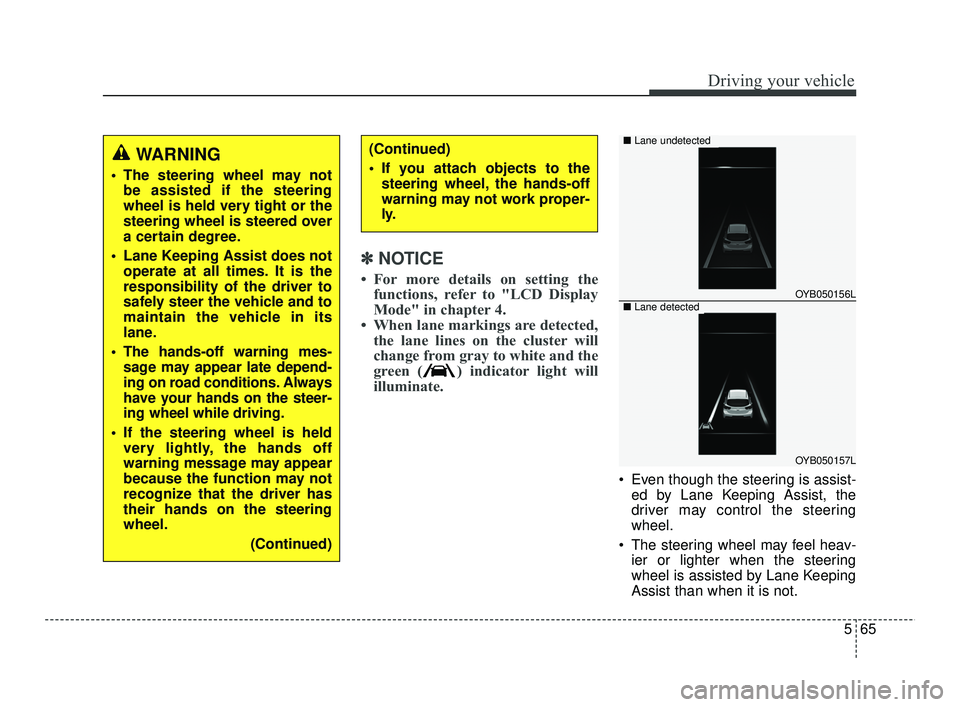
• When lane markings are detected, the lane lines on the cluster will
change from gray to white and the
green ( ) indicator light will
illuminate.
Even though the steering is assist-
ed by Lane Keeping Assist, the
driver may control the steering
wheel.
The steering wheel may feel heav- ier or lighter when the steering
wheel is assisted by Lane Keeping
Assist than when it is not.
WARNING
The steering wheel may notbe assisted if the steering
wheel is held very tight or the
steering wheel is steered over
a certain degree.
Lane Keeping Assist does not operate at all times. It is the
responsibility of the driver to
safely steer the vehicle and to
maintain the vehicle in its
lane.
The hands-off warning mes- sage may appear late depend-
ing on road conditions. Always
have your hands on the steer-
ing wheel while driving.
If the steering wheel is held very lightly, the hands off
warning message may appear
because the function may not
recognize that the driver has
their hands on the steering
wheel.
(Continued)
(Continued)
If you attach objects to thesteering wheel, the hands-off
warning may not work proper-
ly.
OYB050156L
OYB050157L
■ Lane undetected
■Lane detected
SC PE USA 5.QXP 10/23/2020 5:51 PM Page 65
Page 308 of 534
571
Driving your vehicle
✽ ✽NOTICE
If the engine is restarted, Blind-Spot
Safety system will maintain the last
setting.
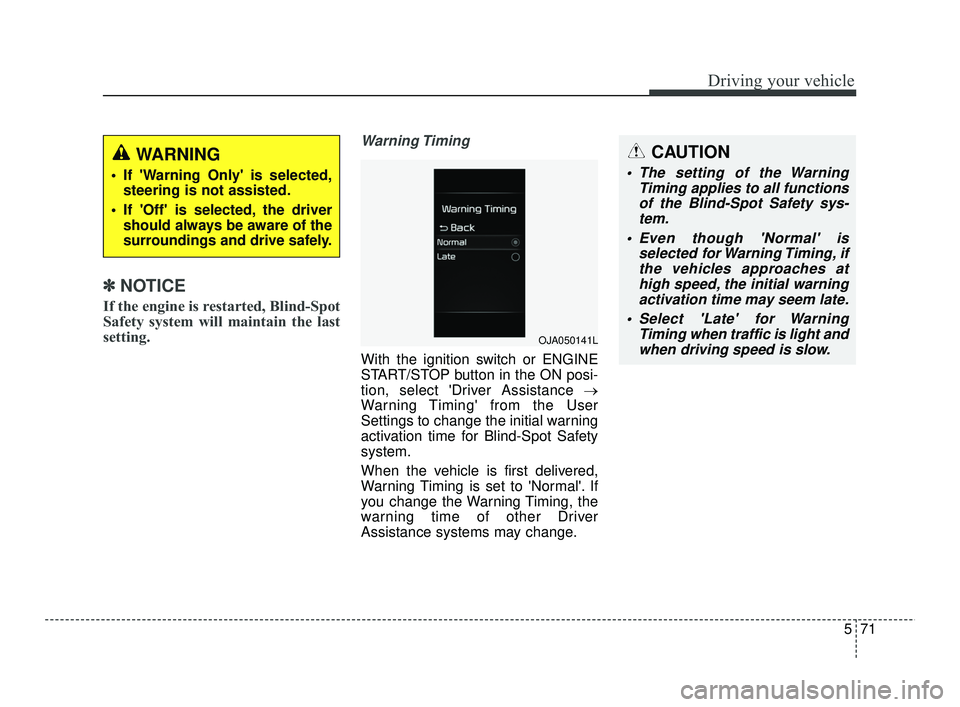
Warning Timing
With the ignition switch or ENGINE
START/STOP button in the ON posi-
tion, select 'Driver Assistance →
Warning Timing' from the User
Settings to change the initial warning
activation time for Blind-Spot Safety
system.
When the vehicle is first delivered,
Warning Timing is set to 'Normal'. If
you change the Warning Timing, the
warning time of other Driver
Assistance systems may change.
WARNING
If 'Warning Only' is selected,
steering is not assisted.
If 'Off' is selected, the driver should always be aware of the
surroundings and drive safely.
OJA050141L
CAUTION
The setting of the Warning Timing applies to all functionsof the Blind-Spot Safety sys-tem.
Even though 'Normal' is selected for Warning Timing, ifthe vehicles approaches athigh speed, the initial warningactivation time may seem late.
Select 'Late' for Warning Timing when traffic is light andwhen driving speed is slow.
SC PE USA 5.QXP 10/23/2020 5:52 PM Page 71
Page 312 of 534
575
Driving your vehicle
Limitations of the function
Blind-Spot Safety system may not
operate normally, or the func-tion
may operate unexpectedly under the
following circumstances:
There is inclement weather, suchas heavy snow, heavy rain, etc.
The rear corner radar is covered with snow, rain, dirt, etc.
The temperature around the rear corner radar is high or low
Driving on a highway (or motor- way) ramp
The road pavement (or the periph- eral ground) abnormally contains
metallic components (i.e. possibly
due to subway construction).
There is a fixed object near the vehicle, such as sound barriers,
guardrails, central dividers, entry
barriers, street lamps, signs, tun-
nels, walls, etc. (including double
structures)
Driving in large areas where there are few vehicles or structures (i.e.
desert, meadow, suburb, etc.) Driving through a narrow road
where trees or grass are over-
grown
Driving on a wet road surface, such as a puddle on the road
The other vehicle drives very close behind your vehicle, or the other
vehicle passes by your vehicle in
close proximity
The speed of the other vehicle is very fast that it passes by your
vehicle in a short time
Your vehicle passes by the other vehicle
Your vehicle change lane
Your vehicle has started at the same time as the vehicle next to
you and has accelerated
The vehicle in the next lane moves two lanes away from you, or when
the vehicle two lanes away moves
to the next lane from you
A trailer or carrier is installed around the rear corner radar
The bumper around the rear cor- ner radar is covered with objects,
such as a bumper sticker, bumper
guard, bike rack, etc. The bumper around the rear cor-
ner radar is impacted, damaged or
the radar is out of position
Your vehicle height is low or high due to heavy loads, abnormal tire
pressure, etc.
Blind-Spot Safety system may not
operate normally, or the function
may operate unexpectedly when
the following objects are detected:
A motorcycle or bicycle is detected
A vehicle such as a flat trailer is detected
A big vehicle such as a bus or truck is detected
A moving obstacle such as a pedestrian, animal, shopping cart
or a baby stroller is detected
A vehicle with low height such as a sports car is detected
SC PE USA 5.QXP 10/23/2020 5:52 PM Page 75
Page 317 of 534
Driving your vehicle
80
5
Leading Vehicle Departure Alert
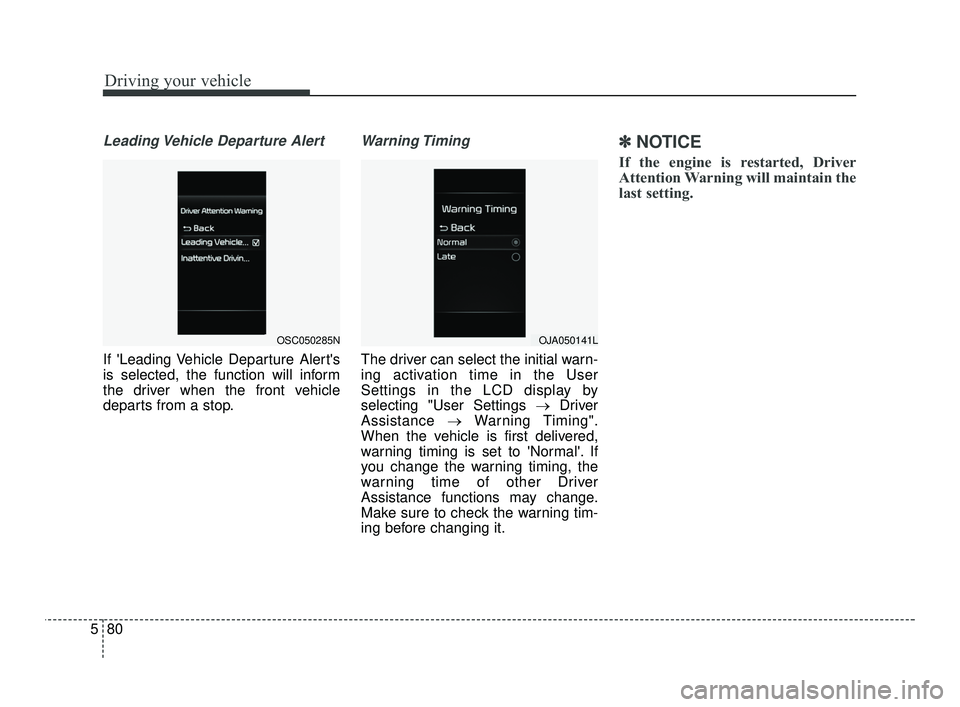
If 'Leading Vehicle Departure Alert's
is selected, the function will inform
the driver when the front vehicle
departs from a stop.
Warning Timing
The driver can select the initial warn-
ing activation time in the User
Settings in the LCD display by
selecting "User Settings → Driver
Assistance →Warning Timing".
When the vehicle is first delivered,
warning timing is set to 'Normal'. If
you change the warning timing, the
warning time of other Driver
Assistance functions may change.
Make sure to check the warning tim-
ing before changing it.
✽ ✽ NOTICE
If the engine is restarted, Driver
Attention Warning will maintain the
last setting.
OSC050285NOJA050141L
SC PE USA 5.QXP 10/23/2020 5:52 PM Page 80
Page 319 of 534
Driving your vehicle
82
5
The driver can monitor his/her driv-
ing conditions on the cluster.
- When the 'Inattentive DrivingWarning' is deselected from the
User Settings 'System Off' is dis-
played.
- The function will operate when vehicle speed is between 0~130
mph (0 ~ 210 km/h).
- When vehicle speed is not within the operating speed, the mes-
sage 'Standby' will be displayed.
The driver's attention level is dis- played on the scale of 1 to 5. The
lower the level is, the more inatten-
tive the driver is.
The level decreases when the driv- er does not take a break for a cer-
tain period of time.Taking a break
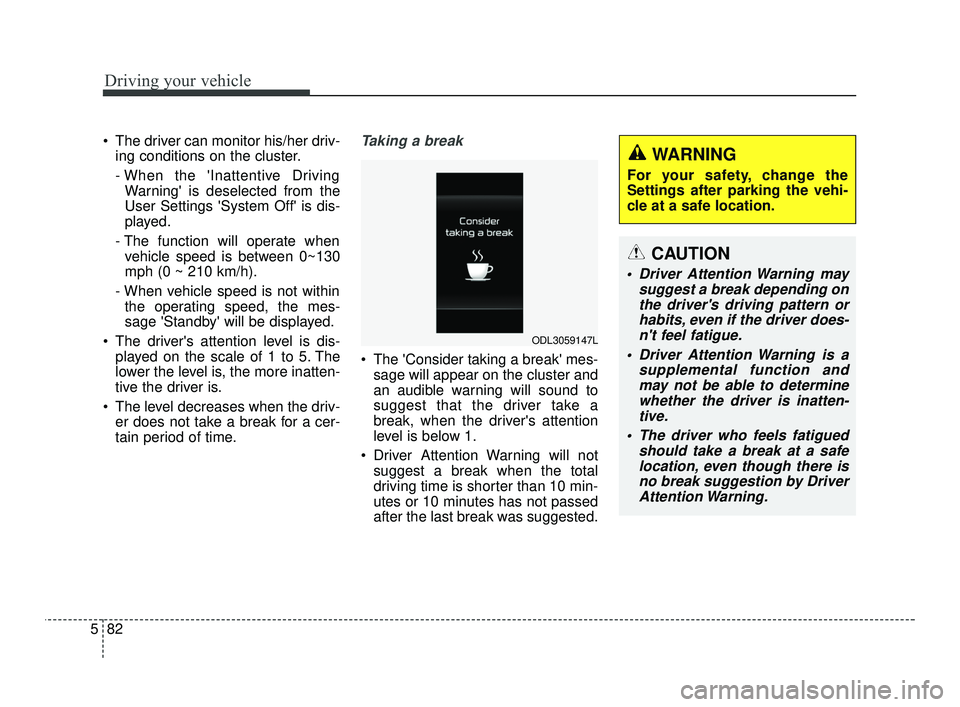
The 'Consider taking a break' mes-sage will appear on the cluster and
an audible warning will sound to
suggest that the driver take a
break, when the driver's attention
level is below 1.
Driver Attention Warning will not suggest a break when the total
driving time is shorter than 10 min-
utes or 10 minutes has not passed
after the last break was suggested.
ODL3059147L
WARNING
For your safety, change the
Settings after parking the vehi-
cle at a safe location.
CAUTION
Driver Attention Warning may suggest a break depending onthe driver's driving pattern orhabits, even if the driver does-n't feel fatigue.
Driver Attention Warning is a supplemental function andmay not be able to determinewhether the driver is inatten-tive.
The driver who feels fatigued should take a break at a safelocation, even though there isno break suggestion by DriverAttention Warning.
SC PE USA 5.QXP 10/23/2020 5:52 PM Page 82
Page 331 of 534
Driving your vehicle
94
5
✽ ✽
NOTICE
• For more details on setting the
functions, refer to "LCD Display
Mode" in chapter 4.
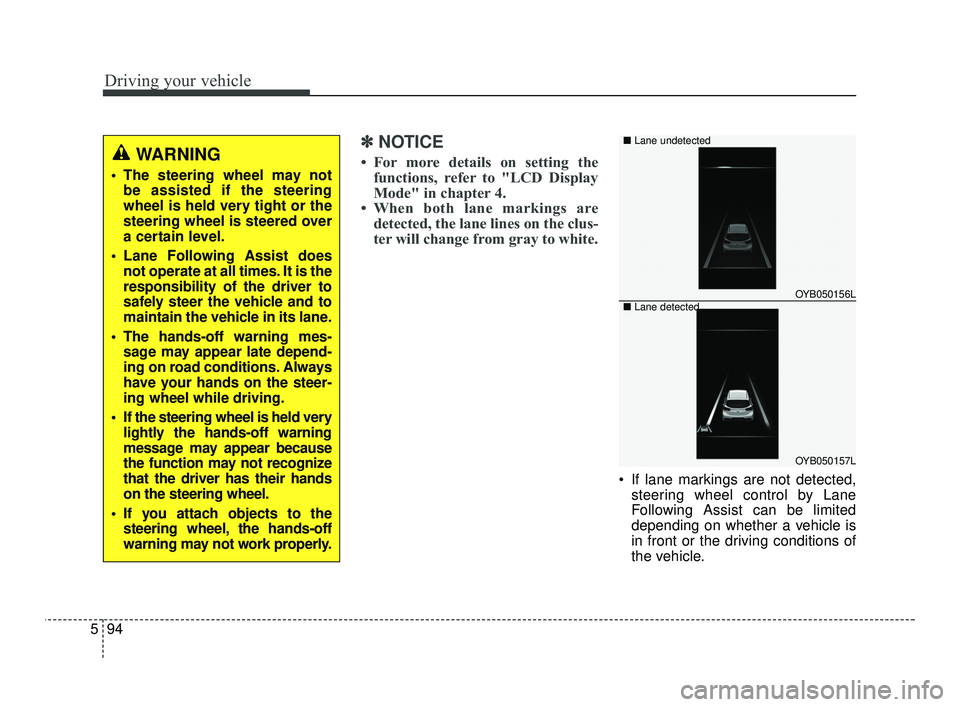
• When both lane markings are detected, the lane lines on the clus-
ter will change from gray to white.
If lane markings are not detected,
steering wheel control by Lane
Following Assist can be limited
depending on whether a vehicle is
in front or the driving conditions of
the vehicle.
WARNING
The steering wheel may notbe assisted if the steering
wheel is held very tight or the
steering wheel is steered over
a certain level.
Lane Following Assist does not operate at all times. It is the
responsibility of the driver to
safely steer the vehicle and to
maintain the vehicle in its lane.
The hands-off warning mes- sage may appear late depend-
ing on road conditions. Always
have your hands on the steer-
ing wheel while driving.
If the steering wheel is held very lightly the hands-off warning
message may appear because
the function may not recognize
that the driver has their hands
on the steering wheel.
If you attach objects to the steering wheel, the hands-off
warning may not work properly.
OYB050156L
OYB050157L
■
Lane undetected
■ Lane detected
SC PE USA 5.QXP 10/23/2020 5:53 PM Page 94
Page 335 of 534
Driving your vehicle
98
5
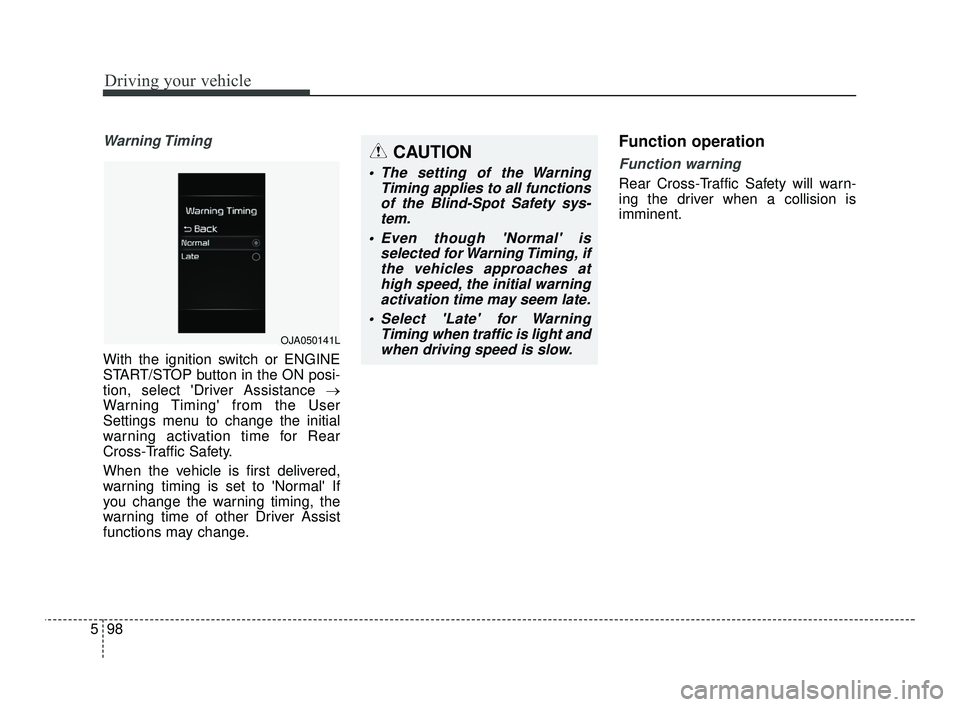
Warning Timing
With the ignition switch or ENGINE
START/STOP button in the ON posi-
tion, select 'Driver Assistance →
Warning Timing' from the User
Settings menu to change the initial
warning activation time for Rear
Cross-Traffic Safety.
When the vehicle is first delivered,
warning timing is set to 'Normal' If
you change the warning timing, the
warning time of other Driver Assist
functions may change.
Function operation
Function warning
Rear Cross-Traffic Safety will warn-
ing the driver when a collision is
imminent.
OJA050141L
CAUTION
The setting of the Warning
Timing applies to all functionsof the Blind-Spot Safety sys-tem.
Even though 'Normal' is selected for Warning Timing, ifthe vehicles approaches athigh speed, the initial warningactivation time may seem late.
Select 'Late' for Warning Timing when traffic is light andwhen driving speed is slow.
SC PE USA 5.QXP 10/23/2020 5:54 PM Page 98