chapter 6 KIA RIO 2021 Owner's Guide
[x] Cancel search | Manufacturer: KIA, Model Year: 2021, Model line: RIO, Model: KIA RIO 2021Pages: 534, PDF Size: 13.49 MB
Page 304 of 534

567
Driving your vehicle
WARNING
Take the following precautions
when using Lane Keeping
Assist:
The driver should hold theresponsibility to safely drive
and control the vehicle. Do
not solely rely on the function
and drive dangerously.
The operation of Lane Keeping Assist can be can-
celled or not work properly
depending on road conditions
and surroundings. Always be
cautious while driving.
Refer to "Limitations of the function" in chapter 5, if the
lane is not detected properly.
When you are towing a trailer or another vehicle, we recom-
mend that Lane Keeping
Assist is turned off due to
safety reasons.
(Continued)
(Continued)
If the vehicle is driven at highspeed, the steering wheel will
not be controlled. The driver
must always follow the speed
limit when using the function.
If any other function's warn- ing message is displayed or
audible warning is generated,
Lane Keeping Assist warning
message may not be dis-
played and audible warning
may not be generated.
You may not hear the warning sound of Lane Keeping Assist
if the surrounding is noisy.
If you attach objects to the steering wheel, steering may
not be assisted properly.
Lane Keeping Assist may not operate for 15 seconds after
the vehicle is started, or the
front view camera is initial-
ized.
Lane Keeping Assist will not operate when:
(Continued)(Continued)- The turn signal or hazardwarning flasher is turned on
- The vehicle is not driven in the center of the lane when
the function is turned on or
right after changing a lane
- ESC (Electronic Stability Control) or VSM (Vehicle
Stability Management) is
activated
- The vehicle is driven on a sharp curve
- Vehicle speed is below 35 mph (55 km/h) or above 130
mph (210 km/h)
- The vehicle makes sharp lane changes
- The vehicle is suddenly stopped
SC PE USA 5.QXP 10/23/2020 5:51 PM Page 67
Page 316 of 534
579
Driving your vehicle
Function settings
Settings
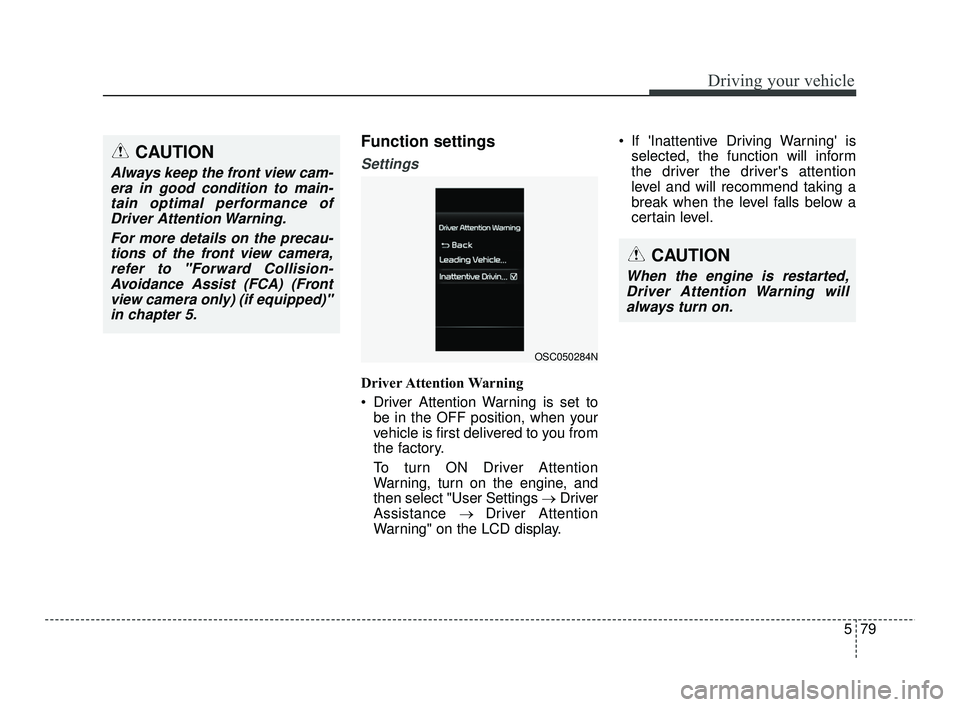
Driver Attention Warning
Driver Attention Warning is set tobe in the OFF position, when your
vehicle is first delivered to you from
the factory.
To turn ON Driver Attention
Warning, turn on the engine, and
then select "User Settings →Driver
Assistance → Driver Attention
Warning" on the LCD display. If 'Inattentive Driving Warning' is
selected, the function will inform
the driver the driver's attention
level and will recommend taking a
break when the level falls below a
certain level.
CAUTION
Always keep the front view cam-era in good condition to main-tain optimal performance ofDriver Attention Warning.
For more details on the precau-tions of the front view camera,refer to "Forward Collision-Avoidance Assist (FCA) (Frontview camera only) (if equipped)"in chapter 5.
CAUTION
When the engine is restarted,Driver Attention Warning willalways turn on.
OSC050284N
SC PE USA 5.QXP 10/23/2020 5:52 PM Page 79
Page 320 of 534
583
Driving your vehicle
✽ ✽NOTICE
• For more details on setting the
functions in the infotainment sys-
tem, refer to "Instrument cluster"
in chapter 4.
• Driver Attention Warning will reset the last break time to 00:00
in the following situations:
- The engine is turned off
- The driver unfastens the seat beltand opens the driver's door.
- The vehicle is stopped for more than 10 minutes.
• When the driver resets Driver Attention Warning, the last break
time is set to 00:00 and the driver's
attention level is set to High.
Leading Vehicle Departure Alert
This reminds the driver the leading
vehicle's driving departure after stop-
ping.
WARNING
If any other function's warn-
ing message is displayed or
audible warning is generated,
Leading Vehicle Departure
Warning message may not be
displayed and audible warn-
ing may not be generated.
The driver should hold the responsibility to safely drive
and control the vehicle.
CAUTION
Leading Vehicle Departure Warning is a supplementalfunction and may not alert thedriver whenever the frontvehicle departs from a stop.
Always check the front of the vehicle and road conditionsbefore departure.
SC PE USA 5.QXP 10/23/2020 5:52 PM Page 83
Page 328 of 534
591
Driving your vehicle
Lane Following Assist is designed to
detect lane markings or vehicles on
the road, and assists the driver's
steering to help keep the vehicle
between lanes.
✽ ✽
NOTICE
LFA stands for Lane Following
Assist.
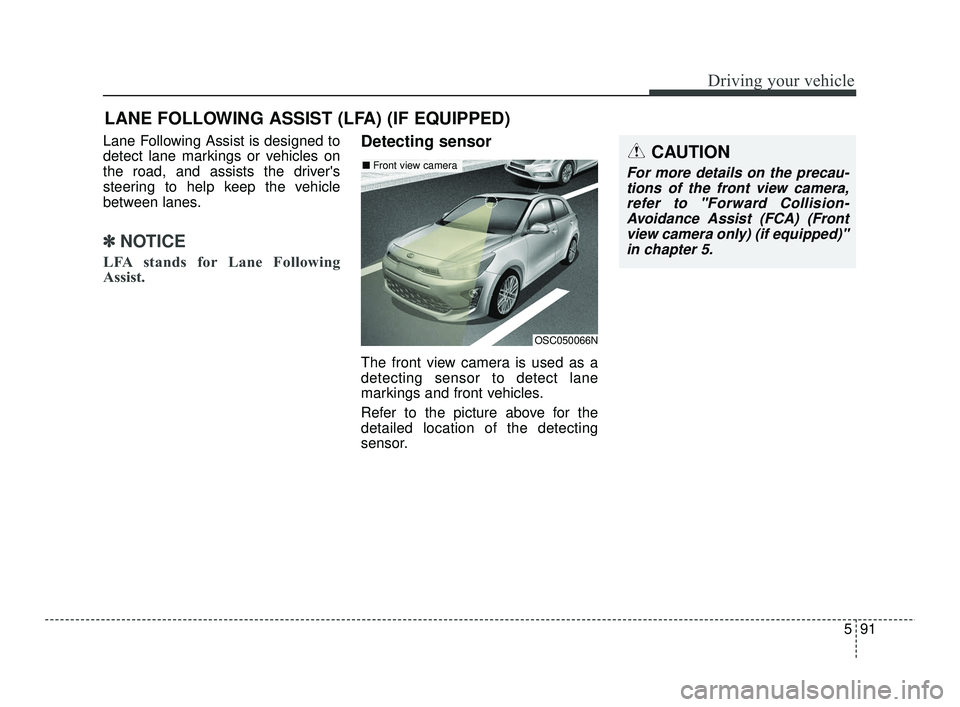
Detecting sensor
The front view camera is used as a
detecting sensor to detect lane
markings and front vehicles.
Refer to the picture above for the
detailed location of the detecting
sensor.
LANE FOLLOWING ASSIST (LFA) (IF EQUIPPED)
OSC050066N
■ Front view cameraCAUTION
For more details on the precau-
tions of the front view camera,refer to "Forward Collision-Avoidance Assist (FCA) (Frontview camera only) (if equipped)"in chapter 5.
SC PE USA 5.QXP 10/23/2020 5:53 PM Page 91
Page 331 of 534
Driving your vehicle
94
5
✽ ✽
NOTICE
• For more details on setting the
functions, refer to "LCD Display
Mode" in chapter 4.
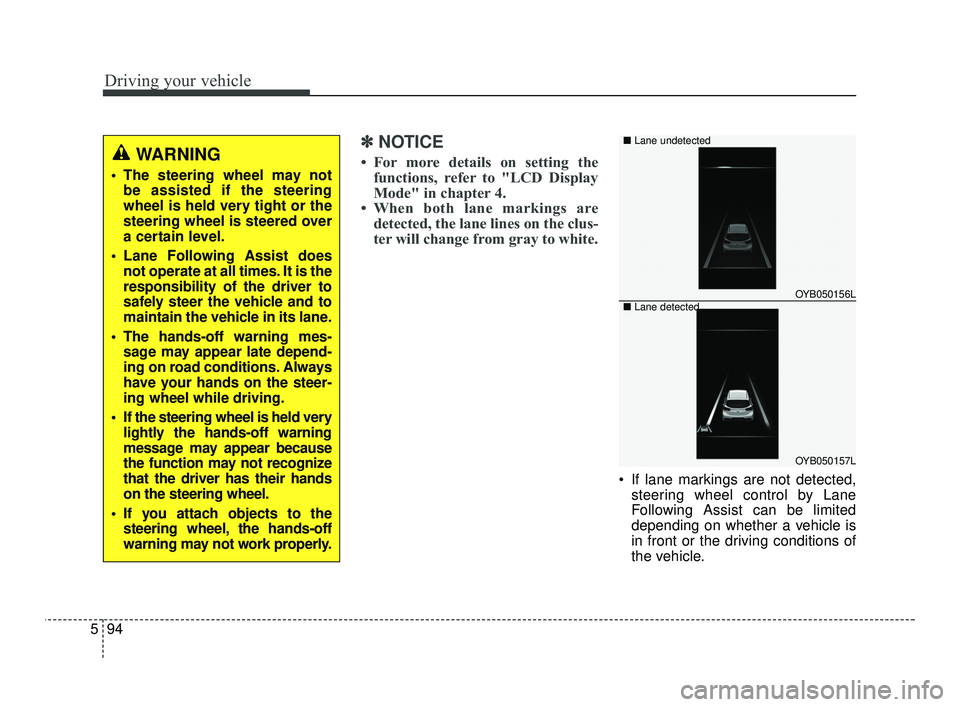
• When both lane markings are detected, the lane lines on the clus-
ter will change from gray to white.
If lane markings are not detected,
steering wheel control by Lane
Following Assist can be limited
depending on whether a vehicle is
in front or the driving conditions of
the vehicle.
WARNING
The steering wheel may notbe assisted if the steering
wheel is held very tight or the
steering wheel is steered over
a certain level.
Lane Following Assist does not operate at all times. It is the
responsibility of the driver to
safely steer the vehicle and to
maintain the vehicle in its lane.
The hands-off warning mes- sage may appear late depend-
ing on road conditions. Always
have your hands on the steer-
ing wheel while driving.
If the steering wheel is held very lightly the hands-off warning
message may appear because
the function may not recognize
that the driver has their hands
on the steering wheel.
If you attach objects to the steering wheel, the hands-off
warning may not work properly.
OYB050156L
OYB050157L
■
Lane undetected
■ Lane detected
SC PE USA 5.QXP 10/23/2020 5:53 PM Page 94
Page 332 of 534
595
Driving your vehicle
Even though the steering is assist-ed by Lane Following Assist, the
driver may control the steering
wheel.
The steering wheel may feel heav- ier or lighter when the steering
wheel is assisted by the function
than when it is not.Function malfunction and limi-
tations
Function malfunction
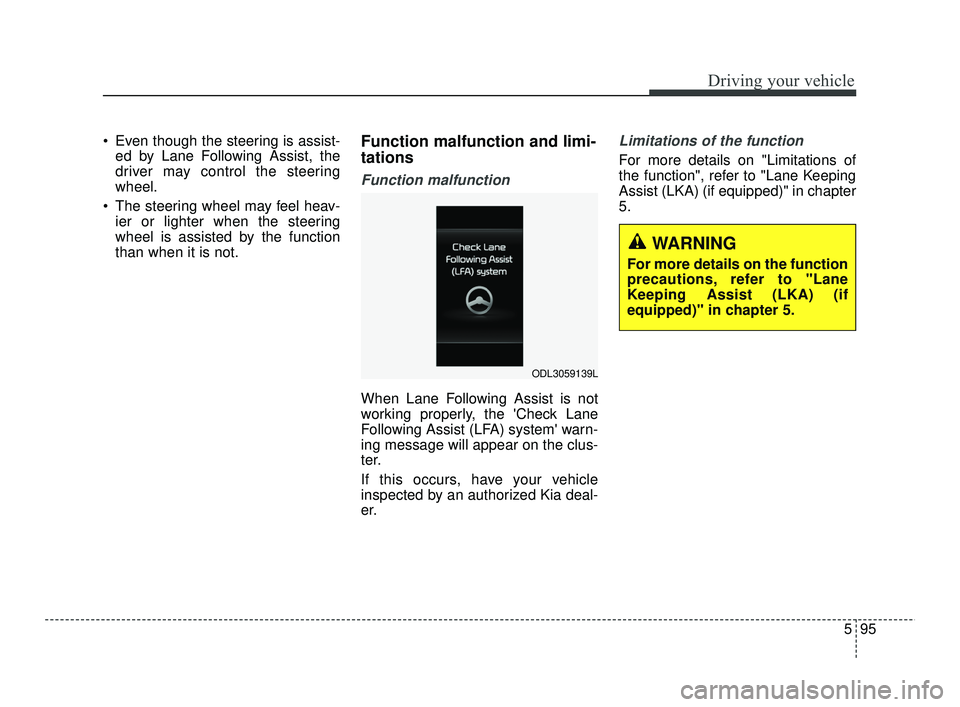
When Lane Following Assist is not
working properly, the 'Check Lane
Following Assist (LFA) system' warn-
ing message will appear on the clus-
ter.
If this occurs, have your vehicle
inspected by an authorized Kia deal-
er.
Limitations of the function
For more details on "Limitations of
the function", refer to "Lane Keeping
Assist (LKA) (if equipped)" in chapter
5.
ODL3059139L
WARNING
For more details on the function
precautions, refer to "Lane
Keeping Assist (LKA) (if
equipped)" in chapter 5.
SC PE USA 5.QXP 10/23/2020 5:53 PM Page 95
Page 334 of 534
597
Driving your vehicle
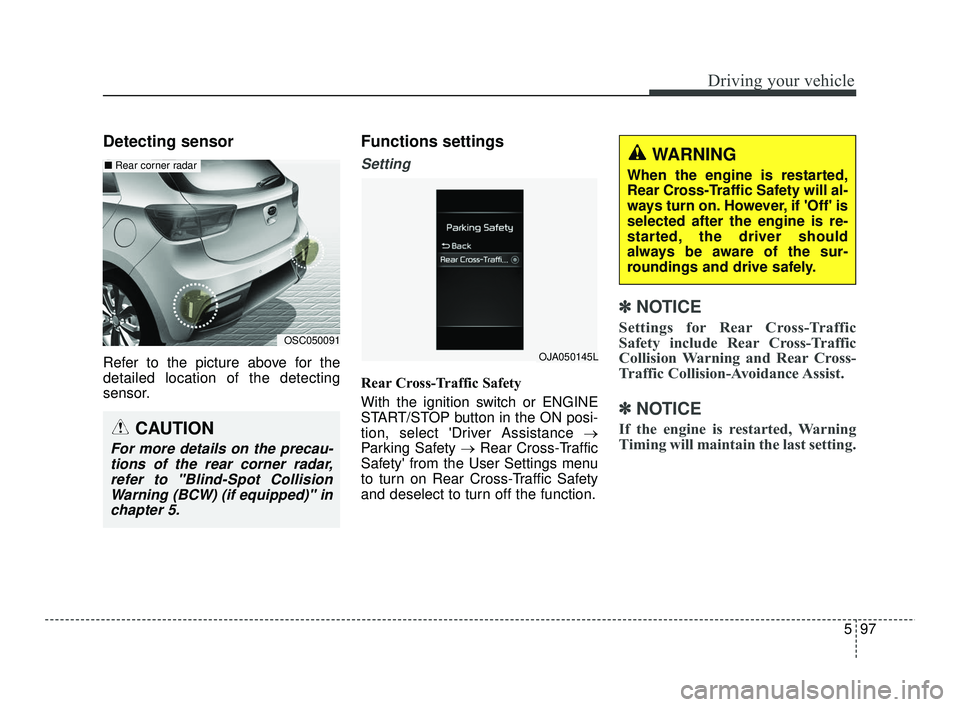
Detecting sensor
Refer to the picture above for the
detailed location of the detecting
sensor.
Functions settings
Setting
Rear Cross-Traffic Safety
With the ignition switch or ENGINE
START/STOP button in the ON posi-
tion, select 'Driver Assistance →
Parking Safety →Rear Cross-Traffic
Safety' from the User Settings menu
to turn on Rear Cross-Traffic Safety
and deselect to turn off the function.
✽ ✽
NOTICE
Settings for Rear Cross-Traffic
Safety include Rear Cross-Traffic
Collision Warning and Rear Cross-
Traffic Collision-Avoidance Assist.
✽ ✽
NOTICE
If the engine is restarted, Warning
Timing will maintain the last setting.
OSC050091
■ Rear corner radar
CAUTION
For more details on the precau-
tions of the rear corner radar,refer to "Blind-Spot CollisionWarning (BCW) (if equipped)" inchapter 5.
WARNING
When the engine is restarted,
Rear Cross-Traffic Safety will al-
ways turn on. However, if 'Off' is
selected after the engine is re-
started, the driver should
always be aware of the sur-
roundings and drive safely.
OJA050145L
SC PE USA 5.QXP 10/23/2020 5:54 PM Page 97
Page 338 of 534
5101
Driving your vehicle
Limitations of the function
Rear Cross-Traffic Safety system
may not operate normally, or the
function may operate unexpectedly
under the following circumstances:
Departing from where trees orgrass is overgrown
Departing from where roads are wet
Speed of the approaching vehicle is fast or slow
✽ ✽
NOTICE
For more details on the limitations
of the rear corner radar, refer to
"Blind-Spot Collision Warning
(BCW) (if equipped)" in chapter 5.
WARNING
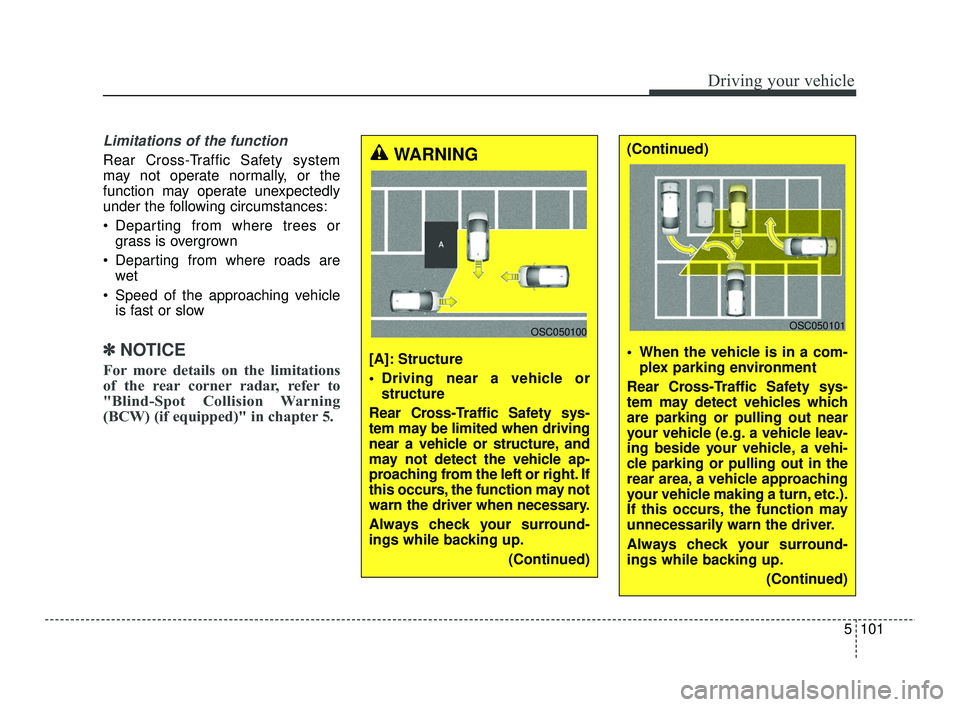
[A]: Structure
Driving near a vehicle or
structure
Rear Cross-Traffic Safety sys-
tem may be limited when driving
near a vehicle or structure, and
may not detect the vehicle ap-
proaching from the left or right. If
this occurs, the function may not
warn the driver when necessary.
Always check your surround-
ings while backing up. (Continued)
OSC050100
(Continued)
When the vehicle is in a com-plex parking environment
Rear Cross-Traffic Safety sys-
tem may detect vehicles which
are parking or pulling out near
your vehicle (e.g. a vehicle leav-
ing beside your vehicle, a vehi-
cle parking or pulling out in the
rear area, a vehicle approaching
your vehicle making a turn, etc.).
If this occurs, the function may
unnecessarily warn the driver.
Always check your surround-
ings while backing up. (Continued)
OSC050101
SC PE USA 5.QXP 10/23/2020 5:54 PM Page 101
Page 372 of 534
613
What to do in an emergency
TIRE PRESSURE MONITORING SYSTEM (TPMS - TYPE B, IF EQUIPPED)
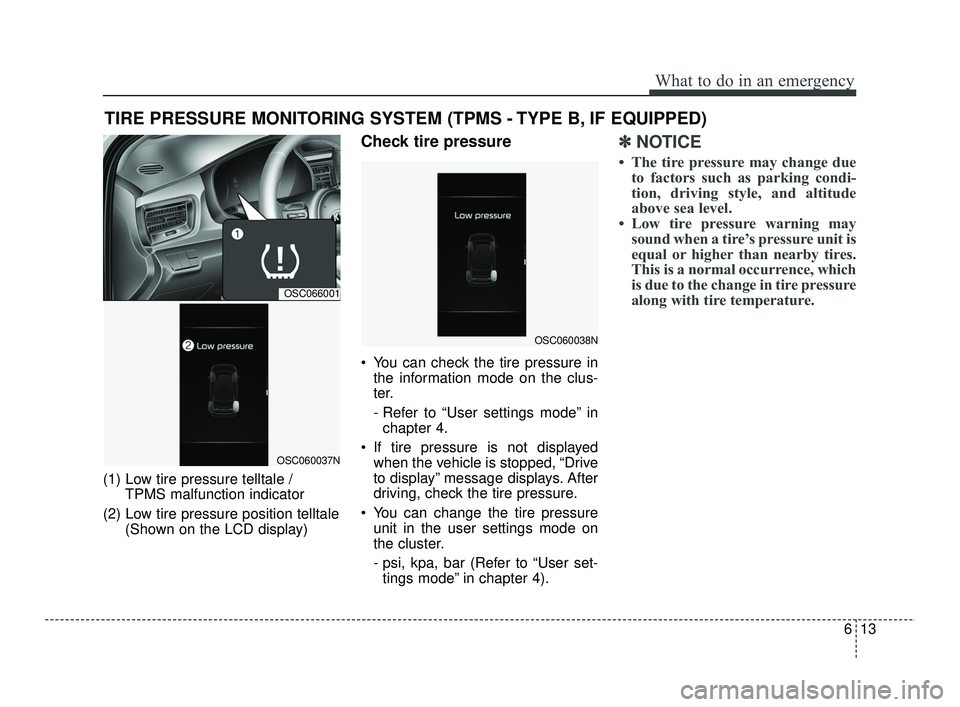
(1) Low tire pressure telltale / TPMS malfunction indicator
(2) Low tire pressure position telltale (Shown on the LCD display)
Check tire pressure
You can check the tire pressure inthe information mode on the clus-
ter.
- Refer to “User settings mode” inchapter 4.
If tire pressure is not displayed when the vehicle is stopped, “Drive
to display” message displays. After
driving, check the tire pressure.
You can change the tire pressure unit in the user settings mode on
the cluster.
- psi, kpa, bar (Refer to “User set-tings mode” in chapter 4).
✽ ✽ NOTICE
• The tire pressure may change due
to factors such as parking condi-
tion, driving style, and altitude
above sea level.
• Low tire pressure warning may sound when a tire’s pressure unit is
equal or higher than nearby tires.
This is a normal occurrence, which
is due to the change in tire pressure
along with tire temperature.
OSC066001
OSC060037N
OSC060038N
SC PE USA 6.qxp 10/23/2020 6:03 PM Page 13
Page 384 of 534
625
What to do in an emergency
Note that most lug nuts do not have
metric threads. Be sure to use
extreme care in checking for thread
style before installing aftermarket lug
nuts or wheels. If in doubt, consult an
authorized Kia dealer.To prevent the jack, jack handle,
wheel lug nut wrench and spare tire
from rattling while the vehicle is in
motion, store them properly.
Check the inflation pressures as
soon as possible after installing the
spare tire. Adjust it to the specified
pressure, if necessary. Refer to
“Tires and wheels” in chapter 7.
Important - use of compact spare
tire (if equipped)
Your vehicle is equipped with a com-
pact spare tire. This compact spare
tire takes up less space than a regu-
lar-size tire. This tire is smaller than a
conventional tire and is designed for
temporary use only.
You should drive carefully when the
compact spare is in use. The com-
pact spare should be replaced by the
proper conventional tire and rim at
the first opportunity.
The operation of this vehicle is not
recommended with more than one
compact spare tire in use at the
same time.
CAUTION- Replacing lug nuts
Make certain during wheelremoval that the same nuts thatwere removed are reinstalled -or, if replaced, that nuts withmetric threads and the samechamfer configuration are used.Your vehicle has metric threadson the wheel studs and nuts.Installation of a non-metricthread nut on a metric stud willnot secure the wheel to the hubproperly and will damage thestud so that it must be replaced.
WARNING- Wheel studs
Do not drive your vehicle with
damaged wheel studs. If the
studs are damaged, they may
lose their ability to retain the
wheel. This could lead to the
loss of the wheel and a collision.
SC PE USA 6.qxp 10/23/2020 6:03 PM Page 25