lights KIA RIO HATCHBACK 2012 User Guide
[x] Cancel search | Manufacturer: KIA, Model Year: 2012, Model line: RIO HATCHBACK, Model: KIA RIO HATCHBACK 2012Pages: 385, PDF Size: 9.68 MB
Page 117 of 385
Features of your vehicle
42
4
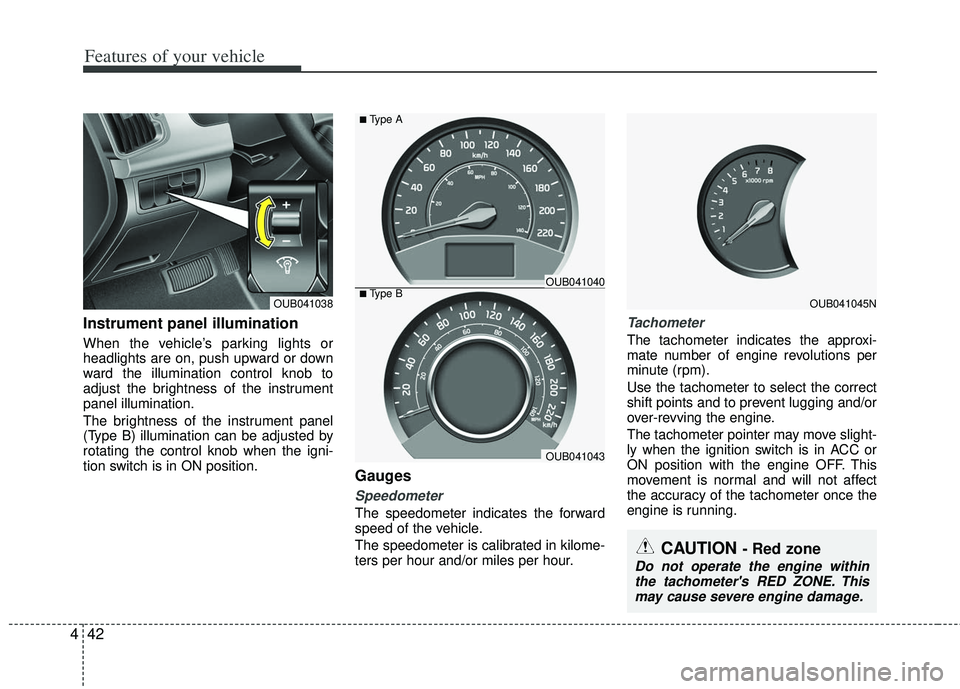
Instrument panel illumination
When the vehicle’s parking lights or
headlights are on, push upward or down
ward the illumination control knob to
adjust the brightness of the instrument
panel illumination.
The brightness of the instrument panel
(Type B) illumination can be adjusted by
rotating the control knob when the igni-
tion switch is in ON position.
Gauges
Speedometer
The speedometer indicates the forward
speed of the vehicle.
The speedometer is calibrated in kilome-
ters per hour and/or miles per hour.
Tachometer
The tachometer indicates the approxi-
mate number of engine revolutions per
minute (rpm).
Use the tachometer to select the correct
shift points and to prevent lugging and/or
over-revving the engine.
The tachometer pointer may move slight-
ly when the ignition switch is in ACC or
ON position with the engine OFF. This
movement is normal and will not affect
the accuracy of the tachometer once the
engine is running.
CAUTION - Red zone
Do not operate the engine within
the tachometer's RED ZONE. Thismay cause severe engine damage.
OUB041045NOUB041038■Type BOUB041040
OUB041043
■Type A
Page 128 of 385
453
Features of your vehicle
Warnings and indicators
All warning lights are checked by turning
the ignition switch ON (do not start the
engine). Any light that does not illuminate
should be checked by an authorized Kia
dealer.
After starting the engine, check to make
sure that all warning lights are off. If any
warning lights are still on, this indicates a
situation that needs attention. When
releasing the parking brake, the brake
system warning light should go off. The
fuel warning light will stay on if the fuel
level is low.
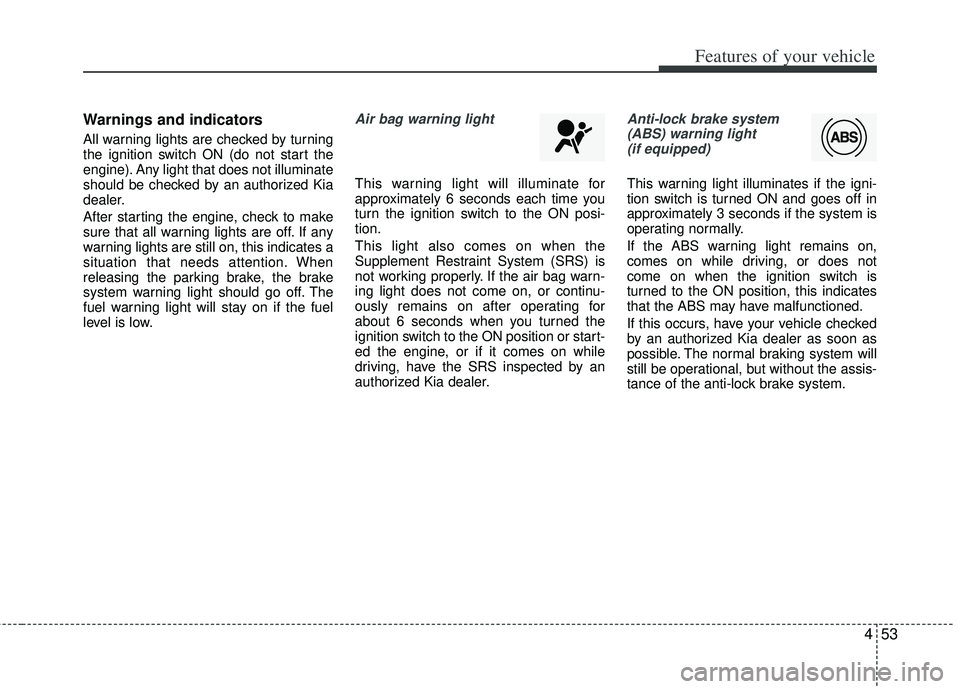
Air bag warning light
This warning light will illuminate for
approximately 6 seconds each time you
turn the ignition switch to the ON posi-
tion.
This light also comes on when the
Supplement Restraint System (SRS) is
not working properly. If the air bag warn-
ing light does not come on, or continu-
ously remains on after operating for
about 6 seconds when you turned the
ignition switch to the ON position or start-
ed the engine, or if it comes on while
driving, have the SRS inspected by an
authorized Kia dealer.
Anti-lock brake system(ABS) warning light (if equipped)
This warning light illuminates if the igni-
tion switch is turned ON and goes off in
approximately 3 seconds if the system is
operating normally.
If the ABS warning light remains on,
comes on while driving, or does not
come on when the ignition switch is
turned to the ON position, this indicates
that the ABS may have malfunctioned.
If this occurs, have your vehicle checked
by an authorized Kia dealer as soon as
possible. The normal braking system will
still be operational, but without the assis-
tance of the anti-lock brake system.
Page 129 of 385
Features of your vehicle
54
4
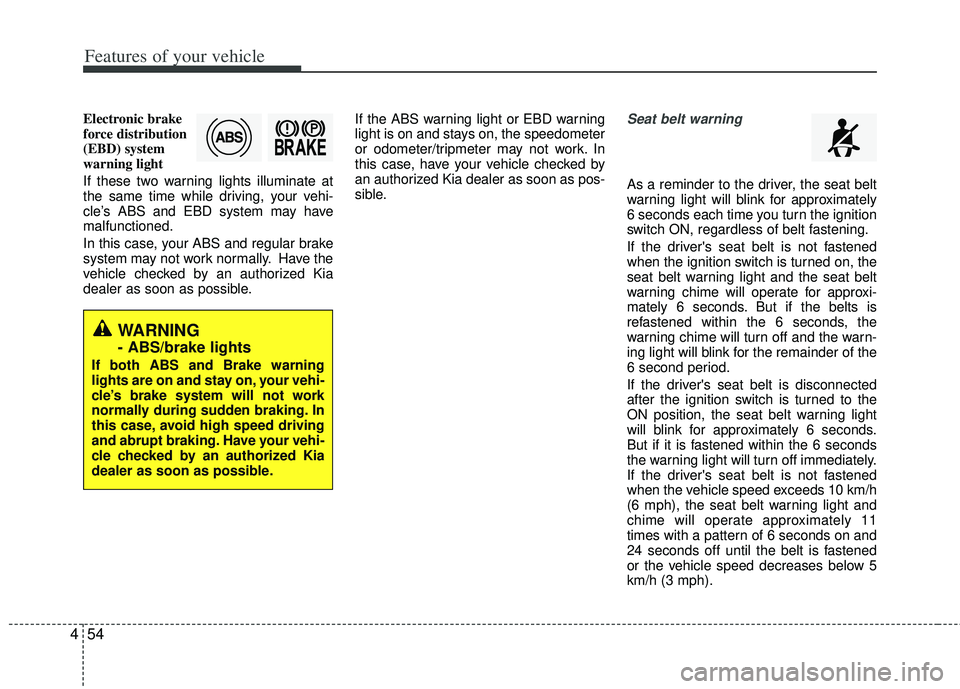
Electronic brake
force distribution
(EBD) system
warning light
If these two warning lights illuminate at
the same time while driving, your vehi-
cle’s ABS and EBD system may have
malfunctioned.
In this case, your ABS and regular brake
system may not work normally. Have the
vehicle checked by an authorized Kia
dealer as soon as possible. If the ABS warning light or EBD warning
light is on and stays on, the speedometer
or odometer/tripmeter may not work. In
this case, have your vehicle checked by
an authorized Kia dealer as soon as pos-
sible.Seat belt warning
As a reminder to the driver, the seat belt
warning light will blink for approximately
6 seconds each time you turn the ignition
switch ON, regardless of belt fastening.
If the driver's seat belt is not fastened
when the ignition switch is turned on, the
seat belt warning light and the seat belt
warning chime will operate for approxi-
mately 6 seconds. But if the belts is
refastened within the 6 seconds, the
warning chime will turn off and the warn-
ing light will blink for the remainder of the
6 second period.
If the driver's seat belt is disconnected
after the ignition switch is turned to the
ON position, the seat belt warning light
will blink for approximately 6 seconds.
But if it is fastened within the 6 seconds
the warning light will turn off immediately.
If the driver's seat belt is not fastened
when the vehicle speed exceeds 10 km/h
(6 mph), the seat belt warning light and
chime will operate approximately 11
times with a pattern of 6 seconds on and
24 seconds off until the belt is fastened
or the vehicle speed decreases below 5
km/h (3 mph).
WARNING
- ABS/brake lights
If both ABS and Brake warning
lights are on and stay on, your vehi-
cle’s brake system will not work
normally during sudden braking. In
this case, avoid high speed driving
and abrupt braking. Have your vehi-
cle checked by an authorized Kia
dealer as soon as possible.
Page 130 of 385
455
Features of your vehicle
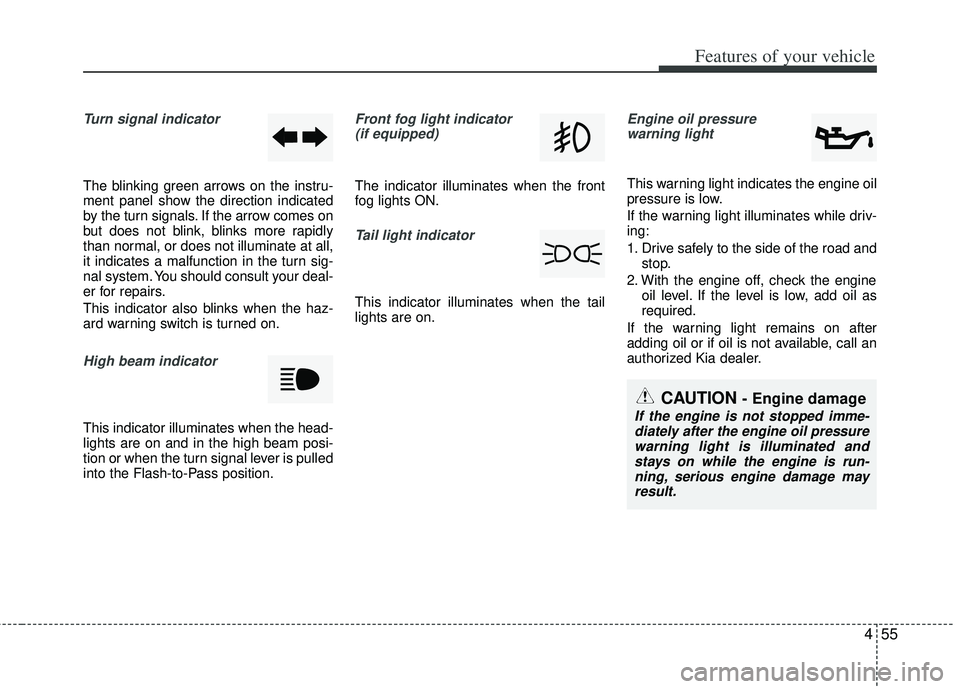
Turn signal indicator
The blinking green arrows on the instru-
ment panel show the direction indicated
by the turn signals. If the arrow comes on
but does not blink, blinks more rapidly
than normal, or does not illuminate at all,
it indicates a malfunction in the turn sig-
nal system. You should consult your deal-
er for repairs.
This indicator also blinks when the haz-
ard warning switch is turned on.
High beam indicator
This indicator illuminates when the head-
lights are on and in the high beam posi-
tion or when the turn signal lever is pulled
into the Flash-to-Pass position.
Front fog light indicator (if equipped)
The indicator illuminates when the front
fog lights ON.
Tail light indicator
This indicator illuminates when the tail
lights are on.
Engine oil pressure warning light
This warning light indicates the engine oil
pressure is low.
If the warning light illuminates while driv-
ing:
1. Drive safely to the side of the road and stop.
2. With the engine off, check the engine oil level. If the level is low, add oil as
required.
If the warning light remains on after
adding oil or if oil is not available, call an
authorized Kia dealer.
CAUTION - Engine damage
If the engine is not stopped imme- diately after the engine oil pressurewarning light is illuminated and stays on while the engine is run-ning, serious engine damage may result.
Page 137 of 385
Features of your vehicle
62
4
ECOMINDER®indicator
(if equipped)
The ECOMINDER®indicator is displayed
to help you improve fuel efficiency when
you are driving.
The ECOMINDER
®indicator will turn
the ECO light green on the instrument
panel when you are driving efficiently
in the ECO ON mode.
If you don't want the indicator dis-
played, you can turn the ECO ON
mode to OFF mode by pressing the
TRIP button.
When the instant fuel consumption mode(if equipped) is displayed on the
LCD display or the system is not work-
ing properly, the indicator turns off. If
the indicator turns off when the instant
fuel consumption mode or ECO OFF
mode is not selected, have the system
checked by an authorized Kia dealer
as soon as possible.
Fuel efficiency depends on the driver's driving habit and road condition.
The system stops operating when the transaxle is in the P (Park), R
(Reverse), N (Neutral) position or
sports mode, or when the instant fuel
consumption mode is selected.
Auto stop indicator(if equipped)
This indicator will illuminate when the
engine enters the Idle Stop mode of the
ISG (Idle Stop and Go) system.
When the automatic starting occurs, the
auto stop indicator on the cluster will
blink for 5 seconds.
For more details, refer to the ISG (Idle
Stop and Go) system in chapter 5.
✽ ✽ NOTICE
When the engine automatically starts by
the ISG system, some warning lights
(ABS, ESC, ESC OFF, ESC or Parking
brake warning light) may turn on for a
few seconds.
This happens because of the low battery
voltage. It does not mean the system is
malfunctioning.
WARNING - ECOMINDER®
indicator
Don't keep watching the “ECO”
ECOMINDER®indicator while driv-
ing. It may distract you while driv-
ing and cause an accident.
ECO
Page 145 of 385
Features of your vehicle
70
4
The hazard warning flasher should be
used whenever you find it necessary to
stop the car in a hazardous location.
When you must make such an emer-
gency stop, always pull off the road as far
as possible.
The hazard warning lights are turned on
by pushing in the hazard switch. Both
turn signal lights will blink. The hazard
warning lights will operate even though
the key is not in the ignition switch.
To turn the hazard warning lights off,
push the switch again.
Battery saver function
The purpose of this feature is to pre-
vent the battery from being dis-
charged. The system automatically
turns off the parking lights when the
driver removes the ignition key and
opens the driver- side door.
With this feature, the parking lights will turn off automatically if the driver parks
on the side of the road at night.
If necessary, to keep the lights on
when the ignition key is removed, per-
form the following :
1) Open the driver-side door.
2) Turn the parking lights OFF and ON again using the light switch on the
steering column.
Daytime running light
Daytime Running Lights (DRL) can make
it easier for others to see the front of your
vehicle during the day. DRL can be help-
ful in many different driving conditions,
and it is especially helpful after dawn and
before sunset.
The DRL system turns OFF when:
1. The headlight are ON.
2. Engine stops.
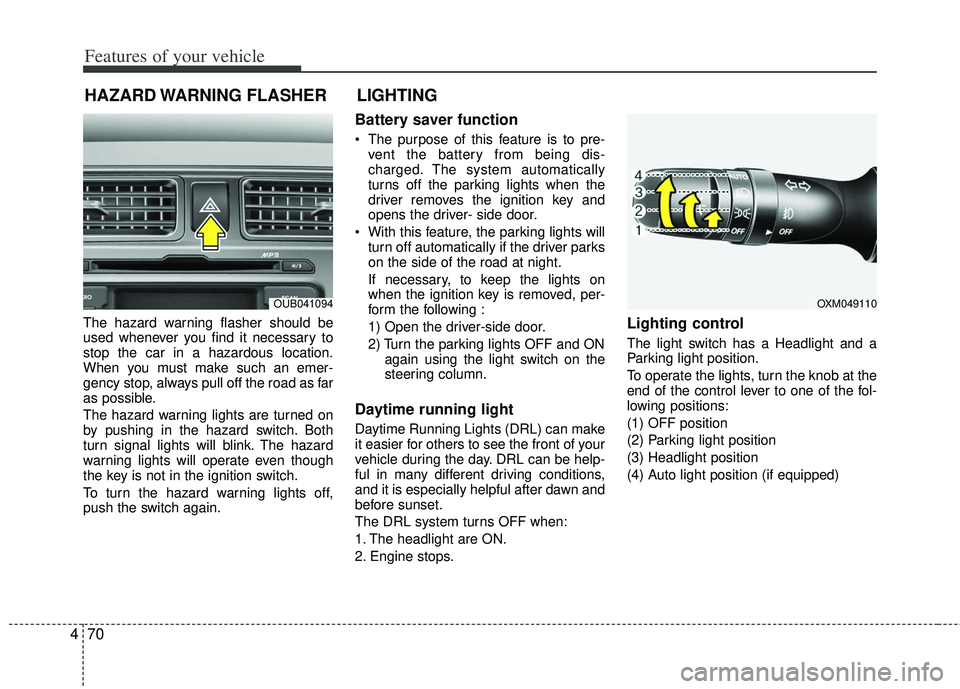
Lighting control
The light switch has a Headlight and a
Parking light position.
To operate the lights, turn the knob at the
end of the control lever to one of the fol-
lowing positions:
(1) OFF position
(2) Parking light position
(3) Headlight position
(4) Auto light position (if equipped)
HAZARD WARNING FLASHER
OXM049110
LIGHTING
OUB041094
Page 146 of 385
471
Features of your vehicle
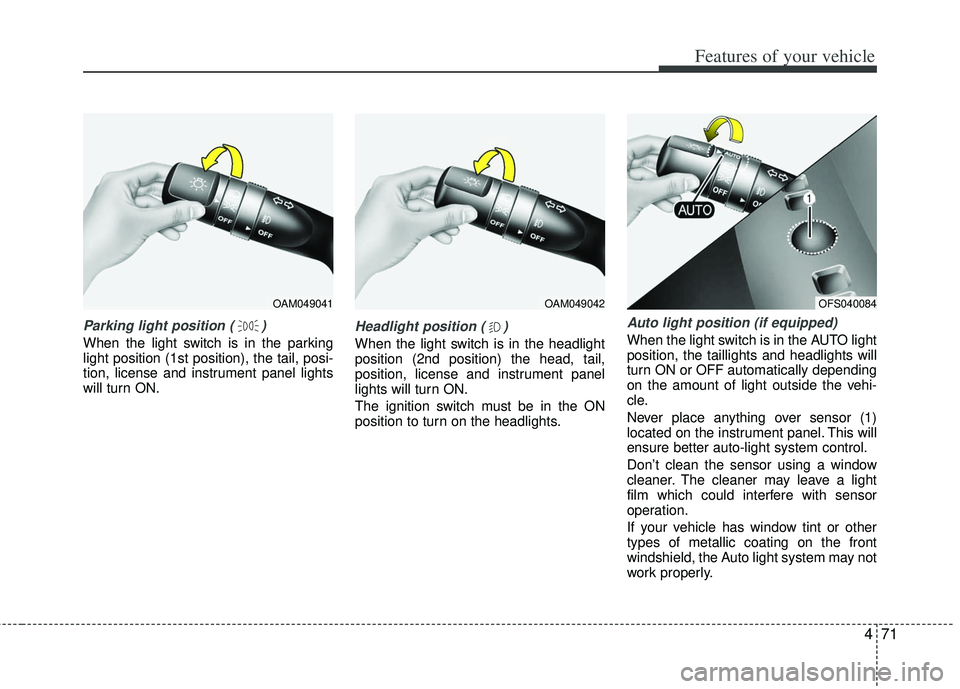
Parking light position ( )
When the light switch is in the parking
light position (1st position), the tail, posi-
tion, license and instrument panel lights
will turn ON.
Headlight position ( )
When the light switch is in the headlight
position (2nd position) the head, tail,
position, license and instrument panel
lights will turn ON.
The ignition switch must be in the ON
position to turn on the headlights.
Auto light position (if equipped)
When the light switch is in the AUTO light
position, the taillights and headlights will
turn ON or OFF automatically depending
on the amount of light outside the vehi-
cle.
Never place anything over sensor (1)
located on the instrument panel. This will
ensure better auto-light system control.
Don’t clean the sensor using a window
cleaner. The cleaner may leave a light
film which could interfere with sensor
operation.
If your vehicle has window tint or other
types of metallic coating on the front
windshield, the Auto light system may not
work properly.
OAM049041OAM049042OFS040084
Page 147 of 385
Features of your vehicle
72
4
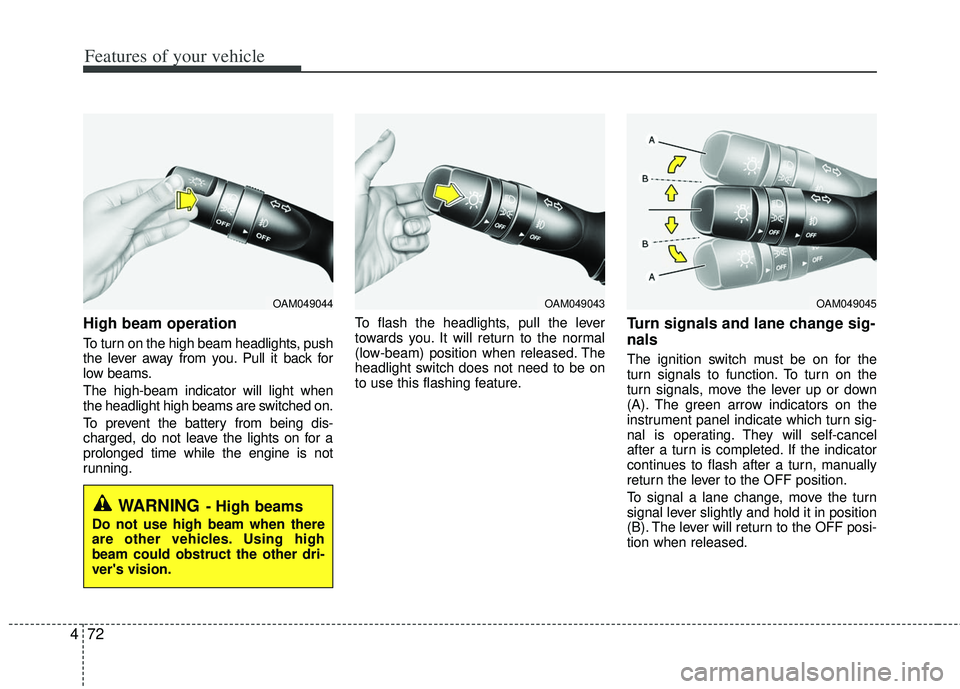
High beam operation
To turn on the high beam headlights, push
the lever away from you. Pull it back for
low beams.
The high-beam indicator will light when
the headlight high beams are switched on.
To prevent the battery from being dis-
charged, do not leave the lights on for a
prolonged time while the engine is not
running. To flash the headlights, pull the lever
towards you. It will return to the normal
(low-beam) position when released. The
headlight switch does not need to be on
to use this flashing feature.
Turn signals and lane change sig-
nals
The ignition switch must be on for the
turn signals to function. To turn on the
turn signals, move the lever up or down
(A). The green arrow indicators on the
instrument panel indicate which turn sig-
nal is operating. They will self-cancel
after a turn is completed. If the indicator
continues to flash after a turn, manually
return the lever to the OFF position.
To signal a lane change, move the turn
signal lever slightly and hold it in position
(B). The lever will return to the OFF posi-
tion when released.
OAM049044
WARNING- High beams
Do not use high beam when there
are other vehicles. Using high
beam could obstruct the other dri-
ver's vision.
OAM049045OAM049043
Page 148 of 385
473
Features of your vehicle
If an indicator stays on and does not
flash or if it flashes abnormally, one of the
turn signal bulbs may be burned out and
will require replacement.
If an indicator flash is abnormally quick or
slow, a bulb may be burned out or have a
poor electrical connection in the circuit.
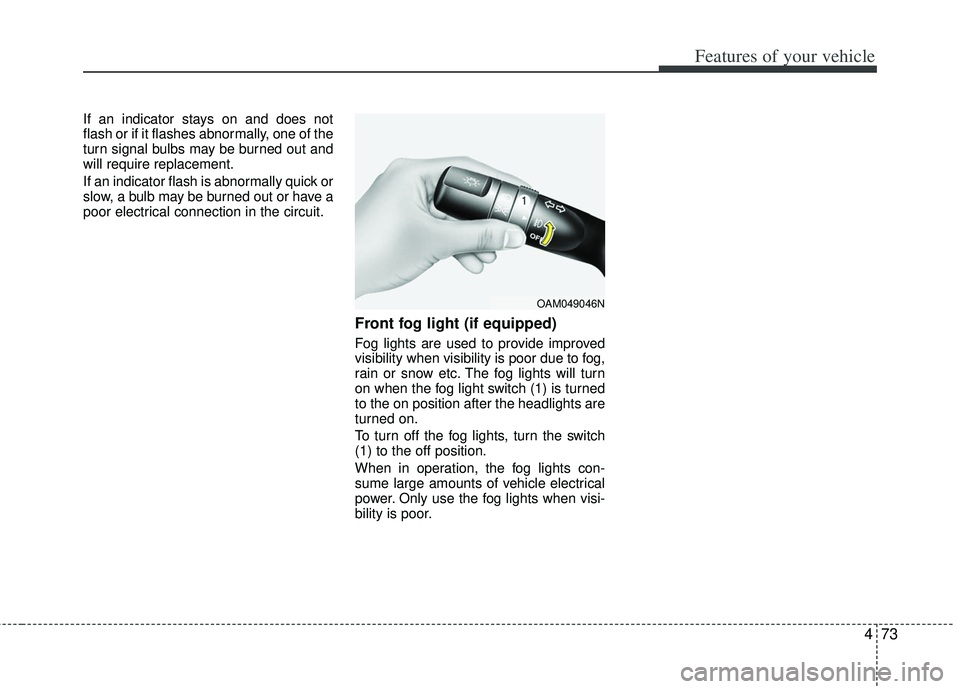
Front fog light (if equipped)
Fog lights are used to provide improved
visibility when visibility is poor due to fog,
rain or snow etc. The fog lights will turn
on when the fog light switch (1) is turned
to the on position after the headlights are
turned on.
To turn off the fog lights, turn the switch
(1) to the off position.
When in operation, the fog lights con-
sume large amounts of vehicle electrical
power. Only use the fog lights when visi-
bility is poor.
OAM049046N
Page 153 of 385
Features of your vehicle
78
4
Do not use the interior lights for extended
periods when the engine is not running.
It may cause battery discharge.
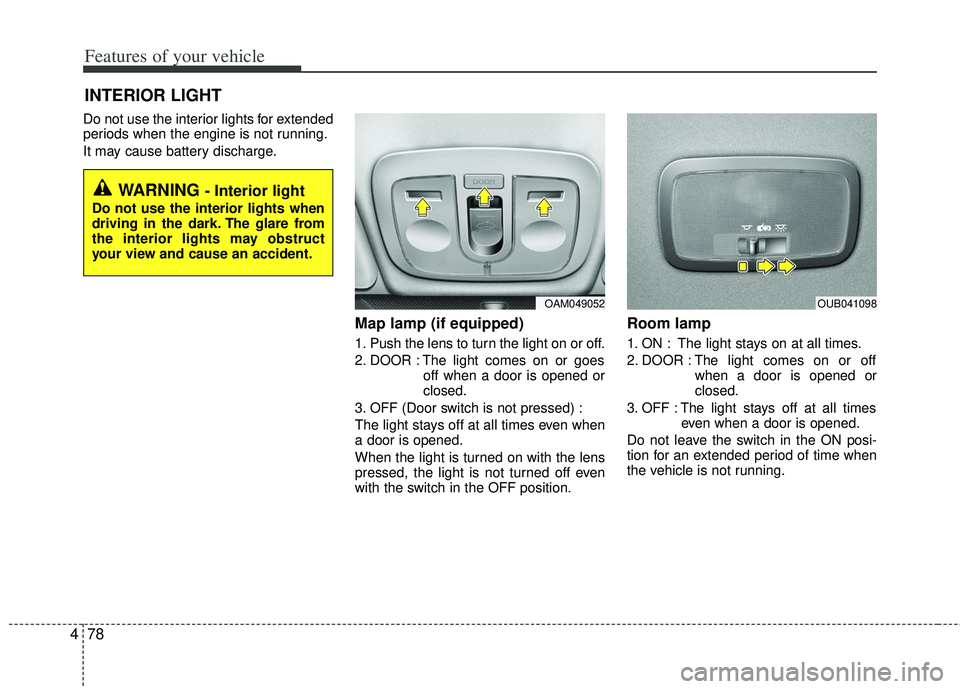
Map lamp (if equipped)
1. Push the lens to turn the light on or off.
2. DOOR : The light comes on or goes
off when a door is opened or
closed.
3. OFF (Door switch is not pressed) :
The light stays off at all times even when
a door is opened.
When the light is turned on with the lens
pressed, the light is not turned off even
with the switch in the OFF position.
Room lamp
1. ON : The light stays on at all times.
2. DOOR : The light comes on or off when a door is opened or
closed.
3. OFF : The light stays off at all times even when a door is opened.
Do not leave the switch in the ON posi-
tion for an extended period of time when
the vehicle is not running.
INTERIOR LIGHT
WARNING - Interior light
Do not use the interior lights when
driving in the dark. The glare from
the interior lights may obstruct
your view and cause an accident.
OAM049052OUB041098