ignition KIA RIO HATCHBACK 2012 Workshop Manual
[x] Cancel search | Manufacturer: KIA, Model Year: 2012, Model line: RIO HATCHBACK, Model: KIA RIO HATCHBACK 2012Pages: 385, PDF Size: 9.68 MB
Page 226 of 385
53
Driving your vehicle
Before entering vehicle
• Be sure that all windows, outside mir-ror(s), and outside lights are clean.
Check the condition of the tires.
Check under the vehicle for any sign of leaks.
Be sure there are no obstacles behind you if you intend to back up.
Necessary inspections
Fluid levels, such as engine oil, engine
coolant, brake fluid, and washer fluid
should be checked on a regular basis,
with the exact interval depending on the
fluid. Further details are provided in
Section 7, “Maintenance”.
Before starting
Close and lock all doors.
Position the seat so that all controls are
easily reached.
Buckle your seat belt.
Adjust the inside and outside rearview mirrors.
Be sure that all lights work.
Check all gauges.
Check the operation of warning lights when the ignition switch is turned to
the ON position.
Release the parking brake and make sure the brake warning light goes out.
For safe operation, be sure you are famil-
iar with your vehicle and its equipment.
BEFORE DRIVING
WARNING - Distracted driving
Focus on the road while driving.
The driver's primary responsibility
is in the safe and legal operation of
the vehicle. Use of any handled
devices, other equipment or vehicle
systems that distract the drive
should not be used during vehicle
operation.
WARNING
- Check surrounding
Always check the surrounding areas
near your vehicle for people, espe-
cially children, before putting a vehi-
cle into D (Drive) or R (Reverse).
Page 227 of 385
Driving your vehicle
45
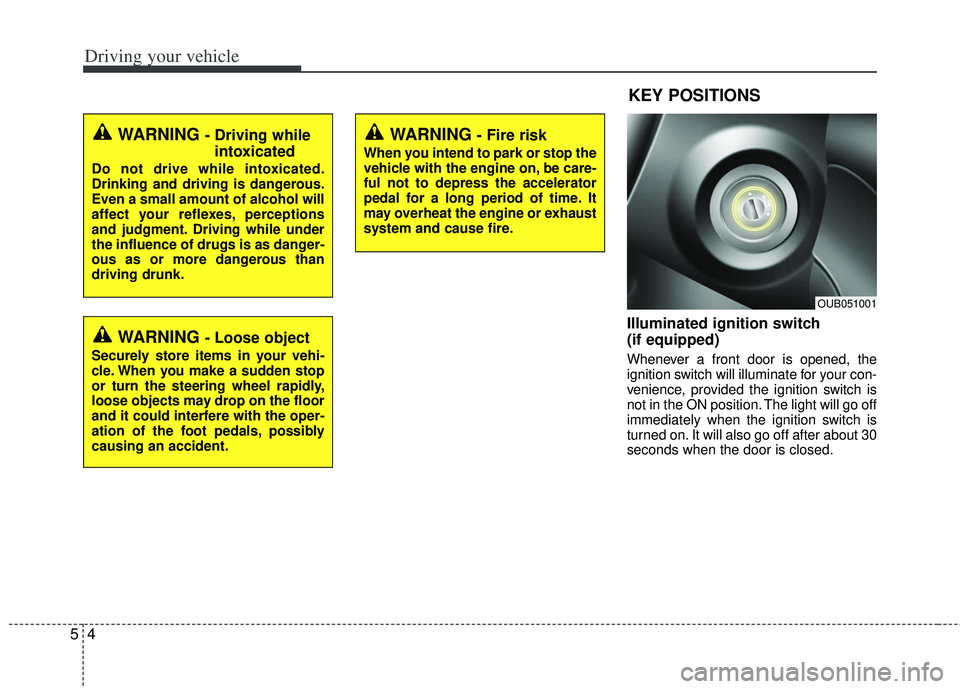
Illuminated ignition switch
(if equipped)
Whenever a front door is opened, the
ignition switch will illuminate for your con-
venience, provided the ignition switch is
not in the ON position. The light will go off
immediately when the ignition switch is
turned on. It will also go off after about 30
seconds when the door is closed.
KEY POSITIONS
WARNING - Fire risk
When you intend to park or stop the
vehicle with the engine on, be care-
ful not to depress the accelerator
pedal for a long period of time. It
may overheat the engine or exhaust
system and cause fire.
WARNING - Driving whileintoxicated
Do not drive while intoxicated.
Drinking and driving is dangerous.
Even a small amount of alcohol will
affect your reflexes, perceptions
and judgment. Driving while under
the influence of drugs is as danger-
ous as or more dangerous than
driving drunk.
WARNING - Loose object
Securely store items in your vehi-
cle. When you make a sudden stop
or turn the steering wheel rapidly,
loose objects may drop on the floor
and it could interfere with the oper-
ation of the foot pedals, possibly
causing an accident.
OUB051001
Page 228 of 385
55
Driving your vehicle
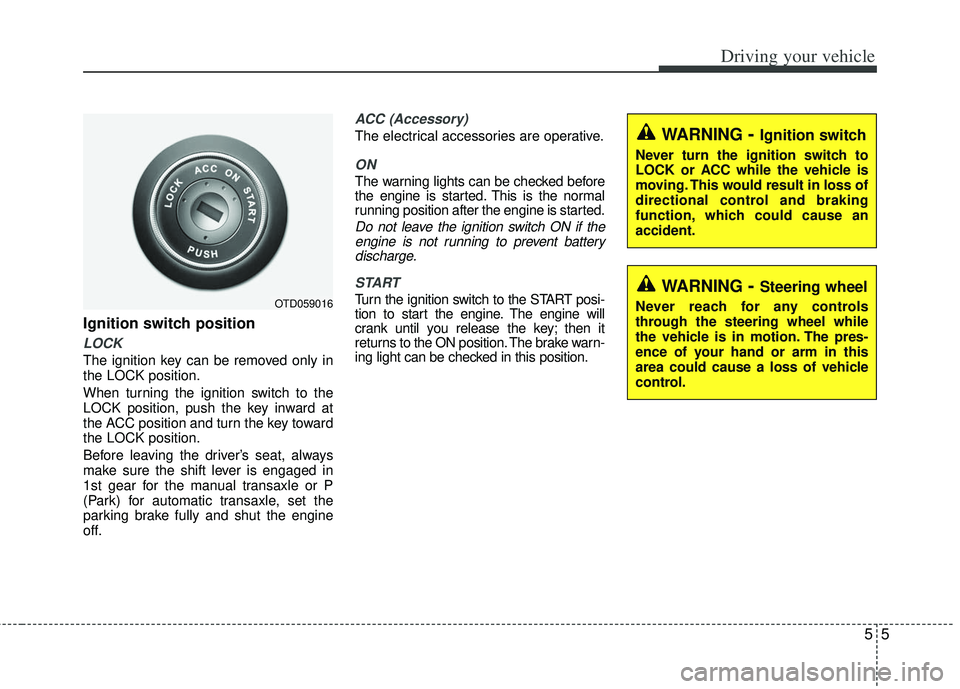
Ignition switch position
LOCK
The ignition key can be removed only in
the LOCK position.
When turning the ignition switch to the
LOCK position, push the key inward at
the ACC position and turn the key toward
the LOCK position.
Before leaving the driver’s seat, always
make sure the shift lever is engaged in
1st gear for the manual transaxle or P
(Park) for automatic transaxle, set the
parking brake fully and shut the engine
off.
ACC (Accessory)
The electrical accessories are operative.
ON
The warning lights can be checked before
the engine is started. This is the normal
running position after the engine is started.
Do not leave the ignition switch ON if theengine is not running to prevent batterydischarge.
START
Turn the ignition switch to the START posi-
tion to start the engine. The engine will
crank until you release the key; then it
returns to the ON position. The brake warn-
ing light can be checked in this position.OTD059016
WARNING- Ignition switch
Never turn the ignition switch to
LOCK or ACC while the vehicle is
moving. This would result in loss of
directional control and braking
function, which could cause an
accident.
WARNING- Steering wheel
Never reach for any controls
through the steering wheel while
the vehicle is in motion. The pres-
ence of your hand or arm in this
area could cause a loss of vehicle
control.
Page 232 of 385
59
Driving your vehicle
Starting the engine with an igni-
tion key (if equipped)
1. Make sure the parking brake isapplied.
2. Manual Transaxle - Depress the
clutch pedal fully and shift the
transaxle into Neutral. Keep the clutch
pedal and brake pedal depressed
while turning the ignition switch to the
start position.
Automatic Transaxle - Place the
transaxle shift lever in P (Park).
Depress the brake pedal fully.
You can also start the engine when the shift lever is in the N (Neutral)position.
3. Turn the ignition switch to START and
hold it there until the engine starts (a
maximum of 10 seconds), then
release the key.
4. In extremely cold weather (below -18°C / 0°F) or after the vehicle has
not been operated for several days, let
the engine warm up without depress-
ing the accelerator.
Whether the engine is cold or warm, itshould be started without depressingthe accelerator.
If the engine stalls while the vehicle is in
motion, do not attempt to move the shift
lever to the P (Park) position. If traffic and
road conditions permit, you may put the
shift lever in the N (Neutral) position
while the vehicle is still moving and turn
the ignition switch to the START position
in an attempt to restart the engine.
STARTING THE ENGINE
WARNING - Proper
footwear
Always wear appropriate shoes
when operating your vehicle.
Unsuitable shoes (high heels, ski
boots, sandals, etc.) may interfere
with your ability to use the brake
and accelerator pedal.
CAUTION - Starter
Do not engage the starter for morethan 10 seconds. If the engine stallsor fails to start, wait 5 to 10 seconds before re-engaging the starter.Improper use of the starter maydamage it.
Page 239 of 385
Driving your vehicle
16
5
For smooth operation, depress the brake
pedal when shifting from N (Neutral) to aforward or reverse gear.
When stopped on an upgrade, do not
hold the vehicle with engine power. Use
the service brake or the parking brake.
Transaxle ranges
The indicator light in the instrument clus-
ter displays the shift lever position when
the ignition switch is in the ON position.
P (Park)
Always come to a complete stop before
shifting into P (Park). This position locks
the transaxle and prevents the front
wheels from rotating.
Shifting into P (Park) while the vehicle is
in motion will cause the drive wheels to
lock which will cause you to lose control
of the vehicle.
WARNING- Automatic transaxle
Before leaving the driver’s seat,
always make sure the shift lever is
in the P (Park) position; then set the
parking brake fully and shut the
engine off. Do not use the P posi-
tion in place of the parking brake.
Always make sure the shift lever is
latched in the P position and set the
parking brake fully. Unexpected
and sudden vehicle movement can
occur if these precautions are not
followed.
CAUTION - Transaxle
To avoid damage to your transaxle,
do not accelerate the engine in R(Reverse) or any forward gear posi-tion with the brakes on. Thetransaxle may be damaged if you shift into P (Park) while the vehicleis in motion.
Page 241 of 385
Driving your vehicle
18
5
Up (+) : Push the lever forward once to
shift up one gear.
Down (-) : Pull the lever backwards once to shift down one gear.
In sports mode, the driver must exe- cute upshifts in accordance with road
conditions, taking care to keep the
engine speed below the red zone.
In sports mode, only the 6 forward gears can be selected. To reverse or
park the vehicle, move the shift lever to
the R (Reverse) or P (Park) position as
required.
In sports mode, downshifts are made automatically when the vehicle slows
down. When the vehicle stops, 1st gear
is automatically selected.
In sports mode, when the engine rpm approaches the red zone shift points
are varied to upshift automatically.
To maintain the required levels of vehi- cle performance and safety, the system
may not execute certain gearshifts
when the shift lever is operated. When driving on a slippery road, push
the shift lever forward into the +(up)
position. This causes the transaxle to
shift into the 2nd gear which is better
for smooth driving on a slippery road.
Push the shift lever to the -(down) side
to shift back to the 1st gear.Shift lock system (if equipped)
For your safety, the automatic transaxle
has a shift lock system which prevents
shifting the transaxle out of P (Park)
unless the brake pedal is depressed.
To shift the transaxle from P (Park) into R
(Reverse):
1. Depress and hold the brake pedal.
2. Start the engine or turn the ignition switch to the ON position.
3. Move the shift lever.
If the brake pedal is repeatedly
depressed and released with the shift
lever in the P (Park) position, a chattering
noise near the shift lever may be heard.
This is a normal condition.
WARNING - Shifting from park
Always fully depress the brake
pedal before and while shifting out
of the P (Park) position into anoth-
er position to avoid inadvertent
motion of the vehicle.
Page 242 of 385
519
Driving your vehicle
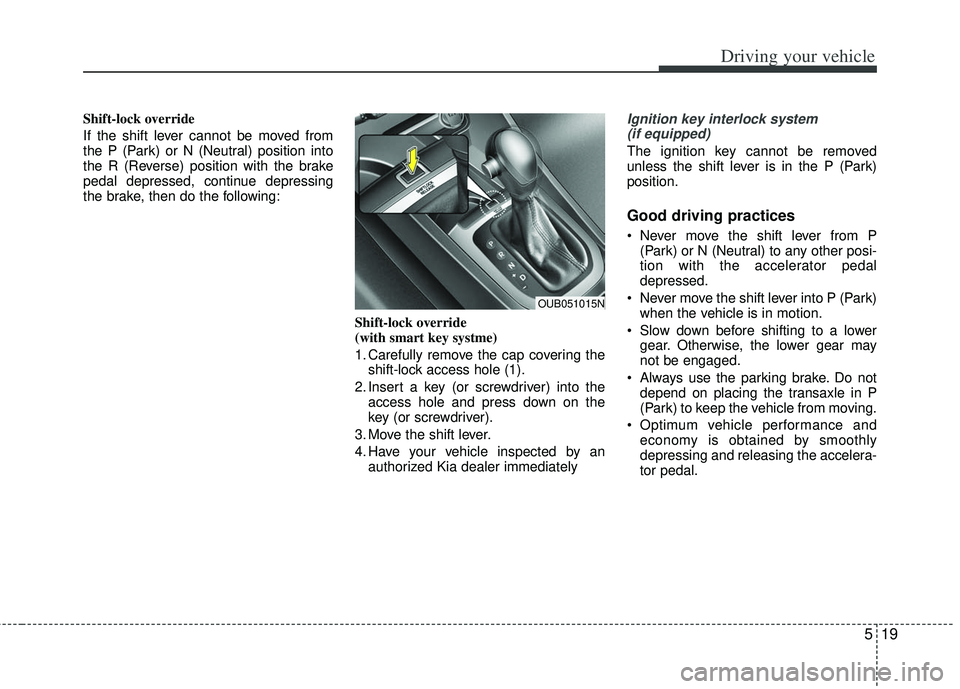
Shift-lock override
If the shift lever cannot be moved from
the P (Park) or N (Neutral) position into
the R (Reverse) position with the brake
pedal depressed, continue depressing
the brake, then do the following:Shift-lock override
(with smart key systme)
1. Carefully remove the cap covering theshift-lock access hole (1).
2. Insert a key (or screwdriver) into the access hole and press down on the
key (or screwdriver).
3. Move the shift lever.
4. Have your vehicle inspected by an authorized Kia dealer immediatelyIgnition key interlock system (if equipped)
The ignition key cannot be removed
unless the shift lever is in the P (Park)
position.
Good driving practices
Never move the shift lever from P (Park) or N (Neutral) to any other posi-
tion with the accelerator pedal
depressed.
Never move the shift lever into P (Park) when the vehicle is in motion.
Slow down before shifting to a lower gear. Otherwise, the lower gear may
not be engaged.
Always use the parking brake. Do not depend on placing the transaxle in P
(Park) to keep the vehicle from moving.
Optimum vehicle performance and economy is obtained by smoothly
depressing and releasing the accelera-
tor pedal.
OUB051015N
Page 246 of 385
523
Driving your vehicle
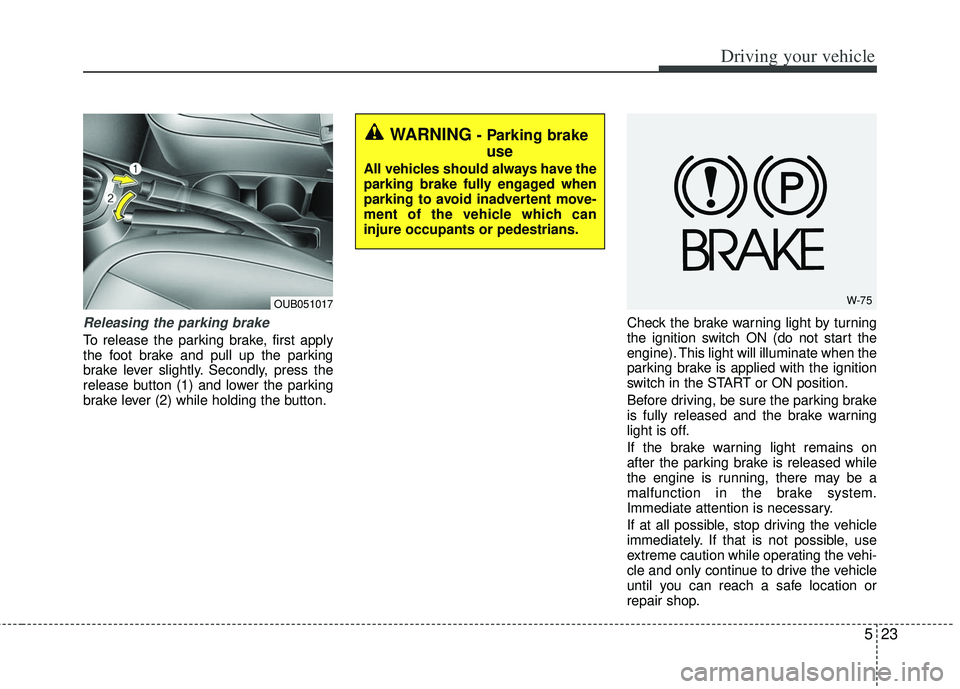
Releasing the parking brake
To release the parking brake, first apply
the foot brake and pull up the parking
brake lever slightly. Secondly, press the
release button (1) and lower the parking
brake lever (2) while holding the button.Check the brake warning light by turning
the ignition switch ON (do not start the
engine). This light will illuminate when the
parking brake is applied with the ignition
switch in the START or ON position.
Before driving, be sure the parking brake
is fully released and the brake warning
light is off.
If the brake warning light remains on
after the parking brake is released while
the engine is running, there may be a
malfunction in the brake system.
Immediate attention is necessary.
If at all possible, stop driving the vehicle
immediately. If that is not possible, use
extreme caution while operating the vehi-
cle and only continue to drive the vehicle
until you can reach a safe location or
repair shop.
WARNING - Parking brake
use
All vehicles should always have the
parking brake fully engaged when
parking to avoid inadvertent move-
ment of the vehicle which can
injure occupants or pedestrians.
W-75OUB051017
Page 249 of 385
Driving your vehicle
26
5
Electronic stability control (ESC) will not
prevent accidents. Excessive speed in
turns, abrupt maneuvers and hydroplan-
ing on wet surfaces can still result in seri-
ous accidents. Only a safe and attentive
driver can prevent accidents by avoiding
maneuvers that cause the vehicle to lose
traction. Even with ESC installed, always
follow all the normal precautions for driv-
ing - including driving at safe speeds for
the conditions.
The Electronic Stability Control (ESC)
system is an electronic system designed
to help the driver maintain vehicle control
under adverse conditions. It is not a
substitute for safe driving practices.
Factors including speed, road conditions
and driver steering input can all affect
whether ESC will be effective in
preventing a loss of control. It is still your
responsibility to drive and corner at
reasonable speeds and to leave a
sufficient margin of safety.
When you apply your brakes under con-
ditions which may lock the wheels, you
may hear a “tik-tik’’ sound from the
brakes, or feel a corresponding sensation
in the brake pedal. This is normal and it
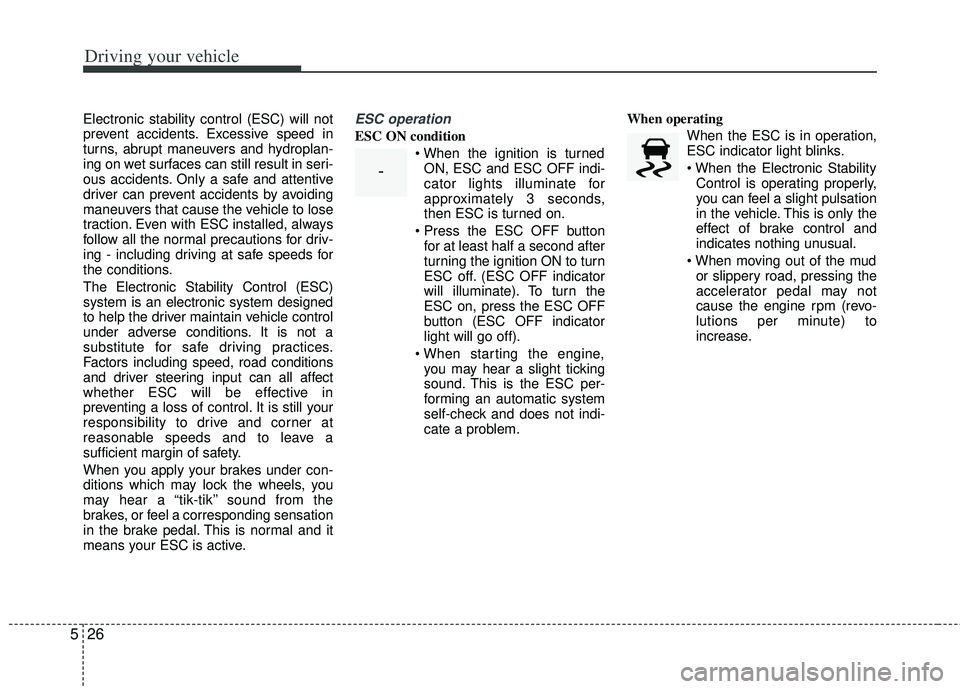
means your ESC is active.ESC operation
ESC ON condition
ON, ESC and ESC OFF indi-
cator lights illuminate for
approximately 3 seconds,
then ESC is turned on.
for at least half a second after
turning the ignition ON to turn
ESC off. (ESC OFF indicator
will illuminate). To turn the
ESC on, press the ESC OFF
button (ESC OFF indicator
light will go off).
you may hear a slight ticking
sound. This is the ESC per-
forming an automatic system
self-check and does not indi-
cate a problem. When operating
When the ESC is in operation,
ESC indicator light blinks.
Control is operating properly,
you can feel a slight pulsation
in the vehicle. This is only the
effect of brake control and
indicates nothing unusual.
or slippery road, pressing the
accelerator pedal may not
cause the engine rpm (revo-
lutions per minute) to
increase.
-
Page 250 of 385
527
Driving your vehicle
ESC operation off
ESC OFF statepress the ESC OFF button
(ESC OFF indicator light illu-
minates).
to LOCK position when ESC
is off, ESC remains off. Upon
restarting the engine, the
ESC will automatically turn
on again.
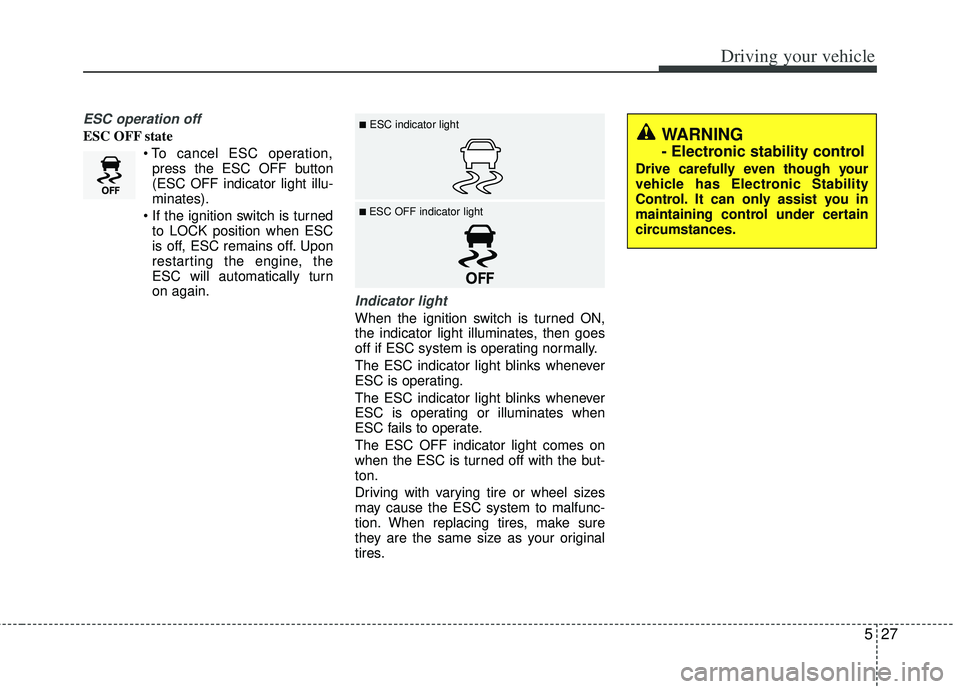
Indicator light
When the ignition switch is turned ON,
the indicator light illuminates, then goes
off if ESC system is operating normally.
The ESC indicator light blinks whenever
ESC is operating.
The ESC indicator light blinks whenever
ESC is operating or illuminates when
ESC fails to operate.
The ESC OFF indicator light comes on
when the ESC is turned off with the but-
ton.
Driving with varying tire or wheel sizes
may cause the ESC system to malfunc-
tion. When replacing tires, make sure
they are the same size as your original
tires.
■ESC indicator light
■ ESC OFF indicator light
WARNING
- Electronic stability control
Drive carefully even though your
vehicle has Electronic Stability
Control. It can only assist you in
maintaining control under certain
circumstances.