maintain KIA RIO HATCHBACK 2012 Owners Manual
[x] Cancel search | Manufacturer: KIA, Model Year: 2012, Model line: RIO HATCHBACK, Model: KIA RIO HATCHBACK 2012Pages: 385, PDF Size: 9.68 MB
Page 17 of 385
Introduction
41
Use of MTBE
Kia recommends avoiding fuels contain-
ing MTBE (Methyl Tertiary Butyl Ether)
over 15.0% vol. (Oxygen Content 2.7%
weight) in your vehicle.
Fuel containing MTBE over 15.0% vol.
(Oxygen Content 2.7% weight) may
reduce vehicle performance and produce
vapor lock or hard starting.
✽ ✽
NOTICE
Your New Vehicle Limited Warranty
may not cover damage to the fuel system
and any performance problems that are
caused by the use of fuels containing
methanol or fuels containing MTBE
(Methyl Tertiary Butyl Ether) over
15.0% vol. (Oxygen Content 2.7%
weight.)
Do not use methanol
Fuels containing methanol (wood alco-
hol) should not be used in your vehicle.
This type of fuel can reduce vehicle per-
formance and damage components of
the fuel system.
Fuel Additives
Kia recommends that you use good qual-
ity gasolines treated with detergent addi-
tives such as TOP TIER Detergent
Gasoline, which help prevent deposit for-
mation in the engine. These gasolines
will help the engine run cleaner and
enhance performance of the Emission
Control System. For more information on
TOP TIER Detergent Gasoline, please
go to the website (www
.toptiergas.com).
For customers who do not use TOP Tier
Detergent Gasoline regularly, and have
problems starting or the engine does not
run smoothly, additives that you can buy
separately may be added to the gasoline.
If TOP TIER Detergent Gasoline is not
available, one bottle of additive added to
the fuel tank at every 12,000 km or every
engine oil change is recommended.
Additives are available from your author-
ized Kia dealer along with information on
how to use them. Do not mix other addi-
tives.
Operation in foreign countries
If you are going to drive your vehicle in
another country, be sure to:
Observe all regulations regarding reg- istration and insurance.
Determine that acceptable fuel is avail- able. No special break-in period is needed. By
following a few simple precautions for the
first 1,000 km (600 miles) you may add to
the performance, economy and life of
your vehicle.
Do not race the engine.
While driving, keep your engine speed
(rpm, or revolutions per minute)
between 2,000 rpm and 4,000 rpm.
Do not maintain a single speed for long periods of time, either fast or slow.
Varying engine speed is needed to
properly break-in the engine.
Avoid hard stops, except in emergen- cies, to allow the brakes to seat prop-
erly.
Don't let the engine idle longer than 3 minutes at one time.
Don't tow a trailer during the first 2,000 km (1,200 miles) of operation.
VEHICLE BREAK-IN PROCESS
Page 25 of 385
33
Safety features of your vehicle
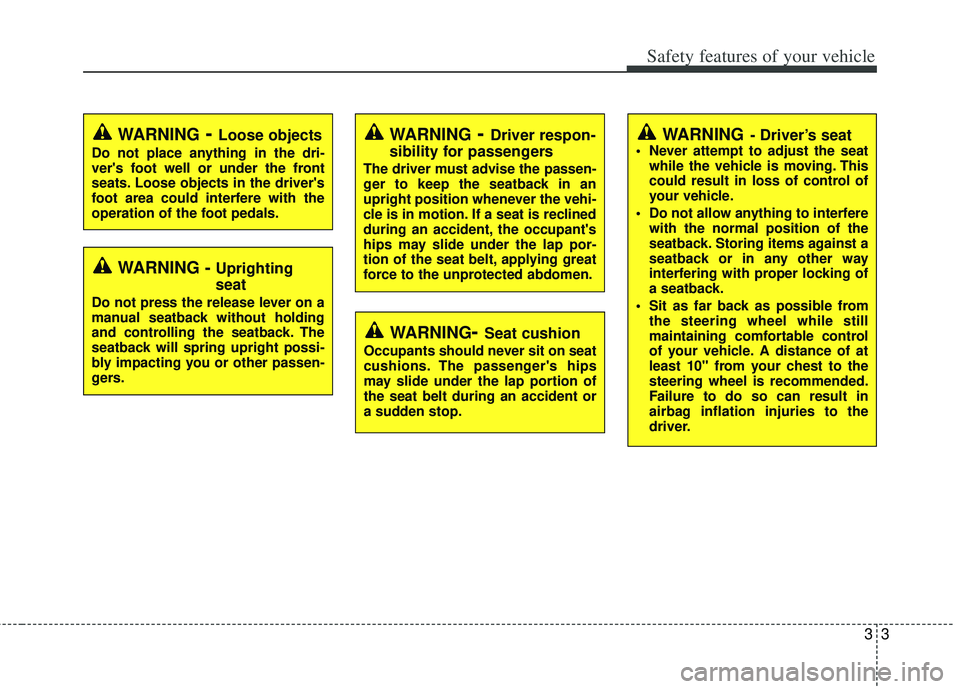
WARNING- Driver’s seat Never attempt to adjust the seatwhile the vehicle is moving. This
could result in loss of control of
your vehicle.
Do not allow anything to interfere with the normal position of the
seatback. Storing items against a
seatback or in any other way
interfering with proper locking of
a seatback.
Sit as far back as possible from the steering wheel while still
maintaining comfortable control
of your vehicle. A distance of at
least 10" from your chest to the
steering wheel is recommended.
Failure to do so can result in
airbag inflation injuries to the
driver.
WARNING - Uprighting
seat
Do not press the release lever on a
manual seatback without holding
and controlling the seatback. The
seatback will spring upright possi-
bly impacting you or other passen-
gers.
WARNING- Loose objects
Do not place anything in the dri-
ver's foot well or under the front
seats. Loose objects in the driver's
foot area could interfere with the
operation of the foot pedals.
WARNING- Driver respon-
sibility for passengers
The driver must advise the passen-
ger to keep the seatback in an
upright position whenever the vehi-
cle is in motion. If a seat is reclined
during an accident, the occupant's
hips may slide under the lap por-
tion of the seat belt, applying great
force to the unprotected abdomen.
WARNING- Seat cushion
Occupants should never sit on seat
cushions. The passenger's hips
may slide under the lap portion of
the seat belt during an accident or
a sudden stop.
Page 53 of 385
331
Safety features of your vehicle
How does the air bag system
operate
Air bag are activated (able to inflate ifnecessary) only when the ignition
switch is turned to the ON or START
the appropriate position.
Air bags inflate instantly in the event of serious frontal or side collision (if
equipped with side impact air bag or
curtain air bag) in order to help protect
the occupants from serious physical
injury.
There is no single speed at which the air bags will inflate.
Generally, air bags are designed to
inflate based upon the severity of a col-
lision and its direction. These two fac-
tors determine whether the sensors
produce an electronic deployment/
inflation signal.
Air bag deployment depends on a number of complex factors including
vehicle speed, angles of impact and
the density and stiffness of the vehi-
cles or objects which your vehicle hits
in the collision. Though, factors are not
limited to those mentioned above.
The front air bags will completely inflate and deflate in an instant. It is virtually impossible for you to see
the air bags inflate during an accident.
It is much more likely that you will sim-
ply see the deflated air bags hanging
out of their storage compartments after
the collision.
In order to help provide protection in a severe collision, the air bags must
inflate rapidly. The speed of air bag
inflation is a consequence of extremely
short time in which a collision occurs
and the need to get the air bag
between the occupant and the vehicle
structures before the occupant impacts
those structures. This speed of inflation
reduces the risk of serious or life-
threatening injuries in a severe collision
and is thus a necessary part of air bag
design.
However, air bag inflation can also
cause injuries which can include facial
abrasions, bruises and broken bones
because the inflation speed also caus-
es the air bags to expand with a great
deal of force.
There are even circumstances under which contact with the steer-
ing wheel air bag can cause fatal
injuries, especially if the occupant
is positioned excessively close to
the steering wheel.
WARNING - Airbag inflation
Sit as far back as possible from the
steering wheel while still maintain-
ing comfortable control of your
vehicle. A distance of at least 10"
from your chest to the steering
wheel is recommended. Failure to
do so can result in airbag inflation
injuries to the driver.
Page 57 of 385
335
Safety features of your vehicle
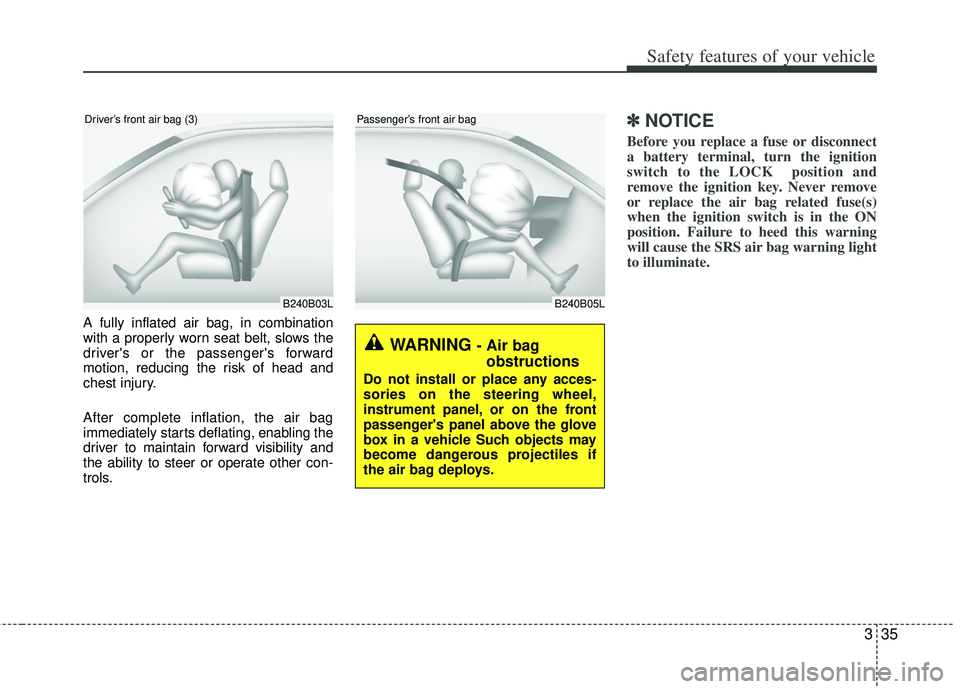
B240B05L
Passenger’s front air bag
A fully inflated air bag, in combination
with a properly worn seat belt, slows the
driver's or the passenger's forward
motion, reducing the risk of head and
chest injury.
After complete inflation, the air bag
immediately starts deflating, enabling the
driver to maintain forward visibility and
the ability to steer or operate other con-
trols.
✽ ✽NOTICE
Before you replace a fuse or disconnect
a battery terminal, turn the ignition
switch to the LOCK position and
remove the ignition key. Never remove
or replace the air bag related fuse(s)
when the ignition switch is in the ON
position. Failure to heed this warning
will cause the SRS air bag warning light
to illuminate.
B240B03L
Driver’s front air bag (3)
WARNING - Air bag
obstructions
Do not install or place any acces-
sories on the steering wheel,
instrument panel, or on the front
passenger's panel above the glove
box in a vehicle Such objects may
become dangerous projectiles if
the air bag deploys.
Page 104 of 385
429
Features of your vehicle
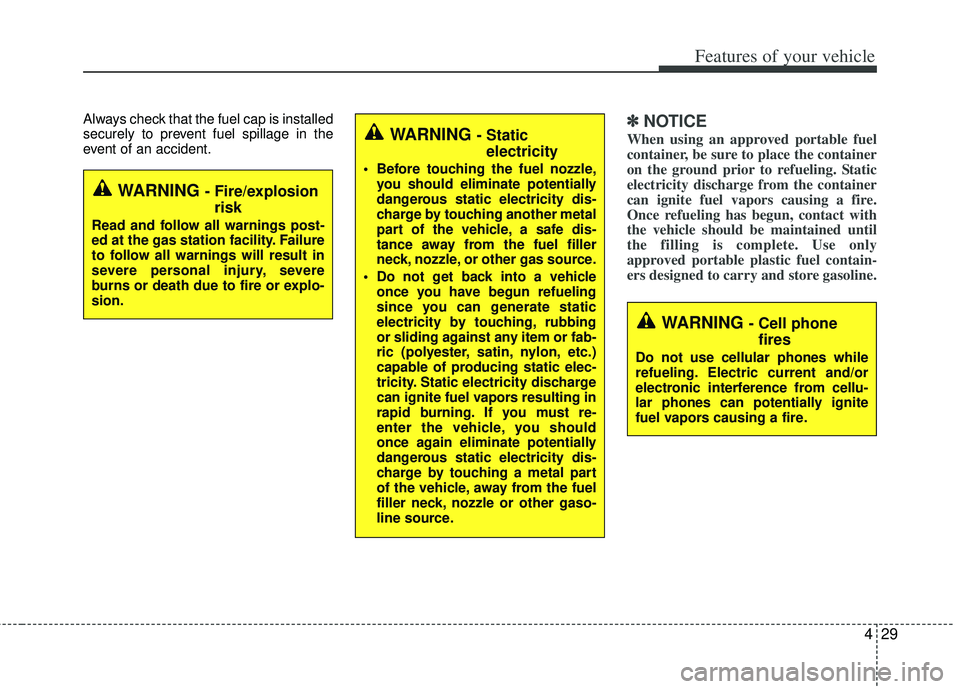
Always check that the fuel cap is installed
securely to prevent fuel spillage in the
event of an accident.✽ ✽NOTICE
When using an approved portable fuel
container, be sure to place the container
on the ground prior to refueling. Static
electricity discharge from the container
can ignite fuel vapors causing a fire.
Once refueling has begun, contact with
the vehicle should be maintained until
the filling is complete. Use only
approved portable plastic fuel contain-
ers designed to carry and store gasoline.
WARNING - Fire/explosion
risk
Read and follow all warnings post-
ed at the gas station facility. Failure
to follow all warnings will result in
severe personal injury, severe
burns or death due to fire or explo-
sion.
WARNING - Cell phonefires
Do not use cellular phones while
refueling. Electric current and/or
electronic interference from cellu-
lar phones can potentially ignite
fuel vapors causing a fire.
WARNING - Static electricity
Before touching the fuel nozzle,
you should eliminate potentially
dangerous static electricity dis-
charge by touching another metal
part of the vehicle, a safe dis-
tance away from the fuel filler
neck, nozzle, or other gas source.
Do not get back into a vehicle once you have begun refueling
since you can generate static
electricity by touching, rubbing
or sliding against any item or fab-
ric (polyester, satin, nylon, etc.)
capable of producing static elec-
tricity. Static electricity discharge
can ignite fuel vapors resulting in
rapid burning. If you must re-
enter the vehicle, you should
once again eliminate potentially
dangerous static electricity dis-
charge by touching a metal part
of the vehicle, away from the fuel
filler neck, nozzle or other gaso-
line source.
Page 162 of 385
487
Features of your vehicle
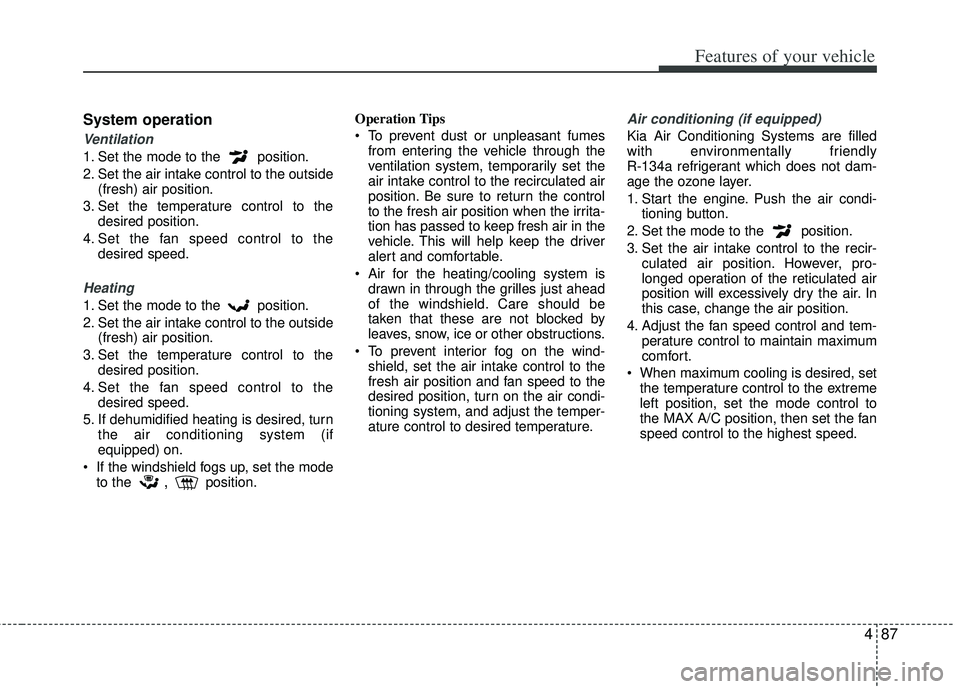
System operation
Ventilation
1. Set the mode to the position.
2. Set the air intake control to the outside(fresh) air position.
3. Set the temperature control to the desired position.
4. Set the fan speed control to the desired speed.
Heating
1. Set the mode to the position.
2. Set the air intake control to the outside(fresh) air position.
3. Set the temperature control to the desired position.
4. Set the fan speed control to the desired speed.
5. If dehumidified heating is desired, turn the air conditioning system (if
equipped) on.
If the windshield fogs up, set the mode to the
,position. Operation Tips
To prevent dust or unpleasant fumes
from entering the vehicle through the
ventilation system, temporarily set the
air intake control to the recirculated air
position. Be sure to return the control
to the fresh air position when the irrita-
tion has passed to keep fresh air in the
vehicle. This will help keep the driver
alert and comfortable.
Air for the heating/cooling system is drawn in through the grilles just ahead
of the windshield. Care should be
taken that these are not blocked by
leaves, snow, ice or other obstructions.
To prevent interior fog on the wind- shield, set the air intake control to the
fresh air position and fan speed to the
desired position, turn on the air condi-
tioning system, and adjust the temper-
ature control to desired temperature.
Air conditioning (if equipped)
Kia Air Conditioning Systems are filled
with environmentally friendly
R-134a refrigerant which does not dam-
age the ozone layer.
1. Start the engine. Push the air condi- tioning button.
2. Set the mode to the position.
3. Set the air intake control to the recir- culated air position. However, pro-
longed operation of the reticulated air
position will excessively dry the air. In
this case, change the air position.
4. Adjust the fan speed control and tem- perature control to maintain maximum
comfort.
When maximum cooling is desired, set the temperature control to the extreme
left position, set the mode control to
the MAX A/C position, then set the fan
speed control to the highest speed.
Page 168 of 385
493
Features of your vehicle
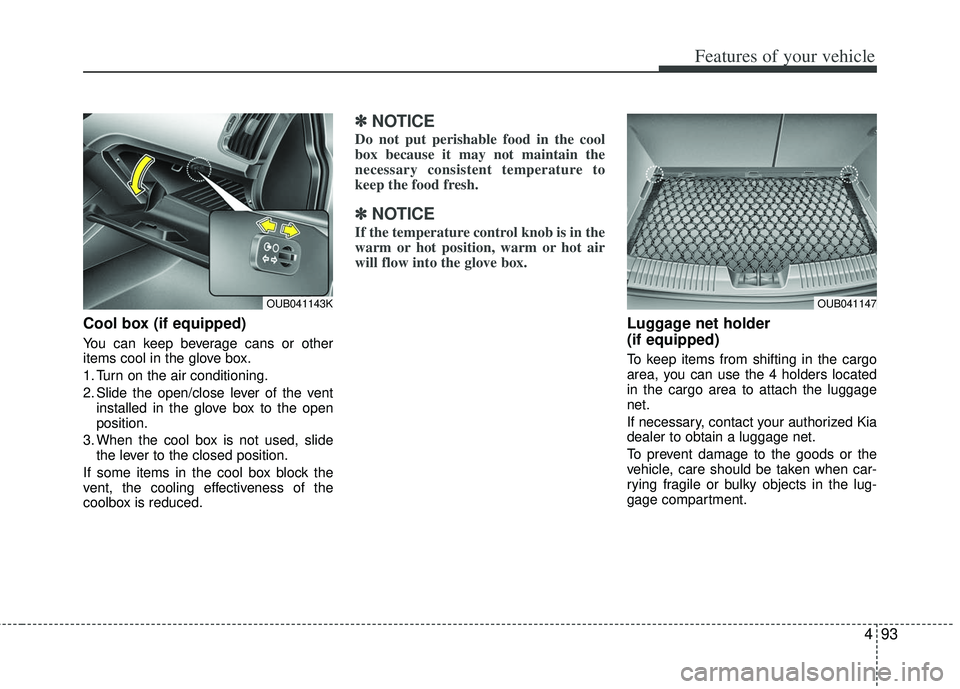
Cool box (if equipped)
You can keep beverage cans or other
items cool in the glove box.
1. Turn on the air conditioning.
2. Slide the open/close lever of the ventinstalled in the glove box to the open
position.
3. When the cool box is not used, slide the lever to the closed position.
If some items in the cool box block the
vent, the cooling effectiveness of the
coolbox is reduced.
✽ ✽ NOTICE
Do not put perishable food in the cool
box because it may not maintain the
necessary consistent temperature to
keep the food fresh.
✽ ✽NOTICE
If the temperature control knob is in the
warm or hot position, warm or hot air
will flow into the glove box.
Luggage net holder
(if equipped)
To keep items from shifting in the cargo
area, you can use the 4 holders located
in the cargo area to attach the luggage
net.
If necessary, contact your authorized Kia
dealer to obtain a luggage net.
To prevent damage to the goods or the
vehicle, care should be taken when car-
rying fragile or bulky objects in the lug-
gage compartment.
OUB041143KOUB041147
Page 185 of 385
Features of your vehicle
110
4
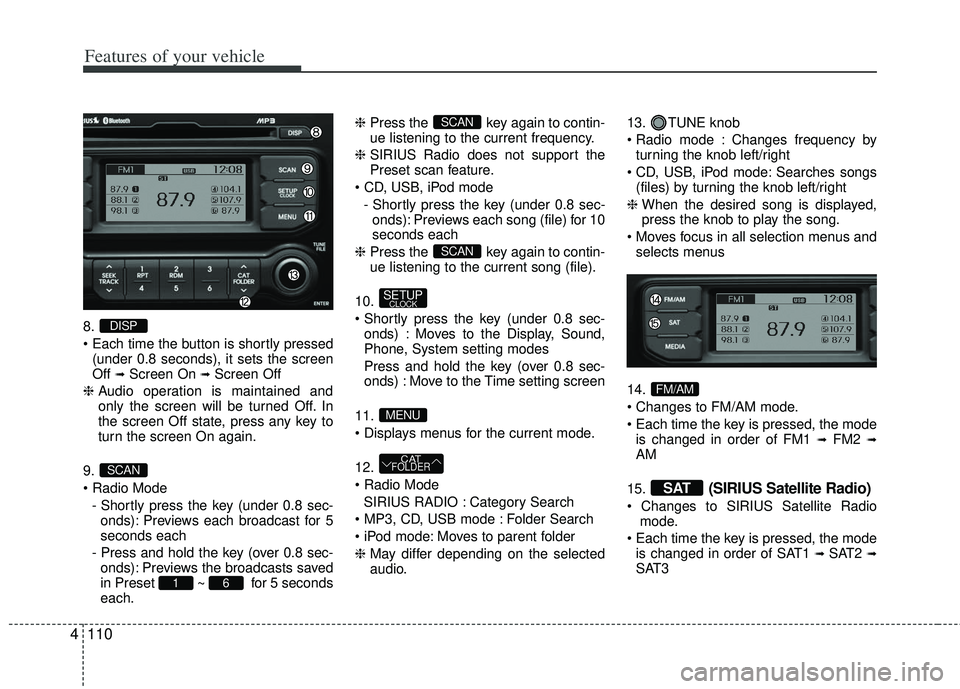
8.
(under 0.8 seconds), it sets the screen
Off
➟Screen On ➟Screen Off
❈ Audio operation is maintained and
only the screen will be turned Off. In
the screen Off state, press any key to
turn the screen On again.
9.
- Shortly press the key (under 0.8 sec-onds): Previews each broadcast for 5
seconds each
- Press and hold the key (over 0.8 sec- onds): Previews the broadcasts saved
in Preset ~ for 5 seconds
each. ❈
Press the key again to contin-
ue listening to the current frequency.
❈ SIRIUS Radio does not support the
Preset scan feature.
- Shortly press the key (under 0.8 sec-onds): Previews each song (file) for 10
seconds each
❈ Press the key again to contin-
ue listening to the current song (file).
10.
onds) : Moves to the Display, Sound,
Phone, System setting modes
Press and hold the key (over 0.8 sec- onds) : Move to the Time setting screen
11.
12.
SIRIUS RADIO : Category Search
Folder Search
Moves to parent folder
❈ May differ depending on the selected
audio. 13. TUNE knob
Changes frequency by
turning the knob left/right
Searches songs (files) by turning the knob left/right
❈ When the desired song is displayed,
press the knob to play the song.
selects menus
14.
is changed in order of FM1
➟FM2 ➟AM
15.
(SIRIUS Satellite Radio)
mode.
is changed in order of SAT1
➟ SAT2 ➟SAT3
SAT
FM/AM
CATFOLDER
MENU
SETUPCLOCK
SCAN
SCAN
61
SCAN
DISP
Page 186 of 385
![KIA RIO HATCHBACK 2012 Owners Manual 4111
Features of your vehicle
DISPLAY SETTINGS
Press the key Select [Display]
through TUNE knob or key
Select menu through TUNE knob
Mode Pop up
[Mode Pop up] Changes /
selection mode
orkey to d](/img/2/57982/w960_57982-185.png "KIA RIO HATCHBACK 2012 Owners Manual 4111
Features of your vehicle
DISPLAY SETTINGS
Press the key Select [Display]
through TUNE knob or key
Select menu through TUNE knob
Mode Pop up
[Mode Pop up] Changes /
selection mode
orkey to d")
4111
Features of your vehicle
DISPLAY SETTINGS
Press the key Select [Display]
through TUNE knob or key
Select menu through TUNE knob
Mode Pop up
[Mode Pop up] Changes /
selection mode
orkey to display the mode
change pop up screen.
Text Scroll
[Text Scroll] Set /
Maintains scroll
: Scrolls only one (1) time.
Media Display
When playing an MP3 file, select the
desired display info from ‘Folder/File’ or
‘Album/Artist/Song’.
Off
On
OffOn
MEDIARADIO
OffOn
1
SETUP
Page 216 of 385
4141
Features of your vehicle
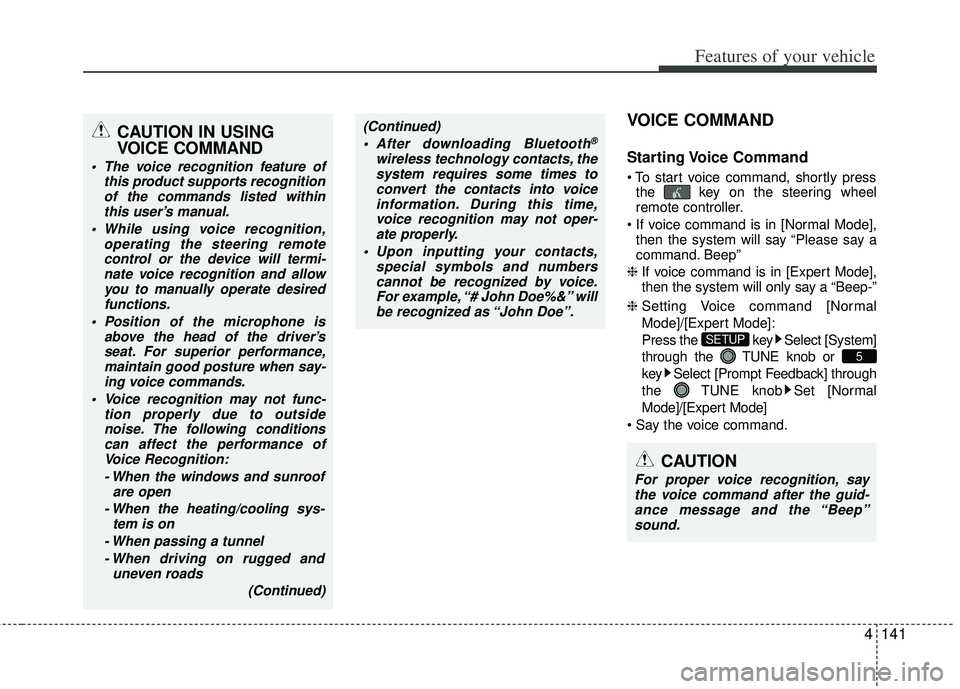
VOICE COMMAND
Starting Voice Command
the key on the steering wheel
remote controller.
then the system will say “Please say a
command. Beep”
❈ If voice command is in [Expert Mode],
then the system will only say a “Beep-”
❈ Setting Voice command [Normal
Mode]/[Expert Mode]:
Press the key Select [System]
through the TUNE knob or
key Select [Prompt Feedback] through
the TUNE knob Set [Normal
Mode]/[Expert Mode]
5
SETUP
CAUTION
For proper voice recognition, say the voice command after the guid- ance message and the “Beep”sound.
(Continued)
After downloading Bluetooth®
wireless technology contacts, thesystem requires some times toconvert the contacts into voiceinformation. During this time,voice recognition may not oper- ate properly.
Upon inputting your contacts, special symbols and numberscannot be recognized by voice.For example, “# John Doe%&” will be recognized as “John Doe”.
CAUTION IN USING
VOICE COMMAND
The voice recognition feature of this product supports recognitionof the commands listed withinthis user’s manual.
While using voice recognition, operating the steering remotecontrol or the device will termi- nate voice recognition and allowyou to manually operate desiredfunctions.
Position of the microphone is above the head of the driver’sseat. For superior performance,maintain good posture when say-ing voice commands.
Voice recognition may not func- tion properly due to outsidenoise. The following conditionscan affect the performance ofVoice Recognition:
- When the windows and sunroof are open
- When the heating/cooling sys- tem is on
- When passing a tunnel - When driving on rugged and uneven roads
(Continued)