ECU KIA RIO HATCHBACK 2013 Owner's Manual
[x] Cancel search | Manufacturer: KIA, Model Year: 2013, Model line: RIO HATCHBACK, Model: KIA RIO HATCHBACK 2013Pages: 385, PDF Size: 9.68 MB
Page 154 of 385
479
Features of your vehicle
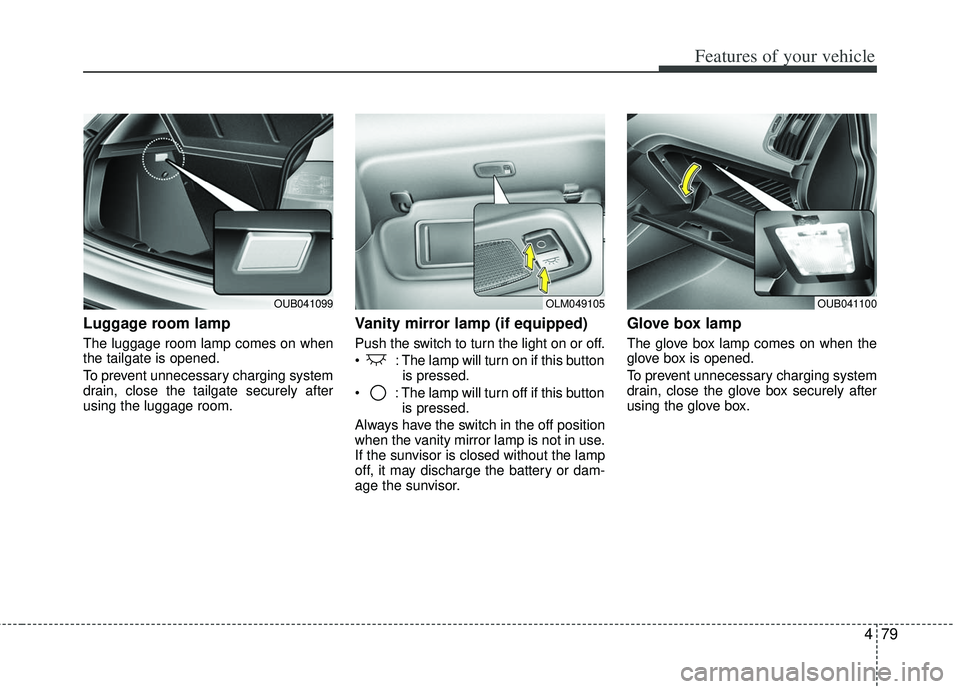
Luggage room lamp
The luggage room lamp comes on when
the tailgate is opened.
To prevent unnecessary charging system
drain, close the tailgate securely after
using the luggage room.
Vanity mirror lamp (if equipped)
Push the switch to turn the light on or off.
: The lamp will turn on if this buttonis pressed.
: The lamp will turn off if this button is pressed.
Always have the switch in the off position
when the vanity mirror lamp is not in use.
If the sunvisor is closed without the lamp
off, it may discharge the battery or dam-
age the sunvisor.
Glove box lamp
The glove box lamp comes on when the
glove box is opened.
To prevent unnecessary charging system
drain, close the glove box securely after
using the glove box.
OUB041099OLM049105OUB041100
Page 167 of 385
Features of your vehicle
92
4
These compartments can be used to
store small items.
To avoid possible theft, do not leave valu-
ables in the storage compartment.
Always keep the storage compartment
covers closed while driving. Do not
attempt to place so many items in the
storage compartment that the storage
compartment cover can not close
securely.
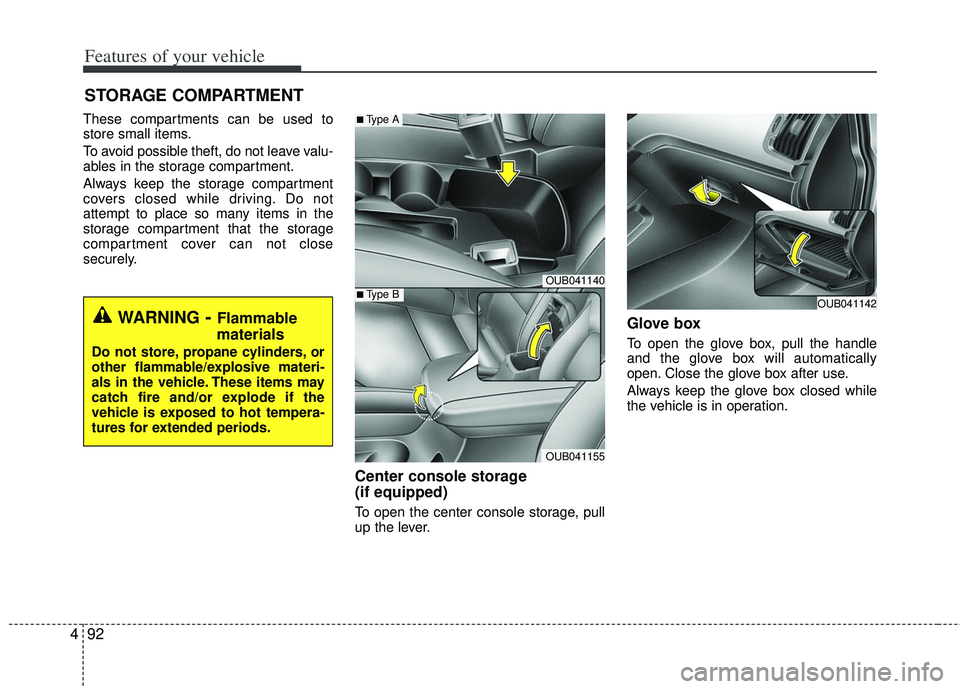
Center console storage
(if equipped)
To open the center console storage, pull
up the lever.
Glove box
To open the glove box, pull the handle
and the glove box will automatically
open. Close the glove box after use.
Always keep the glove box closed while
the vehicle is in operation.
STORAGE COMPARTMENT
WARNING- Flammable
materials
Do not store, propane cylinders, or
other flammable/explosive materi-
als in the vehicle. These items may
catch fire and/or explode if the
vehicle is exposed to hot tempera-
tures for extended periods.
OUB041140
OUB041155
■Type A
■Type BOUB041142
Page 173 of 385
Features of your vehicle
98
4
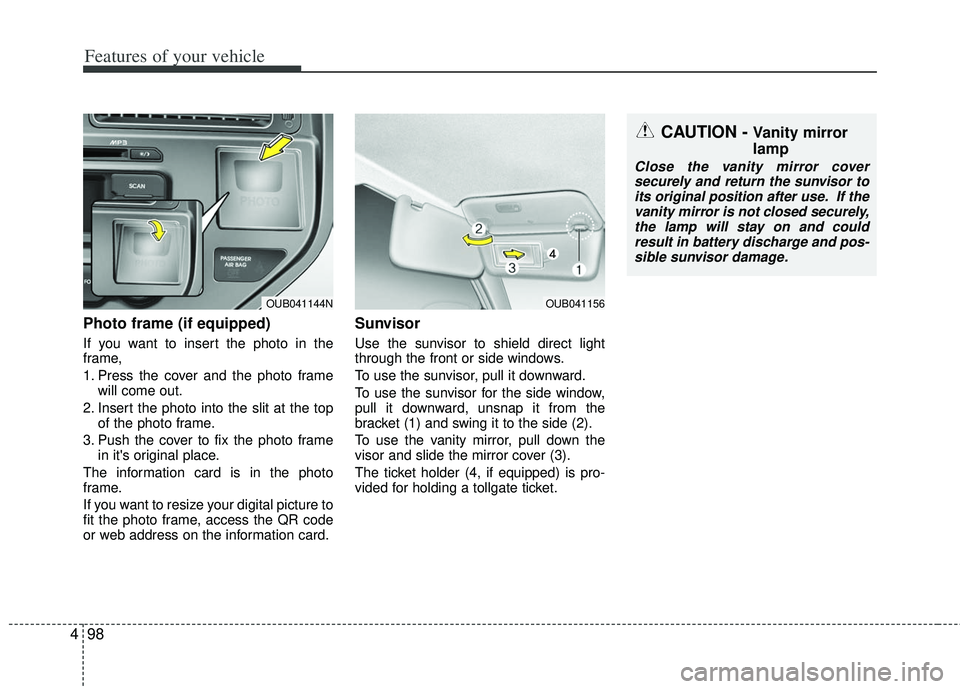
Photo frame (if equipped)
If you want to insert the photo in the
frame,
1. Press the cover and the photo frame
will come out.
2. Insert the photo into the slit at the top of the photo frame.
3. Push the cover to fix the photo frame in it's original place.
The information card is in the photo
frame.
If you want to resize your digital picture to
fit the photo frame, access the QR code
or web address on the information card.
Sunvisor
Use the sunvisor to shield direct light
through the front or side windows.
To use the sunvisor, pull it downward.
To use the sunvisor for the side window,
pull it downward, unsnap it from the
bracket (1) and swing it to the side (2).
To use the vanity mirror, pull down the
visor and slide the mirror cover (3).
The ticket holder (4, if equipped) is pro-
vided for holding a tollgate ticket.
OUB041156
CAUTION - Vanity mirror
lamp
Close the vanity mirror cover securely and return the sunvisor to its original position after use. If thevanity mirror is not closed securely,the lamp will stay on and couldresult in battery discharge and pos- sible sunvisor damage.
OUB041144N
Page 176 of 385
4101
Features of your vehicle
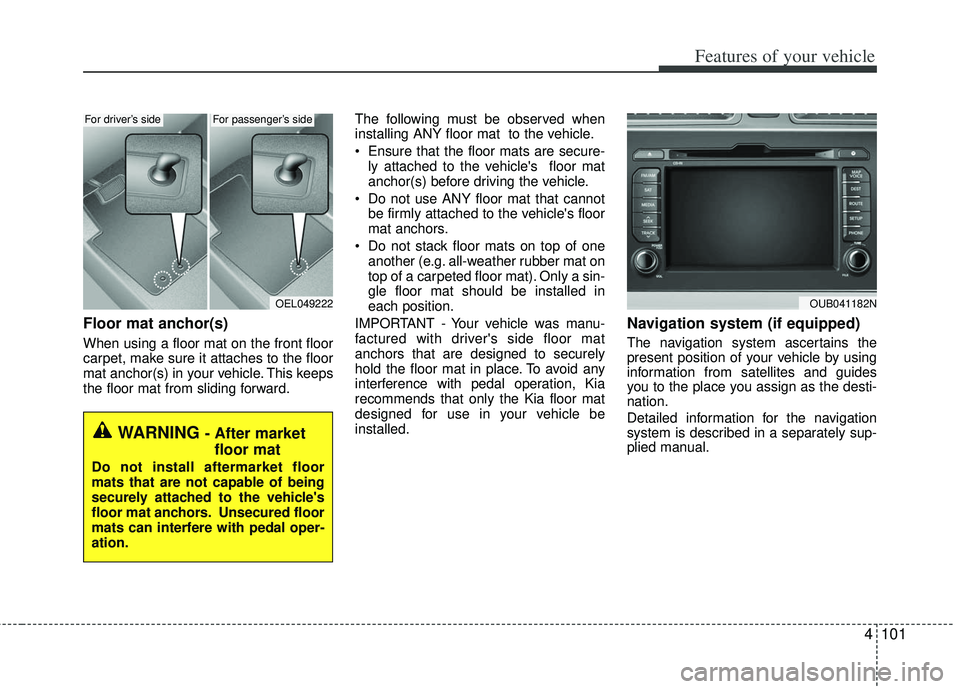
Floor mat anchor(s)
When using a floor mat on the front floor
carpet, make sure it attaches to the floor
mat anchor(s) in your vehicle. This keeps
the floor mat from sliding forward.The following must be observed when
installing ANY floor mat to the vehicle.
Ensure that the floor mats are secure-
ly attached to the vehicle's floor mat
anchor(s) before driving the vehicle.
Do not use ANY floor mat that cannot be firmly attached to the vehicle's floor
mat anchors.
Do not stack floor mats on top of one another (e.g. all-weather rubber mat on
top of a carpeted floor mat). Only a sin-
gle floor mat should be installed in
each position.
IMPORTANT - Your vehicle was manu-
factured with driver's side floor mat
anchors that are designed to securely
hold the floor mat in place. To avoid any
interference with pedal operation, Kia
recommends that only the Kia floor mat
designed for use in your vehicle be
installed.
Navigation system (if equipped)
The navigation system ascertains the
present position of your vehicle by using
information from satellites and guides
you to the place you assign as the desti-
nation.
Detailed information for the navigation
system is described in a separately sup-
plied manual.
OEL049222
WARNING - After market floor mat
Do not install aftermarket floor
mats that are not capable of being
securely attached to the vehicle's
floor mat anchors. Unsecured floor
mats can interfere with pedal oper-
ation.
OUB041182N
For driver’s sideFor passenger’s side
Page 219 of 385
Features of your vehicle
144
4
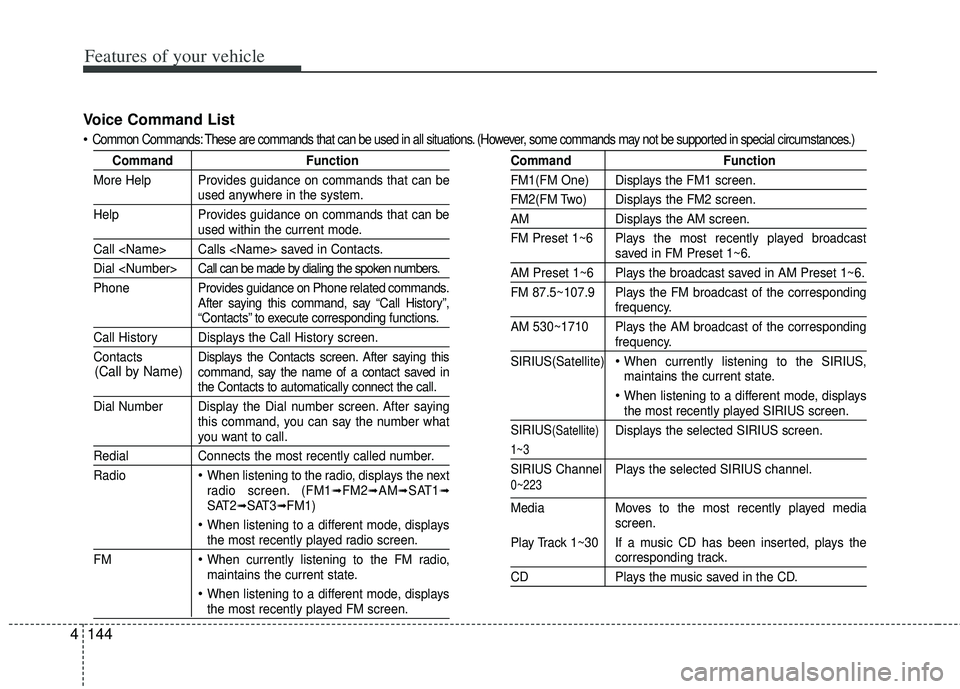
Voice Command List
Common Commands: These are commands that can be used in all situations. (However, some commands may not be supported in special c ircumstances.)
CommandFunction
More Help Provides guidance on commands that can be
used anywhere in the system.
Help Provides guidance on commands that can be
used within the current mode.
Call
Dial
Phone Pro vides guidance on Phone related commands.
After saying this command, say “Call History”,
“Contacts” to execute corresponding functions.
Call History Displays the Call History screen.
Contacts Displays the Contacts screen. After saying this
command, say the name of a contact saved in
the Contacts to automatically connect the call.
Dial Number Display the Dial number screen. After saying this command, you can say the number what
you want to call.
RedialConnects the most recently called number.
Radio
When listening to the radio, displays the next
radio screen. (FM1➟FM2➟AM➟SAT1➟SAT2➟SAT3➟FM1)
When listening to a different mode, displaysthe most recently played radio screen.
FM
When currently listening to the FM radio,
maintains the current state.
When listening to a different mode, displaysthe most recently played FM screen.
Command Function
FM1(FM One) Displays the FM1 screen.
FM2(FM Two) Displays the FM2 screen.
AMDisplays the AM screen.
FM Preset 1~6 Plays the most recently played broadcast
saved in FM Preset 1~6.
AM Preset 1~6 Plays the broadcast saved in AM Preset 1~6.
FM 87.5~107.9 Plays the FM broadcast of the corresponding
frequency.
AM 530~1710 Plays the AM broadcast of the corresponding
frequency.
SIRIUS(Satellite)
When currently listening to the SIRIUS,
maintains the current state.
When listening to a different mode, displaysthe most recently played SIRIUS screen.
SIRIUS
(Satellite)Displays the selected SIRIUS screen.
1~3
SIRIUS Channel Plays the selected SIRIUS channel.
Media Moves to the most recently played media
screen.
Play Track 1~30 If a music CD has been inserted, plays the
corresponding track.
CD Plays the music saved in the CD.
(Call by Name)
0~223
Page 227 of 385
Driving your vehicle
45
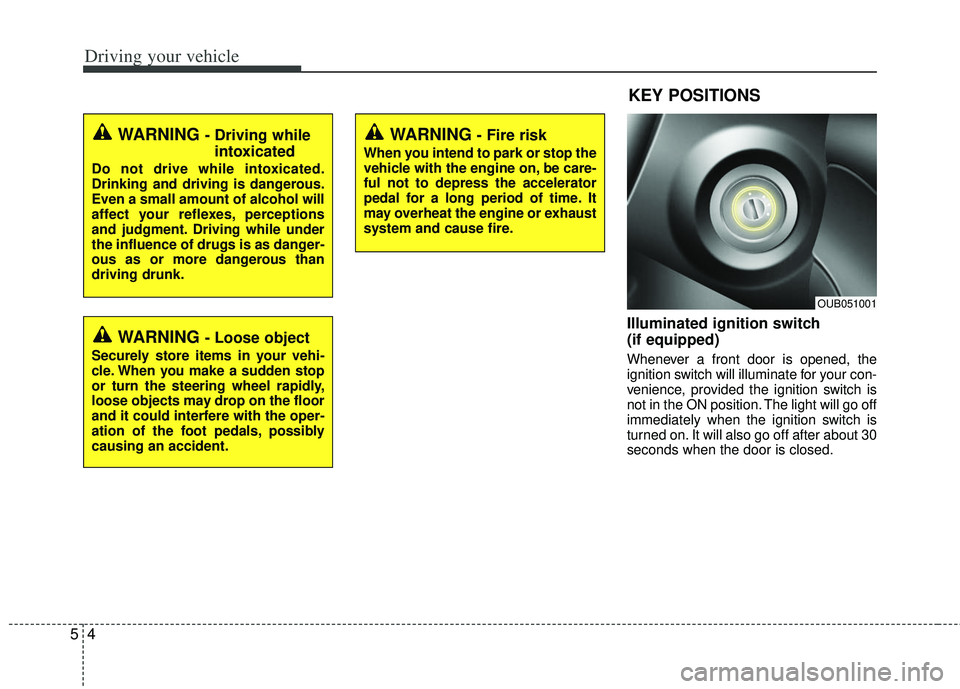
Illuminated ignition switch
(if equipped)
Whenever a front door is opened, the
ignition switch will illuminate for your con-
venience, provided the ignition switch is
not in the ON position. The light will go off
immediately when the ignition switch is
turned on. It will also go off after about 30
seconds when the door is closed.
KEY POSITIONS
WARNING - Fire risk
When you intend to park or stop the
vehicle with the engine on, be care-
ful not to depress the accelerator
pedal for a long period of time. It
may overheat the engine or exhaust
system and cause fire.
WARNING - Driving whileintoxicated
Do not drive while intoxicated.
Drinking and driving is dangerous.
Even a small amount of alcohol will
affect your reflexes, perceptions
and judgment. Driving while under
the influence of drugs is as danger-
ous as or more dangerous than
driving drunk.
WARNING - Loose object
Securely store items in your vehi-
cle. When you make a sudden stop
or turn the steering wheel rapidly,
loose objects may drop on the floor
and it could interfere with the oper-
ation of the foot pedals, possibly
causing an accident.
OUB051001
Page 241 of 385
Driving your vehicle
18
5
Up (+) : Push the lever forward once to
shift up one gear.
Down (-) : Pull the lever backwards once to shift down one gear.
In sports mode, the driver must exe- cute upshifts in accordance with road
conditions, taking care to keep the
engine speed below the red zone.
In sports mode, only the 6 forward gears can be selected. To reverse or
park the vehicle, move the shift lever to
the R (Reverse) or P (Park) position as
required.
In sports mode, downshifts are made automatically when the vehicle slows
down. When the vehicle stops, 1st gear
is automatically selected.
In sports mode, when the engine rpm approaches the red zone shift points
are varied to upshift automatically.
To maintain the required levels of vehi- cle performance and safety, the system
may not execute certain gearshifts
when the shift lever is operated. When driving on a slippery road, push
the shift lever forward into the +(up)
position. This causes the transaxle to
shift into the 2nd gear which is better
for smooth driving on a slippery road.
Push the shift lever to the -(down) side
to shift back to the 1st gear.Shift lock system (if equipped)
For your safety, the automatic transaxle
has a shift lock system which prevents
shifting the transaxle out of P (Park)
unless the brake pedal is depressed.
To shift the transaxle from P (Park) into R
(Reverse):
1. Depress and hold the brake pedal.
2. Start the engine or turn the ignition switch to the ON position.
3. Move the shift lever.
If the brake pedal is repeatedly
depressed and released with the shift
lever in the P (Park) position, a chattering
noise near the shift lever may be heard.
This is a normal condition.
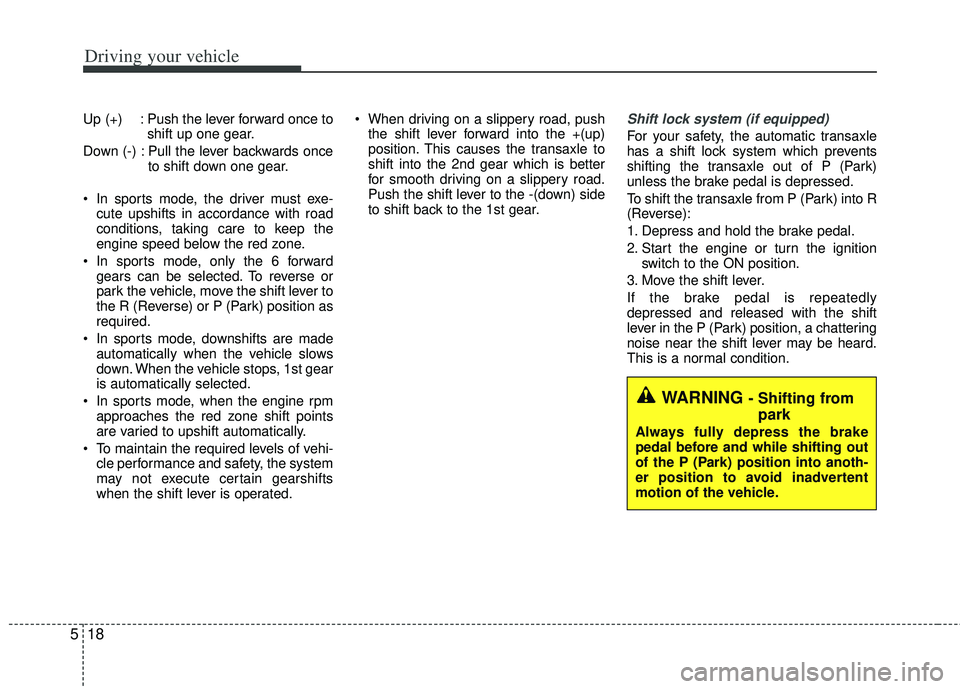
WARNING - Shifting from park
Always fully depress the brake
pedal before and while shifting out
of the P (Park) position into anoth-
er position to avoid inadvertent
motion of the vehicle.
Page 278 of 385
555
Driving your vehicle
✽
✽NOTICE
Overloading your vehicle may cause
damage. Repairs would not be cov-
ered by your warranty. Do not over-
load your vehicle.
WARNING - Over loading
Do not overload your vehicle.
Overloading your vehicle can
cause heat buildup in your vehi-
cle's tires and possible tire fail-
ure, increased stopping dis-
tances and poor vehicle han-
dling--all of which may result in
a crash.WARNING - Loose cargo
Do not travel with unsecured
blunt objects in the passenger
compartment of your vehicle
(e.g. suit cases or unsecured
child seats). These items may
strike occupant during a sud-
den stop or crash.
Page 282 of 385
63
What to do in an emergency
2. When the vehicle is stopped, turn onyour emergency hazard flashers, set
the parking brake and put the transaxle
in P (automatic transaxle) or reverse
(manual transaxle).
3. Have all passengers get out of the vehicle. Be sure they all get out on the
side of the vehicle that is away from
traffic.
4. When changing a flat tire, follow the instruction provided later in this sec-
tion.
If engine stalls while driving
1. Reduce your speed gradually, keeping a straight line. Move cautiously off the
road to a safe place.
2. Turn on your emergency flashers.
3. Try to start the engine again. If your vehicle will not start, contact an
authorized Kia dealer or seek other
qualified assistance.
If the engine doesn't turn over or
turns over slowly
1. If your vehicle has an automatictransaxle, be sure the shift lever is in N
(Neutral) or P (Park) and the emer-
gency brake is set.
2. Check the battery connections to be sure they are clean and tight.
3. Turn on the interior light. If the light dims or goes out when you operate the
starter, the battery is discharged.
4. Check the starter connections to be sure they are securely tightened.
5. Do not push or pull the vehicle to start it. See instructions for "Jump starting".
If engine turns over normally but
does not start
1. Check fuel level.
2. With the ignition switch in the LOCKposition, check all connectors at the
ignition coil and spark plugs.
Reconnect any that may be discon-
nected or loose.
3. Check the fuel line in the engine com- partment.
4. If the engine still does not start, call an authorized Kia dealer or seek other
qualified assistance.
IF THE ENGINE WILL NOT START
WARNING - Push/pull start
Do not push or pull the vehicle to
start it. Push or pull starting may
cause the catalytic converter to
overload and create a fire hazard.
Page 293 of 385
What to do in an emergency
14
6
Do not allow anyone to remain in the
vehicle while it is on the jack.
Make sure any children present are
in a secure place away from the road
and from the vehicle to be raised with
the jack.
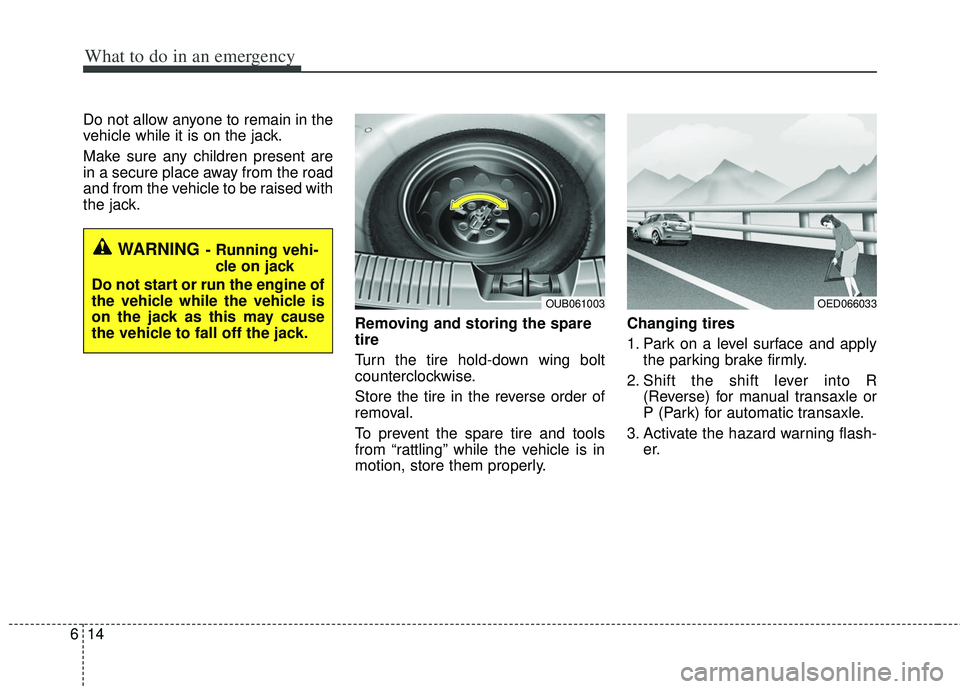
Removing and storing the spare
tire
Turn the tire hold-down wing bolt
counterclockwise.
Store the tire in the reverse order of
removal.
To prevent the spare tire and tools
from “rattling” while the vehicle is in
motion, store them properly.Changing tires
1. Park on a level surface and apply
the parking brake firmly.
2. Shift the shift lever into R (Reverse) for manual transaxle or
P (Park) for automatic transaxle.
3. Activate the hazard warning flash- er.
OED066033
WARNING- Running vehi-
cle on jack
Do not start or run the engine of
the vehicle while the vehicle is
on the jack as this may cause
the vehicle to fall off the jack.
OUB061003