ECO mode KIA RIO HATCHBACK 2014 User Guide
[x] Cancel search | Manufacturer: KIA, Model Year: 2014, Model line: RIO HATCHBACK, Model: KIA RIO HATCHBACK 2014Pages: 446, PDF Size: 12.98 MB
Page 127 of 446
Features of your vehicle
56
4
Language
Choose a language you prefer within
the LCD display.
Maintenance system
(only for Type B cluster,
if equipped)
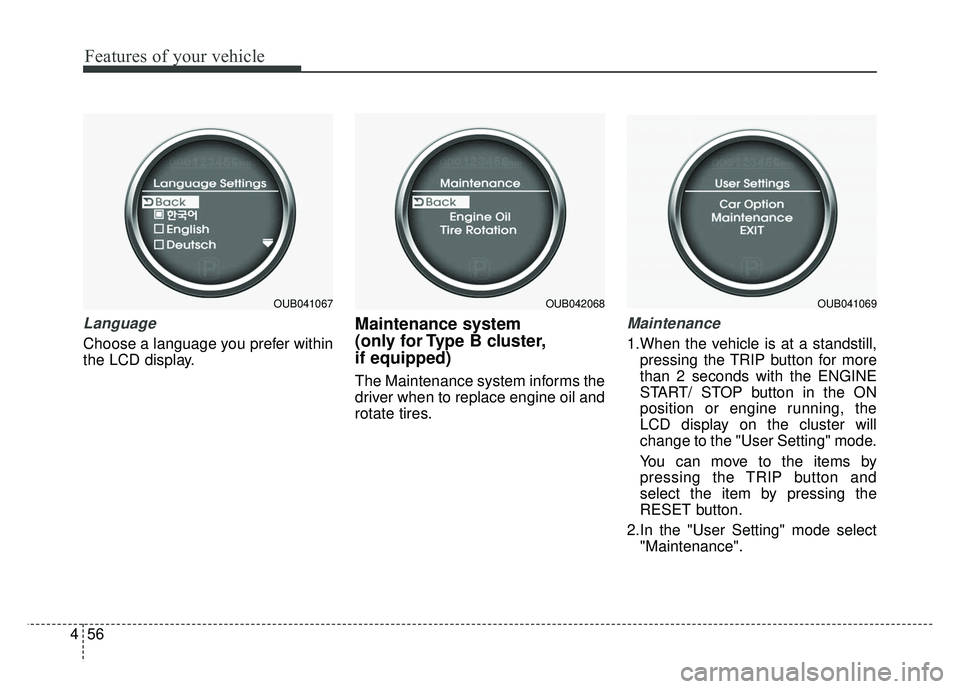
The Maintenance system informs the
driver when to replace engine oil and
rotate tires.
Maintenance
1.When the vehicle is at a standstill,
pressing the TRIP button for more
than 2 seconds with the ENGINE
START/ STOP button in the ON
position or engine running, the
LCD display on the cluster will
change to the "User Setting" mode.
You can move to the items by
pressing the TRIP button and
select the item by pressing the
RESET button.
2.In the "User Setting" mode select "Maintenance".
OUB041067OUB042068OUB041069
Page 128 of 446
457
Features of your vehicle
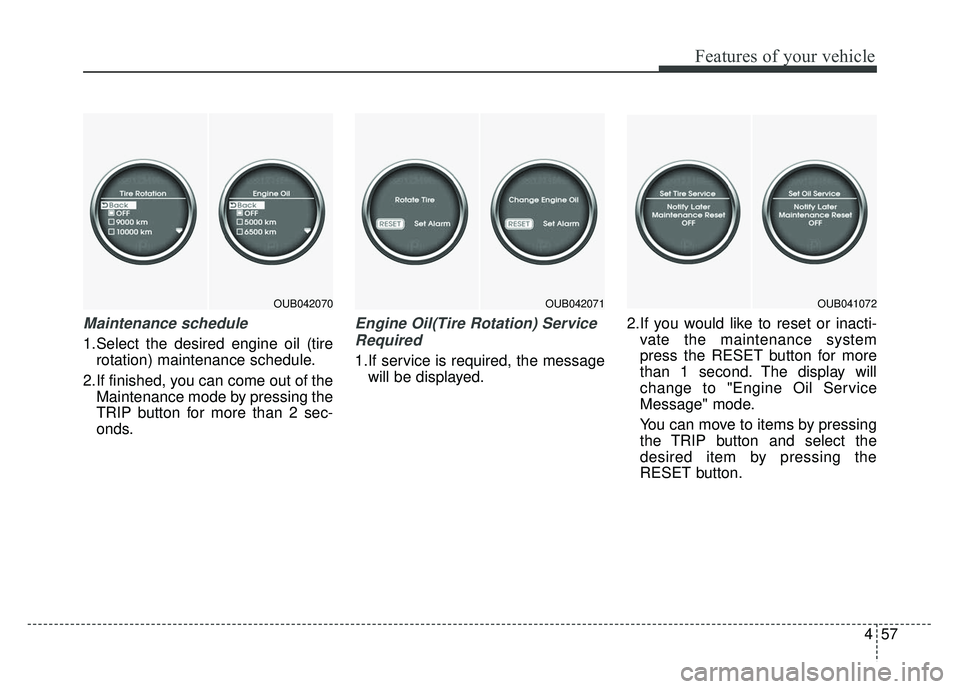
Maintenance schedule
1.Select the desired engine oil (tirerotation) maintenance schedule.
2.If finished, you can come out of the Maintenance mode by pressing the
TRIP button for more than 2 sec-
onds.
Engine Oil(Tire Rotation) Service
Required
1.If service is required, the message will be displayed. 2.If you would like to reset or inacti-
vate the maintenance system
press the RESET button for more
than 1 second. The display will
change to "Engine Oil Service
Message" mode.
You can move to items by pressing
the TRIP button and select the
desired item by pressing the
RESET button.
OUB042070OUB042071OUB041072
Page 136 of 446
465
Features of your vehicle
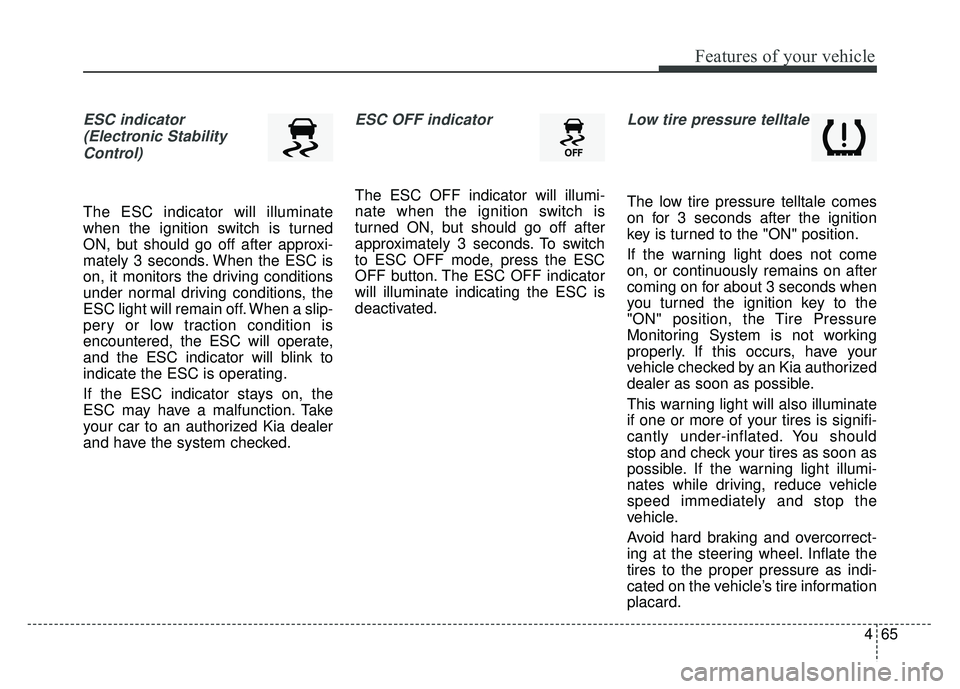
ESC indicator(Electronic StabilityControl)
The ESC indicator will illuminate
when the ignition switch is turned
ON, but should go off after approxi-
mately 3 seconds. When the ESC is
on, it monitors the driving conditions
under normal driving conditions, the
ESC light will remain off. When a slip-
pery or low traction condition is
encountered, the ESC will operate,
and the ESC indicator will blink to
indicate the ESC is operating.
If the ESC indicator stays on, the
ESC may have a malfunction. Take
your car to an authorized Kia dealer
and have the system checked.
ESC OFF indicator
The ESC OFF indicator will illumi-
nate when the ignition switch is
turned ON, but should go off after
approximately 3 seconds. To switch
to ESC OFF mode, press the ESC
OFF button. The ESC OFF indicator
will illuminate indicating the ESC is
deactivated.
Low tire pressure telltale
The low tire pressure telltale comes
on for 3 seconds after the ignition
key is turned to the "ON" position.
If the warning light does not come
on, or continuously remains on after
coming on for about 3 seconds when
you turned the ignition key to the
"ON" position, the Tire Pressure
Monitoring System is not working
properly. If this occurs, have your
vehicle checked by an Kia authorized
dealer as soon as possible.
This warning light will also illuminate
if one or more of your tires is signifi-
cantly under-inflated. You should
stop and check your tires as soon as
possible. If the warning light illumi-
nates while driving, reduce vehicle
speed immediately and stop the
vehicle.
Avoid hard braking and overcorrect-
ing at the steering wheel. Inflate the
tires to the proper pressure as indi-
cated on the vehicle’s tire information
placard.
Page 138 of 446
467
Features of your vehicle
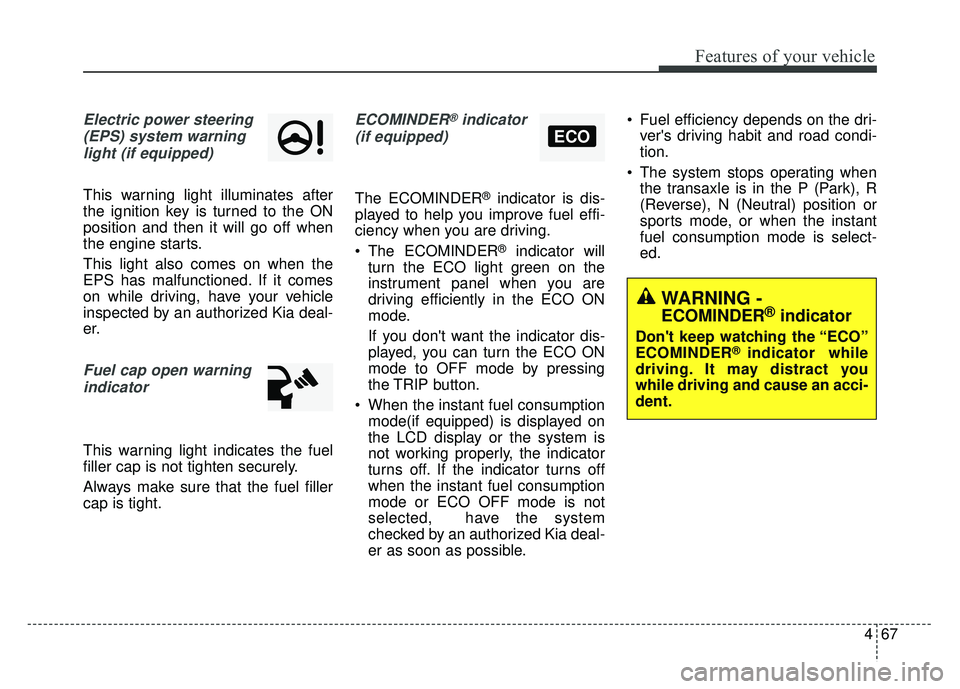
Electric power steering(EPS) system warninglight (if equipped)
This warning light illuminates after
the ignition key is turned to the ON
position and then it will go off when
the engine starts.
This light also comes on when the
EPS has malfunctioned. If it comes
on while driving, have your vehicle
inspected by an authorized Kia deal-
er.
Fuel cap open warningindicator
This warning light indicates the fuel
filler cap is not tighten securely.
Always make sure that the fuel filler
cap is tight.
ECOMINDER®indicator
(if equipped)
The ECOMINDER®indicator is dis-
played to help you improve fuel effi-
ciency when you are driving.
The ECOMINDER
®indicator will
turn the ECO light green on the
instrument panel when you are
driving efficiently in the ECO ON
mode.
If you don't want the indicator dis-
played, you can turn the ECO ON
mode to OFF mode by pressing
the TRIP button.
When the instant fuel consumption mode(if equipped) is displayed on
the LCD display or the system is
not working properly, the indicator
turns off. If the indicator turns off
when the instant fuel consumption
mode or ECO OFF mode is not
selected, have the system
checked by an authorized Kia deal-
er as soon as possible. Fuel efficiency depends on the dri-
ver's driving habit and road condi-
tion.
The system stops operating when the transaxle is in the P (Park), R
(Reverse), N (Neutral) position or
sports mode, or when the instant
fuel consumption mode is select-
ed.
ECO
WARNING -
ECOMINDER®indicator
Don't keep watching the “ECO”
ECOMINDER®indicator while
driving. It may distract you
while driving and cause an acci-
dent.
Page 139 of 446
Features of your vehicle
68
4
Auto stop indicator
(if equipped)
This indicator will illuminate when the
engine enters the Idle Stop mode of
the ISG (Idle Stop and Go) system.
When the automatic starting occurs,
the auto stop indicator on the cluster
will blink for 5 seconds.
For more details, refer to the ISG
(Idle Stop and Go) system in chapter
5.
✽ ✽
NOTICE
When the engine automatically
starts by the ISG system, some
warning lights (ABS, ESC, ESC
OFF, ESC or Parking brake warn-
ing light) may turn on for a few sec-
onds.
This happens because of the low bat-
tery voltage. It does not mean the
system is malfunctioning.
Page 165 of 446
Features of your vehicle
94
4
Air conditioning (if equipped)
Kia Air Conditioning Systems are
filled with environmentally friendly
R-134a refrigerant.
1.Start the engine. Push the air con-
ditioning button.
2.Set the mode to the position.
3.Set the air intake control to the recirculated air position. However,
prolonged operation of the reticu-
lated air position will excessively
dry the air. In this case, change the
air position.
4.Adjust the fan speed control and temperature control to maintain
maximum comfort.
When maximum cooling is desired, set the temperature control to the
extreme left position, set the mode
control to the MAX A/C position,
then set the fan speed control to
the highest speed. Air conditioning system operation tips
If the vehicle has been parked in
direct sunlight during hot weather,
open the windows for a short time
to let the hot air inside the vehicle
escape.
To help reduce moisture inside of the windows on rainy or humid
days, decrease the humidity inside
the vehicle by operating the air
conditioning system. During air conditioning system
operation, you may occasionally
notice a slight change in engine
speed as the air conditioning com-
pressor cycles. This is a normal
system operation characteristic.
Use the air conditioning system every month only for a few minutes
to ensure maximum system per-
formance.
When using the air conditioning system, you may notice clear water
dripping (or even puddling) on the
ground under the passenger side
of the vehicle. This is a normal sys-
tem operation characteristic.
Operating the air conditioning sys- tem in the recirculated air position
provides maximum cooling, how-
ever, continual operation in this
mode may cause the air inside the
vehicle to become stale.
During cooling operation, you may occasionally notice a misty air flow
because of rapid cooling and
humid air intake. This is a normal
system operation characteristic.CAUTION- ExcessiveAC
While using the air conditioning
system, monitor the tempera-ture gauge closely while drivingup hills or in heavy traffic whenoutside temperatures are high.Air conditioning system opera-tion may cause engine over-heating and potential enginedamage. Continue to use theblower fan but turn the air con-ditioning system off if the tem-perature gauge indicates engineoverheating.
Page 168 of 446
497
Features of your vehicle
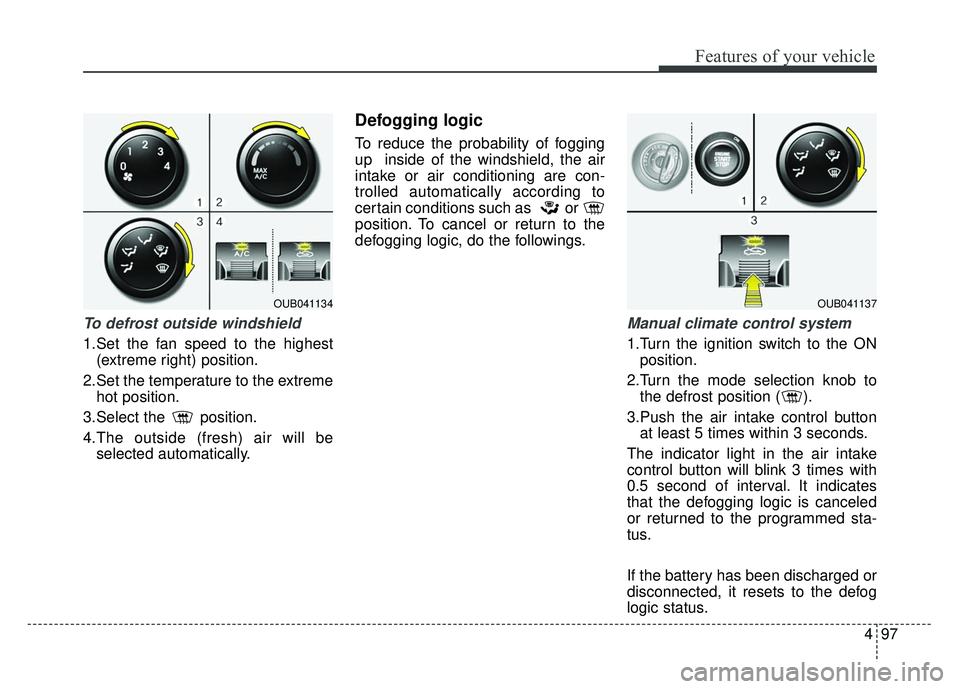
To defrost outside windshield
1.Set the fan speed to the highest(extreme right) position.
2.Set the temperature to the extreme hot position.
3.Select the position.
4.The outside (fresh) air will be selected automatically.
Defogging logic
To reduce the probability of fogging
up inside of the windshield, the air
intake or air conditioning are con-
trolled automatically according to
certain conditions such as or
position. To cancel or return to the
defogging logic, do the followings.
Manual climate control system
1.Turn the ignition switch to the ONposition.
2.Turn the mode selection knob to the defrost position ( ).
3.Push the air intake control button at least 5 times within 3 seconds.
The indicator light in the air intake
control button will blink 3 times with
0.5 second of interval. It indicates
that the defogging logic is canceled
or returned to the programmed sta-
tus.
If the battery has been discharged or
disconnected, it resets to the defog
logic status.
OUB041134OUB041137
Page 181 of 446
Features of your vehicle
110
4
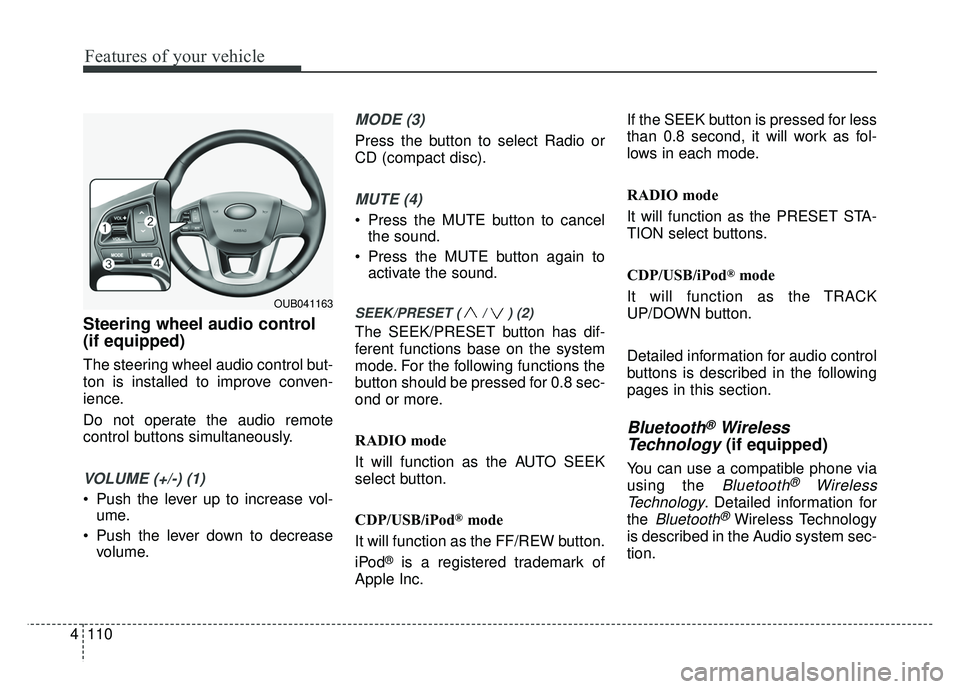
Steering wheel audio control
(if equipped)
The steering wheel audio control but-
ton is installed to improve conven-
ience.
Do not operate the audio remote
control buttons simultaneously.
VOLUME (+/-) (1)
Push the lever up to increase vol-
ume.
Push the lever down to decrease volume.
MODE (3)
Press the button to select Radio or
CD (compact disc).
MUTE (4)
Press the MUTE button to cancelthe sound.
Press the MUTE button again to activate the sound.
SEEK/PRESET ( / ) (2)
The SEEK/PRESET button has dif-
ferent functions base on the system
mode. For the following functions the
button should be pressed for 0.8 sec-
ond or more.
RADIO mode
It will function as the AUTO SEEK
select button.
CDP/USB/iPod
®mode
It will function as the FF/REW button.
iPod
®is a registered trademark of
Apple Inc. If the SEEK button is pressed for less
than 0.8 second, it will work as fol-
lows in each mode.
RADIO mode
It will function as the PRESET STA-
TION select buttons.
CDP/USB/iPod
®mode
It will function as the TRACK
UP/DOWN button.
Detailed information for audio control
buttons is described in the following
pages in this section.
Bluetooth®Wireless
Technology
(if equipped)
You can use a compatible phone via
using the
Bluetooth®Wireless
Technology
. Detailed information for
the
Bluetooth® Wireless Technology
is described in the Audio system sec-
tion.
OUB041163
Page 188 of 446
4117
Features of your vehicle
SYSTEM CONTROLLERS
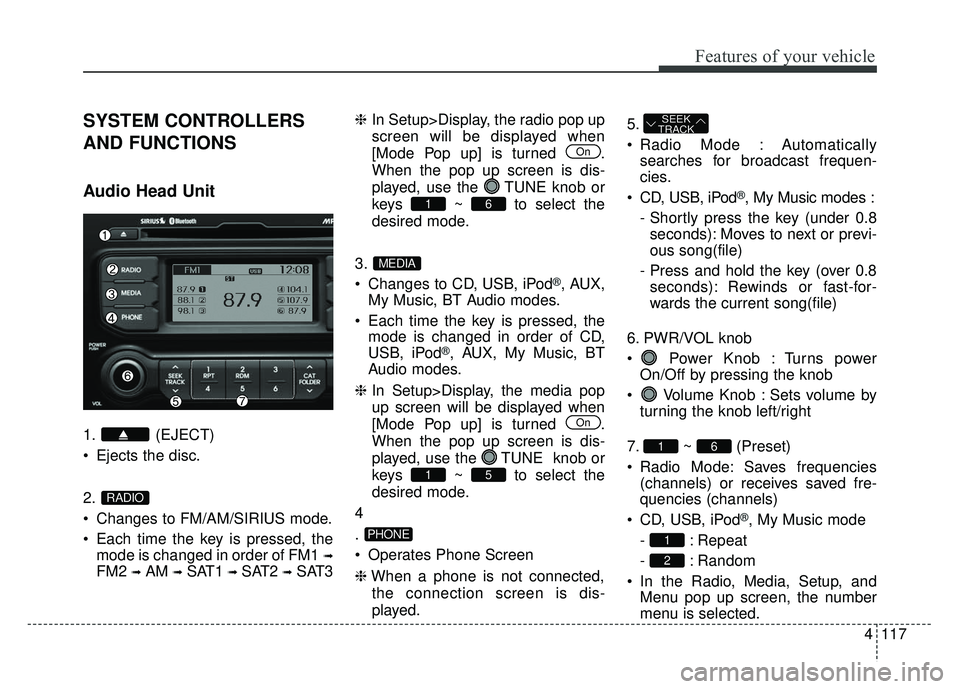
AND FUNCTIONS
Audio Head Unit
1. (EJECT)
Ejects the disc.
2.
Changes to FM/AM/SIRIUS mode.
Each time the key is pressed, themode is changed in order of FM1
➟
FM2 ➟AM ➟SAT1 ➟SAT2 ➟SAT3 ❈
In Setup>Display, the radio pop up
screen will be displayed when
[Mode Pop up] is turned .
When the pop up screen is dis-
played, use the TUNE knob or
keys ~ to select the
desired mode.
3.
Changes to CD, USB, iPod
®, AUX,
My Music, BT Audio modes.
Each time the key is pressed, the mode is changed in order of CD,
USB, iPod
®, AUX, My Music, BT
Audio modes.
❈ In Setup>Display, the media pop
up screen will be displayed when
[Mode Pop up] is turned .
When the pop up screen is dis-
played, use the TUNE knob or
keys ~ to select the
desired mode.
4
.
Operates Phone Screen
❈ When a phone is not connected,
the connection screen is dis-
played. 5.
Radio Mode : Automatically
searches for broadcast frequen-
cies.
CD, USB, iPod
®, My Music modes :
- Shortly press the key (under 0.8 seconds): Moves to next or previ-
ous song(file)
- Press and hold the key (over 0.8 seconds): Rewinds or fast-for-
wards the current song(file)
6. PWR/VOL knob
Power Knob : Turns power On/Off by pressing the knob
Volume Knob : Sets volume by turning the knob left/right
7. ~ (Preset)
Radio Mode: Saves frequencies (channels) or receives saved fre-
quencies (channels)
CD, USB, iPod
®, My Music mode
- : Repeat
- : Random
In the Radio, Media, Setup, and Menu pop up screen, the number
menu is selected.
2
1
61
SEEK
TRACK
PHONE
51
On
MEDIA
61
On
RADIO
Page 189 of 446
Features of your vehicle
118
4
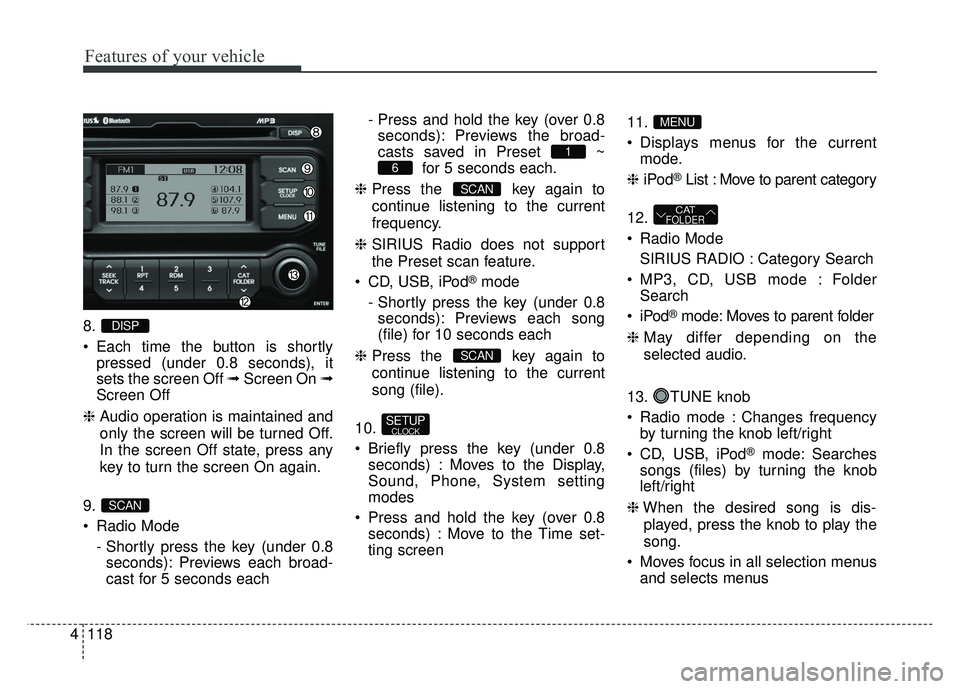
8.
Each time the button is shortly
pressed (under 0.8 seconds), it
sets the screen Off ➟ Screen On ➟
Screen Off
❈ Audio operation is maintained and
only the screen will be turned Off.
In the screen Off state, press any
key to turn the screen On again.
9.
Radio Mode - Shortly press the key (under 0.8seconds): Previews each broad-
cast for 5 seconds each - Press and hold the key (over 0.8
seconds): Previews the broad-
casts saved in Preset ~ for 5 seconds each.
❈ Press the key again to
continue listening to the current
frequency.
❈ SIRIUS Radio does not support
the Preset scan feature.
CD, USB, iPod
®mode
- Shortly press the key (under 0.8 seconds): Previews each song
(file) for 10 seconds each
❈ Press the key again to
continue listening to the current
song (file).
10.
Briefly press the key (under 0.8 seconds) : Moves to the Display,
Sound, Phone, System setting
modes
Press and hold the key (over 0.8 seconds) : Move to the Time set-
ting screen 11.
Displays menus for the current
mode.
❈ iPod
®List : Move to parent category
12.
Radio Mode SIRIUS RADIO : Category Search
MP3, CD, USB mode : Folder Search
®mode: Moves to parent folder
❈ May differ depending on the
selected audio.
13. TUNE knob
Radio mode : Changes frequency by turning the knob left/right
CD, USB, iPod
®mode: Searches
songs (files) by turning the knob
left/right
❈ When the desired song is dis-
played, press the knob to play the
song.
Moves focus in all selection menus and selects menus
CATFOLDER
MENU
SETUPCLOCK
SCAN
SCAN
6
1
SCAN
DISP