fuel KIA RIO HATCHBACK 2015 User Guide
[x] Cancel search | Manufacturer: KIA, Model Year: 2015, Model line: RIO HATCHBACK, Model: KIA RIO HATCHBACK 2015Pages: 447, PDF Size: 9.49 MB
Page 104 of 447
433
Features of your vehicle
Always check that the fuel cap is
installed securely to prevent fuel
spillage in the event of an accident.
WARNING - Fire/explo-sion risk
Read and follow all warnings
posted at the gas station facili-
ty. Failure to follow all warnings
will result in severe personal
injury, severe burns or death
due to fire or explosion.
WARNING - Cell phonefires
Do not use cellular phones
while refueling. Electric current
and/or electronic interference
from cellular phones can poten-
tially ignite fuel vapors causing
a fire.
WARNING
When using an approved
portable fuel container, be sure
to place the container on the
ground prior to refueling. Static
electricity discharge from the
container can ignite fuel vapors
causing a fire. Once refueling
has begun, contact with the
vehicle should be maintained
until the filling is complete. Use
only approved portable plastic
fuel containers designed to
carry and store gasoline.
WARNING - Static electricity
Before touching the fuel noz-
zle, you should eliminate
potentially dangerous static
electricity discharge by touch-
ing another metal part of the
vehicle, a safe distance away
from the fuel filler neck, noz-
zle, or other gas source.
Do not get back into a vehicle once you have begun refuel-
ing since you can generate
static electricity by touching,
rubbing or sliding against any
item or fabric (polyester, satin,
nylon, etc.) capable of produc-
ing static electricity. Static
electricity discharge can
ignite fuel vapors resulting in
rapid burning. If you must re-
enter the vehicle, you should
once again eliminate poten-
tially dangerous static elec-
tricity discharge by touching a
metal part of the vehicle, away
from the fuel filler neck, noz-
zle or other gasoline source.
Page 105 of 447
Features of your vehicle
34
4
Make sure to refuel your vehicle
according to the "Fuel requirements"
suggested in section 1.
If the fuel filler cap requires replace-
ment, use only a genuine Kia cap or
the equivalent specified for your vehi-
cle. An incorrect fuel filler cap can
result in a serious malfunction of the
fuel system or emission control sys-
tem.
CAUTION- Exterior
paint
Do not spill fuel on the exterior
surfaces of the vehicle. Anytype of fuel spilled on paintedsurfaces may damage the paint.
WARNING - Refueling& Vehicle fires
When refueling, always shut the
engine off. Sparks produced by
electrical components related
to the engine can ignite fuel
vapors causing a fire. Once
refueling is complete, check to
make sure the filler cap and
filler door are securely closed,
before starting the engine.
WARNING- Smoking
DO NOT use matches or a
lighter and DO NOT SMOKE or
leave a lit cigarette in your vehi-
cle while at a gas station espe-
cially during refueling.
Automotive fuel is highly flam-
mable and can, when ignited,
result in fire.
Page 116 of 447
445
Features of your vehicle
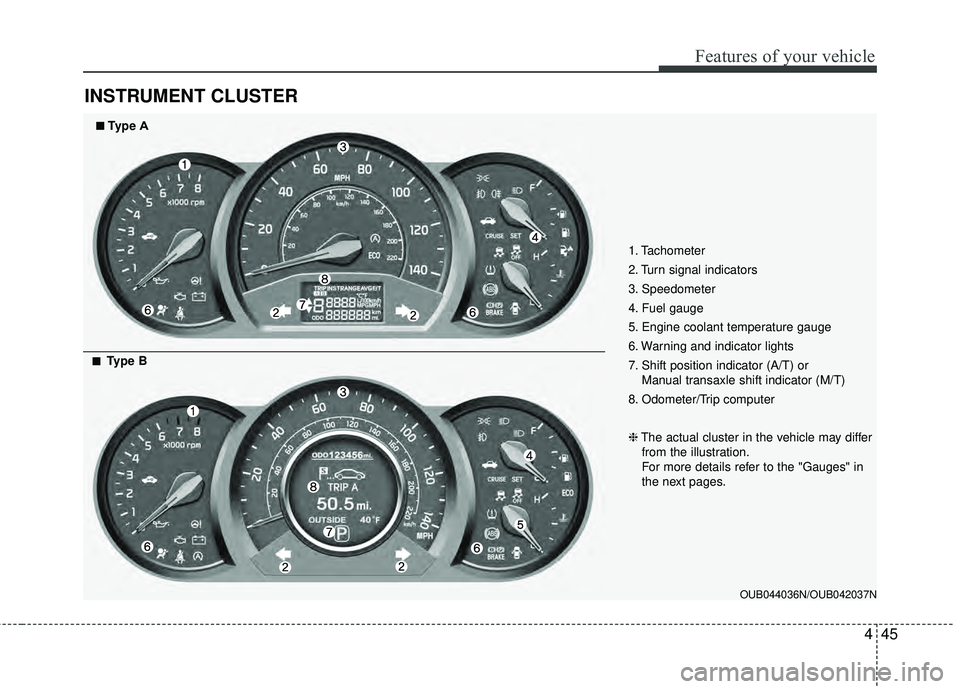
INSTRUMENT CLUSTER
1. Tachometer
2. Turn signal indicators
3. Speedometer
4. Fuel gauge
5. Engine coolant temperature gauge
6. Warning and indicator lights
7. Shift position indicator (A/T) or Manual transaxle shift indicator (M/T)
8. Odometer/Trip computer
❈ The actual cluster in the vehicle may differ
from the illustration.
For more details refer to the "Gauges" in
the next pages.
OUB044036N/OUB042037N
■
■Type A
■
■Type B
Page 118 of 447
447
Features of your vehicle
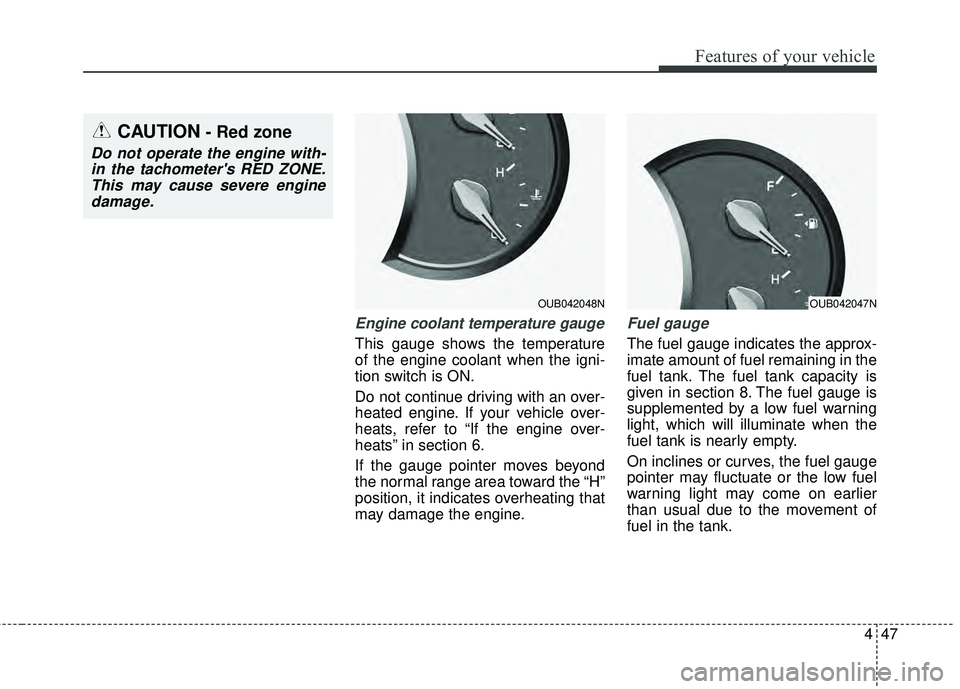
Engine coolant temperature gauge
This gauge shows the temperature
of the engine coolant when the igni-
tion switch is ON.
Do not continue driving with an over-
heated engine. If your vehicle over-
heats, refer to “If the engine over-
heats” in section 6.
If the gauge pointer moves beyond
the normal range area toward the “H”
position, it indicates overheating that
may damage the engine.
Fuel gauge
The fuel gauge indicates the approx-
imate amount of fuel remaining in the
fuel tank. The fuel tank capacity is
given in section 8. The fuel gauge is
supplemented by a low fuel warning
light, which will illuminate when the
fuel tank is nearly empty.
On inclines or curves, the fuel gauge
pointer may fluctuate or the low fuel
warning light may come on earlier
than usual due to the movement of
fuel in the tank.
OUB042048N
CAUTION- Red zone
Do not operate the engine with-in the tachometer's RED ZONE.This may cause severe enginedamage.
OUB042047N
Page 119 of 447
Features of your vehicle
48
4
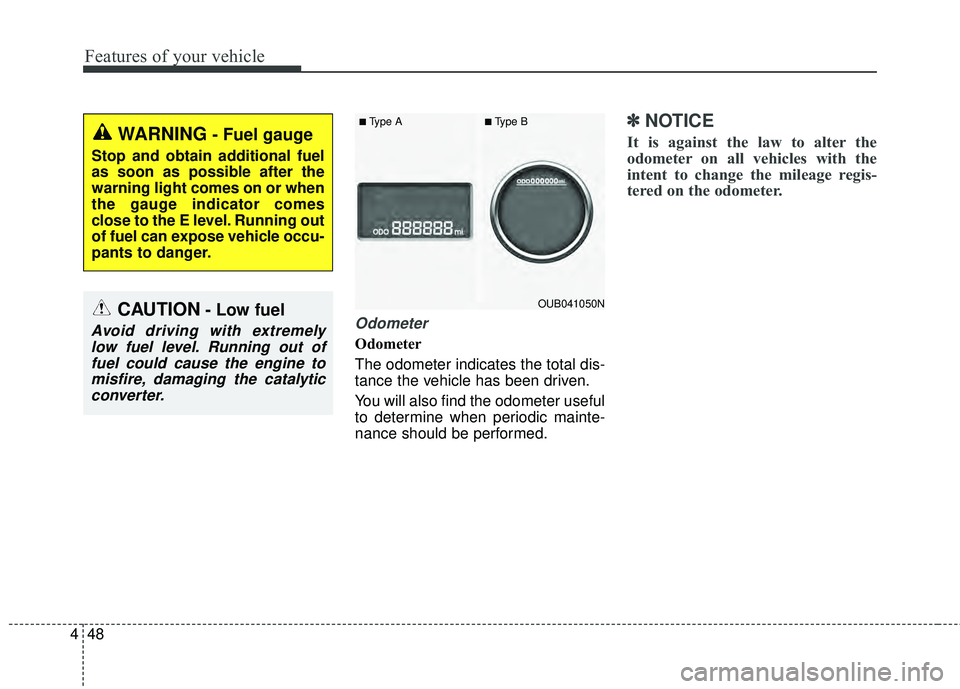
Odometer
Odometer
The odometer indicates the total dis-
tance the vehicle has been driven.
You will also find the odometer useful
to determine when periodic mainte-
nance should be performed.
✽ ✽
NOTICE
It is against the law to alter the
odometer on all vehicles with the
intent to change the mileage regis-
tered on the odometer.WARNING- Fuel gauge
Stop and obtain additional fuel
as soon as possible after the
warning light comes on or when
the gauge indicator comes
close to the E level. Running out
of fuel can expose vehicle occu-
pants to danger.
CAUTION- Low fuel
Avoid driving with extremely
low fuel level. Running out offuel could cause the engine tomisfire, damaging the catalyticconverter.
OUB041050N
■Type A■Type B
Page 120 of 447
449
Features of your vehicle
Trip computer (Tripmeter) (if equipped)
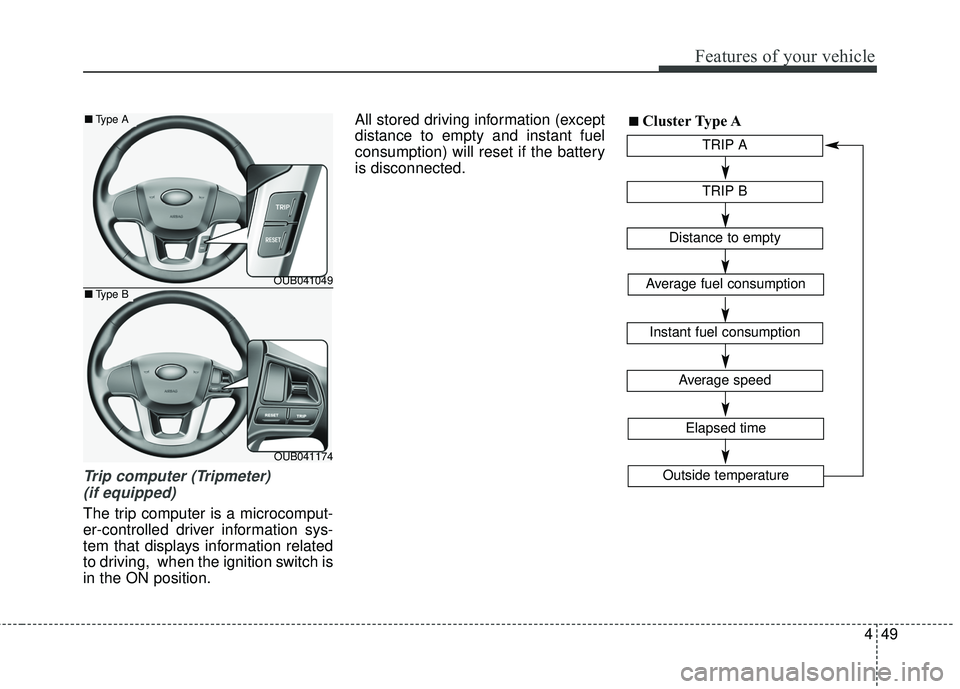
The trip computer is a microcomput-
er-controlled driver information sys-
tem that displays information related
to driving, when the ignition switch is
in the ON position. All stored driving information (except
distance to empty and instant fuel
consumption) will reset if the battery
is disconnected.
TRIP A
TRIP B
Average speed
Elapsed time
Distance to empty
Average fuel consumption
Instant fuel consumption
Outside temperature
■ ■Cluster Type A
OUB041049
OUB041174
■
Type A
■Type B
Page 121 of 447
Features of your vehicle
50
4
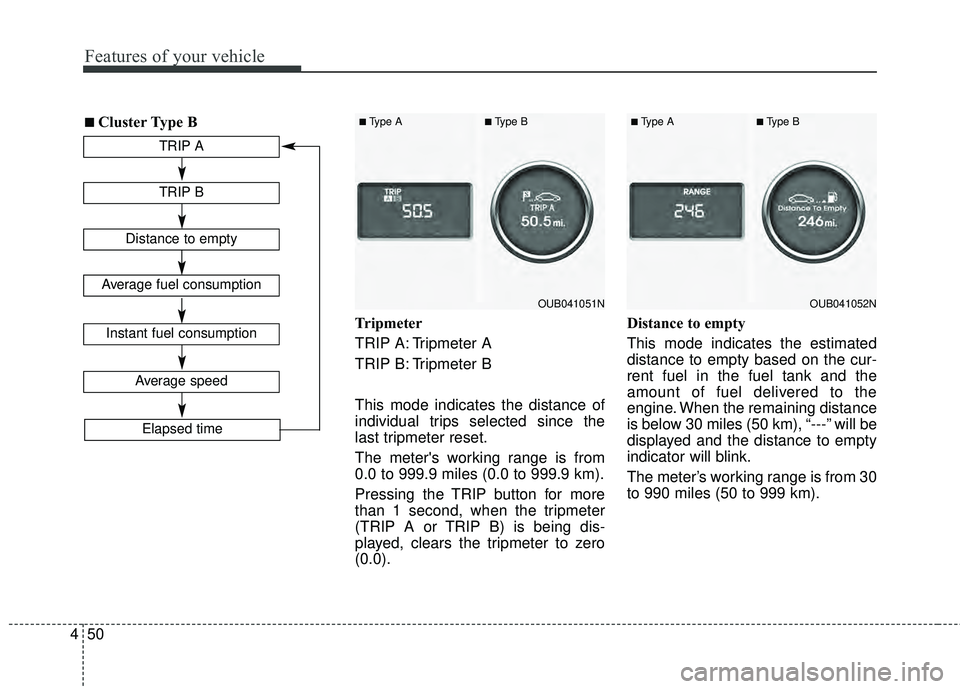
Tripmeter
TRIP A: Tripmeter A
TRIP B: Tripmeter B
This mode indicates the distance of
individual trips selected since the
last tripmeter reset.
The meter's working range is from
0.0 to 999.9 miles (0.0 to 999.9 km).
Pressing the TRIP button for more
than 1 second, when the tripmeter
(TRIP A or TRIP B) is being dis-
played, clears the tripmeter to zero
(0.0). Distance to empty
This mode indicates the estimated
distance to empty based on the cur-
rent fuel in the fuel tank and the
amount of fuel delivered to the
engine. When the remaining distance
is below 30 miles (50 km), “---” will be
displayed and the distance to empty
indicator will blink.
The meter’s working range is from 30
to 990 miles (50 to 999 km).
TRIP A
TRIP B
Average speed
Elapsed time
Distance to empty
Average fuel consumption
Instant fuel consumption
■ ■Cluster Type B
OUB041051N
■Type A■Type B
OUB041052N
■Type A■Type B
Page 122 of 447
451
Features of your vehicle
If the vehicle is not on level groundor the battery power has been
interrupted, the “Distance to
empty” function may not operate
correctly.
The trip computer may not register
additional fuel if less than 6 liters
(1.6 gallons) of fuel are added to
the vehicle.
The fuel consumption and distance to empty values may vary signifi-
cantly based on driving conditions,
driving habits, and condition of the
vehicle.
The distance to empty value is an estimate of the available driving
distance. This value may differ from
the actual driving distance avail-
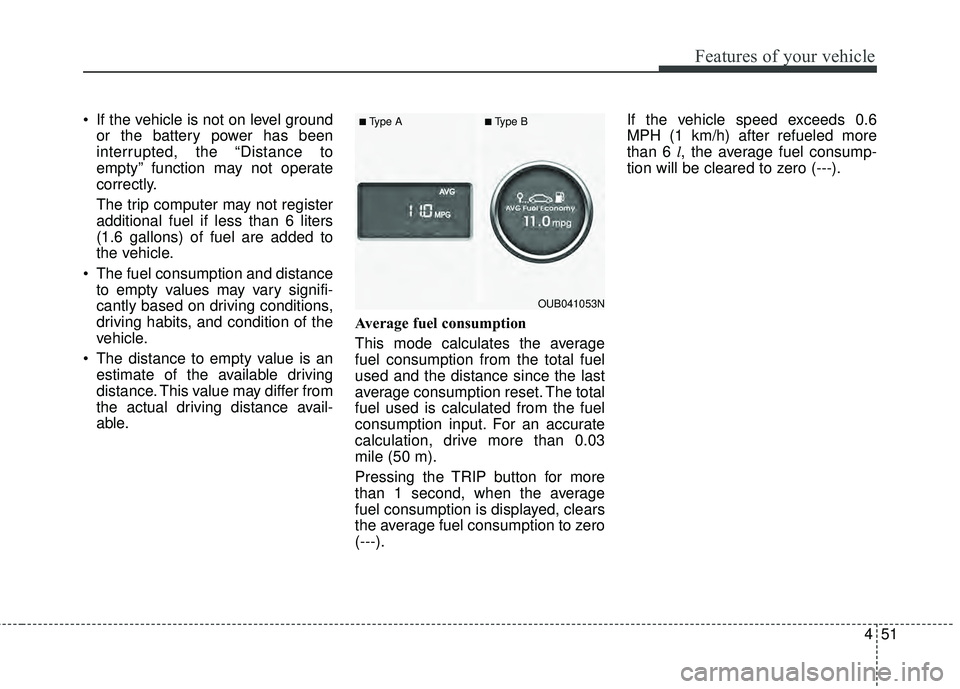
able. Average fuel consumption
This mode calculates the average
fuel consumption from the total fuel
used and the distance since the last
average consumption reset. The total
fuel used is calculated from the fuel
consumption input. For an accurate
calculation, drive more than 0.03
mile (50 m).
Pressing the TRIP button for more
than 1 second, when the average
fuel consumption is displayed, clears
the average fuel consumption to zero
(---). If the vehicle speed exceeds 0.6
MPH (1 km/h) after refueled more
than 6 l
, the average fuel consump-
tion will be cleared to zero (---).
OUB041053N
■Type A■Type B
Page 123 of 447
Features of your vehicle
52
4
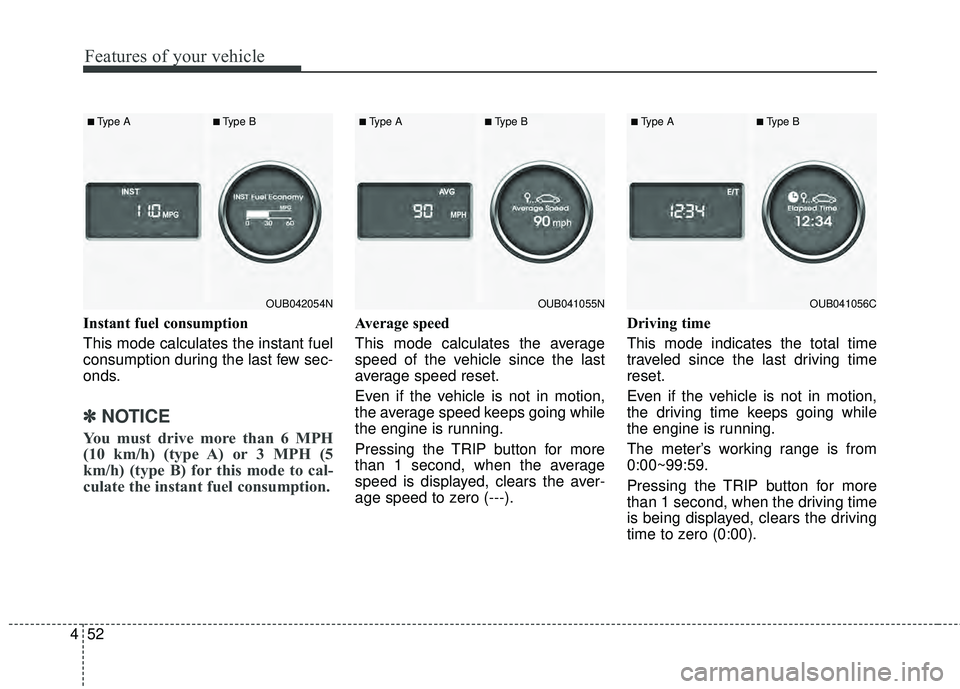
Instant fuel consumption
This mode calculates the instant fuel
consumption during the last few sec-
onds.
✽ ✽
NOTICE
You must drive more than 6 MPH
(10 km/h) (type A) or 3 MPH (5
km/h) (type B) for this mode to cal-
culate the instant fuel consumption.
Average speed
This mode calculates the average
speed of the vehicle since the last
average speed reset.
Even if the vehicle is not in motion,
the average speed keeps going while
the engine is running.
Pressing the TRIP button for more
than 1 second, when the average
speed is displayed, clears the aver-
age speed to zero (---). Driving time
This mode indicates the total time
traveled since the last driving time
reset.
Even if the vehicle is not in motion,
the driving time keeps going while
the engine is running.
The meter’s working range is from
0:00~99:59.
Pressing the TRIP button for more
than 1 second, when the driving time
is being displayed, clears the driving
time to zero (0:00).
OUB041055N
■Type A■Type B
OUB041056C
■Type A■Type B
OUB042054N
■Type A■Type B
Page 124 of 447
453
Features of your vehicle
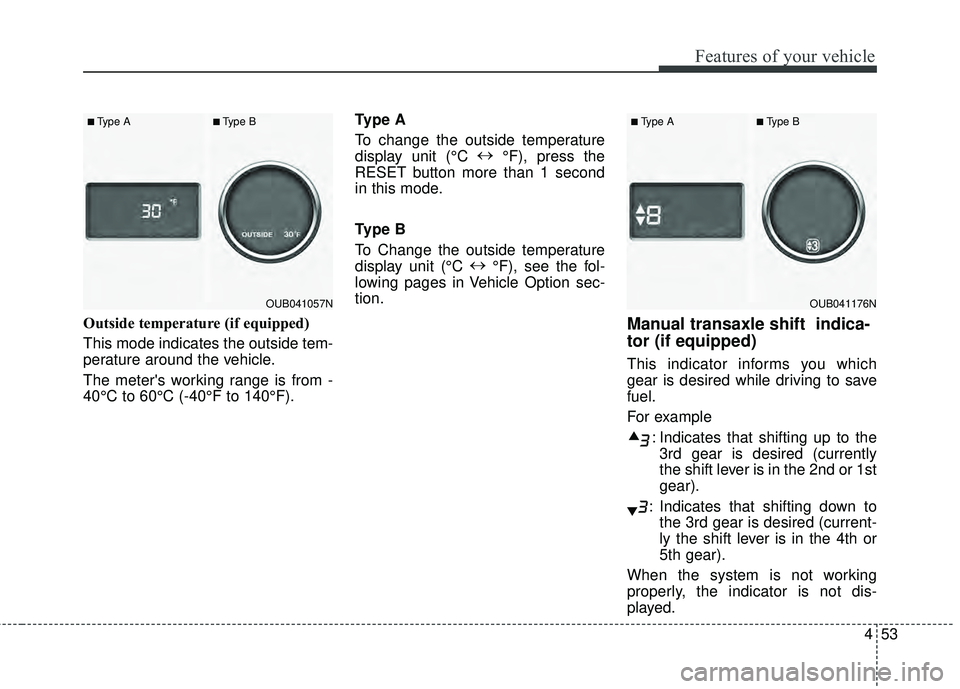
Outside temperature (if equipped)
This mode indicates the outside tem-
perature around the vehicle.
The meter's working range is from -
40°C to 60°C (-40°F to 140°F).Type A
To change the outside temperature
display unit (°C
↔
°F), press the
RESET button more than 1 second
in this mode.
Type B
To Change the outside temperature
display unit (°C ↔
°F), see the fol-
lowing pages in Vehicle Option sec-
tion.Manual transaxle shift indica-
tor (if equipped)
This indicator informs you which
gear is desired while driving to save
fuel.
For example
: Indicates that shifting up to the3rd gear is desired (currently
the shift lever is in the 2nd or 1st
gear).
: Indicates that shifting down to the 3rd gear is desired (current-
ly the shift lever is in the 4th or
5th gear).
When the system is not working
properly, the indicator is not dis-
played.
OUB041176N
■Type A■Type B
OUB041057N
■Type A■Type B