display KIA Rondo 2007 2.G Owner's Guide
[x] Cancel search | Manufacturer: KIA, Model Year: 2007, Model line: Rondo, Model: KIA Rondo 2007 2.GPages: 343, PDF Size: 3.61 MB
Page 198 of 343

4119
Features of your vehicle
7. EQ ButtonPress the EQ button to select the CLAS-
SIC, POP, ROCK, JAZZ and OFF MODE
for the desired tone quality. Each press of
the button changes the display as fol-
lows;8. SCAN Button To playback the first 10 seconds ofeach track, press the SCAN button
more than 0.8 seconds.
To playback the first 10 seconds of each track in the selected folder, press
the SCAN button within 0.8 seconds.
(MP3 CD only)
Press the SCAN button again within 10 sec. when you have reached the
desired track.
9. BOOKMARK (MARK) ButtonWhen the CD player unit is operating, the
desired track on the disc can be book-
marked by using the MARK button.
Press the MARK button for more than0.8 seconds to bookmark the desired
track.
“M” will be displayed on the LCD and
“MEMORY(1~50)” will display for
approximately five seconds with beep
sound.
To play the bookmarked tracks, press
the MARK button within 0.8 seconds
and select the bookmarked track to
play.
To erase a bookmarked track, press the MARK button for more than 0.8
seconds. The unit will beep once when
the bookmark is erased.
If you want to delete all tracks stored on
Mark Memory, press FILE SEARCH
Knob in the Mark Play mode for more
than 0.8 seconds. You will hear a beep
sound and all tracks will be deleted from
Mark Memory with “MARK DELETE ALL”
displayed on the LCD.
✽ ✽ NOTICETracks stored on Mark Memory will be
automatically erased after you eject CDs
that contain those tracks. 10. REPEAT (RPT) Button To repeat the track you are currently
listening to, press the RPT button.
To cancel, press it again.
To repeat the music within selected CD, press the RPT button for more
than 0.8 seconds.
To cancel, press it again for more than
0.8 seconds.
To repeat the music within currently played folder, press the RPT button for
more than 0.8 seconds.
To cancel, press it again.
If you do not release RPT operation after all the tracks are played back, the
unit will play back again from the first
track.
This process will be continued until you
push the button again or turn the
power OFF then ON.
CLASSIC➟ POP➟ROCK➟ JAZZ➟OFF
Page 208 of 343
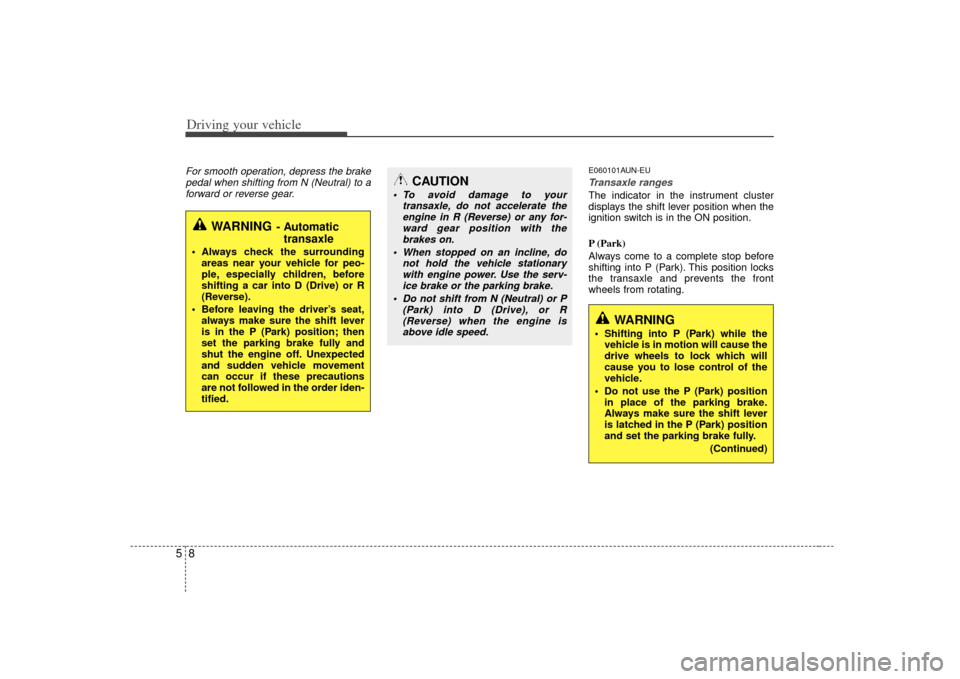
Driving your vehicle85For smooth operation, depress the brakepedal when shifting from N (Neutral) to aforward or reverse gear.
E060101AUN-EUTransaxle rangesThe indicator in the instrument cluster
displays the shift lever position when the
ignition switch is in the ON position.
P (Park)
Always come to a complete stop before
shifting into P (Park). This position locks
the transaxle and prevents the front
wheels from rotating.
WARNING
- Automatic transaxle
Always check the surrounding
areas near your vehicle for peo-
ple, especially children, before
shifting a car into D (Drive) or R
(Reverse).
Before leaving the driver’s seat, always make sure the shift lever
is in the P (Park) position; then
set the parking brake fully and
shut the engine off. Unexpected
and sudden vehicle movement
can occur if these precautions
are not followed in the order iden-
tified.
CAUTION
To avoid damage to your transaxle, do not accelerate theengine in R (Reverse) or any for-ward gear position with the brakes on.
When stopped on an incline, do not hold the vehicle stationarywith engine power. Use the serv-ice brake or the parking brake.
Do not shift from N (Neutral) or P (Park) into D (Drive), or R(Reverse) when the engine isabove idle speed.
WARNING
Shifting into P (Park) while the vehicle is in motion will cause the
drive wheels to lock which will
cause you to lose control of the
vehicle.
Do not use the P (Park) position in place of the parking brake.
Always make sure the shift lever
is latched in the P (Park) position
and set the parking brake fully.
(Continued)
Page 308 of 343
Maintenance38
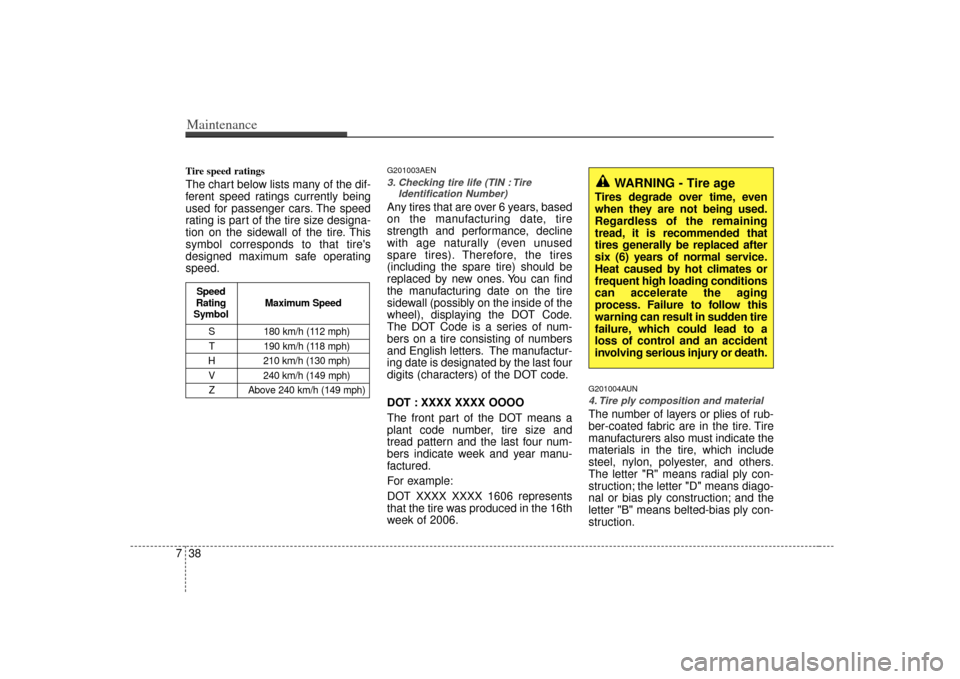
7Tire speed ratings The chart below lists many of the dif-
ferent speed ratings currently being
used for passenger cars. The speed
rating is part of the tire size designa-
tion on the sidewall of the tire. This
symbol corresponds to that tire's
designed maximum safe operating
speed.
G201003AEN3. Checking tire life (TIN : Tire
Identification Number) Any tires that are over 6 years, based
on the manufacturing date, tire
strength and performance, decline
with age naturally (even unused
spare tires). Therefore, the tires
(including the spare tire) should be
replaced by new ones. You can find
the manufacturing date on the tire
sidewall (possibly on the inside of the
wheel), displaying the DOT Code.
The DOT Code is a series of num-
bers on a tire consisting of numbers
and English letters. The manufactur-
ing date is designated by the last four
digits (characters) of the DOT code.
DOT : XXXX XXXX OOOO
The front part of the DOT means a
plant code number, tire size and
tread pattern and the last four num-
bers indicate week and year manu-
factured.
For example:
DOT XXXX XXXX 1606 represents
that the tire was produced in the 16th
week of 2006.
G201004AUN4. Tire ply composition and materialThe number of layers or plies of rub-
ber-coated fabric are in the tire. Tire
manufacturers also must indicate the
materials in the tire, which include
steel, nylon, polyester, and others.
The letter "R" means radial ply con-
struction; the letter "D" means diago-
nal or bias ply construction; and the
letter "B" means belted-bias ply con-
struction.
WARNING - Tire age
Tires degrade over time, even
when they are not being used.
Regardless of the remaining
tread, it is recommended that
tires generally be replaced after
six (6) years of normal service.
Heat caused by hot climates or
frequent high loading conditions
can accelerate the aging
process. Failure to follow this
warning can result in sudden tire
failure, which could lead to a
loss of control and an accident
involving serious injury or death.
S 180 km/h (112 mph)
T 190 km/h (118 mph)
H 210 km/h (130 mph) V 240 km/h (149 mph)Z Above 240 km/h (149 mph)
Maximum Speed
Speed
Rating
Symbol