light KIA Rondo 2008 2.G Workshop Manual
[x] Cancel search | Manufacturer: KIA, Model Year: 2008, Model line: Rondo, Model: KIA Rondo 2008 2.GPages: 341, PDF Size: 6.23 MB
Page 148 of 341
469
Features of your vehicle
✽ ✽
NOTICE• When using the air conditioning sys-
tem, monitor the temperature gauge
closely while driving up hills or in
heavy traffic when outside tempera-
tures are high. Air conditioning sys-
tem operation may cause engine over-
heating. Continue to use the blower
fan but turn the air conditioning sys-
tem off if the temperature gauge indi-
cates engine overheating.
• When opening the windows in humid
weather air conditioning may create
water droplets inside the vehicle.
Since excessive water droplets may
cause damage to electrical equipment,
air conditioning should only be run
with the windows closed.
Air conditioning system operation tips
If the vehicle has been parked in direct
sunlight during hot weather, open the
windows for a short time to let the hot
air inside the vehicle escape.
To help reduce moisture inside of the
windows on rainy or humid days,
decrease the humidity inside the vehi-
cle by operating the air conditioning
system.
During air conditioning system opera-
tion, you may occasionally notice a
slight change in engine speed as the
air conditioning compressor cycles.
This is a normal system operation
characteristic.
Use the air conditioning system every
month only for a few minutes to ensure
maximum system performance.
When using the air conditioning sys-
tem, you may notice clear water drip-
ping (or even puddling) on the ground
under the passenger side of the vehi-
cle. This is a normal system operation
characteristic.
Operating the air conditioning system
in the recirculated air position provides
maximum cooling, however, continual
operation in this mode may cause the
air inside the vehicle to become stale.
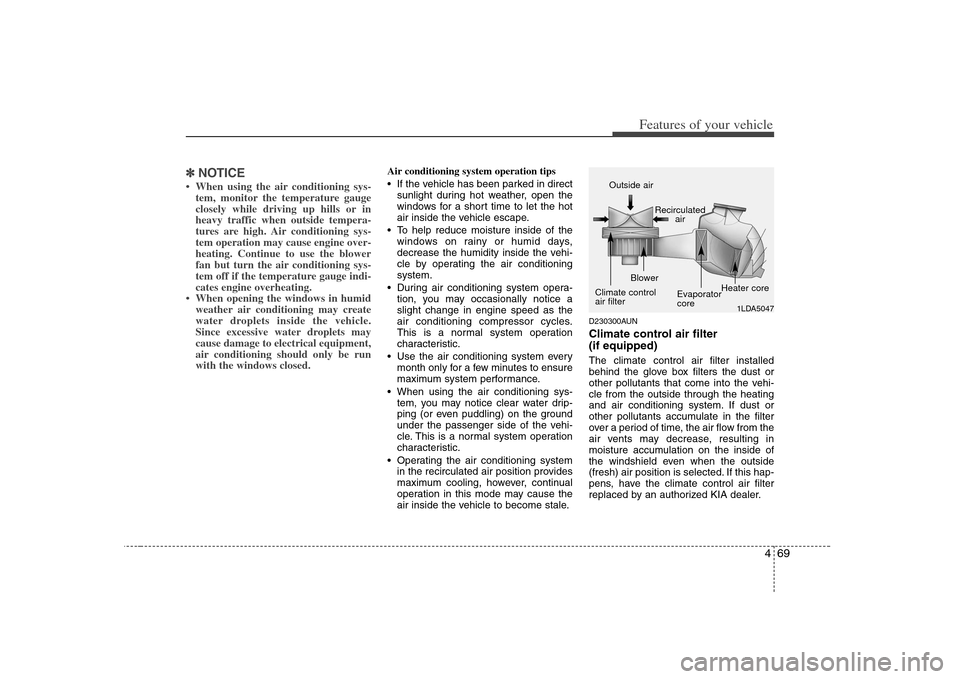
D230300AUNClimate control air filter
(if equipped)The climate control air filter installed
behind the glove box filters the dust or
other pollutants that come into the vehi-
cle from the outside through the heating
and air conditioning system. If dust or
other pollutants accumulate in the filter
over a period of time, the air flow from the
air vents may decrease, resulting in
moisture accumulation on the inside of
the windshield even when the outside
(fresh) air position is selected. If this hap-
pens, have the climate control air filter
replaced by an authorized KIA dealer.
1LDA5047
Outside air
Recirculated
air
Climate control
air filterBlower
Evaporator
coreHeater core
Page 154 of 341
475
Features of your vehicle
Temperature conversion
If the battery has been discharged or
disconnected, the temperature mode dis-
play will reset to Fahrenheit.
This is a normal condition. You can switch
the temperature mode between
Fahrenheit to Centigrade as follows;
While depressing the AUTO button,
depress the OFF button for 3 seconds or
more. The display will change from
Fahrenheit to Centigrade, or from
Centigrade to Fahrenheit.
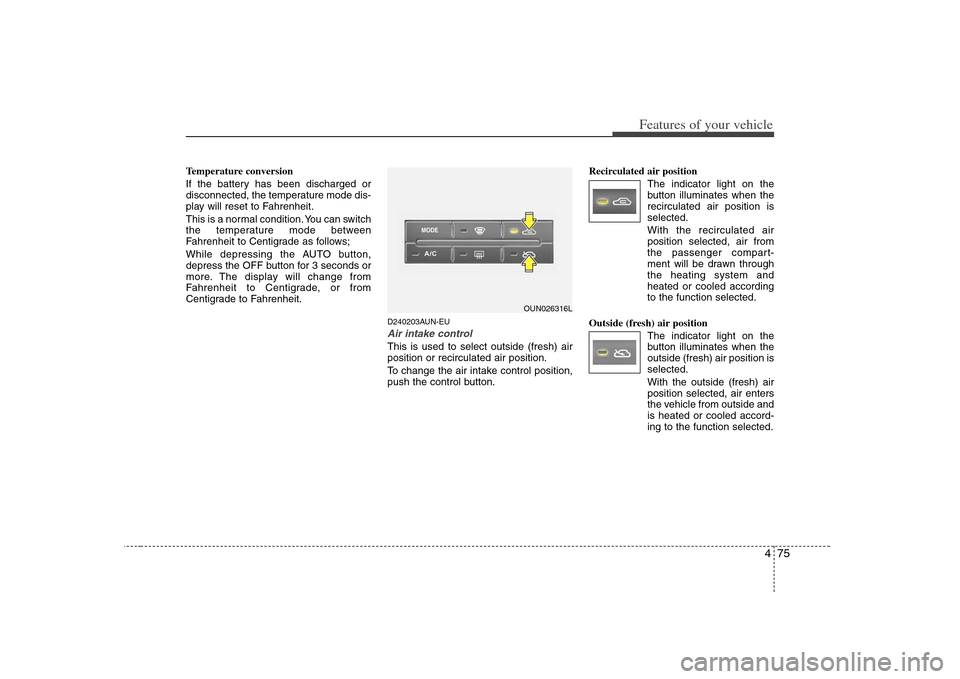
D240203AUN-EUAir intake controlThis is used to select outside (fresh) air
position or recirculated air position.
To change the air intake control position,
push the control button.Recirculated air position
The indicator light on the
button illuminates when the
recirculated air position is
selected.
With the recirculated air
position selected, air from
the passenger compart-
ment will be drawn through
the heating system and
heated or cooled according
to the function selected.
Outside (fresh) air position
The indicator light on the
button illuminates when the
outside (fresh) air position is
selected.
With the outside (fresh) air
position selected, air enters
the vehicle from outside and
is heated or cooled accord-
ing to the function selected.
OUN026316L
Page 156 of 341
477
Features of your vehicle
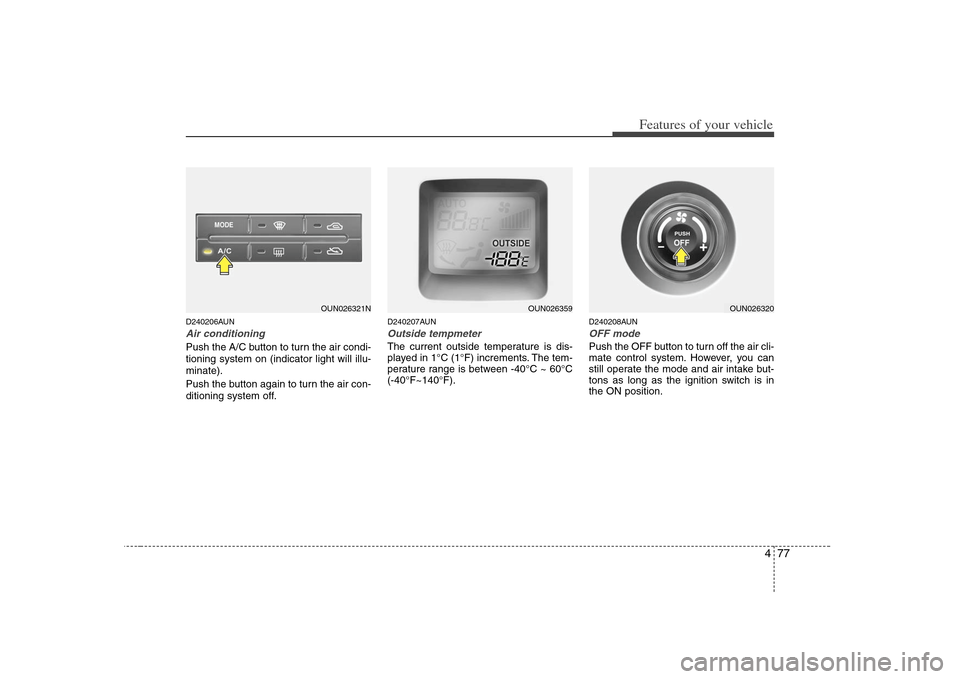
D240206AUNAir conditioningPush the A/C button to turn the air condi-
tioning system on (indicator light will illu-
minate).
Push the button again to turn the air con-
ditioning system off.
D240207AUNOutside tempmeter The current outside temperature is dis-
played in 1°C (1°F) increments. The tem-
perature range is between -40°C ~ 60°C
(-40°F~140°F).
D240208AUNOFF modePush the OFF button to turn off the air cli-
mate control system. However, you can
still operate the mode and air intake but-
tons as long as the ignition switch is in
the ON position.
OUN026321N
OUN026359
OUN026320
Page 159 of 341
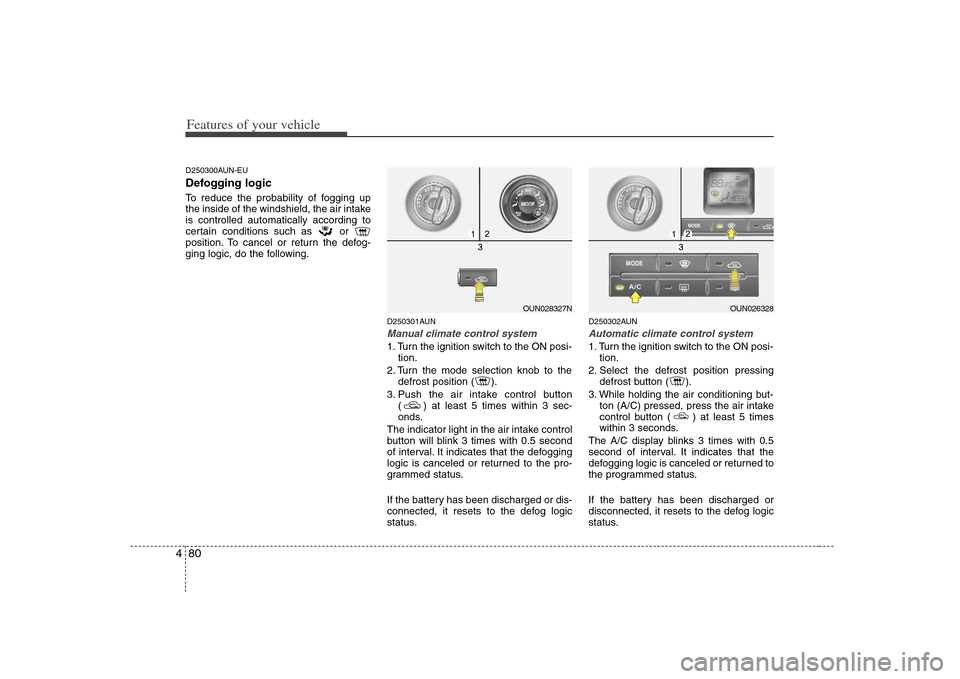
Features of your vehicle80 4D250300AUN-EUDefogging logicTo reduce the probability of fogging up
the inside of the windshield, the air intake
is controlled automatically according to
certain conditions such as or
position. To cancel or return the defog-
ging logic, do the following.
D250301AUNManual climate control system1. Turn the ignition switch to the ON posi-
tion.
2. Turn the mode selection knob to the
defrost position ( ).
3. Push the air intake control button
( ) at least 5 times within 3 sec-
onds.
The indicator light in the air intake control
button will blink 3 times with 0.5 second
of interval. It indicates that the defogging
logic is canceled or returned to the pro-
grammed status.
If the battery has been discharged or dis-
connected, it resets to the defog logic
status.
D250302AUNAutomatic climate control system1. Turn the ignition switch to the ON posi-
tion.
2. Select the defrost position pressing
defrost button ( ).
3. While holding the air conditioning but-
ton (A/C) pressed, press the air intake
control button ( ) at least 5 times
within 3 seconds.
The A/C display blinks 3 times with 0.5
second of interval. It indicates that the
defogging logic is canceled or returned to
the programmed status.
If the battery has been discharged or
disconnected, it resets to the defog logic
status.
OUN028327N
OUN026328
Page 160 of 341
481
Features of your vehicle
D270000AUNThese compartments can be used to
store small items required by the driver
or passengers.
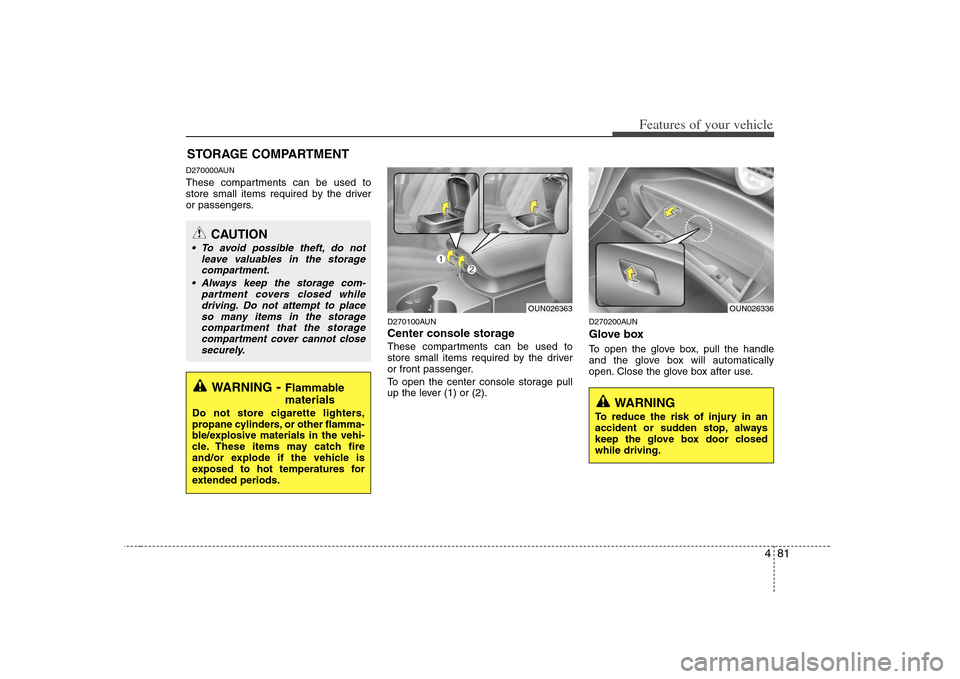
D270100AUNCenter console storage These compartments can be used to
store small items required by the driver
or front passenger.
To open the center console storage pull
up the lever (1) or (2).
D270200AUNGlove boxTo open the glove box, pull the handle
and the glove box will automatically
open. Close the glove box after use.
STORAGE COMPARTMENT
WARNING
- Flammable
materials
Do not store cigarette lighters,
propane cylinders, or other flamma-
ble/explosive materials in the vehi-
cle. These items may catch fire
and/or explode if the vehicle is
exposed to hot temperatures for
extended periods.
CAUTION
To avoid possible theft, do not
leave valuables in the storage
compartment.
Always keep the storage com-
partment covers closed while
driving. Do not attempt to place
so many items in the storage
compartment that the storage
compartment cover cannot close
securely.
OUN026336
OUN026363
WARNING
To reduce the risk of injury in an
accident or sudden stop, always
keep the glove box door closed
while driving.
Page 163 of 341
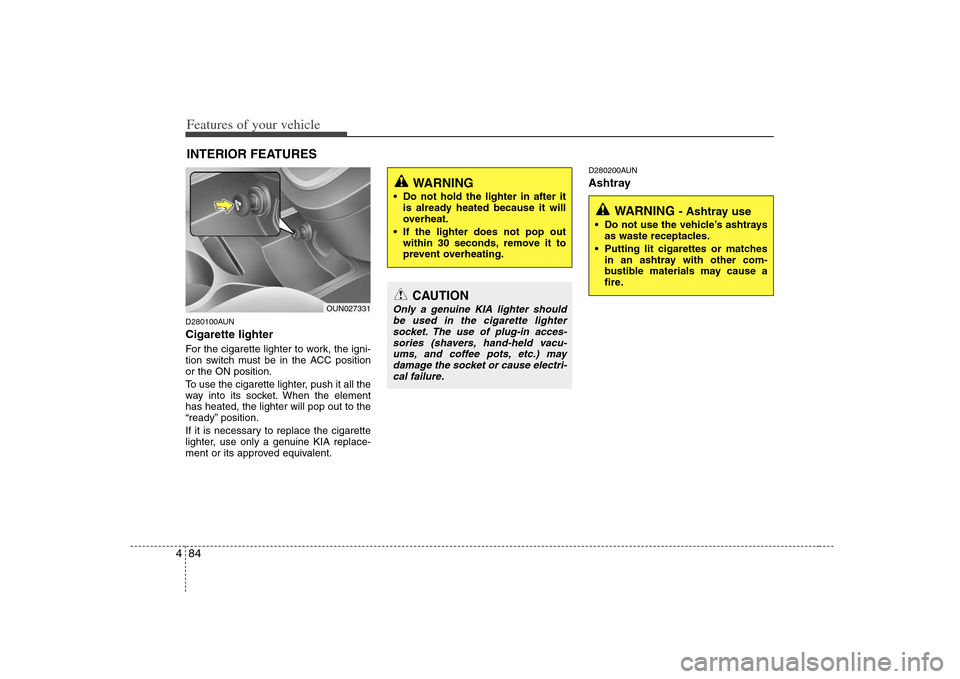
Features of your vehicle84 4D280100AUNCigarette lighterFor the cigarette lighter to work, the igni-
tion switch must be in the ACC position
or the ON position.
To use the cigarette lighter, push it all the
way into its socket. When the element
has heated, the lighter will pop out to the
“ready” position.
If it is necessary to replace the cigarette
lighter, use only a genuine KIA replace-
ment or its approved equivalent.
D280200AUNAshtray
INTERIOR FEATURES
CAUTION
Only a genuine KIA lighter should
be used in the cigarette lighter
socket. The use of plug-in acces-
sories (shavers, hand-held vacu-
ums, and coffee pots, etc.) may
damage the socket or cause electri-
cal failure.
WARNING
Do not hold the lighter in after it
is already heated because it will
overheat.
If the lighter does not pop out
within 30 seconds, remove it to
prevent overheating.
OUN027331
WARNING
- Ashtray use
Do not use the vehicle’s ashtrays
as waste receptacles.
Putting lit cigarettes or matches
in an ashtray with other com-
bustible materials may cause a
fire.
Page 165 of 341
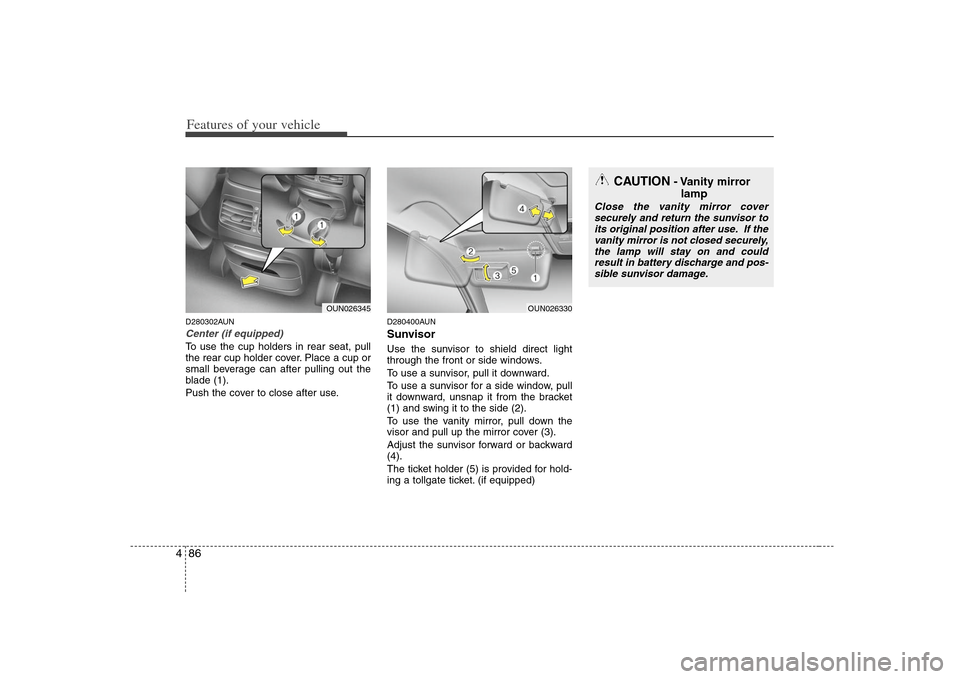
Features of your vehicle86 4D280302AUNCenter (if equipped)To use the cup holders in rear seat, pull
the rear cup holder cover. Place a cup or
small beverage can after pulling out the
blade (1).
Push the cover to close after use.
D280400AUNSunvisorUse the sunvisor to shield direct light
through the front or side windows.
To use a sunvisor, pull it downward.
To use a sunvisor for a side window, pull
it downward, unsnap it from the bracket
(1) and swing it to the side (2).
To use the vanity mirror, pull down the
visor and pull up the mirror cover (3).
Adjust the sunvisor forward or backward
(4).
The ticket holder (5) is provided for hold-
ing a tollgate ticket. (if equipped)
OUN026330
OUN026345
CAUTION
- Vanity mirror
lamp
Close the vanity mirror cover
securely and return the sunvisor to
its original position after use. If the
vanity mirror is not closed securely,
the lamp will stay on and could
result in battery discharge and pos-
sible sunvisor damage.
Page 170 of 341
491
Features of your vehicle
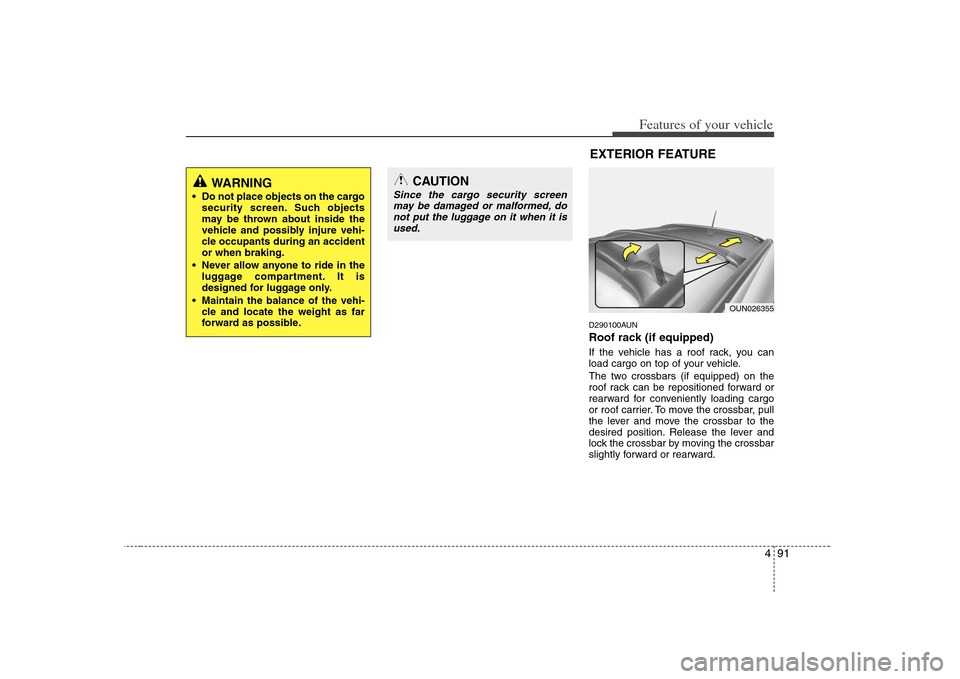
D290100AUNRoof rack (if equipped)If the vehicle has a roof rack, you can
load cargo on top of your vehicle.
The two crossbars (if equipped) on the
roof rack can be repositioned forward or
rearward for conveniently loading cargo
or roof carrier. To move the crossbar, pull
the lever and move the crossbar to the
desired position. Release the lever and
lock the crossbar by moving the crossbar
slightly forward or rearward.
OUN026355
EXTERIOR FEATURE
WARNING
Do not place objects on the cargo
security screen. Such objects
may be thrown about inside the
vehicle and possibly injure vehi-
cle occupants during an accident
or when braking.
Never allow anyone to ride in the
luggage compartment. It is
designed for luggage only.
Maintain the balance of the vehi-
cle and locate the weight as far
forward as possible.
CAUTION
Since the cargo security screen
may be damaged or malformed, do
not put the luggage on it when it is
used.
Page 175 of 341
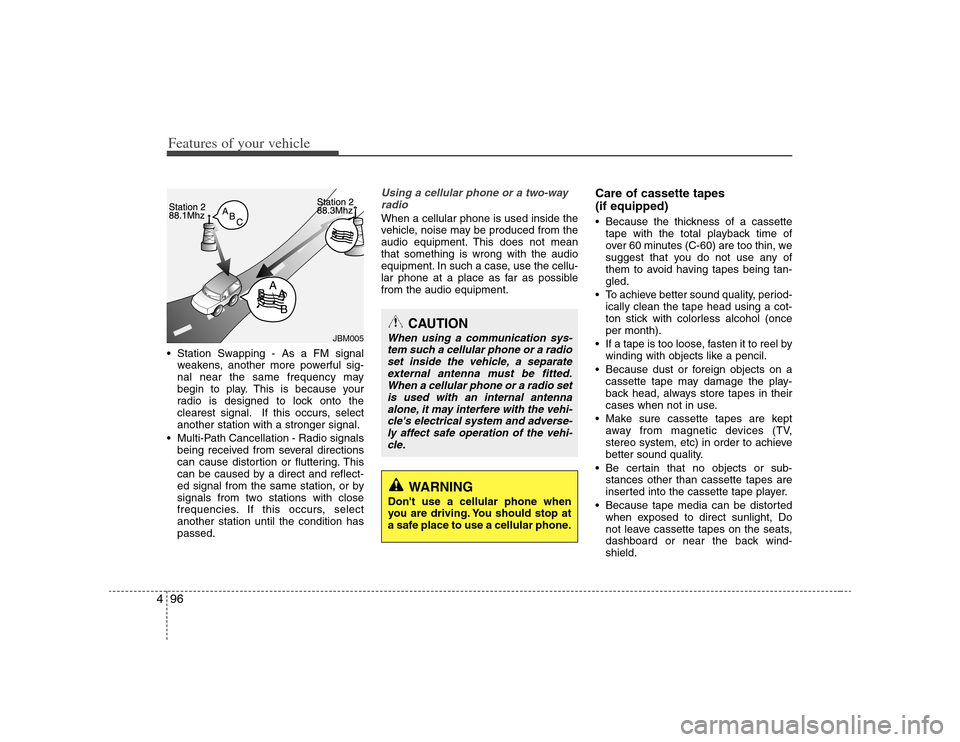
Features of your vehicle96 4 Station Swapping - As a FM signal
weakens, another more powerful sig-
nal near the same frequency may
begin to play. This is because your
radio is designed to lock onto the
clearest signal. If this occurs, select
another station with a stronger signal.
Multi-Path Cancellation - Radio signals
being received from several directions
can cause distortion or fluttering. This
can be caused by a direct and reflect-
ed signal from the same station, or by
signals from two stations with close
frequencies. If this occurs, select
another station until the condition has
passed.
Using a cellular phone or a two-way
radio When a cellular phone is used inside the
vehicle, noise may be produced from the
audio equipment. This does not mean
that something is wrong with the audio
equipment. In such a case, use the cellu-
lar phone at a place as far as possible
from the audio equipment.
Care of cassette tapes
(if equipped) Because the thickness of a cassette
tape with the total playback time of
over 60 minutes (C-60) are too thin, we
suggest that you do not use any of
them to avoid having tapes being tan-
gled.
To achieve better sound quality, period-
ically clean the tape head using a cot-
ton stick with colorless alcohol (once
per month).
If a tape is too loose, fasten it to reel by
winding with objects like a pencil.
Because dust or foreign objects on a
cassette tape may damage the play-
back head, always store tapes in their
cases when not in use.
Make sure cassette tapes are kept
away from magnetic devices (TV,
stereo system, etc) in order to achieve
better sound quality.
Be certain that no objects or sub-
stances other than cassette tapes are
inserted into the cassette tape player.
Because tape media can be distorted
when exposed to direct sunlight, Do
not leave cassette tapes on the seats,
dashboard or near the back wind-
shield.
JBM005
CAUTION
When using a communication sys-
tem such a cellular phone or a radio
set inside the vehicle, a separate
external antenna must be fitted.
When a cellular phone or a radio set
is used with an internal antenna
alone, it may interfere with the vehi-
cle's electrical system and adverse-
ly affect safe operation of the vehi-
cle.
WARNING
Don't use a cellular phone when
you are driving. You should stop at
a safe place to use a cellular phone.
Page 196 of 341
4117
Features of your vehicle
1. LOAD ButtonThis compact disc player will accommo-
date up to six compact discs.
To insert multiple discs into the player,
perform the following:
1. Press and release the LOAD Button.
2. Green light on the slot will be illuminat-
ed and the lowest number of empty
slot will blink on the display.
After “WAIT” is displayed on the LCD,
the slot will open with “INSERT” dis-
played on the LCD.
3. Insert a disc partway into the slot, label
side up. The player will pull the disc in.
When the disc is inserted, the disc will
begin to play automatically.✽ ✽
NOTICE• The disc can be only inserted while the
green light is blinking on the slot.
• This CD player is suitable only for 12
cm discs, do not use irregular shaped
CDs.
To insert multiple discs:
1. Press and hold the LOAD button for
one second or more.
You will then hear a beep sound and
the green light on the slot will be illumi-
nated, and the numbers of empty disc
will blink on the display.
2. After “WAIT” is displayed on the LCD
with the lowest number of empty slot
blinking, the slot will open with “INSERT”
displayed on the LCD.
3. Insert a disc partway into the slot, label
side up. The player will pull the disc in.
Once the disc is loaded, the numbers
of the empty disc will blink on the dis-
play continuously.
If the next “DISC NO.” is displayed when
the slot is illuminated, you can then load
another disc.
4. Load the remaining disc by following
procedures 1 and 2. When you finished
loading 6 discs, the CD player will
begin to play the last CD loaded.
5. To load more than one disc but less
than six, complete Steps 1 and 2.When you have finished loading discs,
press LOAD button to cancel the loading
function or wait for 10 seconds. The CD
player will begin to play the last CD
loaded. As each CD starts to play, the
DISC number will appear on the display.
✽ ✽
NOTICEThe disc player takes up to six discs. Do
not try to load more than six.2. AUDIO/MP3 CD/AUX Select ButtonAUDIO/MP3 CD Select
Insert the CD with the label facing
upward.
Insert the CD to start CD playback,
during radio operation.
If you press the CD/AUX button while a
disc is in the CD deck, the CD player
will begin playing even if the radio is
being used.
The CD/AUX player can be used when
the ignition switch is in either the “ON”
or “ACC” position.
Push the CD/AUX button to turn on
that function without pushing the
Power ON-OFF control knob.