lights KIA Rondo 2017 3.G User Guide
[x] Cancel search | Manufacturer: KIA, Model Year: 2017, Model line: Rondo, Model: KIA Rondo 2017 3.GPages: 625, PDF Size: 19.69 MB
Page 151 of 625
Features of your vehicle
54
4
Electric chromic mirror (ECM)
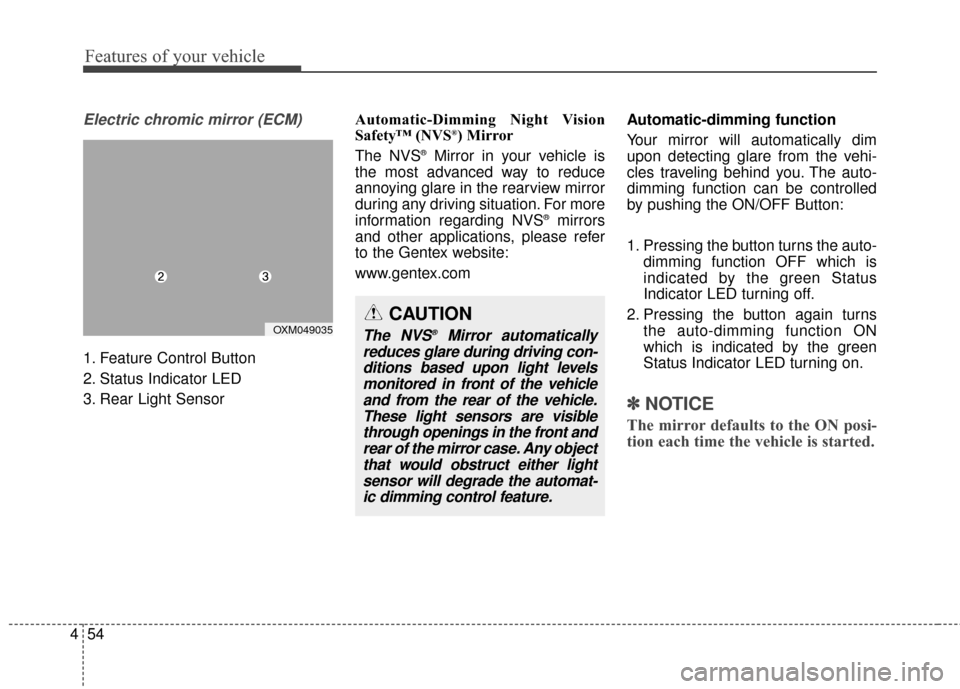
1. Feature Control Button
2. Status Indicator LED
3. Rear Light Sensor Automatic-Dimming Night Vision
Safety™ (NVS
®) Mirror
The NVS®Mirror in your vehicle is
the most advanced way to reduce
annoying glare in the rearview mirror
during any driving situation. For more
information regarding NVS
®mirrors
and other applications, please refer
to the Gentex website:
www.gentex.com Automatic-dimming function
Your mirror will automatically dim
upon detecting glare from the vehi-
cles traveling behind you. The auto-
dimming function can be controlled
by pushing the ON/OFF Button:
1. Pressing the button turns the auto-
dimming function OFF which is
indicated by the green Status
Indicator LED turning off.
2. Pressing the button again turns the auto-dimming function ON
which is indicated by the green
Status Indicator LED turning on.
✽ ✽NOTICE
The mirror defaults to the ON posi-
tion each time the vehicle is started.
CAUTION
The NVS®Mirror automatically
reduces glare during driving con- ditions based upon light levelsmonitored in front of the vehicleand from the rear of the vehicle.These light sensors are visiblethrough openings in the front andrear of the mirror case. Any objectthat would obstruct either lightsensor will degrade the automat-ic dimming control feature.OXM049035
Page 155 of 625
Features of your vehicle
58
4
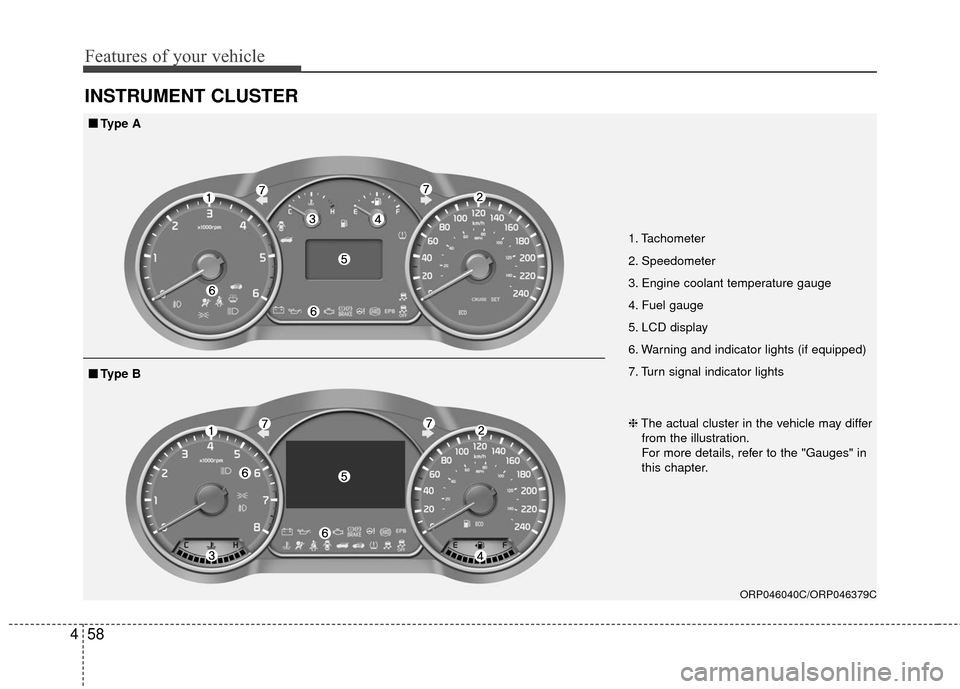
INSTRUMENT CLUSTER
1. Tachometer
2. Speedometer
3. Engine coolant temperature gauge
4. Fuel gauge
5. LCD display
6. Warning and indicator lights (if equipped)
7. Turn signal indicator lights
ORP046040C/ORP046379C
■ ■
Type A
❈The actual cluster in the vehicle may differ
from the illustration.
For more details, refer to the "Gauges" in
this chapter.
■ ■ Type B
Page 156 of 625
459
Features of your vehicle
Instrument Cluster Control
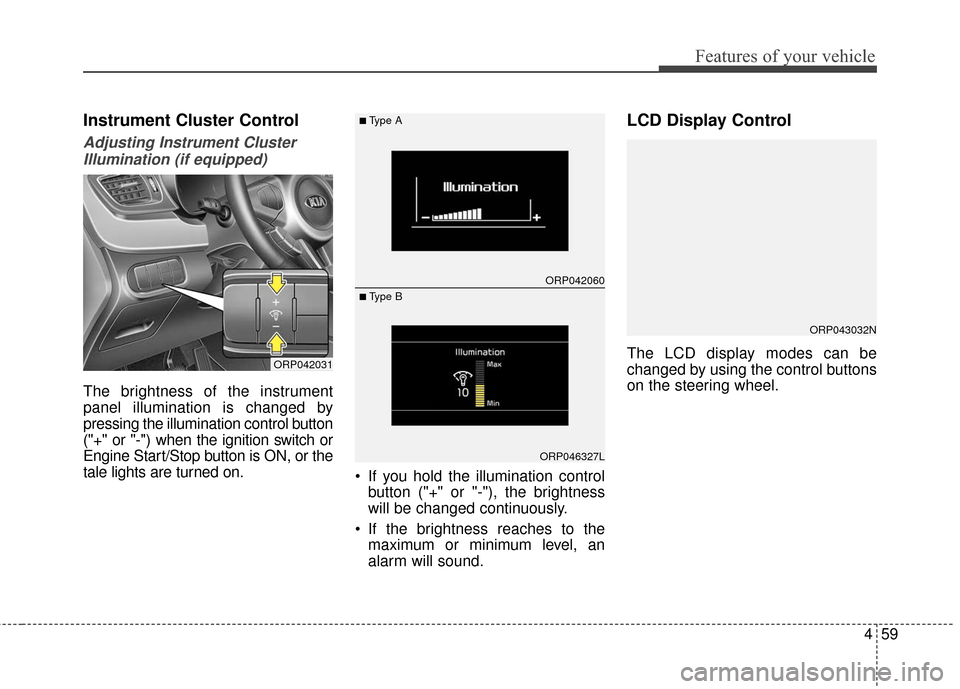
Adjusting Instrument ClusterIllumination (if equipped)
The brightness of the instrument
panel illumination is changed by
pressing the illumination control button
("+" or "-") when the ignition switch or
Engine Start/Stop button is ON, or the
tale lights are turned on. If you hold the illumination control
button ("+" or "-"), the brightness
will be changed continuously.
If the brightness reaches to the maximum or minimum level, an
alarm will sound.
LCD Display Control
The LCD display modes can be
changed by using the control buttons
on the steering wheel.ORP042031
ORP042060
ORP046327L
■Type A
■ Type B
ORP043032N
Page 164 of 625
467
Features of your vehicle
Auto Door Unlock (if equipped)
- Off : The auto door unlock opera- tion will be canceled.
- Key Out or Power Off : All doors will be automatically unlocked when
the ignition key is removed from
ignition switch or Engine Start/Stop
Button is set to the OFF position.
- Shift Lever : All doors will be auto- matically unlocked if the automatic
transaxle shift lever is shifted to the
P (Park) position.
- Driver Door Unlock : All doors will be automatically unlocked if the
driver's door is unlocked. Two Press Unlock
- Off : The two press unlock function
will be deactivated. Therefore, all
doors will unlock if the door is
unlocked.
- On : The driver’s door will unlock if the door is unlocked. When the
door is unlocked again within 4
seconds, all doors will unlock.
Horn Feedback (if equipped)
- Off : The Horn feedback operation will be deactivated.
- On : After locking the door by pressing the lock button on the
transmitter, if you press the lock
button again within 4 seconds, the
warning sound will operate once to
indicate that all doors are locked. Lights
Head Lamp Delay (if equipped)
If this item is checked, the headlamp
delay and headlamp welcome func-
tion will be activated.
Welcome Light (if equipped)
If this item is checked, the welcome
light function of the pocket lamp will
be activated.
One Touch Turn Lamp
If this item is checked, the lane change
signals will blink 3, 5 or 7 times when
the turn signal lever is moved slightly.
Page 177 of 625
Features of your vehicle
80
4
Warning lights
✽ ✽
NOTICE - Warning lights
Make sure that all warning lights
are OFF after starting the engine. If
any light is still ON, this indicates a
situation that needs attention.
Air bag Warning Light
This warning light illuminates:
Once you set the ignition switch or
Engine Start/Stop Button to the ON
position.
- It illuminates for approximately 6seconds and then goes off.
When there is a malfunction with the SRS.
In this case, have your vehicle
inspected by an authorized Kia
dealer.
Seat Belt Warning Light
This warning light informs the driver
that the seat belt is not fastened.
For more details, refer to the “Seat
Belts” in chapter 3.
WARNING AND INDICATOR LIGHTS
Page 179 of 625
Features of your vehicle
82
4
Anti-lock Brake System
(ABS) Warning Light
This warning light illuminates:
Once you set the ignition switch or Engine Start/Stop Button to the ON
position.
- It illuminates for approximately 3seconds and then goes off.
When there is a malfunction with the ABS (The normal braking sys-
tem will still be operational without
the assistance of the anti-lock
brake system).
In this case, have your vehicle
inspected by an authorized Kia
dealer.
Electronic
Brake forceDistribution(EBD) SystemWarning Light
These two warning lights illuminate at
the same time while driving:
When the ABS and regular brake system may not work normally.
In this case, have your vehicle
inspected by an authorized Kia
dealer.
WARNING - Parking Brake
& Brake Fluid Warning Light
Driving the vehicle with a warn-
ing light ON is dangerous. If the
Parking Brake & Brake Fluid
Warning Light illuminates with
the parking brake released, it
indicates that the brake fluid
level is low.
In this case, have your vehicle
inspected by an authorized Kia
dealer.
Page 180 of 625
483
Features of your vehicle
✽ ✽NOTICE- Electronic Brake
force Distribution
(EBD) System
Warning Light
When the ABS Warning Light is on
or both ABS and Parking Brake &
Brake Fluid Warning Lights are on,
the speedometer, odometer, or trip-
meter may not work. Also, the EPS
Warning Light may illuminate and
the steering effort may increase or
decrease.
In this case, we recommend that you
have the vehicle inspected by an
authorized Kia dealer.
Electronic Parking Brake
(EPB) Warning Light (if equipped)
This warning light illuminates:
Once you set the ignition switch or Engine Start/Stop Button to the ON
position.
- It illuminates for approximately 3seconds and then goes off.
When there is a malfunction with the EPB.
In this case, we recommend you
have the vehicle inspected by an
authorized Kia dealer as soon as
possible.
WARNING - Electronic
Brake force Distribution
(EBD) System Warning Light
When both ABS and Parking
Brake & Brake Fluid Warning
Lights are on, the brake system
will not work normally and you
may experience an unexpected
and dangerous situation during
sudden braking.
In this case, avoid high speed
driving and abrupt braking.
Have your vehicle inspected by
an authorized Kia dealer as
soon as possible.EPB
Page 186 of 625
489
Features of your vehicle
Indicator lights
Electronic StabilityControl (ESC) IndicatorLight
This indicator light illuminates:
Once you set the ignition switch or Engine Start/Stop Button to the ON
position.
- It illuminates for approximately 3seconds and then goes off.
When there is a malfunction with the ESC system.
In this case, have your vehicle
inspected by an authorized Kia
dealer.
This indicator light blinks:
While the ESC is operating.
For more details, refer to “Electronic
Stability Control (ESC)” in chapter 6.
Electronic Stability Control (ESC) OFFIndicator Light
This indicator light illuminates:
Once you set the ignition switch or Engine Start/Stop Button to the ON
position.
- It illuminates for approximately 3seconds and then goes off.
When you deactivate the ESC sys- tem by pressing the ESC OFF but-
ton.
For more details, refer to “Electronic
Stability Control (ESC)” in chapter 6.
ECO Indicator Light (if equipped)
This indicator light illuminates:
When you activate the active ECO
system by pressing the ACTIVE
ECO button.
For more details, refer to “Active
ECO System” in chapter 6.
ECO
Page 188 of 625
491
Features of your vehicle
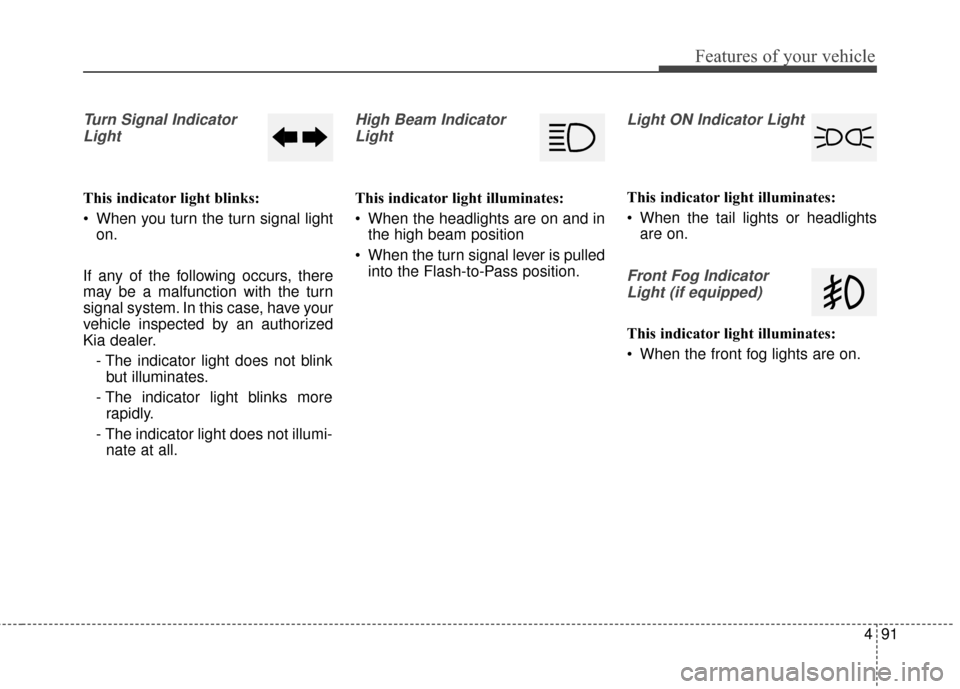
Turn Signal IndicatorLight
This indicator light blinks:
When you turn the turn signal light on.
If any of the following occurs, there
may be a malfunction with the turn
signal system. In this case, have your
vehicle inspected by an authorized
Kia dealer. - The indicator light does not blinkbut illuminates.
- The indicator light blinks more rapidly.
- The indicator light does not illumi- nate at all.
High Beam Indicator
Light
This indicator light illuminates:
When the headlights are on and in the high beam position
When the turn signal lever is pulled into the Flash-to-Pass position.
Light ON Indicator Light
This indicator light illuminates:
When the tail lights or headlightsare on.
Front Fog Indicator
Light (if equipped)
This indicator light illuminates:
When the front fog lights are on.
Page 201 of 625
Features of your vehicle
104
4
Battery saver function
The purpose of this feature is to
prevent the battery from being dis-
charged. The system automatically
turns off the parking lights when
the driver removes the ignition key
and opens the driver- side door.
With this feature, the parking lights will turn off automatically if the driver
parks on the side of the road at night.
If necessary, to keep the lights on
when the ignition key is removed,
perform the following :
1) Open the driver-side door.
2) Turn the parking lights OFF and ON again using the light switch
on the steering column.
Headlamp delay function
(if equipped)
The headlamps (and/or taillights)
remain on for same minutes (5 min-
utes) after the ignition key is removed
or turned to the ACC or LOCK posi-
tion. However, if the driver’s door is
opened and closed, the headlights
are turned off after 15 seconds.
The headlights can be turned off by
pressing the lock button on the trans-
mitter or smart key twice or turning
off the light switch from the headlight
or Auto light position.
You can activate or deactivate the
headlamp delay function. Refer to
“User setting” in this chapter.
LIGHTING
CAUTION
If the driver gets out of the vehi-cle through other doors (exceptdriver’s door), the battery saverfunction does not operate andthe headlamp delay functiondoes not turn off automatically.Therefore, it causes the batteryto be discharged. In this case,make sure to turn off the lampbefore getting out of the vehicle.