ESP KIA Sedona 2006 1.G User Guide
[x] Cancel search | Manufacturer: KIA, Model Year: 2006, Model line: Sedona, Model: KIA Sedona 2006 1.GPages: 347, PDF Size: 4.11 MB
Page 104 of 347
395
Features of your vehicle
Air bag system operation Air bag only operates when the ignitionswitch is turned to the ON or START
positions.
Air bags inflate instantly in the event of serious frontal or side collision (if
equipped with side air bag or curtain
air bag) in order to help protect the
occupants from serious physical injury.
There is no single speed at which the air bags will inflate.
Generally, air bags are designed to
inflate by the severity of a collision and
its direction. These two factors deter-
mine whether the sensors send out an
electronic deployment/inflation signal. Air bag deployment depends on a
number of factors including vehicle
speed, angles of impact and the densi-
ty and stiffness of the vehicles or
objects which your vehicle hits in the
collision. However, factors are not limit-
ed to those mentioned above.
The front air bags will completely inflate and deflate in an instant.
It is virtually impossible for you to see
the air bags inflate during an accident.
It is much more likely that you will sim-
ply see the deflated air bags hanging
out of their storage compartments after
the collision. In order to help provide protection in a
severe collision, the air bags must
inflate rapidly. The speed of air bag
inflation is a consequence of the
extremely short time in which a collision
occurs and the need to get the air bag
between the occupant and the vehicle
structures before the occupant impacts
those structures. This speed of inflation
reduces the risk of serious or life-
threatening injuries in a severe collision
and is thus a necessary part of air bag
design.
However, air bag inflation can also
cause injuries which normally can
include facial abrasions, bruises and
broken bones, and sometimes more
serious injuries because that inflation
speed also causes the air bags to
expand with a great deal force.
There are even circumstances under which contact with the steer-
ing wheel air bag can cause fatal
injuries, especially if the occupant
is positioned excessively close to
the steering wheel.
Page 112 of 347
3 103
Features of your vehicle
Outside rearview mirror heater (if equipped) The outside rearview mirror heater is
actuated in connection with the rear win-
dow defroster. To heat the outside
rearview mirror glass, push the button for
the rear window defroster.
The rearview mirror heater (and rear win-
dow defroster) will not operate unless the
engine is running.
The outside rearview mirror glass will be
heated for defrosting or defogging and
will give you improved rear vision in
inclement weather conditions. Push the
button again to turn the heater off. The
outside rearview mirror heater automati-
cally turns off after 20 minutes.
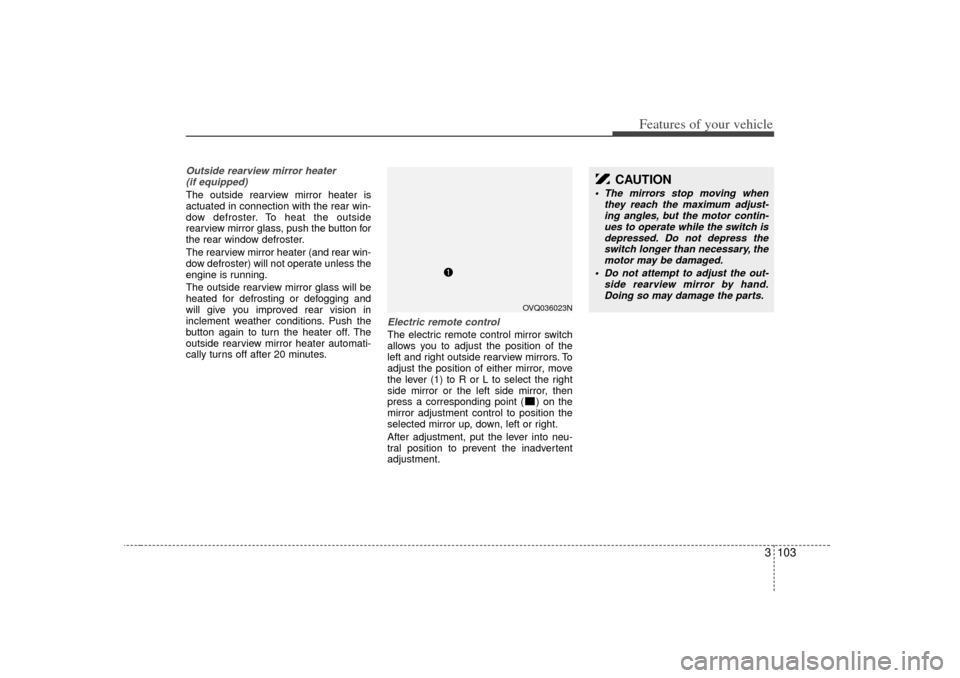
Electric remote control The electric remote control mirror switch
allows you to adjust the position of the
left and right outside rearview mirrors. To
adjust the position of either mirror, move
the lever (1) to R or L to select the right
side mirror or the left side mirror, then
press a corresponding point ( ) on the
mirror adjustment control to position the
selected mirror up, down, left or right.
After adjustment, put the lever into neu-
tral position to prevent the inadvertent
adjustment.
CAUTION
The mirrors stop moving when they reach the maximum adjust-ing angles, but the motor contin-ues to operate while the switch isdepressed. Do not depress the switch longer than necessary, themotor may be damaged.
Do not attempt to adjust the out- side rearview mirror by hand.Doing so may damage the parts.
OVQ036023N
Page 131 of 347
Features of your vehicle122
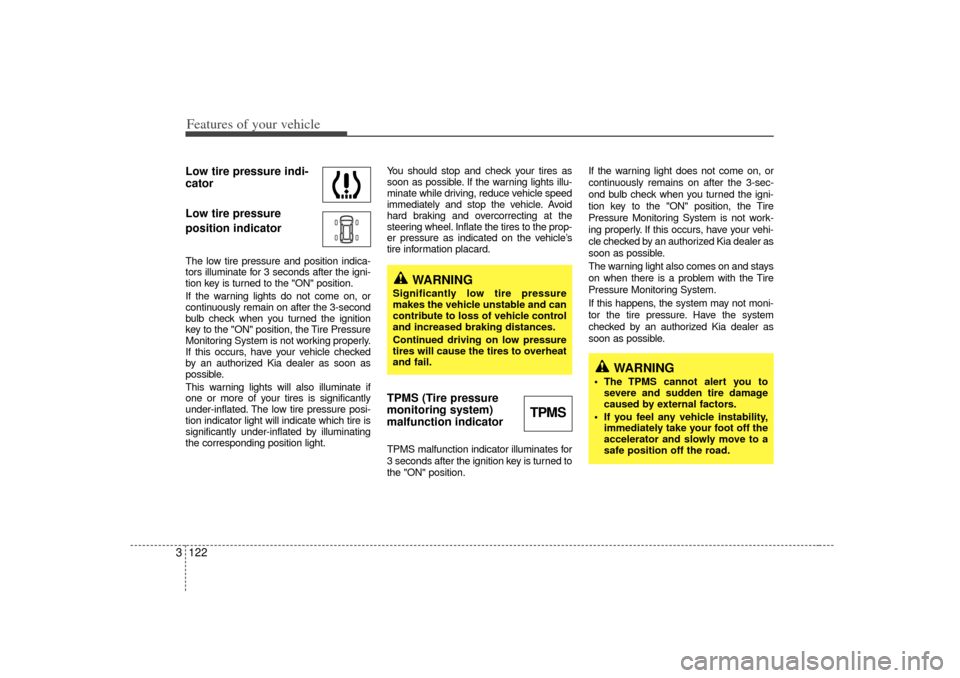
3Low tire pressure indi-
cator
Low tire pressure
position indicatorThe low tire pressure and position indica-
tors illuminate for 3 seconds after the igni-
tion key is turned to the "ON" position.
If the warning lights do not come on, or
continuously remain on after the 3-second
bulb check when you turned the ignition
key to the "ON" position, the Tire Pressure
Monitoring System is not working properly.
If this occurs, have your vehicle checked
by an authorized Kia dealer as soon as
possible.
This warning lights will also illuminate if
one or more of your tires is significantly
under-inflated. The low tire pressure posi-
tion indicator light will indicate which tire is
significantly under-inflated by illuminating
the corresponding position light. You should stop and check your tires as
soon as possible. If the warning lights illu-
minate while driving, reduce vehicle speed
immediately and stop the vehicle. Avoid
hard braking and overcorrecting at the
steering wheel. Inflate the tires to the prop-
er pressure as indicated on the vehicle’s
tire information placard.
TPMS (Tire pressure
monitoring system)
malfunction indicatorTPMS malfunction indicator illuminates for
3 seconds after the ignition key is turned to
the "ON" position.If the warning light does not come on, or
continuously remains on after the 3-sec-
ond bulb check when you turned the igni-
tion key to the "ON" position, the Tire
Pressure Monitoring System is not work-
ing properly. If this occurs, have your vehi-
cle checked by an authorized Kia dealer as
soon as possible.
The warning light also comes on and stays
on when there is a problem with the Tire
Pressure Monitoring System.
If this happens, the system may not moni-
tor the tire pressure. Have the system
checked by an authorized Kia dealer as
soon as possible.
TPMS
WARNING
Significantly low tire pressure
makes the vehicle unstable and can
contribute to loss of vehicle control
and increased braking distances.
Continued driving on low pressure
tires will cause the tires to overheat
and fail.
WARNING
The TPMS cannot alert you to
severe and sudden tire damage
caused by external factors.
If you feel any vehicle instability, immediately take your foot off the
accelerator and slowly move to a
safe position off the road.
Page 132 of 347
3 123
Features of your vehicle
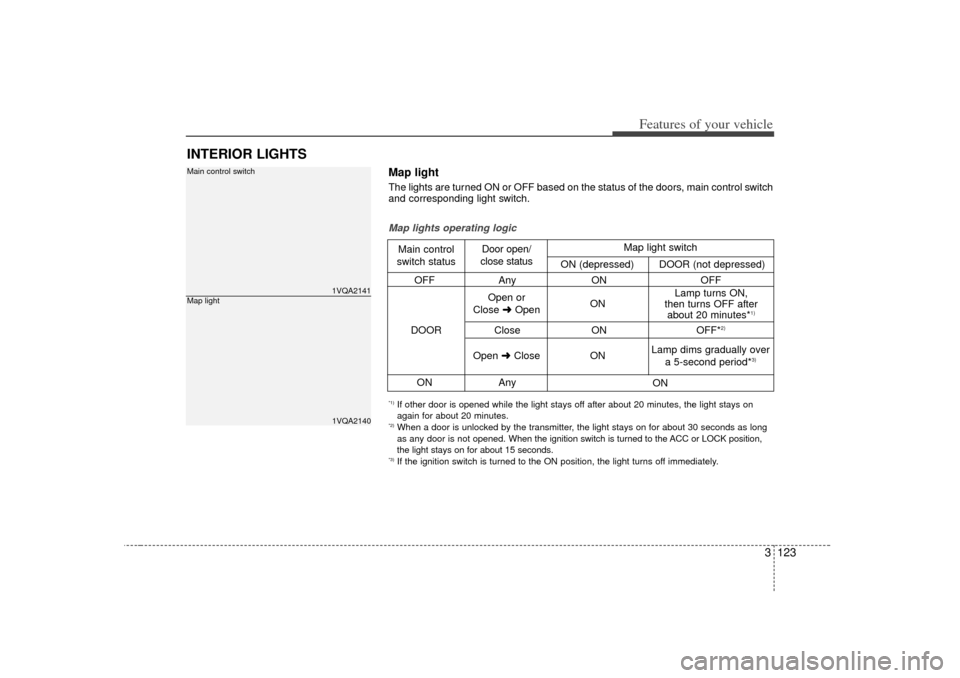
INTERIOR LIGHTS
1VQA21411VQA2140
Main control switchMap light
OFFAny ON OFF
Close ON OFF*
2)
ONAny
Map lights operating logicMain control
switch status Door open/
close status
DOOR Open or
Close \bOpen ON Lamp turns ON,
then turns OFF after about 20 minutes*
1)
Open \bClose
ON
ON
Lamp dims gradually over
a 5-second period*
3)
Map light switch
ON (depressed) DOOR (not depressed)
*1) If other door is opened while the light stays off after about 20 minutes, the light stays on
again for about 20 minutes.*2) When a door is unlocked by the transmitter, the light stays on for about 30 seconds as long
as any door is not opened.
When the ignition switch is turned to the ACC or LOCK position,
the light stays on for about 15 seconds.*3) If the ignition switch is turned to the ON position, the light turns off immediately.Map lightThe lights are turned ON or OFF based on the status of the doors, main control switch
and corresponding light switch.
Page 133 of 347
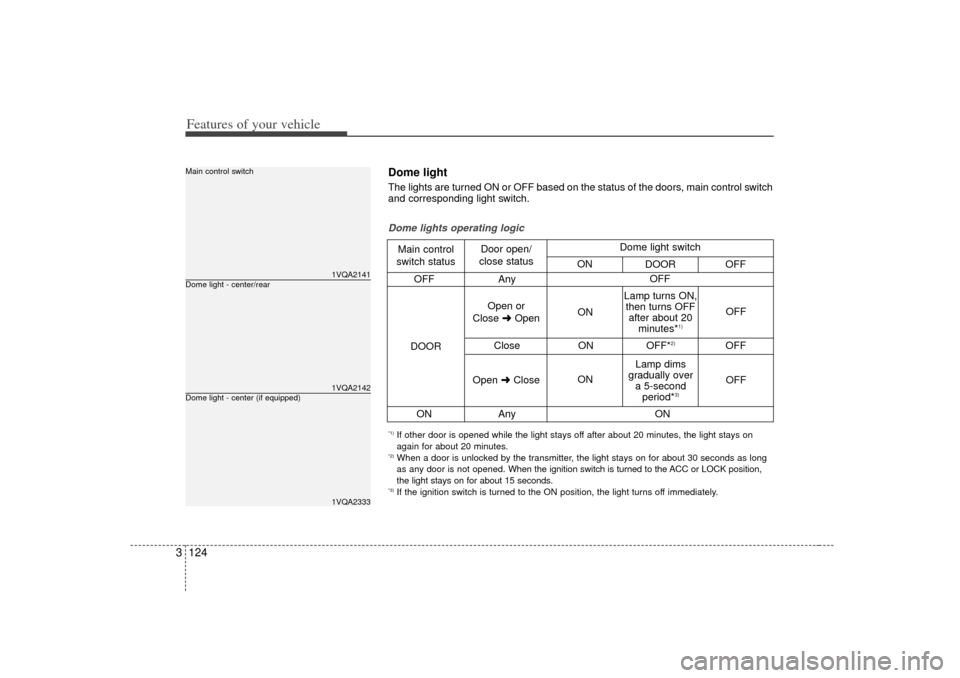
Features of your vehicle124
3
1VQA21411VQA21421VQA2333
Dome light - center/rearMain control switchDome light - center (if equipped)
OFF Any
Close ONOFF*
2)
OFF
ON Any
Dome lights operating logicMain control
switch status Door open/
close status
DOOR Open or
Close \bOpen ON
ON OFF
OFF
Lamp turns ON,
then turns OFF after about 20 minutes*
1)
Lamp dims
gradually over a 5-second period*
3)
Open \bClose OFF
ON
Dome light switch
ON DOOR OFF
*1) If other door is opened while the light stays off after about 20 minutes, the light stays on
again for about 20 minutes.*2) When a door is unlocked by the transmitter, the light stays on for about 30 seconds as long
as any door is not opened. When the ignition switch is turned to the ACC or LOCK position,
the light stays on for about 15 seconds.*3) If the ignition switch is turned to the ON position, the light turns off immediately.Dome lightThe lights are turned ON or OFF based on the status of the doors, main control switch
and corresponding light switch.
Page 134 of 347
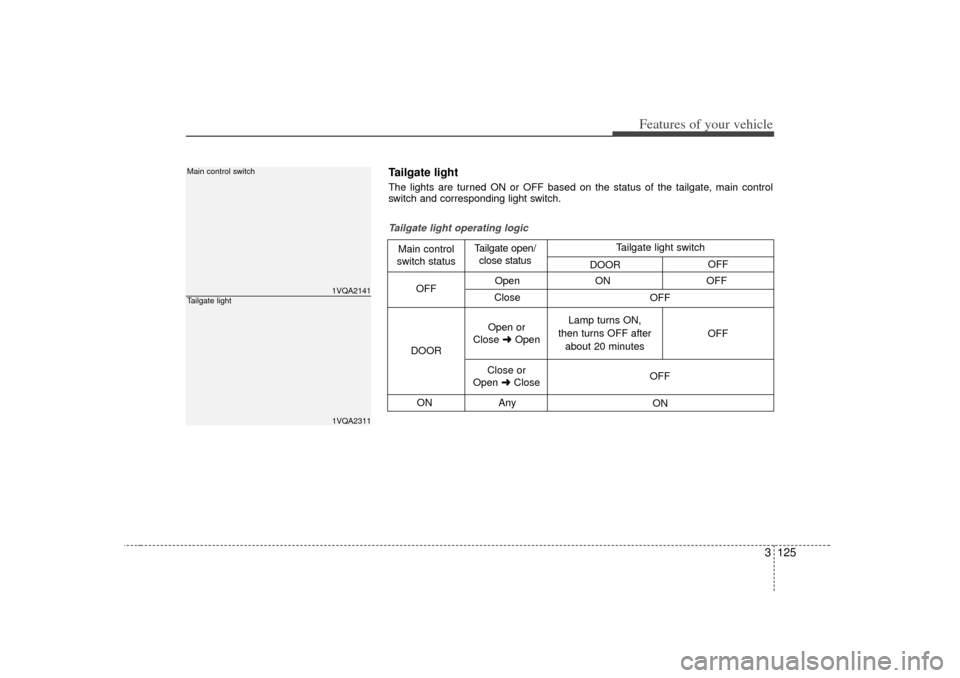
3 125
Features of your vehicle
1VQA21411VQA2311
Main control switchTailgate light
OpenON OFF
Close
ON Any
Tailgate light operating logicMain control
switch status Tailgate open/
close status
DOOR OFF
Open or
Close \bOpen Lamp turns ON,
then turns OFF after about 20 minutes OFF
Close or
Open \bClose OFF
ON
OFF
Tailgate light switch
DOOR OFFTailgate light The lights are turned ON or OFF based on the status of the tailgate, main control
switch and corresponding light switch.
Page 139 of 347
Features of your vehicle130
3Front fog light (if equipped) Fog lights are used to provide improved
visibility and avoid accidents when visibil-
ity is poor due to fog, rain or snow etc.
The fog lights will turn on when fog light
switch (1) is turned to ON after the head-
light is turned on.
To turn off the fog lights, turn the switch
to OFF.
Daytime running light
(if equipped)Daytime Running Lights (DRL) can make
it easier for others to see the front of your
vehicle during the day. DRL can be help-
ful in many different driving conditions,
and it is especially helpful after dawn and
before sunset.
The DRL system will make your high-
beam headlights turn OFF when:
1. The head light switch is ON.
2. The parking brake engaged.
3. Engine stops.
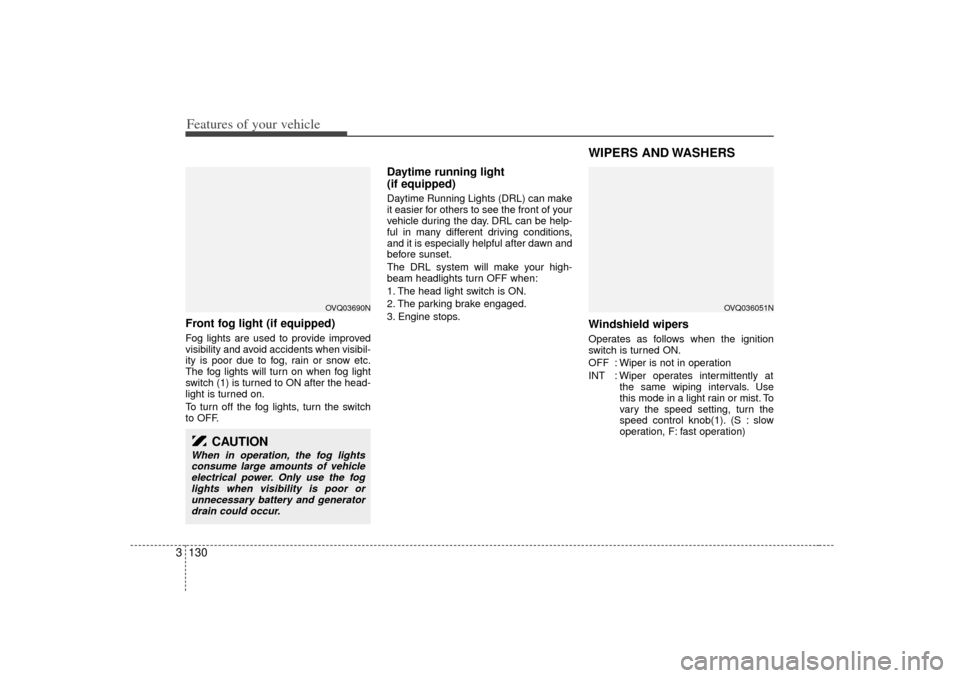
WIPERS AND WASHERS Windshield wipers Operates as follows when the ignition
switch is turned ON.
OFF : Wiper is not in operation
INT : Wiper operates intermittently at
the same wiping intervals. Use
this mode in a light rain or mist. To
vary the speed setting, turn the
speed control knob(1). (S : slow
operation, F: fast operation)
CAUTION
When in operation, the fog lightsconsume large amounts of vehicleelectrical power. Only use the fog lights when visibility is poor orunnecessary battery and generator drain could occur.
OVQ036051N
OVQ03690N
Page 173 of 347
Features of your vehicle164
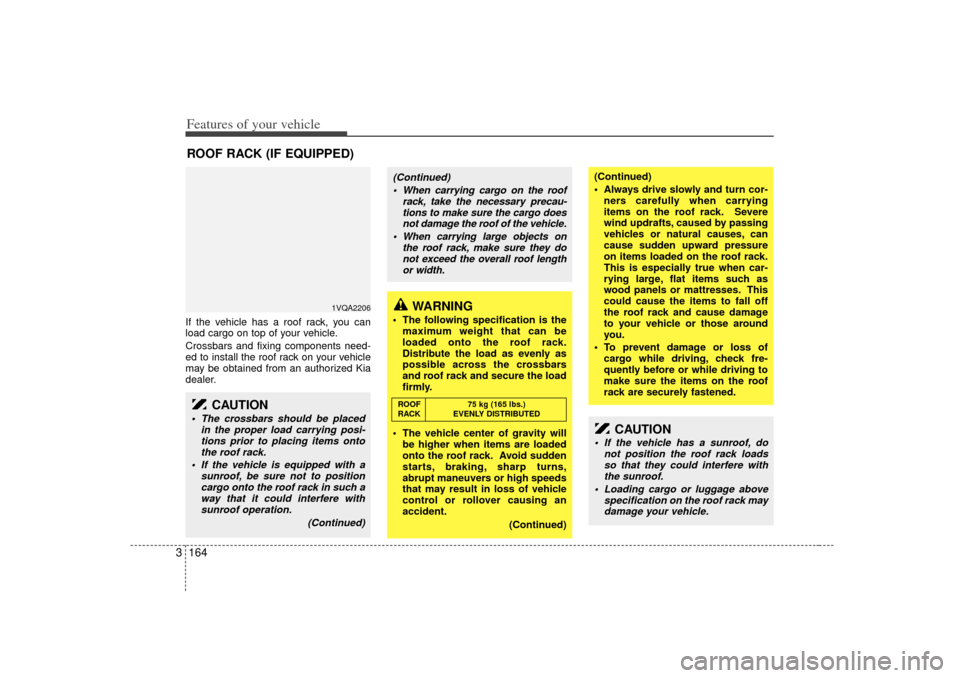
3If the vehicle has a roof rack, you can
load cargo on top of your vehicle.
Crossbars and fixing components need-
ed to install the roof rack on your vehicle
may be obtained from an authorized Kia
dealer.ROOF RACK (IF EQUIPPED)
1VQA2206
CAUTION
• The crossbars should be placed
in the proper load carrying posi-tions prior to placing items ontothe roof rack.
If the vehicle is equipped with a sunroof, be sure not to positioncargo onto the roof rack in such away that it could interfere with sunroof operation.
(Continued)
WARNING
The following specification is themaximum weight that can be
loaded onto the roof rack.
Distribute the load as evenly as
possible across the crossbars
and roof rack and secure the load
firmly.
The vehicle center of gravity will be higher when items are loaded
onto the roof rack. Avoid sudden
starts, braking, sharp turns,
abrupt maneuvers or high speeds
that may result in loss of vehicle
control or rollover causing an
accident.
(Continued)
(Continued)
Always drive slowly and turn cor-ners carefully when carrying
items on the roof rack. Severe
wind updrafts, caused by passing
vehicles or natural causes, can
cause sudden upward pressure
on items loaded on the roof rack.
This is especially true when car-
rying large, flat items such as
wood panels or mattresses. This
could cause the items to fall off
the roof rack and cause damage
to your vehicle or those around
you.
To prevent damage or loss of cargo while driving, check fre-
quently before or while driving to
make sure the items on the roof
rack are securely fastened.
CAUTION
If the vehicle has a sunroof, do not position the roof rack loadsso that they could interfere withthe sunroof.
Loading cargo or luggage above specification on the roof rack maydamage your vehicle.
(Continued)
When carrying cargo on the roof rack, take the necessary precau-tions to make sure the cargo doesnot damage the roof of the vehicle.
When carrying large objects on the roof rack, make sure they donot exceed the overall roof lengthor width.ROOF 75 kg (165 lbs.)
RACK EVENLY DISTRIBUTED
Page 177 of 347
Features of your vehicle168
3Reprogramming a single
HomeLink buttonTo program a device to HomeLink using
a HomeLink button previously trained,
follow these steps:
1. Press and hold the desired HomeLink
button. Do NOT release until step 4
has been completed.
2. When the indicator light begins to flash slowly (after 20 seconds), position the
hand-held transmitter 1 to 3 inches
away from the HomeLink surface.
3. Press and hold the hand-held trans- mitter button (or press and “cycle” - as
described in “Canadian Programming”
above).
4. The HomeLink indicator light will flash, first slowly and then rapidly. When the
indicator light begins to flash rapidly,
release both buttons.
The previous device has now been
erased and the new device can be acti-
vated by pushing the HomeLink button
that has just been programmed. This pro-
cedure will not affect any other pro-
grammed HomeLink buttons.
Gate operator programming &
canadian programmingDuring programming, your hand-held
transmitter may automatically stop trans-
mitting. Continue to press and hold the
HomeLink button (note steps 2 through 4
in the “Programming” portion of this text)
while you press and re-press (“cycle”)
your handheld transmitter every two sec-
onds until the frequency signal has been
learned. The indicator light will flash
slowly and then rapidly after several sec-
onds upon successful training.
AccessoriesIf you would like additional information on
the HomeLink Wireless Control System,
HomeLink compatible products, or to
purchase other accessories such as the
HomeLink® Lighting Package, please
contact HomeLink at 1-800-355-3515 or
on the internet at www.homelink.com.
This device complies with Industry
Canada Standard RSS-210. Operation
is subject to the following two conditions:
1. This device may not cause interfer- ence, and
2. This device must accept any interfer- ence, including interference that may
cause undesired operation of the
device.
CAUTION
If programming a garage dooropener or gate, it is advised tounplug the device during the “cycling” process to prevent possi-ble motor burn-up.
WARNING
Changes or modifications not
expressly approved by the party
responsible for compliance could
void the user’s authority to operate
the equipment.
IC: 4112104541A Gentex
MODEL/FCC ID: NZLSTDHL3
Page 194 of 347
3 185
Features of your vehicle
5. CD SCAN ButtonWhen you Press the button, frequency is
changed and the next channel is
received automatically.
To stay on a station, press the CD SCAN
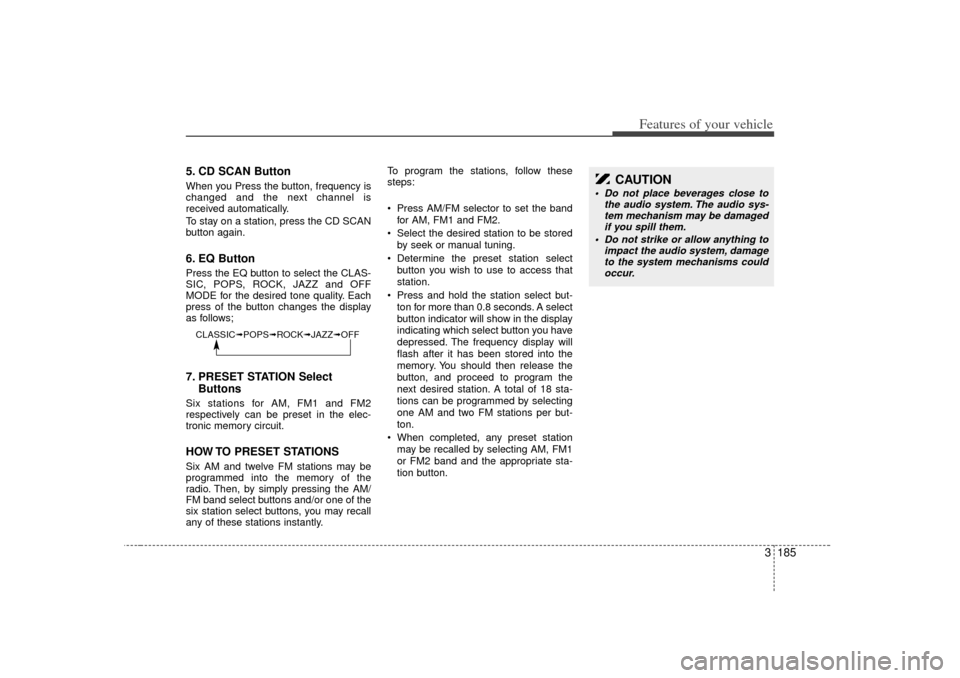
button again.6. EQ ButtonPress the EQ button to select the CLAS-
SIC, POPS, ROCK, JAZZ and OFF
MODE for the desired tone quality. Each
press of the button changes the display
as follows;7. PRESET STATION SelectButtonsSix stations for AM, FM1 and FM2
respectively can be preset in the elec-
tronic memory circuit.HOW TO PRESET STATIONSSix AM and twelve FM stations may be
programmed into the memory of the
radio. Then, by simply pressing the AM/
FM band select buttons and/or one of the
six station select buttons, you may recall
any of these stations instantly. To program the stations, follow these
steps:
Press AM/FM selector to set the band
for AM, FM1 and FM2.
Select the desired station to be stored by seek or manual tuning.
Determine the preset station select button you wish to use to access that
station.
Press and hold the station select but- ton for more than 0.8 seconds. A select
button indicator will show in the display
indicating which select button you have
depressed. The frequency display will
flash after it has been stored into the
memory. You should then release the
button, and proceed to program the
next desired station. A total of 18 sta-
tions can be programmed by selecting
one AM and two FM stations per but-
ton.
When completed, any preset station may be recalled by selecting AM, FM1
or FM2 band and the appropriate sta-
tion button.
CAUTION
Do not place beverages close to the audio system. The audio sys-tem mechanism may be damagedif you spill them.
Do not strike or allow anything to impact the audio system, damageto the system mechanisms could occur.
CLASSIC➟ POPS➟ROCK➟ JAZZ➟OFF