climate control KIA Sedona 2015 3.G User Guide
[x] Cancel search | Manufacturer: KIA, Model Year: 2015, Model line: Sedona, Model: KIA Sedona 2015 3.GPages: 566, PDF Size: 16.71 MB
Page 245 of 566
Features of your vehicle
152
4
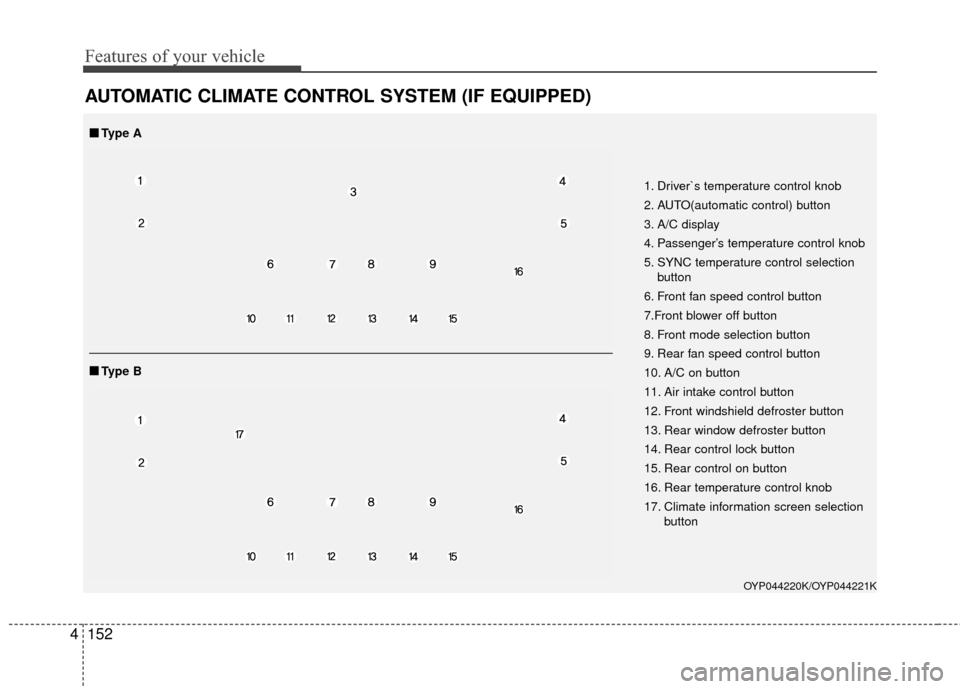
AUTOMATIC CLIMATE CONTROL SYSTEM (IF EQUIPPED)
OYP044220K/OYP044221K
1. Driver`s temperature control knob
2. AUTO(automatic control) button
3. A/C display
4. Passenger’s temperature control knob
5. SYNC temperature control selection
button
6. Front fan speed control button
7.Front blower off button
8. Front mode selection button
9. Rear fan speed control button
10. A/C on button
11. Air intake control button
12. Front windshield defroster button
13. Rear window defroster button
14. Rear control lock button
15. Rear control on button
16. Rear temperature control knob
17. Climate information screen selection button
■
■Type B
■
■Type A
Page 246 of 566
4153
Features of your vehicle
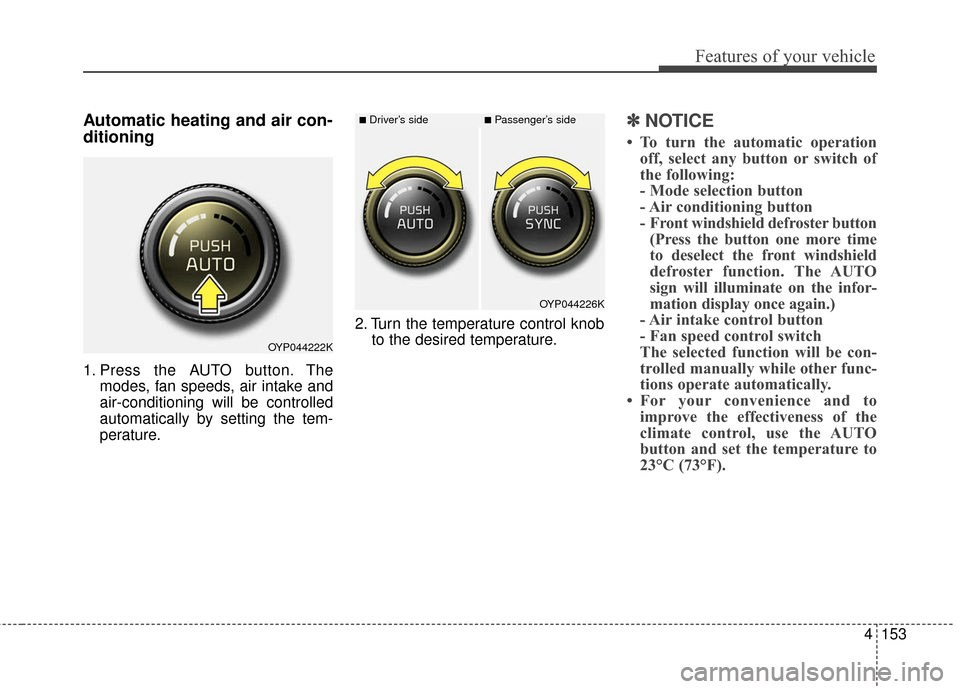
Automatic heating and air con-
ditioning
1. Press the AUTO button. Themodes, fan speeds, air intake and
air-conditioning will be controlled
automatically by setting the tem-
perature. 2. Turn the temperature control knob
to the desired temperature.
✽ ✽NOTICE
• To turn the automatic operation
off, select any button or switch of
the following:
- Mode selection button
- Air conditioning button
- Front windshield defroster button(Press the button one more time
to deselect the front windshield
defroster function. The AUTO
sign will illuminate on the infor-
mation display once again.)
- Air intake control button
- Fan speed control switch
The selected function will be con-
trolled manually while other func-
tions operate automatically.
• For your convenience and to improve the effectiveness of the
climate control, use the AUTO
button and set the temperature to
23°C (73°F).
OYP044222K
OYP044226K
■Driver’s side■Passenger’s side
Page 247 of 566
Features of your vehicle
154
4
✽
✽
NOTICE
Never place anything over the sensor
located on the instrument panel to
ensure better control of the heating
and cooling system.
Manual heating and air condi-
tioning
The heating and cooling system can
be controlled manually by pressing
buttons or turning knob(s) other than
the AUTO button. In this case, the
system works sequentially according
to the order of buttons or knob(s)
selected.
1. Start the engine.
2. Set the mode to the desired posi-
tion.
For improving the effectiveness of
heating and cooling;- Heating:
- Cooling:
3. Set the temperature control to the desired position.
4. Set the air intake control to the outside (fresh) air position.
5. Set the fan speed control to the desired speed.
6. If air conditioning is desired, turn the air conditioning system on.
Press the AUTO button in order to
convert to full automatic control of
the system.
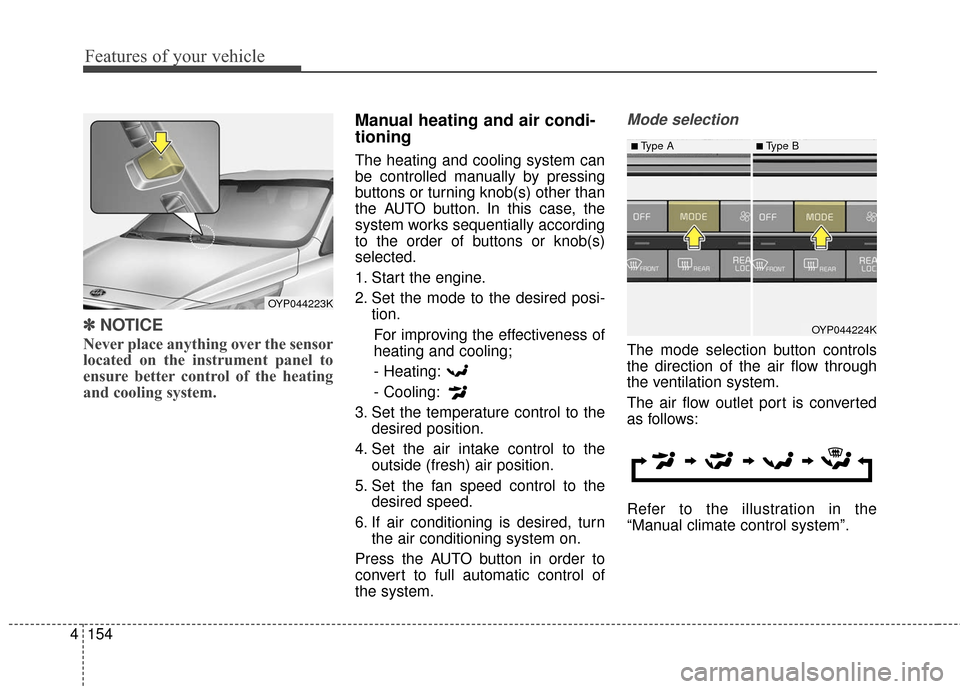
Mode selection
The mode selection button controls
the direction of the air flow through
the ventilation system.
The air flow outlet port is converted
as follows:
Refer to the illustration in the
“Manual climate control system”.
OYP044223K
OYP044224K
■Type A■Type B
Page 252 of 566
4159
Features of your vehicle
✽
✽NOTICE
Prolonged operation of the heater in
the recirculated air position (with-
out air conditioning selected) may
cause fogging of the windshield and
side windows and the air within the
passenger compartment may
become stale.
In addition, prolonged use of the air
conditioning with the recirculated
air position selected will result in
excessively dry air in the passenger
compartment.
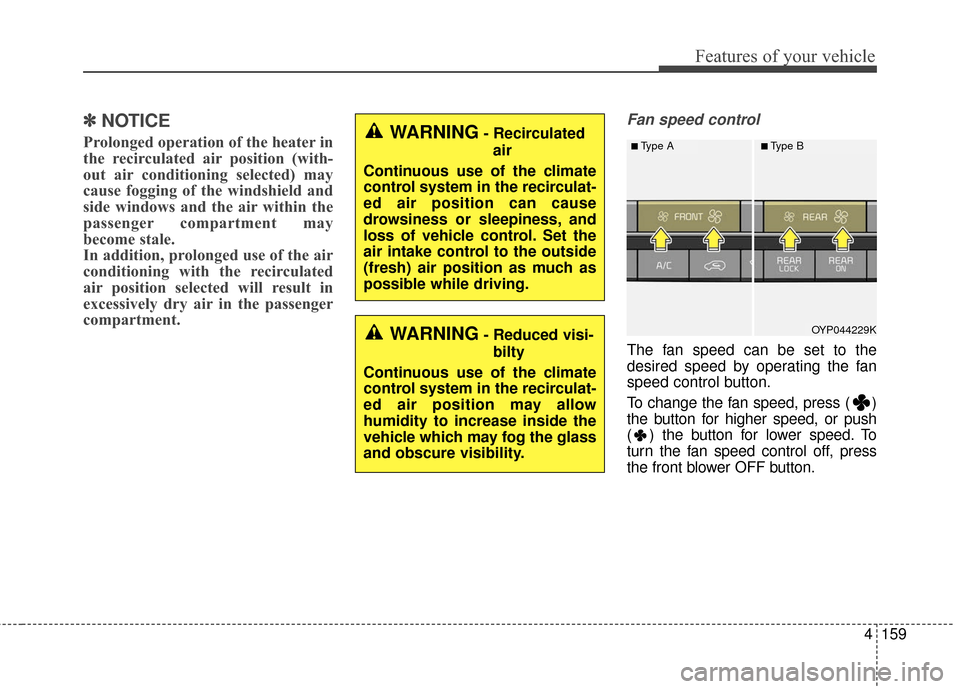
Fan speed control
The fan speed can be set to the
desired speed by operating the fan
speed control button.
To change the fan speed, press ( )
the button for higher speed, or push
( ) the button for lower speed. To
turn the fan speed control off, press
the front blower OFF button.
OYP044229K
■Type A■Type BWARNING- Recirculated
air
Continuous use of the climate
control system in the recirculat-
ed air position can cause
drowsiness or sleepiness, and
loss of vehicle control. Set the
air intake control to the outside
(fresh) air position as much as
possible while driving.
WARNING- Reduced visi- bilty
Continuous use of the climate
control system in the recirculat-
ed air position may allow
humidity to increase inside the
vehicle which may fog the glass
and obscure visibility.
Page 253 of 566
Features of your vehicle
160
4
Air conditioning
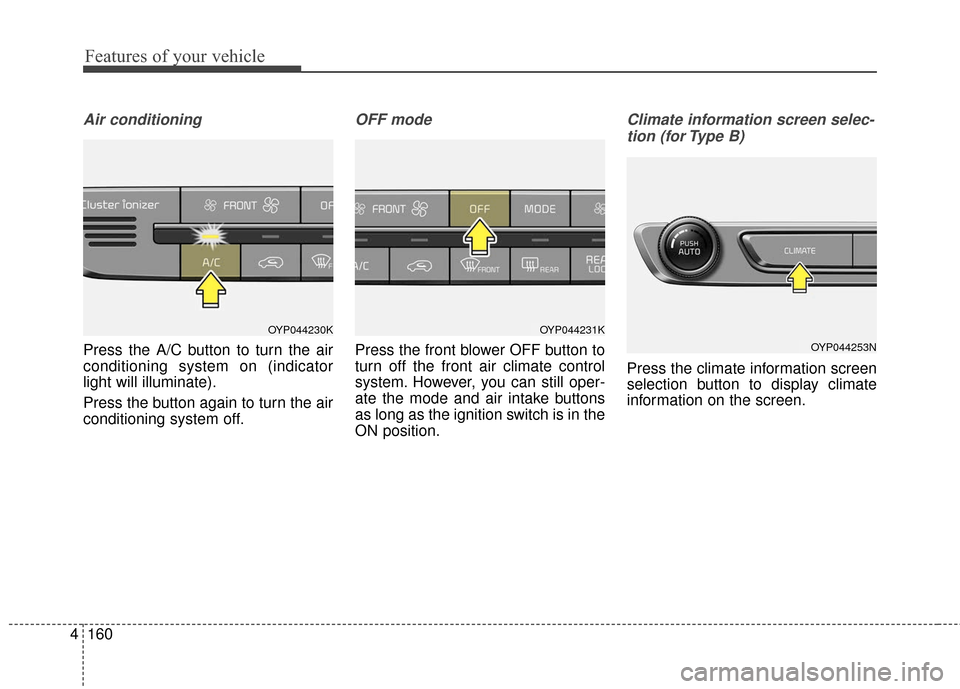
Press the A/C button to turn the air
conditioning system on (indicator
light will illuminate).
Press the button again to turn the air
conditioning system off.
OFF mode
Press the front blower OFF button to
turn off the front air climate control
system. However, you can still oper-
ate the mode and air intake buttons
as long as the ignition switch is in the
ON position.
Climate information screen selec-
tion (for Type B)
Press the climate information screen
selection button to display climate
information on the screen.
OYP044231K
OYP044253N
OYP044230K
Page 255 of 566
Features of your vehicle
162
4
Rear climate control
(if equipped)
To turn on the rear climate control
system;
From the front seat
1. Set the rear climate control selec-
tion (REAR ON) button in the front
climate control panel to the ON
position.
2. Set the rear fan speed control but- ton in the front climate control
panel to the desired position.
3. Set the rear temperature control knob in the front climate control
panel to the desired position. (if
equipped)
From the rear seat
1. Set the rear climate control selec-tion (REAR ON) button in the front
climate control panel to the ON
position.
2. Set the rear climate control selec- tion(REAR LOCK) button in the
front climate control panel to the
OFF position.
3. Set the rear fan speed control but- ton on the rear climate control
panel to the desired position.
4. Set the rear temperature control button on the rear climate control
panel to the desired position.
5. Select the desired rear mode but- ton on the rear climate control
panel. (if equipped)
6. To turn off the rear air conditioning system press the off button in the
rear climate control panel.
Rear fan speed control
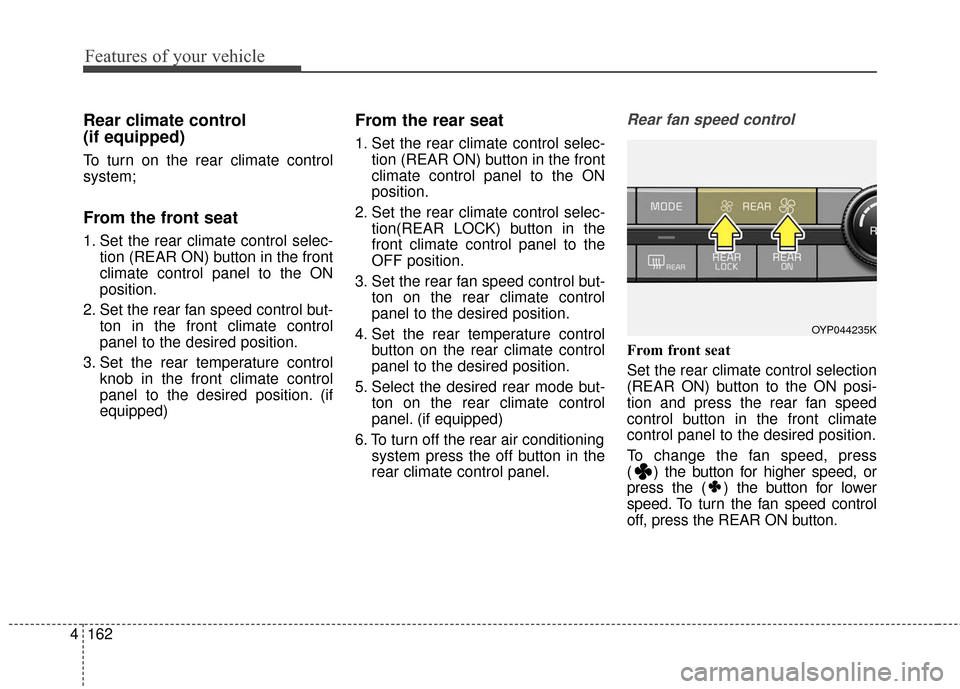
From front seat
Set the rear climate control selection
(REAR ON) button to the ON posi-
tion and press the rear fan speed
control button in the front climate
control panel to the desired position.
To change the fan speed, press
( ) the button for higher speed, or
press the ( ) the button for lower
speed. To turn the fan speed control
off, press the REAR ON button.
OYP044235K
Page 256 of 566
4163
Features of your vehicle
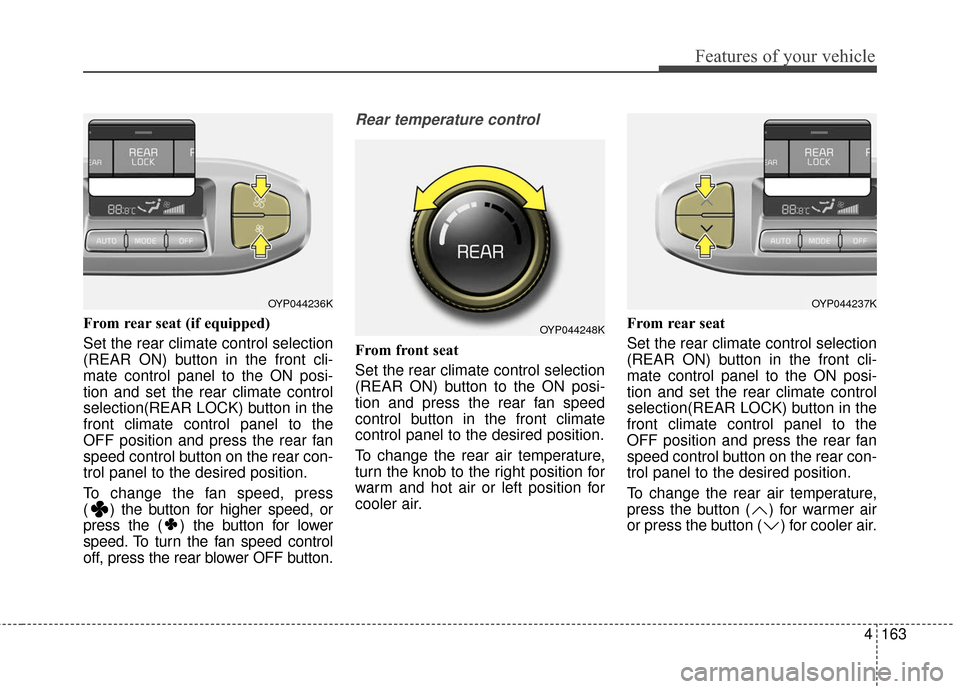
From rear seat (if equipped)
Set the rear climate control selection
(REAR ON) button in the front cli-
mate control panel to the ON posi-
tion and set the rear climate control
selection(REAR LOCK) button in the
front climate control panel to the
OFF position and press the rear fan
speed control button on the rear con-
trol panel to the desired position.
To change the fan speed, press
( ) the button for higher speed, or
press the ( ) the button for lower
speed. To turn the fan speed control
off, press the rear blower OFF button.
Rear temperature control
From front seat
Set the rear climate control selection
(REAR ON) button to the ON posi-
tion and press the rear fan speed
control button in the front climate
control panel to the desired position.
To change the rear air temperature,
turn the knob to the right position for
warm and hot air or left position for
cooler air.From rear seat
Set the rear climate control selection
(REAR ON) button in the front cli-
mate control panel to the ON posi-
tion and set the rear climate control
selection(REAR LOCK) button in the
front climate control panel to the
OFF position and press the rear fan
speed control button on the rear con-
trol panel to the desired position.
To change the rear air temperature,
press the button ( ) for warmer air
or press the button ( ) for cooler air.
OYP044236K
OYP044248K
OYP044237K
Page 257 of 566
Features of your vehicle
164
4
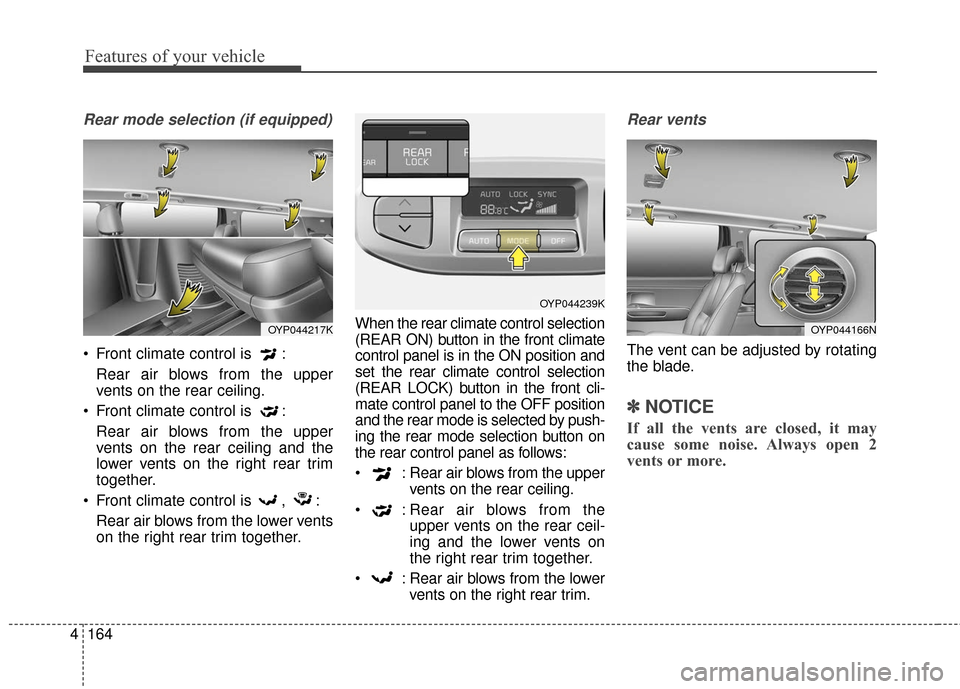
Rear mode selection (if equipped)
Front climate control is :
Rear air blows from the upper
vents on the rear ceiling.
Front climate control is : Rear air blows from the upper
vents on the rear ceiling and the
lower vents on the right rear trim
together.
Front climate control is , : Rear air blows from the lower vents
on the right rear trim together. When the rear climate control selection
(REAR ON) button in the front climate
control panel is in the ON position and
set the rear climate control selection
(REAR LOCK) button in the front cli-
mate control panel to the OFF position
and the rear mode is selected by push-
ing the rear mode selection button on
the rear control panel as follows:
: Rear air blows from the upper
vents on the rear ceiling.
: Rear air blows from the upper vents on the rear ceil-
ing and the lower vents on
the right rear trim together.
: Rear air blows from the lower vents on the right rear trim.
Rear vents
The vent can be adjusted by rotating
the blade.
✽ ✽NOTICE
If all the vents are closed, it may
cause some noise. Always open 2
vents or more.
OYP044217K
OYP044239K
OYP044166N
Page 260 of 566
4167
Features of your vehicle
Climate control air filter
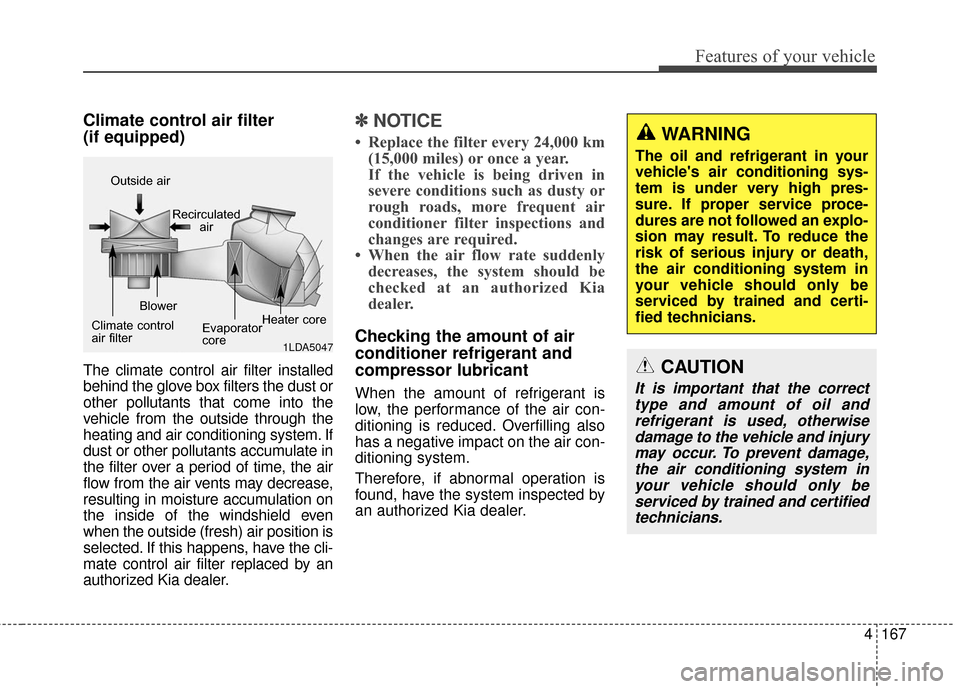
(if equipped)
The climate control air filter installed
behind the glove box filters the dust or
other pollutants that come into the
vehicle from the outside through the
heating and air conditioning system. If
dust or other pollutants accumulate in
the filter over a period of time, the air
flow from the air vents may decrease,
resulting in moisture accumulation on
the inside of the windshield even
when the outside (fresh) air position is
selected. If this happens, have the cli-
mate control air filter replaced by an
authorized Kia dealer.
✽ ✽NOTICE
• Replace the filter every 24,000 km
(15,000 miles) or once a year.
If the vehicle is being driven in
severe conditions such as dusty or
rough roads, more frequent air
conditioner filter inspections and
changes are required.
• When the air flow rate suddenly decreases, the system should be
checked at an authorized Kia
dealer.
Checking the amount of air
conditioner refrigerant and
compressor lubricant
When the amount of refrigerant is
low, the performance of the air con-
ditioning is reduced. Overfilling also
has a negative impact on the air con-
ditioning system.
Therefore, if abnormal operation is
found, have the system inspected by
an authorized Kia dealer.
1LDA5047
Outside air
Recirculatedair
Climate control
air filter Blower
Evaporator
coreHeater core
WARNING
The oil and refrigerant in your
vehicle's air conditioning sys-
tem is under very high pres-
sure. If proper service proce-
dures are not followed an explo-
sion may result. To reduce the
risk of serious injury or death,
the air conditioning system in
your vehicle should only be
serviced by trained and certi-
fied technicians.
CAUTION
It is important that the correct
type and amount of oil andrefrigerant is used, otherwisedamage to the vehicle and injurymay occur. To prevent damage,the air conditioning system inyour vehicle should only beserviced by trained and certifiedtechnicians.
Page 261 of 566
Features of your vehicle
168
4
For maximum defrosting, set the
temperature control to the extreme
right/hot position and the fan speed
control to the highest speed.
If warm air to the floor is desired while defrosting or defogging, set
the mode to the floor-defrost posi-
tion.
Before driving, clear all snow and ice from the windshield, rear win-
dow, outside rear view mirrors, and
all side windows.
Clear all snow and ice from the hood and air inlet in the cowl grill to
improve heater and defroster effi-
ciency and to reduce the probabili-
ty of fogging up the inside of the
windshield.Manual climate control system
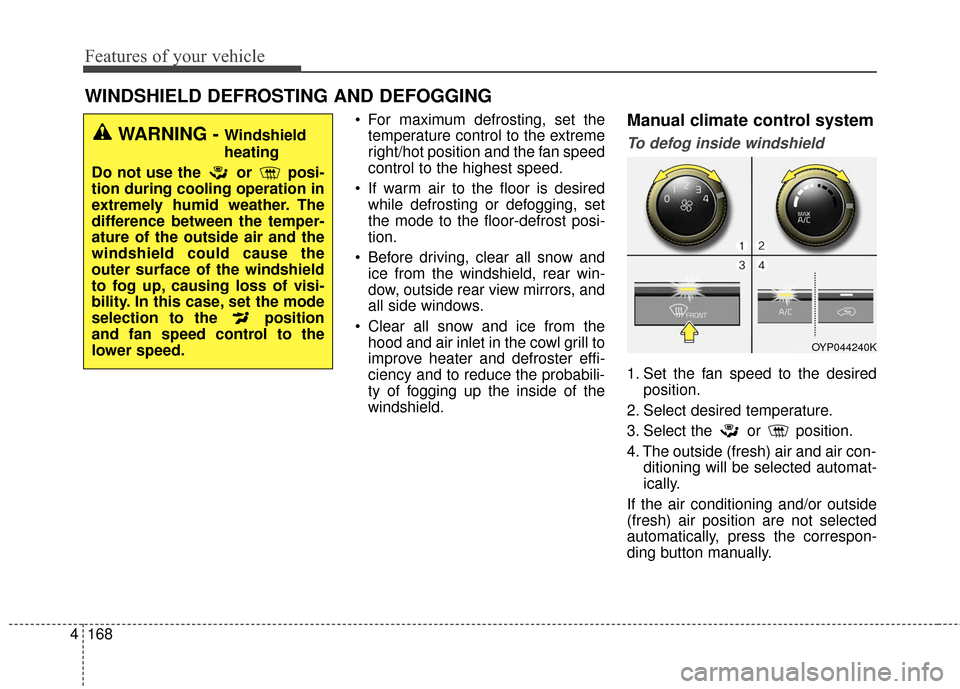
To defog inside windshield
1. Set the fan speed to the desired position.
2. Select desired temperature.
3. Select the or position.
4. The outside (fresh) air and air con- ditioning will be selected automat-
ically.
If the air conditioning and/or outside
(fresh) air position are not selected
automatically, press the correspon-
ding button manually.
WINDSHIELD DEFROSTING AND DEFOGGING
WARNING - Windshield
heating
Do not use the or posi-
tion during cooling operation in
extremely humid weather. The
difference between the temper-
ature of the outside air and the
windshield could cause the
outer surface of the windshield
to fog up, causing loss of visi-
bility. In this case, set the mode
selection to the position
and fan speed control to the
lower speed.
OYP044240K