change time KIA SEDONA 2017 Owner's Manual
[x] Cancel search | Manufacturer: KIA, Model Year: 2017, Model line: SEDONA, Model: KIA SEDONA 2017Pages: 586, PDF Size: 14.12 MB
Page 298 of 586
Features of your vehicle
196
4
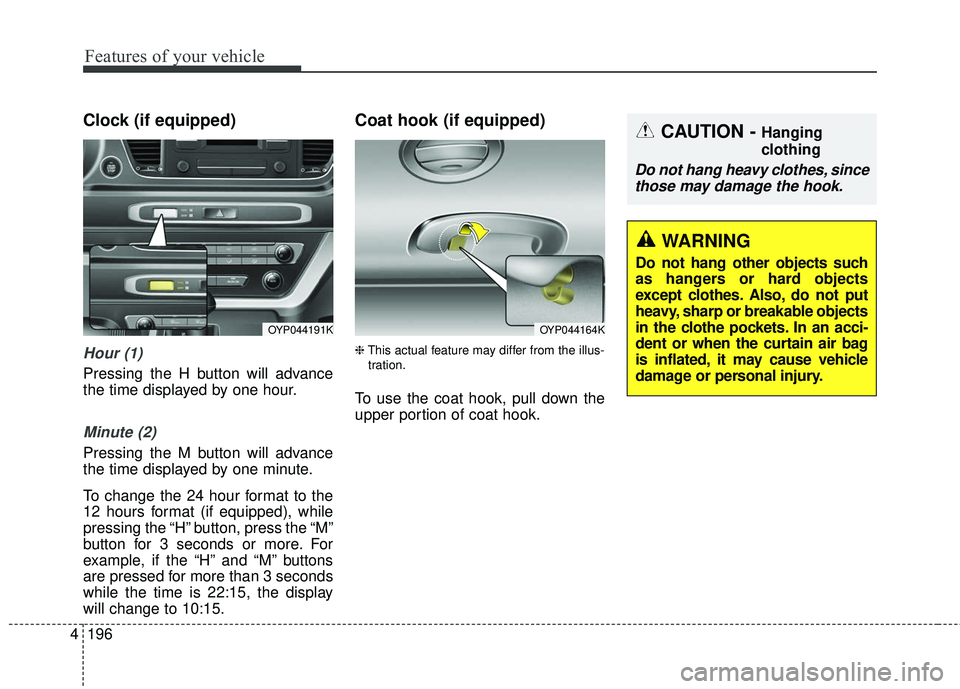
Clock (if equipped)
Hour (1)
Pressing the H button will advance
the time displayed by one hour.
Minute (2)
Pressing the M button will advance
the time displayed by one minute.
To change the 24 hour format to the
12 hours format (if equipped), while
pressing the “H” button, press the “M”
button for 3 seconds or more. For
example, if the “H” and “M” buttons
are pressed for more than 3 seconds
while the time is 22:15, the display
will change to 10:15.
Coat hook (if equipped)
❈ This actual feature may differ from the illus-
tration.
To use the coat hook, pull down the
upper portion of coat hook.
OYP044191KOYP044164K
CAUTION - Hanging
clothing
Do not hang heavy clothes, since those may damage the hook.
WARNING
Do not hang other objects such
as hangers or hard objects
except clothes. Also, do not put
heavy, sharp or breakable objects
in the clothe pockets. In an acci-
dent or when the curtain air bag
is inflated, it may cause vehicle
damage or personal injury.
Page 313 of 586
211
4
Features of your vehicle
✽ ✽
NOTICE
• If you want to change the position
of device installation, please
inquire with your place of pur-
chase or service maintenance cen-
ter. Technical expertise is required
to install or disassemble the
device.
• Turn on the car ignition before using this device. Do not operate
the audio system for long periods
of time with the ignition turned off
as such operations may lead to
battery discharge.
✽ ✽ NOTICE
In case of product malfunction,
please contact your dealer or vehicle
service center.CAUTION
Do not subject the device to
severe shock or impact. Directpressure onto the front side ofthe monitor may cause damageto the LCD or touch screen.
When cleaning the device, make sure to turn off thedevice and use a dry andsmooth cloth. Never usetough materials, chemicalcloths, or solvents (alcohol,benzene, thinners, etc.) assuch materials may damagethe device panel or causecolor/quality deterioration
Do not place beverages close to the audio system. Spillingbeverages may lead to systemmalfunction.
Placing the audio system with- in an electromagnetic environ-ment may result in noise inter-ference.
Page 317 of 586
![KIA SEDONA 2017 Owners Manual 215
4
Features of your vehicle
List
A list of all channels is displayed.
Press the desired channel.
Favorite channels can be saved to
[Presets] by pressing the [+].
Menu
Presets: Save up to 40 freque](/img/2/40453/w960_40453-316.png "KIA SEDONA 2017 Owners Manual 215
4
Features of your vehicle
List
A list of all channels is displayed.
Press the desired channel.
Favorite channels can be saved to
[Presets] by pressing the [+].
Menu
Presets: Save up to 40 freque")
215
4
Features of your vehicle
List
A list of all channels is displayed.
Press the desired channel.
Favorite channels can be saved to
[Presets] by pressing the [+].
Menu
Presets: Save up to 40 frequently
used channels.
To listen to a preset, press the
desired channel.
Press and hold the desired slot
from 1 through 40. This saves the
current channel in the selected
slot.
If the slot is empty, simply pressing
saves the channel to the slot.
Categories: Channels can be searched by category.
Direct Tune: The desired channel can be selected by entering num-
bers.
Sound Settings: Audio sound set- tings can be changed. Tag Song: Tag the current song
information.
When an Apple device (iPhone
®,
iPod®) is connected, tagged song
information is sent automatically to
the connected device.
✽ ✽ NOTICE
Up to 50 songs can be tagged.
Scan: All channels available in the
vehicle's current location are
played for ten seconds each.
Program Schedule: View the pro- gram schedule.
Featured Favorites: The Featured Favorites feature allows
SiriusXM™ to broadcast additional
presets.
- Example 1: During holidays,“Holiday Music” might include all
SiriusXM™ channels that are
playing holiday music for easy
access by users.
Multiple sets of Featured Favorites
data can be broadcast by
SiriusXM™ and can change from
time to time. Information: View detailed channel
information.
Category Lock: Search or scan channels in the current category
only.
Page 332 of 586
4 230
Features of your vehicle
Phone
✽ ✽NOTICE - Using
Bluetooth®Wireless
Technology Phone
• Bluetooth®Wireless Technology is
a near-field wireless networking
technology that uses the 2.4 GHz
frequency to connect various
devices within a certain distance
wirelessly.
• The technology is used in PCs, peripherals, Bluetooth
®Wireless
Technology phones, tablet PCs,
household appliances and automo-
biles. Devices supporting
Bluetooth
®Wireless Technology
can exchange data at high speeds
without physical cable connec-
tions.
• Bluetooth
®Wireless Technology
Handsfree devices enable conven-
ient access to phone functions
through cell phones equipped with
Bluetooth
®Wireless Technology. (Continued) (Continued)
• Some
Bluetooth
®Wireless
Technology devices may not be
supported by the Bluetooth
®
Wireless Technology Handsfree
function.
• When Bluetooth
®Wireless
Technology is connected and calls
are attempted through a connect-
ed cell phone from outside the
vehicle, the call is connected
through the Bluetooth
®Wireless
Technology Handsfree function of
the vehicle.
• Please be sure to disconnect the Bluetooth
®Wireless Technology
Handsfree function through your
Bluetooth
®Wireless Technology
device or the audio screen.
• The Bluetooth
®Wireless
Technology Handsfree function
helps drivers to drive safely. By
connecting a Bluetooth
®Wireless
Technology-enabled phone to the
vehicle’s audio system, phone calls
can be made and received through
the audio system and contacts can
be managed. Consult the user
manual before use. (Continued)(Continued)
• Excessive manipulation of con-
trols while driving, making it diffi-
cult to pay attention to the road
ahead, can lead to accidents. Do
not operate the device excessively
while driving.
• Looking at the screen for a pro- longed time increases the risk of
accidents. Keep time spent looking
at the screen to a minimum.
Page 342 of 586
![KIA SEDONA 2017 Owners Manual 4 240
Features of your vehicle
Setup
Access Display, Sound, Bluetooth,
System and Display Off settings.
Select the [SETUP]button on the
audio system.
Display
Select the [SETUP] button on the
audio sy](/img/2/40453/w960_40453-341.png "KIA SEDONA 2017 Owners Manual 4 240
Features of your vehicle
Setup
Access Display, Sound, Bluetooth,
System and Display Off settings.
Select the [SETUP]button on the
audio system.
Display
Select the [SETUP] button on the
audio sy")
4 240
Features of your vehicle
Setup
Access Display, Sound, Bluetooth,
System and Display Off settings.
Select the [SETUP]button on the
audio system.
Display
Select the [SETUP] button on the
audio system ➟ Select [Display].
Mode: Audio screen brightness can be adjusted to the time of day.
Illumination: The brightness of the audio screen can be changed.
Sound
Select the [SETUP] button on the
audio system ➟ Select [Sound].
Position: Sound balance and pan- ning can be adjusted.
Tone: Sound tone color can be adjusted.
Speed Dependent Volume: Automatically adjust volume based
on vehicle speed.
Beep: Select whether to play a sound when the screen is touched.
Bluetooth
Select the [SETUP] button on the
audio system ➟ Select [Bluetooth].
Connections: Control pairing, dele- tion, connection and disconnection
of
Bluetooth®Wireless Technology
devices.
Auto Connection Priority: Set the connection priority of
Bluetooth®
Wireless Technology devices when
the vehicle is started.
Download Contacts: Contacts can be downloaded from connected
Bluetooth®Wireless Technology
devices.
Bluetooth Voice Prompts: Play or mute voice prompts for
Bluetooth®
Wireless Technology device pair-
ing, connection and errors.
Page 343 of 586
241
4
Features of your vehicle
✽ ✽
NOTICE
• When paired devices are deleted,
the call history and contacts of the
device saved to the audio system
are deleted.
• For Bluetooth
®Wireless Technology
connections with low connection
priority, some time may be
required for the connection to be
established.
• Contacts can be downloaded only from the currently connected
Bluetooth
®Wireless Technology
device.
If no Bluetooth
®Wireless
Technology device is connected,
the download contacts button is
disabled.
• If the language setting is Korean, Bluetooth
®Wireless Technology
voice prompts are not supported.
System
Select the [SETUP] button on the
audio system ➟ Select [System].
Memory Information: View My Music memory usage.
Language: Change the user lan- guage.
Default: Reset the audio system.
✽ ✽ NOTICE
The system resets to the default val-
ues, and all saved data and settings
are lost.
Display Off
To prevent glare, the screen can be
turned off with the audio system in
operation.
Select the [SETUP] button on the
audio system ➟ Select [Display Off].
Page 347 of 586
53
Driving your vehicle
Be sure the exhaust system
does not leak.
The exhaust system should be
checked whenever the vehicle is
raised to change the oil or for any
other purpose. If you hear a change
in the sound of the exhaust or if you
drive over something that strikes the
underneath side of the vehicle, have
the exhaust system checked as soon
as possible by an authorized Kia
dealer.
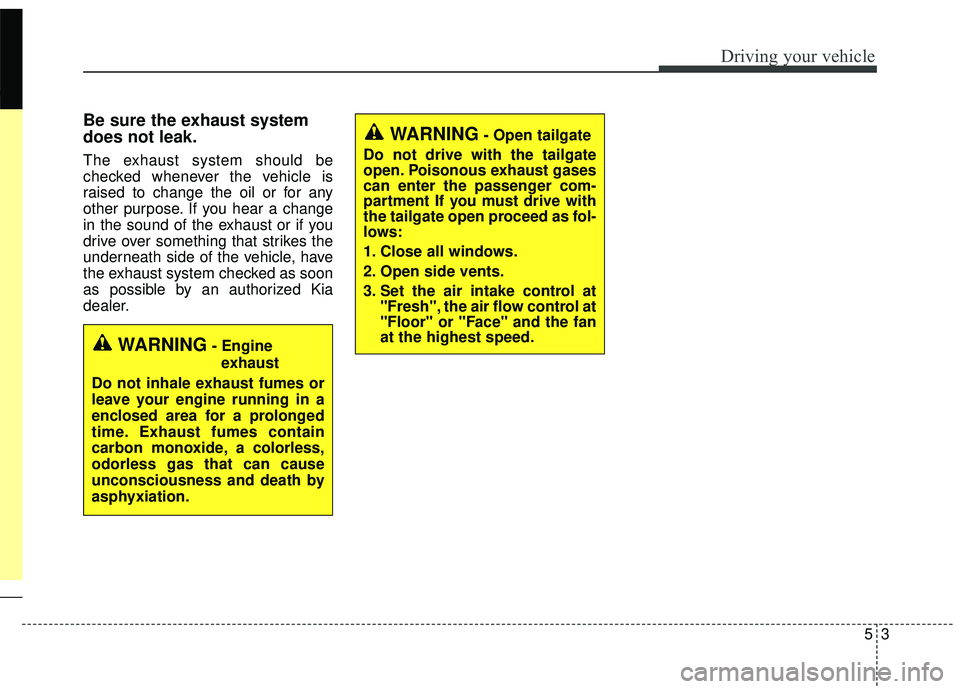
WARNING- Engineexhaust
Do not inhale exhaust fumes or
leave your engine running in a
enclosed area for a prolonged
time. Exhaust fumes contain
carbon monoxide, a colorless,
odorless gas that can cause
unconsciousness and death by
asphyxiation.
WARNING- Open tailgate
Do not drive with the tailgate
open. Poisonous exhaust gases
can enter the passenger com-
partment If you must drive with
the tailgate open proceed as fol-
lows:
1. Close all windows.
2. Open side vents.
3. Set the air intake control at "Fresh", the air flow control at
"Floor" or "Face" and the fan
at the highest speed.
Page 353 of 586
59
Driving your vehicle
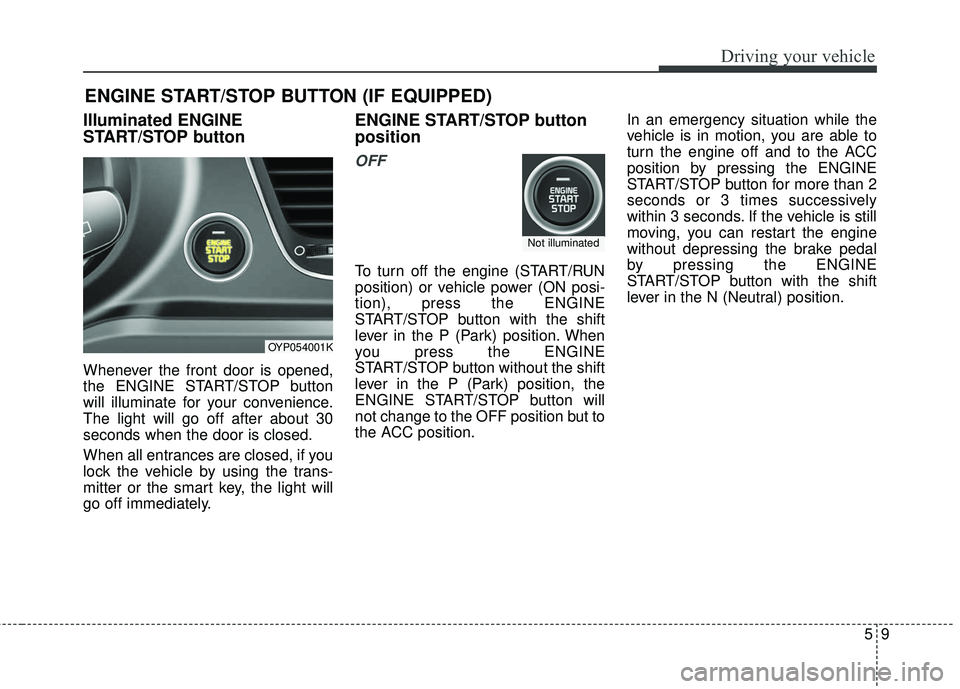
Illuminated ENGINE
START/STOP button
Whenever the front door is opened,
the ENGINE START/STOP button
will illuminate for your convenience.
The light will go off after about 30
seconds when the door is closed.
When all entrances are closed, if you
lock the vehicle by using the trans-
mitter or the smart key, the light will
go off immediately.
ENGINE START/STOP button
position
OFF
To turn off the engine (START/RUN
position) or vehicle power (ON posi-
tion), press the ENGINE
START/STOP button with the shift
lever in the P (Park) position. When
you press the ENGINE
START/STOP button without the shift
lever in the P (Park) position, the
ENGINE START/STOP button will
not change to the OFF position but to
the ACC position.In an emergency situation while the
vehicle is in motion, you are able to
turn the engine off and to the ACC
position by pressing the ENGINE
START/STOP button for more than 2
seconds or 3 times successively
within 3 seconds. If the vehicle is still
moving, you can restart the engine
without depressing the brake pedal
by pressing the ENGINE
START/STOP button with the shift
lever in the N (Neutral) position.
ENGINE START/STOP BUTTON (IF EQUIPPED)
OYP054001K
Not illuminated
Page 354 of 586
Driving your vehicle
10
5
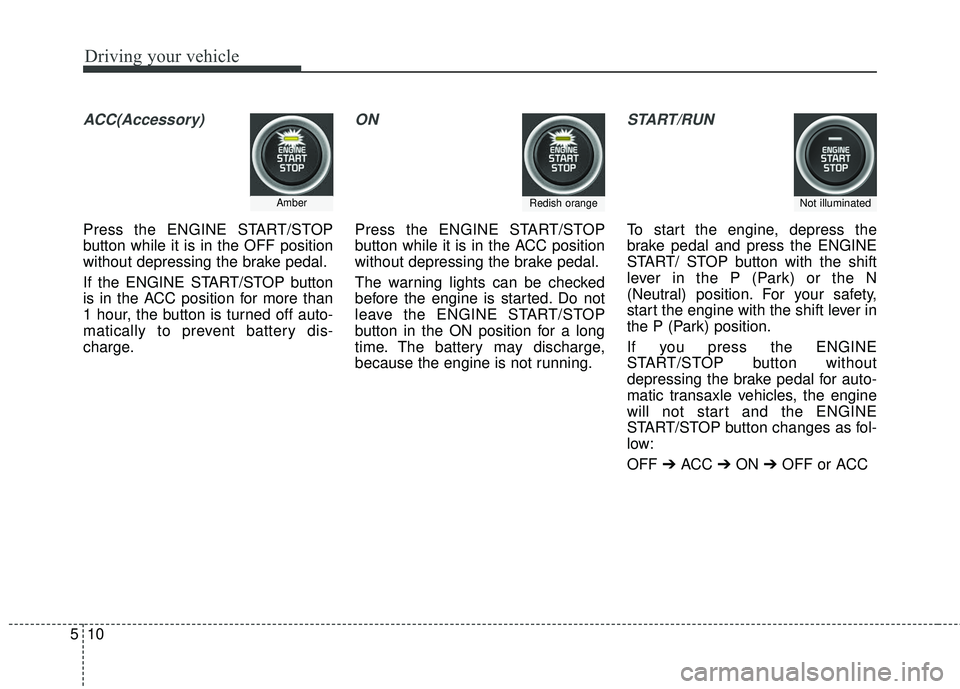
ACC(Accessory)
Press the ENGINE START/STOP
button while it is in the OFF position
without depressing the brake pedal.
If the ENGINE START/STOP button
is in the ACC position for more than
1 hour, the button is turned off auto-
matically to prevent battery dis-
charge.
ON
Press the ENGINE START/STOP
button while it is in the ACC position
without depressing the brake pedal.
The warning lights can be checked
before the engine is started. Do not
leave the ENGINE START/STOP
button in the ON position for a long
time. The battery may discharge,
because the engine is not running.
START/RUN
To start the engine, depress the
brake pedal and press the ENGINE
START/ STOP button with the shift
lever in the P (Park) or the N
(Neutral) position. For your safety,
start the engine with the shift lever in
the P (Park) position.
If you press the ENGINE
START/STOP button without
depressing the brake pedal for auto-
matic transaxle vehicles, the engine
will not start and the ENGINE
START/STOP button changes as fol-
low:
OFF ➔ACC ➔ON ➔OFF or ACC
AmberRedish orangeNot illuminated
Page 359 of 586
515
Driving your vehicle
R (Reverse)
Use this position to drive the vehicle
backward.
N (Neutral)
The wheels and transaxle are not
engaged. The vehicle will roll freely
even on the slightest incline unless
the parking brake or service brakes
are applied.- Parking in N (Neutral) gear
Follow below steps when parking
and you want the vehicle to move
when pushed.
1. After parking your vehicle, step on
the brake pedal and move the shift
lever to P with the ignition button in
ON or while the engine is running.
2. If the parking brake is applied unlock the parking brake.
3. While pressing the brake pedal, turn the ignition button OFF.
- For smart key equipped vehicles, the ignition switch can be moved
to OFF only when the shift lever
is in P.
4. Change the gear shift lever to N (Neutral) while pressing the brake
pedal and pushing [SHIFT LOCK
RELEASE] button or inserting,
pressing down a tool (e.g. flathead
screw-driver) into the [SHIFT LOCK
RELEASE] access hole at the
same time. Then, the vehicle will
move when external force is
applied. D (Drive)
This is the normal forward driving
position. The transaxle will automati-
cally shift through a 6-gear
sequence, providing the best fuel
economy and power.
For extra power when passing anoth-
er vehicle or climbing grades,
depress the accelerator fully, at which
time the transaxle will automatically
downshift to the next lower gear.
CAUTION- Shifting
Always come to a complete stop
before shifting into or out of R(Reverse); you may damage thetransaxle if you shift into R(Reverse) while the vehicle is inmotion, except when “Rockingthe vehicle” explained in thissection.
CAUTION
With the exception of parking in neutral gear, always parkthe vehicle in P (Park) for safe-ty and engage the parkingbrake.
Before parking in N (Neutral) gear, first make sure the park-ing ground is level and flat. Donot park in N gear on anyslopes or gradients.
If parked and left in N, thevehicle may move and causeserious damage and injury.