sensor KIA SEDONA 2017 Owner's Manual
[x] Cancel search | Manufacturer: KIA, Model Year: 2017, Model line: SEDONA, Model: KIA SEDONA 2017Pages: 586, PDF Size: 14.12 MB
Page 235 of 586
4133
Features of your vehicle
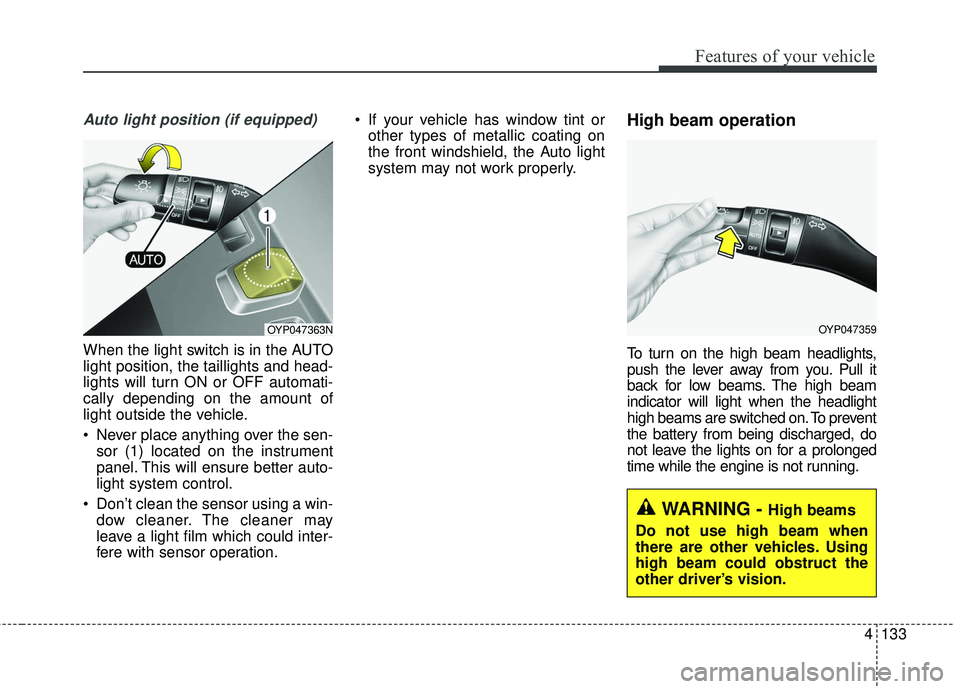
Auto light position (if equipped)
When the light switch is in the AUTO
light position, the taillights and head-
lights will turn ON or OFF automati-
cally depending on the amount of
light outside the vehicle.
Never place anything over the sen-sor (1) located on the instrument
panel. This will ensure better auto-
light system control.
Don’t clean the sensor using a win- dow cleaner. The cleaner may
leave a light film which could inter-
fere with sensor operation. If your vehicle has window tint or
other types of metallic coating on
the front windshield, the Auto light
system may not work properly.
High beam operation
To turn on the high beam headlights,
push the lever away from you. Pull it
back for low beams. The high beam
indicator will light when the headlight
high beams are switched on. To prevent
the battery from being discharged, do
not leave the lights on for a prolonged
time while the engine is not running.
OYP047359OYP047363N
WARNING - High beams
Do not use high beam when
there are other vehicles. Using
high beam could obstruct the
other driver’s vision.
Page 266 of 586
Features of your vehicle
164
4
✽ ✽
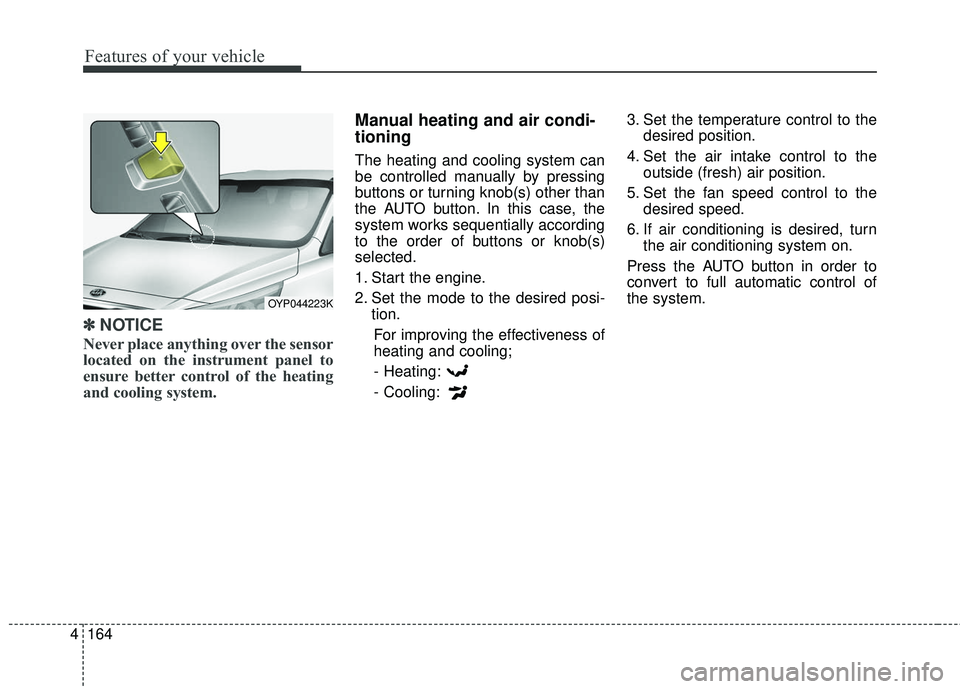
NOTICE
Never place anything over the sensor
located on the instrument panel to
ensure better control of the heating
and cooling system.
Manual heating and air condi-
tioning
The heating and cooling system can
be controlled manually by pressing
buttons or turning knob(s) other than
the AUTO button. In this case, the
system works sequentially according
to the order of buttons or knob(s)
selected.
1. Start the engine.
2. Set the mode to the desired posi-
tion.
For improving the effectiveness of
heating and cooling;- Heating:
- Cooling: 3. Set the temperature control to the
desired position.
4. Set the air intake control to the outside (fresh) air position.
5. Set the fan speed control to the desired speed.
6. If air conditioning is desired, turn the air conditioning system on.
Press the AUTO button in order to
convert to full automatic control of
the system.
OYP044223K
Page 286 of 586
Features of your vehicle
184
4
This indicator illuminates
when the auto defogging
system senses the mois-
ture of inside the wind-
shield and operates.
If more moisture is in the vehicle,
higher steps operate as follow. For
example if auto defogging does not
defog inside the windshield at step 1
Outside air position, it tries to defog
again at step 2 Blowing air toward
the windshield.
Step 1 : Outside air position
Step 2 :Blowing air toward the wind-
shield
Step 3 : Increasing air flow toward the windshield
Step 4 : Operating the air conditioning
Step 5 : M aximizing the air condi-
tioning To cancel or reset the Auto Defogging
System
Press the front windshield defroster
button for 3 seconds when the igni-
tion switch is in the ON position.
When the ADS system is canceled,
[ADS OFF] symbol will blink 3 times
per 1 sec and the position [ADS
OFF] will be displayed on the climate
control information screen. (A TYPE)
When the ADS system is canceled,
Indicator on the button will blink 3
times per 0.5 sec. (B TYPE)
When the ADS system is reset, [ADS
OFF] symbol will blink 6 times per
0.5sec and the position [ADS OFF]
will be disappeared on the climate
control information screen. (A TYPE)
When the ADS system is reset,
Indicator on the button will blink 6
times per 0.25 sec. (B TYPE)
✽ ✽
NOTICE
If the A/C off or recirculated air
position is manually selected while
the auto defogging system is on, the
auto defogging indicator will blink 3
times to give notice that manual
operation is canceled.
Do not remove the sensor cover
located on the upper end of the pas-
senger side windshield glass.
Damage to the system parts could
occur and may not be covered by
your vehicle warranty.
Page 377 of 586
533
Driving your vehicle
The Autonomous Emergency
Braking (AEB) system is designed to
detect and monitor the vehicle ahead
or detect a pedestrian in the roadway
through radar signals and camera
recognition to warn the driver that a
collision is imminent, and if neces-
sary, apply emergency braking.✽ ✽NOTICE
Take the following precautions when
using the Autonomous Emergency
Braking (AEB):
• This system is only a supplemental
system and it is not intended to,
nor does it replace the need for
extreme care and attention of the
driver. The sensing range and
objects detectable by the sensors
are limited. Pay attention to the
road conditions at all times.
• NEVER drive too fast in accor- dance with the road conditions or
while cornering.
• Always drive cautiously to prevent unexpected and sudden situations
from occurring. AEB does not stop
the vehicle completely and is not a
collision avoidance system.
System Setting and Activation
System setting
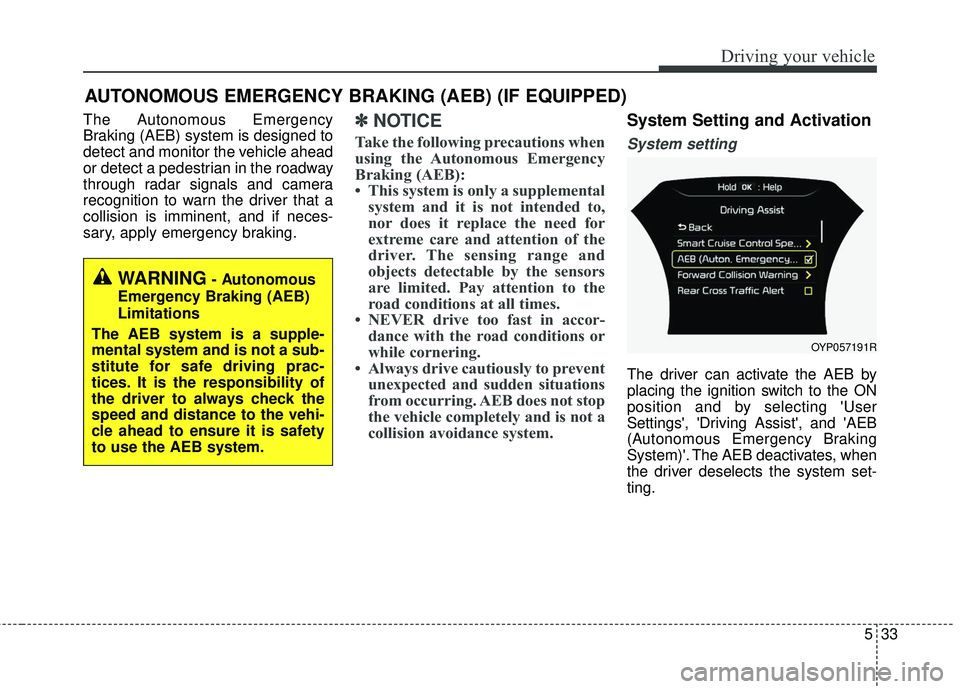
The driver can activate the AEB by
placing the ignition switch to the ON
position and by selecting 'User
Settings', 'Driving Assist', and 'AEB
(Autonomous Emergency Braking
System)'. The AEB deactivates, when
the driver deselects the system set-
ting.
AUTONOMOUS EMERGENCY BRAKING (AEB) (IF EQUIPPED)
WARNING- Autonomous
Emergency Braking (AEB)
Limitations
The AEB system is a supple-
mental system and is not a sub-
stitute for safe driving prac-
tices. It is the responsibility of
the driver to always check the
speed and distance to the vehi-
cle ahead to ensure it is safety
to use the AEB system.
OYP057191R
Page 382 of 586
Driving your vehicle
38
5
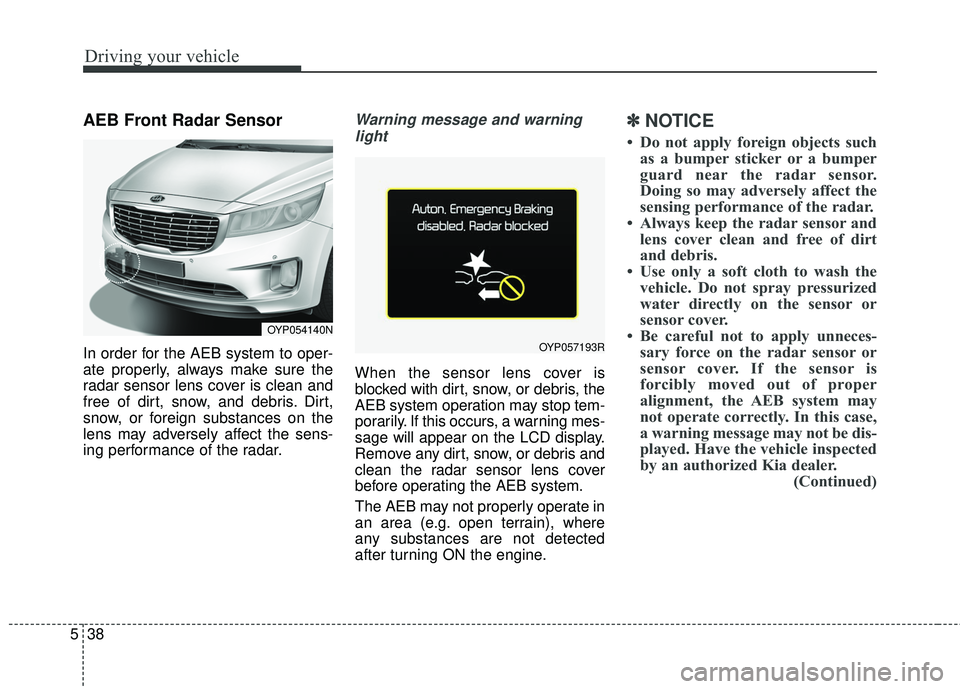
AEB Front Radar Sensor
In order for the AEB system to oper-
ate properly, always make sure the
radar sensor lens cover is clean and
free of dirt, snow, and debris. Dirt,
snow, or foreign substances on the
lens may adversely affect the sens-
ing performance of the radar.
Warning message and warning
light
When the sensor lens cover is
blocked with dirt, snow, or debris, the
AEB system operation may stop tem-
porarily. If this occurs, a warning mes-
sage will appear on the LCD display.
Remove any dirt, snow, or debris and
clean the radar sensor lens cover
before operating the AEB system.
The AEB may not properly operate in
an area (e.g. open terrain), where
any substances are not detected
after turning ON the engine.
✽ ✽ NOTICE
• Do not apply foreign objects such
as a bumper sticker or a bumper
guard near the radar sensor.
Doing so may adversely affect the
sensing performance of the radar.
• Always keep the radar sensor and lens cover clean and free of dirt
and debris.
• Use only a soft cloth to wash the vehicle. Do not spray pressurized
water directly on the sensor or
sensor cover.
• Be careful not to apply unneces- sary force on the radar sensor or
sensor cover. If the sensor is
forcibly moved out of proper
alignment, the AEB system may
not operate correctly. In this case,
a warning message may not be dis-
played. Have the vehicle inspected
by an authorized Kia dealer. (Continued)
OYP054140N
OYP057193R
Page 383 of 586
539
Driving your vehicle
(Continued)
• If the front bumper becomes dam-aged in the area around the radar
sensor, the AEB system may not
operate properly. Have the vehicle
inspected by an authorized Kia
dealer.
• Use only genuine Kia parts to repair or replace a damaged sen-
sor or sensor cover. Do not apply
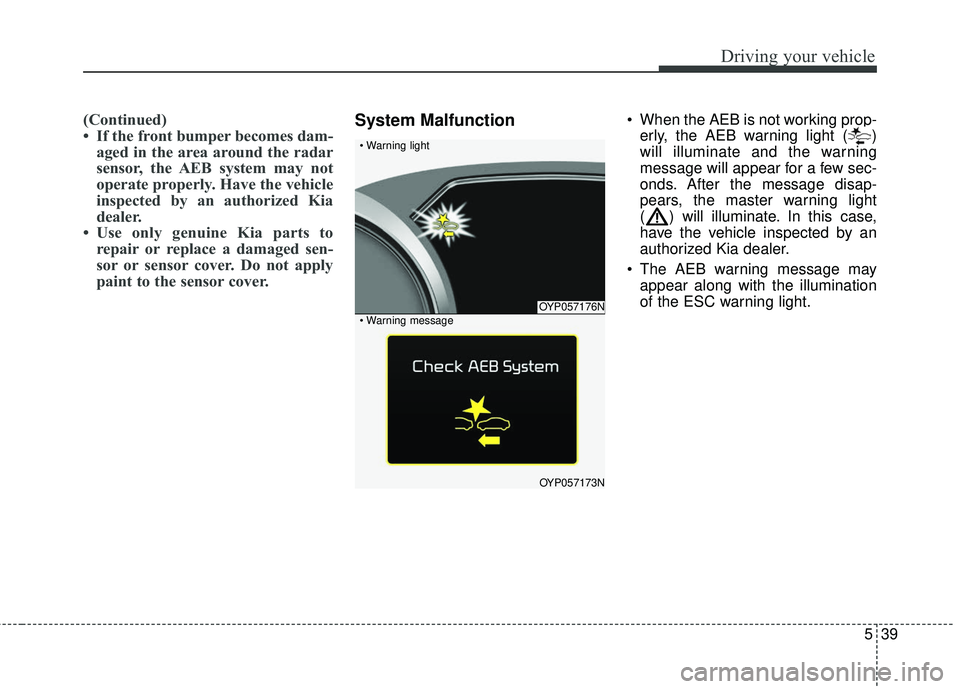
paint to the sensor cover.System Malfunction When the AEB is not working prop-
erly, the AEB warning light ( )
will illuminate and the warning
message will appear for a few sec-
onds. After the message disap-
pears, the master warning light
( ) will illuminate. In this case,
have the vehicle inspected by an
authorized Kia dealer.
The AEB warning message may appear along with the illumination
of the ESC warning light.
OYP057176N
OYP057173N
Page 385 of 586
541
Driving your vehicle
Limitations of the System
The Autonomous Emergency Braking
(AEB) system is designed to monitor
the vehicle ahead or a pedestrian in
the roadway through radar signals and
camera recognition to warn the driver
that a collision is imminent, and if nec-
essary, apply emergency braking.
In certain situations, the radar sen-
sor or the camera may not be able to
detect the vehicle or pedestrian
ahead. In these cases, the AEB sys-
tem may not operate normally. The
driver must pay careful attention in
the following situations where the
AEB operation may be limited.
Detecting vehicles
The sensor may be limited when:
- The radar sensor or camera isblocked with a foreign object or
debris.
- Inclement weather such as heavy rain or snow obscures the field of
view of the radar sensor or cam-
era.
- There is interference by electro- magnetic waves.
- There is severe irregular reflection from the radar sensor.
- The vehicle in front is too small to be detected by the camera recog-
nition system (for example a motor-
cycle or a bicycle, etc.).
- The vehicle in front is an oversize vehicle or trailer that is too big to
be detected by the camera recog-
nition system (for example a tractor
trailer, etc.).
- The driver's field of view is not well illuminated (either too dark or too
much reflection or too much back-
light that obscures the field of
view). - The vehicle in front does not have
their rear lights properly turned
ON.
- The outside brightness changes suddenly, for example when enter-
ing or exiting a tunnel.
- The vehicle in front is driving errat- ically.
- The vehicle drives through a con- struction area, on an unpaved
road, or above metal materials,
such as a railway.
- The vehicle drives inside a build- ing, such as a basement parking
lot.
Page 386 of 586
Driving your vehicle
42
5
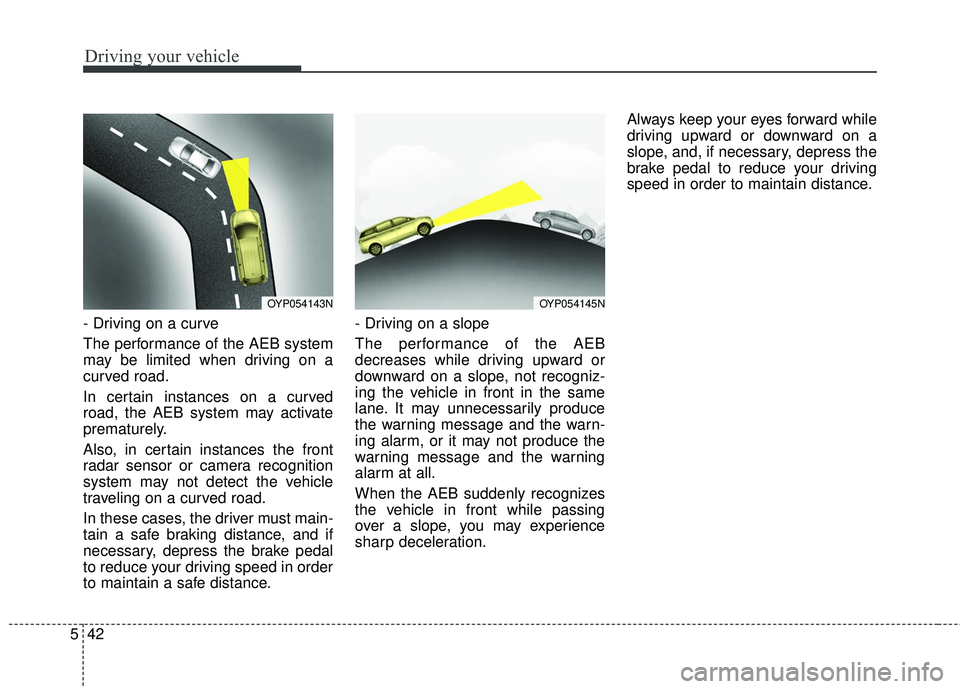
- Driving on a curve
The performance of the AEB system
may be limited when driving on a
curved road.
In certain instances on a curved
road, the AEB system may activate
prematurely.
Also, in certain instances the front
radar sensor or camera recognition
system may not detect the vehicle
traveling on a curved road.
In these cases, the driver must main-
tain a safe braking distance, and if
necessary, depress the brake pedal
to reduce your driving speed in order
to maintain a safe distance. - Driving on a slope
The performance of the AEB
decreases while driving upward or
downward on a slope, not recogniz-
ing the vehicle in front in the same
lane. It may unnecessarily produce
the warning message and the warn-
ing alarm, or it may not produce the
warning message and the warning
alarm at all.
When the AEB suddenly recognizes
the vehicle in front while passing
over a slope, you may experience
sharp deceleration.Always keep your eyes forward while
driving upward or downward on a
slope, and, if necessary, depress the
brake pedal to reduce your driving
speed in order to maintain distance.
OYP054143NOYP054145N
Page 388 of 586
Driving your vehicle
44
5
Detecting pedestrians
The sensor may be limited when:
- The pedestrian is not fully detected
by the camera recognition system,
for example, if the pedestrian is
leaning over or is not fully walking
upright.
- The pedestrian is moving very quickly or appears abruptly in the
camera detection area.
The pedestrian is wearing clothing
that easily blends into the back-
ground, making it difficult to be
detected by the camera recogni-
tion system.
- The outside lighting is too bright (e.g. when driving in bright sunlight
or in sun glare) or too dark (e.g.
when driving on a dark rural road
at night).
- It is difficult to detect and distin- guish the pedestrian from other
objects in the surroundings, for
example, when there is a group of
pedestrians or a large crowd.
✽ ✽ NOTICE
In some instances, the AEB system
may be cancelled when subjected to
electromagnetic interference.WARNING- AEB and
Towing
Cancel the AEB in the User
Settings on the LCD display,
before towing another vehicle.
While towing, the brake applica-
tion may adversely affect your
vehicle safety.
WARNING- Testing the AEB
The AEB does not operate in
certain situations. Never test-
operate the AEB against a per-
son or an object as such action
may cause a severe injury or
even death.
Page 397 of 586
553
Driving your vehicle
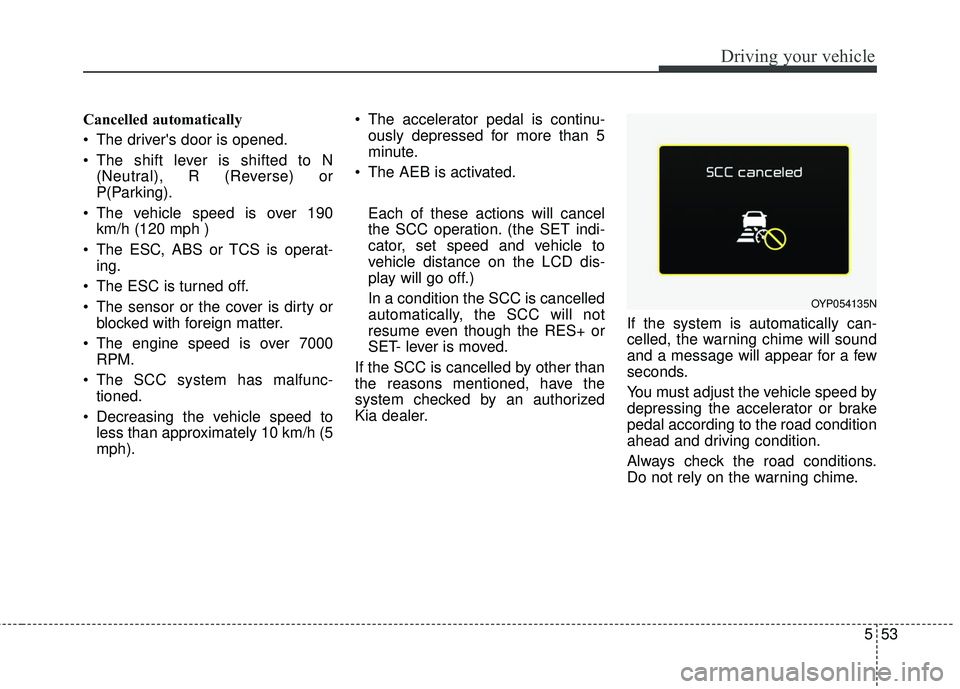
Cancelled automatically
The driver's door is opened.
The shift lever is shifted to N(Neutral), R (Reverse) or
P(Parking).
The vehicle speed is over 190 km/h (120 mph )
The ESC, ABS or TCS is operat- ing.
The ESC is turned off.
The sensor or the cover is dirty or blocked with foreign matter.
The engine speed is over 7000 RPM.
The SCC system has malfunc- tioned.
Decreasing the vehicle speed to less than approximately 10 km/h (5
mph). The accelerator pedal is continu-
ously depressed for more than 5
minute.
The AEB is activated.
Each of these actions will cancel
the SCC operation. (the SET indi-
cator, set speed and vehicle to
vehicle distance on the LCD dis-
play will go off.)
In a condition the SCC is cancelled
automatically, the SCC will not
resume even though the RES+ or
SET- lever is moved.
If the SCC is cancelled by other than
the reasons mentioned, have the
system checked by an authorized
Kia dealer. If the system is automatically can-
celled, the warning chime will sound
and a message will appear for a few
seconds.
You must adjust the vehicle speed by
depressing the accelerator or brake
pedal according to the road condition
ahead and driving condition.
Always check the road conditions.
Do not rely on the warning chime.
OYP054135N