display KIA SEDONA 2017 Workshop Manual
[x] Cancel search | Manufacturer: KIA, Model Year: 2017, Model line: SEDONA, Model: KIA SEDONA 2017Pages: 586, PDF Size: 14.12 MB
Page 371 of 586
527
Driving your vehicle
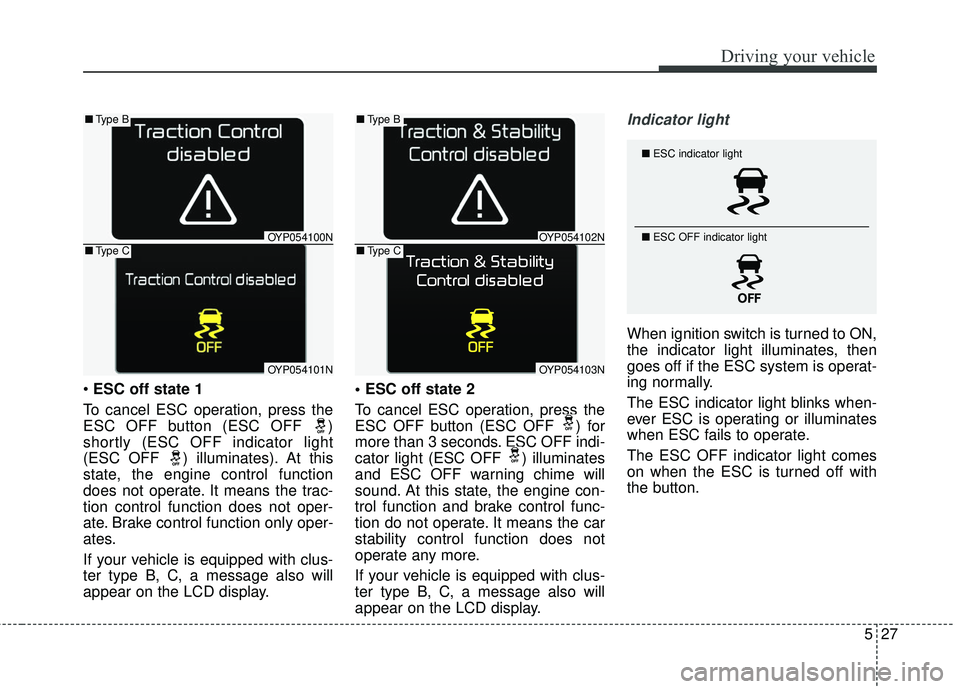
ESC off state 1
To cancel ESC operation, press the
ESC OFF button (ESC OFF )
shortly (ESC OFF indicator light
(ESC OFF ) illuminates). At this
state, the engine control function
does not operate. It means the trac-
tion control function does not oper-
ate. Brake control function only oper-
ates.
If your vehicle is equipped with clus-
ter type B, C, a message also will
appear on the LCD display.
To cancel ESC operation, press the
ESC OFF button (ESC OFF ) for
more than 3 seconds. ESC OFF indi-
cator light (ESC OFF ) illuminates
and ESC OFF warning chime will
sound. At this state, the engine con-
trol function and brake control func-
tion do not operate. It means the car
stability control function does not
operate any more.
If your vehicle is equipped with clus-
ter type B, C, a message also will
appear on the LCD display.
Indicator light
When ignition switch is turned to ON,
the indicator light illuminates, then
goes off if the ESC system is operat-
ing normally.
The ESC indicator light blinks when-
ever ESC is operating or illuminates
when ESC fails to operate.
The ESC OFF indicator light comes
on when the ESC is turned off with
the button.
■
ESC indicator light
■ ESC OFF indicator light
OYP054100N
OYP054101N
■Type B
■Type COYP054102N
OYP054103N
■Type B
■Type C
Page 378 of 586
Driving your vehicle
34
5
The warning light illumi-
nates on the LCD display,
when you cancel the AEB
system. The driver can
monitor the AEB ON/OFF status on
the LCD display. If the warning light
remains ON when the AEB is acti-
vated, have the system checked by
an authorized Kia dealer.
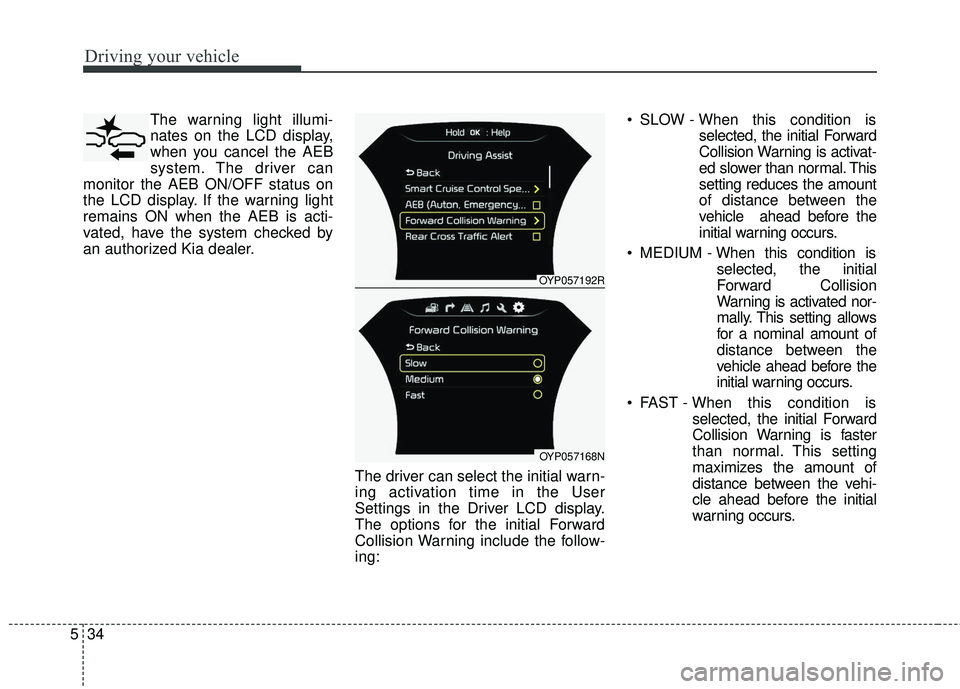
The driver can select the initial warn-
ing activation time in the User
Settings in the Driver LCD display.
The options for the initial Forward
Collision Warning include the follow-
ing: SLOW - When this condition is
selected, the initial Forward
Collision Warning is activat-
ed slower than normal. This
setting reduces the amount
of distance between the
vehicle ahead before the
initial warning occurs.
MEDIUM - When this condition is
selected, the initial
Forward Collision
Warning is activated nor-
mally. This setting allows
for a nominal amount of
distance between the
vehicle ahead before the
initial warning occurs.
FAST - When this condition is selected, the initial Forward
Collision Warning is faster
than normal. This setting
maximizes the amount of
distance between the vehi-
cle ahead before the initial
warning occurs.
OYP057192R
OYP057168N
Page 379 of 586
535
Driving your vehicle
Prerequisite for activation
The AEB system is on and ready
when AEB is selected on the LCD
display and when the following pre-
requisites are satisfied:
- The ESC (Electronic StabilityControl) or TCS (Traction Control
System) is activated.
- Driving speed exceeds approxi- mately 6 mph (10 km/h). (The AEB
is only activated within a certain
speed range.)
- The system detects a pedestrian or a vehicle in front, which may collide
with your vehicle. (The AEB may
not be activated or may sound a
warning alarm in accordance with
the driving situation or vehicle con-
dition.) The AEB automatically activates
upon placing the ignition switch to
the ON position. The driver can
deactivate the AEB by canceling
the system setting on the LCD dis-
play.
The AEB automatically deactivates when canceling the ESC
(Electronic Stability Control). When
the ESC is canceled, the AEB can-
not be activated on the LCD dis-
play.
AEB Warning Message and
System Control
The AEB produces warning mes-
sages and warning alarms in accor-
dance with the collision risk levels,
such as abrupt stopping of the vehi-
cle in front, insufficient braking dis-
tance, or pedestrian detection. Also,
it controls the brakes in accordance
with the collision risk levels.
WARNING
Do not attempt to set or cancel
the AEB while your vehicle is
moving. Set or cancel the AEB
with controlling switches on
steering wheel after stopping
the vehicle in a safe place for
your safety.
Page 380 of 586
Driving your vehicle
36
5
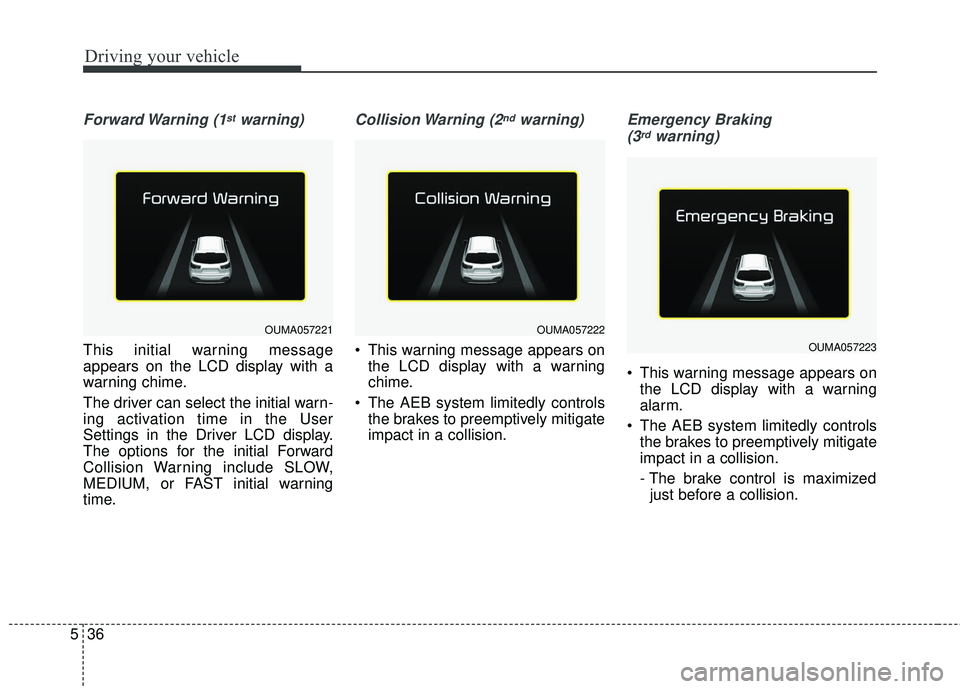
Forward Warning (1stwarning)
This initial warning message
appears on the LCD display with a
warning chime.
The driver can select the initial warn-
ing activation time in the User
Settings in the Driver LCD display.
The options for the initial Forward
Collision Warning include SLOW,
MEDIUM, or FAST initial warning
time.
Collision Warning (2ndwarning)
This warning message appears on
the LCD display with a warning
chime.
The AEB system limitedly controls the brakes to preemptively mitigate
impact in a collision.
Emergency Braking
(3rdwarning)
This warning message appears on the LCD display with a warning
alarm.
The AEB system limitedly controls the brakes to preemptively mitigate
impact in a collision.
- The brake control is maximizedjust before a collision.
OUMA057221OUMA057222
OUMA057223
Page 382 of 586
Driving your vehicle
38
5
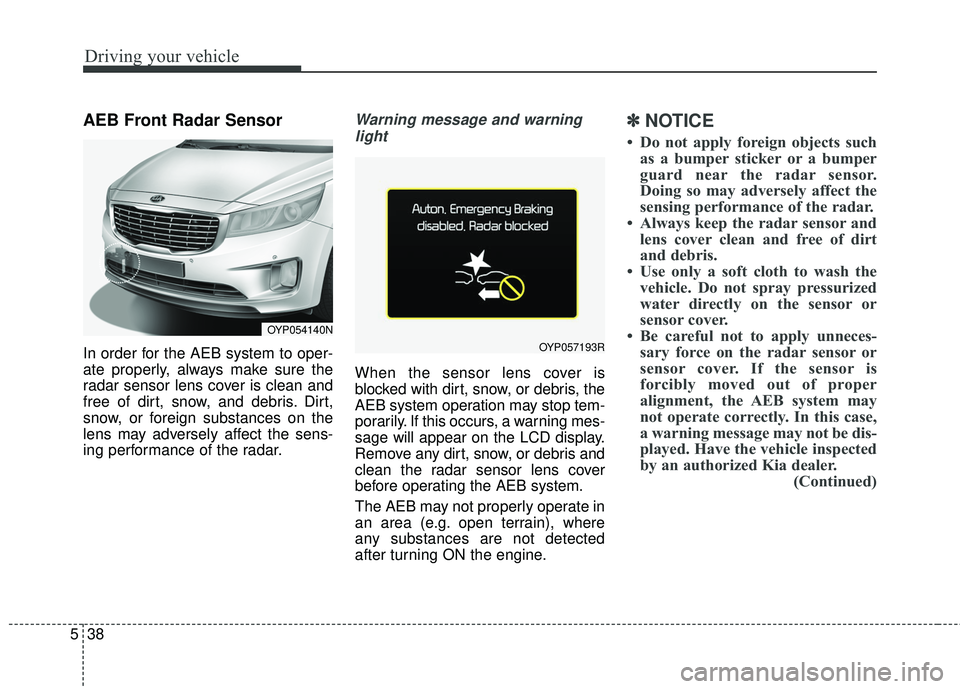
AEB Front Radar Sensor
In order for the AEB system to oper-
ate properly, always make sure the
radar sensor lens cover is clean and
free of dirt, snow, and debris. Dirt,
snow, or foreign substances on the
lens may adversely affect the sens-
ing performance of the radar.
Warning message and warning
light
When the sensor lens cover is
blocked with dirt, snow, or debris, the
AEB system operation may stop tem-
porarily. If this occurs, a warning mes-
sage will appear on the LCD display.
Remove any dirt, snow, or debris and
clean the radar sensor lens cover
before operating the AEB system.
The AEB may not properly operate in
an area (e.g. open terrain), where
any substances are not detected
after turning ON the engine.
✽ ✽ NOTICE
• Do not apply foreign objects such
as a bumper sticker or a bumper
guard near the radar sensor.
Doing so may adversely affect the
sensing performance of the radar.
• Always keep the radar sensor and lens cover clean and free of dirt
and debris.
• Use only a soft cloth to wash the vehicle. Do not spray pressurized
water directly on the sensor or
sensor cover.
• Be careful not to apply unneces- sary force on the radar sensor or
sensor cover. If the sensor is
forcibly moved out of proper
alignment, the AEB system may
not operate correctly. In this case,
a warning message may not be dis-
played. Have the vehicle inspected
by an authorized Kia dealer. (Continued)
OYP054140N
OYP057193R
Page 388 of 586
Driving your vehicle
44
5
Detecting pedestrians
The sensor may be limited when:
- The pedestrian is not fully detected
by the camera recognition system,
for example, if the pedestrian is
leaning over or is not fully walking
upright.
- The pedestrian is moving very quickly or appears abruptly in the
camera detection area.
The pedestrian is wearing clothing
that easily blends into the back-
ground, making it difficult to be
detected by the camera recogni-
tion system.
- The outside lighting is too bright (e.g. when driving in bright sunlight
or in sun glare) or too dark (e.g.
when driving on a dark rural road
at night).
- It is difficult to detect and distin- guish the pedestrian from other
objects in the surroundings, for
example, when there is a group of
pedestrians or a large crowd.
✽ ✽ NOTICE
In some instances, the AEB system
may be cancelled when subjected to
electromagnetic interference.WARNING- AEB and
Towing
Cancel the AEB in the User
Settings on the LCD display,
before towing another vehicle.
While towing, the brake applica-
tion may adversely affect your
vehicle safety.
WARNING- Testing the AEB
The AEB does not operate in
certain situations. Never test-
operate the AEB against a per-
son or an object as such action
may cause a severe injury or
even death.
Page 396 of 586
Driving your vehicle
52
5
To decrease the crusie control
set speed:
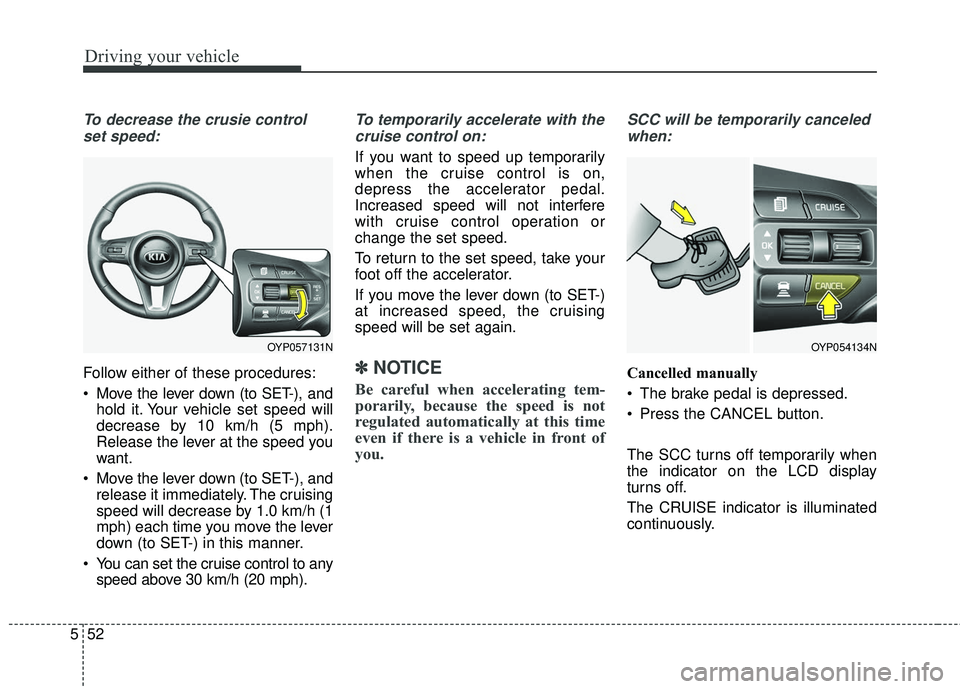
Follow either of these procedures:
Move the lever down (to SET-), and hold it. Your vehicle set speed will
decrease by 10 km/h (5 mph).
Release the lever at the speed you
want.
Move the lever down (to SET-), and release it immediately. The cruising
speed will decrease by 1.0 km/h (1
mph) each time you move the lever
down (to SET-) in this manner.
You can set the cruise control to any speed above 30 km/h (20 mph).
To temporarily accelerate with the
cruise control on:
If you want to speed up temporarily
when the cruise control is on,
depress the accelerator pedal.
Increased speed will not interfere
with cruise control operation or
change the set speed.
To return to the set speed, take your
foot off the accelerator.
If you move the lever down (to SET-)
at increased speed, the cruising
speed will be set again.
✽ ✽ NOTICE
Be careful when accelerating tem-
porarily, because the speed is not
regulated automatically at this time
even if there is a vehicle in front of
you.
SCC will be temporarily canceled
when:
Cancelled manually
The brake pedal is depressed.
Press the CANCEL button.
The SCC turns off temporarily when
the indicator on the LCD display
turns off.
The CRUISE indicator is illuminated
continuously.
OYP054134NOYP057131N
Page 400 of 586
Driving your vehicle
56
5
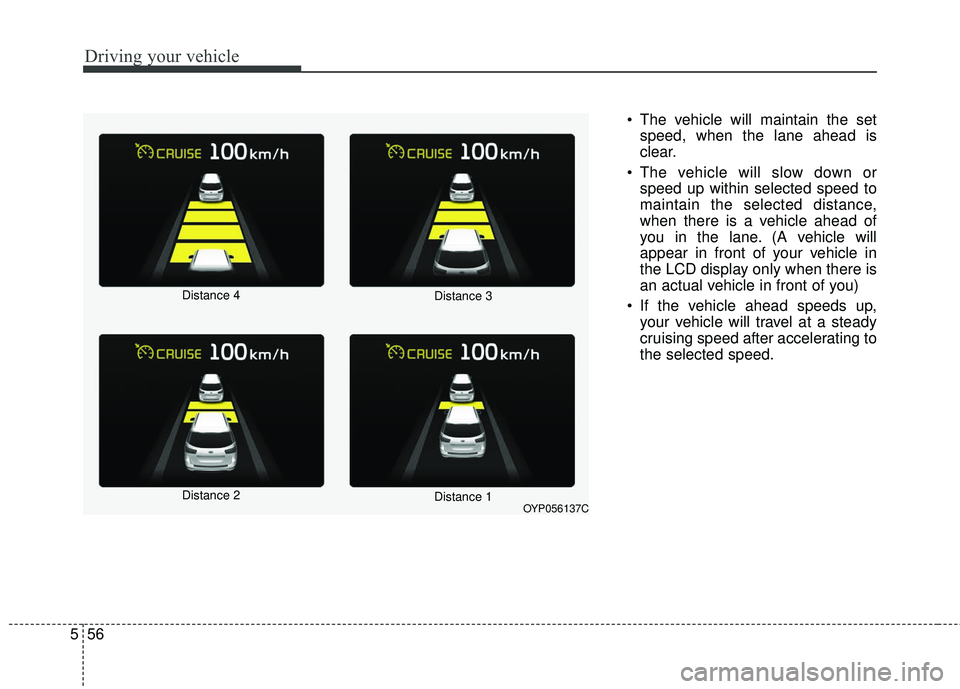
The vehicle will maintain the set
speed, when the lane ahead is
clear.
The vehicle will slow down or speed up within selected speed to
maintain the selected distance,
when there is a vehicle ahead of
you in the lane. (A vehicle will
appear in front of your vehicle in
the LCD display only when there is
an actual vehicle in front of you)
If the vehicle ahead speeds up, your vehicle will travel at a steady
cruising speed after accelerating to
the selected speed.
OYP056137C
Distance 4
Distance 2
Distance 3
Distance 1
Page 401 of 586
557
Driving your vehicle
The warning chime sounds andLCD display blinks if it is hard to
maintain the selected distance to
the vehicle ahead.
If the warning chime sounds, actively adjust the vehicle speed by
depressing the brake pedal
according to the road condition
ahead and driving condition.
Even if the warning chime is not activated, always pay attention to
the driving conditions to prevent
dangerous situations from occur-
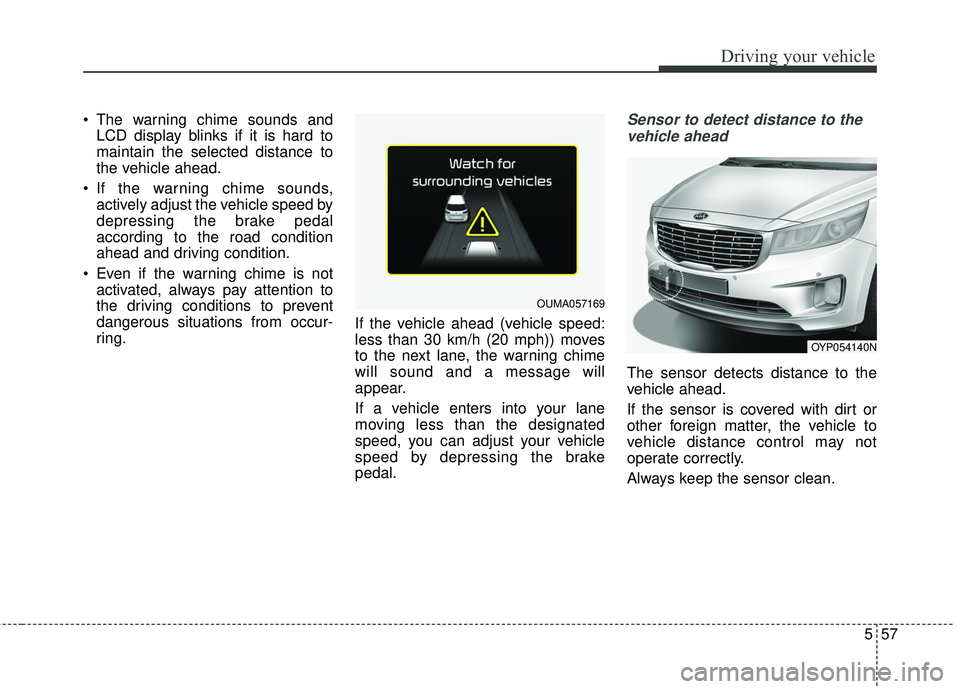
ring. If the vehicle ahead (vehicle speed:
less than 30 km/h (20 mph)) moves
to the next lane, the warning chime
will sound and a message will
appear.
If a vehicle enters into your lane
moving less than the designated
speed, you can adjust your vehicle
speed by depressing the brake
pedal.Sensor to detect distance to the
vehicle ahead
The sensor detects distance to the
vehicle ahead.
If the sensor is covered with dirt or
other foreign matter, the vehicle to
vehicle distance control may not
operate correctly.
Always keep the sensor clean.
OUMA057169
OYP054140N
Page 411 of 586
567
Driving your vehicle
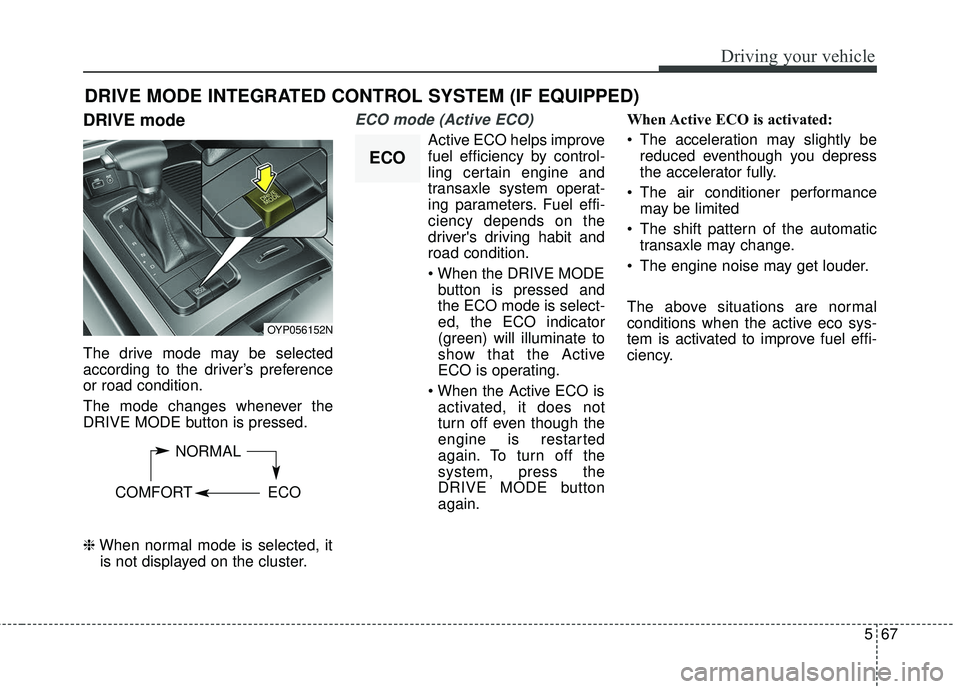
DRIVE mode
The drive mode may be selected
according to the driver’s preference
or road condition.
The mode changes whenever the
DRIVE MODE button is pressed.
\bWhen normal mode is selected, it
is not displayed on the cluster.
ECO mode (Active ECO)
Active ECO helps improve
fuel efficiency by control-
ling certain engine and
transaxle system operat-
ing parameters. Fuel effi-
ciency depends on the
driver's driving habit and
road condition.
button is pressed and
the ECO mode is select-
ed, the ECO indicator
(green) will illuminate to
show that the Active
ECO is operating.
activated, it does not
turn off even though the
engine is restarted
again. To turn off the
system, press the
DRIVE MODE button
again. When Active ECO is activated:
The acceleration may slightly be
reduced eventhough you depress
the accelerator fully.
The air conditioner performance may be limited
The shift pattern of the automatic transaxle may change.
The engine noise may get louder.
The above situations are normal
conditions when the active eco sys-
tem is activated to improve fuel effi-
ciency.
DRIVE MODE INTEGRATED CONTROL SYSTEM (IF EQUIPPED)
OYP056152N
NORMAL
COMFORT ECO
ECO