stop start KIA SEDONA 2018 Owner's Guide
[x] Cancel search | Manufacturer: KIA, Model Year: 2018, Model line: SEDONA, Model: KIA SEDONA 2018Pages: 586, PDF Size: 14.1 MB
Page 227 of 586
4125
Features of your vehicle
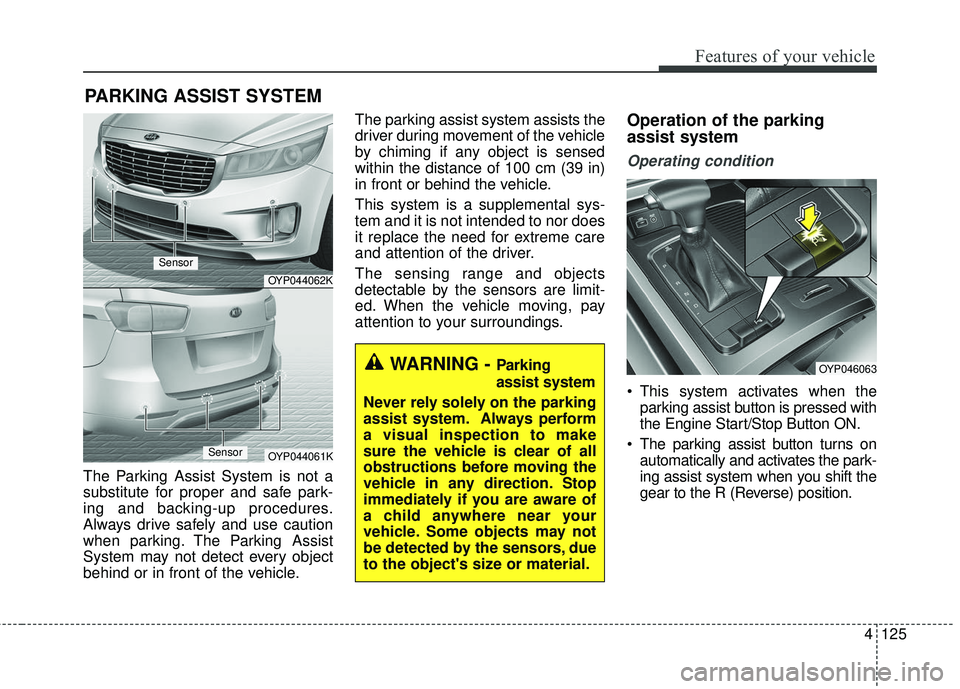
The Parking Assist System is not a
substitute for proper and safe park-
ing and backing-up procedures.
Always drive safely and use caution
when parking. The Parking Assist
System may not detect every object
behind or in front of the vehicle.The parking assist system assists the
driver during movement of the vehicle
by chiming if any object is sensed
within the distance of 100 cm (39 in)
in front or behind the vehicle.
This system is a supplemental sys-
tem and it is not intended to nor does
it replace the need for extreme care
and attention of the driver.
The sensing range and objects
detectable by the sensors are limit-
ed. When the vehicle moving, pay
attention to your surroundings.
Operation of the parking
assist system
Operating condition
This system activates when the
parking assist button is pressed with
the Engine Start/Stop Button ON.
The parking assist button turns on automatically and activates the park-
ing assist system when you shift the
gear to the R (Reverse) position.
PARKING ASSIST SYSTEM
OYP044062K
OYP044061K
Sensor
Sensor
OYP046063WARNING - Parking
assist system
Never rely solely on the parking
assist system. Always perform
a visual inspection to make
sure the vehicle is clear of all
obstructions before moving the
vehicle in any direction. Stop
immediately if you are aware of
a child anywhere near your
vehicle. Some objects may not
be detected by the sensors, due
to the object's size or material.
Page 232 of 586
Features of your vehicle
130
4
The 360° camera monitoring system
is not a substitute for proper and safe
parking procedures. The 360° cam-
era monitoring system may not
detect every object surrounding the
vehicle. Always drive safely and use
caution when parking.
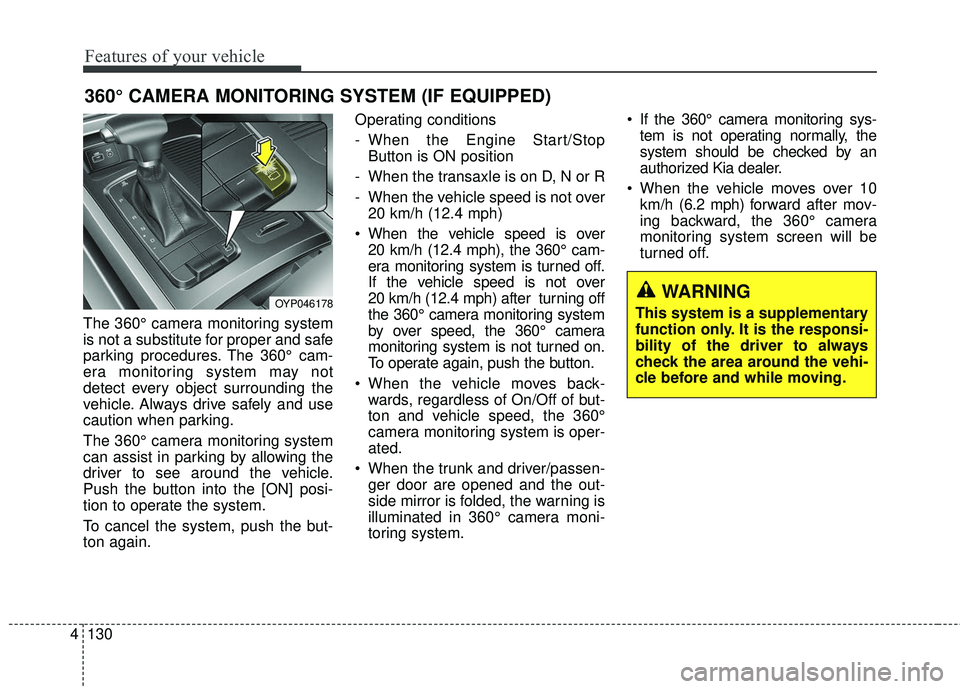
The 360° camera monitoring system
can assist in parking by allowing the
driver to see around the vehicle.
Push the button into the [ON] posi-
tion to operate the system.
To cancel the system, push the but-
ton again. Operating conditions
- When the Engine Start/Stop
Button is ON position
- When the transaxle is on D, N or R
- When the vehicle speed is not over 20 km/h (12.4 mph)
When the vehicle speed is over 20 km/h (12.4 mph), the 360° cam-
era monitoring system is turned off.
If the vehicle speed is not over
20 km/h (12.4 mph) after turning off
the 360° camera monitoring system
by over speed, the 360° camera
monitoring system is not turned on.
To operate again, push the button.
When the vehicle moves back- wards, regardless of On/Off of but-
ton and vehicle speed, the 360°
camera monitoring system is oper-
ated.
When the trunk and driver/passen- ger door are opened and the out-
side mirror is folded, the warning is
illuminated in 360° camera moni-
toring system. If the 360° camera monitoring sys-
tem is not operating normally, the
system should be checked by an
authorized Kia dealer.
When the vehicle moves over 10 km/h (6.2 mph) forward after mov-
ing backward, the 360° camera
monitoring system screen will be
turned off.
360° CAMERA MONITORING SYSTEM (IF EQUIPPED)
OYP046178WARNING
This system is a supplementary
function only. It is the responsi-
bility of the driver to always
check the area around the vehi-
cle before and while moving.
Page 245 of 586
4143
Features of your vehicle
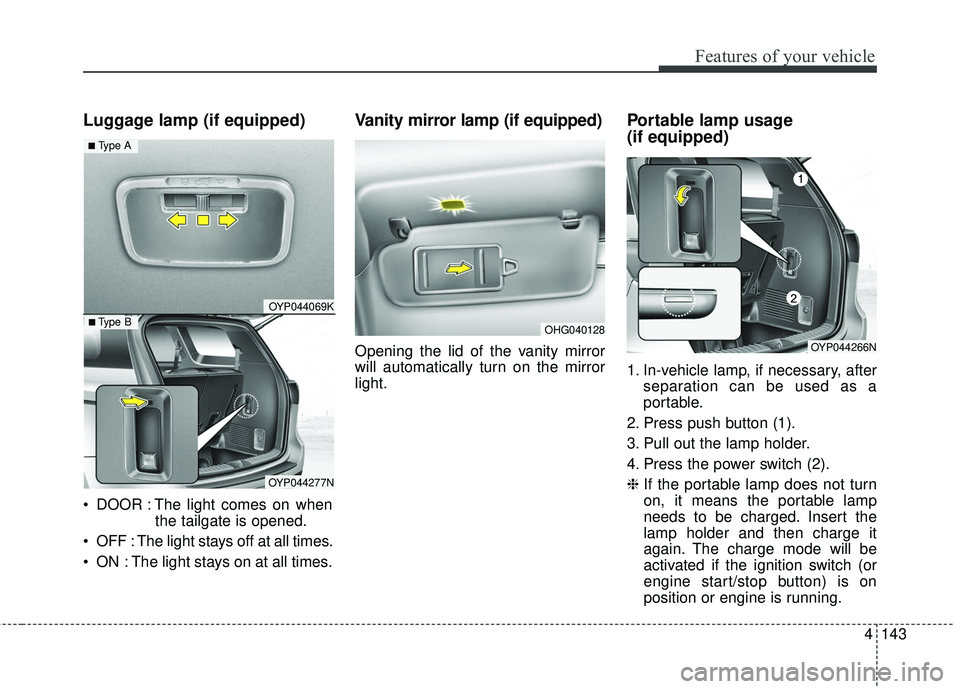
Luggage lamp (if equipped)
DOOR : The light comes on whenthe tailgate is opened.
OFF : The light stays off at all times.
ON : The light stays on at all times.
Vanity mirror lamp (if equipped)
Opening the lid of the vanity mirror
will automatically turn on the mirror
light.
Portable lamp usage
(if equipped)
1. In-vehicle lamp, if necessary, after separation can be used as a
portable.
2. Press push button (1).
3. Pull out the lamp holder.
4. Press the power switch (2).
❈ If the portable lamp does not turn
on, it means the portable lamp
needs to be charged. Insert the
lamp holder and then charge it
again. The charge mode will be
activated if the ignition switch (or
engine start/stop button) is on
position or engine is running.
OHG040128
OYP044069K
OYP044277N
■ Type B
■ Type A
OYP044266N
Page 297 of 586
4195
Features of your vehicle
While the power consumption ofsome electrical devices/appliances
may be within the AC inverter’s
electric power range, it may mal-
function in below cases.
- If the device/appliance requireshigh electric power for initial start
up
- If the device/appliance processes precise/very accurate data
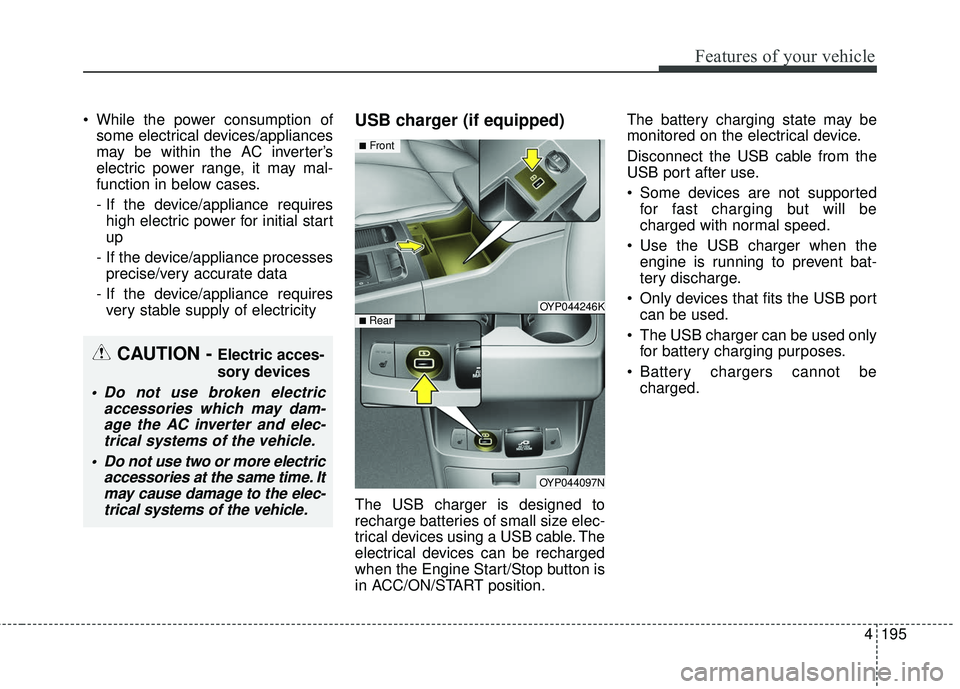
- If the device/appliance requires very stable supply of electricityUSB charger (if equipped)
The USB charger is designed to
recharge batteries of small size elec-
trical devices using a USB cable. The
electrical devices can be recharged
when the Engine Start/Stop button is
in ACC/ON/START position. The battery charging state may be
monitored on the electrical device.
Disconnect the USB cable from the
USB port after use.
Some devices are not supported
for fast charging but will be
charged with normal speed.
Use the USB charger when the engine is running to prevent bat-
tery discharge.
Only devices that fits the USB port can be used.
The USB charger can be used only for battery charging purposes.
Battery chargers cannot be charged.
OYP044246K
OYP044097N
■Front
■ Rear
CAUTION - Electric acces-
sory devices
Do not use broken electric accessories which may dam-age the AC inverter and elec-trical systems of the vehicle.
Do not use two or more electric accessories at the same time. Itmay cause damage to the elec-trical systems of the vehicle.
Page 310 of 586
4 208
Features of your vehicle
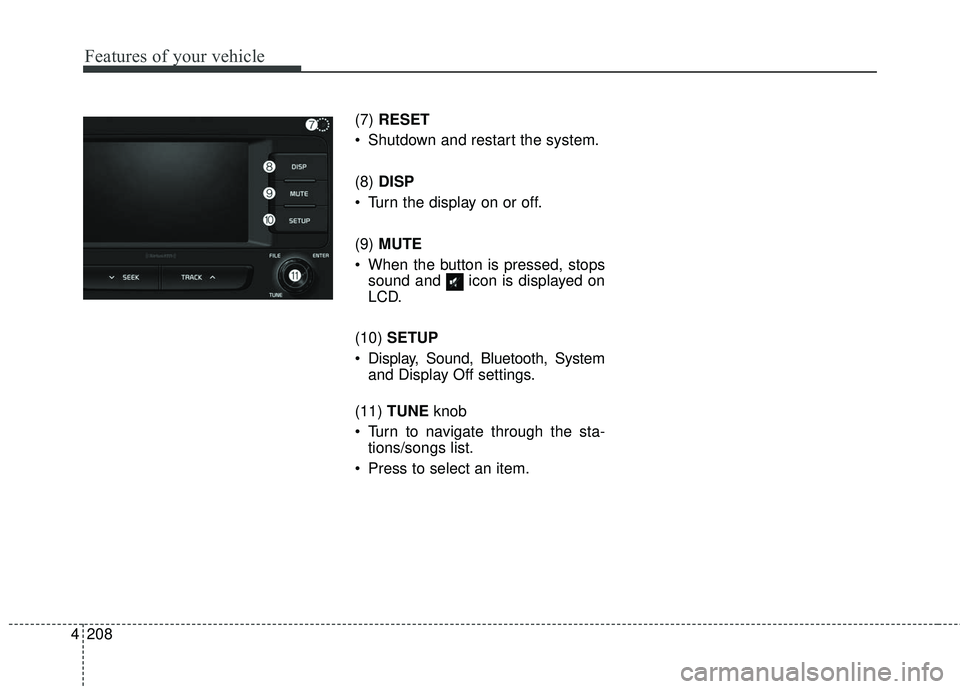
(7) RESET
Shutdown and restart the system.
(8) DISP
Turn the display on or off.
(9) MUTE
When the button is pressed, stops sound and icon is displayed on
LCD.
(10) SETUP
Display, Sound, Bluetooth, System and Display Off settings.
(11) TUNE knob
Turn to navigate through the sta- tions/songs list.
Press to select an item.
Page 320 of 586
4 218
Features of your vehicle
✽ ✽NOTICE - Using the USB
Devices
• Starting the vehicle while a USB
device is connected can damage
the device. Please disconnect USB
devices before starting the vehicle.
• Starting the vehicle or stopping the engine while an external USB
device is connected can result in
failure of the external USB device
to operate.
• Be cautious of static electricity when connecting/disconnecting
external USB devices.
• An encrypted MP3 player is not recognized when connected as an
external device.
• External USB devices may not be recognized, depending on the state
of the external USB device.
• Only products with byte/sectors formatted at 4 KB or lower are
recognized.
• Only USB devices in FAT12/16/32 format are recognized; NTFS and
ExFAT file systems are not recog-
nized.
• Some USB devices are not recog- nized due to compatibility issues. (Continued)(Continued)
• Do not touch the USB connections.
• Connecting and disconnecting
USB devices rapidly over a short
period of time can cause equip-
ment failure.
• Abnormal sounds may be audible when the USB device is discon-
nected.
• Turn the audio off before connect- ing or disconnecting external USB
devices.
• Recognition may take longer depending on the type, capacity or
file format of the external USB
device. This is not a product mal-
function.
• Use of USB devices for purposes other than playing music files is
prohibited.
• Image display and video playback are not supported.
• Use of USB accessories, including charge and heat though the USB
I/F, can lead to reduced product
performance or malfunctions. Do
not use USB devices or accessories
for these purposes. (Continued)(Continued)
• Use of aftermarket USB hubs and
extension cables can result in the
vehicle’s audio system failing to
recognize your USB device.
Connect the USB device directly to
the multimedia port of your vehi-
cle.
• When using high-capacity USB devices with logical drive divi-
sions, only files saved on the high-
est level logical drive can be
played.
If applications are loaded on a
USB drive, file playback may fail.
• Some MP3 players, cell phones, digital cameras, etc. (USB devices
that are not recognized as mobile
storage) may not operate normally
when connected.
• USB charging may not be sup- ported by some mobile devices.
• Operation is guaranteed only for standard (Metal Cover Type) USB
Memory drives.
• Operation of HDD, CF, SD and memory stick devices is not guar-
anteed. (Continued)
Page 341 of 586
239
4
Features of your vehicle
Siri
✽ ✽
NOTICE - Using Siri
• Android device is not supported to
use Siri.
• If you want to use Siri, you have to connect your iOS device to multi-
media system through Bluetooth
®
Wireless Technology. (Please
check whether your iOS device
supports Siri and turning Siri On)
• If the iOS version is changed, the functions and response may be dif-
ferent according to the iOS device
and the latest version.
• Siri automatically stops in the fol- lowing events.
1) Outgoing and incoming phone calls.
2) Media (USB, etc.) is connected. (Siri mode is maintained when
iPod
®s are connected)
3) Rear camera is activated. (option)
4) Vehicle is started or engine is turned off. (Continued)(Continued)
5) Screen transition buttons, such as RADIO or MEDIA, are
selected.
6) When a pop-up message is dis- played on the screen due to
accidental execution of Siri.
• The microphone is located above the driver’s seat. To ensure proper
Siri, state your voice while main-
taining proper driving posture.
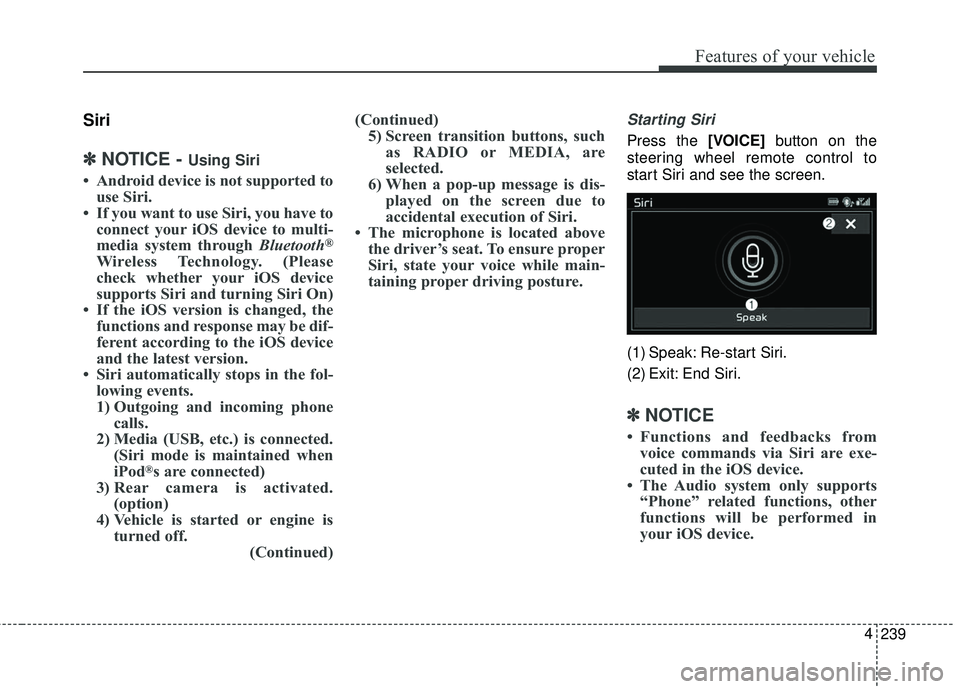
Starting Siri
Press the [VOICE] button on the
steering wheel remote control to
start Siri and see the screen.
(1) Speak: Re-start Siri.
(2) Exit: End Siri.
✽ ✽ NOTICE
• Functions and feedbacks from
voice commands via Siri are exe-
cuted in the iOS device.
• The Audio system only supports “Phone” related functions, other
functions will be performed in
your iOS device.
Page 345 of 586
Driving your vehicle
Before driving . . . . . . . . . . . . . . . . . . . . . . . . . . . . . . 5-4
• Before entering vehicle . . . . . . . . . . . . . . . . . . . . . . . . . 5-4
. . . . . . . . . . . . . . . . . . . . . . . . . . 5-4
. . . . . . . . . . . . . . . . . . . . . . . . . . . . . . . 5-4
Key positions . . . . . . . . . . . . . . . . . . . . . . . . . . . . . . . 5-6
. . . . . . . . . . . . . . . . . . . . . 5-6
. . . . . . . . . . . . . . . . . . . . . . . . . 5-6
. . . . . . . . . . . . . . . . . . . . . . . . . . . . 5-7
Engine START/STOP button . . . . . . . . . . . . . . . . . 5-9
. . . . . . . 5-9
. . . . . . . . . . . 5-9
. . . . . . . . . . . . 5-11
Automatic transaxle . . . . . . . . . . . . . . . . . . . . . . . . 5-13
. . . . . . . . . . . . . . . . . . 5-13
. . . . . . . . . . . . . . . . . . . . . . . . 5-18
Brake system . . . . . . . . . . . . . . . . . . . . . . . . . . . . . . 5-19
. . . . . . . . . . . . . . . . . . . . . . . . . . . . . . . . 5-19
. . . . . . . . . . . . . . . . . . . . . 5-21
. . . . . . . . . . . . . . . . . . 5-22
. . . . . . . . . . . . . . . 5-25
. . . . . . . . . . . . 5-29
. . . . . . . . . . . . . . . . . . 5-30
Autonomous emergency braking (AEB) . . . . . . . 5-33
. . . . . . . . . . . . . . . . . . 5-33 . . . . . . 5-35
. . . . . . . . . . . . . . . . . . . . . . 5-38
. . . . . . . . . . . . . . . . . . . . . . 5-41
Cruise Control system . . . . . . . . . . . . . . . . . . . . . . 5-46
. . . . . . . . . . . . . . . . . . . . . 5-46
. . . . . . . . . . . . . . . . . . 5-47
control on . . . . . . . . . . . . . . . . . . . . . . . . . . . . . . . . . . 5-48\
. . . . . . . . . . . . . . . . . . . . . . . 5-48
approximately 30 km/h (20 mph) . . . . . . . . . . . . . . 5-49
. . . . . . . . . . . . . . . . . . . . . . 5-49
Smart cruise control system (SCC) . . . . . . . . . . . 5-50
. . . . . . . . . 5-55
. . 5-59
. . . . . . . . . . . . . . . 5-59
. . . . . . . . . . . . . . . . . . . . . . 5-60
Active ECO system. . . . . . . . . . . . . . . . . . . . . . . . . 5-66
. . . . . . . . . . . . . . . . . . . . . . . . . 5-66
. . . . . . . . . . . . . . . . . . 5-66
. . . . . . . . . . . . . 5-66
Drive mode integrated control system . . . . . . . . . 5-67
. . . . . . . . . . . . . . . . . . . . . . . . . . . . . . . . 5-67
5
Page 353 of 586
59
Driving your vehicle
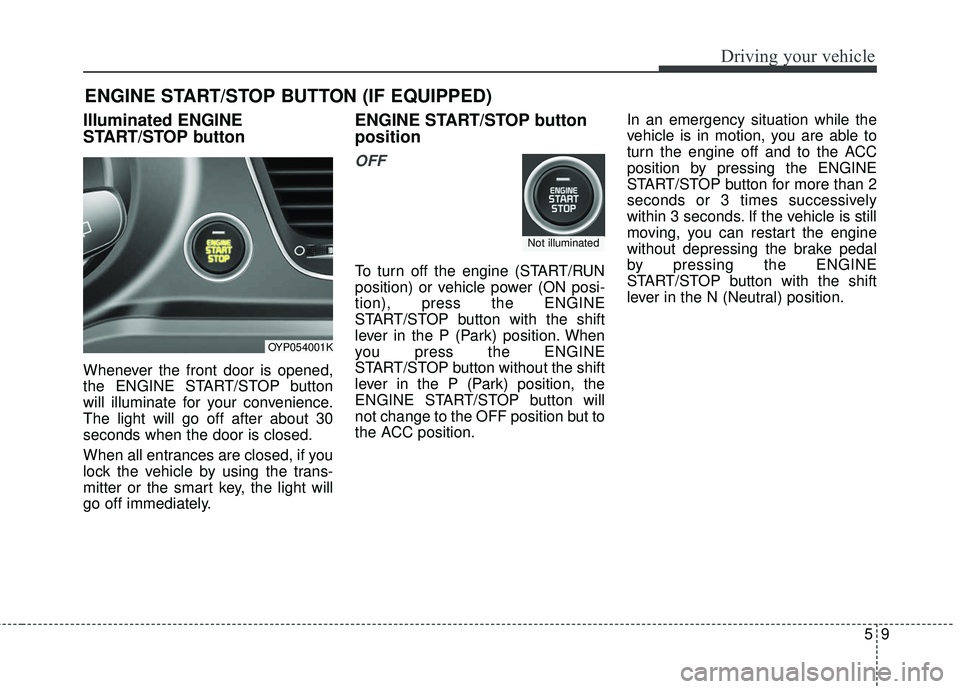
Illuminated ENGINE
START/STOP button
Whenever the front door is opened,
the ENGINE START/STOP button
will illuminate for your convenience.
The light will go off after about 30
seconds when the door is closed.
When all entrances are closed, if you
lock the vehicle by using the trans-
mitter or the smart key, the light will
go off immediately.
ENGINE START/STOP button
position
OFF
To turn off the engine (START/RUN
position) or vehicle power (ON posi-
tion), press the ENGINE
START/STOP button with the shift
lever in the P (Park) position. When
you press the ENGINE
START/STOP button without the shift
lever in the P (Park) position, the
ENGINE START/STOP button will
not change to the OFF position but to
the ACC position.In an emergency situation while the
vehicle is in motion, you are able to
turn the engine off and to the ACC
position by pressing the ENGINE
START/STOP button for more than 2
seconds or 3 times successively
within 3 seconds. If the vehicle is still
moving, you can restart the engine
without depressing the brake pedal
by pressing the ENGINE
START/STOP button with the shift
lever in the N (Neutral) position.
ENGINE START/STOP BUTTON (IF EQUIPPED)
OYP054001K
Not illuminated
Page 354 of 586
Driving your vehicle
10
5
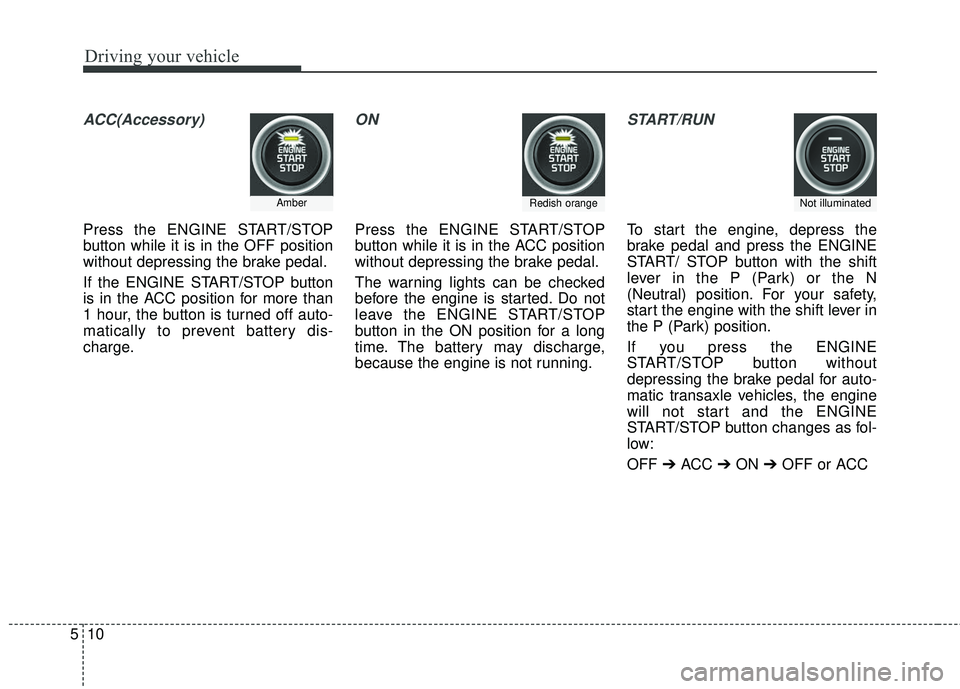
ACC(Accessory)
Press the ENGINE START/STOP
button while it is in the OFF position
without depressing the brake pedal.
If the ENGINE START/STOP button
is in the ACC position for more than
1 hour, the button is turned off auto-
matically to prevent battery dis-
charge.
ON
Press the ENGINE START/STOP
button while it is in the ACC position
without depressing the brake pedal.
The warning lights can be checked
before the engine is started. Do not
leave the ENGINE START/STOP
button in the ON position for a long
time. The battery may discharge,
because the engine is not running.
START/RUN
To start the engine, depress the
brake pedal and press the ENGINE
START/ STOP button with the shift
lever in the P (Park) or the N
(Neutral) position. For your safety,
start the engine with the shift lever in
the P (Park) position.
If you press the ENGINE
START/STOP button without
depressing the brake pedal for auto-
matic transaxle vehicles, the engine
will not start and the ENGINE
START/STOP button changes as fol-
low:
OFF ➔ACC ➔ON ➔OFF or ACC
AmberRedish orangeNot illuminated