headlight KIA SEDONA 2018 Owners Manual
[x] Cancel search | Manufacturer: KIA, Model Year: 2018, Model line: SEDONA, Model: KIA SEDONA 2018Pages: 586, PDF Size: 14.1 MB
Page 105 of 586
Rearview camera . . . . . . . . . . . . . . . . . . . . . . . . . 4-129
360° camera monitoring system . . . . . . . . . . . . . 4-130
Lighting . . . . . . . . . . . . . . . . . . . . . . . . . . . . . . . . . 4-131
• Battery saver function. . . . . . . . . . . . . . . . . . . . . . . . 4-131
• Headlight escort function . . . . . . . . . . . . . . . . . . . . . 4-131
• Daytime running light . . . . . . . . . . . . . . . . . . . . . . . . 4-131
• Lighting control . . . . . . . . . . . . . . . . . . . . . . . . . . . . . 4-132
• High beam operation. . . . . . . . . . . . . . . . . . . . . . . . . 4-133
• Turn signals and lane change signals . . . . . . . . . . . 4-136
• Front fog light . . . . . . . . . . . . . . . . . . . . . . . . . . . . . . 4-137
Wipers and washers . . . . . . . . . . . . . . . . . . . . . . . 4-138
• Windshield wipers . . . . . . . . . . . . . . . . . . . . . . . . . . 4-138
• Front windshield washers . . . . . . . . . . . . . . . . . . . . . 4-139
• Rear window wiper and washer switch. . . . . . . . . . 4-140
Interior lights . . . . . . . . . . . . . . . . . . . . . . . . . . . . 4-141
• Automatic turn off function . . . . . . . . . . . . . . . . . . . 4-141
• Room lamp . . . . . . . . . . . . . . . . . . . . . . . . . . . . . . . . . 4-141
• Map lamp . . . . . . . . . . . . . . . . . . . . . . . . . . . . . . . . . 4-142
• Luggage lamp. . . . . . . . . . . . . . . . . . . . . . . . . . . . . . . 4-143
• Vanity mirror lamp . . . . . . . . . . . . . . . . . . . . . . . . . . 4-143
• Portable lamp usage . . . . . . . . . . . . . . . . . . . . . . . . . 4-143
• Battery replacement . . . . . . . . . . . . . . . . . . . . . . . . . 4-144
Defroster . . . . . . . . . . . . . . . . . . . . . . . . . . . . . . . . 4-145
• Rear window defroster . . . . . . . . . . . . . . . . . . . . . . . 4-145
Manual climate control system . . . . . . . . . . . . . . 4-146
• Heating and air conditioning . . . . . . . . . . . . . . . . . . 4-147
• Rear climate control . . . . . . . . . . . . . . . . . . . . . . . . . 4-154
• System operation . . . . . . . . . . . . . . . . . . . . . . . . . . . . 4-157
• Climate control air filter . . . . . . . . . . . . . . . . . . . . . . 4-160
• Checking the amount of air conditionerrefrigerant and compressor lubricant . . . . . . . . . . 4-161
Automatic climate control system . . . . . . . . . . . 4-162
• Automatic heating and air conditioning . . . . . . . . . 4-163
• Manual heating and air conditioning . . . . . . . . . . . 4-164
• Outside thermometer . . . . . . . . . . . . . . . . . . . . . . . . 4-168
• Rear climate control . . . . . . . . . . . . . . . . . . . . . . . . . 4-173
• From the front seat . . . . . . . . . . . . . . . . . . . . . . . . . . 4-173
• From the rear seat . . . . . . . . . . . . . . . . . . . . . . . . . . . 4-173
• System operation . . . . . . . . . . . . . . . . . . . . . . . . . . . . 4-176
• Climate control air filter . . . . . . . . . . . . . . . . . . . . . . 4-178
• Checking the amount of air conditionerrefrigerant and compressor lubricant . . . . . . . . . . 4-179
Windshield defrosting and defogging . . . . . . . . . 4-180
• Manual climate control system . . . . . . . . . . . . . . . . 4-180
• Automatic climate control system . . . . . . . . . . . . . . 4-181
• Defogging logic. . . . . . . . . . . . . . . . . . . . . . . . . . . . . . 4-182
Clean air . . . . . . . . . . . . . . . . . . . . . . . . . . . . . . . . 4-185
4
Page 173 of 586
471
Features of your vehicle
MIRRORS
Inside rearview mirror
Adjust the rearview mirror so that the
center view through the rear window
is seen. Make this adjustment before
you start driving.
Do not place objects in the rear seat
or cargo area which would interfere
with your vision through the rear win-
dow.
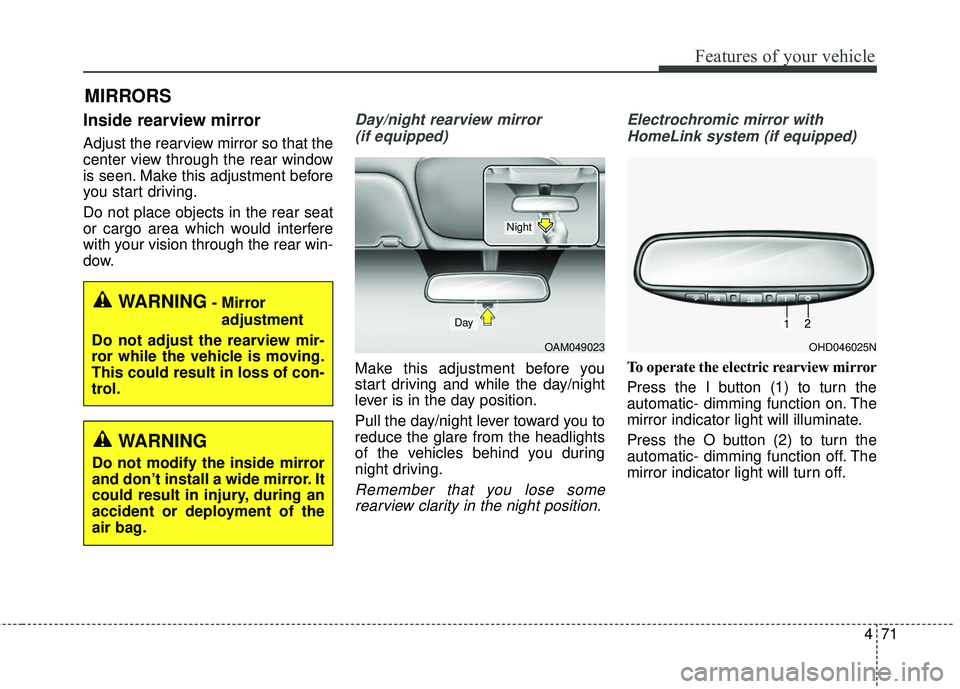
Day/night rearview mirror (if equipped)
Make this adjustment before you
start driving and while the day/night
lever is in the day position.
Pull the day/night lever toward you to
reduce the glare from the headlights
of the vehicles behind you during
night driving.
Remember that you lose somerearview clarity in the night position. Electrochromic mirror with
HomeLink system (if equipped)
To operate the electric rearview mirror
Press the I button (1) to turn the
automatic- dimming function on. The
mirror indicator light will illuminate.
Press the O button (2) to turn the
automatic- dimming function off. The
mirror indicator light will turn off.
WARNING- Mirror adjustment
Do not adjust the rearview mir-
ror while the vehicle is moving.
This could result in loss of con-
trol.
WARNING
Do not modify the inside mirror
and don’t install a wide mirror. It
could result in injury, during an
accident or deployment of the
air bag.
OAM049023
Day
Night
OHD046025N
Page 220 of 586
Features of your vehicle
118
4
This indicator light blinks :
When the battery of the smart key
is weak.
- At this time, you can not start theengine. However, you can start
the engine if you press the Engine
Start/Stop Button with the smart
key. (For more details, refer to
“Starting the Engine” in section 5).
When there is a malfunction with the immobilizer system.
In this case, have your vehicle
inspected by an authorized Kia
dealer.Turn Signal Indicator
Light
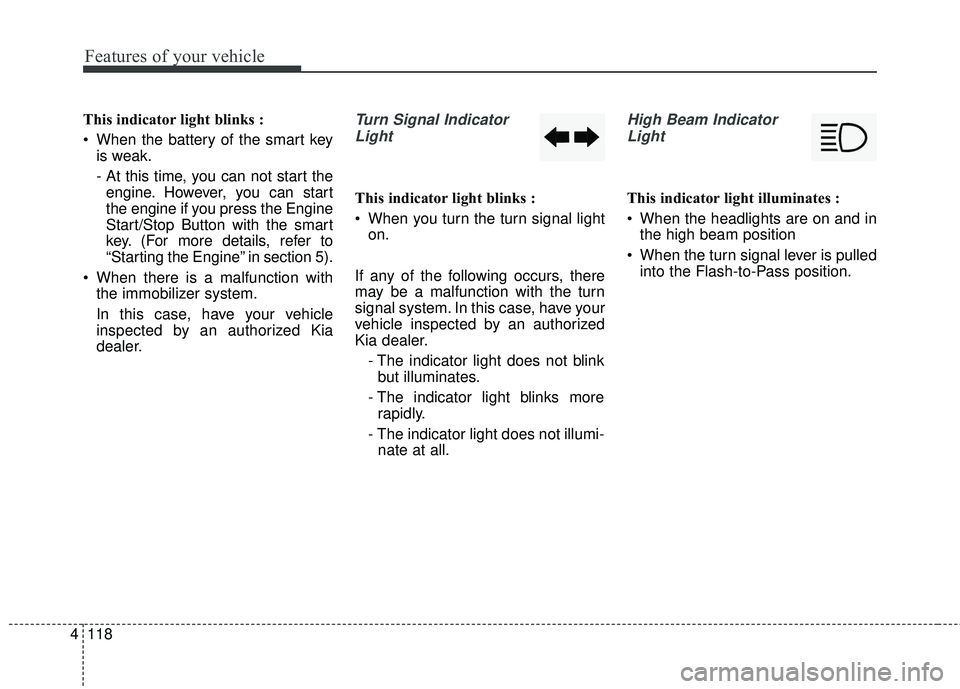
This indicator light blinks :
When you turn the turn signal light on.
If any of the following occurs, there
may be a malfunction with the turn
signal system. In this case, have your
vehicle inspected by an authorized
Kia dealer. - The indicator light does not blinkbut illuminates.
- The indicator light blinks more rapidly.
- The indicator light does not illumi- nate at all.
High Beam Indicator
Light
This indicator light illuminates :
When the headlights are on and in the high beam position
When the turn signal lever is pulled into the Flash-to-Pass position.
Page 221 of 586
4119
Features of your vehicle
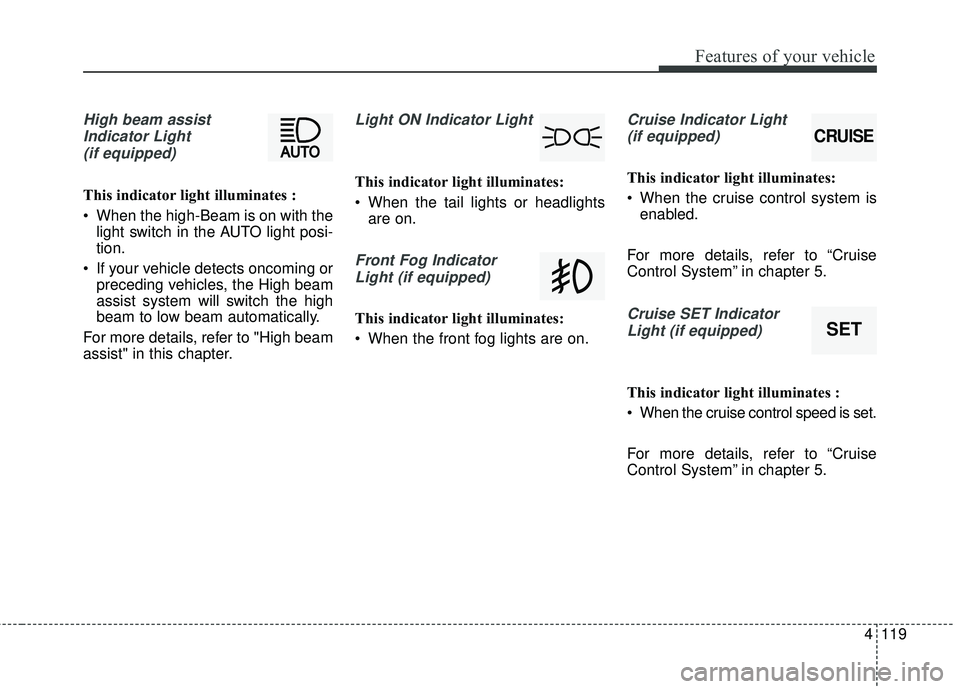
High beam assistIndicator Light(if equipped)
This indicator light illuminates :
• When the high-Beam is on with the light switch in the AUTO light posi-
tion.
If your vehicle detects oncoming or preceding vehicles, the High beam
assist system will switch the high
beam to low beam automatically.
For more details, refer to "High beam
assist" in this chapter.
Light ON Indicator Light
This indicator light illuminates:
When the tail lights or headlights are on.
Front Fog Indicator
Light (if equipped)
This indicator light illuminates:
When the front fog lights are on.
Cruise Indicator Light (if equipped)
This indicator light illuminates:
When the cruise control system is enabled.
For more details, refer to “Cruise
Control System” in chapter 5.
Cruise SET Indicator Light (if equipped)
This indicator light illuminates :
When the cruise control speed is set.
For more details, refer to “Cruise
Control System” in chapter 5.
CRUISE
SET
Page 233 of 586
4131
Features of your vehicle
Battery saver function
• The purpose of this feature is toprevent the battery from being dis-
charged if the lights are left in the
ON position. The system automati-
cally shuts off the parking lights 30
seconds after the ignition key is
removed and the driver’s door is
opened and closed.
With this feature, the parking lights will turn off automatically if the driver
parks on the side of the road at night
and opens the driver’s side door.
If necessary, to keep the parking
lights on when the ignition key is
removed, perform the following :
1) Open the driver-side door.
2) Turn the parking lights OFF and ON again using the light switch
on the steering column.
Headlight escort function
If you turn the ignition switch to the
ACC or OFF position with the head-
lights ON, the headlights remain on
for about 5 minutes. However, if the
driver's door is opened and closed,
the headlights are turned off after 15
seconds.
The headlights can be turned off by
pressing the lock button on the trans-
mitter (or smart key) twice or turning
the light switch to the OFF position.
If the driver gets out of the vehicle
through other doors (except driver’s
door), the battery saver function
does not operate and the headlight
escort function does not turn off
automatically. Therefore, It causes
the battery to be discharged. In this
case, make sure to turn off the lamp
before getting out of the vehicle.
Daytime running light
(if equipped)
The Daytime Running Lights (DRL)
can make it easier for others to see
the front of your vehicle during the
day. DRL can be helpful in many dif-
ferent driving conditions, and it is
especially helpful after dawn and
before sunset.
The DRL system turns OFF when:
1. The headlight switch is on
2. The engine is off
3. The front fog light is on.
4. Engaging the Parking Brake
LIGHTING
Page 234 of 586
Features of your vehicle
132
4
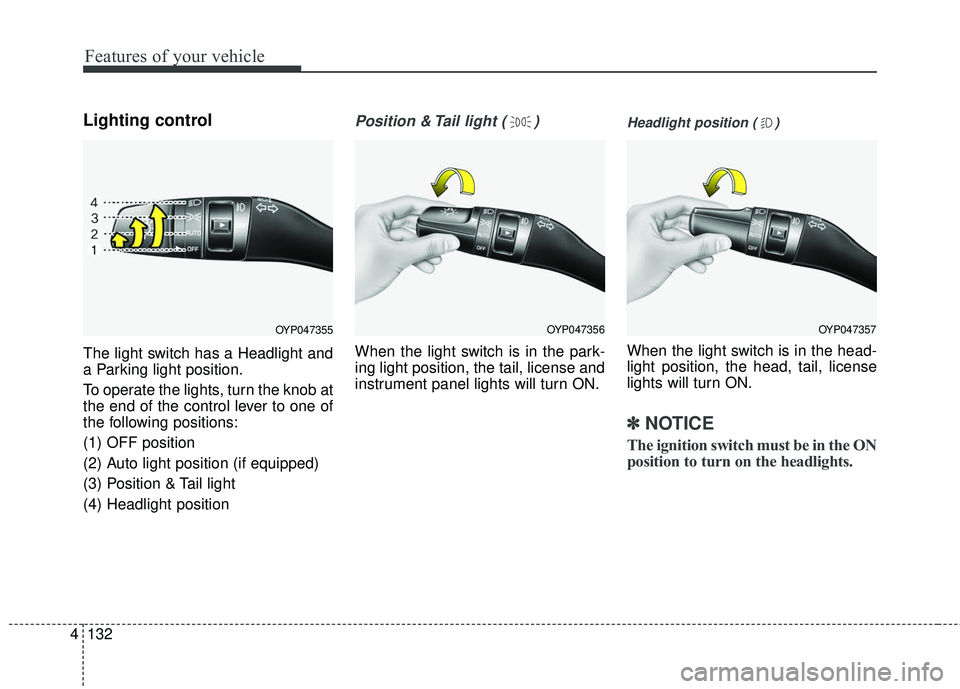
Lighting control
The light switch has a Headlight and
a Parking light position.
To operate the lights, turn the knob at
the end of the control lever to one of
the following positions:
(1) OFF position
(2) Auto light position (if equipped)
(3) Position & Tail light
(4) Headlight position
Position & Tail light ( )
When the light switch is in the park-
ing light position, the tail, license and
instrument panel lights will turn ON.
Headlight position ( )
When the light switch is in the head-
light position, the head, tail, license
lights will turn ON.
✽ ✽
NOTICE
The ignition switch must be in the ON
position to turn on the headlights.
OYP047356OYP047357OYP047355
Page 235 of 586
4133
Features of your vehicle
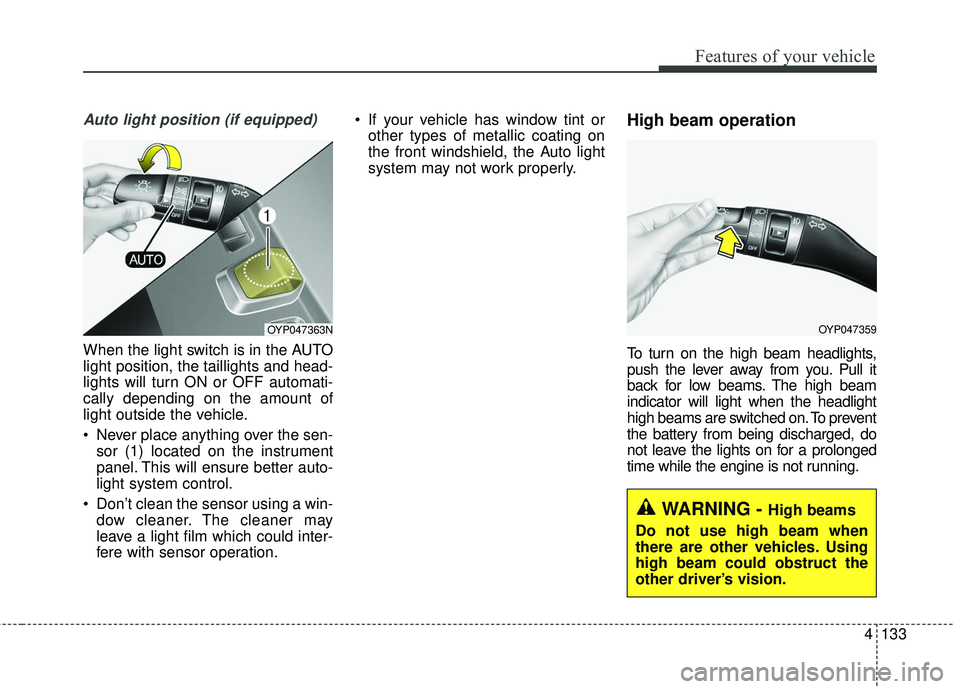
Auto light position (if equipped)
When the light switch is in the AUTO
light position, the taillights and head-
lights will turn ON or OFF automati-
cally depending on the amount of
light outside the vehicle.
Never place anything over the sen-sor (1) located on the instrument
panel. This will ensure better auto-
light system control.
Don’t clean the sensor using a win- dow cleaner. The cleaner may
leave a light film which could inter-
fere with sensor operation. If your vehicle has window tint or
other types of metallic coating on
the front windshield, the Auto light
system may not work properly.
High beam operation
To turn on the high beam headlights,
push the lever away from you. Pull it
back for low beams. The high beam
indicator will light when the headlight
high beams are switched on. To prevent
the battery from being discharged, do
not leave the lights on for a prolonged
time while the engine is not running.
OYP047359OYP047363N
WARNING - High beams
Do not use high beam when
there are other vehicles. Using
high beam could obstruct the
other driver’s vision.
Page 236 of 586
Features of your vehicle
134
4
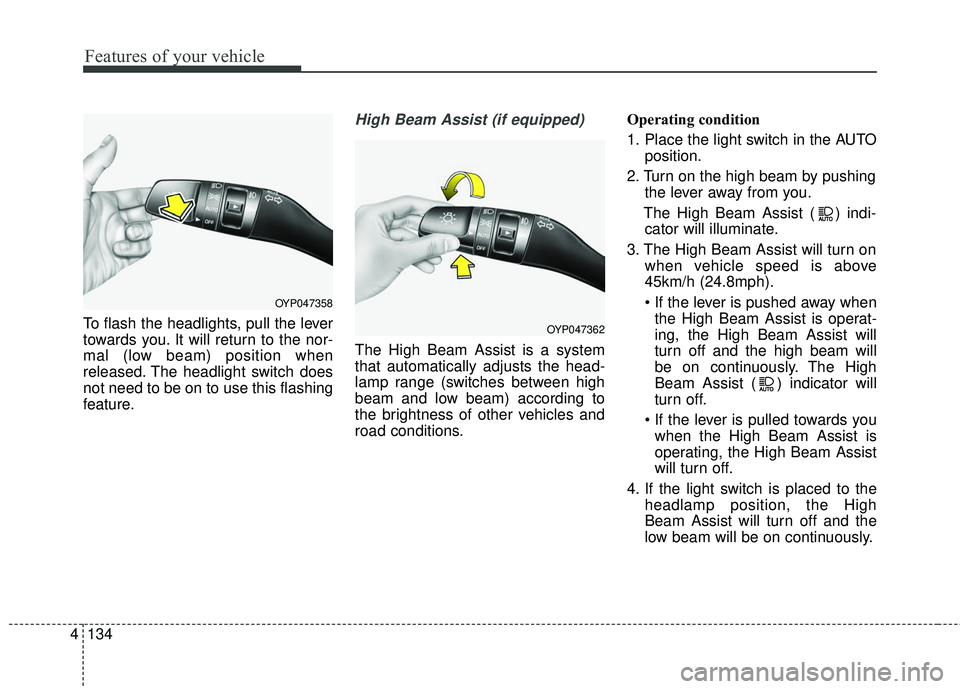
To flash the headlights, pull the lever
towards you. It will return to the nor-
mal (low beam) position when
released. The headlight switch does
not need to be on to use this flashing
feature.
High Beam Assist (if equipped)
The High Beam Assist is a system
that automatically adjusts the head-
lamp range (switches between high
beam and low beam) according to
the brightness of other vehicles and
road conditions. Operating condition
1. Place the light switch in the AUTO
position.
2. Turn on the high beam by pushing the lever away from you.
The High Beam Assist ( ) indi- cator will illuminate.
3. The High Beam Assist will turn on when vehicle speed is above
45km/h (24.8mph).
the High Beam Assist is operat-
ing, the High Beam Assist will
turn off and the high beam will
be on continuously. The High
Beam Assist ( ) indicator will
turn off.
when the High Beam Assist is
operating, the High Beam Assist
will turn off.
4. If the light switch is placed to the headlamp position, the High
Beam Assist will turn off and the
low beam will be on continuously.
OYP047358
OYP047362
Page 239 of 586
4137
Features of your vehicle
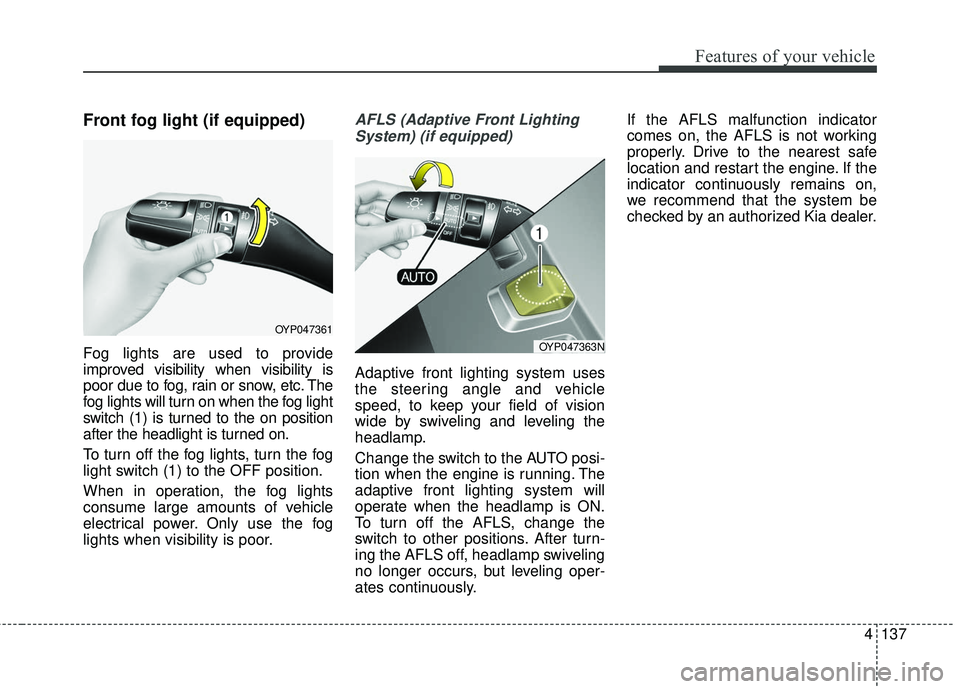
Front fog light (if equipped)
Fog lights are used to provide
improved visibility when visibility is
poor due to fog, rain or snow, etc. The
fog lights will turn on when the fog light
switch (1) is turned to the on position
after the headlight is turned on.
To turn off the fog lights, turn the fog
light switch (1) to the OFF position.
When in operation, the fog lights
consume large amounts of vehicle
electrical power. Only use the fog
lights when visibility is poor.
AFLS (Adaptive Front LightingSystem) (if equipped)
Adaptive front lighting system uses
the steering angle and vehicle
speed, to keep your field of vision
wide by swiveling and leveling the
headlamp.
Change the switch to the AUTO posi-
tion when the engine is running. The
adaptive front lighting system will
operate when the headlamp is ON.
To turn off the AFLS, change the
switch to other positions. After turn-
ing the AFLS off, headlamp swiveling
no longer occurs, but leveling oper-
ates continuously. If the AFLS malfunction indicator
comes on, the AFLS is not working
properly. Drive to the nearest safe
location and restart the engine. If the
indicator continuously remains on,
we recommend that the system be
checked by an authorized Kia dealer.
OYP047361
OYP047363N
Page 423 of 586
579
Driving your vehicle
Warning indicator
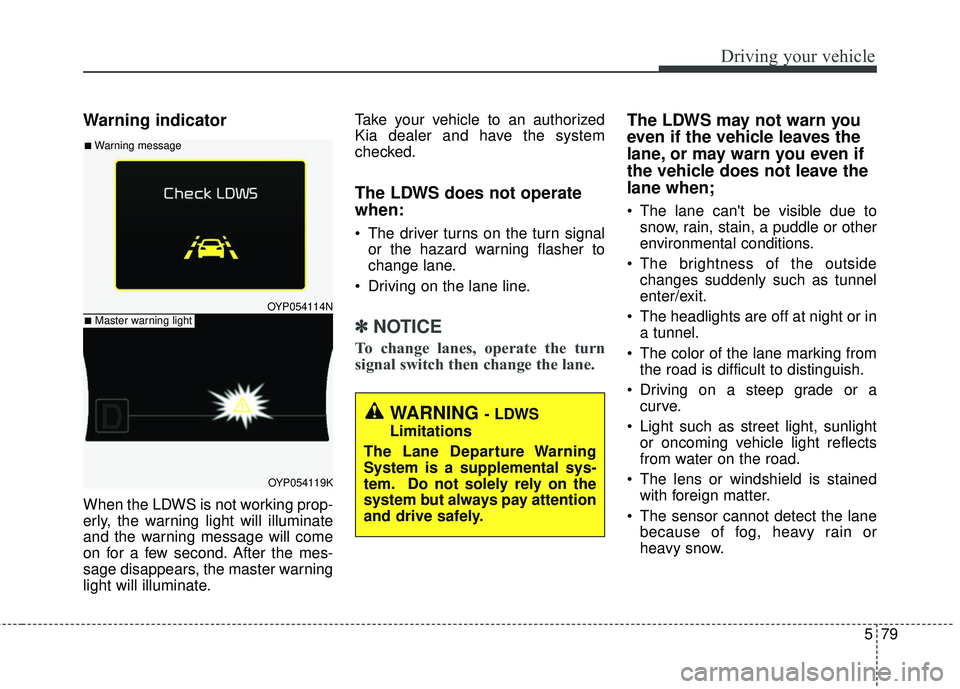
When the LDWS is not working prop-
erly, the warning light will illuminate
and the warning message will come
on for a few second. After the mes-
sage disappears, the master warning
light will illuminate.Take your vehicle to an authorized
Kia dealer and have the system
checked.
The LDWS does not operate
when:
The driver turns on the turn signal
or the hazard warning flasher to
change lane.
Driving on the lane line.
✽ ✽ NOTICE
To change lanes, operate the turn
signal switch then change the lane.
The LDWS may not warn you
even if the vehicle leaves the
lane, or may warn you even if
the vehicle does not leave the
lane when;
The lane can't be visible due to
snow, rain, stain, a puddle or other
environmental conditions.
The brightness of the outside changes suddenly such as tunnel
enter/exit.
The headlights are off at night or in a tunnel.
The color of the lane marking from the road is difficult to distinguish.
Driving on a steep grade or a curve.
Light such as street light, sunlight or oncoming vehicle light reflects
from water on the road.
The lens or windshield is stained with foreign matter.
The sensor cannot detect the lane because of fog, heavy rain or
heavy snow.
OYP054114N
OYP054119K
■Warning message
■Master warning light
WARNING - LDWS
Limitations
The Lane Departure Warning
System is a supplemental sys-
tem. Do not solely rely on the
system but always pay attention
and drive safely.