light KIA SEDONA 2020 Owners Manual
[x] Cancel search | Manufacturer: KIA, Model Year: 2020, Model line: SEDONA, Model: KIA SEDONA 2020Pages: 604, PDF Size: 16.24 MB
Page 388 of 604
559
Driving your vehicle
To temporarily accelerate with
the cruise control on:
If you want to speed up temporarily
when the cruise control is on,
depress the accelerator pedal.
Increased speed will not interfere
with the cruise control operation or
change the set speed.
To return to the set speed, take your
foot off the accelerator.
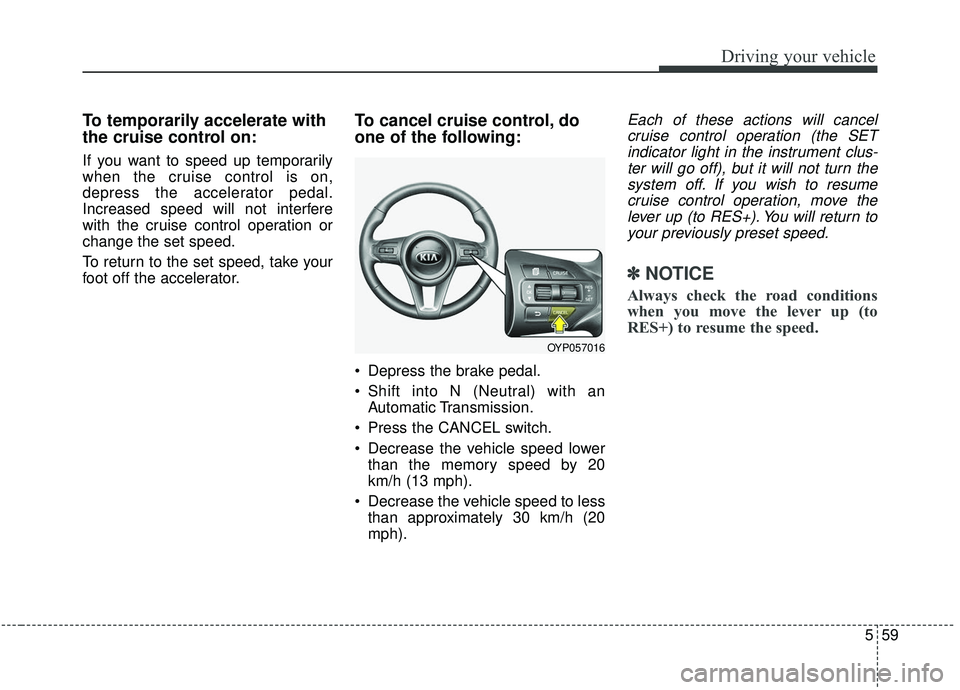
To cancel cruise control, do
one of the following:
Depress the brake pedal.
Shift into N (Neutral) with anAutomatic Transmission.
Press the CANCEL switch.
Decrease the vehicle speed lower than the memory speed by 20
km/h (13 mph).
Decrease the vehicle speed to less than approximately 30 km/h (20
mph).
Each of these actions will cancelcruise control operation (the SETindicator light in the instrument clus-ter will go off), but it will not turn thesystem off. If you wish to resumecruise control operation, move thelever up (to RES+). You will return toyour previously preset speed.
✽ ✽ NOTICE
Always check the road conditions
when you move the lever up (to
RES+) to resume the speed.
OYP057016
Page 389 of 604
Driving your vehicle
60
5
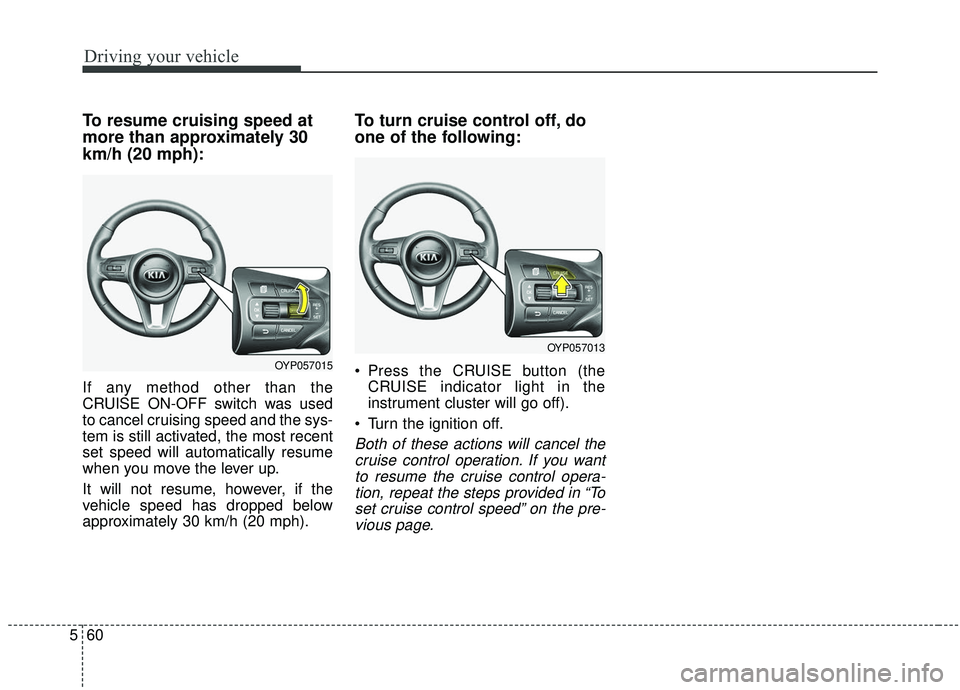
To resume cruising speed at
more than approximately 30
km/h (20 mph):
If any method other than the
CRUISE ON-OFF switch was used
to cancel cruising speed and the sys-
tem is still activated, the most recent
set speed will automatically resume
when you move the lever up.
It will not resume, however, if the
vehicle speed has dropped below
approximately 30 km/h (20 mph).
To turn cruise control off, do
one of the following:
Press the CRUISE button (the
CRUISE indicator light in the
instrument cluster will go off).
Turn the ignition off.
Both of these actions will cancel the cruise control operation. If you wantto resume the cruise control opera-tion, repeat the steps provided in “Toset cruise control speed” on the pre-vious page.
OYP057015
OYP057013
Page 393 of 604
Driving your vehicle
64
5
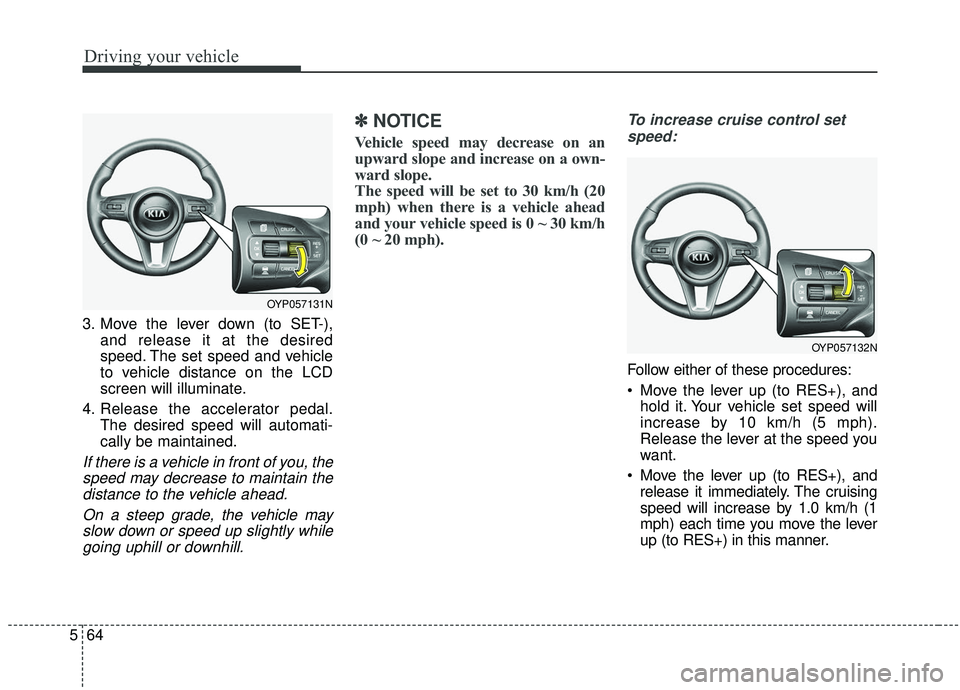
3. Move the lever down (to SET-),
and release it at the desired
speed. The set speed and vehicle
to vehicle distance on the LCD
screen will illuminate.
4. Release the accelerator pedal. The desired speed will automati-
cally be maintained.
If there is a vehicle in front of you, thespeed may decrease to maintain thedistance to the vehicle ahead.
On a steep grade, the vehicle mayslow down or speed up slightly whilegoing uphill or downhill.
✽ ✽ NOTICE
Vehicle speed may decrease on an
upward slope and increase on a own-
ward slope.
The speed will be set to 30 km/h (20
mph) when there is a vehicle ahead
and your vehicle speed is 0 ~ 30 km/h
(0 ~ 20 mph).
To increase cruise control set
speed:
Follow either of these procedures:
Move the lever up (to RES+), and hold it. Your vehicle set speed will
increase by 10 km/h (5 mph).
Release the lever at the speed you
want.
Move the lever up (to RES+), and release it immediately. The cruising
speed will increase by 1.0 km/h (1
mph) each time you move the lever
up (to RES+) in this manner.
OYP057131N
OYP057132N
Page 402 of 604
573
Driving your vehicle
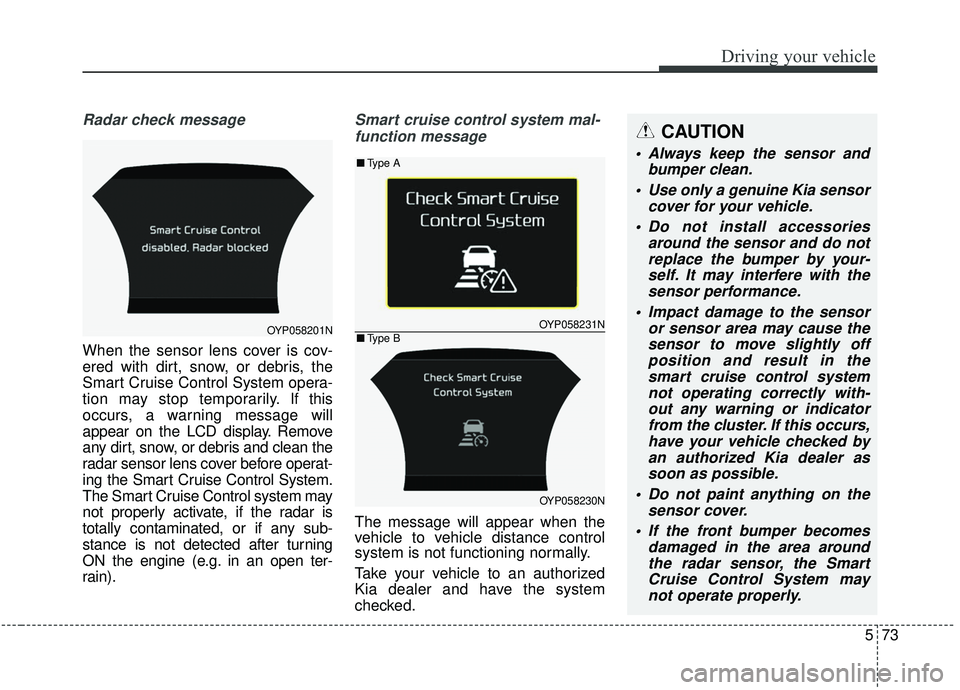
Radar check message
When the sensor lens cover is cov-
ered with dirt, snow, or debris, the
Smart Cruise Control System opera-
tion may stop temporarily. If this
occurs, a warning message will
appear on the LCD display. Remove
any dirt, snow, or debris and clean the
radar sensor lens cover before operat-
ing the Smart Cruise Control System.
The Smart Cruise Control system may
not properly activate, if the radar is
totally contaminated, or if any sub-
stance is not detected after turning
ON the engine (e.g. in an open ter-
rain).
Smart cruise control system mal-
function message
The message will appear when the
vehicle to vehicle distance control
system is not functioning normally.
Take your vehicle to an authorized
Kia dealer and have the system
checked.
OYP058201NOYP058231N
OYP058230N
■ Type A
■Type B
CAUTION
Always keep the sensor and
bumper clean.
Use only a genuine Kia sensor cover for your vehicle.
Do not install accessories around the sensor and do notreplace the bumper by your-self. It may interfere with thesensor performance.
Impact damage to the sensor or sensor area may cause thesensor to move slightly offposition and result in thesmart cruise control systemnot operating correctly with-out any warning or indicatorfrom the cluster. If this occurs,have your vehicle checked byan authorized Kia dealer assoon as possible.
Do not paint anything on the sensor cover.
If the front bumper becomes damaged in the area aroundthe radar sensor, the SmartCruise Control System maynot operate properly.
Page 404 of 604
575
Driving your vehicle
1. Turn the smart cruise control sys-tem on (the cruise indicator light
will be on but the system will not
be activated).
2. Push the distance to distance switch for more than 2 seconds.
3. Choose between "Smart cruise control (SCC) mode" and "Cruise
control (CC) mode".
When the system is canceled using
the CRUISE button or the CRUISE
button is used after the engine is
turned on, the Smart Cruise Control
mode will turn on.Limitations of the system
The smart cruise control system may
have limits to its ability to detect dis-
tance to the vehicle ahead due to
road and traffic conditions.
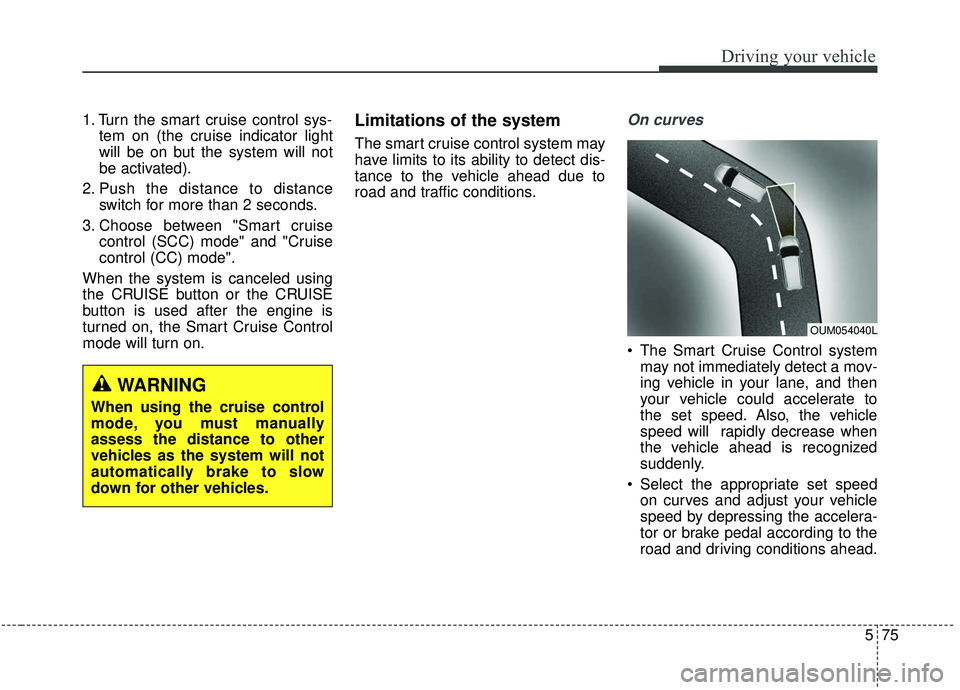
On curves
The Smart Cruise Control system may not immediately detect a mov-
ing vehicle in your lane, and then
your vehicle could accelerate to
the set speed. Also, the vehicle
speed will rapidly decrease when
the vehicle ahead is recognized
suddenly.
Select the appropriate set speed on curves and adjust your vehicle
speed by depressing the accelera-
tor or brake pedal according to the
road and driving conditions ahead.
OUM054040L
WARNING
When using the cruise control
mode, you must manually
assess the distance to other
vehicles as the system will not
automatically brake to slow
down for other vehicles.
Page 411 of 604
Driving your vehicle
82
5
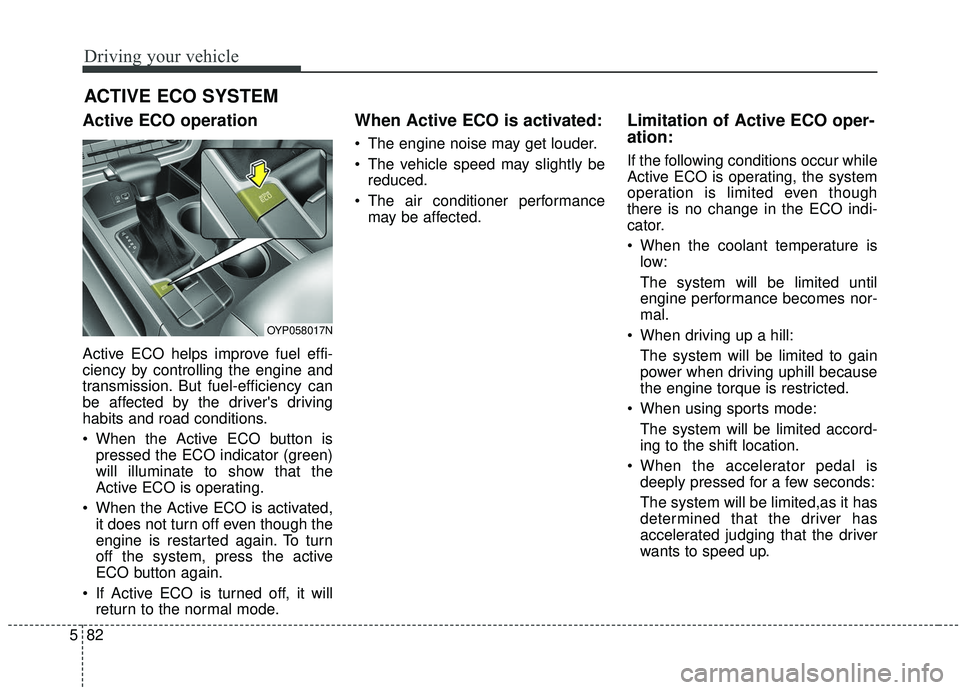
Active ECO operation
Active ECO helps improve fuel effi-
ciency by controlling the engine and
transmission. But fuel-efficiency can
be affected by the driver's driving
habits and road conditions.
When the Active ECO button is
pressed the ECO indicator (green)
will illuminate to show that the
Active ECO is operating.
When the Active ECO is activated, it does not turn off even though the
engine is restarted again. To turn
off the system, press the active
ECO button again.
If Active ECO is turned off, it will return to the normal mode.
When Active ECO is activated:
The engine noise may get louder.
The vehicle speed may slightly bereduced.
The air conditioner performance may be affected.
Limitation of Active ECO oper-
ation:
If the following conditions occur while
Active ECO is operating, the system
operation is limited even though
there is no change in the ECO indi-
cator.
When the coolant temperature islow:
The system will be limited until
engine performance becomes nor-
mal.
When driving up a hill: The system will be limited to gain
power when driving uphill because
the engine torque is restricted.
When using sports mode: The system will be limited accord-
ing to the shift location.
When the accelerator pedal is deeply pressed for a few seconds:
The system will be limited,as it has
determined that the driver has
accelerated judging that the driver
wants to speed up.
ACTIVE ECO SYSTEM
OYP058017N
Page 412 of 604
583
Driving your vehicle
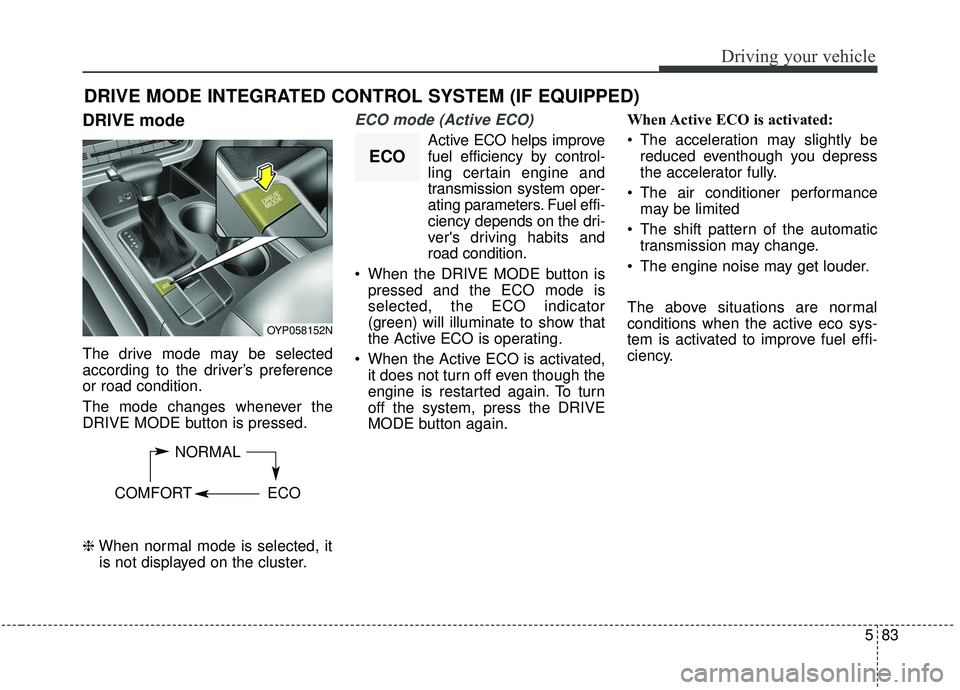
DRIVE mode
The drive mode may be selected
according to the driver’s preference
or road condition.
The mode changes whenever the
DRIVE MODE button is pressed.
\bWhen normal mode is selected, it
is not displayed on the cluster.
ECO mode (Active ECO)
Active ECO helps improve
fuel efficiency by control-
ling certain engine and
transmission system oper-
ating parameters. Fuel effi-
ciency depends on the dri-
ver's driving habits and
road condition.
When the DRIVE MODE button is pressed and the ECO mode is
selected, the ECO indicator
(green) will illuminate to show that
the Active ECO is operating.
When the Active ECO is activated, it does not turn off even though the
engine is restarted again. To turn
off the system, press the DRIVE
MODE button again. When Active ECO is activated:
The acceleration may slightly be
reduced eventhough you depress
the accelerator fully.
The air conditioner performance may be limited
The shift pattern of the automatic transmission may change.
The engine noise may get louder.
The above situations are normal
conditions when the active eco sys-
tem is activated to improve fuel effi-
ciency.
DRIVE MODE INTEGRATED CONTROL SYSTEM (IF EQUIPPED)
OYP058152N
NORMAL
COMFORT ECO
ECO
Page 413 of 604
Driving your vehicle
84
5
Limitation of Active ECO operation:
If the following conditions occur while
Active ECO is operating, the system
operation is limited even though
there is no change in the ECO indi-
cator.
When the coolant temperature is
low:
The system will be limited until
engine performance becomes nor-
mal.
When driving up a hill: The system will be limited to gain
power when driving uphill because
the engine torque is restricted.
When using manual mode: The system will be limited accord-
ing to the shift location.
When the accelerator pedal is deeply depressed for a few sec-
onds:
The system will be limited, judging
that the driver wants to speed up.Comfort mode
The steering wheelbecomes lighter. The com-
fort mode is usually used
when driving in the city or
when parking the vehicle.
For your safety, if you press the steering mode button while operat-
ing the steering wheel, but the
steering effort will not change
immediately. After operating the
steering wheel, the steering effort
will change automatically to the
selected mode.
When the electronic power steer- ing is not operating properly, the
flex steering wheel will not work.
CAUTION
Use caution when changing thesteering mode while driving.
Page 415 of 604
Driving your vehicle
86
5
Blind-Spot Collision Warning
(BCW)
Operating conditions
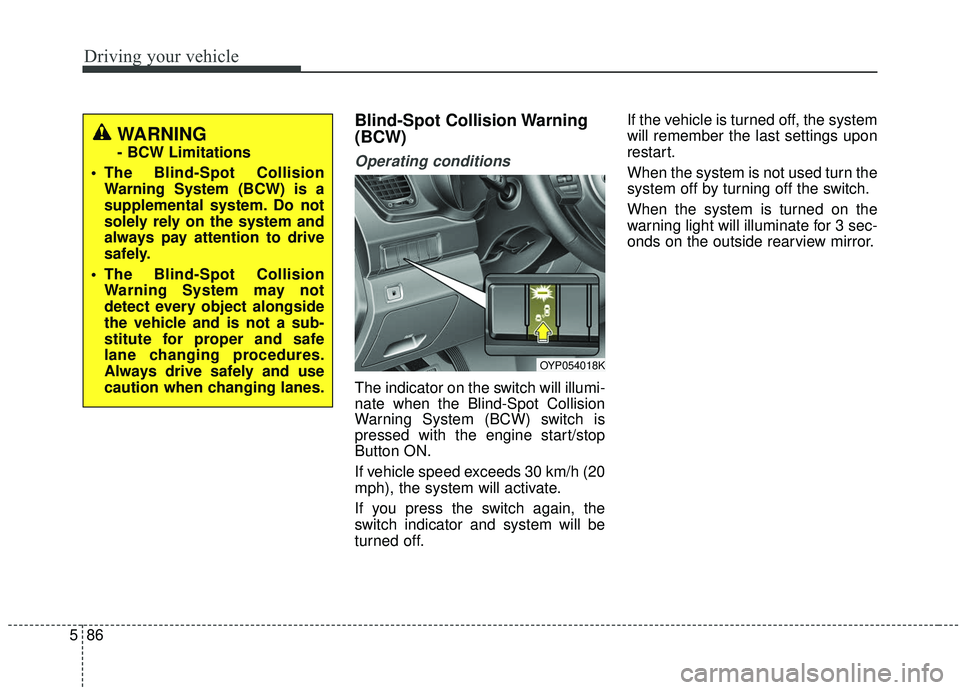
The indicator on the switch will illumi-
nate when the Blind-Spot Collision
Warning System (BCW) switch is
pressed with the engine start/stop
Button ON.
If vehicle speed exceeds 30 km/h (20
mph), the system will activate.
If you press the switch again, the
switch indicator and system will be
turned off. If the vehicle is turned off, the system
will remember the last settings upon
restart.
When the system is not used turn the
system off by turning off the switch.
When the system is turned on the
warning light will illuminate for 3 sec-
onds on the outside rearview mirror.
OYP054018K
WARNING
- BCW Limitations
The Blind-Spot Collision Warning System (BCW) is a
supplemental system. Do not
solely rely on the system and
always pay attention to drive
safely.
The Blind-Spot Collision Warning System may not
detect every object alongside
the vehicle and is not a sub-
stitute for proper and safe
lane changing procedures.
Always drive safely and use
caution when changing lanes.
Page 416 of 604
587
Driving your vehicle
Warning type
The system will activate when:
1. The system is on.
2. Vehicle speed is above 30 km/h(20 mph).
3. Other vehicles are detected in blind spot.
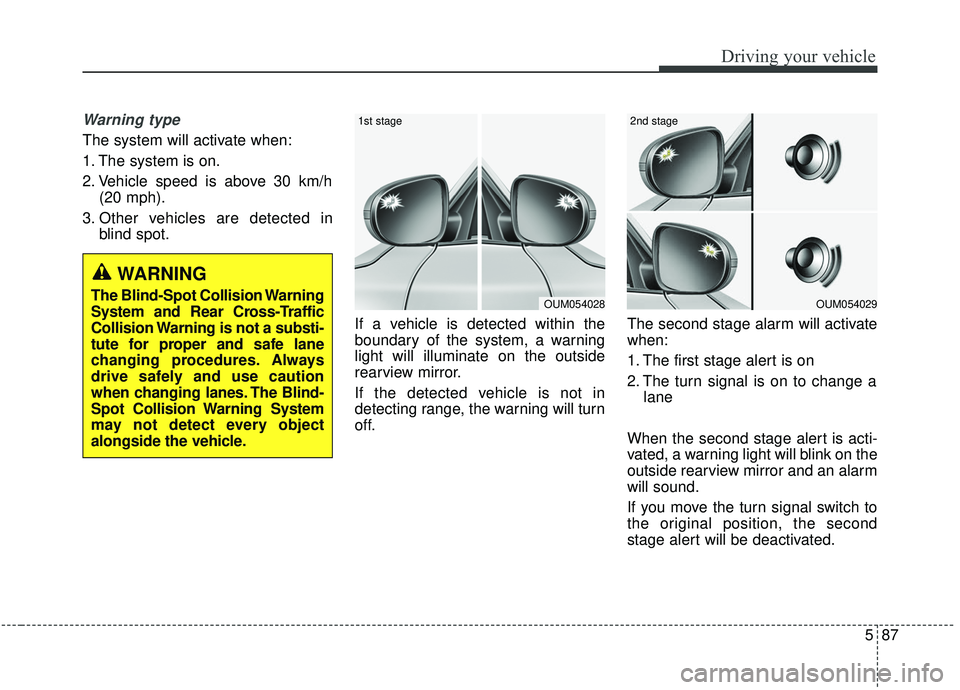
If a vehicle is detected within the
boundary of the system, a warning
light will illuminate on the outside
rearview mirror.
If the detected vehicle is not in
detecting range, the warning will turn
off. The second stage alarm will activate
when:
1. The first stage alert is on
2. The turn signal is on to change a
lane
When the second stage alert is acti-
vated, a warning light will blink on the
outside rearview mirror and an alarm
will sound.
If you move the turn signal switch to
the original position, the second
stage alert will be deactivated.
OUM054029
2nd stage
OUM054028
1st stage
WARNING
The Blind-Spot Collision Warning
System and Rear Cross-Traffic
Collision Warning is not a substi-
tute for proper and safe lane
changing procedures. Always
drive safely and use caution
when changing lanes. The Blind-
Spot Collision Warning System
may not detect every object
alongside the vehicle.