lock KIA SEDONA 2020 Owner's Guide
[x] Cancel search | Manufacturer: KIA, Model Year: 2020, Model line: SEDONA, Model: KIA SEDONA 2020Pages: 604, PDF Size: 16.24 MB
Page 114 of 604
45
Features of your vehicle
Record your key number
The key code num-
ber is stamped on
the key code tag
attached to the key
set. Should you
lose your keys, this number will
enable an authorized Kia dealer to
duplicate the keys easily. Remove
the key code tag and store it in a safe
place. Also, record the key code
number and keep it in a safe place,
but not in the vehicle.
Key operations
• Used to start the engine.
Used to lock and unlock the doors.
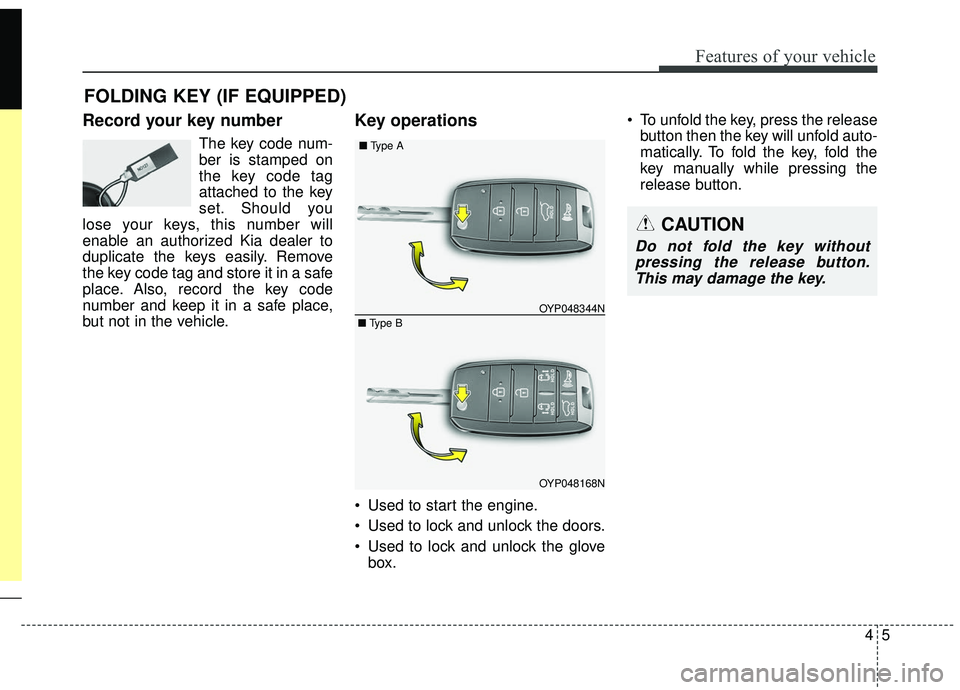
Used to lock and unlock the glove box. To unfold the key, press the release
button then the key will unfold auto-
matically. To fold the key, fold the
key manually while pressing the
release button.
FOLDING KEY (IF EQUIPPED)
CAUTION
Do not fold the key withoutpressing the release button.This may damage the key.
OYP048168N
OYP048344N
■
Type A
■ Type B
Page 115 of 604
Features of your vehicle
64
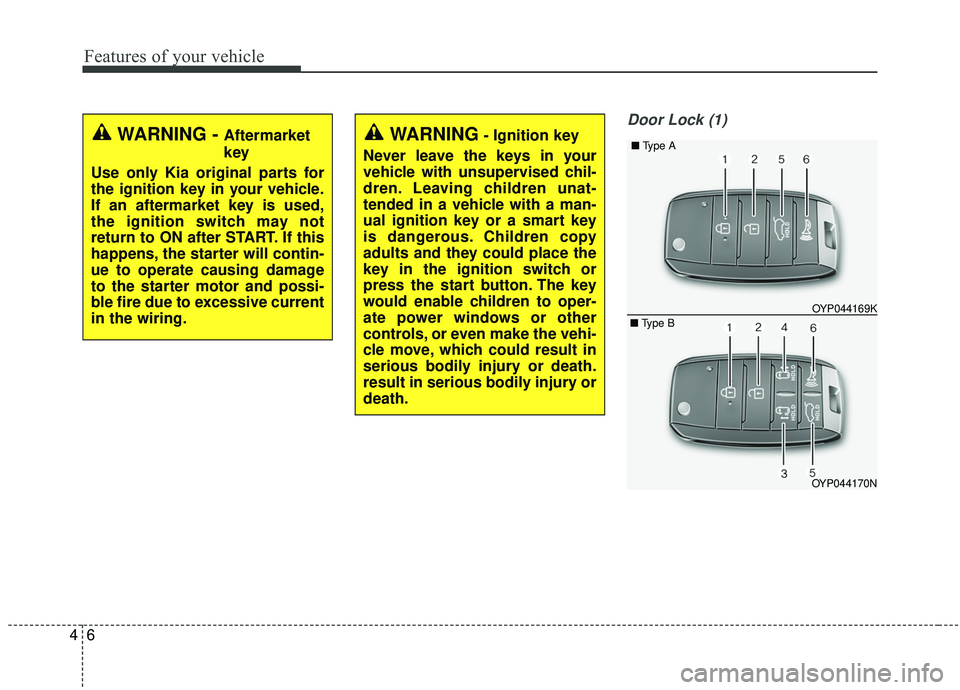
Door Lock (1)
WARNING - Aftermarket
key
Use only Kia original parts for
the ignition key in your vehicle.
If an aftermarket key is used,
the ignition switch may not
return to ON after START. If this
happens, the starter will contin-
ue to operate causing damage
to the starter motor and possi-
ble fire due to excessive current
in the wiring.WARNING- Ignition key
Never leave the keys in your
vehicle with unsupervised chil-
dren. Leaving children unat-
tended in a vehicle with a man-
ual ignition key or a smart key
is dangerous. Children copy
adults and they could place the
key in the ignition switch or
press the start button. The key
would enable children to oper-
ate power windows or other
controls, or even make the vehi-
cle move, which could result in
serious bodily injury or death.
result in serious bodily injury or
death.
OYP044170N OYP044169K
■
Type A
■ Type B
Page 116 of 604
47
Features of your vehicle
1. Close all doors, engine hood andliftgate.
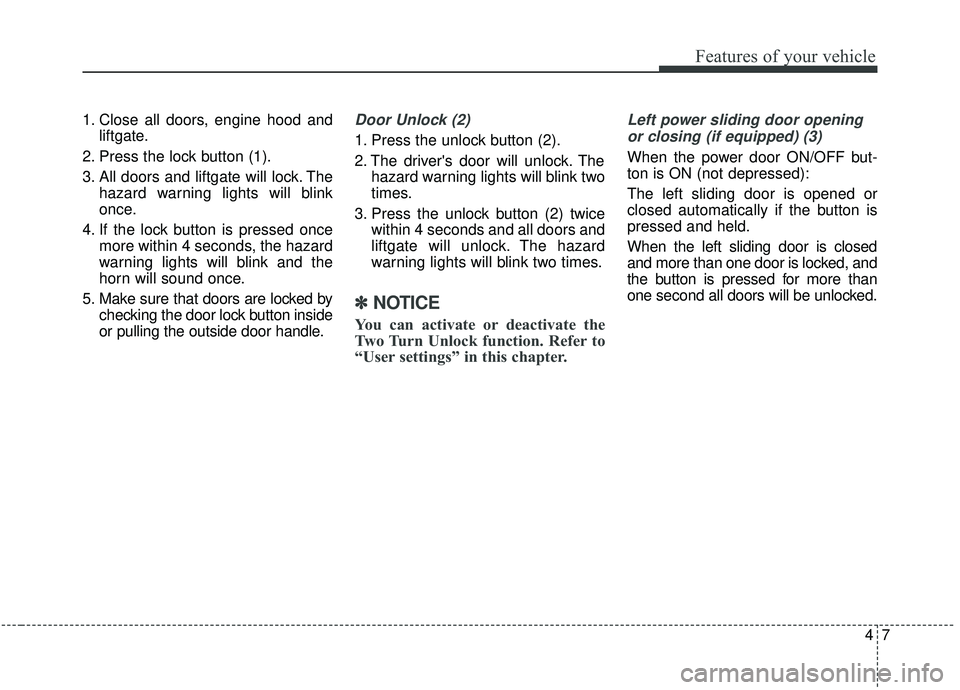
2. Press the lock button (1).
3. All doors and liftgate will lock. The hazard warning lights will blink
once.
4. If the lock button is pressed once more within 4 seconds, the hazard
warning lights will blink and the
horn will sound once.
5. Make sure that doors are locked by checking the door lock button inside
or pulling the outside door handle.Door Unlock (2)
1. Press the unlock button (2).
2. The driver's door will unlock. Thehazard warning lights will blink two
times.
3. Press the unlock button (2) twice within 4 seconds and all doors and
liftgate will unlock. The hazard
warning lights will blink two times.
✽ ✽NOTICE
You can activate or deactivate the
Two Turn Unlock function. Refer to
“User settings” in this chapter.
Left power sliding door opening
or closing (if equipped) (3)
When the power door ON/OFF but-
ton is ON (not depressed):
The left sliding door is opened or
closed automatically if the button is
pressed and held.
When the left sliding door is closed
and more than one door is locked, and
the button is pressed for more than
one second all doors will be unlocked.
Page 117 of 604
Features of your vehicle
84
Right power sliding door openingor closing (if equipped) (4)
When the power door ON/OFF but-
ton is ON (not depressed) :
The right sliding door is opened or
closed automatically if the button is
pressed and held.
When the right sliding door is closed
and more than one door is locked, and
the button is pressed for more than
one second all doors will be unlocked.
❈ For detailed information refer to
the “Power sliding door and power
liftgate” in this chapter.
The power doors can be operated
when the engine is not running.
However, the power doors consume
large amounts of vehicle electric
power. To prevent the battery from
being discharged, do not operate
them at the same time.
Liftgate unlock (5)
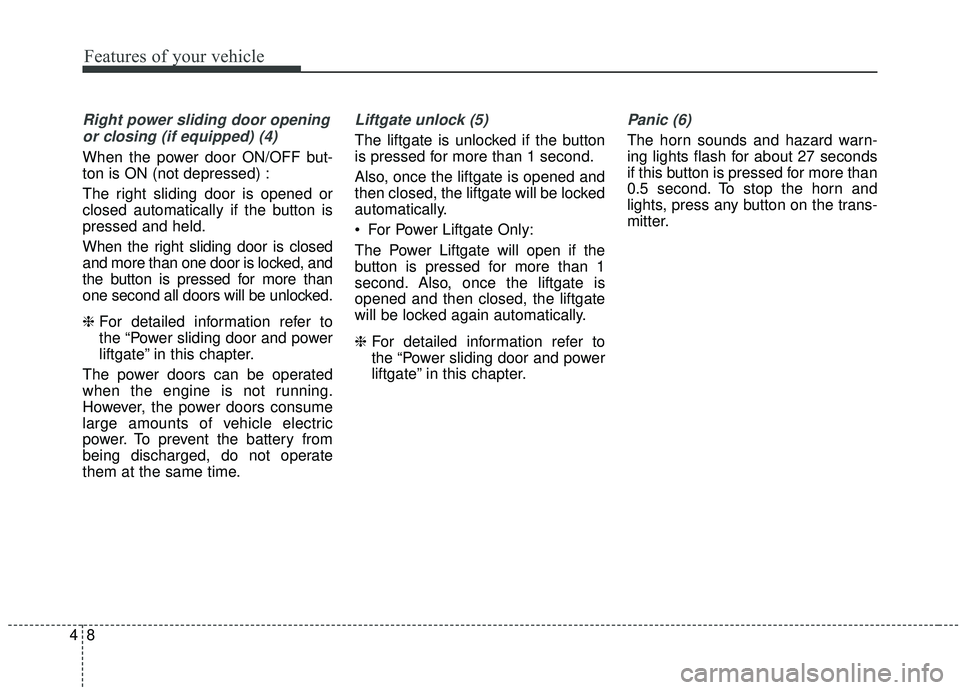
The liftgate is unlocked if the button
is pressed for more than 1 second.
Also, once the liftgate is opened and
then closed, the liftgate will be locked
automatically.
For Power Liftgate Only:
The Power Liftgate will open if the
button is pressed for more than 1
second. Also, once the liftgate is
opened and then closed, the liftgate
will be locked again automatically.
❈ For detailed information refer to
the “Power sliding door and power
liftgate” in this chapter.
Panic (6)
The horn sounds and hazard warn-
ing lights flash for about 27 seconds
if this button is pressed for more than
0.5 second. To stop the horn and
lights, press any button on the trans-
mitter.
Page 118 of 604
49
Features of your vehicle
Transmitter precautions
The transmitter will not work if anyof following occur:
- The ignition key is in the ignitionswitch.
- You exceed the operating dis- tance limit (about 10 m [30 feet]).
- The battery in the transmitter is weak.
- Other vehicles or objects may be blocking the signal.
- The weather is extremely cold.
- The transmitter is close to a radio transmitter such as a radio sub-
station or an airport which can
interfere with normal operation of
the transmitter. When the transmitter does not work
correctly, open and close the door
with the ignition key. If you have a
problem with the transmitter, con-
tact an authorized Kia dealer.
If the transmitter is in close proxim- ity to your mobile phone, the signal
could be blocked by your mobile
phones normal operational signals.
This is especially important when
the phone is active such as making
and receiving calls, text messag-
ing, and/or sending/receiving
emails. Avoid placing the transmit-
ter and your mobile phone in the
same pants or jacket pocket and
always try to maintain an adequate
distance between the two devices.
✽ ✽ NOTICE
If the keyless entry system is inoper-
ative due to exposure to water or liq-
uids, it will not be covered by your
manufacturer’s vehicle warranty.
CAUTION
Keep the transmitter away from
water or any liquid as it canbecome damaged and not func-tion properly.
Page 123 of 604
Features of your vehicle
14
4
Record your key number
The key code number
is stamped on the bar
code tag attached to
the key set. Should
you lose your keys,
this number will enable an author-
ized Kia dealer to duplicate the keys
easily. Remove the bar code tag and
store it in a safe place. Also, record
the code number and keep it in a
safe and handy place, but not in the
vehicle.
Smart key function
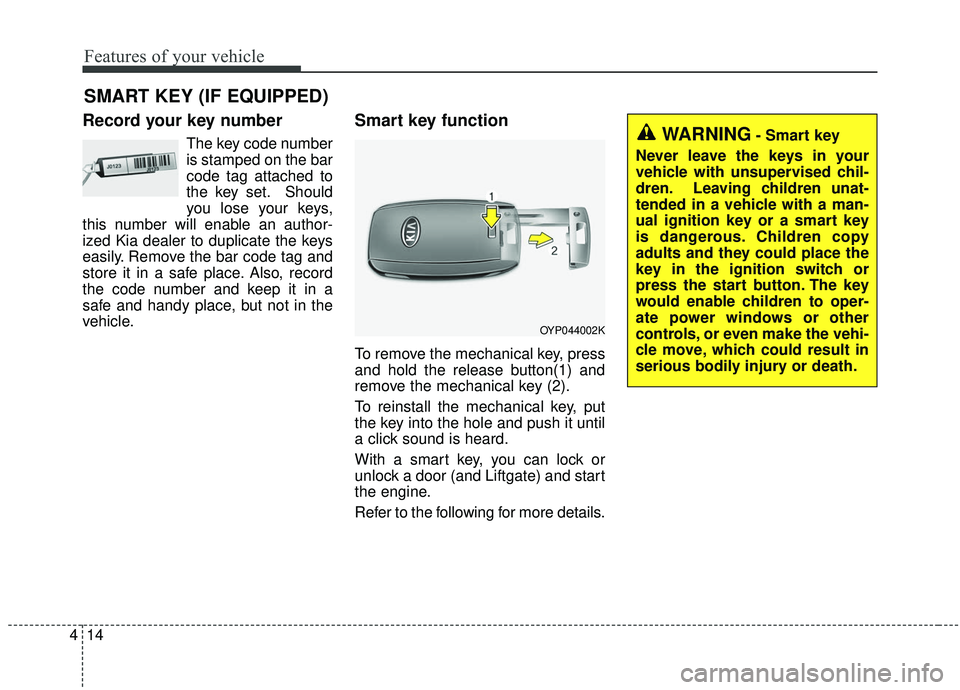
To remove the mechanical key, press
and hold the release button(1) and
remove the mechanical key (2).
To reinstall the mechanical key, put
the key into the hole and push it until
a click sound is heard.
With a smart key, you can lock or
unlock a door (and Liftgate) and start
the engine.
Refer to the following for more details.
SMART KEY (IF EQUIPPED)
OYP044002K
WARNING- Smart key
Never leave the keys in your
vehicle with unsupervised chil-
dren. Leaving children unat-
tended in a vehicle with a man-
ual ignition key or a smart key
is dangerous. Children copy
adults and they could place the
key in the ignition switch or
press the start button. The key
would enable children to oper-
ate power windows or other
controls, or even make the vehi-
cle move, which could result in
serious bodily injury or death.
Page 124 of 604
415
Features of your vehicle
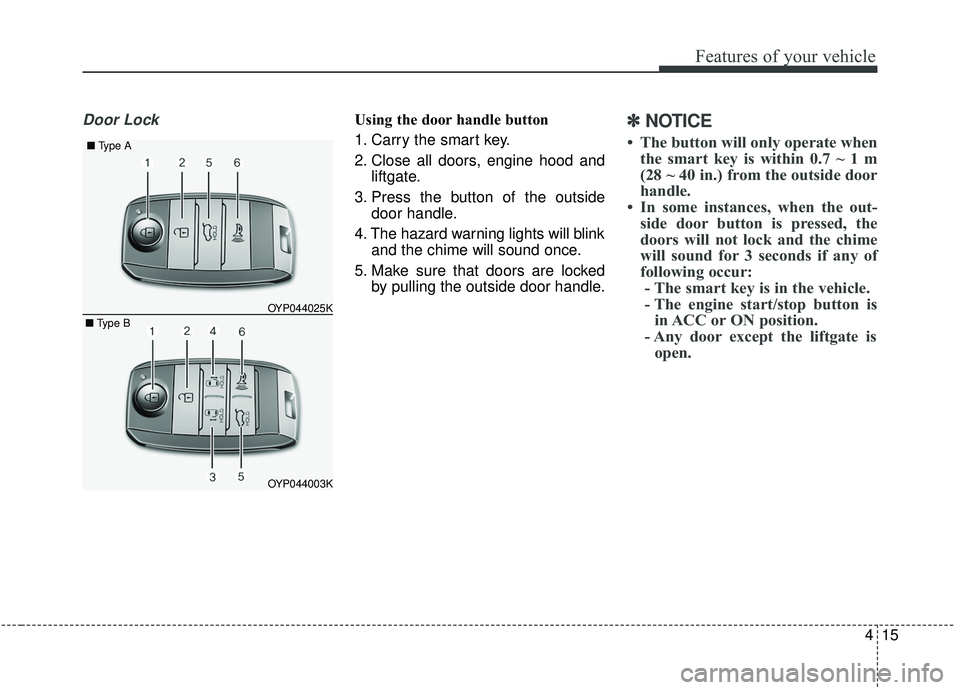
Door LockUsing the door handle button
1. Carry the smart key.
2. Close all doors, engine hood andliftgate.
3. Press the button of the outside door handle.
4. The hazard warning lights will blink and the chime will sound once.
5. Make sure that doors are locked by pulling the outside door handle.✽ ✽NOTICE
• The button will only operate when
the smart key is within 0.7 ~ 1 m
(28 ~ 40 in.) from the outside door
handle.
• In some instances, when the out- side door button is pressed, the
doors will not lock and the chime
will sound for 3 seconds if any of
following occur:- The smart key is in the vehicle.
- The engine start/stop button is in ACC or ON position.
- Any door except the liftgate is open.
OYP044003K
OYP044025K
■
Type A
■ Type B
Page 125 of 604
Features of your vehicle
16
4
Using the button on the smart key
1. Close all doors, engine hood and
liftgate.
2. Press the lock button (1).
3. The hazard warning lights will blink and the chime will sound once.
4. Make sure that doors are locked by pulling the outside door handle.Unlocking
Using the door handle button
1. Carry the smart key.
2. Press the button of the driver'soutside door handle.
3. The driver’s door will unlock. The hazard warning lights will blink and
the chime will sound two times.
4. Press the button twice within 4 seconds and all doors and the lift-
gate will unlock and the hazard
warning lights will blink and the
chime will sound two times.
✽ ✽NOTICE
• The button will only operate when
the smart key is within 0.7 ~ 1 m
(28 ~ 40 in.) from the outside door
handle.
• When the smart key is recognized in the area of 0.7 ~ 1 m (28 ~ 40 in.)
from the front outside door handle,
other people can also open the
doors.
• After unlocking the driver’s door or all doors, the door(s) will lock
automatically unless the door is
opened.
Page 126 of 604
417
Features of your vehicle
Using the button on the smart key
1. Press the unlock button (2) of thesmart key.
2. The driver’s door will unlock. The hazard warning lights will blink and
the chime will sound two times.
3. Press the unlock button (2) twice within 4 seconds and all doors and
the liftgate will unlock. The hazard
warning lights will blink and the
chime will sound two times.
✽ ✽NOTICE
After pressing the button, the doors
will lock automatically unless any
door is opened within 30 seconds.
✽ ✽NOTICE
You can activate or deactivate the
Two Turn Unlock function. Refer to
“User settings” in this chapter.
Left or Right power sliding door
opening or closing (if equipped)
This function will operate when the
power door ON/OFF button is ON
(not depressed).
Using the power sliding door handle
1. Carry the smart key.
2. Pull the power sliding door handle once.
3. The power sliding door will be opened or closed automatically. At
this time, the hazard warning
lights will blink and the chime will
sound two times.
Using the button on the smart key
Press and hold the power sliding
door open (or close) button (3), (4)
more than 1 second.
❈ For detailed information refer to
the “Power sliding door and power
liftgate” in this chapter.
Liftgate unlocking
Using the liftgate handle button
1. Carry the smart key.
2. Press the liftgate handle button.
3. When all doors are locked, the
hazard warning lights will blink two
times.
Once the liftgate is opened and
then closed, the liftgate will lock
automatically.
✽ ✽NOTICE
The button will only operate when
the smart key is within 0.7 ~ 1 m (28
~ 40 in.) from the liftgate handle.
Page 127 of 604
Features of your vehicle
18
4
Using the button on the smart key
1. Press the liftgate unlock button (5)
for more than 1 second.
2. When all doors are locked, the hazard warning lights will blink two
times.
For Power Liftgate Only:
The Power Liftgate will open if the
button is pressed for more than 1
second. Also, once the liftgate is
opened and then closed, the liftgate
will be locked again automatically.
❈ For detailed information refer to
the “Power sliding door and power
liftgate”in this chapter.Panic
1. Press the panic button (6) for more
than 1 second.
2. The horn sounds and hazard warning light flash for about 27
seconds.
✽ ✽NOTICE
To stop the horn and lights, press
any button on the smart key.
Start-up
You can start the engine without
inserting the key.
❈ For detailed information refer to
the “Engine start/stop button” in
chapter 5.
Loss of the smart key
A maximum of 2 smart keys can be
registered to a single vehicle.
If you happen to lose your smart key,
you will not be able to start the
engine. You should immediately take
the vehicle and remaining key to your
authorized Kia dealer(tow the vehi-
cle, if necessary) to protect it from
potential theft.