brake KIA SEDONA 2020 Repair Manual
[x] Cancel search | Manufacturer: KIA, Model Year: 2020, Model line: SEDONA, Model: KIA SEDONA 2020Pages: 604, PDF Size: 16.24 MB
Page 379 of 604
Driving your vehicle
50
5
WARNING
The FCA is only a supplemen-
tal system for the driver’s con-
venience.
The driver still maintains
responsibility to control the
vehicle. Do not solely depend
on the FCA system. Rather,
maintain a safe braking dis-
tance, and, if necessary,
depress the brake pedal to
reduce the driving speed or
stop the vehicle.
The FCA may unnecessarily produce warning messages
and warning alarms. Due to
the sensing limitation, the
FCA may not produce warning
messages or warning alarm at
all.
When there is a malfunction with the FCA, the braking con-
trol does not operate upon
detecting a collision risk even
with other braking systems
normally operating.
(Continued)
(Continued)
The FCA operates only for thevehicle / pedestrian in front,
while driving forward. It does
not operate for any animals or
vehicles in the opposite direc-
tion.
The FCA cannot recognize cross-traffic or parked vehi-
cles presenting a sideprofile.
If the vehicle in front stops suddenly, you may have less
control of the brake system.
Therefore, always keep safe
distance between your vehicle
and the vehicle in front of you.
The FCA system may not acti- vate if the driver applies the
brake pedal to avoid risk of
collision.
(Continued)(Continued)
The FCA system does notoperate when the vehicle is in
reverse. In these cases, you
must maintain a safe braking
distance, and if necessary,
depress the brake pedal to
reduce the driving speed in
order to maintain a safe dis-
tance.
The FCA system may not acti- vate according to driving con-
dition, traffic on the road,
weather, road condition, etc.
The FCA system may not acti- vate to all types of vehicles.
Page 381 of 604
Driving your vehicle
52
5
- If the front of the camera lens is
contaminated by front glass tinting,
film, water repellent coating, dam-
age on glass, foreign matter (stick-
er, insect, etc.)
- The radar or camera or camera lens is damaged.
- If the headlights of the vehicle are not used at night or in the tunnel
section, or the light is too weak
- If street light or the light of the vehi- cle coming from the opposite is
reflected or when sunlight is
reflected by the water on the road
surface
- When the back light is projected in the direction of the vehicle's motion
(including the headlights of vehi-
cles)
- Road sign, shadow on the road, tunnel entrance, toll gate, partial
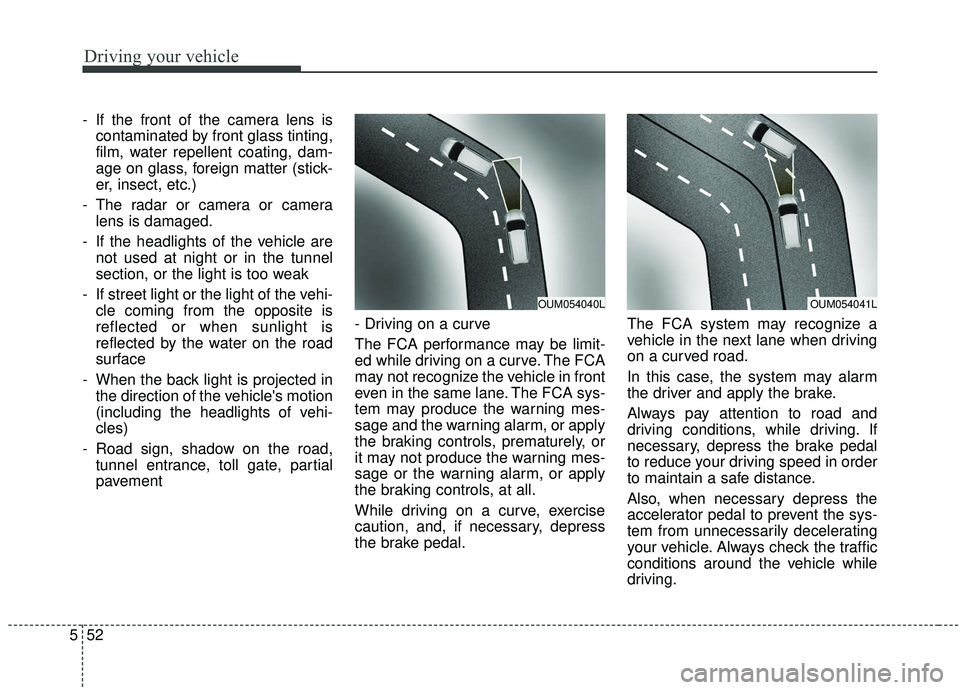
pavement - Driving on a curve
The FCA performance may be limit-
ed while driving on a curve. The FCA
may not recognize the vehicle in front
even in the same lane. The FCA sys-
tem may produce the warning mes-
sage and the warning alarm, or apply
the braking controls, prematurely, or
it may not produce the warning mes-
sage or the warning alarm, or apply
the braking controls, at all.
While driving on a curve, exercise
caution, and, if necessary, depress
the brake pedal. The FCA system may recognize a
vehicle in the next lane when driving
on a curved road.
In this case, the system may alarm
the driver and apply the brake.
Always pay attention to road and
driving conditions, while driving. If
necessary, depress the brake pedal
to reduce your driving speed in order
to maintain a safe distance.
Also, when necessary depress the
accelerator pedal to prevent the sys-
tem from unnecessarily decelerating
your vehicle. Always check the traffic
conditions around the vehicle while
driving.
OUM054040LOUM054041L
Page 382 of 604
553
Driving your vehicle
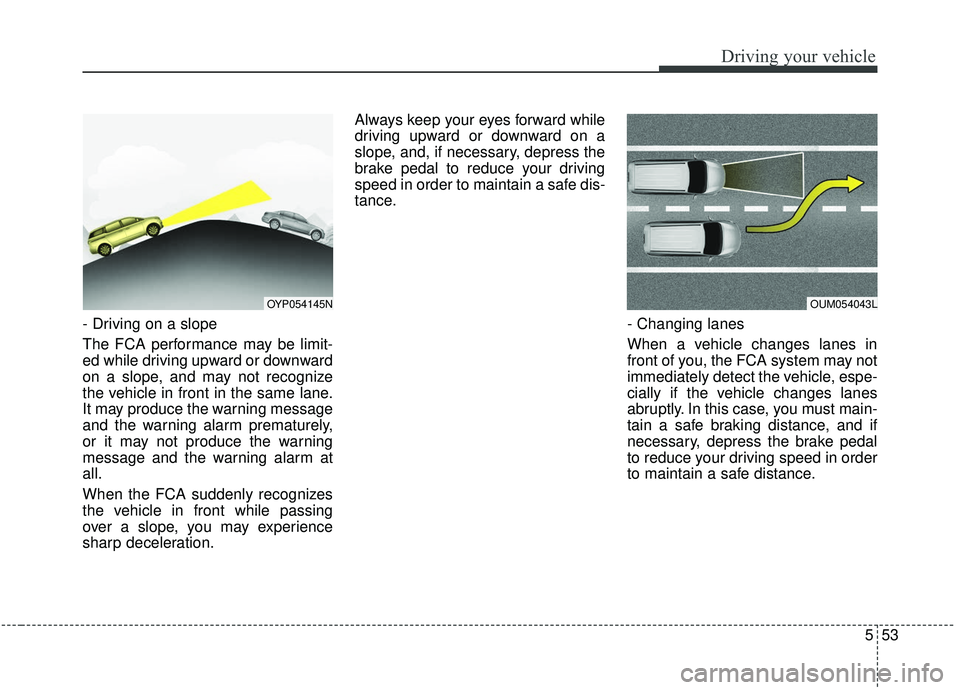
- Driving on a slope
The FCA performance may be limit-
ed while driving upward or downward
on a slope, and may not recognize
the vehicle in front in the same lane.
It may produce the warning message
and the warning alarm prematurely,
or it may not produce the warning
message and the warning alarm at
all.
When the FCA suddenly recognizes
the vehicle in front while passing
over a slope, you may experience
sharp deceleration.Always keep your eyes forward while
driving upward or downward on a
slope, and, if necessary, depress the
brake pedal to reduce your driving
speed in order to maintain a safe dis-
tance.
- Changing lanes
When a vehicle changes lanes in
front of you, the FCA system may not
immediately detect the vehicle, espe-
cially if the vehicle changes lanes
abruptly. In this case, you must main-
tain a safe braking distance, and if
necessary, depress the brake pedal
to reduce your driving speed in order
to maintain a safe distance.
OYP054145NOUM054043L
Page 383 of 604
Driving your vehicle
54
5
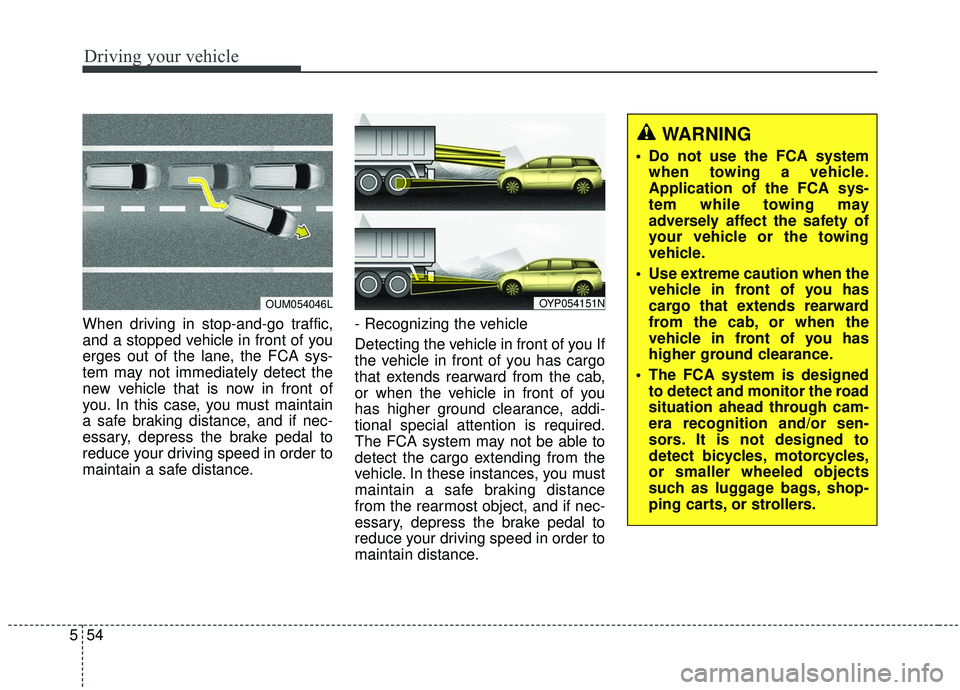
When driving in stop-and-go traffic,
and a stopped vehicle in front of you
erges out of the lane, the FCA sys-
tem may not immediately detect the
new vehicle that is now in front of
you. In this case, you must maintain
a safe braking distance, and if nec-
essary, depress the brake pedal to
reduce your driving speed in order to
maintain a safe distance. - Recognizing the vehicle
Detecting the vehicle in front of you If
the vehicle in front of you has cargo
that extends rearward from the cab,
or when the vehicle in front of you
has higher ground clearance, addi-
tional special attention is required.
The FCA system may not be able to
detect the cargo extending from the
vehicle. In these instances, you must
maintain a safe braking distance
from the rearmost object, and if nec-
essary, depress the brake pedal to
reduce your driving speed in order to
maintain distance.
OUM054046L
WARNING
Do not use the FCA system
when towing a vehicle.
Application of the FCA sys-
tem while towing may
adversely affect the safety of
your vehicle or the towing
vehicle.
Use extreme caution when the vehicle in front of you has
cargo that extends rearward
from the cab, or when the
vehicle in front of you has
higher ground clearance.
The FCA system is designed to detect and monitor the road
situation ahead through cam-
era recognition and/or sen-
sors. It is not designed to
detect bicycles, motorcycles,
or smaller wheeled objects
such as luggage bags, shop-
ping carts, or strollers.
OYP054151N
Page 386 of 604
557
Driving your vehicle
The cruise control system allows you
to program the vehicle to maintain a
constant speed without depressing
the accelerator pedal.
This system is designed to function
above approximately 30 km/h (20
mph).
If the cruise control is left on,
(CRUISE indicator light in the instru-
ment cluster illuminated) the cruise
control can be switched on acciden-
tally. Keep the cruise control system
off (CRUISE indicator light OFF)
when the cruise control is not in use,
to avoid inadvertently setting a
speed.
Use the cruise control system only
when traveling on open highways in
good weather.
Do not use the cruise control when
driving in heavy or varying traffic, or
on slippery (rainy, icy or snow-cov-
ered) or winding roads or over 6%
up-hill or down-hill roads.✽ ✽NOTICE
• During normal cruise control
operation, when the SET switch is
activated or reactivated after
applying the brakes, the cruise
control will energize after approx-
imately 3 seconds. This delay is
normal.
• To activate cruise control, depress the brake pedal at least once after
turning the ignition switch to the
ON position or starting the engine.
To set cruise control speed:
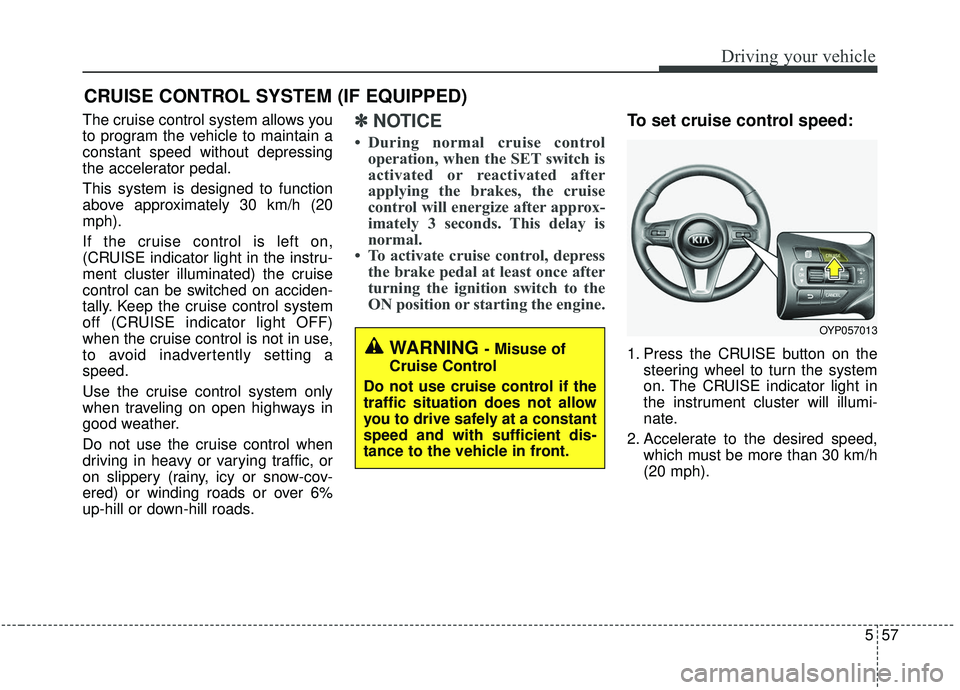
1. Press the CRUISE button on the
steering wheel to turn the system
on. The CRUISE indicator light in
the instrument cluster will illumi-
nate.
2. Accelerate to the desired speed, which must be more than 30 km/h
(20 mph).
CRUISE CONTROL SYSTEM (IF EQUIPPED)
WARNING - Misuse of
Cruise Control
Do not use cruise control if the
traffic situation does not allow
you to drive safely at a constant
speed and with sufficient dis-
tance to the vehicle in front.
OYP057013
Page 388 of 604
559
Driving your vehicle
To temporarily accelerate with
the cruise control on:
If you want to speed up temporarily
when the cruise control is on,
depress the accelerator pedal.
Increased speed will not interfere
with the cruise control operation or
change the set speed.
To return to the set speed, take your
foot off the accelerator.
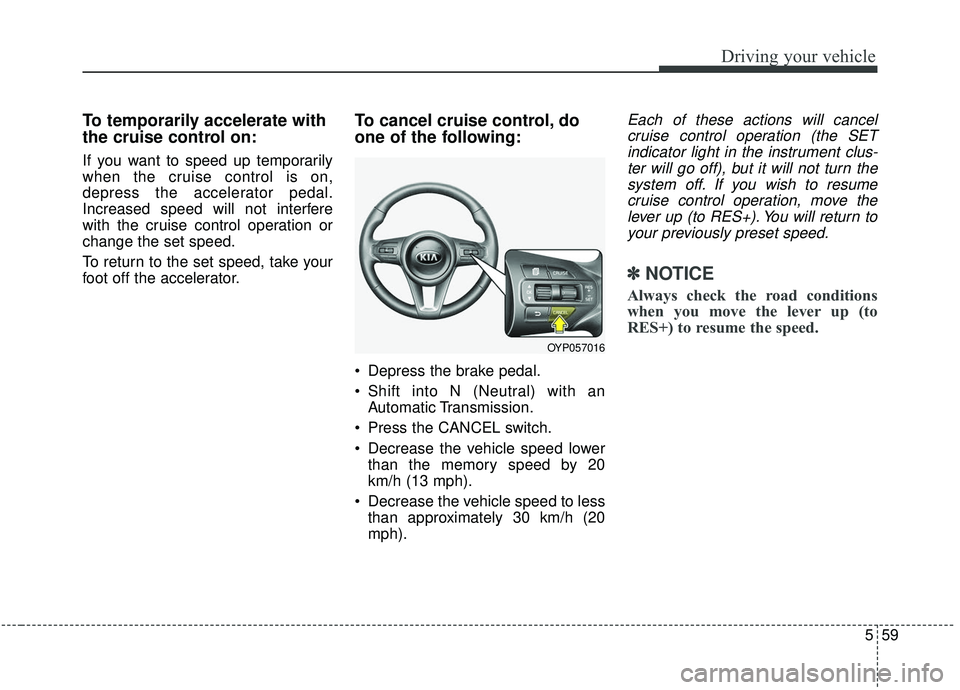
To cancel cruise control, do
one of the following:
Depress the brake pedal.
Shift into N (Neutral) with anAutomatic Transmission.
Press the CANCEL switch.
Decrease the vehicle speed lower than the memory speed by 20
km/h (13 mph).
Decrease the vehicle speed to less than approximately 30 km/h (20
mph).
Each of these actions will cancelcruise control operation (the SETindicator light in the instrument clus-ter will go off), but it will not turn thesystem off. If you wish to resumecruise control operation, move thelever up (to RES+). You will return toyour previously preset speed.
✽ ✽ NOTICE
Always check the road conditions
when you move the lever up (to
RES+) to resume the speed.
OYP057016
Page 390 of 604
561
Driving your vehicle
SMART CRUISE CONTROL WITH STOP & GO SYSTEM (IF EQUIPPED)
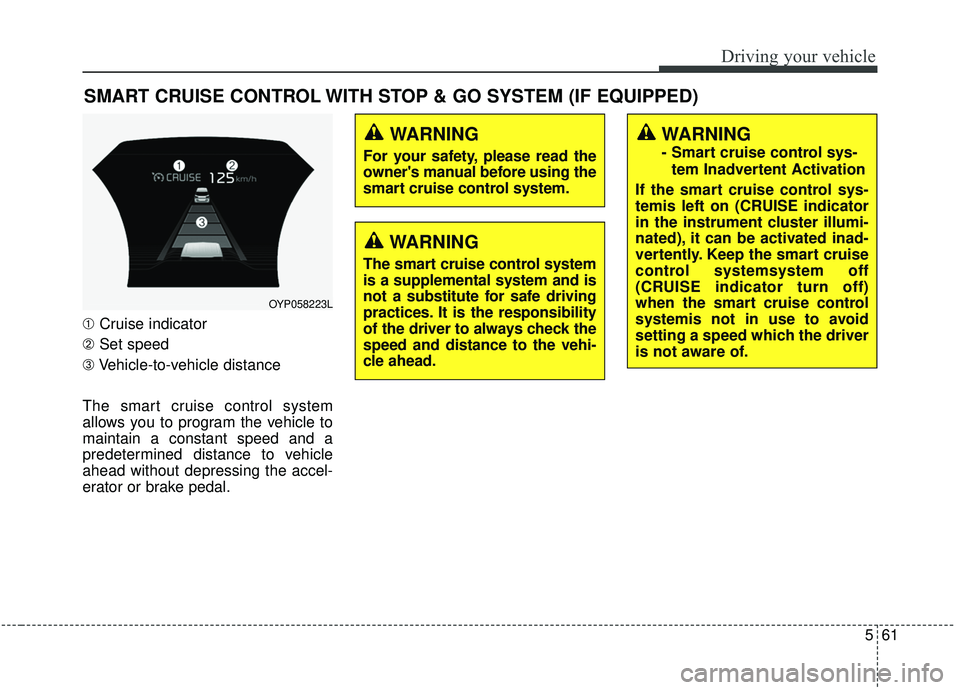
➀Cruise indicator
➁ Set speed
➂ Vehicle-to-vehicle distance
The smart cruise control system
allows you to program the vehicle to
maintain a constant speed and a
predetermined distance to vehicle
ahead without depressing the accel-
erator or brake pedal.
WARNING
- Smart cruise control sys- tem Inadvertent Activation
If the smart cruise control sys-
temis left on (CRUISE indicator
in the instrument cluster illumi-
nated), it can be activated inad-
vertently. Keep the smart cruise
control systemsystem off
(CRUISE indicator turn off)
when the smart cruise control
systemis not in use to avoid
setting a speed which the driver
is not aware of.
OYP058223L
WARNING
For your safety, please read the
owner's manual before using the
smart cruise control system.
WARNING
The smart cruise control system
is a supplemental system and is
not a substitute for safe driving
practices. It is the responsibility
of the driver to always check the
speed and distance to the vehi-
cle ahead.
Page 395 of 604
Driving your vehicle
66
5
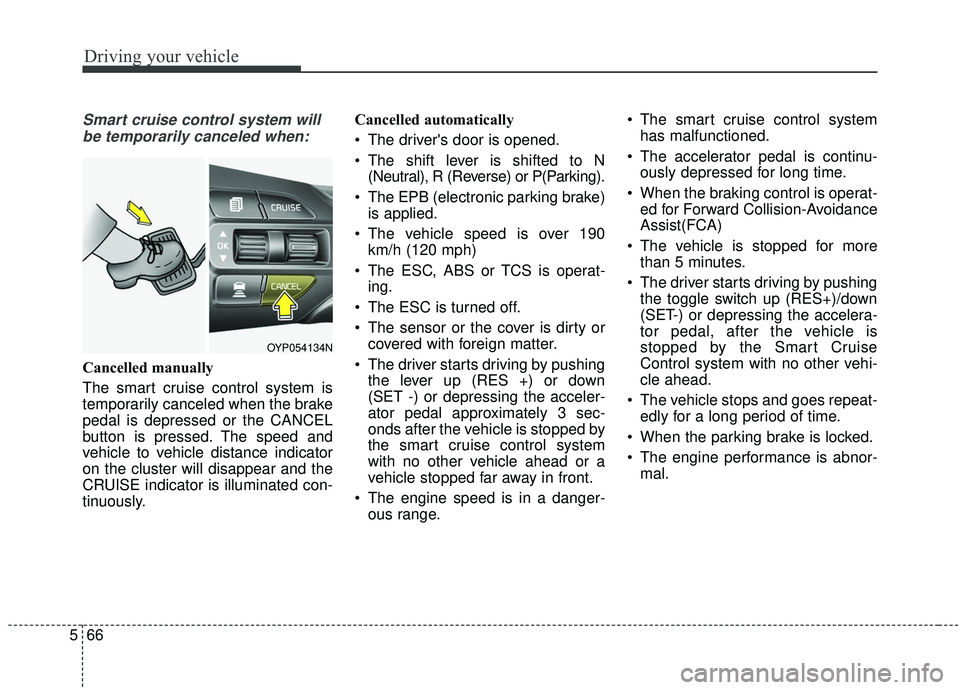
Smart cruise control system will
be temporarily canceled when:
Cancelled manually
The smart cruise control system is
temporarily canceled when the brake
pedal is depressed or the CANCEL
button is pressed. The speed and
vehicle to vehicle distance indicator
on the cluster will disappear and the
CRUISE indicator is illuminated con-
tinuously. Cancelled automatically
The driver's door is opened.
The shift lever is shifted to N
(Neutral), R (Reverse) or P(Parking).
The EPB (electronic parking brake) is applied.
The vehicle speed is over 190 km/h (120 mph)
The ESC, ABS or TCS is operat- ing.
The ESC is turned off.
The sensor or the cover is dirty or covered with foreign matter.
The driver starts driving by pushing the lever up (RES +) or down
(SET -) or depressing the acceler-
ator pedal approximately 3 sec-
onds after the vehicle is stopped by
the smart cruise control system
with no other vehicle ahead or a
vehicle stopped far away in front.
The engine speed is in a danger- ous range. The smart cruise control system
has malfunctioned.
The accelerator pedal is continu- ously depressed for long time.
When the braking control is operat- ed for Forward Collision-Avoidance
Assist(FCA)
The vehicle is stopped for more than 5 minutes.
The driver starts driving by pushing the toggle switch up (RES+)/down
(SET-) or depressing the accelera-
tor pedal, after the vehicle is
stopped by the Smart Cruise
Control system with no other vehi-
cle ahead.
The vehicle stops and goes repeat- edly for a long period of time.
When the parking brake is locked.
The engine performance is abnor- mal.
OYP054134N
Page 396 of 604
567
Driving your vehicle
Each of these actions will cancel the
smart cruise control system operation.
(The set speed and vehicle-to-vehicle
distance on the LCD display will go
off.)
If the smart cruise control system is
cancelled automatically, the smart
cruise control system will not resume
even though the RES+ or SET- lever
is moved.
If the smart cruise control system is
cancelled by a reason not described
above, have the system checked by
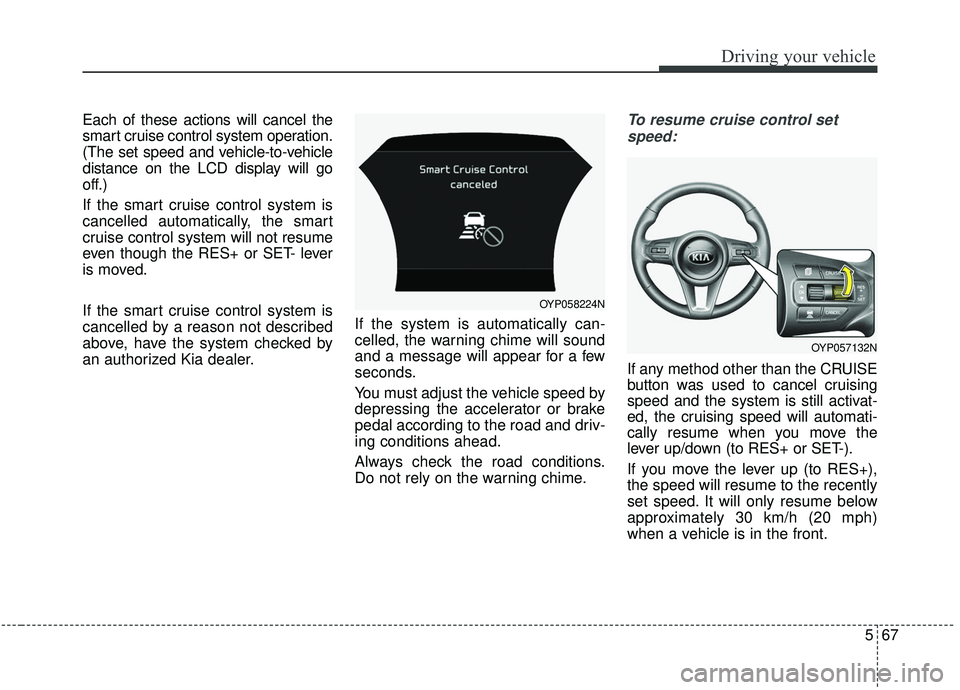
an authorized Kia dealer.If the system is automatically can-
celled, the warning chime will sound
and a message will appear for a few
seconds.
You must adjust the vehicle speed by
depressing the accelerator or brake
pedal according to the road and driv-
ing conditions ahead.
Always check the road conditions.
Do not rely on the warning chime.To resume cruise control set
speed:
If any method other than the CRUISE
button was used to cancel cruising
speed and the system is still activat-
ed, the cruising speed will automati-
cally resume when you move the
lever up/down (to RES+ or SET-).
If you move the lever up (to RES+),
the speed will resume to the recently
set speed. It will only resume below
approximately 30 km/h (20 mph)
when a vehicle is in the front.
OYP058224N
OYP057132N
Page 397 of 604
Driving your vehicle
68
5
✽ ✽
NOTICE
To reduce the risk of an accident,
always check the road conditions
when reactivating the smart cruise
control using the RES+ lever to
ensure the road conditions permit
safe use of the cruise control.
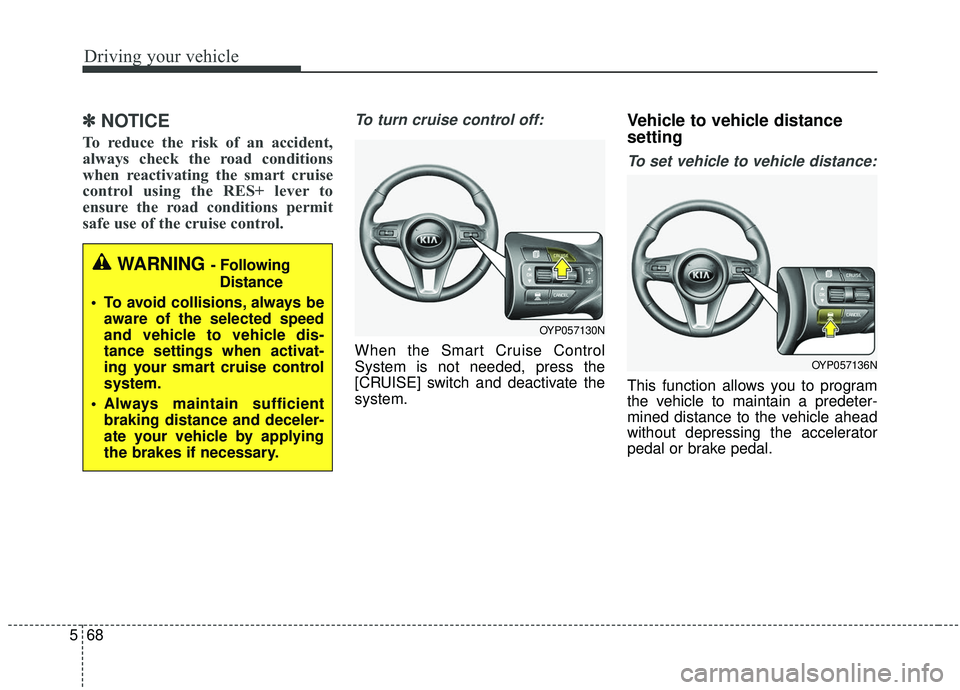
To turn cruise control off:
When the Smart Cruise Control
System is not needed, press the
[CRUISE] switch and deactivate the
system.
Vehicle to vehicle distance
setting
To set vehicle to vehicle distance:
This function allows you to program
the vehicle to maintain a predeter-
mined distance to the vehicle ahead
without depressing the accelerator
pedal or brake pedal.
WARNING - Following
Distance
To avoid collisions, always be aware of the selected speed
and vehicle to vehicle dis-
tance settings when activat-
ing your smart cruise control
system.
Always maintain sufficient braking distance and deceler-
ate your vehicle by applying
the brakes if necessary.
OYP057130N
OYP057136N