light KIA Sephia 2007 2.G Owner's Guide
[x] Cancel search | Manufacturer: KIA, Model Year: 2007, Model line: Sephia, Model: KIA Sephia 2007 2.GPages: 300, PDF Size: 2.91 MB
Page 138 of 300

45
1
2
3
4
5
6
7
8
9
Driving your vehicle
Manual transaxle operationThe manual transaxle has five for-
ward gears.
Press the clutch pedal down fully
while shifting, then release it slowly.
A special safety feature prevents
inadvertent shifting from 5 (Fifth) to
R (Reverse). The gearshift lever must
be returned to the neutral position
before shifting into R (Reverse).Make sure the vehicle is completelystopped before shifting into R(Reverse).
Never operate the engine with thetachometer (rpm) in the red zone. Downshifting
When you must slow down in heavy
traffic or while driving up steep hills,
downshift before the engine starts to
“labor’’. Downshifting reduces the
chance of stalling and gives better
acceleration when you again need to
increase your speed. When the vehi-
cle is traveling down steep hills,
downshifting helps maintain safe
speed and prolongs brake life.
MANUAL TRANSAXLE (IF EQUIPPED)
OLD046003N
WARNING
- Manual
transaxle
Before leaving the driver’s seat,
always set the parking brake
fully and shut the engine off.
Then make sure the transaxle is
shifted into 1st gear on level or
uphill ground or into R
(Reverse) gear on downhill
ground. Unexpected and sud-
den vehicle movement can
occur if these precautions are
not followed in the order identi-
fied.
CAUTION
To avoid premature clutch wear and damage, do not drive withyour foot resting on the clutchpedal. Also, don’t use the clutchto hold the vehicle stopped onan upgrade, while waiting for atraffic light, etc.
Page 142 of 300
49
1
2
3
4
5
6
7
8
9
Driving your vehicle
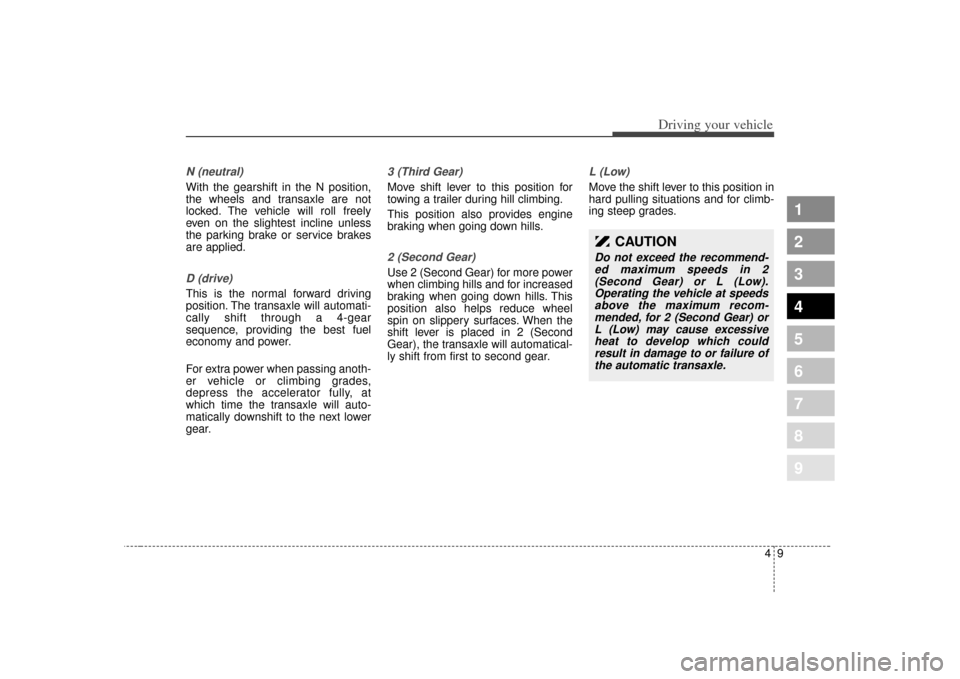
N (neutral)With the gearshift in the N position,
the wheels and transaxle are not
locked. The vehicle will roll freely
even on the slightest incline unless
the parking brake or service brakes
are applied.D (drive)This is the normal forward driving
position. The transaxle will automati-
cally shift through a 4-gear
sequence, providing the best fuel
economy and power.
For extra power when passing anoth-
er vehicle or climbing grades,
depress the accelerator fully, at
which time the transaxle will auto-
matically downshift to the next lower
gear.
3 (Third Gear)Move shift lever to this position for
towing a trailer during hill climbing.
This position also provides engine
braking when going down hills.2 (Second Gear)Use 2 (Second Gear) for more power
when climbing hills and for increased
braking when going down hills. This
position also helps reduce wheel
spin on slippery surfaces. When the
shift lever is placed in 2 (Second
Gear), the transaxle will automatical-
ly shift from first to second gear.
L (Low)Move the shift lever to this position in
hard pulling situations and for climb-
ing steep grades.
CAUTION
Do not exceed the recommend-ed maximum speeds in 2(Second Gear) or L (Low).Operating the vehicle at speedsabove the maximum recom-mended, for 2 (Second Gear) orL (Low) may cause excessiveheat to develop which couldresult in damage to or failure ofthe automatic transaxle.
Page 145 of 300
Driving your vehicle12
4
1
2
3
4
5
6
7
8
9
Disc brakes wear indicator Your vehicle has disc brakes.
When your brake pads are worn and
it's time for new pads, you will hear a
high-pitched warning sound from
your front brakes or rear brakes (if
equipped). You may hear this sound
come and go or it may occur when-
ever you depress the brake pedal.
Please remember that some driving
conditions or climates may cause a
brake squeal when you first apply (or
lightly apply) the brakes. This is nor-
mal and does not indicate a problem
with your brakes.
WARNING
- Brake wear
This brake wear warning sound
means your vehicle needs serv-
ice. If you ignore this audible
warning, you will eventually lose
braking performance, which
could lead to a serious accident.
CAUTION
Always replace brake pads as complete front or rear axle sets.
(Continued)
Wet brakes may result in the vehicle not slowing down at
the usual rate and pulling to
one side when the brakes are
applied. Applying the brakes
lightly will indicate whether
they have been affected in this
way. Always test your brakes
in this fashion after driving
through deep water. To dry the
brakes, apply them lightly
while maintaining a safe for-
ward speed until brake per-
formance returns to normal.
CAUTION
To avoid costly brake repairs, donot continue to drive with wornbrake pads.
Page 146 of 300
413
1
2
3
4
5
6
7
8
9
Driving your vehicle
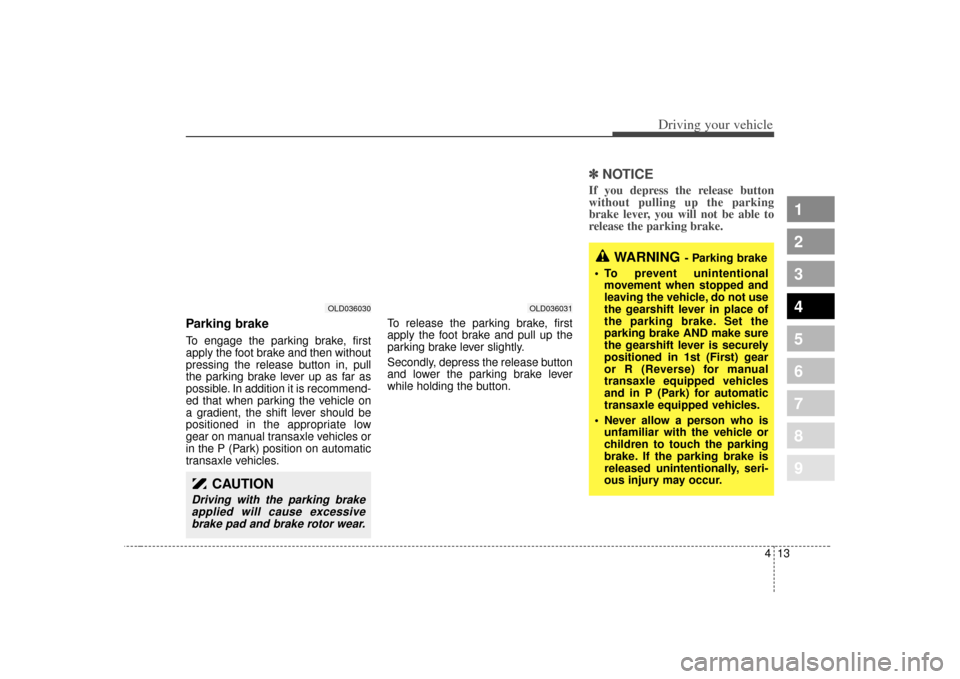
Parking brake To engage the parking brake, first
apply the foot brake and then without
pressing the release button in, pull
the parking brake lever up as far as
possible. In addition it is recommend-
ed that when parking the vehicle on
a gradient, the shift lever should be
positioned in the appropriate low
gear on manual transaxle vehicles or
in the P (Park) position on automatic
transaxle vehicles.To release the parking brake, first
apply the foot brake and pull up the
parking brake lever slightly.
Secondly, depress the release button
and lower the parking brake lever
while holding the button.
✽ ✽
NOTICEIf you depress the release button
without pulling up the parking
brake lever, you will not be able to
release the parking brake.
WARNING
- Parking brake
To prevent unintentional movement when stopped and
leaving the vehicle, do not use
the gearshift lever in place of
the parking brake. Set the
parking brake AND make sure
the gearshift lever is securely
positioned in 1st (First) gear
or R (Reverse) for manual
transaxle equipped vehicles
and in P (Park) for automatic
transaxle equipped vehicles.
Never allow a person who is unfamiliar with the vehicle or
children to touch the parking
brake. If the parking brake is
released unintentionally, seri-
ous injury may occur.
OLD036031
OLD036030
CAUTION
Driving with the parking brakeapplied will cause excessivebrake pad and brake rotor wear.
Page 147 of 300

Driving your vehicle14
4
1
2
3
4
5
6
7
8
9
Check the brake warning light by
turning the ignition switch ON (do not
start the engine). This light will be
illuminated when the parking brake is
applied with the ignition switch in the
START or ON position.
Before driving, be sure the parking
brake is fully released and the brake
warning light is off. If the brake warning light remains on
after the parking brake is released,
there may be a malfunction in the
brake system. Immediate attention is
necessary.
If at all possible, cease driving the
vehicle immediately. If that is not pos-
sible, use extreme caution while
operating the vehicle and only con-
tinue to drive the vehicle until you
can reach a safe location or repair
shop.
Parking on curbed streets When parking your vehicle on an
uphill grade, park as close to the
curb as possible and turn the front
wheels away from the curb so that
the front wheels will contact the
curb if the vehicle moves back-
ward.
When parking your vehicle on a downhill grade, park as close to the
curb as possible and turn the front
wheels toward the curb so that the
front wheels will contact the curb if
the vehicle moves forward.
W-75
Page 149 of 300
Driving your vehicle16
4
1
2
3
4
5
6
7
8
9
Even with the anti-lock brake sys-
tem, your vehicle still requires suf-
ficient stopping distance. Always
maintain a safe distance from the
vehicle in front of you.
Always slow down when cornering. The anti-lock brake system cannot
prevent accidents resulting from
excessive speeds.
On loose or uneven road surfaces, operation of the anti-lock brake
system may result in a longer stop-
ping distance than for vehicles
equipped with a conventional
brake system.
ABS
W-78
CAUTION
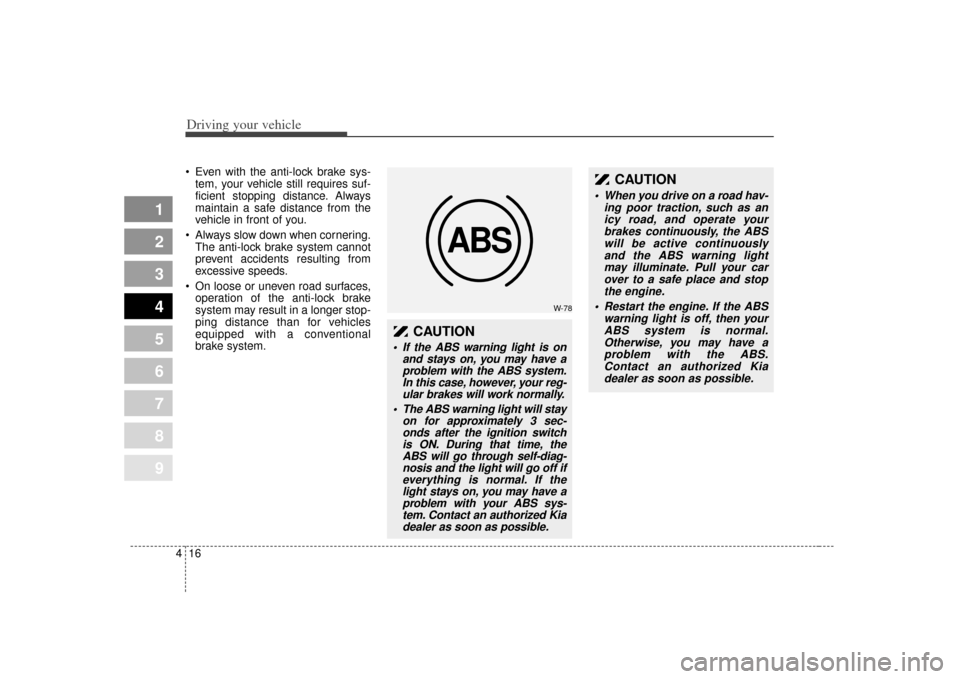
If the ABS warning light is on and stays on, you may have aproblem with the ABS system.In this case, however, your reg-ular brakes will work normally.
The ABS warning light will stay on for approximately 3 sec-onds after the ignition switchis ON. During that time, theABS will go through self-diag-nosis and the light will go off ifeverything is normal. If thelight stays on, you may have aproblem with your ABS sys-tem. Contact an authorized Kiadealer as soon as possible.
CAUTION
When you drive on a road hav-
ing poor traction, such as anicy road, and operate yourbrakes continuously, the ABSwill be active continuouslyand the ABS warning lightmay illuminate. Pull your carover to a safe place and stopthe engine.
Restart the engine. If the ABS warning light is off, then yourABS system is normal.Otherwise, you may have aproblem with the ABS.Contact an authorized Kiadealer as soon as possible.
Page 150 of 300
417
1
2
3
4
5
6
7
8
9
Driving your vehicle
✽ ✽NOTICEWhen you jump start your vehicle
because of a drained battery, the
engine may not run as smoothly and
the ABS warning light may turn on
at the same time. This happens
because of the low battery voltage. It
does not mean your ABS is malfunc-
tioning.
• Do not pump your brakes!
• Have the battery recharged before
driving the vehicle.
Page 152 of 300
419
1
2
3
4
5
6
7
8
9
Driving your vehicle
Tilt steering (if equipped)A tilt steering wheel allows you to
adjust the steering wheel before you
drive. You can also raise it to the
highest level to give your legs more
room when you exit and enter the
vehicle.
The steering wheel should be posi-
tioned so that it is comfortable for
you to drive, while permitting you to
see the instrument panel warning
lights and gauges.To change the steering wheel angle,
pull down (
1) the lock release lever,
adjust the steering wheel to the
desired angle (
2), then pull up the
lock-release lever to lock the steering
wheel in place.
Be sure to adjust the steering wheel
to the desired position before driving.
WARNING
Never adjust the angle of steering wheel while driving.
You may lose your steering
control and cause severe per-
sonal injury or accidents.
After adjusting, push the steering wheel both up and
down to be certain it is locked
in position.
OLD026076
Page 154 of 300

421
1
2
3
4
5
6
7
8
9
Driving your vehicle
The cruise control system allows you
to program the vehicle to maintain a
constant speed without resting your
foot on the accelerator pedal.
This system is designed to function
above approximately 40 km/h (24
mph).
To set cruise control speed:1. Push the CRUISE ON/OFF buttonon the steering wheel, to turn the
system on. The CRUISE indicator
light in the instrument cluster will
illuminate. 2. Accelerate to the desired speed,
which must be more than 40 km/h
(24 mph).
CRUISE CONTROL (IF EQUIPPED)
WARNING
- Cruise
control
Do not use the cruise control
feature under the following con-
ditions:
Heavy or unsteady traffic
Slippery or winding roads
Situations that involve varying speeds
Pay particular attention during the down-hill driving with
cruise control system as the
vehicle speed can be
increased gradually.
WARNING
If the cruise control is left on,
(CRUISE indicator light in the
instrument cluster illuminated)
the cruise control can be
switched on accidentally. Keep
the cruise control system off
(CRUISE indicator light OFF)
when cruise control is not in
use.
1LDN4024
Page 155 of 300

Driving your vehicle22
4
1
2
3
4
5
6
7
8
9
3. Push down the SET/COAST switch,
and release it at the speed you
want. The “SET” indicator light in the
instrument cluster will illuminate.
Release the accelerator at the
same time. The desired speed will
automatically be maintained.The SET function cannot be activateduntil approximately 2 seconds after theCRUISE ON-OFF button has beenengaged.
On a steep grade, the vehicle maymomentarily slow down while goingdownhill.
To cancel cruise control, do
one of the following: Press the brake pedal.
Shift into N (Neutral).
Pull the CANCEL switch.Each of these actions will cancelcruise control operation (the “SET”indicator light in the instrument clus-ter will go OFF), but it will not turn thesystem off. If you wish to resumecruise control operation, push up theRES/ACC switch located on yoursteering wheel. You will return to yourpreviously preset speed.
To turn cruise control off, do
one of the following: Push the CRUISE ON-OFF button (the CRUISE indicator light in the
instrument cluster will go OFF).
Turn the ignition off.Both of these actions cancel cruise control operation. If you want toresume cruise control operation,repeat the steps provided in “To SetCruise Control Speed” on the previ-ous page.
1LDN4025
1LDN4025A