light KIA Sorento 2007 1.G Repair Manual
[x] Cancel search | Manufacturer: KIA, Model Year: 2007, Model line: Sorento, Model: KIA Sorento 2007 1.GPages: 325, PDF Size: 5.01 MB
Page 173 of 325
443
Driving your vehicle
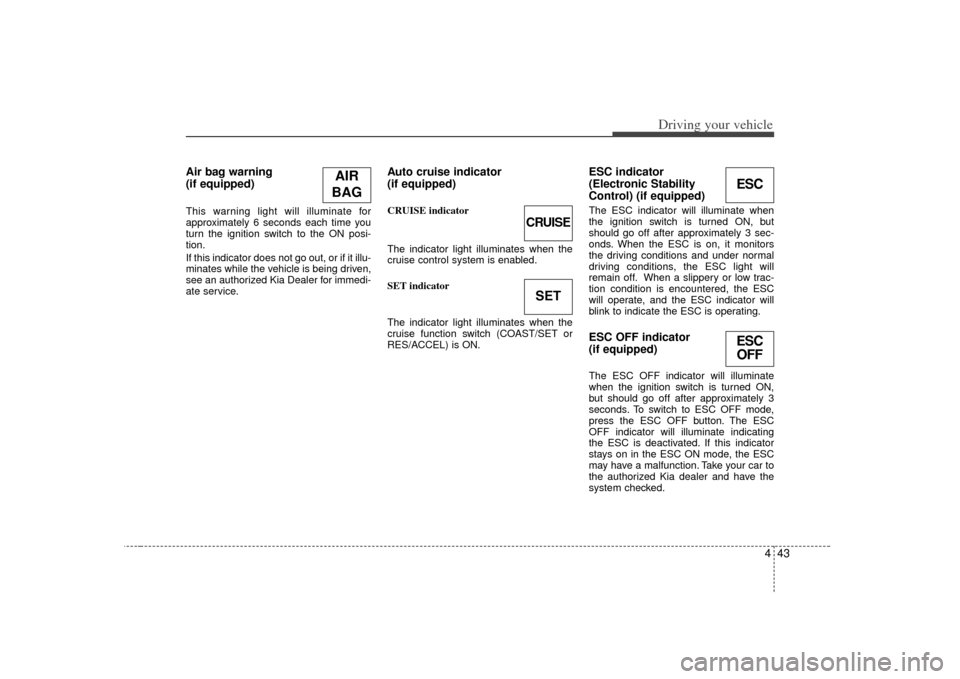
Air bag warning
(if equipped) This warning light will illuminate for
approximately 6 seconds each time you
turn the ignition switch to the ON posi-
tion.
If this indicator does not go out, or if it illu-
minates while the vehicle is being driven,
see an authorized Kia Dealer for immedi-
ate service.
Auto cruise indicator
(if equipped)CRUISE indicator
The indicator light illuminates when the
cruise control system is enabled.
SET indicator
The indicator light illuminates when the
cruise function switch (COAST/SET or
RES/ACCEL) is ON.
ESC indicator
(Electronic Stability
Control) (if equipped) The ESC indicator will illuminate when
the ignition switch is turned ON, but
should go off after approximately 3 sec-
onds. When the ESC is on, it monitors
the driving conditions and under normal
driving conditions, the ESC light will
remain off. When a slippery or low trac-
tion condition is encountered, the ESC
will operate, and the ESC indicator will
blink to indicate the ESC is operating.ESC OFF indicator
(if equipped)The ESC OFF indicator will illuminate
when the ignition switch is turned ON,
but should go off after approximately 3
seconds. To switch to ESC OFF mode,
press the ESC OFF button. The ESC
OFF indicator will illuminate indicating
the ESC is deactivated. If this indicator
stays on in the ESC ON mode, the ESC
may have a malfunction. Take your car to
the authorized Kia dealer and have the
system checked.
AIR
BAG
CRUISESET
ESCESC OFF
Page 174 of 325
Driving your vehicle44
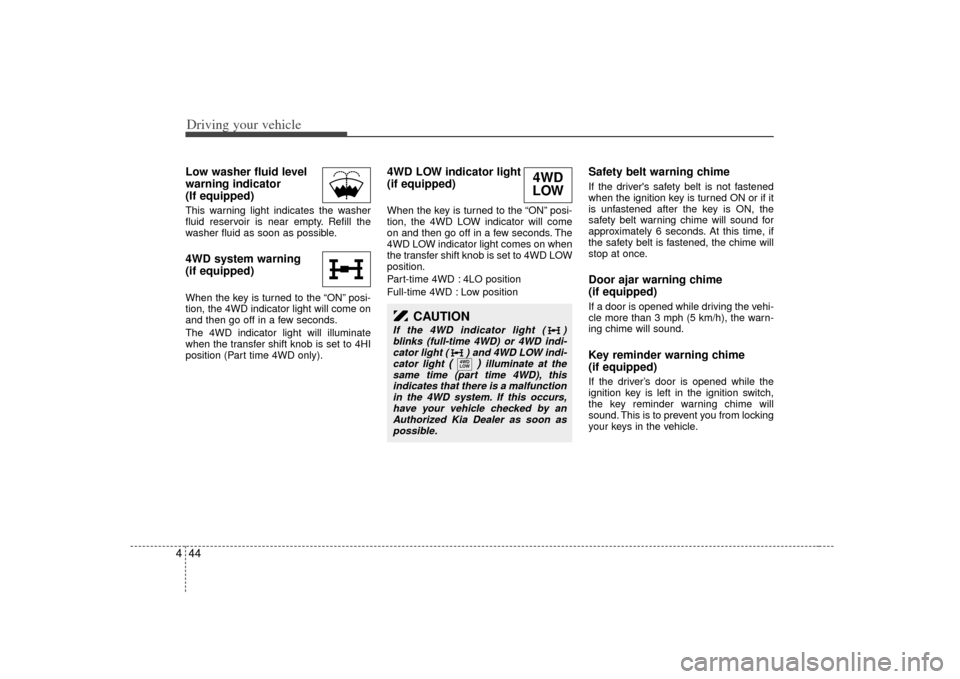
4Low washer fluid level
warning indicator
(If equipped) This warning light indicates the washer
fluid reservoir is near empty. Refill the
washer fluid as soon as possible.4WD system warning
(if equipped) When the key is turned to the “ON” posi-
tion, the 4WD indicator light will come on
and then go off in a few seconds.
The 4WD indicator light will illuminate
when the transfer shift knob is set to 4HI
position (Part time 4WD only).
4WD LOW indicator light
(if equipped) When the key is turned to the “ON” posi-
tion, the 4WD LOW indicator will come
on and then go off in a few seconds. The
4WD LOW indicator light comes on when
the transfer shift knob is set to 4WD LOW
position.
Part-time 4WD : 4LO position
Full-time 4WD : Low position
Safety belt warning chime If the driver's safety belt is not fastened
when the ignition key is turned ON or if it
is unfastened after the key is ON, the
safety belt warning chime will sound for
approximately 6 seconds. At this time, if
the safety belt is fastened, the chime will
stop at once.Door ajar warning chime
(if equipped)If a door is opened while driving the vehi-
cle more than 3 mph (5 km/h), the warn-
ing chime will sound.Key reminder warning chime
(if equipped)If the driver’s door is opened while the
ignition key is left in the ignition switch,
the key reminder warning chime will
sound. This is to prevent you from locking
your keys in the vehicle.
CAUTION
If the 4WD indicator light ( )
blinks (full-time 4WD) or 4WD indi-cator light ( ) and 4WD LOW indi- cator light
()
illuminate at the
same time (part time 4WD), this indicates that there is a malfunctionin the 4WD system. If this occurs,have your vehicle checked by an Authorized Kia Dealer as soon aspossible.
4WD
LOW
4WD
LOW
Page 181 of 325
451
Driving your vehicle
Battery saver function The purpose of this feature is to pre-vent the battery from being dis-
charged. The system automatically
turns off the headlights and parking
lights when the driver removes the igni-
tion key and opens the driver- side
door.
With this feature, the parklight will be turned off automatically if the driver
parks on the side of road at night.
If necessary, to keep the lights on when
the ignition key is removed, perform the
following :
1) Open the driver-side door.
2) Turn the parklights OFF and ON again using the light switch on the steering
column.
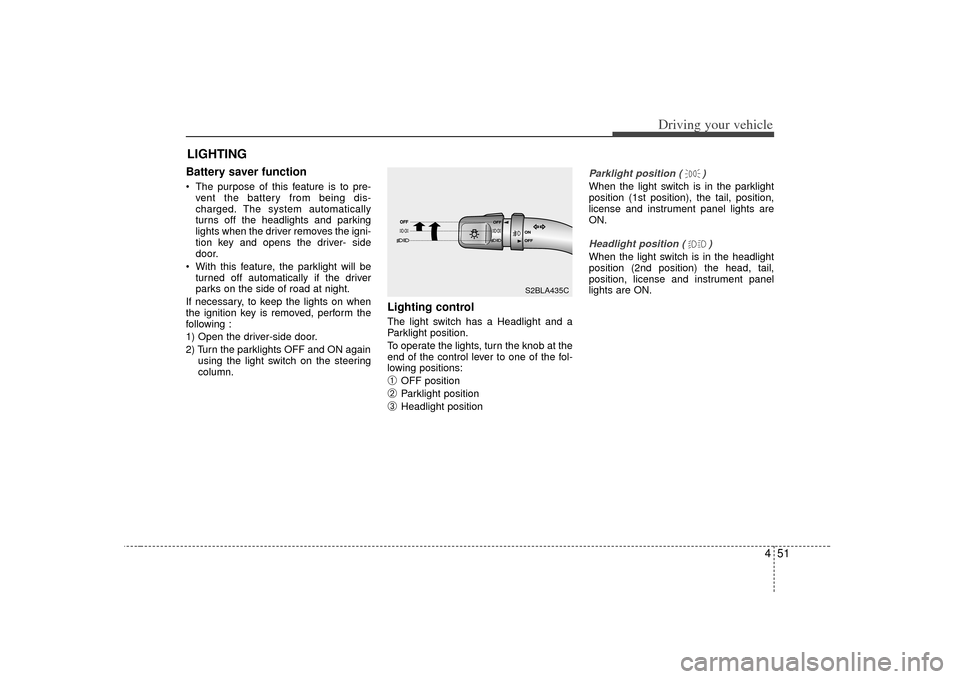
Lighting control The light switch has a Headlight and a
Parklight position.
To operate the lights, turn the knob at the
end of the control lever to one of the fol-
lowing positions:➀
OFF position
➁
Parklight position
\b
Headlight position
Parklight position ( )When the light switch is in the parklight
position (1st position), the tail, position,
license and instrument panel lights are
ON.Headlight position ( )When the light switch is in the headlight
position (2nd position) the head, tail,
position, license and instrument panel
lights are ON.
LIGHTING
S2BLA435C
Page 182 of 325
Driving your vehicle52
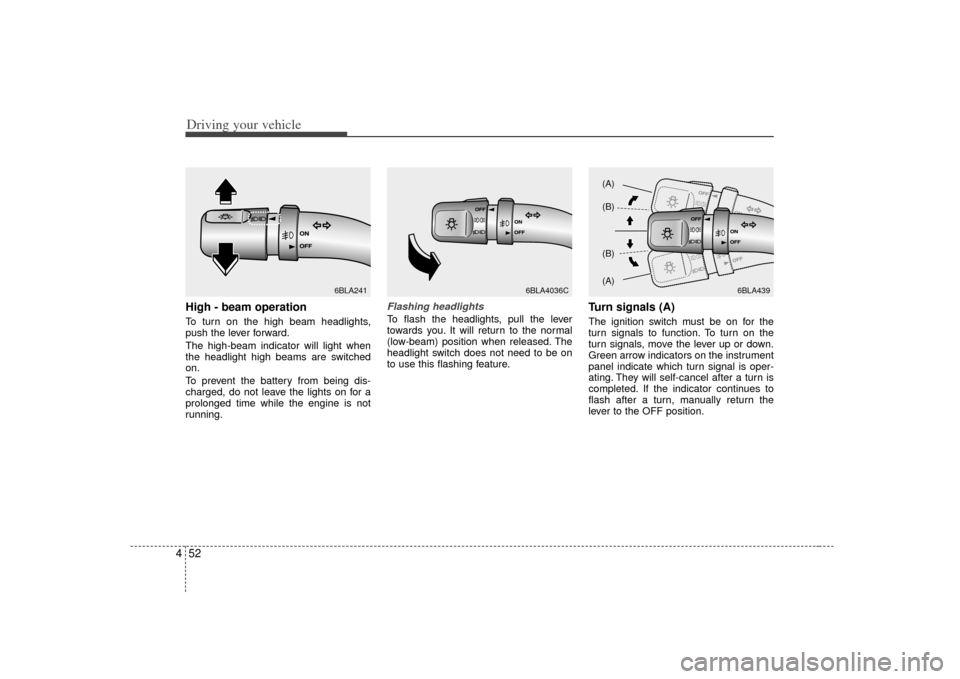
4High - beam operation To turn on the high beam headlights,
push the lever forward.
The high-beam indicator will light when
the headlight high beams are switched
on.
To prevent the battery from being dis-
charged, do not leave the lights on for a
prolonged time while the engine is not
running.
Flashing headlights To flash the headlights, pull the lever
towards you. It will return to the normal
(low-beam) position when released. The
headlight switch does not need to be on
to use this flashing feature.
Turn signals (A)The ignition switch must be on for the
turn signals to function. To turn on the
turn signals, move the lever up or down.
Green arrow indicators on the instrument
panel indicate which turn signal is oper-
ating. They will self-cancel after a turn is
completed. If the indicator continues to
flash after a turn, manually return the
lever to the OFF position.
6BLA241
6BLA4036C
6BLA439
(A)
(B)
(B)
(A)
Page 183 of 325
453
Driving your vehicle
Lane change signals (B)To signal a lane change, move the turn
signal lever slightly and hold it in position.
The lever will return to the OFF position
when released.
If an indicator stays on and does not
flash or if it flashes abnormally, one of the
turn signal bulbs may be burned out and
will require replacement.✽ ✽
NOTICEIf an indicator flash is abnormally quick
or slow, bulb may be burned out or have
a poor electrical connection in the cir-
cuit.
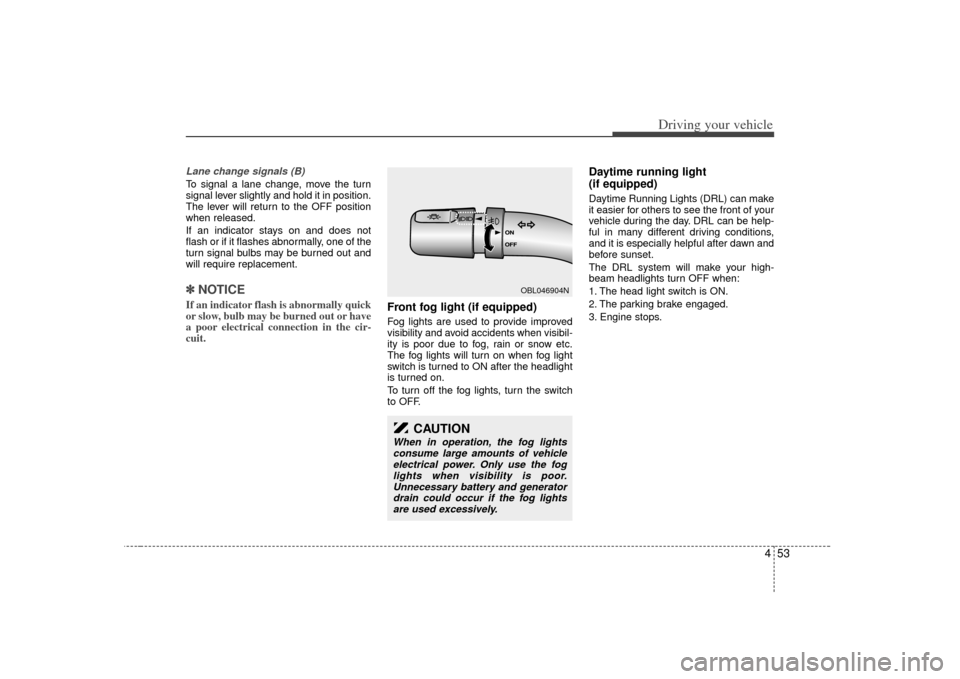
Front fog light (if equipped) Fog lights are used to provide improved
visibility and avoid accidents when visibil-
ity is poor due to fog, rain or snow etc.
The fog lights will turn on when fog light
switch is turned to ON after the headlight
is turned on.
To turn off the fog lights, turn the switch
to OFF.
Daytime running light
(if equipped)Daytime Running Lights (DRL) can make
it easier for others to see the front of your
vehicle during the day. DRL can be help-
ful in many different driving conditions,
and it is especially helpful after dawn and
before sunset.
The DRL system will make your high-
beam headlights turn OFF when:
1. The head light switch is ON.
2. The parking brake engaged.
3. Engine stops.
OBL046904N
CAUTION
When in operation, the fog lights
consume large amounts of vehicle electrical power. Only use the foglights when visibility is poor.Unnecessary battery and generator drain could occur if the fog lightsare used excessively.
Page 184 of 325
Driving your vehicle54
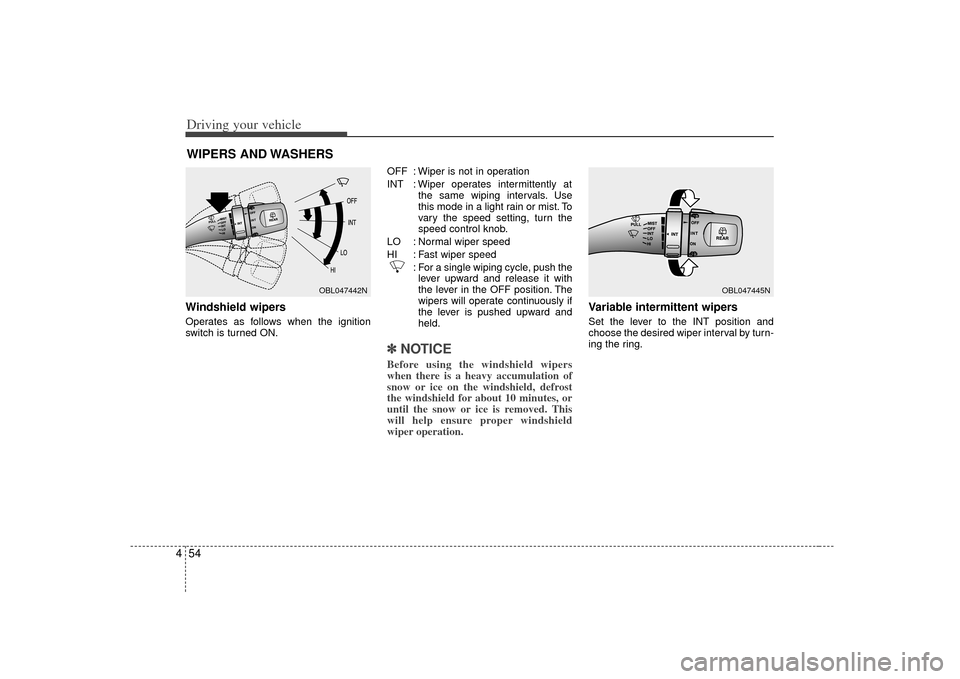
4Windshield wipers Operates as follows when the ignition
switch is turned ON. OFF : Wiper is not in operation
INT : Wiper operates intermittently at
the same wiping intervals. Use
this mode in a light rain or mist. To
vary the speed setting, turn the
speed control knob.
LO : Normal wiper speed
HI : Fast wiper speed : For a single wiping cycle, push thelever upward and release it with
the lever in the OFF position. The
wipers will operate continuously if
the lever is pushed upward and
held.
✽ ✽ NOTICEBefore using the windshield wipers
when there is a heavy accumulation of
snow or ice on the windshield, defrost
the windshield for about 10 minutes, or
until the snow or ice is removed. This
will help ensure proper windshield
wiper operation.
Variable intermittent wipersSet the lever to the INT position and
choose the desired wiper interval by turn-
ing the ring.
WIPERS AND WASHERS
OBL047442N
OBL047445N
Page 186 of 325
Driving your vehicle56
4If the washer does not work, check the
washer fluid level. If the fluid level is not
sufficient, you will need to add appropri-
ate non-abrasive windshield washer fluid
to the washer reservoir.
The reservoir filler neck is located in the
front of the engine compartment on the
passenger side.
Rear window wiper and washer
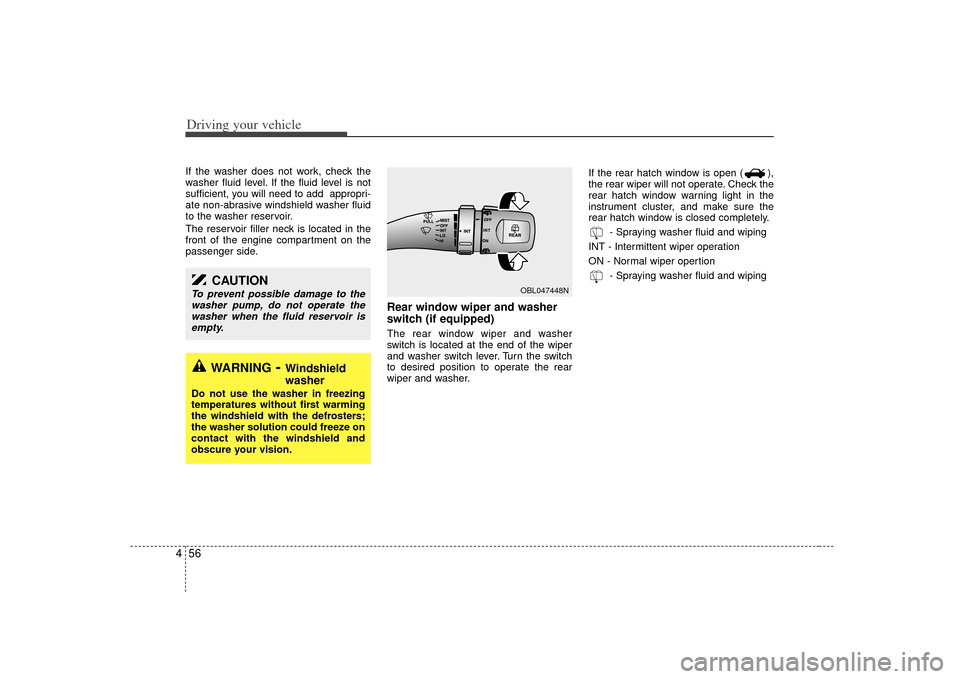
switch (if equipped)The rear window wiper and washer
switch is located at the end of the wiper
and washer switch lever. Turn the switch
to desired position to operate the rear
wiper and washer. If the rear hatch window is open ( ),
the rear wiper will not operate. Check the
rear hatch window warning light in the
instrument cluster, and make sure the
rear hatch window is closed completely.
- Spraying washer fluid and wiping
INT - Intermittent wiper operation
ON - Normal wiper opertion - Spraying washer fluid and wiping
WARNING
- Windshield
washer
Do not use the washer in freezing
temperatures without first warming
the windshield with the defrosters;
the washer solution could freeze on
contact with the windshield and
obscure your vision.
CAUTION
To prevent possible damage to thewasher pump, do not operate thewasher when the fluid reservoir isempty.
OBL047448N
Page 188 of 325
Driving your vehicle58
4Front windshield deicer
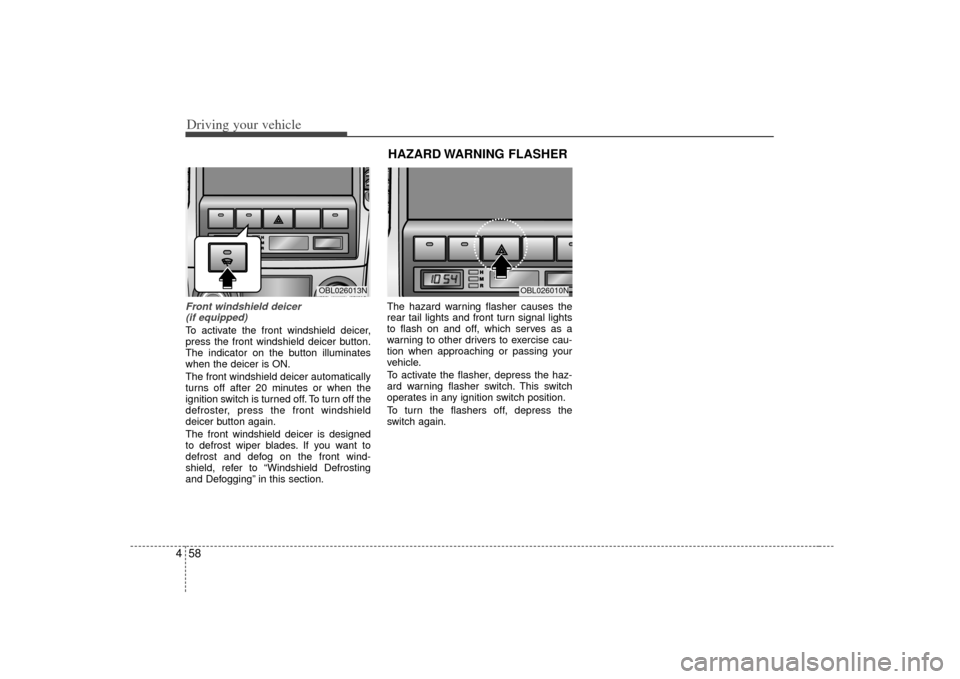
(if equipped)To activate the front windshield deicer,
press the front windshield deicer button.
The indicator on the button illuminates
when the deicer is ON.
The front windshield deicer automatically
turns off after 20 minutes or when the
ignition switch is turned off. To turn off the
defroster, press the front windshield
deicer button again.
The front windshield deicer is designed
to defrost wiper blades. If you want to
defrost and defog on the front wind-
shield, refer to “Windshield Defrosting
and Defogging” in this section. The hazard warning flasher causes the
rear tail lights and front turn signal lights
to flash on and off, which serves as a
warning to other drivers to exercise cau-
tion when approaching or passing your
vehicle.
To activate the flasher, depress the haz-
ard warning flasher switch. This switch
operates in any ignition switch position.
To turn the flashers off, depress the
switch again.
OBL026013N
OBL026010N
HAZARD WARNING FLASHER
Page 193 of 325
463
Driving your vehicle
Air intake control button This is used to select outside (fresh) air
position or recirculated air position.
To change the air intake control position,
push the control button.Recirculated air position
The indicator light on the but-
ton is illuminated when the
recirculated air position is
selected.
With the recirculated air posi- tion selected, air from pas-
senger compartment will be
drawn through the heating
system and heated or cooled
according to the function
selected.
Outside (fresh) air position
With the outside (fresh) air
position selected, air enters
the vehicle from outside and
is heated or cooled according
to the function selected.
✽ ✽ NOTICEIt should be noted that prolonged oper-
ation of the heating in recirculated air
position will cause fogging of the wind-
shield and side windows and the air
within the passenger compartment will
become stale.
In addition, prolonged use of the air
conditioning with the recirculated air
position selected, will result in excessive-
ly dry air in the passenger compart-
ment.
WARNING -
Recirculated
air
Continued climate control system
operation in the recirculated air
position may allow humidity to
increase inside vehicle which
may fog the glass and obscure
visibility.
Continued climate control system operation in the recirculated air
position can result in somewhat
reduced oxygen levels, causing
drowsiness or sleepiness, and
loss of vehicle control. Set the air
intake control to the outside
(fresh) air position as much as
possible while driving.
Page 194 of 325
Driving your vehicle64
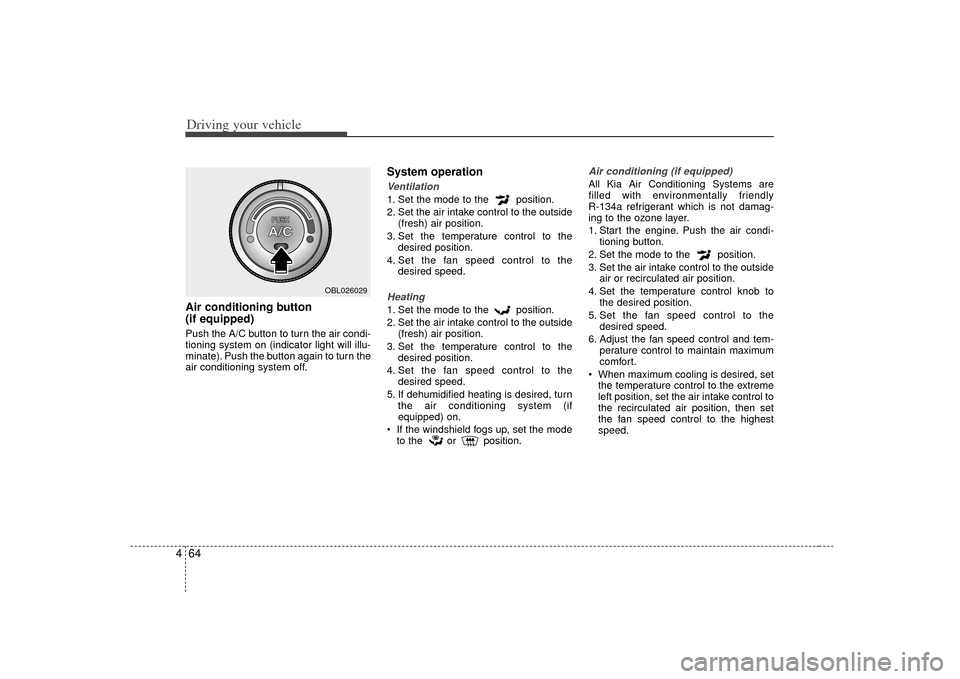
4Air conditioning button
(if equipped) Push the A/C button to turn the air condi-
tioning system on (indicator light will illu-
minate). Push the button again to turn the
air conditioning system off.
System operationVentilation1. Set the mode to the position.
2. Set the air intake control to the outside
(fresh) air position.
3. Set the temperature control to the desired position.
4. Set the fan speed control to the desired speed.Heating1. Set the mode to the position.
2. Set the air intake control to the outside(fresh) air position.
3. Set the temperature control to the desired position.
4. Set the fan speed control to the desired speed.
5. If dehumidified heating is desired, turn the air conditioning system (if
equipped) on.
If the windshield fogs up, set the mode to the or position.
Air conditioning (if equipped) All Kia Air Conditioning Systems are
filled with environmentally friendly
R-134a refrigerant which is not damag-
ing to the ozone layer.
1. Start the engine. Push the air condi- tioning button.
2. Set the mode to the position.
3. Set the air intake control to the outside air or recirculated air position.
4. Set the temperature control knob to the desired position.
5. Set the fan speed control to the desired speed.
6. Adjust the fan speed control and tem- perature control to maintain maximum
comfort.
When maximum cooling is desired, set the temperature control to the extreme
left position, set the air intake control to
the recirculated air position, then set
the fan speed control to the highest
speed.
OBL026029