display KIA Sorento 2008 1.G User Guide
[x] Cancel search | Manufacturer: KIA, Model Year: 2008, Model line: Sorento, Model: KIA Sorento 2008 1.GPages: 326, PDF Size: 8.63 MB
Page 125 of 326
Knowing your vehicle
116 3
5. Using the Repeat function (RPT
button)
To repeat playback of the current
track:
Press the RPTbutton once. The LCD
screen displays RPTto indicate that it is
in REPEAT mode. Playback of the cur-
rent track will be repeated.
Press the RPTbutton again to resume
normal playback. The RPTindicator is
cleared.
To repeat playback of all tracks on the
current CD/File Directory:
Press and hold the RPTbutton for more
than 2 seconds. The LCD screen dis-
plays RPT ALLto indicate that it is in
REPEAT ALLmode. The tracks of the
current audio CD or the tracks in the cur-
rent MP3 file directory will be repeated.
Press the RPTbutton again to resume
normal playback. The RPT ALLindicator
is cleared.
6. Using the Random playback func-
tion (RDM button)
For random playback in audio CDs
(also applies to current MP3 file direc-
tory):
Press the RDMbutton once. The LCD
screen displays RDMto indicate that it is
inRANDOMmode. Tracks on the current
audio CD/MP3 directory will be randomly
selected and played.
Press the RDMbutton again to resume
normal playback. The RDM indicator is
cleared. Normal playback resumes.
For random playback of all tracks on a
CD (only for MP3 and WMA CDs):
Press and hold the RDMbutton for more
than 2 seconds. The LCD screen dis-
plays RDM ALLto indicate that it is in
RANDOM ALL mode. Tracks from all
directories in the MP3/WMA CDwill be
randomly selected and played.
Press the RDMbutton again to resume
normal playback. The RDM ALLindicator
is cleared.
7. Using the Bookmark function
(MARK button)
The Bookmark function allows you to
select and add up to 20 tracks from any
CD in the CD changer to a playlist (mark-
list). You can then play the tracks on the
playlist whenever you want.
Adding tracks to the playlist (mark-
list):
1. Play the track you want.
2. Press and hold the MARKbutton for
more than 2 seconds to add the cur-
rent track to the playlist (marklist). The
LCD screen displays MARKto indicate
that the track has been added to the
playlist (marklist).
3. Repeat steps 1 & 2 to add more tracks
to the marklist (maximum of 20 book-
marks.)
Page 126 of 326
3 117
Knowing your vehicle
Playing tracks on the playlist (mark-
list):
1. Press the MARKbutton once. The
LCD screen displays MARKto indicate
that it is in bookmark mode and auto-
matically begins playback of the tracks
saved on the playlist (marklist) in
sequence.
2. Press the MARKbutton again to
resume normal playback. The MARK
indicator is cleared. Normal playback
resumes.
Deleting tracks from the playlist
(marklist):
1. Press the MARKbutton once. The
LCD screen displays MARKto indicate
that it is in bookmark mode and auto-
matically begins playback of the tracks
saved on the playlist (marklist) in
sequence.
2. Select the track you want to remove.
(See Selecting and playing tracks
(songs))
3. Press and hold the MARKbutton for
more than 2 seconds. The LCD screen
displays TRACK DELETED to confirm
that the bookmark has been deleted.Deleting all tracks from the playlist
(marklist):
1. Press the MARKbutton once. The
LCD screen displays MARKto indicate
that it is in bookmark mode and auto-
matically begins playback of the tracks
saved on the playlist (marklist) in
sequence.
2. Press and hold the MARKbutton for
more than 4 seconds. The LCD screen
displays MARKLIST EMPTYto con-
firm that all the bookmarks in the
playlist (marklist) have been deleted.
✽
NOTICE
If rotate the File Search knob in non-
bookmark mode, LCD screen shall dis-
play MARK indicator for the tracks
saved on the playlist (marklist).
8. Using the file information function*
(INFO button)
* This function can only be used with
MP3/WMA tracks.
Press the INFO button repeatedly to dis-
play information about the track. The
LCD screen displays the File Name,
Artiste Name and Song Title in
sequence.
✽
NOTICE
The information (File Name, Artiste
Name and Song Title) available for dis-
play depends on the information the
MP3/WMA file was encoded with. If the
relevant information was not included
when the file was encoded, you will not
be able to see it.
Page 127 of 326
Knowing your vehicle
118 3
Using External Controls
1. The Dimmer control
The Dimmer control setting determines
the brightness of the entire vehicle's dis-
plays.
Turn the scroll wheel up or down to
increase or decrease the brightness of
the vehicle's instrument panels, backlit
displays and the audio system's LCD
screen and backlit controls.
2. Steering wheel audio controls
Steering wheel-mounted audio controls
allow you to make adjustments to the
most frequently used audio controls with-
out taking your eyes off the road.
ControlFunction
MODEbuttonPress this button to switch between the FM1/FM2/AM/CD modes.
Check the LCD screen display to confirm if you have selected the
mode you want.
✽
NOTICE
The modes available depend on the model of your audio.
Press and hold to decrease (▼) or increase (▲) the volume.
IN RADIO MODE :
Press and release
▲and▼to switch to the next or previous preset
station. For example, to switch from preset station 1 to preset station
3, press ▲twice.
Press and hold
(about 1 second) ▲and▼to scan up and down the
frequency range for the next available radio station and automatical-
ly lock on to that frequency.
IN CD MODE :
During CD playback, press and release ▼and▲to select and play
the previous or next track on the disc. The LCD screen displays the
track number as you press the buttons. You can press the button sev-
eral times to select the track you want.
Press
andhold(about 1 second) ▲and▼to:·
• Fast-Forward or Rewind the current track (Model D446/Model
D465 (Only 1 disc inserted))·
• Select and play the next or previous disc in the CD changer (Model
D465 (More than 1 disc inserted))
✽
NOTICE
Whether you are able to select, play, fast-forward or rewind the
previous or next title/chapter/track on the disc depends on the
contents encoded on your disc.
VOLUME up/down
rocker switch
SEEKup/down
button
Page 129 of 326
Knowing your vehicle
120 3
Solution:
Use your audio system's Scan function to
automatically search for and select
another radio station with good signal
strength.
Problem:
Interference caused by cellular
phones and 2-way radios
Operating cellular phones and 2-way
radios inside or within close proximity of
your car may interfere with your radio
reception. You may hear static, clicks,
sounds or other types of white noise from
your speakers.
Solution:
Cease operation of cellular phone or 2-
way radios. Alternatively, move away
from your car. The interference to your
radio reception should be reduced.Caring for your Audio System
Your audio system contains sophisticat-
ed electronics and precision-engineered
parts and components that are not user-
serviceable. To ensure trouble-free oper-
ation, please observe the following pre-
cautions:
1. General Use and Operation
Your audio system contains precision
electronic components that are tempera-
ture-, moisture-, and static-sensitive. You
should take care not to subject your
audio system to extremes in tempera-
tures or moisture. For example, if you
have parked your car in the sun, the inte-
rior of the car could be very hot. Ventilate
the car to reduce the interior temperature
before trying to operate the audio sys-
tem.
Never try to insert anything other than
properly formatted CDs into the CD play-
er. Foreign objects can cause the deli-
cate mechanism to jam and render your
CD player unusable. You must also follow
the instructions displayed on your audio
system's LCD screen.
For example, if your audio system is dis-
playing "Wait", you should never try to
force-load a CD into the CD player.
WARNING
• Your car's electrical systems con-
tain sensitive electronics compo-
nents. Interference from cellular
phones, 2-way radios and other
transmitting devices could
adversely affect the safe opera-
tion of your vehicle. This could
compromise the safety of both
the driver and other passengers
in the vehicle.
• When using cellular phones,2-
way radios and other transmitting
devices in your vehicle, always
use a separate external antenna.
For restrictions on the use of
communications and transmitting
devices, please consult the rele-
vant product documentation.
• Local laws may prohibit the use
of cellular phones while driving. If
you need to make or answer a call
while driving, please s
top the
vehicle in a safe place before pro-
ceeding.
Page 176 of 326
Driving your vehicle
46 4
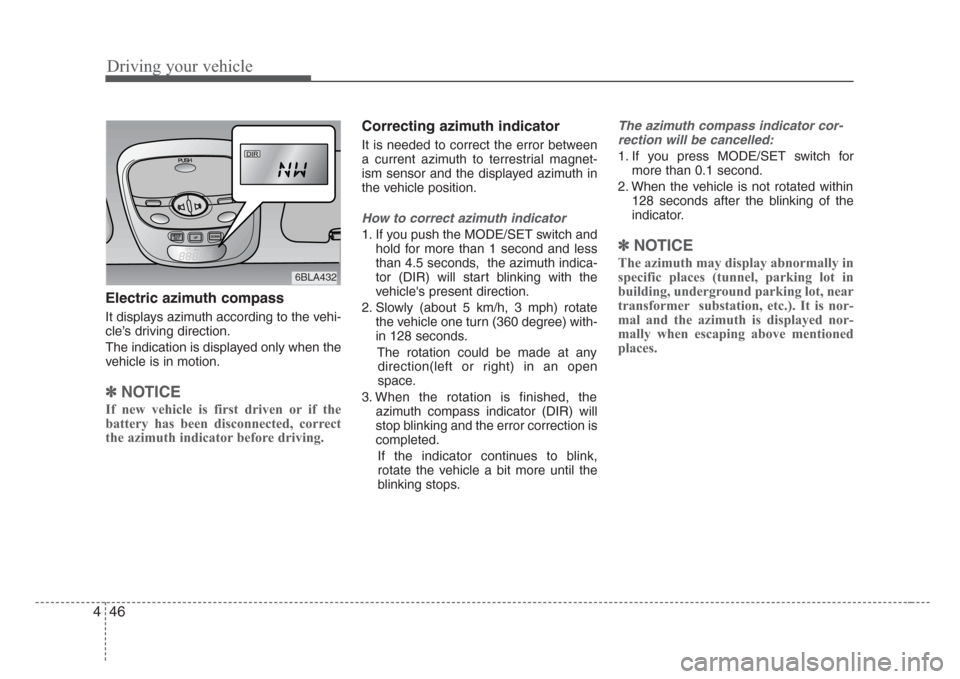
Electric azimuth compass
It displays azimuth according to the vehi-
cle’s driving direction.
The indication is displayed only when the
vehicle is in motion.
✽
NOTICE
If new vehicle is first driven or if the
battery has been disconnected, correct
the azimuth indicator before driving.
Correcting azimuth indicator
It is needed to correct the error between
a current azimuth to terrestrial magnet-
ism sensor and the displayed azimuth in
the vehicle position.
How to correct azimuth indicator
1. If you push the MODE/SET switch and
hold for more than 1 second and less
than 4.5 seconds, the azimuth indica-
tor (DIR) will start blinking with the
vehicle's present direction.
2. Slowly (about 5 km/h, 3 mph) rotate
the vehicle one turn (360 degree) with-
in 128 seconds.
The rotation could be made at any
direction(left or right) in an open
space.
3. When the rotation is finished, the
azimuth compass indicator (DIR) will
stop blinking and the error correction is
completed.
If the indicator continues to blink,
rotate the vehicle a bit more until the
blinking stops.
The azimuth compass indicator cor-
rection will be cancelled:
1. If you press MODE/SET switch for
more than 0.1 second.
2. When the vehicle is not rotated within
128 seconds after the blinking of the
indicator.
✽
NOTICE
The azimuth may display abnormally in
specific places (tunnel, parking lot in
building, underground parking lot, near
transformer substation, etc.). It is nor-
mal and the azimuth is displayed nor-
mally when escaping above mentioned
places.
DIR
6BLA432
Page 177 of 326
447
Driving your vehicle
How to correct terrestrial deviation.
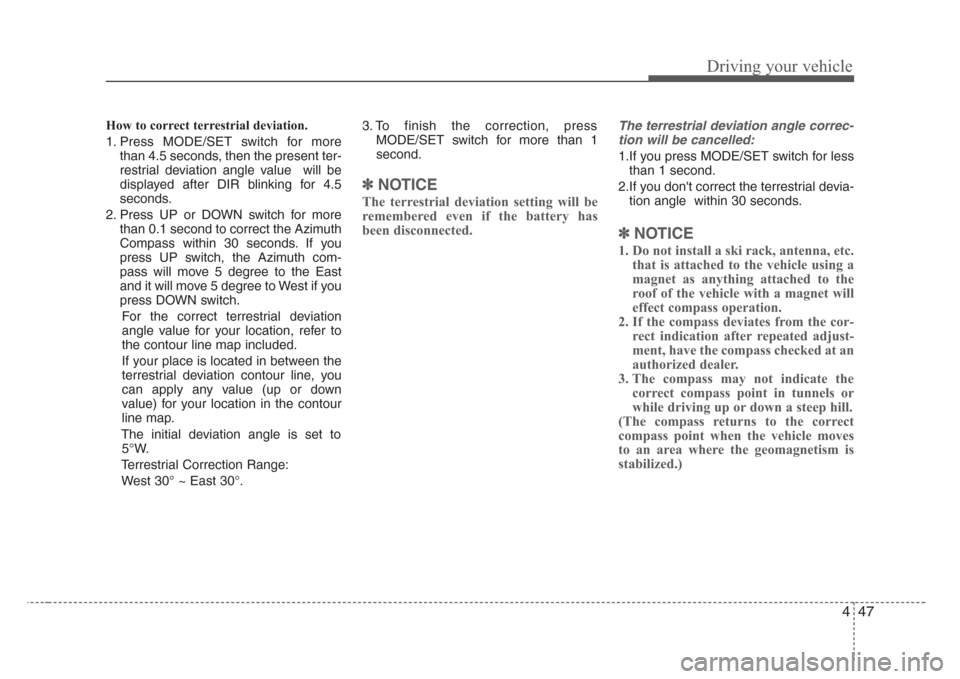
1. Press MODE/SET switch for more
than 4.5 seconds, then the present ter-
restrial deviation angle value will be
displayed after DIR blinking for 4.5
seconds.
2. Press UP or DOWN switch for more
than 0.1 second to correct the Azimuth
Compass within 30 seconds. If you
press UP switch, the Azimuth com-
pass will move 5 degree to the East
and it will move 5 degree to West if you
press DOWN switch.
For the correct terrestrial deviation
angle value for your location, refer to
the contour line map included.
If your place is located in between the
terrestrial deviation contour line, you
can apply any value (up or down
value) for your location in the contour
line map.
The initial deviation angle is set to
5°W.
Terrestrial Correction Range:
West 30° ~ East 30°.3. To finish the correction, press
MODE/SET switch for more than 1
second.
✽
NOTICE
The terrestrial deviation setting will be
remembered even if the battery has
been disconnected.
The terrestrial deviation angle correc-
tion will be cancelled:
1.If you press MODE/SET switch for less
than 1 second.
2.If you don't correct the terrestrial devia-
tion angle within 30 seconds.
✽
NOTICE
1. Do not install a ski rack, antenna, etc.
that is attached to the vehicle using a
magnet as anything attached to the
roof of the vehicle with a magnet will
effect compass operation.
2. If the compass deviates from the cor-
rect indication after repeated adjust-
ment, have the compass checked at an
authorized dealer.
3. The compass may not indicate the
correct compass point in tunnels or
while driving up or down a steep hill.
(The compass returns to the correct
compass point when the vehicle moves
to an area where the geomagnetism is
stabilized.)
Page 179 of 326
449
Driving your vehicle
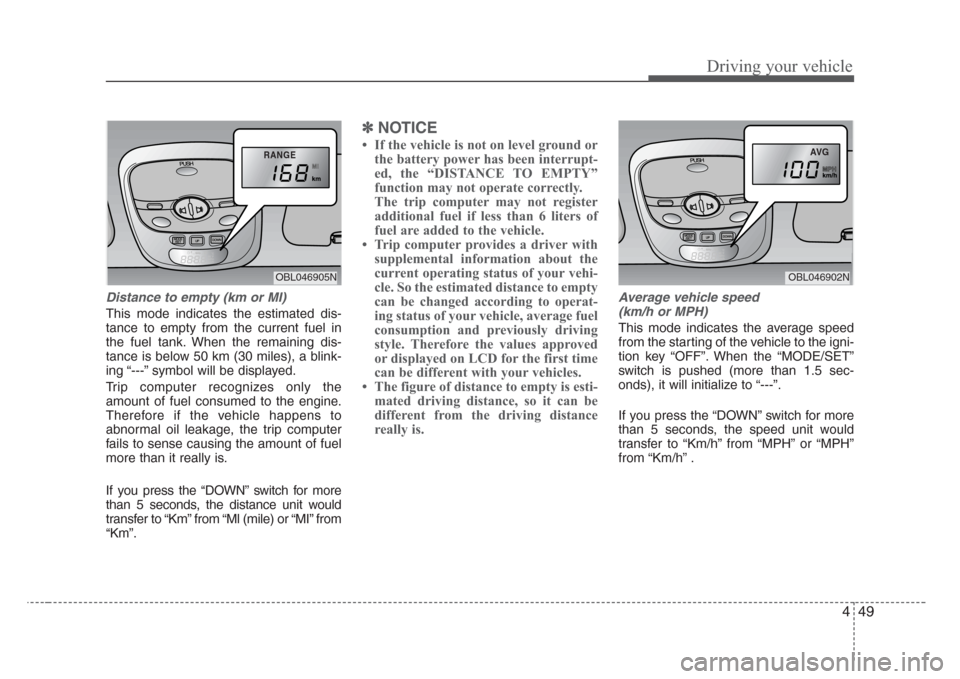
Distance to empty (km or MI)
This mode indicates the estimated dis-
tance to empty from the current fuel in
the fuel tank. When the remaining dis-
tance is below 50 km (30 miles), a blink-
ing “---” symbol will be displayed.
Trip computer recognizes only the
amount of fuel consumed to the engine.
Therefore if the vehicle happens to
abnormal oil leakage, the trip computer
fails to sense causing the amount of fuel
more than it really is.
If you press the “DOWN” switch for more
than 5 seconds, the distance unit would
transfer to “Km” from “Ml (mile) or “MI” from
“Km”.
✽
NOTICE
If the vehicle is not on level ground or
the battery power has been interrupt-
ed, the “DISTANCE TO EMPTY”
function may not operate correctly.
The trip computer may not register
additional fuel if less than 6 liters of
fuel are added to the vehicle.
Trip computer provides a driver with
supplemental information about the
current operating status of your vehi-
cle. So the estimated distance to empty
can be changed according to operat-
ing status of your vehicle, average fuel
consumption and previously driving
style. Therefore the values approved
or displayed on LCD for the first time
can be different with your vehicles.
The figure of distance to empty is esti-
mated driving distance, so it can be
different from the driving distance
really is.
Average vehicle speed
(km/h or MPH)
This mode indicates the average speed
from the starting of the vehicle to the igni-
tion key “OFF”. When the “MODE/SET”
switch is pushed (more than 1.5 sec-
onds), it will initialize to “---”.
If you press the “DOWN” switch for more
than 5 seconds, the speed unit would
transfer to “Km/h” from “MPH” or “MPH”
from “Km/h” .
RANGE
OBL046905N
AVG
OBL046902N
Page 180 of 326
Driving your vehicle
50 4
Driving time
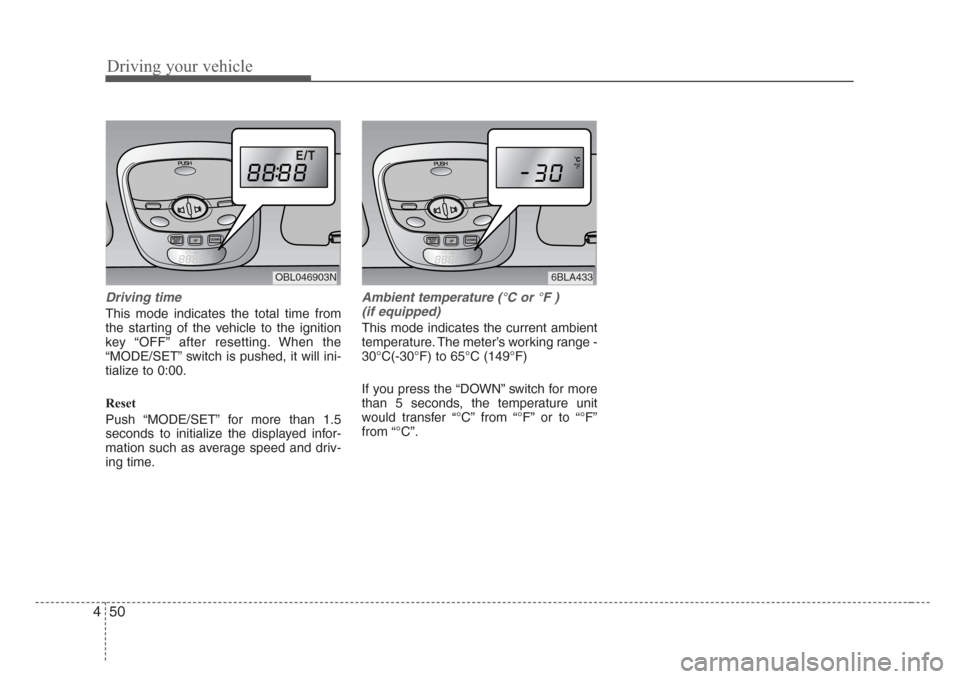
This mode indicates the total time from
the starting of the vehicle to the ignition
key “OFF” after resetting. When the
“MODE/SET” switch is pushed, it will ini-
tialize to 0:00.
Reset
Push “MODE/SET” for more than 1.5
seconds to initialize the displayed infor-
mation such as average speed and driv-
ing time.
Ambient temperature (°C or °F )
(if equipped)
This mode indicates the current ambient
temperature. The meter’s working range -
30°C(-30°F) to 65°C (149°F)
If you press the “DOWN” switch for more
than 5 seconds, the temperature unit
would transfer “°C” from “°F” or to “°F”
from “°C”.
E/T
OBL046903N6BLA433
Page 197 of 326
467
Driving your vehicle
Automatic operation
The automatic climate control system is
controlled by simply setting the desired
temperature.
The Full Automatic Temperature Control
(FATC) system automatically controls the
heating and cooling system as follows;
1. Push the AUTO button. It is indicated
by AUTO on the display. The modes,
fan speeds, air intake and air-condi-
tioning will be controlled automatically
by temperature setting.
2. Turn the TEMP knob to set the desired
temperature.
If the temperature is set to the lowest
setting Lo, the air conditioning system
will operate continuously.3. To turn the automatic operation off,
press any button except temperature
control knob and AUTO, DUAL button.
If you press the mode selection button,
air-conditioning button, defrost button,
air intake control button or fan speed
button, the selected function will be
controlled manually while other func-
tions operate automatically.
Regardless of the temperature setting,
when using automatic operation, the air
conditioning system will automatically
turn on to decrease the humidity inside
the vehicle, even if the temperature is set
to warm.
Manual operation
The heating and cooling system can be
controlled manually as well by pushing
buttons other than the AUTO button. In
this case, the system works sequentially
according to the order of buttons select-
ed.
When pressing any button except AUTO
button while automatic operation, the
functions of the buttons not selected will
be controlled automatically.
Press the AUTO button in order to con-
vert to full automatic control of the sys-
tem.AUTO
CAUTION
Never place anything over the sen-
sor located on the instrument panel
to ensure better control of the heat-
ing and cooling system.
Page 198 of 326
Driving your vehicle
68 4
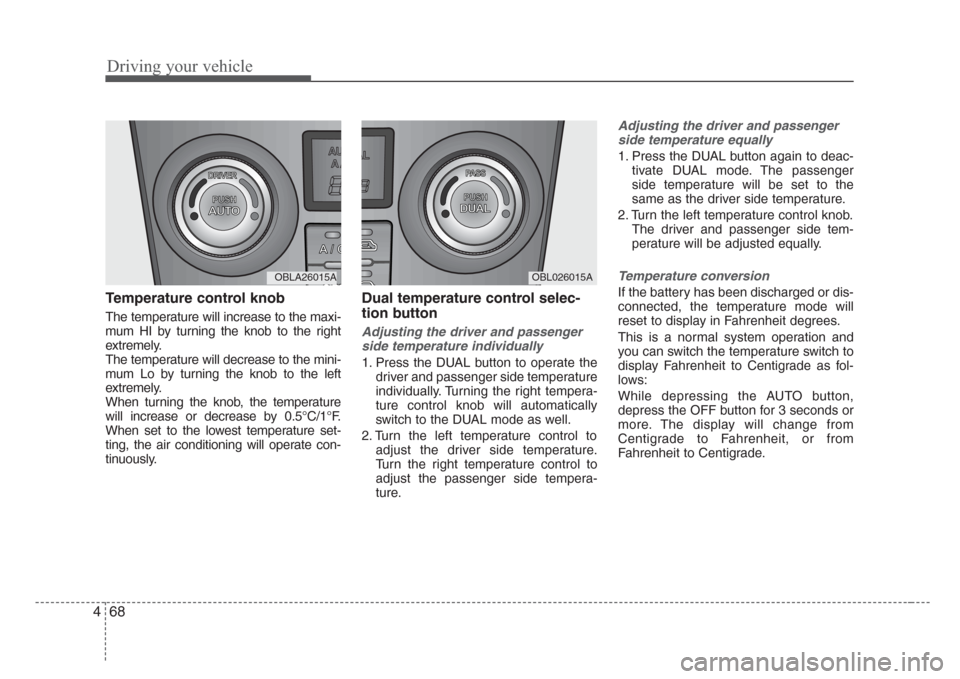
Temperature control knob
The temperature will increase to the maxi-
mum HI by turning the knob to the right
extremely.
The temperature will decrease to the mini-
mum Lo by turning the knob to the left
extremely.
When turning the knob, the temperature
will increase or decrease by 0.5°C/1°F.
When set to the lowest temperature set-
ting, the air conditioning will operate con-
tinuously.
Dual temperature control selec-
tion button
Adjusting the driver and passenger
side temperature individually
1. Press the DUAL button to operate the
driver and passenger side temperature
individually. Turning the right tempera-
ture control knob will automatically
switch to the DUAL mode as well.
2. Turn the left temperature control to
adjust the driver side temperature.
Turn the right temperature control to
adjust the passenger side tempera-
ture.
Adjusting the driver and passenger
side temperature equally
1. Press the DUAL button again to deac-
tivate DUAL mode. The passenger
side temperature will be set to the
same as the driver side temperature.
2. Turn the left temperature control knob.
The driver and passenger side tem-
perature will be adjusted equally.
Temperature conversion
If the battery has been discharged or dis-
connected, the temperature mode will
reset to display in Fahrenheit degrees.
This is a normal system operation and
you can switch the temperature switch to
display Fahrenheit to Centigrade as fol-
lows:
While depressing the AUTO button,
depress the OFF button for 3 seconds or
more. The display will change from
Centigrade to Fahrenheit, or from
Fahrenheit to Centigrade.
OBL026015AOBLA26015A